
Interventional Cardiologist, Director of Structural Heart Interventions @CUHKMedicine @HongKong @ Prince of Wales Hospital; alumni @henryfordhealth
Joined April 2018
- Tweets 180
- Following 244
- Followers 286
- Likes 725
9 Photos and videos
Kent, So retweeted
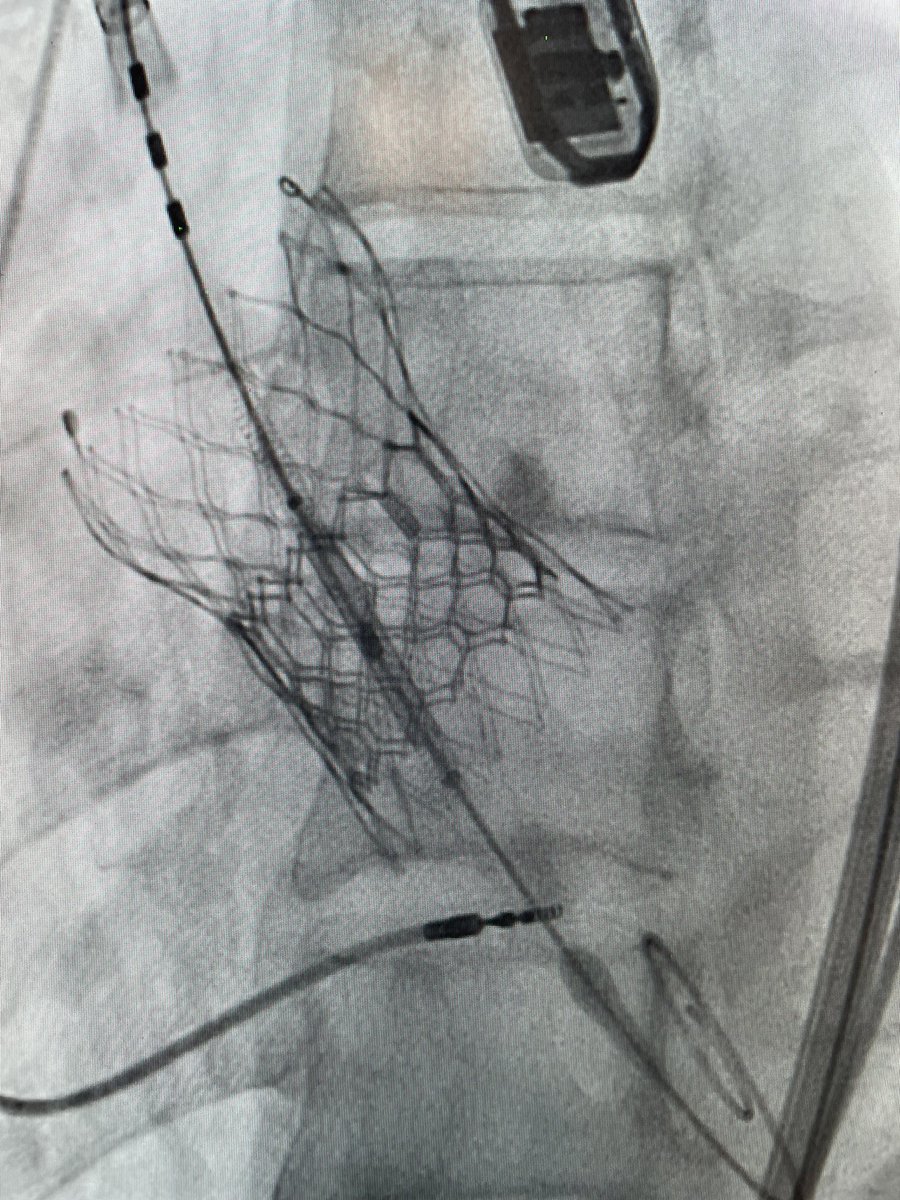
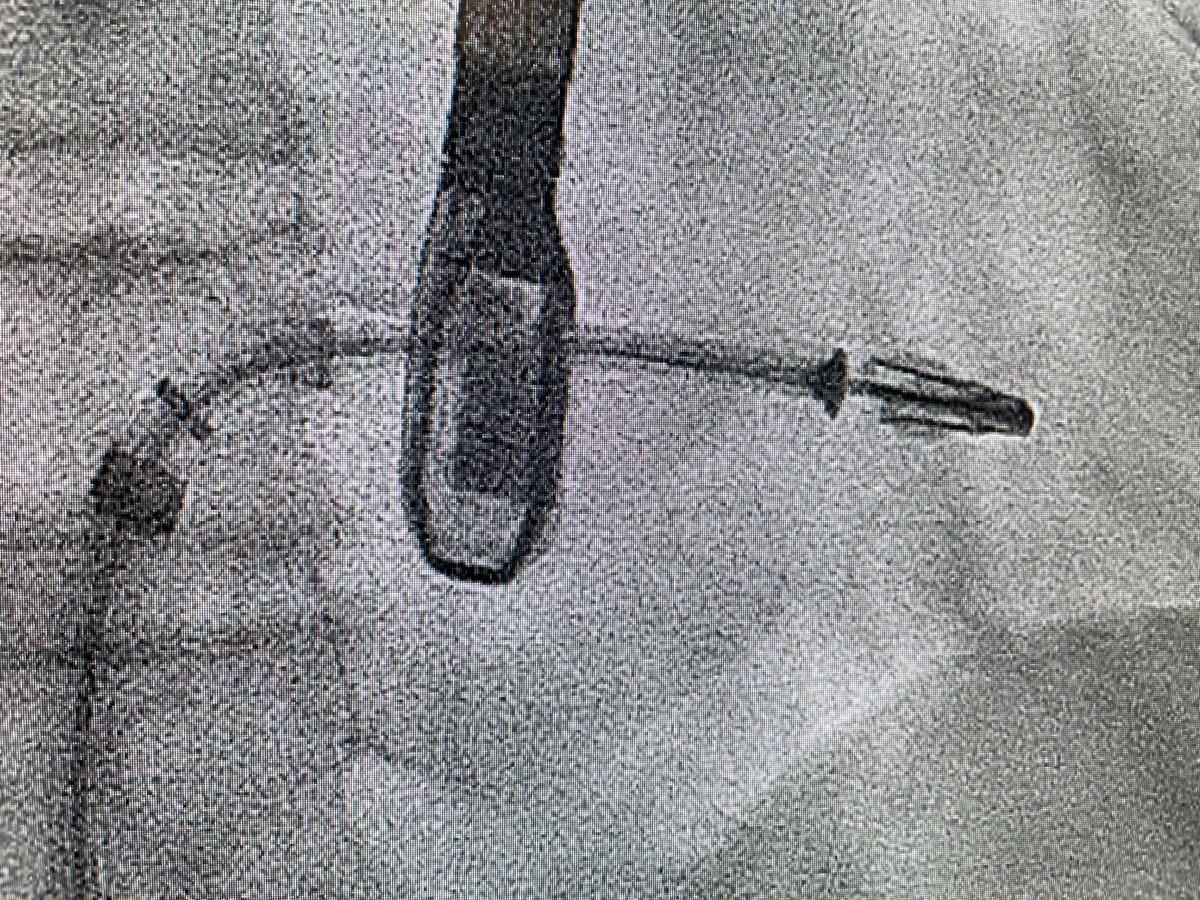
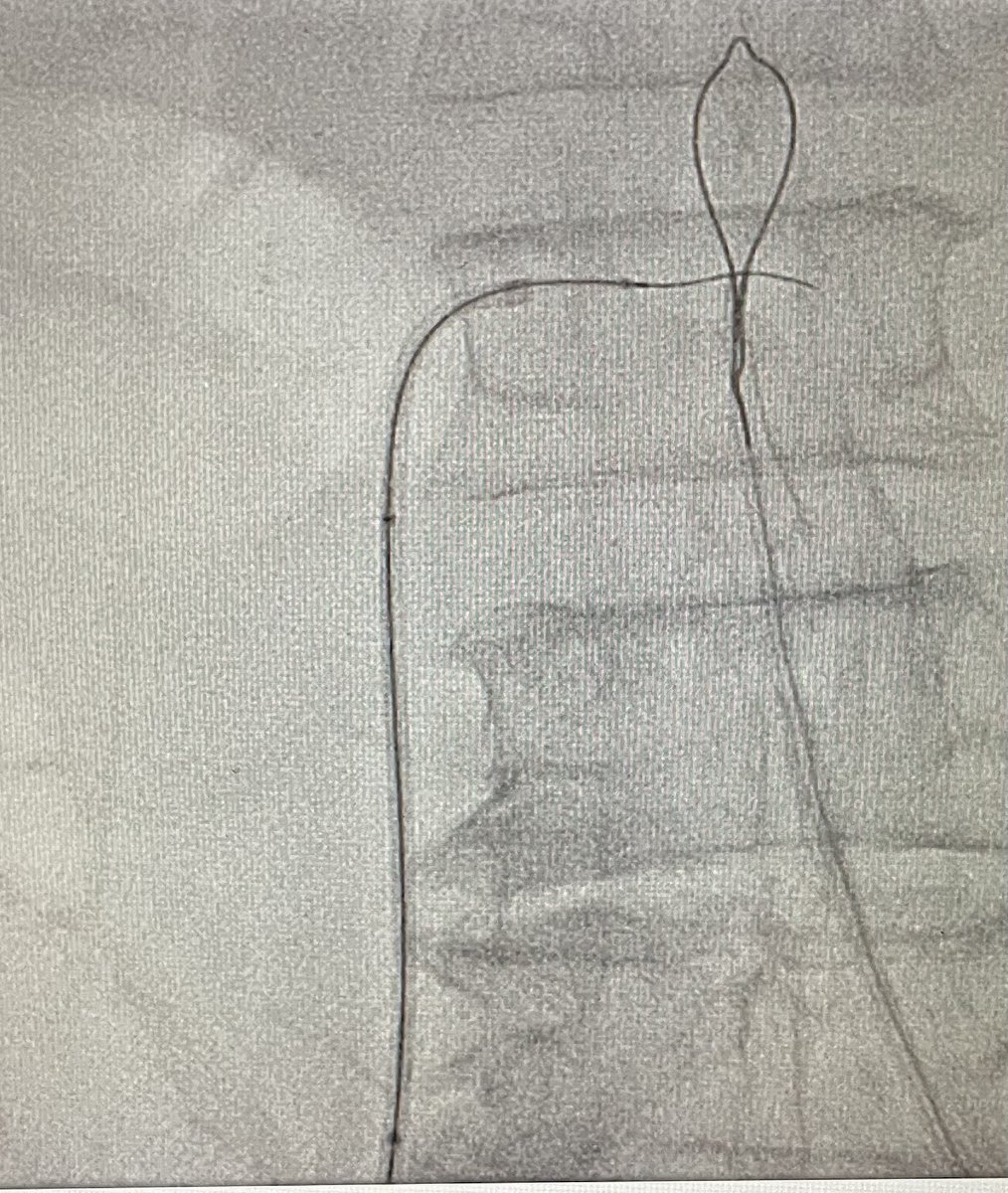
Successfully done two cases of BA-BASILICA TAV-in-TAV and a BATMAN TMVR VIR
@kentso987 @CUHKMedicine
1
2
16
1,209
Kent, So retweeted

Apr 18
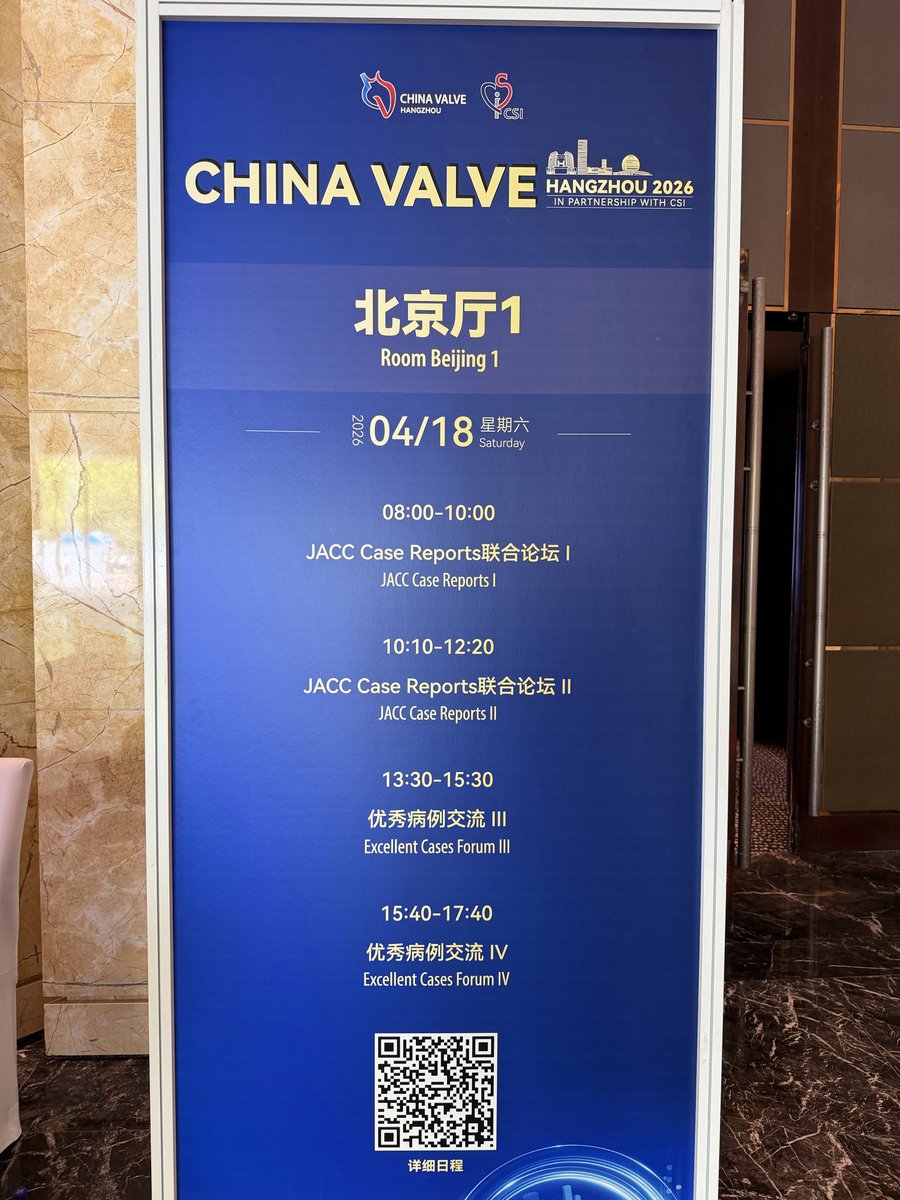
Simultaneous publication with #ChinaValveHangzhou2026 and #JACCCaseReports @JACCJournals today on the top case submissions from the meeting. Thank you to all the authors who contributed!
jacc.org/events/conferences/…
@kentso987
@MiChen__
@hmkyale
@MinnowWalsh
@Justine_Turco
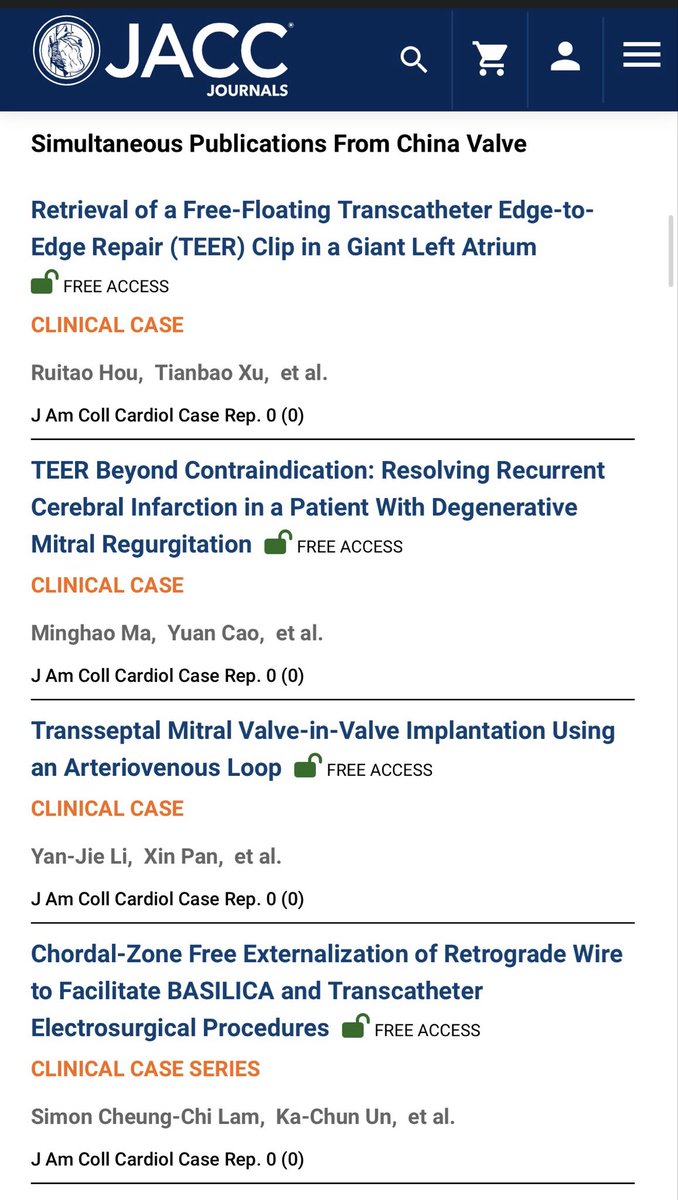
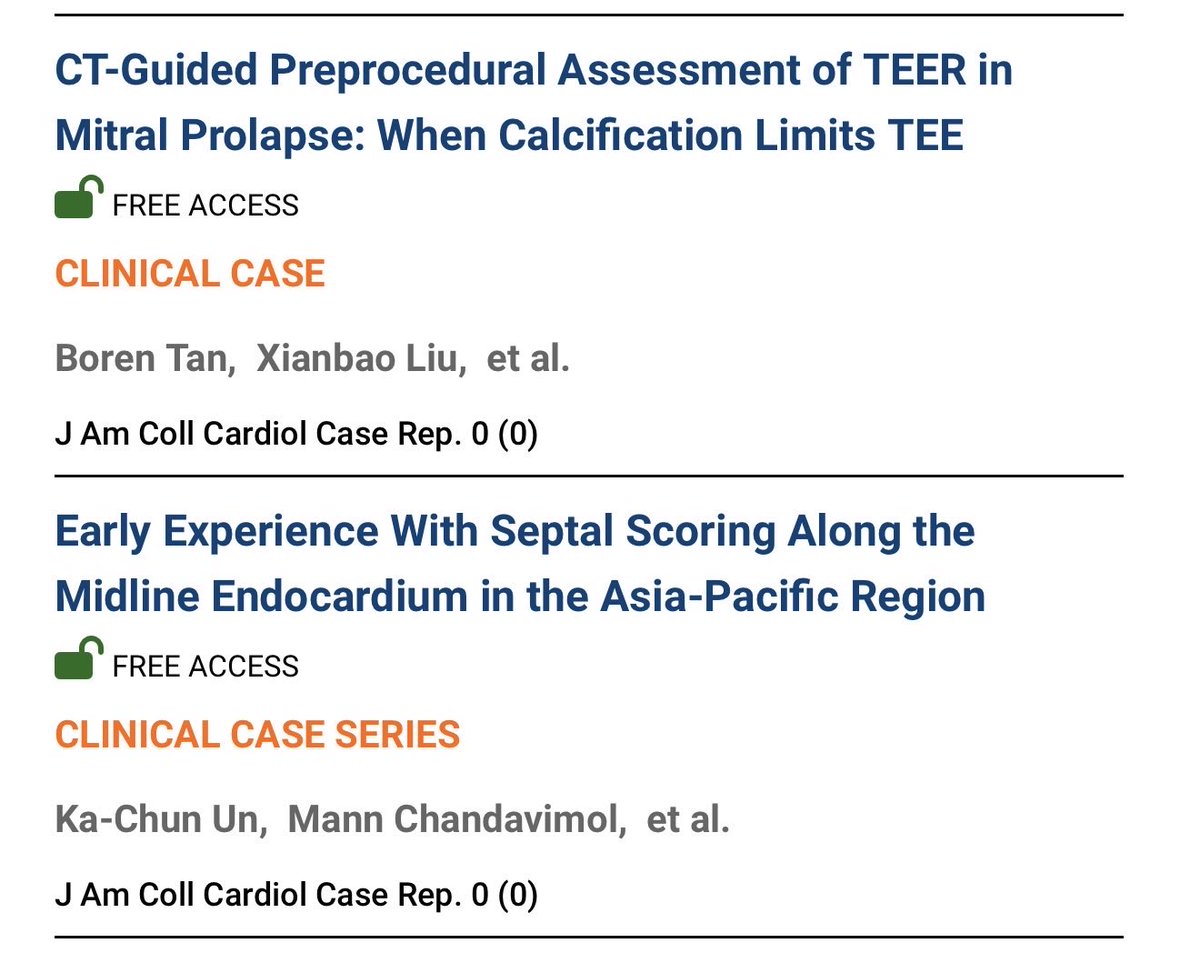
4
14
2,267
Kent, So retweeted
<100 days until @FIFAWorldCup !!! STAY TUNED! A special CALL FOR PAPERS to celebrate this event coming soon #JACCCaseReports @JACCJournals!!!
1
11
746
Kent, So retweeted
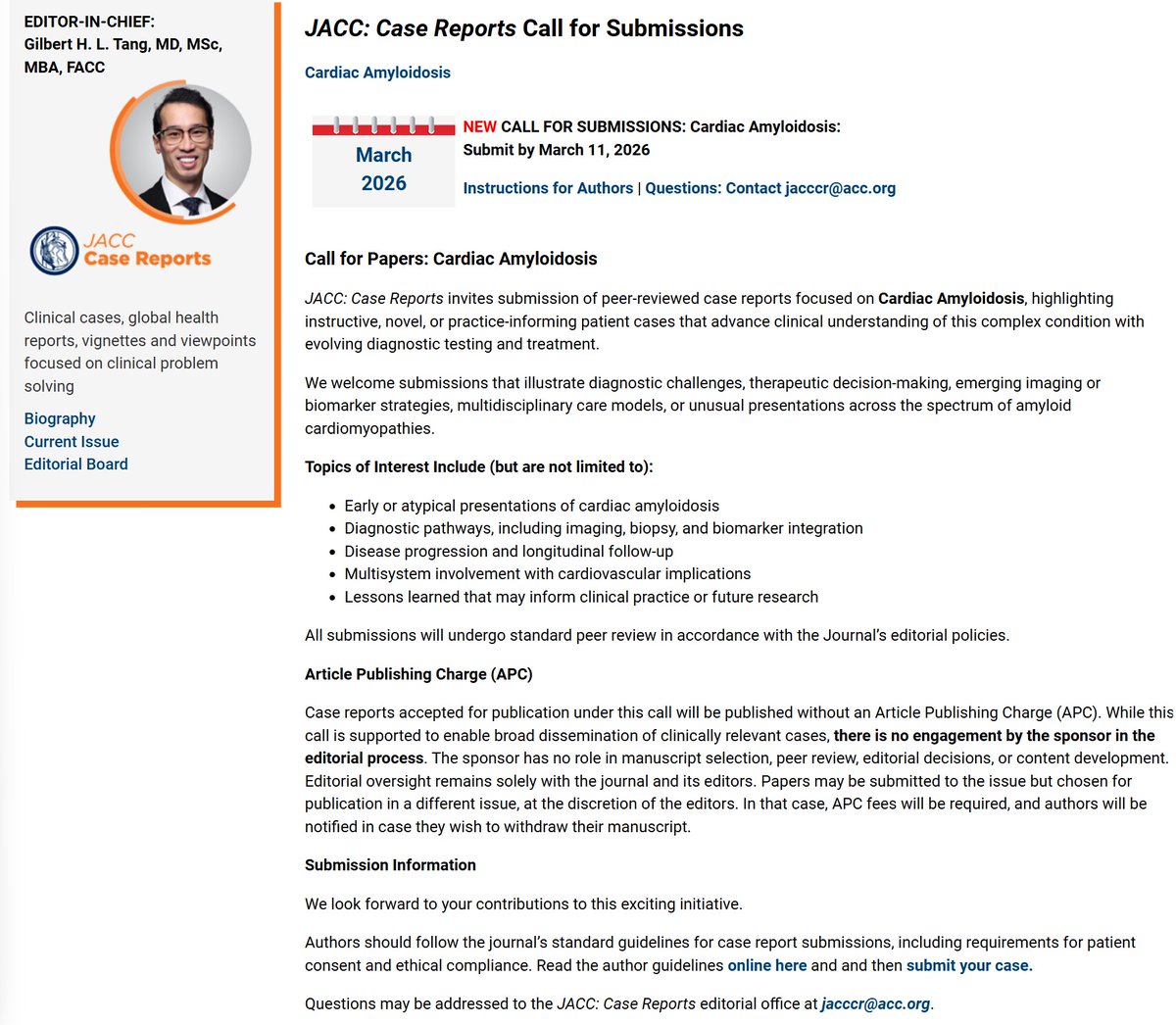
DONT'T WAIT until the 3/11 deadline! Submit your AMYLOID cases or 4 Corners vignette, multidisciplinary team discussion, flash debates, beyond the guidelines and viewpoints NOW to @JACCJournals #JACCCaseReports! This is a sponsored session where the selected top papers for this special issues get their open access fee waived. Thank you to our guest Editor-in-Chief Dr. Joshua Mitchell for curating this special issue on such an important and novel topic in cardiovascular medicine.
More details here:
jacc.org/call-for-papers/cas…
1
5
14
2,742
Kent, So retweeted

Feb 10
Grateful to an amazing team:
Taieb, Turyan, Abu Salman, Jubeh, Fink & Wolak
🔗 jacc.org/doi/10.1016/j.jacca…
#TAVR #StructuralHeart #FirstInHuman #ATLAS #CardiologyInno
2
22
62
6,958
Kent, So retweeted

Percutaneous thrombectomy of a thrombus-in-transit with impending paradoxical embolism through PFO, complicated by pulmonary embolism.
A rare, high-stakes intervention now at #JACCCaseReports
sciencedirect.com/science/ar…
@kentso987 @CUHKMedicine
1
2
6
287

Feb 5
RT @ESC_Journals: Transcatheter aortic valve-in-mechanical valve replacement. Read the results of the first-in-human study in #EHJ
👉 https…
11
Kent, So retweeted
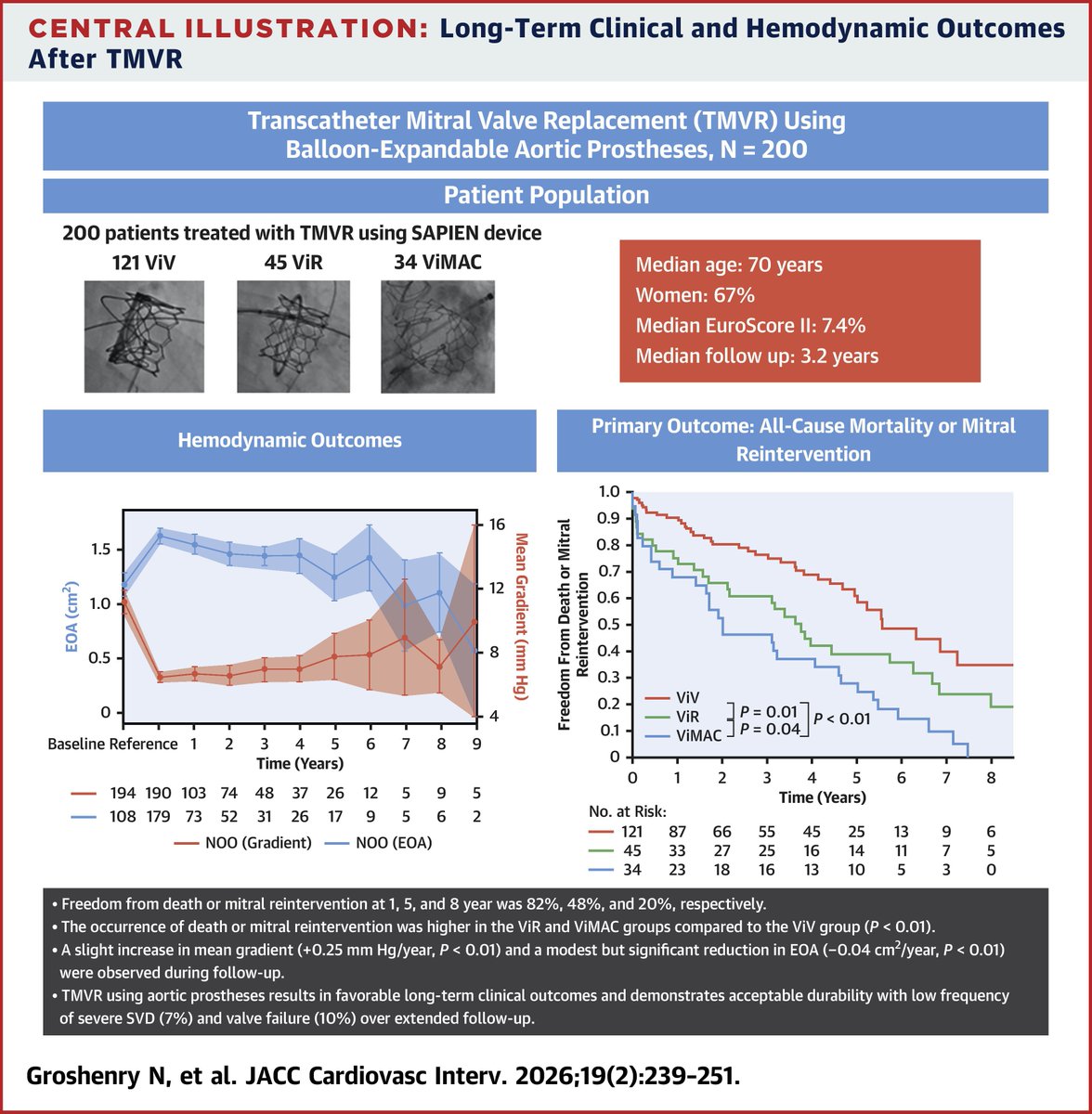
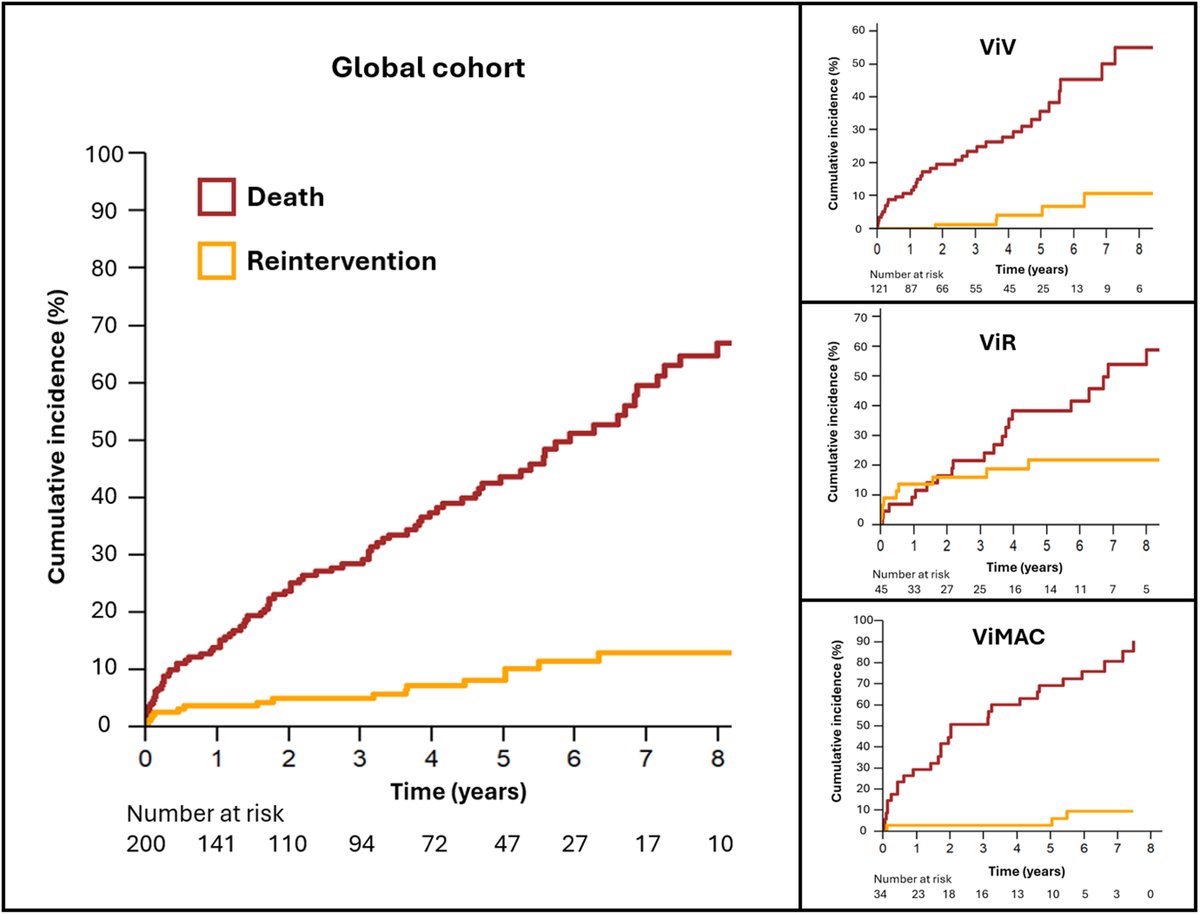
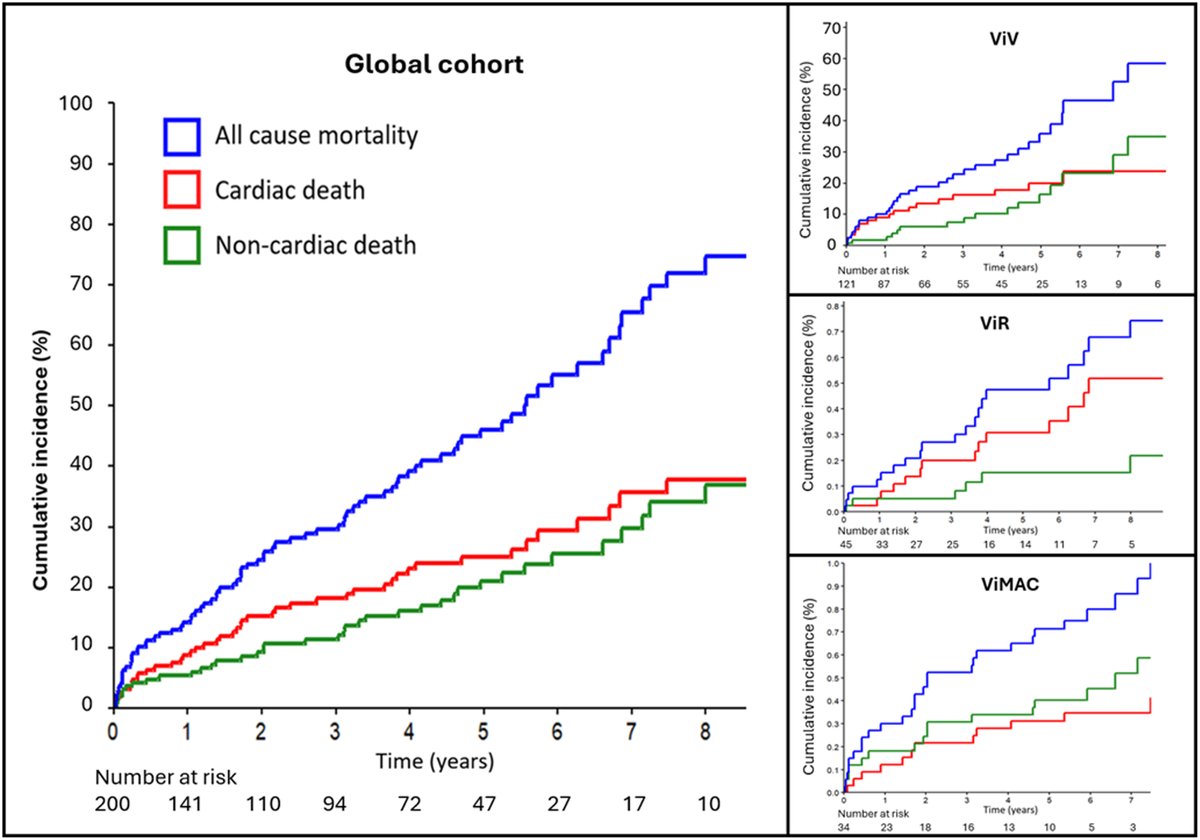
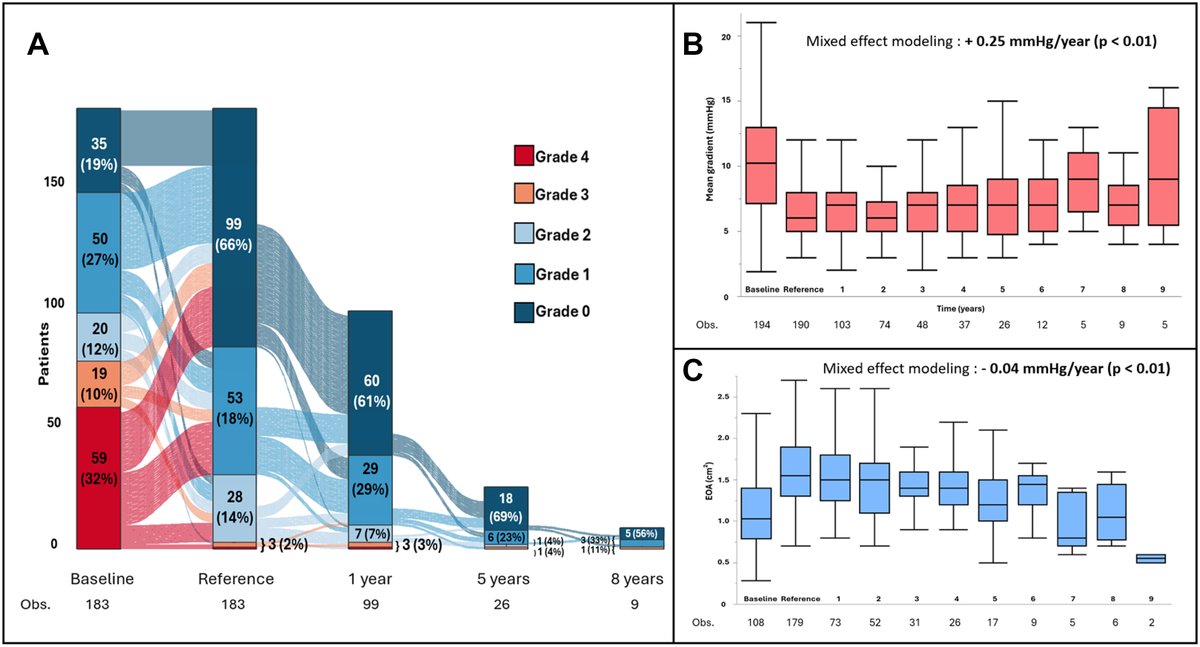
JUST OUT! #JACCINT @JACCJournals on long-term outcomes of SAPIEN3 MVIV MVIR VIMAC #TMVR. As expected, MVIV did much better than MVIR and VIMAC in all-cause and CV mortality. Median follow-up 3ys (up to 8y) with ~7% severe SVD after 5y and ~10% TMVR failure after 4y. Depends on how you see it, I see this as sobering outcomes: MVIR and VIMAC should be offered only in inoperable patients with limited life expectancies, given poor survival and limited valve durability. MVIV has better outcomes, but need to follow re: SVD and TMVR failure and may end up being a bridge to reop MVR especially in younger patients. 5y durability data of native TMVR are emerging (Intrepid, Tendyne), will see how they fare vs balloon-expandable TMVR in failed valves, rings, MAC.
Thoughts and comments?
jacc.org/doi/full/10.1016/j.…
3
19
64
6,183
Kent, So retweeted
Jan 19
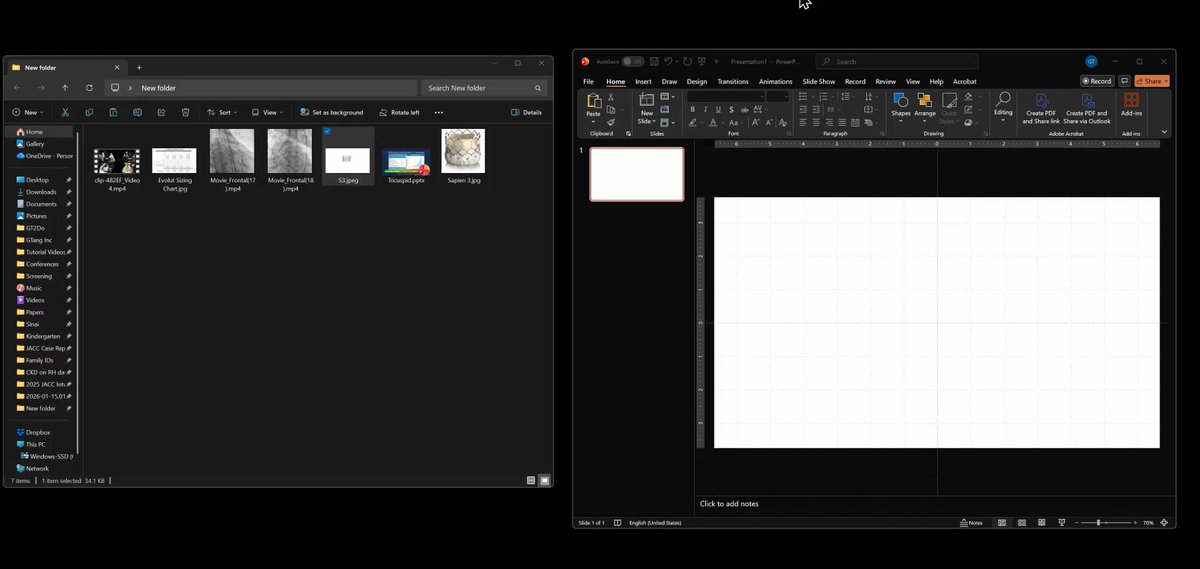
JUST OUT on my @YouTube Channel! My tips and tricks on how to optimize your @powerpoint presentations, so the videos, images show flawlessly; how to crop images, import screen shots, optimize image and video qualities and color/contrasts, trim and play videos synchronously, play multiple videos in sync without manually clicking them, and in loops (especially useful for echo and angio videos), how to optimize the PPTX file size and make all the videos embedded and compatible (no more glitches and videos can't play on the podium), and how to save your slides into individual high-res image files for manuscript submissions to academic journals.
youtube.com/watch?v=cPi1Fq0K…
5
54
4,303
Kent, So retweeted

Jan 8
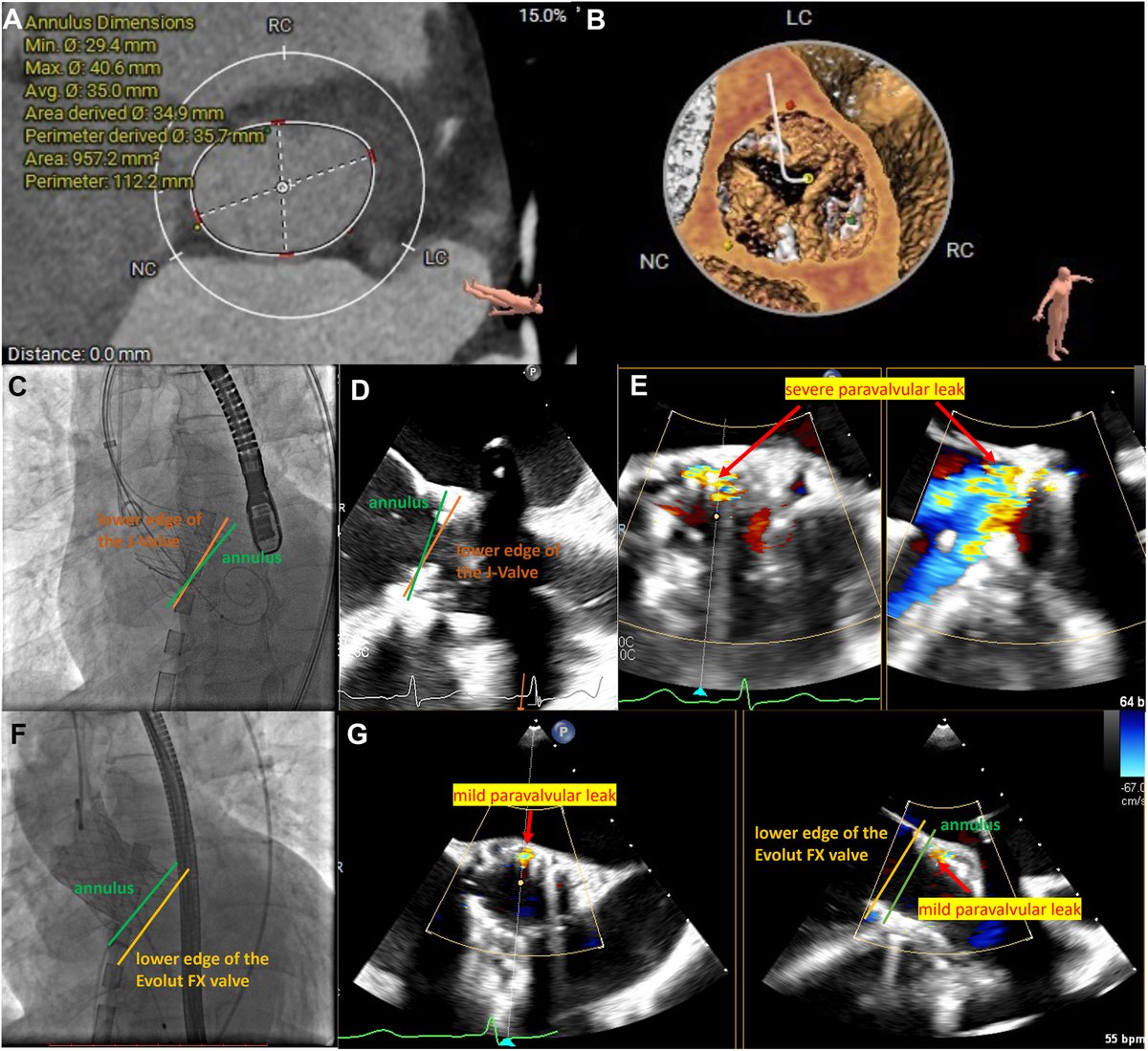
🫀 Severe aortic stenosis extremely large annulus? Read about a valve-in-valve approach using J-Valve as an anchor. A first-of-its-kind solution pushing the limits of structural heart interventions! ⬇️
cjcopen.ca/article/S2589-790…
#CJCO #OpenAccess
3
5
304
Kent, So retweeted

Jan 6
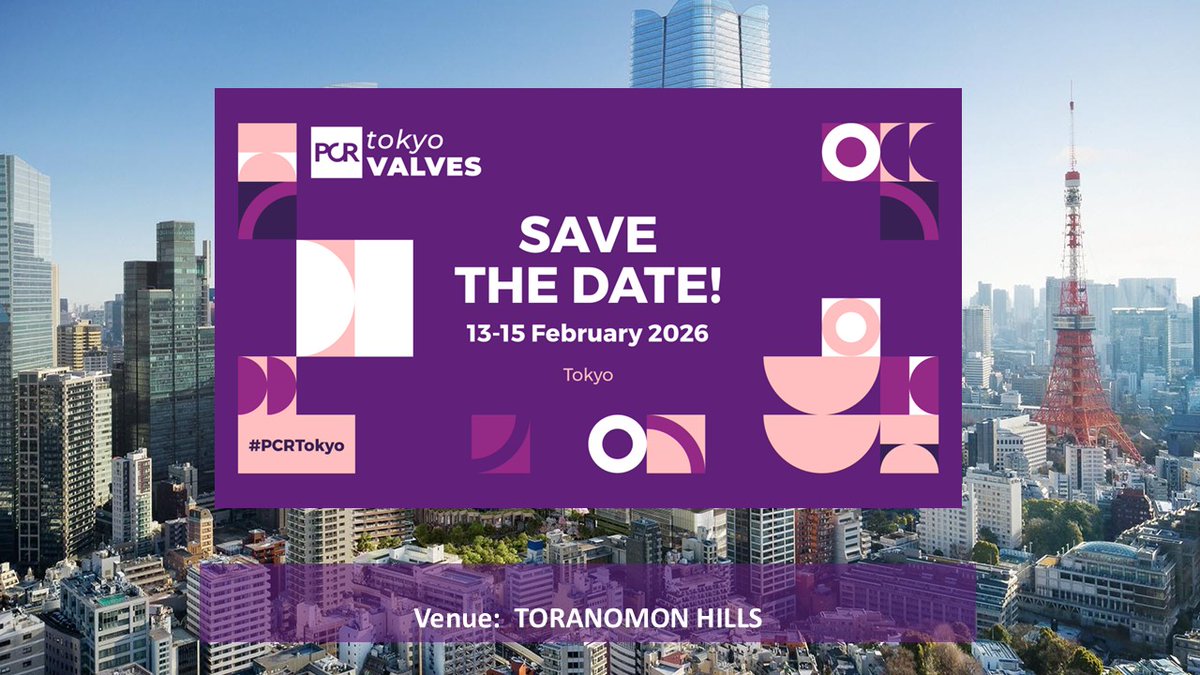
As our patients are getting more and more complex, we need wide variety of ideas, insights, and techniques for our best patient care. Cannot agree more with @TsuyoshiKaneko1, #PCRTokyo is also waiting for contemporary cardiac surgeons and imagers! @PCRonline

Come and join one of the best Valve meetings in the world's best city!! Cardiac Surgeons should join as the key members of the Heart Team. @OhnoTuri @GilbertTangMD @PCRonline #PCRTokyo
5
9
1,739
Kent, So retweeted

24 Dec 2025
Another first in Nebraska! Repair of a multifenestrated paravalvular leak with the Toostie Roll technique (Viabahn AVP2).
1
5
39
2,991
19 Dec 2025
Important #Anchor_BASILICA technique, helpful in patients with renal impairment, native or surgical valve that doesn’t have a post for alignment - to save contrast - pioneered by #KarlPoon. @CathElectroSurg @GilbertTangMD @CUHKMedicine @DrMarvinEng @PedroMDMSc @g_giustinoMD
18 Dec 2025

81 yo man 19mm Mitroflow
Successful Wire-anchored LCC BA-BASILICA EVOLUT FX 23mm Post Valve fracture
@kentso987 @PWH_SHD @CUHKMedicine
1
4
503
Kent, So retweeted

18 Dec 2025
81 yo man 19mm Mitroflow
Successful Wire-anchored LCC BA-BASILICA EVOLUT FX 23mm Post Valve fracture
@kentso987 @PWH_SHD @CUHKMedicine
1
5
23
2,020
17 Nov 2025
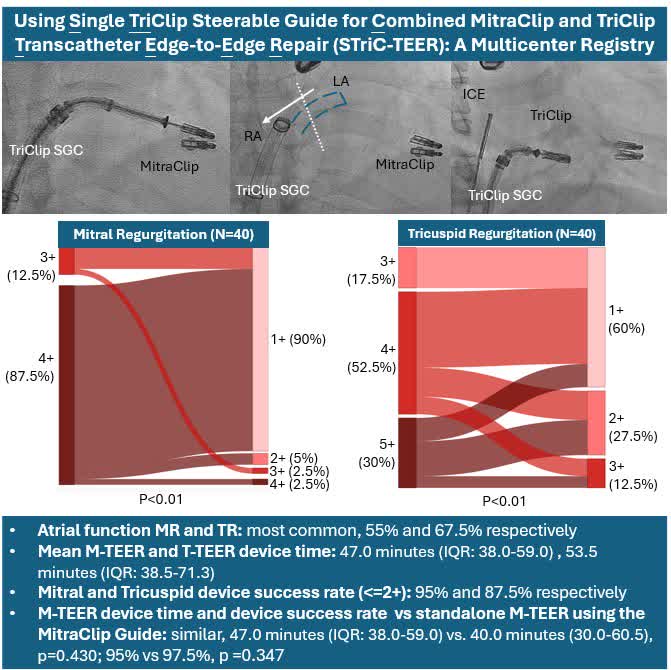
Sharing our experience of the StriC-TEER procedures at #PCRLV. #MR #TR #AF #MTEER #TTEER
Using single TriClip SGC for combine M/T-TEER is feasible and safe!
Thanks all the collaborators!
@CUHKMedicine
16 Nov 2025

Single TriClip Steerable Guide for Combined MitraClip and TriClip Transcatheter Edge-to-Edge Repair (STric-TEER): A Multicenter Registry presented @PCRonline #PCRLV and published simultaneously @AlexLee_MD @GilbertTangMD @EuroInterventio #EuroPCR
ahajrnls.org/3XBEDIo
2
9
1,764
Kent, So retweeted

16 Nov 2025
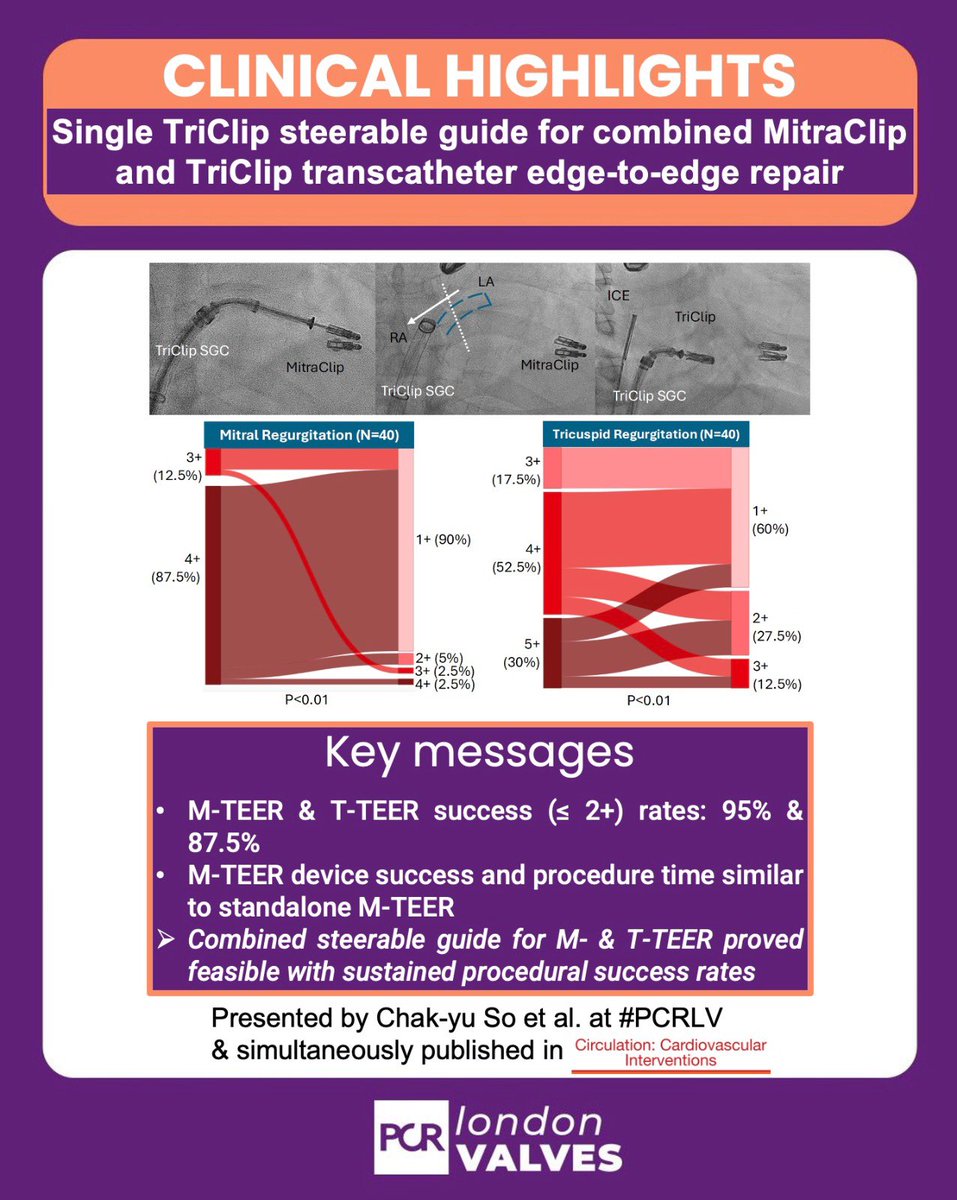
🚀#PCRLV Tricuspid Hotline Session: Single TriClip steerable guide for combined M-TEER T-TEER by Chak-yu So et al.
🎯Find the key takes of the study in the @PCRonline Evidence Card ⤵️
@PamelaGatto @alcantaramonica @dr_chrisallen @O_Azizy_MD @BenekiEirini @MiChen__
1
3
9
863
1 Nov 2025
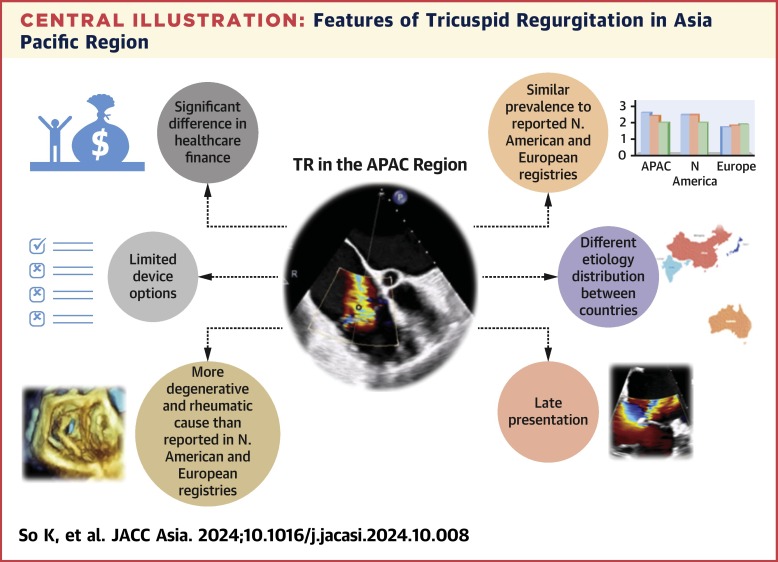
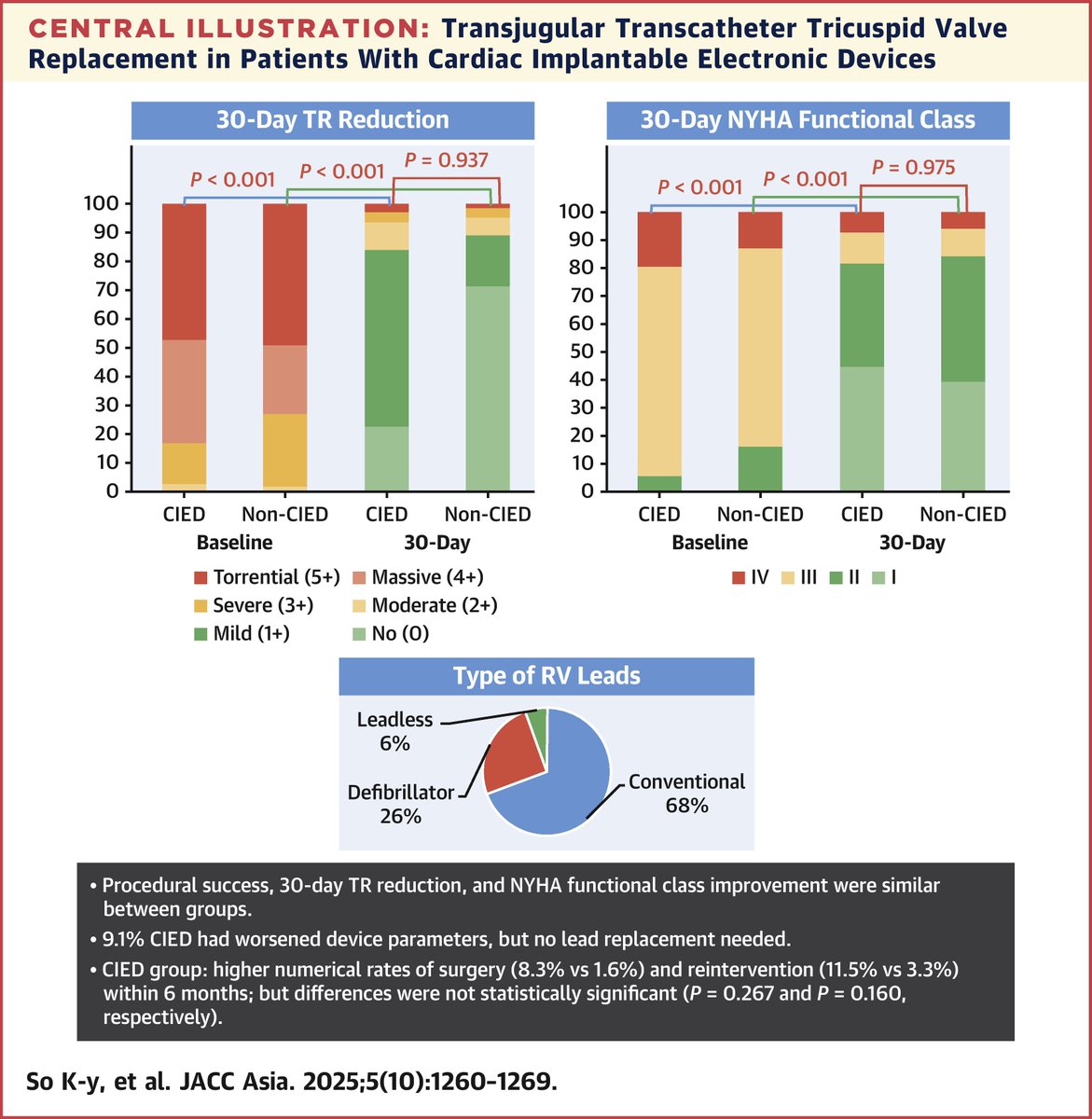
Transjugular #TTVR remains feasible and safe in patients with severe #TR and prior #pacemaker lead! #JACCASIA @JACCJournals @CUHKMedicine
1 Nov 2025

Patients with CIEDs can safely undergo #TTVR for severe TR. Similar survival & improvement to non-CIED patients; no lead extraction needed. 💪🫀 jacc.org/doi/10.1016/j.jacas…
#vhdTR #JACCAsia #epCIED #ACCIntl
2
12
768
28 Oct 2025
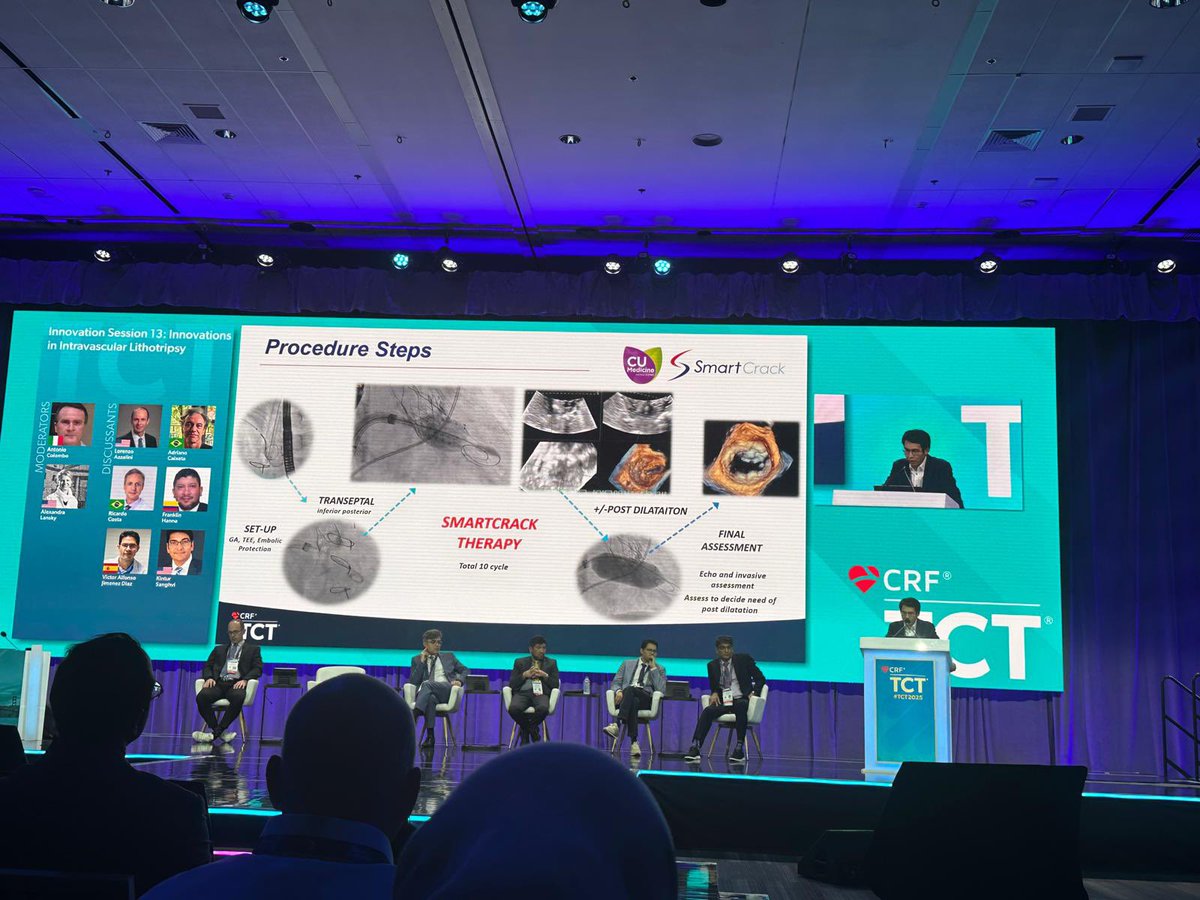
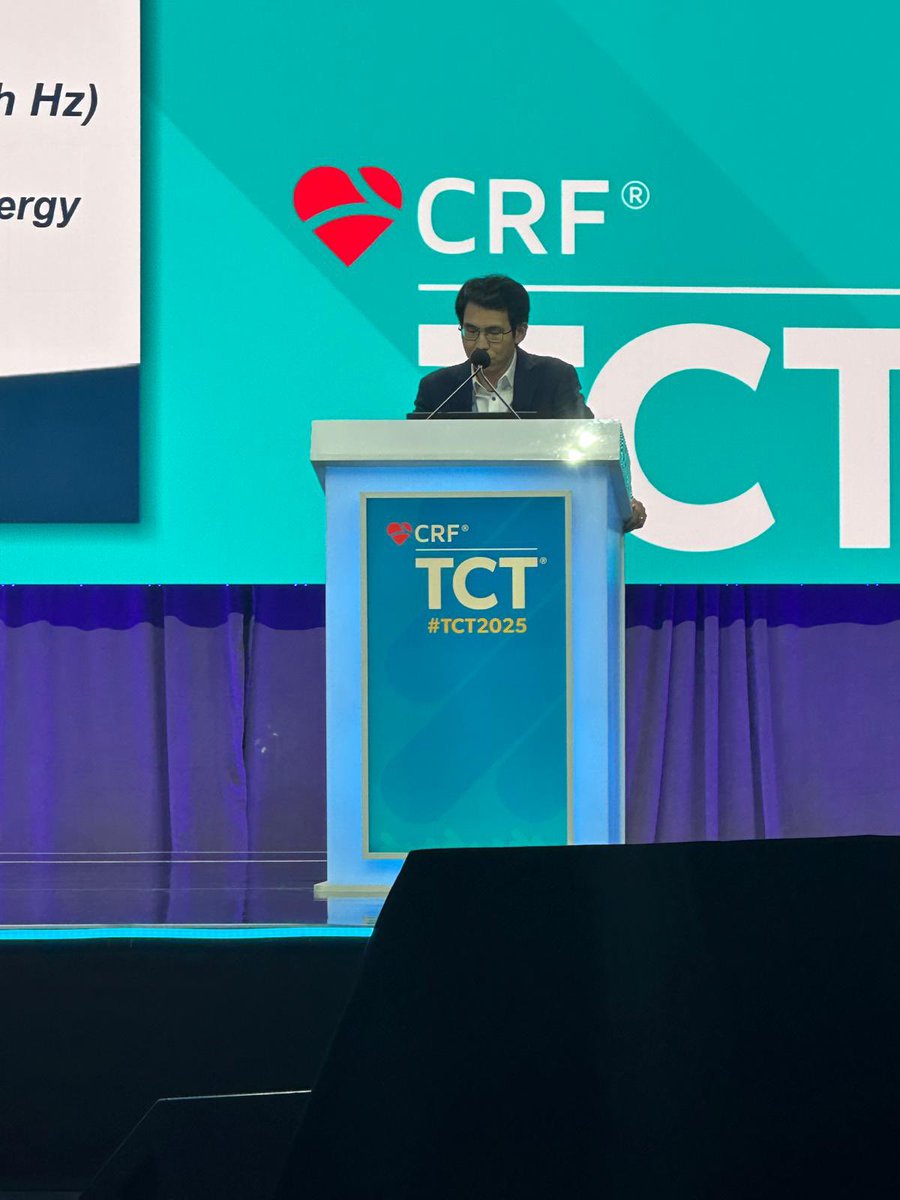
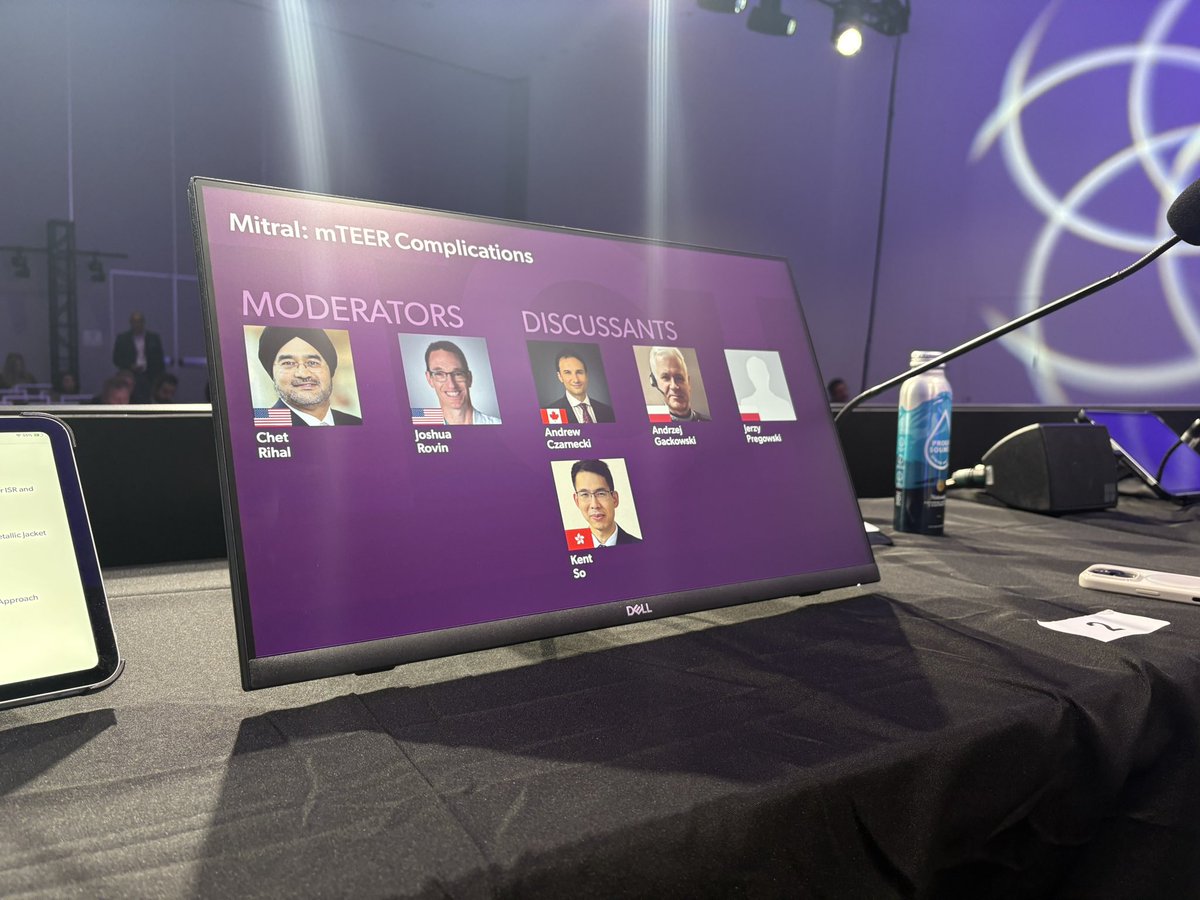
Short trip to #TCT2025, great meeting friends and presenting our study on the novel #SmartCrack lithotripsy balloon for #MAC or calcific #rheumatic #mitralstenosis (SMART-MAC First in human study).
More data coming soon! @CUHKMedicine @AlexLee_MD @crfheart @DeeDeeWangMD
1
15
1,512
Kent, So retweeted

31 Aug 2025
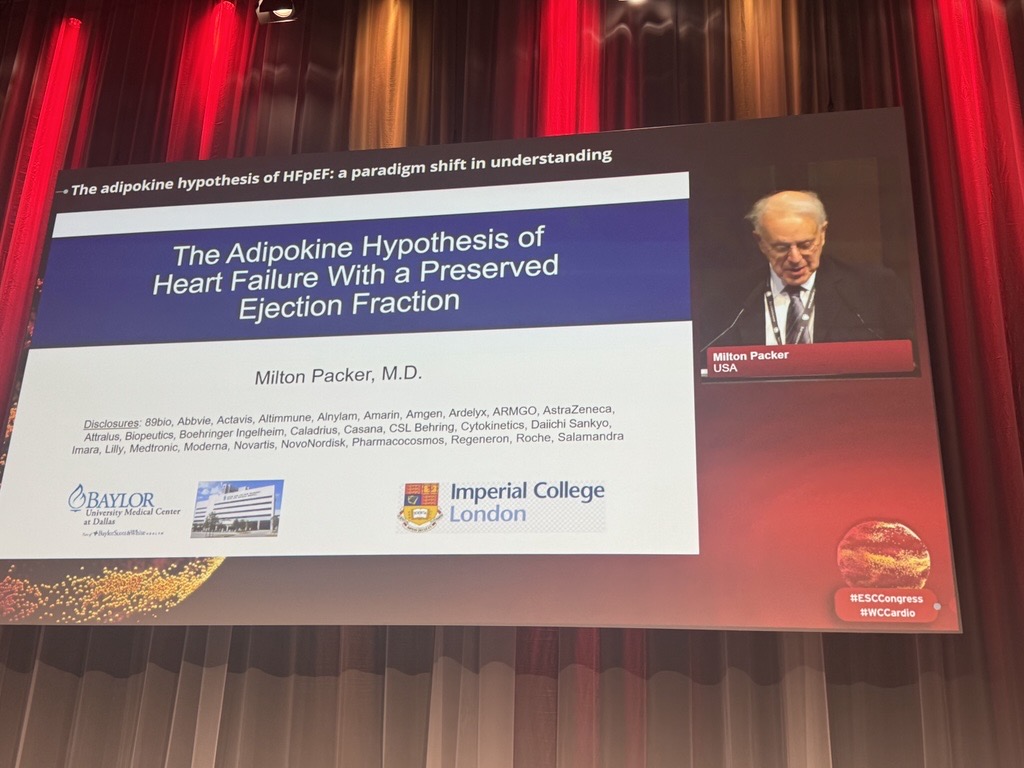
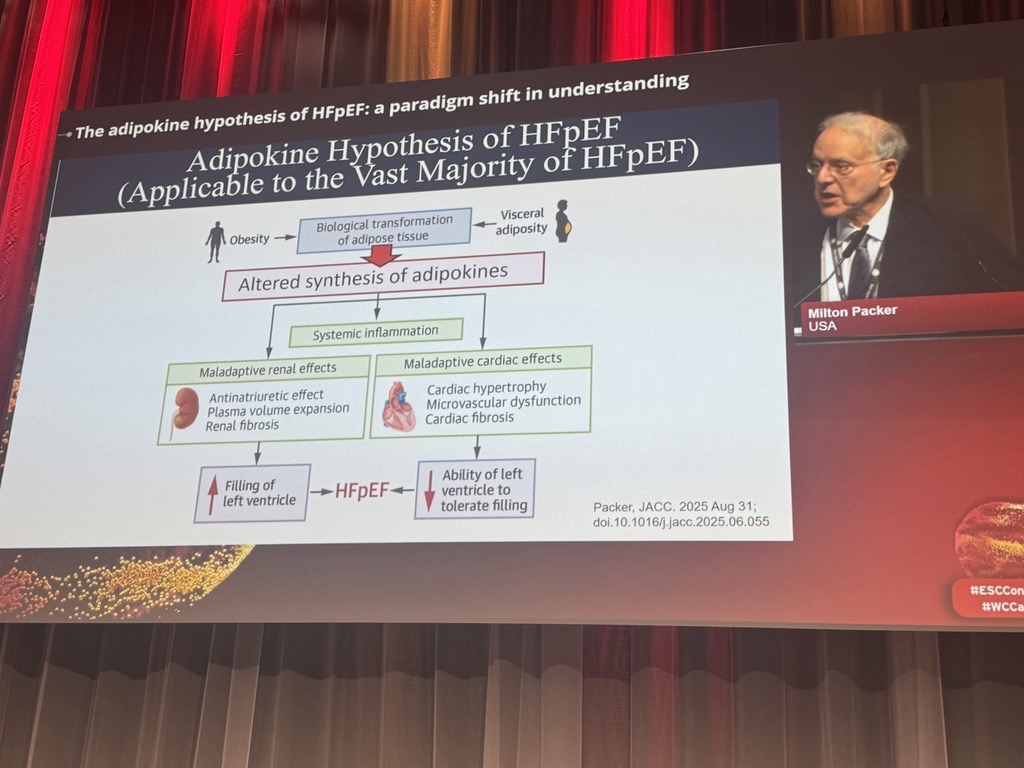
Dr. Milton Packer presents his paper on the #adipokine hypothesis and a new era in #HFpEF science at the #JACC/#ESCCongress joint session 💡
🔗 jacc.org/doi/10.1016/j.jacc.… #WCCardio
31 Aug 2025
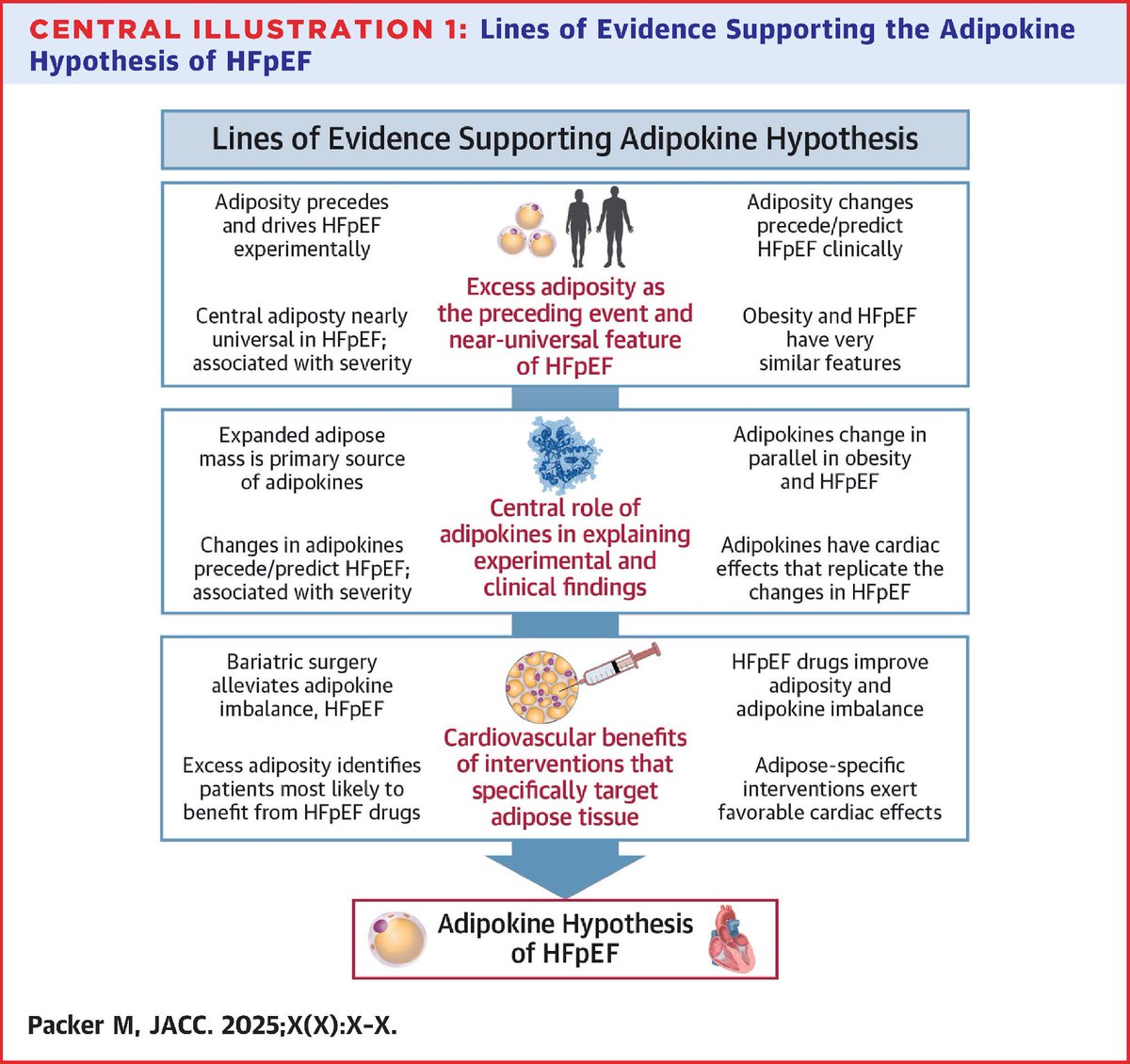
#HFpEF appears to develop as a result of changes in the biology of a person’s internal fat tissue, according to the #Adipokine Hypothesis, a new way of understanding how fat may impact the heart.
Get the details: jacc.org/doi/10.1016/j.jacc.…
#JACC #ESCCongress #WCCardio
1
14
34
10,602