
Jun 12
DESIGN & UI
11. ColorZilla
Pick any color from any webpage.
See the hex code instantly.
Copy and paste into your design.
No more guessing colors.
1
60
Mustafa Alokoud retweeted

Jun 6
إضافات كروم التي توفر ساعات يوميًا:
1. Wappalyzer = اعرف كل التكنولوجيا التي يستخدمها أي موقع إلكتروني
2. ColorZilla = اختر أي لون من أي صفحة ويب فورًا
3. WhatFont = حدد أي خط في أي موقع إلكتروني
4. Dimensions = قم بقياس أي عنصر على الشاشة بدقة
5. VisBug = افحص وعدّل أي صفحة ويب بصريًا
6. Pesticide = خطأ تصحيح تخطيطات CSS فورًا
7. Page Ruler = قم بقياس مسافات البكسل في أي صفحة
8. Responsive Viewer = اختبر أي موقع على جميع أحجام الشاشات
9. Hunter = ابحث عن عنوان بريد إلكتروني مهني لأي شخص بسرعة
10. Clearbit Connect = شاهد بيانات الشركات داخل Gmail
11. Streak = نظام CRM كامل مبني داخل Gmail
12. Boomerang = جدولة البريد الإلكتروني لإرساله في الوقت المناسب
13. Mailtrack = شاهد متى يتم فتح البريد الإلكتروني
14. Calendly = شارك جدولك الزمني من داخل أي بريد إلكتروني
15. Tactiq = نسخ محادثات Google Meet مباشرة
16. Fireflies = سجل أي اجتماع قائم على المتصفح
17. Otter AI = ملاحظات الاجتماعات المباشرة تُؤخذ تلقائيًا
18. Loom = سجل الشاشة وشاركها بنقرة واحدة
19. Screenity = سجل وعلّق على الشاشة مجانًا
20. Scribe = حوّل أي عملية إلى دليل خطوة بخطوة
21. Bardeen = أتمتة المهام المتكررة في المتصفح تمامًا
22. Magical = أتمتة الكتابة المتكررة باستخدام اختصارات
23. Text Blaze = أنشئ اختصارات نصية لأي شيء يكتب كثيرًا
24. Zapier = أطلق عمليات أتمتة من داخل المتصفح
25. Browse AI = قم بكشط أي موقع إلكتروني بدون برمجة
26. Phantom Buster = أتمتة LinkedIn وكشط الويب
27. OneTab = قم بطي جميع التبويبات في قائمة واحدة نظيفة
28. Tab Suspender = أوقف التبويبات غير المستخدمة من استنزاف الـ RAM
29. Session Buddy = احفظ واستعد جلسات التبويبات بالكامل
30. Toby = نظّم التبويبات في مجموعات نظيفة
31. Workona = أدر مساحات عمل متعددة في وقت واحد
32. Momentum = استبدل التبويب الجديد بلوحة تركيز
33. StayFocusd = أغلق المواقع المشتتة تمامًا
34. Forest = ابقَ مركزًا باستخدام التحويل إلى لعبة
35. Clockify = تتبع بالضبط إلى أين يذهب وقتك
36. Todoist = أدر جميع المهام من أي صفحة
37. Notion Web Clipper = احفظ أي شيء مباشرة في Notion
38. Readwise Highlighter = احفظ التمييزات من أي صفحة ويب
39. Instapaper = احفظ المقالات للقراءة في الوقت المناسب
40. Pocket = احفظ أي محتوى للقراءة أو المشاهدة لاحقًا
41. Glasp = سلّط الضوء وشارك المحتوى الويبي علنًا
42. Mercury Reader = أزل الفوضى من أي مقالة فورًا
43. Just Read = قراءة نظيفة خالية من التشتت على أي صفحة
44. Speechify = استمع إلى أي صفحة ويب كصوت
45. Read Aloud = تحويل النص إلى كلام على أي موقع مجانًا
46. Dark Reader = وضع الداكن على كل موقع إلكتروني واحد
47. uBlock Origin = أغلق جميع الإعلانات والمتعقبات في كل مكان
48. Privacy Badger = أوقف المتعقبات غير المرئية تلقائيًا
49. HTTPS Everywhere = فرض اتصالات آمنة على جميع المواقع
50. DuckDuckGo Privacy = أغلق المتعقبات على كل صفحة
51. NordVPN Extension = VPN بنقرة واحدة من المتصفح
52. LastPass = احفظ واملأ كلمات المرور تلقائيًا بأمان
53. Bitwarden = مدير كلمات مرور مفتوح المصدر مجاني
54. Have I Been Pwned = تحقق إذا تم اختراق أي حساب
55. Imagus = مرر فوق أي صورة لتوسيعها فورًا
56. Picture in Picture = شاهد الفيديوهات أثناء العمل في مكان آخر
57. Video Speed Controller = تحكم في سرعة أي فيديو عبر الإنترنت
58. SponsorBlock = تخطَ الفقرات المدعومة في فيديوهات يوتيوب
59. Return YouTube Dislike = شاهد عدم الإعجابات على يوتيوب مرة أخرى
60. YouTube Summary = لخص أي فيديو يوتيوب فورًا
61. Merlin = استخدم الذكاء الاصطناعي على أي موقع بدون تبديل تبويبات
62. Monica = مساعد ذكاء اصطناعي شامل لأي مهمة عبر الإنترنت
63. ChatGPT Sidebar = مساعد ذكاء اصطناعي متاح على كل صفحة
64. Perplexity = بحث مدعوم بالذكاء الاصطناعي من أي صفحة
65. Compose AI = إكمال تلقائي بالذكاء الاصطناعي للبريد والوثائق
66. Wordtune = أعد كتابة وتحسين الجمل أثناء الكتابة
67. QuillBot = أعد صياغة وكتابة أي نص في المتصفح
68. Google Dictionary = انقر نقرًا مزدوجًا على أي كلمة لتعريفها
69. Linguix = فاحص متقدم للنحو والأسلوب
70. LanguageTool = تحقق من النحو في أكثر من 25 لغة
12
92
3,640

Jun 8
Stop saying you cannot learn web development because courses are expensive.
You can start learning for FREE with the right resources.
I have compiled useful YouTube channels, websites, practice platforms, design tools and CSS generators to help you begin 👇👇
➤ YouTube channels
✅ Simplilearn
✅ freeCodeCamp
✅ Traversy Media
✅ Kevin Powell
✅ Web Dev Simplified
✅ Coder Coder
✅ CodeWithHarry
✅ Programming with Mosh
✅ Google Developers
✅ Treehouse
✅ Dev Ed
➤ Websites for free learning
✅ MDN Web Docs
✅ W3Schools
✅ freeCodeCamp
✅ W3Resource
✅ CSS Reference
✅ GeeksforGeeks
✅ JavaScript.info
✅ CSS-Tricks
✅ JavaScript30
➤ Platforms for hands-on practice
✅ Codewars
✅ Frontend Mentor
✅ Ace Frontend
✅ CSSBattle
✅ Codewell
✅ DevChallenges
✅ Coderbyte
✅ Treehouse
✅ Style Stage
➤ Design tools
✅ Canva
✅ Figma
✅ Sketch
✅ Adobe
✅ Snappa
✅ Stencil
✅ PicMonkey
✅ Designer.io
➤ CSS generators
✅ CSS3 Generator
✅ ColorZilla
✅ Neumorphism.io
✅ EnjoyCSS
✅ CSSmatic
✅ Web Code Tools
✅ CSS Type Set
✅ WAIT! Animate
Learning a high-income skill does not always require expensive courses.
Sometimes, all you need is a good roadmap and the discipline to start.
2
206
Ⓝ𝔻𝕆𝔼 retweeted

Jun 6
CHROME EXTENSIONS THAT SAVE HOURS DAILY:
1. Wappalyzer = See every technology any website uses
2. ColorZilla = Pick any color from any webpage instantly
3. WhatFont = Identify any font on any website
4. Dimensions = Measure any element on screen precisely
5. VisBug = Inspect and edit any webpage visually
6. Pesticide = Debug CSS layouts instantly
7. Page Ruler = Measure pixel distances on any page
8. Responsive Viewer = Test any site on all screen sizes
9. Hunter = Find anyones professional email address fast
10. Clearbit Connect = See company data inside Gmail
11. Streak = Full CRM system built inside Gmail
12. Boomerang = Schedule emails to send at perfect time
13. Mailtrack = See when emails are opened
14. Calendly = Share your schedule from inside any email
15. Tactiq = Transcribe Google Meet conversations live
16. Fireflies = Record any browser based meeting
17. Otter AI = Live meeting notes taken automatically
18. Loom = Record screen and share in one click
19. Screenity = Record and annotate screen for free
20. Scribe = Turn any process into a step by step guide
21. Bardeen = Automate repetitive browser tasks completely
22. Magical = Automate repetitive typing with shortcuts
23. Text Blaze = Create text shortcuts for anything typed often
24. Zapier = Trigger automations from inside the browser
25. Browse AI = Scrape any website without coding
26. Phantom Buster = Automate LinkedIn and web scraping
27. OneTab = Collapse all tabs into one clean list
28. Tab Suspender = Stop unused tabs draining your RAM
29. Session Buddy = Save and restore entire tab sessions
30. Toby = Organize tabs into clean collections
31. Workona = Manage multiple workspaces simultaneously
32. Momentum = Replace new tab with a focus dashboard
33. StayFocusd = Block distracting websites completely
34. Forest = Stay focused using gamification
35. Clockify = Track exactly where your time goes
36. Todoist = Manage all tasks from any page
37. Notion Web Clipper = Save anything directly to Notion
38. Readwise Highlighter = Save highlights from any webpage
39. Instapaper = Save articles to read at the right time
40. Pocket = Save any content to read or watch later
41. Glasp = Highlight and share web content publicly
42. Mercury Reader = Strip clutter from any article instantly
43. Just Read = Clean distraction free reading on any page
44. Speechify = Listen to any webpage as audio
45. Read Aloud = Text to speech on any website free
46. Dark Reader = Dark mode on every single website
47. uBlock Origin = Block all ads and trackers everywhere
48. Privacy Badger = Stop invisible trackers automatically
49. HTTPS Everywhere = Force secure connections on all sites
50. DuckDuckGo Privacy = Block trackers on every page
51. NordVPN Extension = One click VPN from the browser
52. LastPass = Save and autofill all passwords securely
53. Bitwarden = Free open source password manager
54. Have I Been Pwned = Check if any account was breached
55. Imagus = Hover over any image to expand it instantly
56. Picture in Picture = Watch videos while working elsewhere
57. Video Speed Controller = Control speed of any video online
58. SponsorBlock = Skip sponsored segments in YouTube videos
59. Return YouTube Dislike = See dislikes on YouTube again
60. YouTube Summary = Summarize any YouTube video instantly
61. Merlin = Use AI on any website without switching tabs
62. Monica = All in one AI assistant for any task online
63. ChatGPT Sidebar = AI assistant available on every page
64. Perplexity = AI powered search from any page
65. Compose AI = AI autocomplete for emails and docs
66. Wordtune = Rewrite and improve sentences as you type
67. QuillBot = Paraphrase and rewrite any text in browser
68. Google Dictionary = Double click any word for definition
69. Linguix = Advanced grammar and style checker
70. LanguageTool = Check grammar in over 25 languages
1
9
43
3,776

Jun 7
70 إضافة كروم قد توفر عليك ساعات من العمل كل أسبوع 🚀
إذا كنت تعمل على الإنترنت، فهذه الإضافات يمكن أن ترفع إنتاجيتك بشكل ملحوظ.
🎨 للمصممين
• Wappalyzer — معرفة التقنيات المستخدمة في أي موقع.
• ColorZilla — التقاط أي لون من أي صفحة.
• WhatFont — معرفة الخطوط المستخدمة في المواقع.
• Dimensions — قياس العناصر والمسافات بدقة.
• VisBug — تعديل وفحص الصفحات بصريًا.
• Responsive Viewer — اختبار المواقع على مختلف الشاشات.
📧 للبريد والمبيعات
• Hunter — البحث عن البريد المهني.
• Streak — CRM داخل Gmail.
• Boomerang — جدولة الرسائل والمتابعة.
• Mailtrack — معرفة فتح الرسائل.
• Calendly — مشاركة مواعيدك بسهولة.
🎙️ للاجتماعات
• Tactiq — نسخ اجتماعات Google Meet.
• Fireflies — تسجيل وتلخيص الاجتماعات.
• Otter AI — تدوين الملاحظات تلقائيًا.
🎥 للشروحات وصناعة المحتوى
• Loom — تسجيل الشاشة بسرعة.
• Screenity — تسجيل الشاشة مجانًا.
• Scribe — تحويل أي عملية إلى دليل خطوة بخطوة.
⚡ للأتمتة
• Bardeen — أتمتة المهام المتكررة.
• Magical — اختصارات ذكية للكتابة.
• Text Blaze — قوالب نصية جاهزة.
• Zapier — ربط التطبيقات والأتمتة.
• Browse AI — استخراج البيانات بدون برمجة.
🧠 لإدارة التبويبات
• OneTab — جمع جميع التبويبات في قائمة واحدة.
• Session Buddy — حفظ جلسات العمل.
• Toby — تنظيم التبويبات.
• Workona — إدارة مساحات العمل.
• Tab Suspender — تقليل استهلاك الذاكرة.
🎯 للتركيز والإنتاجية
• Momentum — صفحة بداية تحفيزية.
• StayFocusd — حجب المواقع المشتتة.
• Forest — التركيز بأسلوب ممتع.
• Clockify — تتبع الوقت.
• Todoist — إدارة المهام من أي صفحة.
📚 للتعلم والقراءة
• Notion Web Clipper — حفظ المحتوى في Notion.
• Readwise — حفظ الاقتباسات والملاحظات.
• Pocket — حفظ المحتوى لقراءته لاحقًا.
• Instapaper — قراءة بدون تشتيت.
• Mercury Reader — إزالة الفوضى من المقالات.
• Speechify — تحويل النصوص إلى صوت.
🔒 للخصوصية والأمان
• uBlock Origin — حجب الإعلانات والمتعقبات.
• Privacy Badger — حماية الخصوصية.
• Bitwarden — إدارة كلمات المرور.
• Dark Reader — الوضع الداكن لكل المواقع.
• DuckDuckGo Privacy Essentials — تقليل التتبع.
🤖 للذكاء الاصطناعي
• Merlin — مساعد ذكاء اصطناعي داخل المتصفح.
• Monica — مساعد شامل للكتابة والبحث.
• ChatGPT Sidebar — استخدام ChatGPT أثناء التصفح.
• Perplexity — بحث مدعوم بالذكاء الاصطناعي.
• Compose AI — إكمال تلقائي للكتابة.
• Wordtune — تحسين وإعادة صياغة النصوص.
• QuillBot — إعادة صياغة المحتوى.
🏆 إذا كنت تريد أهم 10 إضافات فقط:
uBlock Origin
Bitwarden
Wappalyzer
Loom
Bardeen
OneTab
Todoist
Notion Web Clipper
Perplexity
Monica
💡 القاعدة الذهبية:
لا تثبّت عشرات الإضافات دفعة واحدة.
اختر 3 إلى 5 إضافات تحل أكبر مشاكل يومك أولًا، ثم أضف غيرها عند الحاجة.
#كروم #الإنتاجية #الذكاء_الاصطناعي #التقنية #أدوات_رقمية #تطوير_الذات
2
8
1,354

May 27
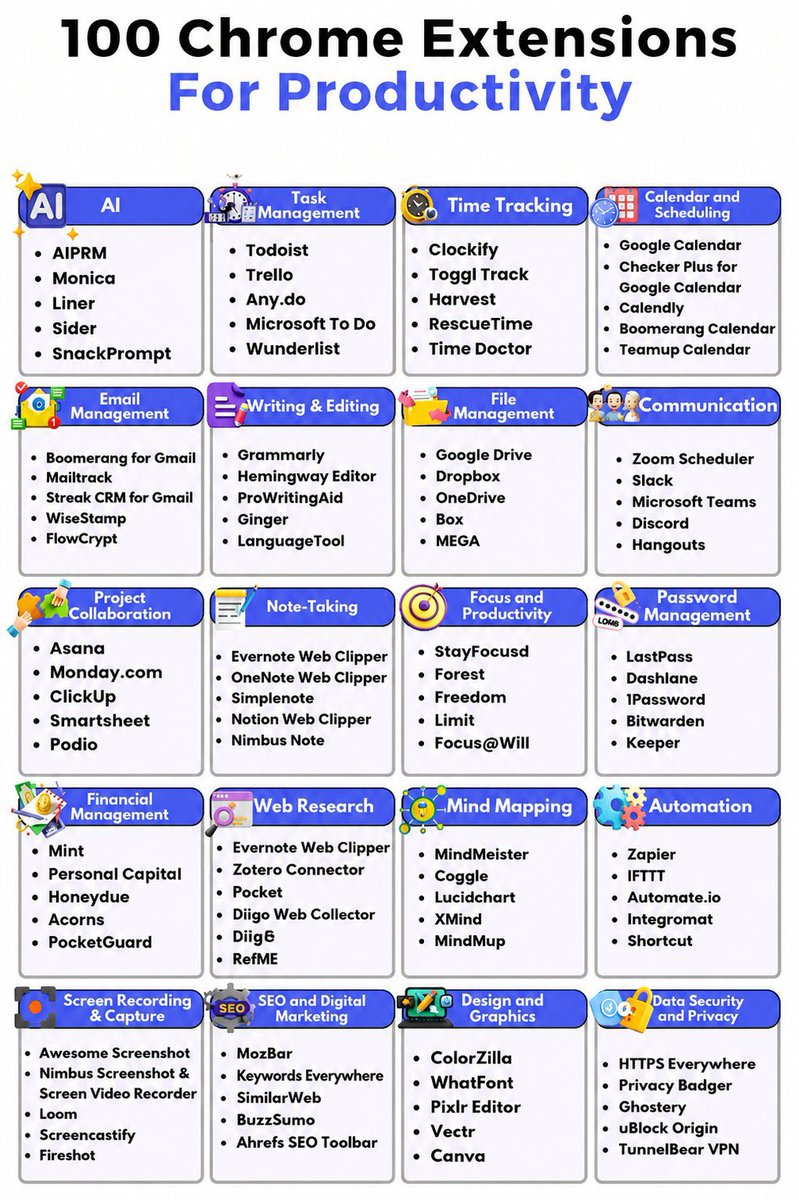
Boost your workflow with these must-have Chrome extensions designed to save time, streamline tasks, and make every click more effective.
🔴 AI
• AIPRM
• Monica
• Liner
• Sider
• SnackPrompt
🔴 Task Management
• Todoist
• Trello
• Any.do
• Microsoft To Do
• Wunderlist
🔴 Time Tracking
• Clockify
• Toggl Track
• Harvest
• RescueTime
• Time Doctor
🔴 Calendar and Scheduling
• Google Calendar
• Checker Plus for Google Calendar
• Calendly
• Boomerang Calendar
• Teamup Calendar
🔴 Email Management
• Boomerang for Gmail
• Mailtrack
• Streak CRM for Gmail
• WiseStamp
• FlowCrypt
🔴 Writing & Editing
• Grammarly
• Hemingway Editor
• ProWritingAid
• Ginger
• LanguageTool
🔴 File Management
• Google Drive
• Dropbox
• OneDrive
• Box
• MEGA
🔴 Communication
• Zoom Scheduler
• Slack
• Microsoft Teams
• Discord
• Hangouts
🔴 Project Collaboration
• Asana
• Monday.com
• ClickUp
• Smartsheet
• Podio
🔴 Note-Taking
• Evernote Web Clipper
• OneNote Web Clipper
• Simplenote
• Notion Web Clipper
• Nimbus Note
🔴 Focus and Productivity
• StayFocusd
• Forest
• Freedom
• Limit
• Focus@Will
🔴 Password Management
• LastPass
• Dashlane
• 1Password
• Bitwarden
• Keeper
🔴 Financial Management
• Mint
• Personal Capital
• Honeydue
• Acorns
• PocketGuard
🔴 Web Research
• Evernote Web Clipper
• Zotero Connector
• Pocket
• Diigo Web Collector
• Digg
• RefME
🔴 Mind Mapping
• MindMeister
• Coggle
• Lucidchart
• XMind
• MindMup
🔴 Automation
• Zapier
• IFTTT
• Automate.io
• Integromat
• Shortcut
🔴 Screen Recording & Capture
• Awesome Screenshot
• Nimbus Screenshot & Screen Video Recorder
• Loom
• Screencastify
• Fireshot
🔴 SEO and Digital Marketing
• MozBar
• Keywords Everywhere
• SimilarWeb
• BuzzSumo
• Ahrefs SEO Toolbar
🔴 Design and Graphics
• ColorZilla
• WhatFont
• Pixlr Editor
• Vectr
• Canva
🔴 Data Security and Privacy
• HTTPS Everywhere
• Privacy Badger
• Ghostery
• uBlock Origin
• TunnelBear VPN
❤️ Like
🔁 Retweet
🔖 Bookmark
Follow @unfilteredranjn for more such posts
2
6
30
781

May 27
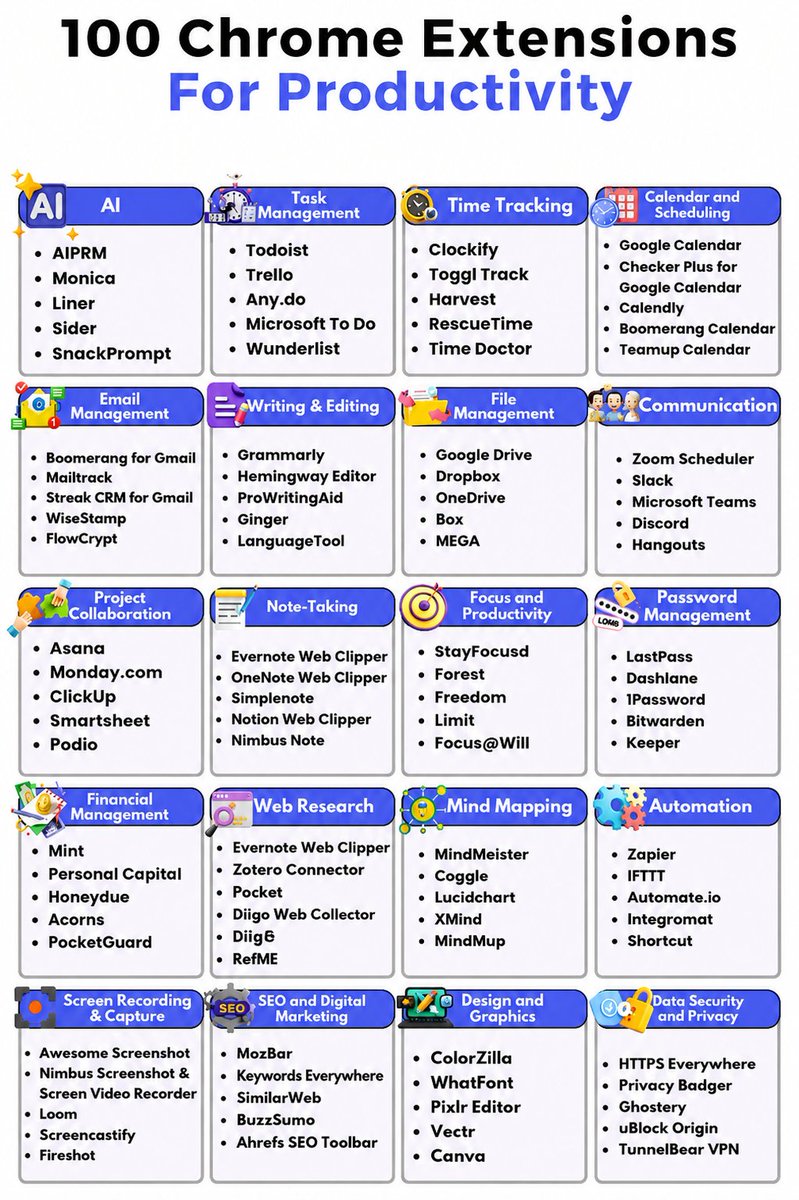
Boost your workflow with these must-have Chrome extensions designed to save time, streamline tasks, and make every click more effective.
🔴 AI
• AIPRM
• Monica
• Liner
• Sider
• SnackPrompt
🔴 Task Management
• Todoist
• Trello
• Any.do
• Microsoft To Do
• Wunderlist
🔴 Time Tracking
• Clockify
• Toggl Track
• Harvest
• RescueTime
• Time Doctor
🔴 Calendar and Scheduling
• Google Calendar
• Checker Plus for Google Calendar
• Calendly
• Boomerang Calendar
• Teamup Calendar
🔴 Email Management
• Boomerang for Gmail
• Mailtrack
• Streak CRM for Gmail
• WiseStamp
• FlowCrypt
🔴 Writing & Editing
• Grammarly
• Hemingway Editor
• ProWritingAid
• Ginger
• LanguageTool
🔴 File Management
• Google Drive
• Dropbox
• OneDrive
• Box
• MEGA
🔴 Communication
• Zoom Scheduler
• Slack
• Microsoft Teams
• Discord
• Hangouts
🔴 Project Collaboration
• Asana
• Monday.com
• ClickUp
• Smartsheet
• Podio
🔴 Note-Taking
• Evernote Web Clipper
• OneNote Web Clipper
• Simplenote
• Notion Web Clipper
• Nimbus Note
🔴 Focus and Productivity
• StayFocusd
• Forest
• Freedom
• Limit
• Focus@Will
🔴 Password Management
• LastPass
• Dashlane
• 1Password
• Bitwarden
• Keeper
🔴 Financial Management
• Mint
• Personal Capital
• Honeydue
• Acorns
• PocketGuard
🔴 Web Research
• Evernote Web Clipper
• Zotero Connector
• Pocket
• Diigo Web Collector
• Digg
• RefME
🔴 Mind Mapping
• MindMeister
• Coggle
• Lucidchart
• XMind
• MindMup
🔴 Automation
• Zapier
• IFTTT
• Automate.io
• Integromat
• Shortcut
🔴 Screen Recording & Capture
• Awesome Screenshot
• Nimbus Screenshot & Screen Video Recorder
• Loom
• Screencastify
• Fireshot
🔴 SEO and Digital Marketing
• MozBar
• Keywords Everywhere
• SimilarWeb
• BuzzSumo
• Ahrefs SEO Toolbar
🔴 Design and Graphics
• ColorZilla
• WhatFont
• Pixlr Editor
• Vectr
• Canva
🔴 Data Security and Privacy
• HTTPS Everywhere
• Privacy Badger
• Ghostery
• uBlock Origin
• TunnelBear VPN
❤️ Like
🔁 Retweet
🔖 Bookmark
Follow @Hey_Eliana for more such posts
20
28
117
1,298

May 25
Here are all 5 Chrome Web Store links:
GoFullPage-chromewebstore.google.com/de…
Cursorful-chromewebstore.google.com/de…
ColorZilla-chromewebstore.google.com/de…
Responsive Viewer-chromewebstore.google.com/de…
Dark Reader-chromewebstore.google.com/de…
2
156
May 25
Top 5 extensions for your browser that you must use
1. GoFullPage (@gofullpage) - helps you capture full page screenshot
2. Cursorful (@cursorful) - helps you screen-record with automatic zoom and effects for free
3. Colorzilla (@colorzilla) - helps you in picking colors right from your browser on any website or components
4. Responsive Viewer (@ResponsivelyApp) - helps you preview your site across multiple screen sizes at once
5. Dark Reader (@darkreaderapp) - enables dark mode on every website
Links of all extension below👇
2
4
120

May 24
9. ColorZilla:
➜ Advanced color picker and eyedropper tool that captures colors from any webpage with support for multiple sampling sizes and gradient generation
➜ Features color history, palette viewer, and CSS tools
chromewebstore.google.com/de…
1
3
77

May 23
70 CHROME EXTENSIONS THAT TURN YOUR BROWSER INTO A SUPERPOWER.
1. uBlock Origin Lite
Blocks every ad, tracker, and malware domain on the internet.
2. SponsorBlock
Auto-skips sponsor segments inside YouTube videos.
3. Honey
Auto-applies the best coupon code at checkout on any site.
4. Bitwarden
Free password manager that replaces LastPass and 1Password.
5. Dark Reader
Turns every website on the internet into dark mode instantly.
6. ClearURLs
Strips tracking junk from every link you copy or click.
7. Tampermonkey
Runs custom scripts that modify any website however you want.
8. Wayback Machine
Instantly opens the archived version of any dead webpage.
9. Privacy Badger
Learns and blocks invisible trackers without any setup.
10. I Still Don't Care About Cookies
Auto-dismisses every cookie banner on the internet.
11. Vimium
Lets you navigate any website using only keyboard shortcuts.
12. OneTab
Collapses 50 open tabs into one clean list instantly.
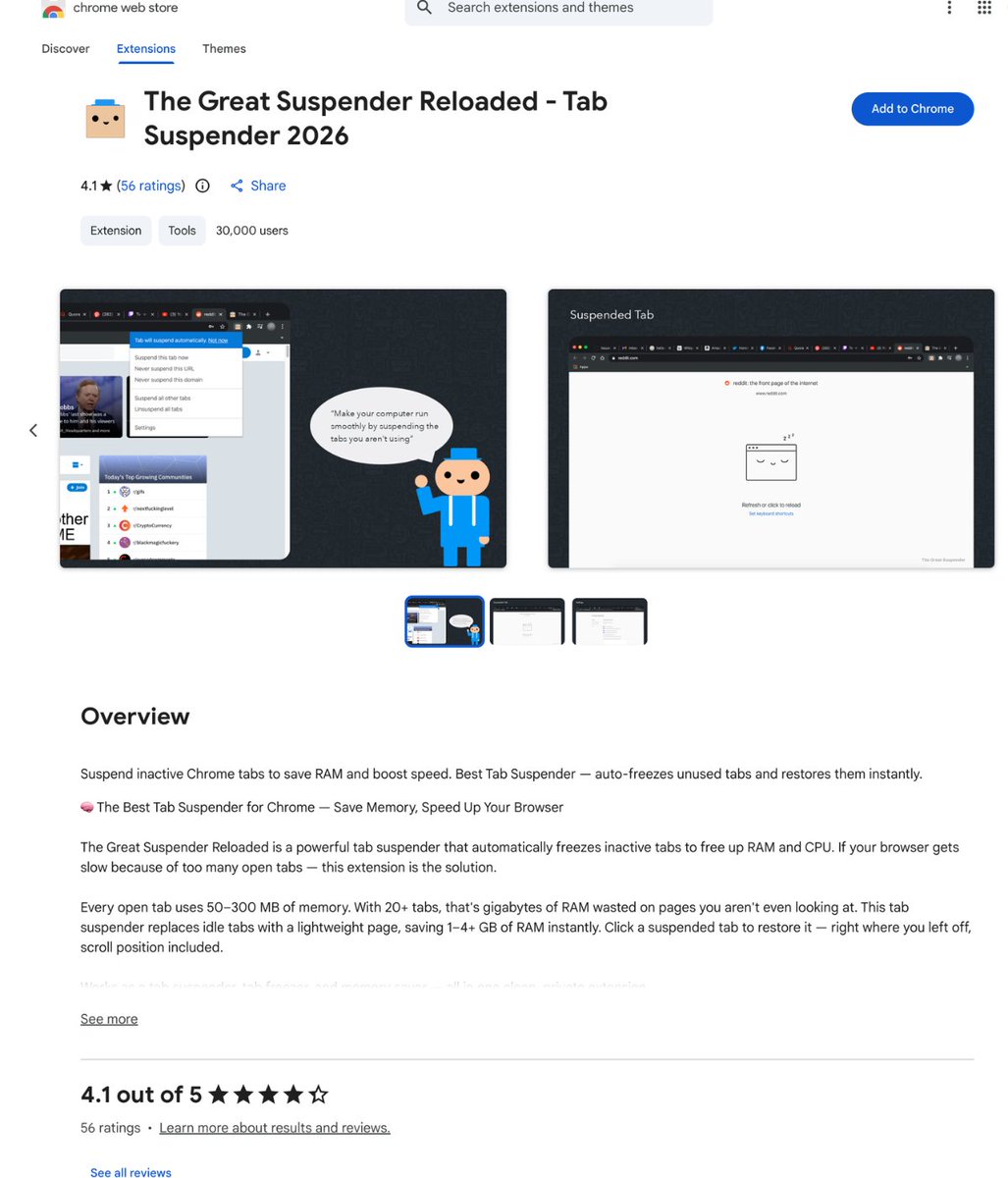
13. Tab Suspender
Freezes inactive tabs to free up massive amounts of RAM.
14. Session Buddy
Saves and restores entire browsing sessions across devices.
15. Toby
Visual tab manager that organizes your browser like a dashboard.
16. Workona
Groups tabs into workspaces by project or task.
17. Momentum
Replaces the new tab page with a clean focus dashboard.
18. Marinara Pomodoro
Free pomodoro timer that lives in your browser toolbar.
19. StayFocusd
Blocks distracting websites after a daily time limit.
20. Forest
Plants a tree that dies if you leave your focus session.
21. JSON Viewer
Auto-formats and color-codes raw JSON in your browser.
22. WhatFont
Tells you the exact font, size, and weight of any text.
23. ColorZilla
Picks any color from any webpage with an eyedropper.
24. React Developer Tools
Inspects React component trees directly inside the browser.
25. Vue.js devtools
Inspects and debugs Vue apps directly inside the browser.
26. Wappalyzer
Reveals the entire tech stack any website is built on.
27. CSS Peeper
Inspects fonts, colors, and styles without opening DevTools.
28. Lighthouse
Audits any webpage for speed, SEO, and accessibility.
29. Web Developer Toolbar
Adds a full toolbar to disable scripts, validate HTML, and more.
30. Octotree
Adds a file tree sidebar to every GitHub repository.
31. Enhancer for YouTube
Adds volume boost, custom speed, screenshots, and more.
32. YouTube NonStop
Kills the "Are you still watching?" popup forever.
33. DeArrow
Replaces clickbait thumbnails and titles with honest crowdsourced ones.
34. PocketTube
Organizes YouTube subscriptions into clean folders.
35. Channel Blocker
Permanently hides specific channels from search and recommendations.
36. YouTube Auto HD
Forces YouTube to always play in the highest resolution available.
37. Shortcuts for YouTube
Adds keyboard shortcuts YouTube should have built in.
38. Unhook
Removes the YouTube home feed, Shorts, and recommendations.
39. NoScript
Blocks JavaScript by default and only runs what you whitelist.
40. Decentraleyes
Stops your browser from pinging Google and Cloudflare on every page.
41. Cookie AutoDelete
Wipes cookies the second you close a tab.
42. CanvasBlocker
Stops websites from fingerprinting your browser via canvas API.
43. Malwarebytes Browser Guard
Blocks phishing sites, scams, and tech support fraud in real time.
44. Loom
Records your screen and webcam and shares it via instant link.
45. Awesome Screenshot
Captures full pages, annotates, and records your screen.
46. GoFullPage
Captures any entire webpage as a single tall image.
47. Grammarly
Catches typos and grammar mistakes as you type anywhere.
48. LanguageTool
Open source grammar checker that replaces Grammarly Premium.
49. DeepL Translate
Translates any selected text into 100 languages instantly.
50. Save to Notion
Saves articles, tweets, and pages straight into your Notion workspace.
51. Pocket
Saves articles to read later beautifully on any device.
52. Mercury Reader
Strips ads and clutter for distraction-free article reading.
53. Speechify
Listens to any article in natural-sounding human voice.
54. Reader View
Removes ads and clutter for clean reading mode on any site.
55. ImTranslator
Translates any selected text into 100 languages instantly.
56. Highlighter
Highlights text on any webpage and saves it forever.
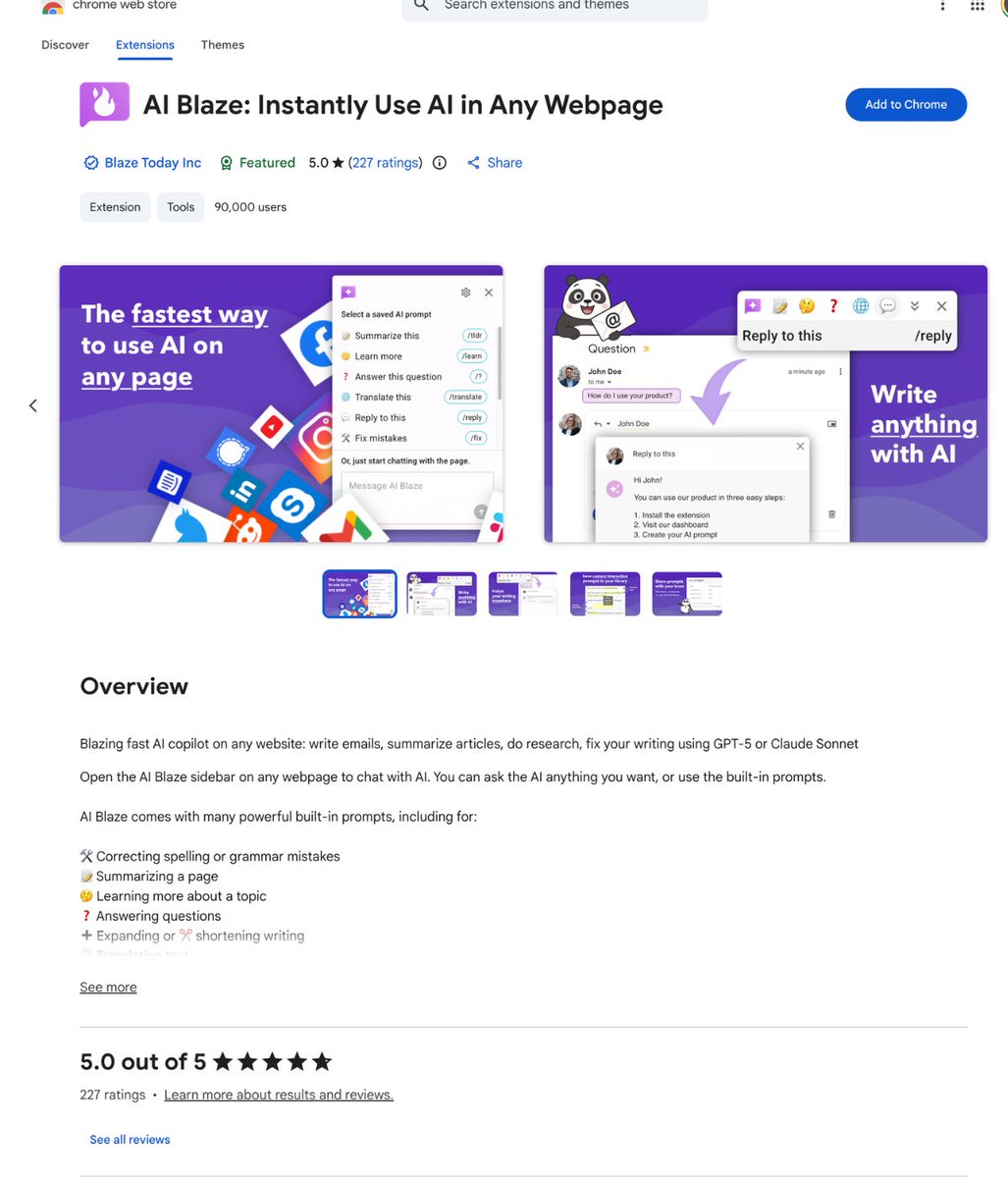
57. Hypothesis
Annotates any webpage like a PDF with public or private notes.
58. Wikiwand
Redesigns Wikipedia into a clean modern reading layout.
59. Liner
Saves article highlights and organizes them by topic automatically.
60. Notion Web Clipper
Clips articles, videos, and tweets directly into Notion.
61. Mendeley Web Importer
Saves research papers to your reference library in one click.
62. Anki Web Importer
Turns any webpage into flashcards instantly for studying.
63. Bypass Paywalls Clean
Unlocks paywalled articles on 100 news websites.
64. Control Panel for Twitter
Hides trending, ads, and the "For You" tab on Twitter.
65. Refined Twitter
Cleans up the timeline and restores old Twitter features.
66. Reddit Enhancement Suite
Adds infinite scroll, tagging, and dozens of Reddit upgrades.
67. Old Reddit Redirect
Forces every Reddit link to open in the old clean layout.
68. LinkedIn Sales Navigator Killer
Strips ads, promoted posts, and "people you may know" spam.
69. Hide LinkedIn Engagement
Hides likes and reposts to break the dopamine loop.
70. News Feed Eradicator
Replaces social media feeds with a motivational quote.
10
55
215
12,756

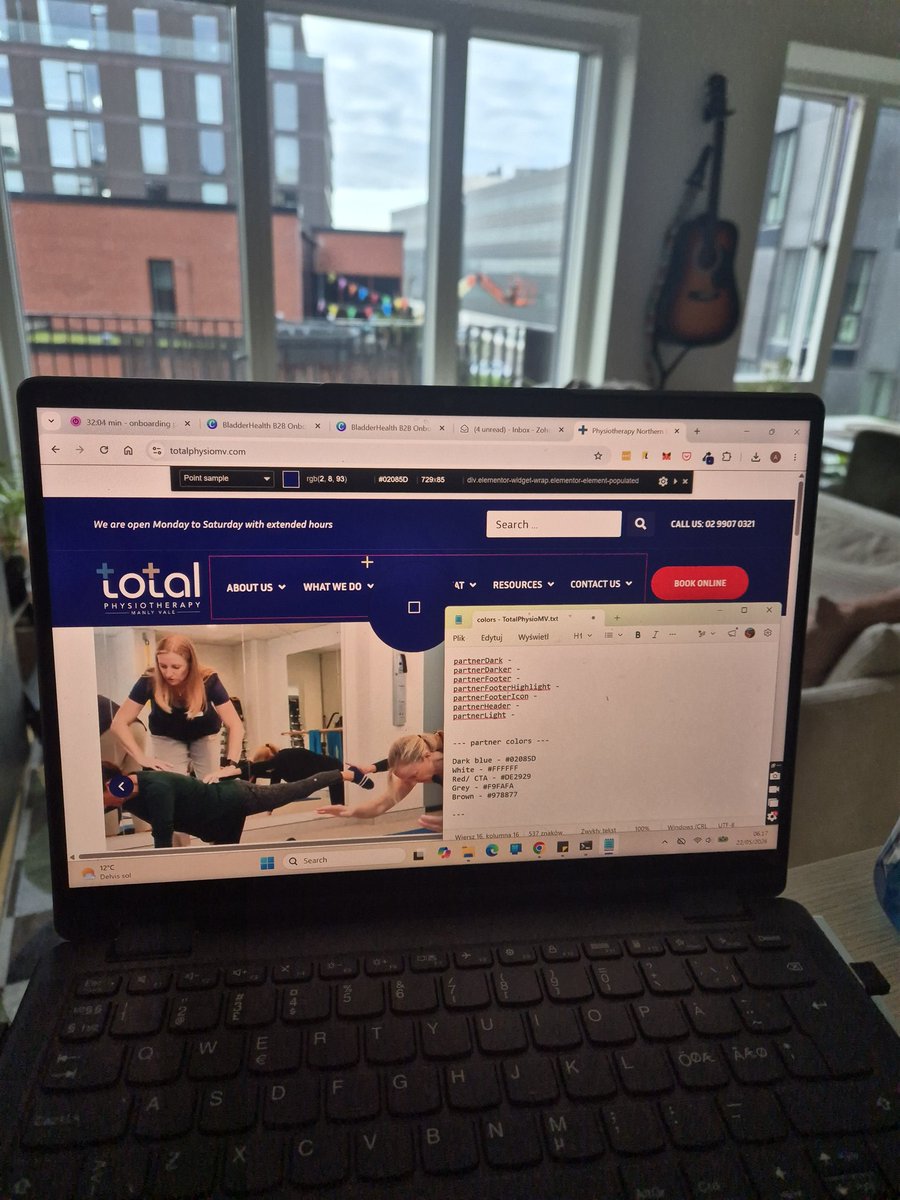
Step 2 - note down client's brand colors to give the app true branding. This can be tricky as different types of colors are needed for a good looking app 🤷♀️ so I usually note down all, and then test different combinations. I use ColorZilla and simple notepad for this.
1
3
26

May 21
【#Chrome拡張機能 ⚙️】
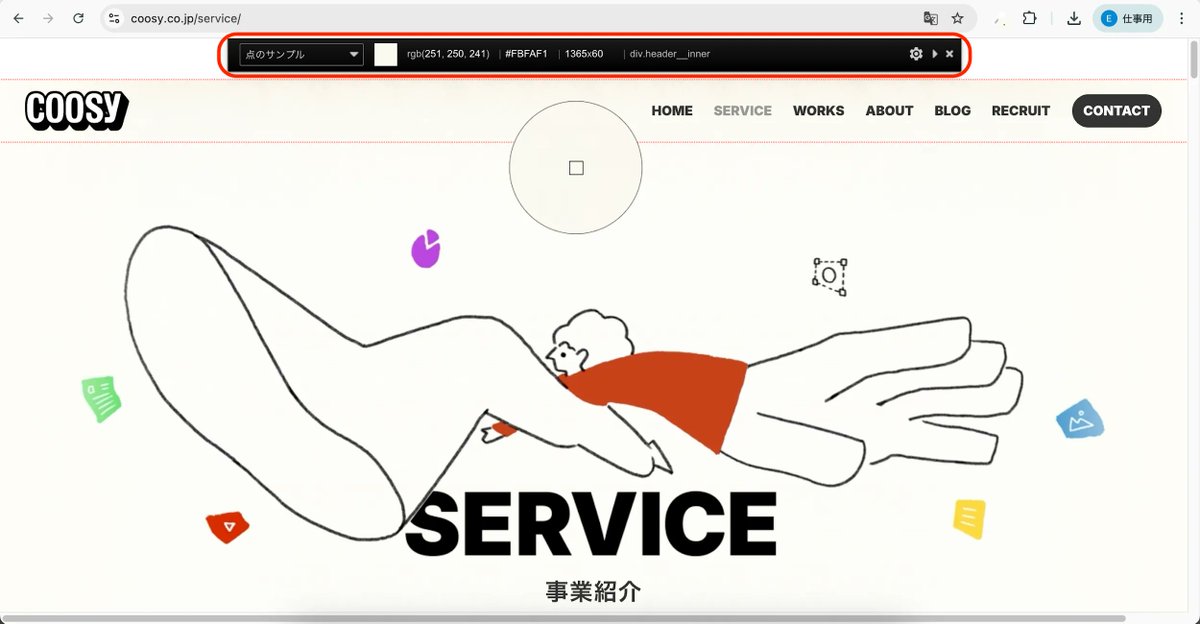
「この色、使いたい!」と思った時に便利な「ColorZilla」🎨
Webページ上で気になる色にマウスを当てるだけで、
カラーコードを取得👀
好きなサイトの配色を集めて、
デザインの引き出しを増やすのにも使える✨
拡張機能はこちら👇
chromewebstore.google.com/de…
#Webデザイン
11
354

May 21
Here are 5 Chrome extensions that make me senior software engineer 👇
1. Wappalyzer → detect any site's tech stack
2. React Developer Tools → inspect React components
3. JSON Viewer → clean API responses instantly
4. ColorZilla → pick colors from anywhere
5. VisBug → edit and inspect UI directly
Which one are you using? 👀

20
3
33
1,990

May 21
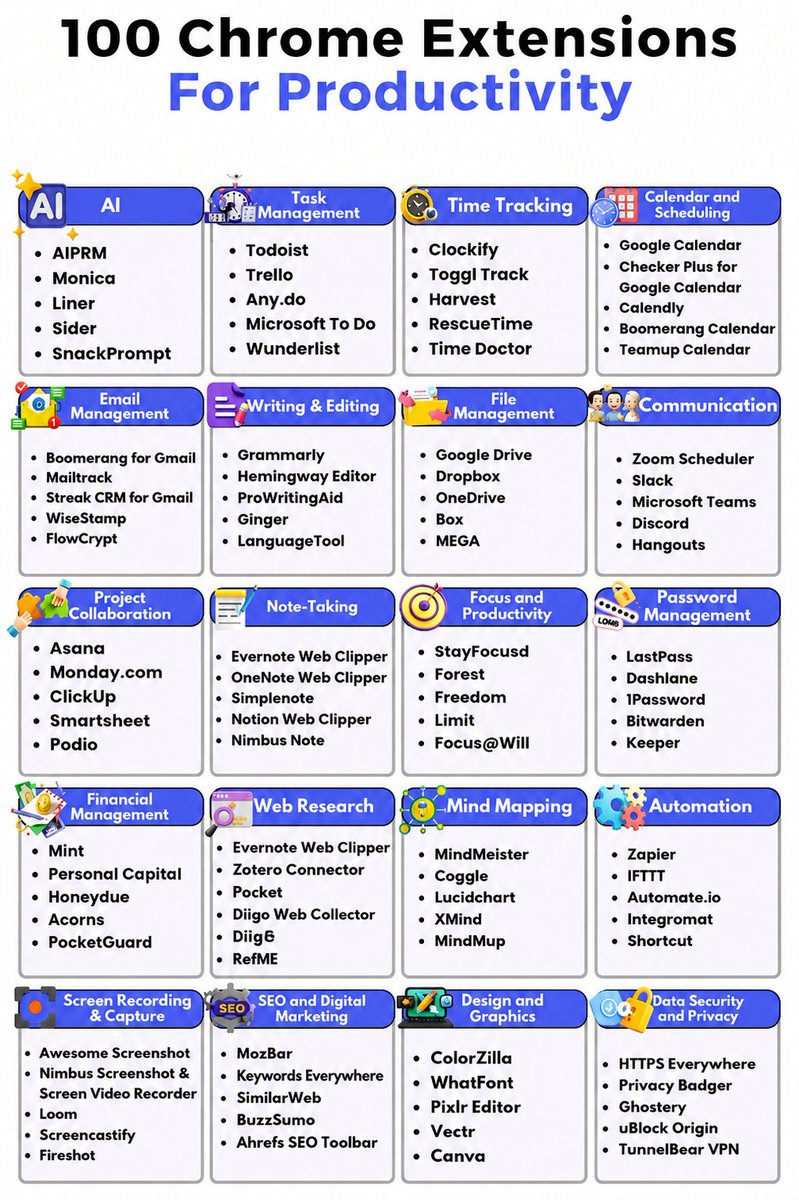
✳️100 Chrome Extensions for Productivity
Boost your workflow with these must-have Chrome extensions designed to save time, streamline tasks, and make every click more effective.
🔴 AI
• AIPRM
• Monica
• Liner
• Sider
• SnackPrompt
🔴 Task Management
• Todoist
• Trello
• Any.do
• Microsoft To Do
• Wunderlist
🔴 Time Tracking
• Clockify
• Toggl Track
• Harvest
• RescueTime
• Time Doctor
🔴 Calendar and Scheduling
• Google Calendar
• Checker Plus for Google Calendar
• Calendly
• Boomerang Calendar
• Teamup Calendar
🔴 Email Management
• Boomerang for Gmail
• Mailtrack
• Streak CRM for Gmail
• WiseStamp
• FlowCrypt
🔴 Writing & Editing
• Grammarly
• Hemingway Editor
• ProWritingAid
• Ginger
• LanguageTool
🔴 File Management
• Google Drive
• Dropbox
• OneDrive
• Box
• MEGA
🔴 Communication
• Zoom Scheduler
• Slack
• Microsoft Teams
• Discord
• Hangouts
🔴 Project Collaboration
• Asana
• Monday.com
• ClickUp
• Smartsheet
• Podio
🔴 Note-Taking
• Evernote Web Clipper
• OneNote Web Clipper
• Simplenote
• Notion Web Clipper
• Nimbus Note
🔴 Focus and Productivity
• StayFocusd
• Forest
• Freedom
• Limit
• Focus@Will
🔴 Password Management
• LastPass
• Dashlane
• 1Password
• Bitwarden
• Keeper
🔴 Financial Management
• Mint
• Personal Capital
• Honeydue
• Acorns
• PocketGuard
🔴 Web Research
• Evernote Web Clipper
• Zotero Connector
• Pocket
• Diigo Web Collector
• Digg
• RefME
🔴 Mind Mapping
• MindMeister
• Coggle
• Lucidchart
• XMind
• MindMup
🔴 Automation
• Zapier
• IFTTT
• Automate.io
• Integromat
• Shortcut
🔴 Screen Recording & Capture
• Awesome Screenshot
• Nimbus Screenshot & Screen Video Recorder
• Loom
• Screencastify
• Fireshot
🔴 SEO and Digital Marketing
• MozBar
• Keywords Everywhere
• SimilarWeb
• BuzzSumo
• Ahrefs SEO Toolbar
🔴 Design and Graphics
• ColorZilla
• WhatFont
• Pixlr Editor
• Vectr
• Canva
🔴 Data Security and Privacy
• HTTPS Everywhere
• Privacy Badger
• Ghostery
• uBlock Origin
• TunnelBear VPN
❤️ Like
🔁 Retweet
🔖 Bookmark
Follow @sonalshukla3377 for more such posts
31
35
117
2,145

May 15
30 Chrome Extensions That Actually Work (2026)
Productivity & Tab Management
OneTab — collapse all open tabs into a single list, saves up to 95% memory
Session Buddy — save and restore entire browsing sessions
Tab Wrangler — auto-closes inactive tabs and keeps them in a "corral"
Momentum — replaces new tab with a clean dashboard to-do list
Todoist — add tasks from any webpage in one click
Writing & Communication
Grammarly — grammar, spelling, and tone correction everywhere
LanguageTool — open-source Grammarly alternative, 25 languages
Compose AI — AI autocomplete for Gmail and web forms
Mailtrack — know when your Gmail emails are opened
Boomerang for Gmail — schedule emails and set follow-up reminders
AI Assistants
Monica AI — multi-model AI sidebar (GPT, Claude, Gemini) on any page
Merlin AI — Cmd M to summarize, rewrite, or ask AI anywhere
Perplexity — replaces Google search with cited AI answers
Glasp — highlight AI-summarize YouTube videos and articles
MaxAI.me — one-click AI for any selected text
Reading & Research
Reader Mode — strips ads/clutter for distraction-free reading
Save to Pocket — save articles to read later, syncs across devices
Zotero Connector — save research papers citations to your library
Print Friendly & PDF — save any page as a clean PDF
Wikiwand — modern, readable redesign of Wikipedia
Design & Screenshots
GoFullPage — full-page scrolling screenshots, one click
Awesome Screenshot — capture, annotate, and record screen
Loom — screen webcam recording with instant shareable link
ColorZilla — eyedropper, color picker, and gradient generator
WhatFont — hover to identify any font on any website
Shopping & Money
Honey (PayPal) — auto-applies coupon codes at checkout
Keepa — Amazon price history charts and drop alerts
Rakuten — automatic cashback at 3,500 retailers
Capital One Shopping — price comparison coupons (no card needed)
Fakespot — analyzes Amazon, Walmart, and Yelp reviews for fakes

1
3
20
1,408

May 15
50 Chrome extensions that make you 10x
more productive.
FOCUS
1. uBlock Origin — blocks every ad instantly
2. Freedom — locks distracting sites for good
3. Cold Turkey — zero escape once it starts
4. StayFocusd — daily time limits per site
5. Forest — grow a tree, stay off your phone
TAB MANAGEMENT
6. OneTab — collapse all tabs into one list
7. Workona — separate workspaces per project
8. TabGroup Vault — save tab groups forever
9. Vimium — navigate tabs without a mouse
10. Tab Wrangler — auto-closes idle tabs
WRITING
11. Grammarly — fixes grammar on every site
12. Compose AI — autocomplete for your emails
13. Loom — record screen, skip the meeting
14. Boomerang — schedule emails, set reminders
15. Tactiq — transcribes every meeting live
AI AND RESEARCH
16. Perplexity — AI sidebar for any webpage
17. Merlin — GPT inside every browser tab
18. Elicit — finds research papers instantly
19. Scribe — auto-documents any process
20. Monica — summarize, translate, rewrite
READING AND SAVING
21. Instapaper — save any article for later
22. Raindrop.io — bookmarks that stay organized
23. Hypothesis — annotate any page on the web
24. Reader Mode — strip any page to just text
25. Print Friendly — clean any page for saving
TIME AND TASKS
26. Todoist — capture tasks from any webpage
27. Clockify — one-click time tracking
28. Toggl Track — track hours without thinking
29. ClickUp — tasks, notes, screenshots in one
30. Pomofocus — Pomodoro timer in your toolbar
DEVELOPER TOOLS
31. Wappalyzer — see what any site is built on
32. ColorZilla — pick any color from any site
33. JSONView — read JSON like a human
34. Octotree — GitHub code tree sidebar
35. WhatFont — identify any font instantly
DESIGN AND VISUAL
36. GoFullPage — full page screenshots in one
37. Nimbus — screenshot, annotate, and share
38. Awesome Screenshot — record or capture
39. Eye Dropper — grab colors from anywhere
40. Page Ruler — measure anything on screen
PASSWORDS AND SECURITY
41. Bitwarden — free password manager
42. 1Password — the gold standard for teams
43. Privacy Badger — blocks invisible trackers
44. HTTPS Everywhere — forces secure connections
45. Decentraleyes — stops CDN tracking silently
SHOPPING AND MONEY
46. Honey — finds coupon codes automatically
47. Capital One Shopping — compares prices live
48. Rakuten — cashback on every purchase
49. CamelCamelCamel — tracks Amazon prices
50. Coupert — auto-applies best codes at checkout
Your browser is open 8 hours a day.
Most people waste all of it.
Install 5 of these. Come back and thank me.
2
10
19
6,984