
Huawei/Android 12 Specific Tips
App Launch & Battery Optimization (very important on Huawei/EMUI)Go to Settings > Apps > X > App launch → Set to Manage manually and allow Auto-launch, Secondary launch, and Run in background.
Then Settings > Battery > App launch (or Battery optimization) → Find X → Don't optimize or allow unrestricted background activity. Huawei is aggressive with killing background processes — this often breaks posting features.
Disable any "New X Android" / Beta UI (if the option exists) In the app sidebar (profile pic top-left), look for the toggle and turn it off. Many users say the new UI makes things worse on older hardware.
Full clean reinstall restartUninstall X.
Restart phone.
Clear any leftover data in Settings > Apps > See all apps > X (if remnants show).
Reinstall from Google Play Store (or AppGallery if that's how you got it).
Immediately after login, test a reply.
Other quick checksMake sure Google Play Services (and WebView) are updated via Play Store.
Try X Lite from Play Store if available — it's lighter and bypasses some full-app bugs.
Test in Safe Mode on your phone to rule out third-party interference (restart while holding volume down).
Workarounds While Waiting for a Fix
Web/browser (x.com in Chrome) remains the most reliable.
From drafts: Open the draft → tap it → hit Send (some users report this forces it through).
Quote reply instead of direct reply when possible.
X usually rolls out server-side fixes for these within days to a week. Since it's widespread, your best bet is patience web version for now.
If you try the Huawei battery/app launch tweaks and it still fails, let me know the exact behavior (any new error messages?) and I'll dig deeper. Hang in there! 😊
38


Living In Harmony ⭕🔥🥉🏅🕊🦾🆙🆗🎯🔑💼🛡️👑🇨 retweeted

HUAWEI味のAndroidを使いたくてHONORを買いましたが(実際にはEMUIの後継はMagicOSに近いので)、結局Androidに慣れませんでした!! またHUAWEIに戻ります! HarmonyOS万歳!
Pura 90 Pro Max !!
1
8
280


Jun 14
一回HONORグロ版のぬるま湯に浸かってからHUAWEIに乗り換えは厳しかったです笑
EMUIでこれなのでHarmonyOS Mextとかやばそうですね
56

Jun 14
درسته ولی تا جایی که میدونم هارمونی نکست و حذف کامل اندروید فعلا محدود به بازار چینه. توی بازار جهانی (EMUI) هوآوی هنوز همون رویه قبلی رو داره و یوزرای گلوبال درگیر این دردسرها و ناپایداری کانتینرها نیستن. پس این محدودیت هنوز برای همه صدق نمیکنه.
100

Jun 14
Да мало где был настоящий блюр. В основном это фейковый блюр, особенно в шторках. Открываешь ее, а в это время делается скрин того, что было на экране, размазывается и становится фоном для шторки. Я даже так не вспомню оболочку, где блюр, как в iOS 7, в реальном времени размывает. Типа если видео позади него, то через размытие его видно, фон шевелится. Хз как проще сказать) Сяоми таким страдали, Хуавей в глобалке на EMUI тоже. Самсунг даже в виджетах такой стремный блюр позволили себе сделать.
А на гугловских телефонах настоящий блюр в 17 андроиде сделали, судя по скринам, которые в месяц назад видел.
Не буду врать про более продвинутые оболочки, типа как у Виво и Оппо, думаю там дела получше.
А в сторонних приложениях все зависело от вкуса и прямых рук дизайнера и разработчика. Даже кастомные лаунчеры и статсубары времен андроид 4 помню, где оч красиво реализовывали размытие не через заблюренный скриншот.
1
13

Jun 14
Sigues con el mismo problema? Yo si x.x pura 80 pro Emui 15
Jun 14

It does not work. I have this version and cannot reply. This is why I am using the quotation mode. This works still
1
209

Jun 14
So the processing and the final result should be identical even though we are dealing with EMUI and harmony next?
1
1
24

Only EMUI global differ from China factory HarmonyOS. Global OTA updates is another story for HarmonyOS
1
1
39

Jun 14
ちなみにPlayストア以外からXをインストールして「LoginError.AttestationDenied」が出てログインできなくて困っている方(EMUIかHarmonyOS4.x系の人かな)
11.40.0をインストールすればログインできるので、ログインしたあとにバージョンアップしましょう
1
1
130

Most Android camera apps quietly die a few minutes after you lock the screen. No crash, no error in logcat — the frames just stop. I spent a year figuring out why, and it turns out you're not fighting one bug. You're fighting four power-management systems at once.
Here's the whole map.
System 1: the foreground-service lifecycle. If your camera capture lives in a normal Service, the OS can kill it for memory pressure within seconds of screen-off. The fix is a foreground service with type "camera|microphone" and a persistent, non-dismissible notification. On API 34 if you skip the type, startForeground() throws and the service dies the instant you attach the camera.
System 2: Doze. Once the phone has been still and unplugged a while, the system batches background work and can revoke wakelocks held without the right foreground-service type. You need the correct type AND a PARTIAL_WAKE_LOCK with a readable tag.
System 3: App Standby buckets. Even past Doze, the OS sorts your app active → working set → frequent → rare → restricted based on usage. A "rare" app gets camera and network capabilities curtailed. The lever is the same visible notification — as long as the user can see it, the bucket stays warm.
System 4: OEM patches. This is the layer AOSP docs never warn you about. MIUI, EMUI, One UI, ColorOS, FunTouchOS, OxygenOS — every one ships a vendor battery optimizer that kills background camera apps even when AOSP's own rules say you're allowed to run. You can't opt in programmatically. The best you can do is detect the manufacturer and deep-link the user to the right autostart screen.
If you only fix #1, your session lives 10 minutes on a clean Pixel and dies in 3 on a Xiaomi. Fix #1–3 but not #4 and you ship a 1-star review storm from every Chinese OEM.
The single most important architectural decision:
👉 The Activity does NOT own the camera session.
Every Camera2 tutorial opens the camera in the Activity because it's showing you a viewfinder. But with the screen off there is no viewfinder — so that ownership pattern is exactly wrong. Instead, a foreground Service owns the CameraDevice, the CaptureSession, the encoder, the wakelock, and the HTTP server. The Activity is a thin client that just binds for status. When the screen turns off, the Activity goes through onPause → onStop and nothing happens to the session, because it never owned it.
Opening the camera without a SurfaceView: send output straight to surfaces that don't need a visible window — MediaRecorder.getSurface() for the MP4, and an ImageReader surface (YUV_420_888) for the frame stream. No preview target at all. Build the SessionConfiguration with just those two and it runs for hours.
Two things the tutorials never cover for long recordings:
🧭 Orientation with no Activity. You can't trust display.rotation from a Service (some Samsung/Xiaomi builds just return ROTATION_0), and OrientationEventListener stops firing when the screen goes off. What works: read TYPE_ROTATION_VECTOR from SensorManager once at record start, derive a stable orientation, bake it in with MediaRecorder.setOrientationHint() — and never change it mid-session. It's a one-shot tag in the MP4 metadata, not a live track.
🌗 Exposure & focus across hours. A security or baby cam records from afternoon into deep night — lighting shifts 6–8 stops. Default auto-exposure pushes shutter to hundreds of ms and you get motion-blurred mush. Cap exposure time at ~1/30s, let ISO ride to compensate. Then detect the scene type ONCE: static mount → lock AF and white balance; actively-filmed → keep continuous-video AF. Detect once, commit. Skip this and the footage looks fine for ten minutes and progressively wrong over three hours.
Surviving the OEM kill is two moves: request battery-optimization exemption (the user confirms, but a long-running screen-off camera genuinely qualifies), and detect Build.MANUFACTURER to deep-link the exact autostart Activity per vendor, wrapped in try/catch with a generic fallback.
What this bought us, measured: continuous 1080p for 8h screen-off on a Pixel 6. On a Xiaomi with autostart enabled, about the same. Without autostart, the session died at ~47 min on average — which matched the review pattern exactly. Shipping the OEM autostart wizard cut "stopped recording overnight" emails to roughly 1/100th.
The deliberate trade-off underneath all of it: no cloud, no account, no background uploads. The recording stays on the device; LAN viewing goes through an embedded MJPEG web server. The moment you add an authenticated cloud broker you inherit the failure mode that made 378 brands of cameras watchable in a single key extraction. The point is to be structurally incapable of being that breach.
Full version with all the Kotlin: dev.to/superfunicular/camera…
Try the app: play.google.com/store/apps/d…
1
127

Jun 13
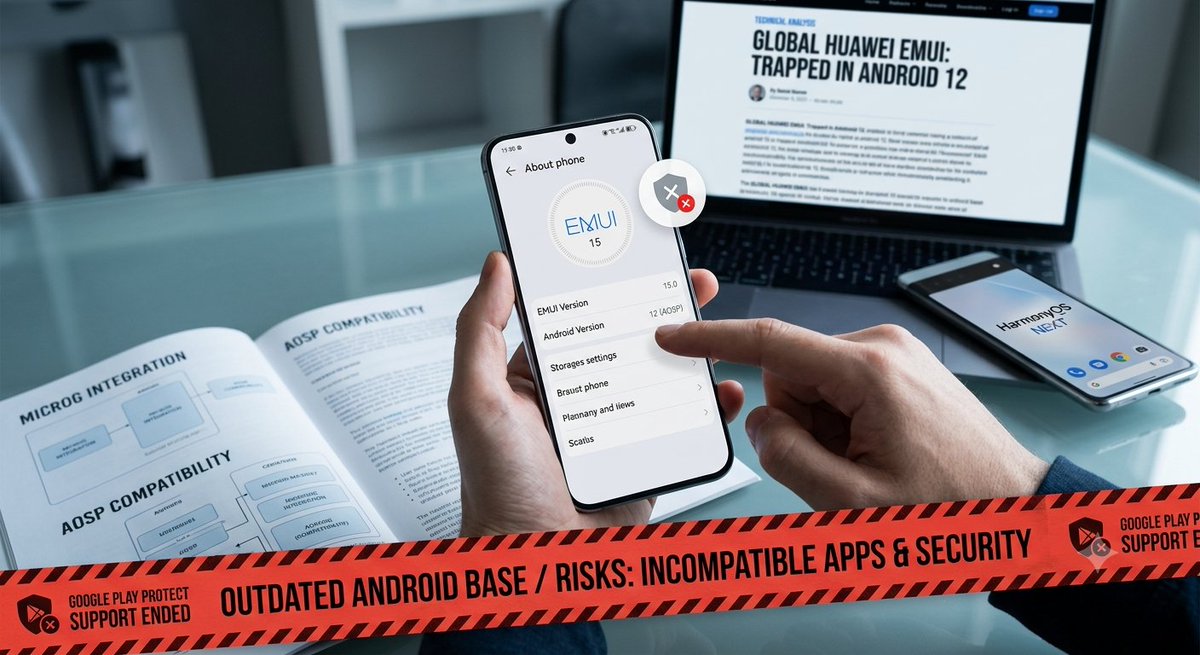
Globale Huawei-Geräte sitzen in der Software-Sackgasse: EMUI 15 basiert immer noch auf dem veralteten Android 12 (AOSP). 🕰️ Während #HarmonyOS NEXT in China durchstartet, drohen uns im Westen App-Inkompatibilität u Sicherheitslücken. 🛑 Wie lange kann das gut gehen? 🤔 #Huawei💥
2
61

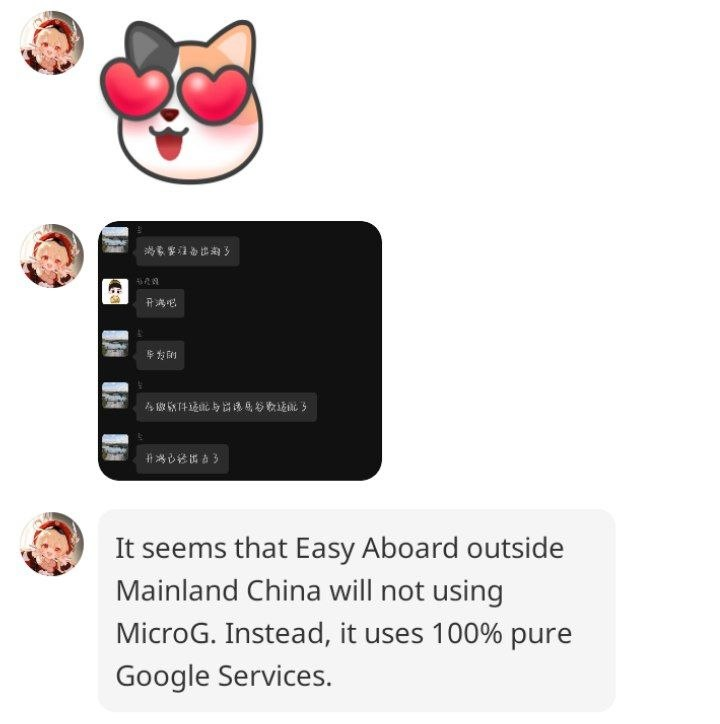
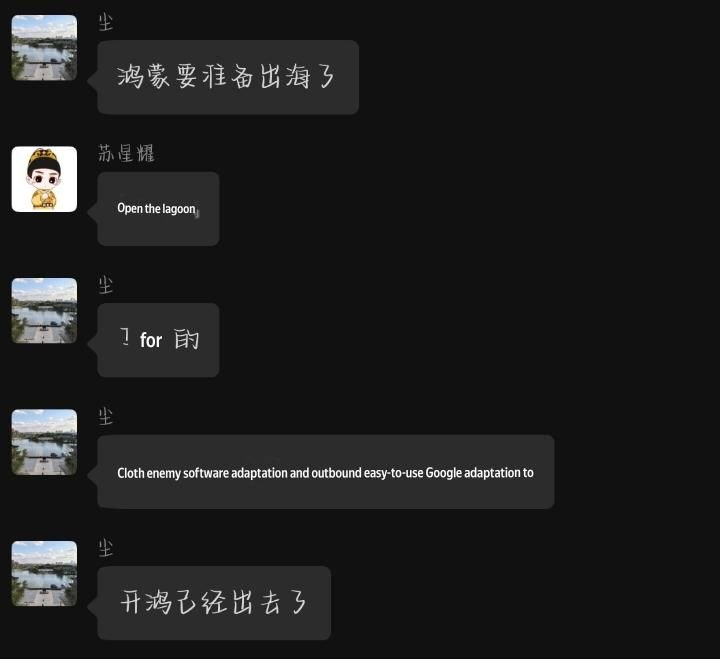
'Good news, It seems that EasyAboard outside Mainland China will not be using MicroG. Instead, it uses 100% pure Google Services (GMS) inside the LXC container.' - HarmonyOS (Next) 6.1 API 24/7 API 26 benefits soft landing migration from EMUI!
5
2
49
2,341


Jun 13
We que sirve si solo la lanza en china? Aqui seguimos con emui android 12 🤢
3
253