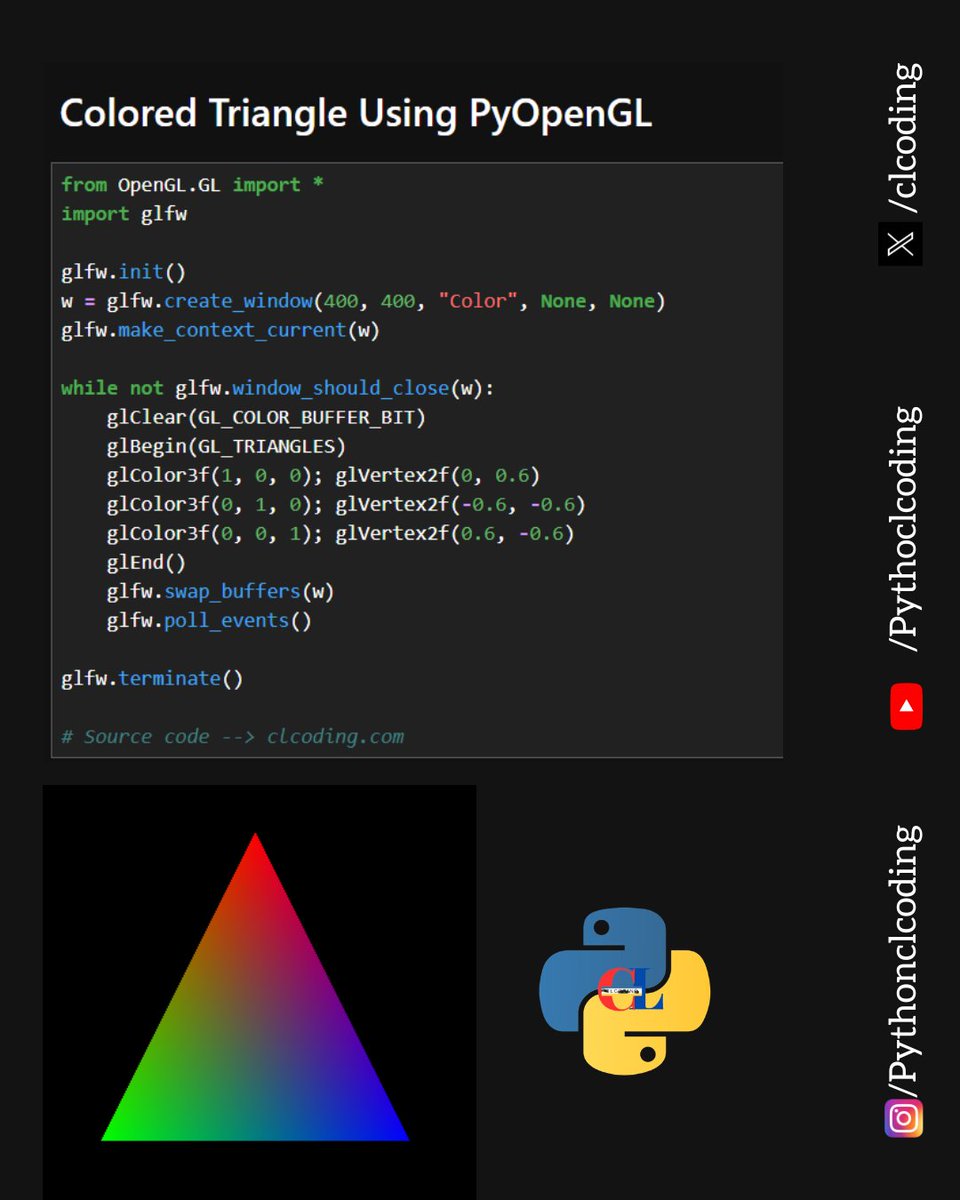
PyOpenGL is the cross platform Python binding to OpenGL and related APIs. pyopengl.sourceforge.net/
8
1,906


Feb 11
Prompt:
Develop an interactive 3D Ocean Simulator using Python with PyOpenGL Pygame and NumPy. No pre-built ocean/physics libraries allowed. Single Python file. ══════════════════════════════════ CORE FEATURES (Required) ══════════════════════════════════ 1. OCEAN SURFACE — GERSTNER WAVES - Superimpose at least 5 Gerstner wave components (varying amplitude, wavelength, direction, speed) - Real-time vertex displacement on a 128x128 grid mesh - Recalculate normals each frame for correct lighting - Foam/whitecap: white patches on wave crests when steepness exceeds threshold - Horizon fog blending distant water into sky color 2. UNDERWATER MODE - Press "U" to toggle above/below water camera - Underwater effects: blue-green depth tint, volumetric god rays from surface, depth fog (visibility decreases with depth) - Caustic light patterns animated on the sea floor - Procedural sea floor terrain (Perlin noise) with sandy texture coloring 3. FISH SCHOOLS (BOID ALGORITHM) - Reynolds boids: separation, alignment, cohesion - 2 fish species with different colors, sizes, and school tightness - 30-50 fish per school - Obstacle avoidance (sea floor, water surface) - Fish body oriented along velocity vector4. CORAL REEF - 3 procedurally generated coral types (branching, dome, fan) with distinct colors - Placed in clusters on the sea floor - Subtle swaying animation based on a simple current vector 5. WEATHER SYSTEM - 3 presets: Calm / Moderate / Storm — switchable with 1, 2, 3 keys - Smooth transition (5 seconds) affecting: wave amplitude, sky darkness, foam density, underwater visibility - Storm adds: rain streaks (falling line particles above water), occasional lightning flash (screen flash brief bright directional light) 6. SHIP ON SURFACE - One sailboat rendered on the ocean - Ship follows wave height at its position (samples Gerstner wave) - Pitch and roll based on local wave slope - V-shaped foam wake trail behind ship - Click on ocean surface to reposition the ship══════════════════════════════════ BONUS FEATURES (If Capable)══════════════════════════════════ B1. SHARK PREDATOR - Shark patrols reef area, chases nearest fish school when close - Fish scatter (break boid formation) when shark is within fear radius - Sinusoidal body swimming animation B2. DAY/NIGHT CYCLE - Time-of-day slider (0-24h) controlling sun position - Sky color shifts (blue → sunset orange → night dark blue) - Underwater: bioluminescent glow on corals at night - Moonlight at night: dim cool-toned lighting B3. SPLIT VIEW - Press "V" for horizontal split: top half above water, bottom half underwater at same location - Both views render simultaneously ══════════════════════════════════ CAMERA & CONTROLS ══════════════════════════════════ - WASD: move, QE: ascend/descend, Mouse drag: look direction - Scroll: movement speed - U: toggle underwater, R: reset camera - 1/2/3: weather presets - Space: pause/resume simulation - S: screenshot (save PNG) ══════════════════════════════════ GUI (Minimal HUD) ══════════════════════════════════ - Bottom bar: FPS, camera depth, current weather state, fish count, wind direction arrow - Top-right: weather indicator icon (sun / cloud / storm)══════════════════════════════════ TECHNICAL REQUIREMENTS══════════════════════════════════ - Window: 1280x720, target 30 FPS - Single Python file, only pygame PyOpenGL numpy standard libs - OOP structure: OceanSurface, BoidSystem, CoralGenerator, WeatherSystem, Ship, Camera, Scene - Docstrings on each class - Launch with Calm weather, one fish school, one sailboat, coral reef visible underwater Write the complete working code.
13
2,965
Feb 5
Task Prompt:
Develop an interactive 3D globe (Mini Google Earth) application using Python. It must include all of the following features:
### 3D Sphere and Rendering
- Create a 3D sphere using OpenGL (PyOpenGL Pygame) or alternatively VPython/Ursina
- A realistic world map texture must be mapped onto the sphere (use an Equirectangular projection format world map image — include a mechanism to download from URL or generate a simple default map within the code)
- Display latitude/longitude grid lines on the sphere (optional toggle)
- Atmosphere effect: semi-transparent blue glow/halo around the sphere
### Camera and Navigation
- Free rotation with mouse (left-click drag for orbit control)
- Scroll wheel for zoom in/out (with minimum and maximum zoom limits)
- Double-click for smooth animated transition to a specific point
- Keyboard shortcuts:
- R: Reset to default view
- G: Toggle grid lines on/off
- L: Toggle labels on/off
- Space: Start/stop auto-rotation
### Marker and Interaction System
- At least 15 predefined major city markers (Istanbul, New York, Tokyo, London, Paris, Sydney, Dubai, São Paulo, Beijing, Moscow, Cairo, Mumbai, Berlin, Cape Town, Mexico City)
- Each marker must appear at the correct latitude/longitude position on the sphere surface
- When a marker is clicked or hovered over, display an info box (tooltip/popup):
- City name
- Country
- Population
- Coordinates (latitude, longitude)
- Users can add new markers by clicking on the globe
- Ability to draw geodesic lines (great circle paths) between markers (when two markers are selected, show the shortest path between them)
### User Interface (HUD/Overlay)
- Information panel at the top or side of the screen:
- Real-time latitude/longitude coordinates under the mouse cursor
- Zoom level indicator
- Active marker count
- Search bar: type a city name to focus the camera on that city (smooth transition)
- Day/night mode toggle: darken half of the sphere to create a night effect (simulate sun position with a simple angle)
### Visual Quality
- Smooth shading and lighting (directional light source)
- Anti-aliasing
- Glowing dot effect for markers
- City lights effect in night mode (small yellow/orange dots at marker locations)
### Technical Requirements
- Window size: 1280x720 pixels (resizable)
- 30 FPS performance
- Latitude/Longitude → 3D Cartesian coordinate conversion must use correct mathematics
- All code must be in a single Python file
- Libraries to use: pygame PyOpenGL (or alternatively ursina or vpython). Additionally, NumPy and Pillow (PIL) may be used.
- Code must be well-structured, class-based (OOP), and documented with comments
Write the complete working code. Comments should be in English.
1
1
31
4,587

Jan 12
Since no good deed goes unpunished, it appears that when I updated numpy back in the fall I didn't recompile pyopengl which apparently depends on it so now our program crashes in some weird edge case that literally no one has ever used but we love to show in demos.
4
11
641

29 Sep 2025
PyOpenGL is the cross platform Python binding to OpenGL and related APIs. pyopengl.sourceforge.net/
7
2,401

31 Jul 2025
Raspberry Pi 5に移植
Gemini APIと連携
PyOpenGLでVBO/IBO利用苦労したー
Gemini先生に丸投げだけど
#スタックチャン

2
10
585

15 Jul 2025
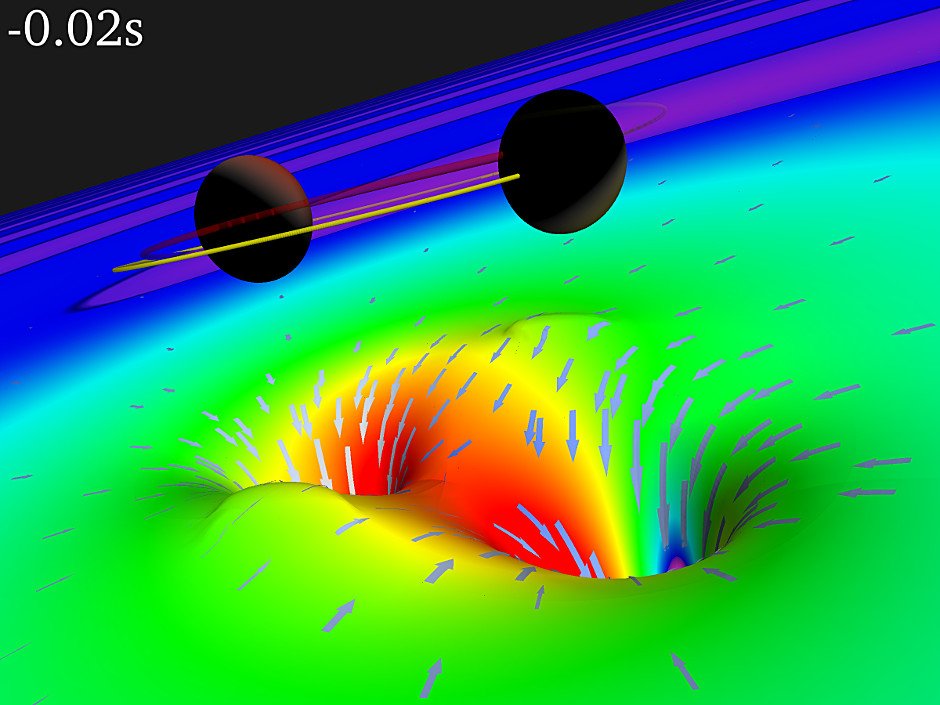
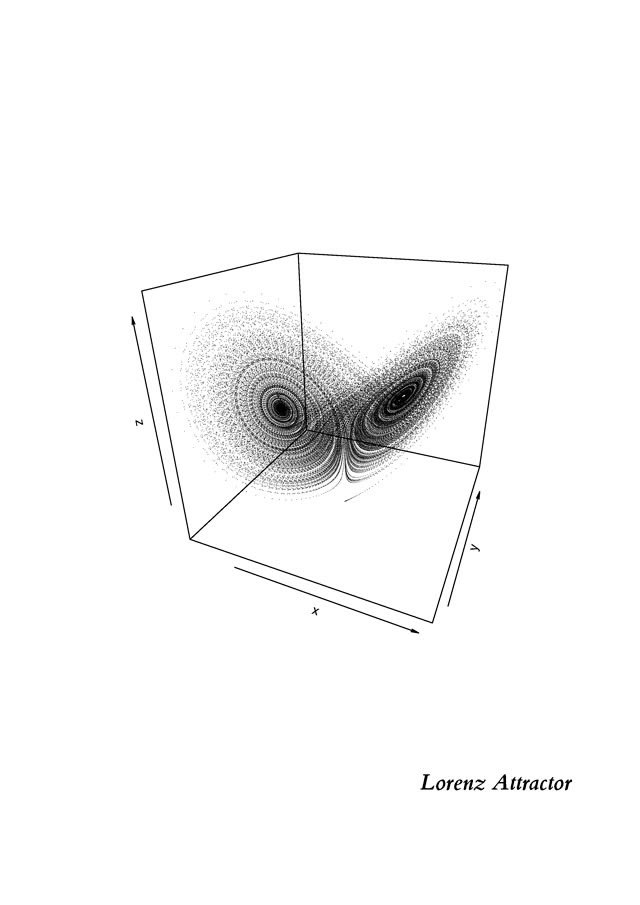
Give a man NumPy, PyOpenGL, and Blender’s bpy module
he will simulate a black hole collision.
15 Jul 2025

2
123
14 Mar 2025
PyOpenGL is the cross platform Python binding to OpenGL and related APIs. pyopengl.sourceforge.net/
6
2,782

12 Mar 2025
🐍 Python: A universe of possibilities!
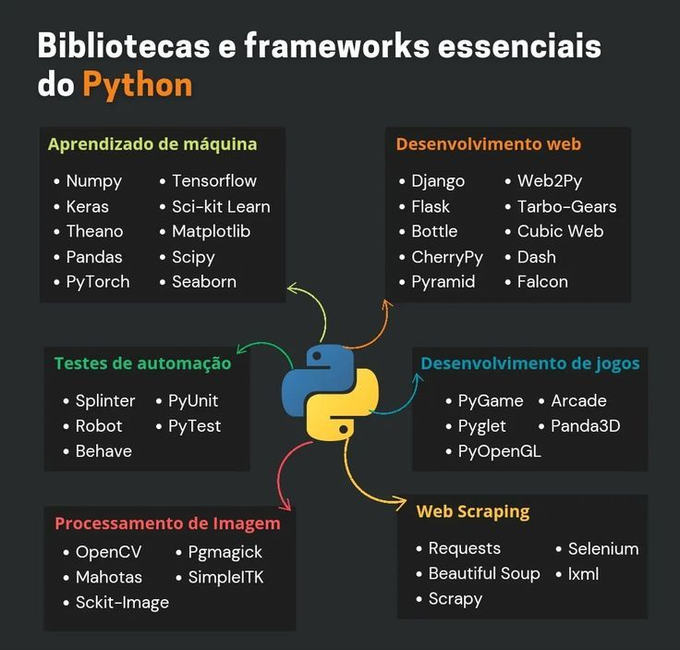
If there's one language that stands out for its versatility, it's Python. Whether for Machine Learning, Web, Automation, Games or Web Scraping, there are libraries and frameworks that make development more efficient and productive.
📌 Here are some of the main categories and essential tools:
🔹 Machine Learning: Numpy, Pandas, TensorFlow, Scikit-Learn, Matplotlib, Seaborn.
🔹 Web Development: Django, Flask, Dash, CherryPy, Falcon.
🔹 Automation Testing: PyTest, Robot, Splinter, PyUnit.
🔹 Game Development: PyGame, Arcade, Panda3D, PyOpenGL.
🔹 Image Processing: OpenCV, Scikit-Image, SimpleITK, PGMAGICK.
🔹 Web Scraping: Selenium, BeautifulSoup, Scrapy, Requests.
💡 Whatever your goal, Python has a solution for you!
#DataScience #MachineLearning
2
8
419

8 Mar 2025
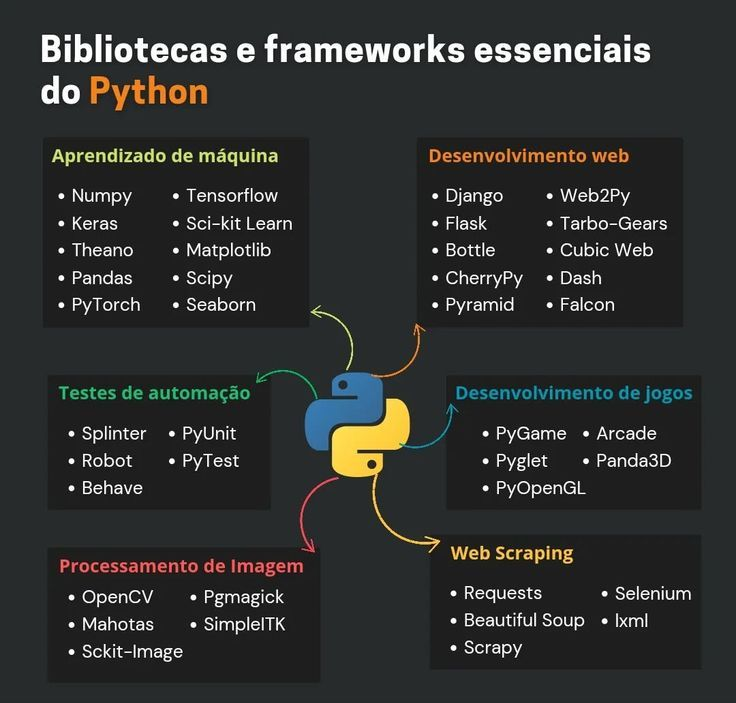
🐍 Python: Um universo de possibilidades!
Se tem uma linguagem que se destaca pela versatilidade, essa linguagem é Python. Seja para Machine Learning, Web, Automação, Games ou Web Scraping, existem bibliotecas e frameworks que tornam o desenvolvimento mais eficiente e produtivo.
📌 Aqui estão algumas das principais categorias e ferramentas essenciais:
🔹 Aprendizado de Máquina: Numpy, Pandas, TensorFlow, Scikit-Learn, Matplotlib, Seaborn.
🔹 Desenvolvimento Web: Django, Flask, Dash, CherryPy, Falcon.
🔹 Testes de Automação: PyTest, Robot, Splinter, PyUnit.
🔹 Desenvolvimento de Jogos: PyGame, Arcade, Panda3D, PyOpenGL.
🔹 Processamento de Imagem: OpenCV, Scikit-Image, SimpleITK, PGMAGICK.
🔹 Web Scraping: Selenium, BeautifulSoup, Scrapy, Requests.
💡 Seja qual for o seu objetivo, Python tem uma solução para você!
#DataScience #MachineLearning
5
26
437
15,390

27 Feb 2025
Prompt:
"Write a Python program using Pygame and PyOpenGL that renders a modern, translucent blue Möbius strip with clean code and type hints. The strip should have a subtle shadow on a ground plane, display 5 bright stripe lines running along its surface, and be illuminated...
2
1
175


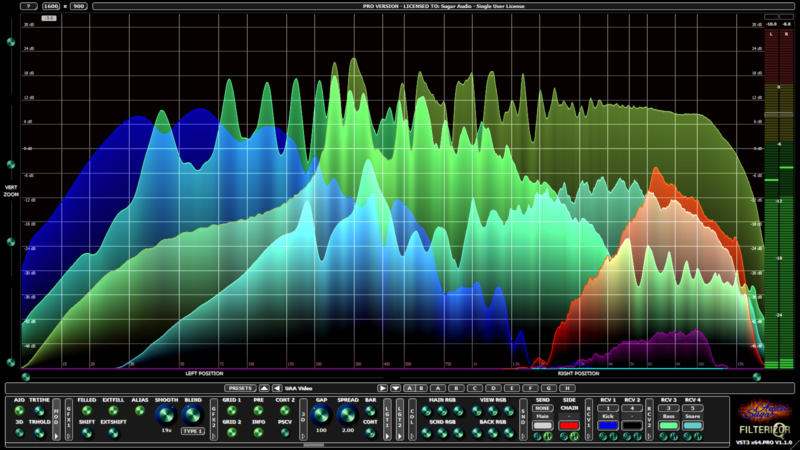
Python 2D-графика. Визуализация данных в реальном времени. Matplotlib, PyQTGraph, pyOpenGL, VisPy, Bokeh и др. FPS 200?
Возможно ли на слабом железе получить FPS=50? А FPS=1000? Да, но есть нюансы — VSync=Off: u.habr.com/XVlCO
1
1,491

30 Jan 2025
I have been trying it tonight. I'm not impressed with it's coding abilities. I tried creating a game with pygame and pyopengl with it, deepseek, claude, and OpenAI o1. OpenAI failed badly. Claude and DeepSeek did the best. Qwen got stuck in a look fixing a bug and kept failing. Hopefully O3 will be awesome tomorrow.
4
1,498
30 Aug 2024
PyOpenGL is the cross platform Python binding to OpenGL and related APIs. pyopengl.sourceforge.net/
4
10
2,726

16 May 2024
📝
الرسومات والجرافكس في تطوير الالعاب
1. استخدام مكتبات الرسومات:
- Pygame: تسمح لك بإنشاء ألعاب بسيطة 2D.
- Pyglet: مكتبة أكثر تطوراً تدعم الرسومات 2D و3D.
- PyOpenGL: تسمح لك باستخدام OpenGL للرسومات ثلاثية الأبعاد.
2. التعامل مع الصور والرسومات:
- تحميل وتخزين الصور والرسومات التي ستستخدمها في اللعبة.
- معالجة الصور مثل تغيير الحجم أو التدوير أو العكس.
- العمل مع صيغ ملفات مختلفة مثل PNG و JPEG و GIF.
3. الرسومات المتحركة:
- إنشاء شخصيات وكائنات متحركة.
- استخدام تقنيات كالتفريغ والإطارات المتتالية.
- مزامنة الرسومات المتحركة مع أحداث اللعبة.
4. المؤثرات البصرية:
- إضافة إضاءة وظلال وجو عام جذاب.
- استخدام فلاتر وتأثيرات خاصة.
- التحكم في عناصر الرسومات لخلق تجربة لاعب واقعية.
5. إدارة الموارد الرسومية:
- تنظيم وتحميل الموارد بكفاءة لتحسين الأداء.
- التعامل مع قيود الموارد كالذاكرة والأداء.
- استراتيجيات التحميل التدريجي والتخزين المؤقت.
بتطوير هذه المهارات الرسومية، ستتمكن من إنشاء ألعاب ذات تجربة رائعة باستخدام بايثون.
#جرافيكس
#تطوير_الالعاب_الكترونية
#بايثون

3
524

In the future I also want to integrate pygame with OpenGL (probably with ModernGL or PyOpenGL), to delve into 3D as well.
Finally, I'd just like to add that what I think pygame has of most appealing, and some people don't realize, is the fact that its API is very bare-bones.
1
1
29
You can do a lot with Python pygame, though, if you are good at Python.
For more advanced graphics, though, you'd need to use pygame with OpenGL, either with PyOpenGL (OpenGL bindings) or ModernGL (also bindings, but targeted at simplifying things).
1
1
46