
Jun 5
Read-only by construction: the read-only-credential requirement (AWS ReadOnlyAccess/SecurityAudit · Azure Reader · GCP roles/viewer) is now backed by CI enforcement. Plugin count unchanged at 28; all six compliance matrices unchanged.
npm i -g nsauditor-ai@latest #CloudSecurity #GCP #SOC2
2
10


May 16
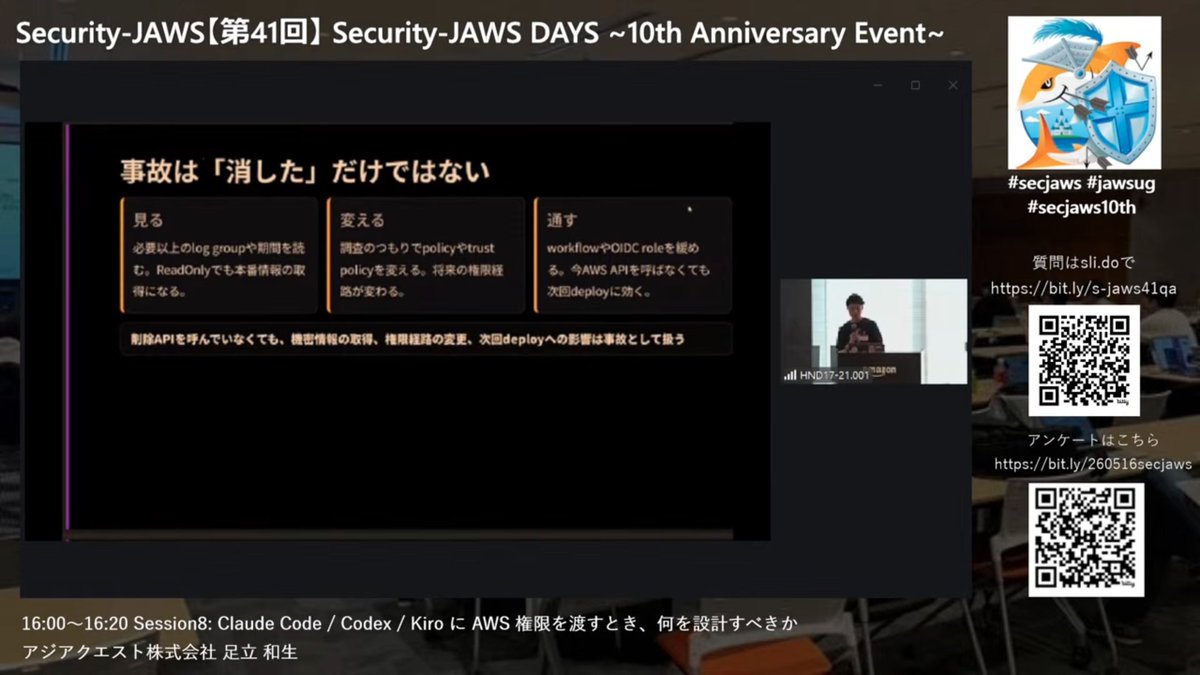
「読み取り専用」の代表格のような ReadOnlyAccess って実は結構見れるんですよね
`logs:Get*` や `s3:Get*` が許可されてるしね
(メタデータ見て調査するだけだったら ViewOnlyAccess でいいやろがい、って詰められたことがある人です)
docs.aws.amazon.com/ja_jp/aw…
#secjaws10th #secjaws #jawsug
5
296

May 7
改めて調査してみたけど、「リスクあるような作業はしない」等のハーネスエンジニアリングが直接的に考慮されているわけでは無い点に注意ですね
「IAM ガードレールと監査」にあるようにツールが特定のキーを持って実行されるので、そのキーの実行をどう制御するのか、ガードレール(ポリシー)を設定するのはあくまで自分達の責務
Athena でクエリを使った調査をするには ReadOnlyAccess では出来ないのでその内、ガードレールテンプレートもどこかで公開されていくのではないでしょうか ;-)
dev.classmethod.jp/articles/…
6
152


【Codex CLI 0.100.0 と 0.101.0 が怒涛のリリース】
GPT-5.3-Codex-Spark も来て更新ラッシュが続く中、CLI も短間隔で連続アップデート。要点だけまとめます。
【0.100.0】基盤強化が中心
✅ 実験的 JS REPL(js_repl)追加
✅ 複数レート制限に対応(protocol / client / TUI)
✅ app-server の websocket transport 再導入(in/out 分離、接続を意識した thread resume subscriptions)
✅ TUI にメモリ管理スラッシュコマンド追加
✅ ChatGPT connector で Apps SDK apps 有効化
✅ サンドボックス権限拡張(ReadOnlyAccess など)
✅ websocket の増分出力重複や安定性まわり、バグ修正多数
【0.101.0】メモリ品質の改善
✅ memory ファイルに cwd を含める(プロジェクト跨ぎの混線対策)
✅ prefix 指定でモデルを選んだ際、要求した slug を保持(参照がブレない)
✅ phase-1 memory 入力から developer messages を除外
✅ memory phase の並列度調整で安定化 + phase-1 memory pipeline の内部整理も実施
新モデルの登場も続いていますし、CLI・モデル両面でこのペースが続くなら今後さらに楽しみですね。
developers.openai.com/codex/…
1
9
75
9,131
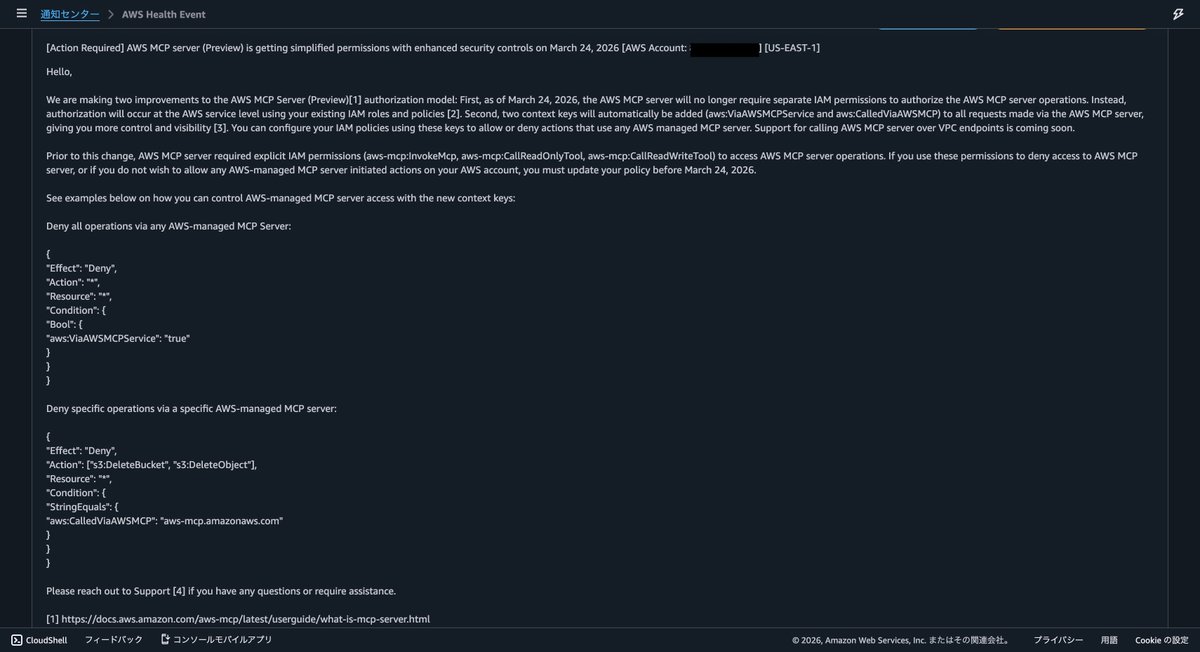
AWS MCP Serverで不用意にリソース起動しないように、このaws-mcpの権限から"aws-mcp:CallReadWriteTool"を削除したのとAWS管理のReadOnlyAccessポリシーだけをアタッチしたIAMロールを作っておこう。
docs.aws.amazon.com/aws-mcp/…
3
145

Jan 20
AWS Simplified – Day 7: AWS IAM Policies, Groups & Roles
Save this for quick revision & follow for more 👇
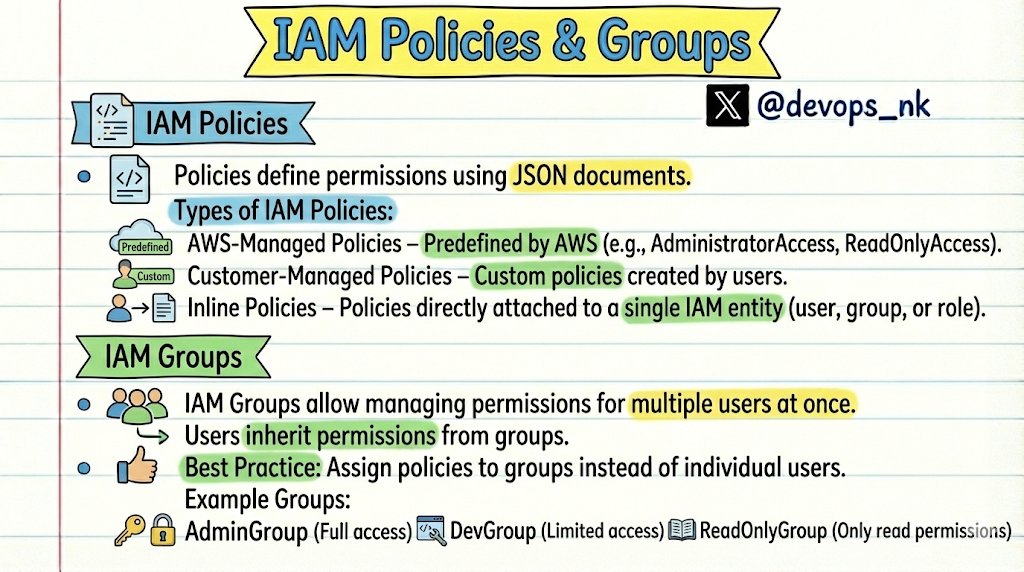
1️⃣ IAM Policies:
- IAM Policies define what actions are allowed or denied in AWS.
- They are written in JSON and attached to IAM entities.
Types of IAM Policies:
👉 AWS-Managed Policies: Predefined by AWS. Examples: AdministratorAccess, ReadOnlyAccess
👉 Customer-Managed Policies: Custom policies created by users, Reusable across multiple users, groups, and roles
👉 Inline Policies: Policies directly attached to a single IAM entity (User / Group / Role)
-------------------------------------------
2️⃣ IAM Groups:
- IAM Groups help manage permissions for multiple users at once.
- Users inherit permissions from the group.
- Makes permission management scalable and clean.
- Best Practice: Assign policies to groups, not individual users.
Example Groups:
AdminGroup → Full access
DevGroup → Limited access
ReadOnlyGroup → Read-only permissions
-------------------------------------------
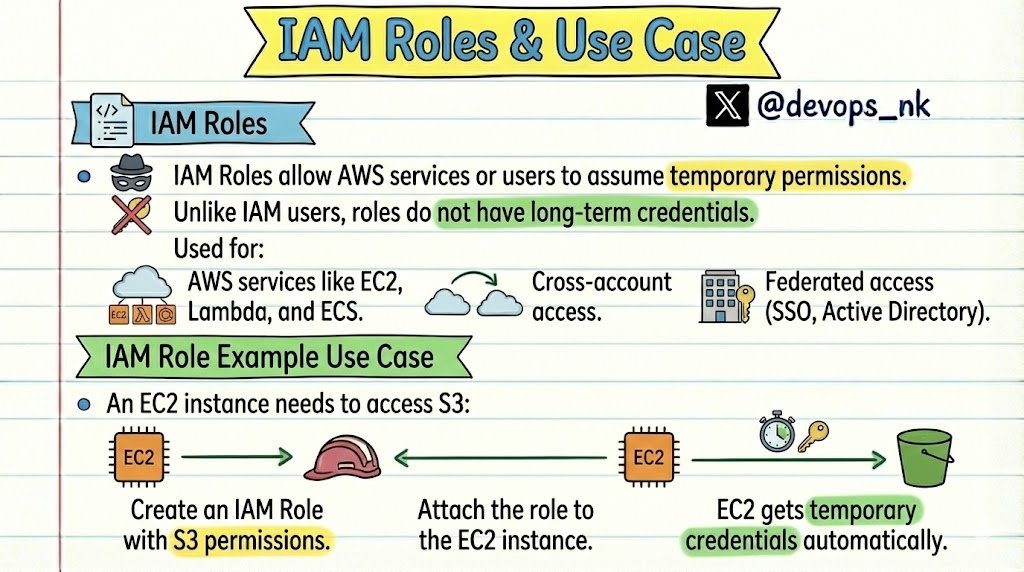
3️⃣ IAM Roles
- IAM Roles provide temporary permissions.
⚠️ Roles do NOT have long-term credentials (unlike IAM users)
- Used for: AWS services (EC2, Lambda, ECS, etc.)
- Cross-account access
- Federated access (SSO, Active Directory)
👉 IAM Role – Real-World Example:
- EC2 needs access to S3
Steps:
1️⃣ Create an IAM Role with required S3 permissions
2️⃣ Attach the role to the EC2 instance
3️⃣ EC2 automatically receives temporary credentials
- No access keys
- No secret keys
- Secure by design
That's it for today.
Thanks for showing love to AWS Simplified Series ❤️
#AWS #DevOps
Jan 19

AWS Simplified – Day 6: AWS IAM User
Save this for quick revision & follow for more 👇
🔐 AWS IAM (Identity and Access Management)
- AWS IAM user is a service provided by Amazon Web Services that allows you to manage access to AWS resources within your organization.
- User authentication: IAM users can be used to authenticate users who need to access AWS resources or services.
- Resource access control: IAM users can be assigned permissions to access specific AWS resources or services.
- Cost-effective: IAM users can help you control costs by limiting access to resources and services only to those who need them.
- Security management: IAM users can be used to manage security and compliance within your organization.
- You can set up policies and roles that define what actions are allowed or denied for specific users.
- Each IAM User is associated with one and only one AWS ROOT account.
That's it for the day tomorrow I will cover:
IAM Policies, IAM Groups, IAM Roles
Stay Tuned !!
#AWS #DevOps
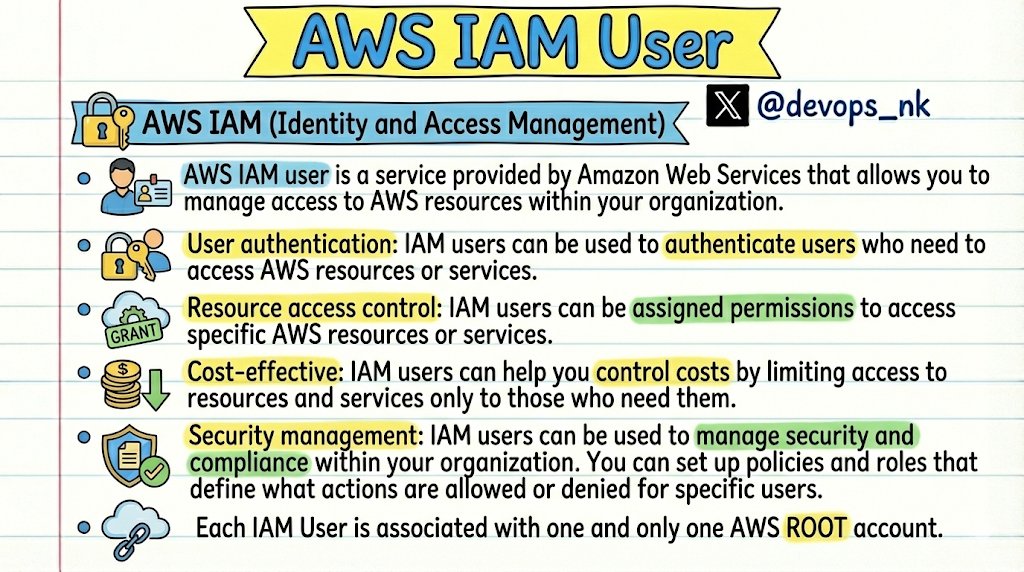
ALT AWS IAM User
4
5
24
11,191

日本語公式ブログきてた。signin:AuthorizeOAuth2Accessとsignin:CreateOAuth2Tokenの権限が必要なのでAdministratorAccessやPowerUesrAccessではそのまま使えるはずだが、ReadOnlyAccessだと権限追加が必要なのがポイント。 / “aws login で AWS への開発者アクセスをシン…” htn.to/3LQTPFeq5S
4
1,142

15 Dec 2025
アップデートで arn:aws:iam::aws:policy/ReadOnlyAccess に uxc:GetAccountColor ついてる!!
ReadOnlyなアカウントでヘッダに色がつくようになったのありがたー
docs.aws.amazon.com/aws-mana…
3
270

ReadOnlyAccessのみs3:get権限が付与されておりファイル取得まで可能でした。
zenn.dev/shimoj_tech/article…
#nncstudy
2
83


8 Jul 2025
CDK外でのリソース変更の防止策ってどうやればいいんだろう。。
マネコンはReadOnlyAccessで固定+スタックデプロイはCICDパイプライン経由のみ、とかかなあ
メッチャ鍛えられそう
#cdkopsjaws
1
2
363

13 Jun 2025
ReadOnlyAccessについている、SecretsManagerのポリシーは↓ここまでですね
"secretsmanager:Describe*", "secretsmanager:GetResourcePolicy", "secretsmanager:List*",
1
185
13 Jun 2025
今日気づいたのですが、AWSのマネージドポリシー:ReadOnlyAccessだとSecretsManagerのシークレットの中身って見えないんですね。
ReadOnlyAccessについてる、ポリシーを見たら、GetSecretValueがありませんでした。
なるほどとともに、安心しました。
1
16
959

8 Jan 2025
AWS素人の備忘録
ReadOnlyAccessの権限を設定するときに、検索すると180程のポリシー(サービスごとの権限全部)が出てくるが、「絞り込みタイプ」で「AWS管理-ジョブ機能」を選択してから検索すると、全てのサービスのreadonlyが設定された、「ReadOnlyAccess」のポリシーが出てくる。
1
3
5
787


26 Dec 2024
うおお!たまに ReadOnlyAccess で見られないサービスあるんだよな…!
完全無欠な ReadOnlyAccess を目指して… 3/3 disq.us/t/4s8pbz4
3
120
26 Dec 2024
実験要素が大きいですが「完全無欠な ReadOnlyAccess」を目指す取り組みで、ほぼ完結編となるブログを書きました
GitHub にも挙げましたがこのプログラムの利用により生成されるポリシーと ReadOnlyAccess を利用することで不足している読み取りアクションを補完できそうかな
blog.kazzpapa3.com/blog/2024…
3
13
1,028
25 Dec 2024
#DevelopersIO IAM Policy ViewOnlyAccessとReadOnlyAccessの違い dev.classmethod.jp/articles/…
2
138