
You don't need expensive tools to build real products. Python open source is all you need:
1. WhatsApp-like chat app → Django Channels WebSockets
2. Dropbox-like storage → django-storages self-hosted MinIO
3. Shopify-like store → django-oscar Stripe
4. API → Django REST Framework / FastAPI
5. WordPress-like CMS → Wagtail
6. Google Analytics-like dashboard → Plotly Dash Redis
7. Mailchimp-like email platform → django-mailer Postal SMTP
8. Zoom-like video calls → Django Janus WebRTC
9. Typeform-like survey builder → django-formtools HTMX
10. DocuSign-like e-signatures → django-signrequest weasyprint
11. Canva-like design tool → Pillow Fabric.js
12. Intercom-like live chat → Django Channels WebSockets
All powered by Django. All open source.
And host everything on your own VPS with Coolify 🚀
2
3
16
1,091

29 May 2025
This is not true! LOTS of alternatives that do just what Docusign does and are just as obsessed with notarisation. A few:
PandaDoc
SignNow
SignRequest
Signeasy
eSignly
YouSign
DocSend
DottedSign
CocoSign
Signaturely
and many many more...
11
2
230
79,989

23 Apr 2025
@TheLTONetwork Nr 1 usecase is @SignRequest
144k transactions last 30 days.
Signrequest is a e-signature innovator and was acquired by @Box in 2021!
@Box is World🌍 leading cloud-based content management used by a lot of fortune 500 companies🔥
$LTO #cryptocurrency #RWA #BTC

1
8
14
210
18 Apr 2025
@TheLTONetwork Nr 1 usecase is @SignRequest
144k transactions last 30 days.
Signrequest is a e-signature innovator and was acquired by @Box in 2021!
@Box is World🌍 leading cloud-based content management used by a lot of fortune 500 companies.
$LTO #cryptocurrency #RWA #BTC

5
13
257
8 Apr 2025
@TheLTONetwork Nr 1 usecase is @SignRequest
144k transactions last 30 days.
Signrequest is a e-signature innovator and was acquired by @Box in 2021!
@Box is World🌍 leading cloud-based content management used by a lot of fortune 500 companies.
$LTO #cryptocurrency #RWA #BTC

2
5
18
560

27 Mar 2025
There are other options to docusign:
Sign Now
PandaDoc
Adobe Sign
Zoho Sign
SignRequest and others
27 Mar 2025

NEW: The Karen who was seen keying a Tesla in Washington has been identified as 55-year-old millionaire Kamelia Enzler, according to the Daily Mail.
In footage obtained by @choeshow, Enzler was seen getting out of her car before slashing the Tesla.
Enzler is married to lead DocuSign engineer Jeff Enzler. The couple also owns fitness company IPEAK Fitness, according to public records.
The couple lives in a $1.5M home in Seattle.
Enzler was smacked with charges of Malicious Mischief in the Third Degree.
3
13
240

27 Mar 2025
Here’s a list of DocuSign alternatives with their names and websites:
Adobe Acrobat Sign - adobe.com/sign.html
PandaDoc - pandadoc.com
Dropbox Sign - dropbox.com/sign
SignNow - signnow.com
Zoho Sign - zoho.com/sign
Documenso - documenso.com
SignRequest - signrequest.com
OneSpan Sign - onespan.com/products/esignat…
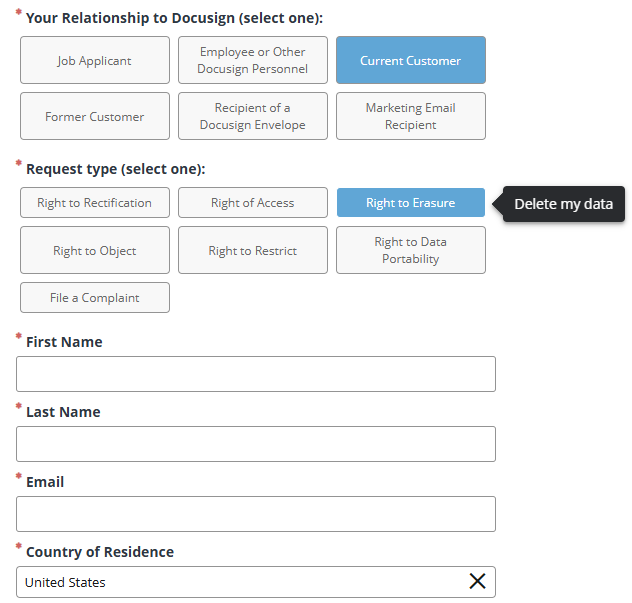
To request DocuSign to delete your data, use this link:
DocuSign Privacy Request Portal: privacyportal.my.onetrust.co…
1
3
4
230

21 Feb 2025
I asked Grok:
There are several economically competitive alternatives to DocuSign that offer robust e-signature capabilities at lower costs or with more flexible pricing models. Below are some notable options based on their features, affordability, and value proposition as of February 20, 2025:
1. Dropbox Sign (formerly HelloSign)
- Pricing: Starts at $15/month for the Essentials plan (billed annually), with unlimited signing and no per-envelope limits. A free tier allows up to 3 signature requests per month.
- Why It’s Competitive: It’s simpler and cheaper than DocuSign’s $25/month Standard plan, with seamless integration into Dropbox and other platforms like Google Drive. It’s ideal for small teams needing basic e-signature functionality without DocuSign’s complexity or higher costs.
- Key Features: Legally binding signatures, reusable templates, and audit trails.
2. PandaDoc
- Pricing: Free plan for unlimited e-signatures on basic documents; paid plans start at $19/month per user (billed annually) for more features.
- Why It’s Competitive: Offers more than just e-signatures, including document creation and collaboration tools, at a price point comparable to DocuSign’s Personal plan ($10/month) but with fewer usage restrictions (DocuSign caps at 5 envelopes/month).
- Key Features: Built-in document editor, payment integration, and analytics.
3. SignNow
- Pricing: Starts at $8/month per user (billed annually) for the Business plan, significantly undercutting DocuSign’s $25/month Standard tier.
- Why It’s Competitive: Affordable and scalable, with team collaboration features and strong security (256-bit encryption). It’s a cost-effective choice for small to medium businesses needing more than basic signing.
- Key Features: Custom branding, document merging, and mobile signing.
4. Adobe Sign (Acrobat Sign)
- Pricing: Starts at $14.99/month for Acrobat Standard (includes basic e-signatures), or $22.99/month for Acrobat Pro. Enterprise plans are custom-priced.
- Why It’s Competitive: While pricing aligns closely with DocuSign, Adobe Sign integrates deeply with PDF editing tools, offering more value for users already in the Adobe ecosystem. It competes by bundling e-signatures with document management.
- Key Features: Advanced PDF editing, compliance with eIDAS and ESIGN, and multi-party signing.
5. Zoho Sign
- Pricing: Free for 5 signatures/month; paid plans start at $10/month per user (billed annually).
- Why It’s Competitive: Matches DocuSign’s Personal plan price but offers more flexibility and integrates with Zoho’s suite of business tools, making it a bargain for Zoho users.
- Key Features: Workflow automation, cloud storage integration, and multi-language support.
6. SignRequest
- Pricing: Free for up to 10 documents/month; paid plans start at $9/month for unlimited documents.
- Why It’s Competitive: A budget-friendly option with a generous free tier and low-cost paid plans, ideal for freelancers or small businesses with moderate signing needs.
- Key Features: Simple interface, Zapier integration, and SMS verification.
7. DocHub
- Pricing: Free for basic use (up to 3 documents/month); Pro plans start at $4.99/month.
- Why It’s Competitive: Extremely low cost with PDF editing capabilities, making it a strong alternative for individuals or small teams who don’t need DocuSign’s enterprise-level features.
- Key Features: PDF collaboration, multiple signature storage, and Google Workspace integration.
8. OpenSign
- Pricing: Free open-source version; hosted plans start at $10/month for unlimited signatures.
- Why It’s Competitive: As an open-source alternative, it’s free to self-host on a server (e.g., $10/month VPS), offering massive savings for tech-savvy users compared to DocuSign’s subscription model.
- Key Features: Secure signing, customizable workflows, and API support.
Comparison to DocuSign
DocuSign’s pricing starts at $10/month for the Personal plan (5 envelopes/month) and jumps to $25/month per user for the Standard plan (billed annually). Many alternatives provide unlimited signatures or higher document limits at lower rates, often with additional features like document editing or integrations that DocuSign reserves for higher tiers. For instance, SignNow’s $8/month plan offers unlimited signatures, while DocuSign’s equivalent functionality requires a $40/month Business Pro plan.
Choosing the Right Option
- For Individuals/Freelancers: DocHub or SignRequest offer free or ultra-low-cost plans with sufficient features.
- For Small Businesses: SignNow or Dropbox Sign provide affordability and scalability.
- For Comprehensive Needs: PandaDoc or Adobe Sign add document management at competitive rates.
- For Budget-Conscious Tech Users: OpenSign’s open-source model eliminates recurring costs.
These alternatives deliver legally binding e-signatures compliant with standards like ESIGN and eIDAS, often at a fraction of DocuSign’s cost, making them economically attractive depending on your volume and feature needs.
2
2
8
6,263


11 Dec 2024
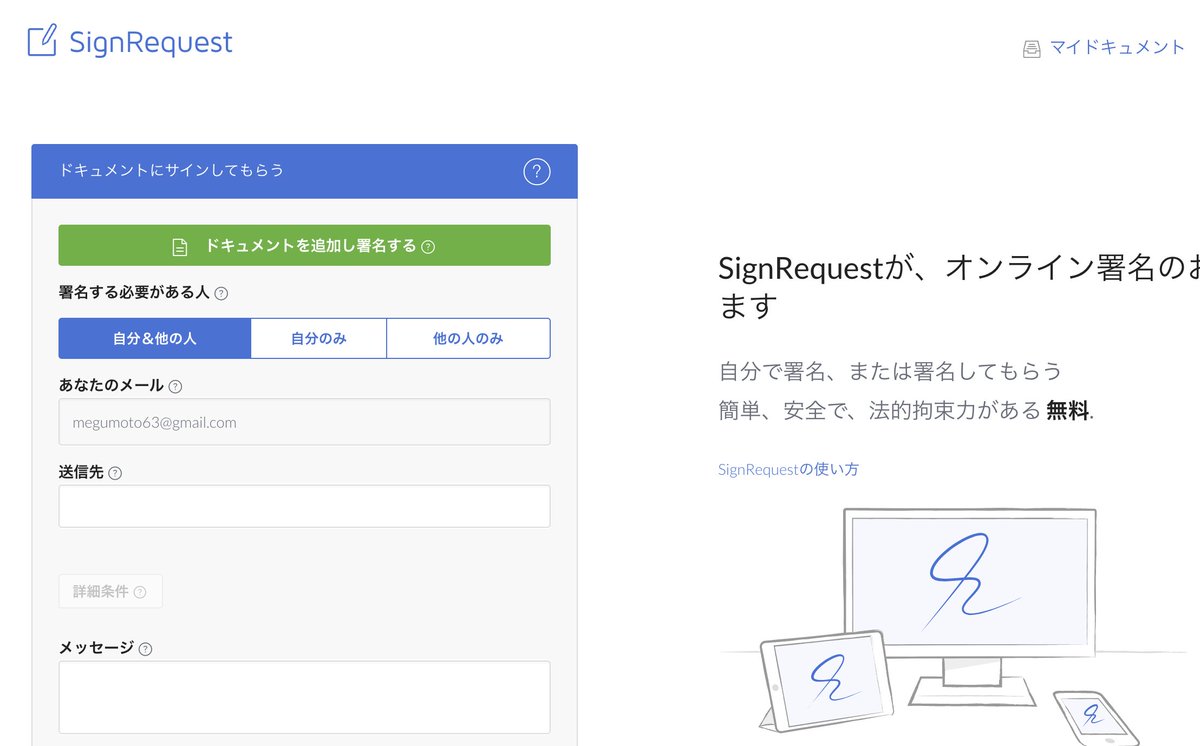
海外生活で契約書の電子サインなどに便利な「SignRequest」
無料の範囲で十分使えるので、オンライン署名に困ったらぜひ使ってみてください💡
5
1,251
14 Nov 2024
Did you know?
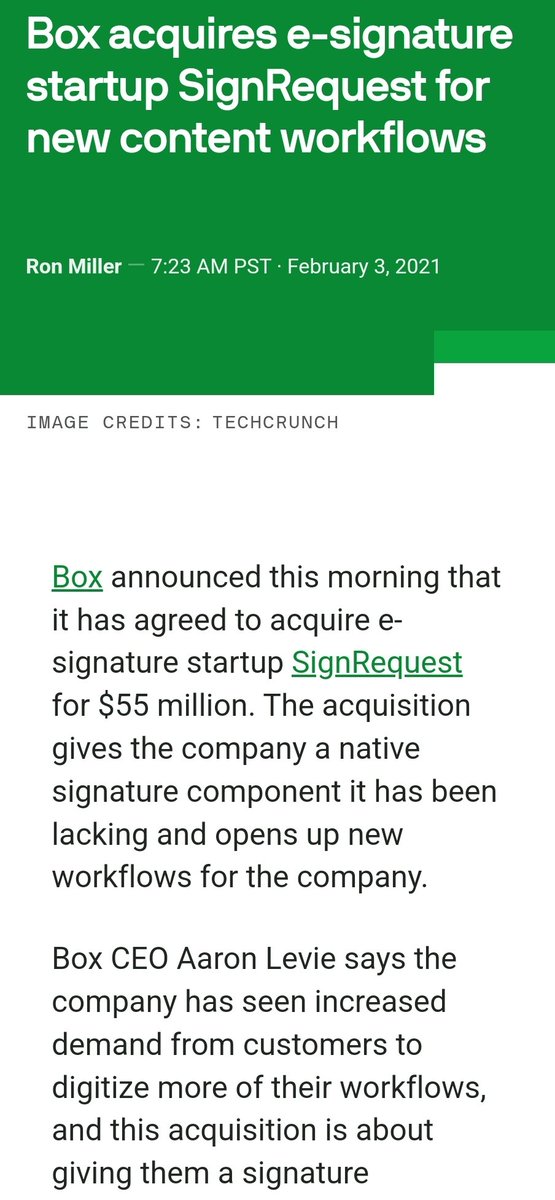
@SignRequest was aquired in 2021 by @Box the biggest content management company.
The partnership between @TheLTONetwork and Signrequest brings
over 100k operations(bundles of tranactions) a month to the $LTO #Blockchain 🔥🚀
#RWA #crypto #BTC #Bitcoin #ETH
2
76

14 Nov 2024
$LTO hovers around 50M MC right now. #RWAs, Digital assets, mobile wallet coming next month, already existing clients like Signrequest, Kate Innovations, governments and more using the chain. Improved NFT tech with better privacy coming in the form of @MyOwnables.
4
16
111

12 Sep 2024
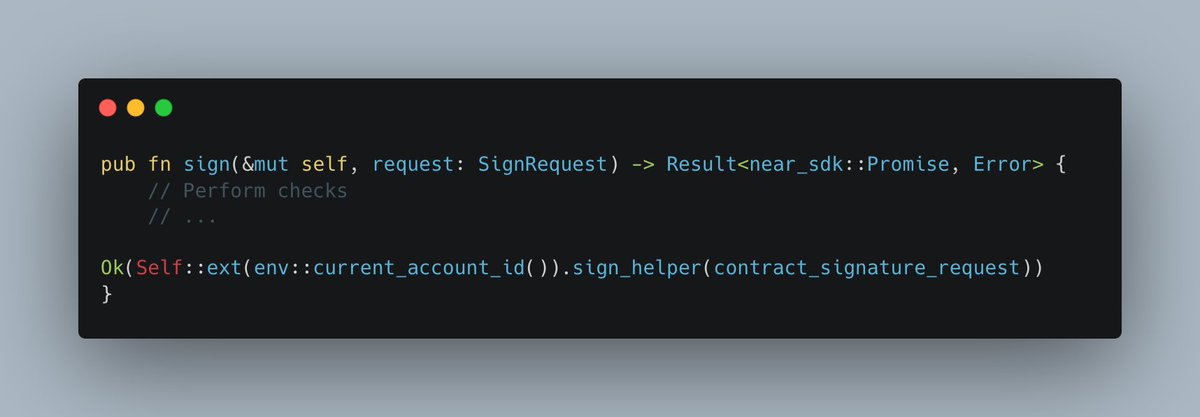
Let me breakdown the flow for you, showcasing how it leverages NEAR's unique promise system to handle asynchronous operations.
1. Initiation: The `sign` Function
The process begins when a user or a smart contract calls the `sign` function, providing a `SignRequest`. This function performs initial checks on the request, ensuring the payload is valid, the key version is supported, and sufficient deposit and gas are attached.
1
4
116

4 Sep 2024
Simplify your #NDA process with automated #eSignatures! Learn how to streamline NDA generation and signing using @docugenerate and @SignRequest. Enhance security, save time, and boost productivity. 📄✍️
docugenerate.com/blog/stream…
1
2
61

13 Apr 2024
Closing that big contract for your next SEO deal or digital marketing engagement?
You need to sign a contract.
Try these electronic signature apps:
1. Docusign
2. Dropbox Sign
3. PandaDoc
4. SignNow
5. SignRequest
6. SignEasy
7. DocHub
8. Eversign
9. Juro
What do you use?
5
1
6
702
30 Mar 2024
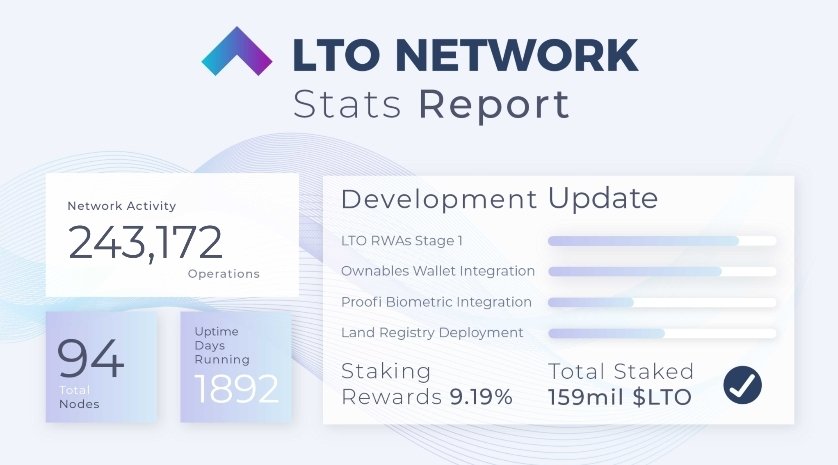
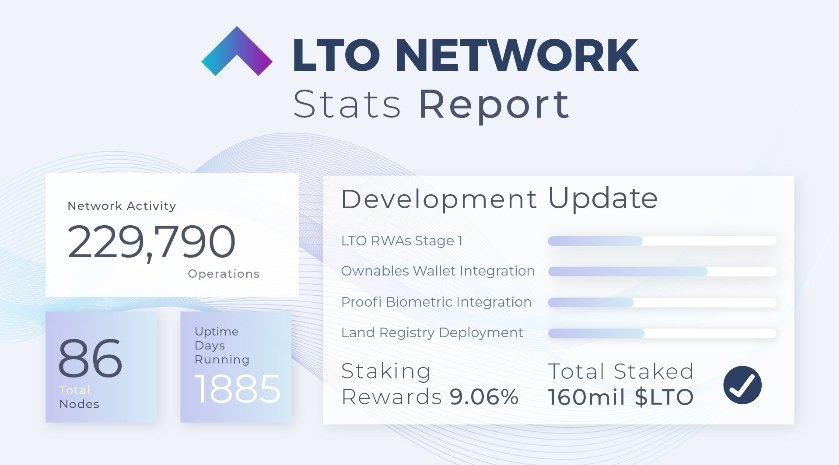
@TheLTONetwork #blockchain use operations went from 229,790 operations to 284,707 in two week💪
Most operations are made by @SignRequest who were acquired in 2021 by
@Box (Biggest cloud-based content management i the world)
$LTO keeps growing🤯🚀
#RWA #NFT #Crypto

2
15
419

21 Dec 2023
@housleyd We use @SignRequest at @OpStartGrowth. I love it because of the functionality / flexibility it has between @HubSpot and @zapier!
2
36

21 Dec 2023
If you are ok with basic… Signrequest is good.. cost effective… no frills
1
389
