
福良ベッケ/Becke retweeted

Your taskbar deserves companions. 🐉
Here's a look at our dragon collection so far. #indiegame #gamedev #godot #madewithspine
5
25
600

I also packed in a few extra features to turn your Taskbar into a productivity machine:
- ✅ Uncombine taskbar icons so you can instantly click the exact window you need.
- ✅ Virtual Desktop indicator & hotkeys to jump seamlessly between desktops.
5
I always found Alt Tab too visually cluttered when switching apps. Then it hit me: why not just cycle through apps in the exact order they appear on the Taskbar? 🤔
So I built a small tool to do exactly that. Hit Alt [ or Alt ] to fly through windows
2
1

Nokiapoweruser retweeted

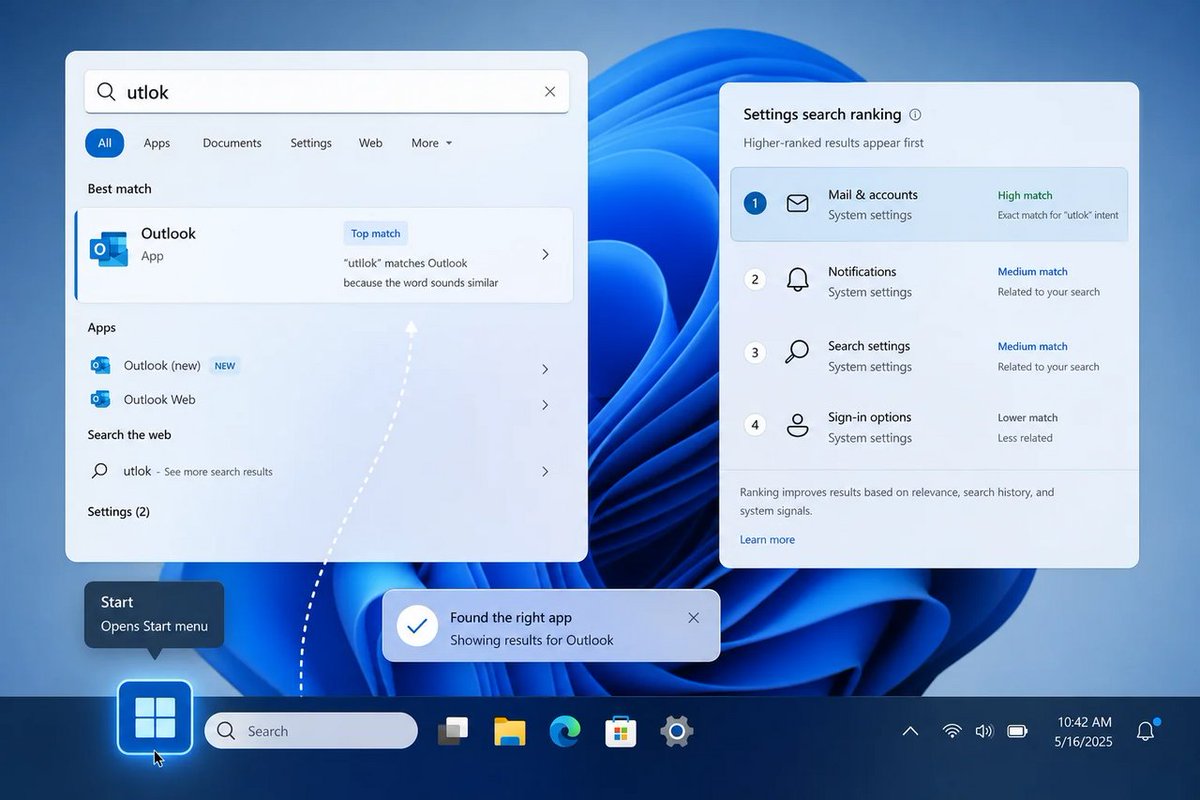
Windows 11 Search Now Finds Apps Despite Typos, Taskbar Gets More Reliable thewincentral.com/windows-11… via @TheWinCentral
1
1
69

Hi guys!
We are ready for the Next Fest June!
First JRPG Idle game on taskbar!
#Steampc #indiegame #indiedev

1
1
24

🪟 Typo-tolerant Search fewer taskbar tray faceplants? That’s the real Windows “AI” — lowering the friction tax I pay 1,000 times/day. Trust the shell, plz. #Windows #Microsoft #Windows11 #Insider
windowsforum.com/threads/win…
#InsiderPreview #Windows11 #SearchImprovements
9

I just saw a Washington DC illustration on my taskbar, and baby...
...Then I was reminded that June 14 is Flag Day. 😅
7

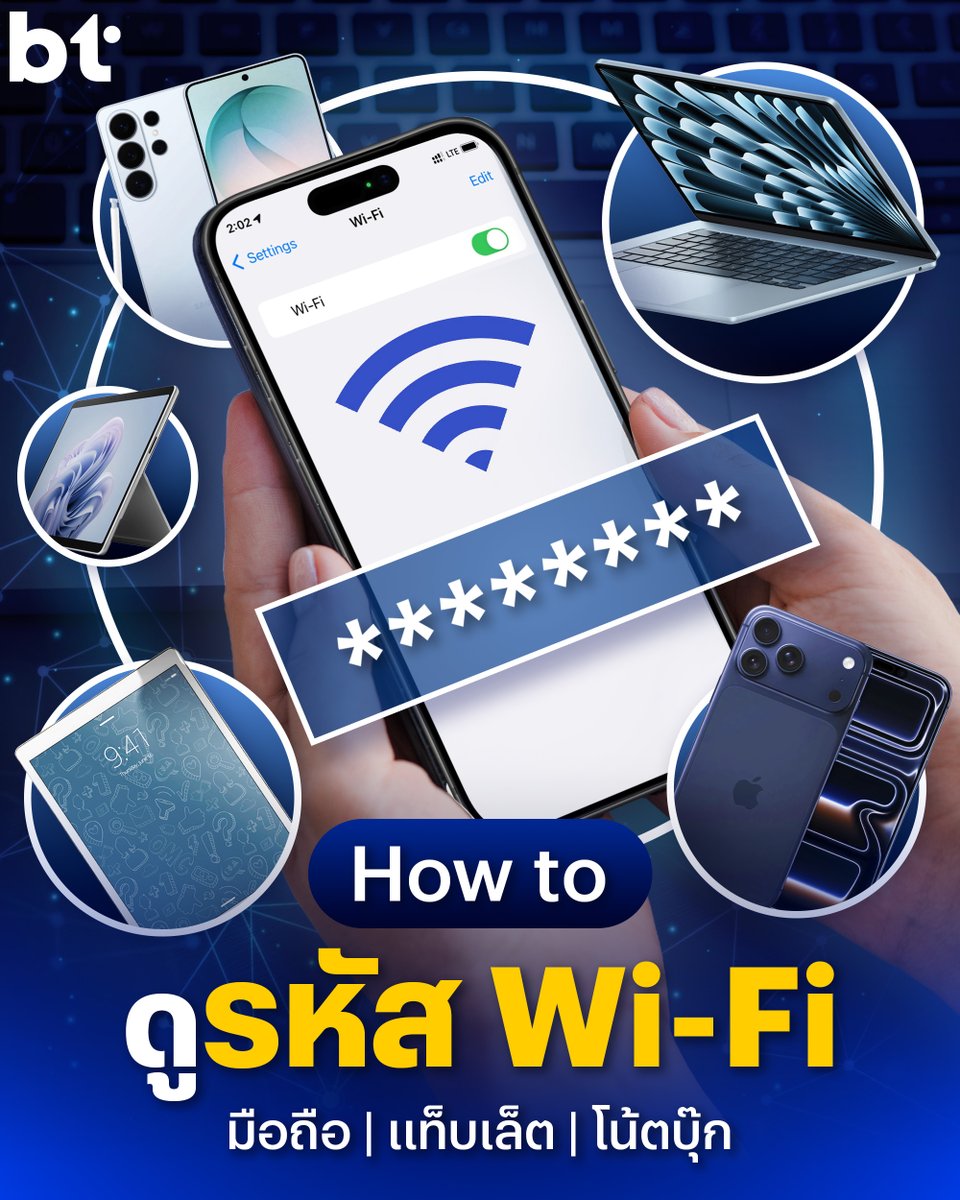
คิดว่าทุกคนที่กดเข้ามาอ่านบทความนี้เนี่ย น่าจะเจอปัญหาเดียวกันคือ “ลืมรหัส Wi-Fi” ซึ่งหลายคนอาจจะยังไม่รู้ว่าอุปกรณ์ที่เราเคยเชื่อมต่อไว้ สามารถกดดูรหัส Wi-Fi ได้ด้วยนะ !
บทความนี้เราก็จะ “สอนวิธีดูรหัส Wi-Fi” ทุกอุปกรณ์กัน ! ซึ่งผมทำต้วเลือกไว้แล้ว กดไปดูกันได้เลย
ดูรหัส Wi-Fi บนมือถือ Android / แท็บเล็ต Android
1. เข้าไปที่ การตั้งค่า (Settings)
2. เลือกหัวข้อ การเชื่อมต่อ (Connection)
3. เลือก หัวข้อ Wi-Fi
4. แตะเลือก ฟันเฟือง (⛭) หรือ ชื่อ Wi-Fi ที่เคยเชื่อมต่อ (SSID)
5. จากนั้น กด Share (ที่มีรูป QR Code)
6. สแกนได้เลย
ดูรหัส Wi-Fi บน iPhone / iPad
1. เข้าไปที่ การตั้งค่า (Settings)
2. เลือกหัวข้อ Wi-Fi
3. แตะที่ ไอคอนตัว i (ⓘ) สีฟ้า หลังชื่อ Wi-Fi ที่เชื่อมต่ออยู่ หรือเคยเชื่อมต่อ
4. แตะที่ช่อง รหัสผ่าน (Password) ที่ซ่อนเป็นจุด ๆ ไว้
5. ระบบจะให้สแกน Face ID / Touch ID หรือใส่รหัสปลดล็อกเครื่อง
6. รหัสผ่านจะแสดงขึ้นมา สามารถกด คัดลอก (Copy) เพื่อส่งต่อได้ทันที
ดูรหัส Wi-FI บน MacBook, Mac Mini / Mac Studio / iMac
1. เข้าไปที่ การตั้งค่าระบบ (System Settings)
2. เลือกหัวข้อ Wi-Fi ที่แถบด้านซ้าย
3. เลื่อนลงมาล่างสุด คลิกที่ปุ่ม ขั้นสูง... (Advanced...)
4. เลื่อนหาชื่อ Wi-Fi ที่ต้องการในหมวด เครือข่ายที่รู้จัก (Known Networks)
5. คลิกที่ ไอคอนจุดไข่ปลา (•••) หลังชื่อ Wi-Fi นั้น
6. เลือก คัดลอกรหัสผ่าน (Copy Password) และนำไปวาง (Paste) ให้ปลายทางได้เลย
ดูรหัส Wi-Fi บน Windows 11
1. เข้าไปที่ การตั้งค่า (Settings)
2. เลือกแถบ เครือข่ายและอินเทอร์เน็ต (Network & internet) ทางด้านซ้าย
3. เลือกหัวข้อ Wi-Fi
4. เลือก จัดการเครือข่ายที่รู้จัก (Manage known networks)
5. คลิกที่ชื่อ Wi-Fi ที่ต้องการดูรหัส
6. ตรงหัวข้อ Wi-Fi network password ให้กดปุ่ม แสดง (Show)
7. รหัสผ่านและ QR Code จะแสดงขึ้นมา สามารถคัดลอกหรือให้สแกนได้เลย
ดูรหัส Wi-Fi บน Windows 10
1. ไปที่ช่องค้นหา (Search) บนแถบ Taskbar พิมพ์คำว่า Control Panel แล้วเปิดแอปฯ ขึ้นมา
2. เลือกหัวข้อ Network and Internet > Network and Sharing Center
3. ตรงหัวข้อ Connections (ฝั่งขวา) ให้คลิกที่ ชื่อ Wi-Fi สีฟ้าที่คุณกำลังเชื่อมต่ออยู่
4. หน้าต่างสถานะจะเด้งขึ้นมา ให้กดปุ่ม Wireless Properties
5. เลือกแถบ Security (ความปลอดภัย) ด้านบน
6. ติ๊กเครื่องหมายถูกที่ช่อง Show characters (แสดงอักขระ) รหัสผ่านจะปรากฏขึ้นที่ช่อง Network security key
ทั้งหมดนี้คือวิธีที่เรารวบรวมมาฝาก ใครอยากให้สอน How to เรื่องอะไรอีก คอมเมนต์มาบอกไว้ได้เลย
#BTbeartai #WiFiPasword #ดูรหัสWiFi #ขอรหัสWiFI #แชร์รหัสWiFi
14
18
1,381



【参考にした記事📚】
🌷TaskBar Hero Wiki
taskbarhero.wiki/runes
🌷Games.ggさん
x.gd/VALoN
今回はこちらの2つを中心に、国内外の情報も見比べながらまとめています✨
いつも有益な情報ありがとうございます🙇🌸
2
4,901

@WiissttaaGG upalit cu auto nacu te, razumijes?😂😂😂 jel u tebe vako lijep taskbar providan na aplikacijama hajdii bizi ovdam
1
13


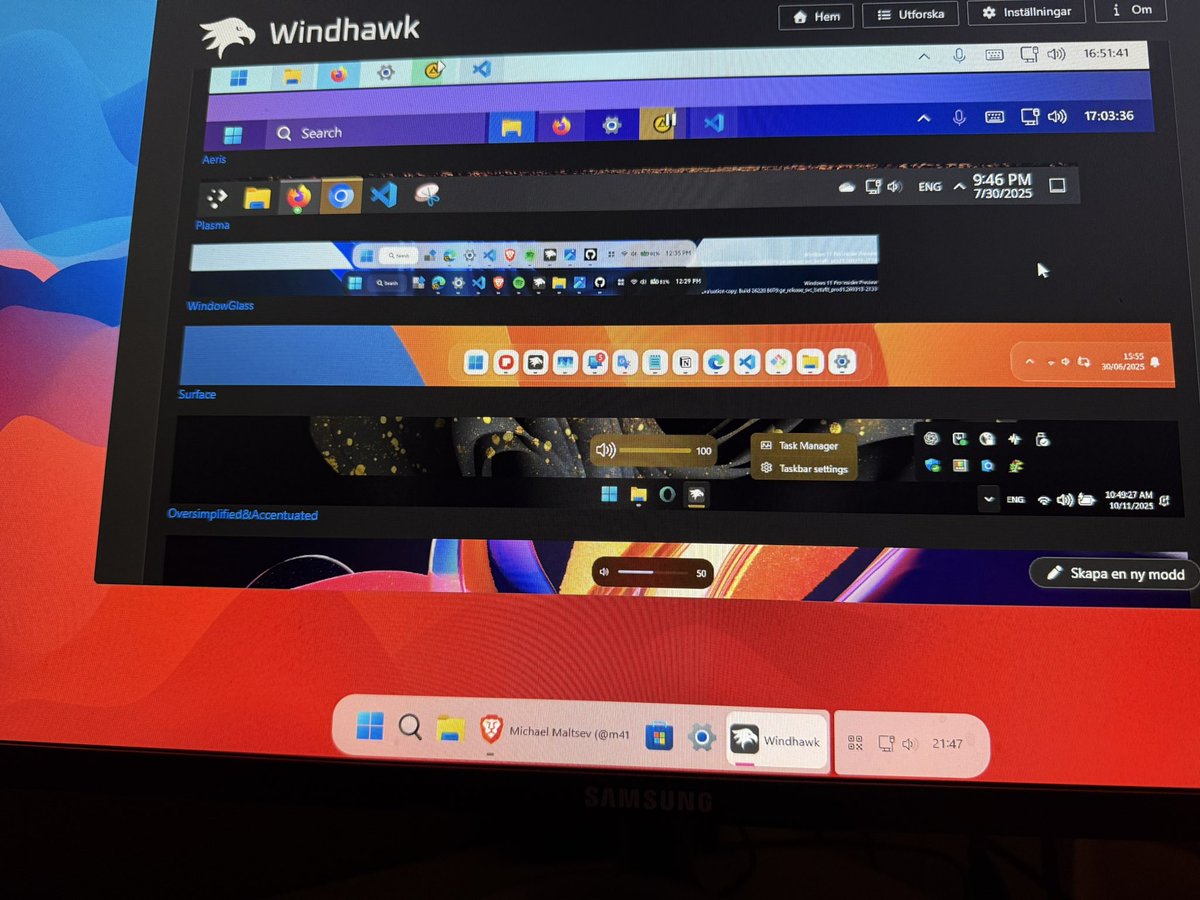
@m417z Can i shoot you a question? Using Win 11 in light mode, with WindowGlass in taskbar styler. Is there a waynto force dark dock when using light mode? I like my UI light, but dock dark
1
6