
Jun 13
That's actually what I tried, I had the device corner radius and used that as the borderRadius, with cornerSmoothing 0.6, but it still looked quite far from the actual Liquid Glass geometry.
Then I experimented with borderRadius 60 and cornerSmoothing 1, which got surprisingly close, but it still wasn't an exact match.
Makes me wonder if there's some additional geometry or optical adjustment going on beyond just matching the device radius and using continuous corners
55

Jun 7
Access ALL prompts for stunning animated websites in one click: motionsites.ai
Build a password manager landing page hero section using React, TypeScript, Tailwind CSS, Framer Motion, and Lucide React icons. Here is every specification:
---
### Fonts
- **Heading font:** "Helvetica Now Display Bold" -- load via this stylesheet in `index.html`:
```
<link href="db.onlinewebfonts.com/c/04e6…" rel="stylesheet">
```
- **Body font:** "Inter" (weights 300-900) -- load via Google Fonts in `index.css`:
```
@import url('fonts.googleapis.com/css2?fa…');
```
### CSS Variables (defined in `:root` in `index.css`)
```
--font-heading: 'Helvetica Now Display Bold', sans-serif;
--font-body: 'Inter', sans-serif;
--color-text: #192837;
--color-accent: #7342E2;
--color-login-bg: #F2F2EE;
```
Global reset: `* { box-sizing: border-box; }`, body uses `var(--font-body)`, `var(--color-text)`, margin/padding 0.
---
### Background
Full-viewport looping background video, absolutely positioned, covering the entire page with `object-cover`. URL:
```
d8j0ntlcm91z4.cloudfront.net…
```
Attributes: `autoPlay`, `muted`, `loop`, `playsInline`. Classes: `absolute inset-0 z-0 w-full h-full object-cover`.
---
### Logo (inline SVG component)
A custom geometric SVG logo, 32x32, viewBox `0 0 256 256`, fill `#192837`:
```
M 64 128 L 64.5 128 L 32 95 L 0 64 L 0 0 L 64 0 L 128 64 L 128 64.5 L 161 32 L 192 0 L 256 0 L 256 64 L 192 128 L 128 128 L 128 192 L 96 223 L 63.5 256 L 0 256 L 0 192 Z M 256 192 L 224 223 L 191.5 256 L 128 256 L 128 192 L 192 128 L 256 128 Z
```
---
### Navbar
- Max-width `1280px`, centered with `margin: 0 auto`.
- Padding: `px-5 sm:px-8 py-4 sm:py-5`.
- `relative z-10`, flexbox with `justify-between`, `items-center`.
- **Left:** Logo component.
- **Center (desktop, hidden on mobile `md:flex`):** 5 nav links -- "Vault", "Plans", "Install", "News", "Help". Each is `text-sm font-medium`, color `var(--color-text)`, `transition-opacity hover:opacity-70`, gap-8.
- **Right (desktop, hidden on mobile `md:flex`):** Two pill buttons with `gap-3`:
- "Start For Free": background `#7342E2`, white text, `text-sm font-semibold px-5 py-2.5 rounded-full`, hover shadow, active scale-95.
- "Sign In": background `#F2F2EE`, text `var(--color-text)`, same sizing/rounding.
- **Mobile (`md:hidden`):** Hamburger button using Lucide `Menu` icon (24px). Toggles to `X` icon when open.
---
### Mobile Menu (slide-in sheet)
Uses Framer Motion `AnimatePresence`. Two layers:
1. **Backdrop:** Fixed overlay, `rgba(25,40,55,0.35)` background, `backdrop-blur(4px)`. Fades in/out over 0.3s. Clicking dismisses the menu.
2. **Sheet:** Fixed, right-aligned, `width: min(88vw, 360px)`, `height: 100dvh`, background `#CFC8C5`, box-shadow `-12px 0 48px rgba(25,40,55,0.18)`. Slides in from right with custom cubic bezier `[0.22, 1, 0.36, 1]` over 0.45s; exits with `[0.55, 0, 1, 0.45]` over 0.35s.
Contents:
- **Header:** Logo circular close button (40x40, background `rgba(25,40,55,0.1)`, X icon 20px), with `whileTap={{ scale: 0.9 }}`.
- **Divider:** 1px line, `rgba(25,40,55,0.12)`, margin `0 24px`.
- **Nav links:** Each link staggers in from right (x: 24 to 0, delay `0.18 i * 0.07`, duration 0.4s). Font size `1.1rem`, rounded-xl, hover `bg-black/10`.
- **CTA buttons:** Same "Start For Free" (`#7342E2`) and "Sign In" (`#F2F2EE`) as desktop, full-width, `py-3.5 rounded-full`, font size `0.95rem`.
---
### Hero Content
- Centered container, max-width `1280px`, `relative z-10`.
- Padding top: `clamp(40px, 8vw, 72px)`, bottom `48px`.
- Inner content wrapper: max-width `660px`, centered.
**Heading (`<h1>`):**
- Font: `var(--font-heading)`.
- Size: `clamp(1.65rem, 5vw, 3rem)`.
- Line-height: `1.05`, letter-spacing: `-0.01em`.
- Color: `var(--color-text)`.
- Text-align: center.
- Two lines:
- Line 1 (nowrap): `Lock` [Zap icon 24px] `Down Your` [LockKeyhole icon 24px] `Passwords`
- Line 2: `with Ironclad Security` [Fingerprint icon 24px]
- All inline icons: color `#192837`, `display: inline`, `verticalAlign: middle`, `position: relative`, `top: -2px`, margin `0 4px` (Fingerprint has `marginLeft: 6px` only).
- Animates: fade-up from `y: 28`, `opacity: 0`, duration 0.6s, ease `[0.22, 1, 0.36, 1]`, delay `0 * 0.15`.
**Subtext (`<p>`):**
- Font: `var(--font-body)`.
- Size: `clamp(0.9rem, 2.5vw, 1.1rem)`.
- Color: `var(--color-text)` at `opacity: 0.8`.
- Max-width: `560px`, line-height `1.65`, text-align center.
- Copy: "Zero stress, total control. Unbreakable storage, one-tap access, and pro-grade tools for your non-stop world."
- Animates: same fade-up, delay `1 * 0.15`.
**CTA Button:**
- Pill button (`borderRadius: 50px`), background `#7342E2`, white text.
- Size: `clamp(0.9rem, 2vw, 1rem)`, padding `17px 24px`, min-width `210px`.
- Box-shadow: `0 4px 24px rgba(115,66,226,0.28)`.
- Flexbox with `justify-between`, gap `32px`.
- Label: "Get It Free" with `ArrowRightCircle` icon (20px) on right.
- Hover: `scale: 1.04, brightness(1.1)`. Tap: `scale: 0.96`.
- Animates: same fade-up, delay `2 * 0.15`.
---
### Animation System (Framer Motion variants)
All hero elements use a shared `fadeUp` variant:
```
hidden: { opacity: 0, y: 28 }
visible: (i) => ({ opacity: 1, y: 0, transition: { delay: i * 0.15, duration: 0.6, ease: [0.22, 1, 0.36, 1] } })
```
---
### Dependencies
- `react`, `react-dom` (v18)
- `framer-motion`
- `lucide-react` (icons: ArrowRightCircle, Zap, LockKeyhole, Fingerprint, Menu, X)
- Tailwind CSS 3 with default config, no custom theme extensions
- Vite TypeScript
1
1
15
5,255

Jun 4
esse é o código que o Codex gerou e rodou no meu navegador para criar uma playlist com bulk import do spotify
(async()=>{
const ids=["Tj6-fpVO9bQ","SEtc1B2W_kk","SV9KLYeeQ48","du-QXQOTSjM","6LiLxuqmcBw","OiXcvuTSb20","macwfRk36_U","QeL-hC-qpWY","ehLZ1AT8_WA","rQgypQyjukc","HFXQfEW5SxU","9wylfmSS8Qo","WOLpVeEB61I","mqNuNY0qaO4","zRlZsz9c02Q","y1VILRoIZWA","ZJ5VtHnoVOQ","VIJI58OHw4U","BBu58NDWN90","x--Njkhj3Oo","I0jubezBE5Q","MBh28_ND_hg","to2OdlJNF-I","6E91J6_hYr0","a8kE5LcMnWU","dW_q6FZSDO4","xUMkXtoU464","fCocSIdXEZg","V6l8Qv9opTU","v8oA00mC62I","u3nqdUOwmOY","B7etfx8hZt8","FZtxeSIeKsU","TVaoRNNg6-o","hbhdjmLi6jE","54ZmzR5NNZg","k15Pfu6Myf4","3NPxqXMZq7o","ANS6DNaz7es","pEo3v3_7ekk","LtPAl7M01IU","uxkJUpJSQg8","xngygo3EgyU","YGgSh7qppNY","jtUTW4sLJ9Q","IhVHFxA_u_E","nm6DO_7px1I","uuUP8RW0D78","JcW8VNwYvL0","YmLFlhQMDUQ","GpQvN0q8jUo","E1PY23P4UQo","Kszi7bqGsHg","WN-IhnU6v6c","YP1adYUGL3g","GAn9H6DNGSg","c-hd7U9C0Vo","CXJMdpzMfS8","ZPkH8ktv4zU","8Uwj8mkoEaE","FT--5iQA0GA","uHGSK424hxg","2hpnA6dQFwo","6LwSXRj-f_k","bft2cXsp99k","c18BejFiyl4","RkOeZxX7K5o","U_EOxEwbE4g","X-V-8ZtESvA","7WFsLEO6gBQ","4IlGI98epi4","pvPeSkDRKAE","ptjVx0XzZW0","Gz27-ct-CZk","Zvrvitx12Ng","7p6ISIzrIng","UHW3dcodbbw","SU4lUzPdLNs","Zse87KUaAMo","FbW4tJvVAdE","4X2xDRxX-dE","8HnzNY0epzE","5q_mzr1OOkc","pEpOk4d7LKE","JX3BM7yjRQ0","vRam9qfOsEk","_tO9T5Ni764","65Pza3Xc5io","PumNcnEKE7U","vtpGXMbhv60","zIBBEggIXBw","p6ozF0Y-PzU","cEo9feVESCM","XjrWgks36yI","urt3G5Yu1T4","sdE526W3jcM","xTZEb-8wOSo","LFt4x4cXMIQ","YeE-sI4nV-4","naD-bdveCJc","jhx6FTH9oDM","OO_5j2G6DBY","upN2ZIPmToQ","zj6pPWQbIYQ","nEuPueru76U","KM06kNihIJA","hpmKcZV_HWY","XiAhp3e9qYQ","6P-BX6D9As8","dGU12wmPzzs","Jmb_idQBBGQ","PWJQUwEUGdY","Fwj3hKtplmQ","5GGgWm1i4jQ","wHFsf7lKfQs","Ht8WpcoC1-g","LjPkf84IM_A","VLiXVvYm4to","6MpoO4iXAHM","YyBJqtjkPrQ","N3_8yBlTAZQ","8UVvhtsZ3Ls","JxCyKqOE8to","kPE_n-gKtWA","I5_5Tuh7RVo","UT3MJl0Xo-g","3iNFvEVlXLI","-2aShLYiEWA","yEtEyKHBymw","Oa2uBHaA0N8","5lq-zfWtY3Q","_OqQSfdC0Zo","Ng95x0OeBLs","tTB1sv1Q6xI","Khd0pzs6grM","o5vdFUxZeNs","r0ZepaoFHtU","nhGCdlRAd6g","gAbOWU8xzbI","35-hyeA5aEI","-EFChgVZUW4","aD6YlMaXH5Q","Q9QzjGhoq2Y","WvPL6cxiYow","HQ5uFCVG6eE","DmO-_veh2Sg","q5SgIWEos00","jNQRyviczts","ghv5iHYbLs4","i-IQUYmyZkY","xo6UEY4vbqc","CfM_fP05yDI","Qyj7j0FwAeU","BCFrN-mJrS8","dI9VreZBRkc","uxTH-lhomSo","tpi3yAa655k","O72z28EE2F0","Ro4PtNCLUm0","8eVwV3_ekE8","JgRFJyVxYi4","pnzhPantR1s","jpMhhsiE2pg","hQGG9qp50WM","WEgIbJ66Puc","0UfrG3c9M0M","s4CCFXJZoCI","ddKXNvojJqU","qMIzq8xPQGM","sxazo_Ndfvk","eM6Ufn83Doc","jTfCYgoNh6U","bherKr_wIIk","HPd-HIgt78s","zQyud9ENJrc","yxFllvdtDpI","kkNDHrRU31Y","Uj6Ulj4kU0M","5NqfJ6ittbI","fmllbRnd6RA","B-d3ILRV3mI","1Q38-uwa8WQ","XT6uJeOV7-A","nVRTaWqEhDo","i8eH4_2EMC0","ynD8Zl1qBPk","gNpqoMn3Qtc","SlH4Iz2Ly10","RC1uj76N7ic","OWA1cD30orc","dQ1GIaL4xik","81b0EkYR6DI","vPI6pYN6TE0","PSBxHeyZ-Ns","Uxe8sfd-ypE","uAQcFPJ1Fc0","mtPV6cTTK0I","FLCFs4JiKaE","hxjPN_iUiVY","IPx5IbLZ_ZI","_av2XQ7A8Ko","oL5s8Q37ivs","fS8bLadMUtQ","_hoKTHj-Qrw","MFoUIrqYXO0","9EcjWd-O4jI","iitJCe2-IFY","jiXdKVitp6o","1b0_xzEYr1s","tivROQOM1B8","Xk4EyD99qH8","YRBjH4RHOSg","qF9mbfwft0w","fR3_FI_vmaY","Fzf9IOo603s","l5qpWyxLfUo","sdZ6-wnv2PE","U51XWTW_JvE","XOz8FW9eWas","HbM-KCsoWGY","69UwpTw4PmU","cZgQhpI9sX4","wY0qDxksXm4","0ZTV24p0AfE","VuVJMIsY1CY","9UO06d9qsLQ","76GeDSYiUhQ","Avk-SPGLqM8","7n-NlLlkEjY","gy2rjEhdHgA","xv8YfapN37Q","iPNA9baCj2I","ud1DLU539IQ","ixHXd0_2I8k","iLYYna6C8DU","i-nXx-gODUY","P-tdCCcfziI","gjRLbzxz_3Y","87rJCXNLY_c","L9s9Erp3voQ","YZUPnIMMEs8","BGEghauwCQk","RICfWg2BMdU","5cywYseTel0","1issTkDfw4E","aRneKX0rGaE","EYiP2-VlbDs","DlgFuSbXEIY","C1tjdM40R_0","29tjEX-5Pcs","p9oi0xzOLYM","SjJ_S5RUwwE","4fu5BzTLpQw","dBrRBZy8OTs","DaKWDmxQxtw","hf5nxUYTD7Q","fkIz7LyGwmE","kivQQoFMPQw","BdC6HcSr_-M","ICf1eEUGqe8","OPWXD2g1F5k","C0BLKudnyNo","1ObMM3mbd3M","pDzuS05_zEM","ajUMhpotf8k","2Gq7HFROdXA","LfC699eHjD8","ezDxOH-NWe8","gNzNvEeguUk","S7lQter1cWI","ASTbQzDVAjE","uKeCPDqEuug","sRJtuVD7yrc","b6M-CXcoGE0","9DZCpaUP3uw","Ftub3WycfL8","VozPTt8rLt8","XF3pU_sBnmw","PAsTHF-WN_U","Otj9sbHwJUo","uMK_k0QcvjY","47PxVtpPxTk","ghULrkDvaU4","oIgKwj1AhmM","l2Xzk38OZAk","1WDhVpfVFlM","Hd1ABviZpH4","L_GFS1yhWhM","hV_wC3XM7qU","RhLi0b8O7F4","PBAuXmBUdGs","vo1ezP5kzKY","Z0bRHh3P6zM","bVxhpL--Ah0","2KB3HP8q_qY","CpUF3w_uwRk","Go7a55HRPAw","CP1Z2nnOuzU","L3FKRP4fCcM","PyvUlPT_5NI","Yi3lb-r9ZJY","fFixfIawHZw","6p8uQccFK-c","yxjX9auJe1o","snwodR5WO6M","U1Ndpf8jEgo","ngCMeuPUWw0","pgv_AtLxknA","jFOagY4oRg0","kxf_TedCDt8","-bnx_Qwy7w4","2DyLTjVcwaE","LV1IBWrXYEk","RGGsRcZyB64","F5cRjfSwqaY","Er9lxje-xmo","kd7grOn6Dak","ejoZp1rHlCA"];
const title='Tunes and Chat';
const box=document.getElementById('tc-yt-create')||document.createElement('pre');
box.id='tc-yt-create';
Object.assign(box.style,{position:'fixed',zIndex:999999,top:'10px',right:'10px',width:'560px',maxHeight:'82vh',overflow:'auto',background:'#101010',color:'#7CFF8C',padding:'12px',font:'12px monospace',whiteSpace:'pre-wrap',border:'1px solid #444',borderRadius:'6px'});
box.textContent=''; if(!box.parentNode) document.body.appendChild(box);
const log=s=>{box.textContent =s '\n';box.scrollTop=box.scrollHeight;document.title=s.slice(0,100);};
const sleep=ms=>new Promise(r=>setTimeout(r,ms));
const cookie=n=>{const p=document.cookie.split('; ').find(x=>x.startsWith(n '=')); return p?decodeURIComponent(p.slice(n.length 1)):'';};
const hex=buf=>Array.from(new Uint8Array(buf)).map(b=>b.toString(16).padStart(2,'0')).join('');
const authHeader=async()=>{const sid=cookie('SAPISID')||cookie('__Secure-1PAPISID')||cookie('__Secure-3PAPISID'); if(!sid) return null; const ts=Math.floor(Date.now()/1000); const h=hex(await crypto.subtle.digest('SHA-1',new TextEncoder().encode(ts ' ' sid ' youtube.com'))); return 'SAPISIDHASH ' ts '_' h;};
try{
if(window.tcYTCreateRunning){log('YT_ALREADY_RUNNING');return;}
window.tcYTCreateRunning=true;
const key=ytcfg.get('INNERTUBE_API_KEY'), ctx=ytcfg.get('INNERTUBE_CONTEXT');
if(!key||!ctx) throw new Error('Missing ytcfg API key/context');
const headers={'content-type':'application/json','x-origin':'youtube.com','x-youtube-client-name':String(ytcfg.get('INNERTUBE_CONTEXT_CLIENT_NAME')||1),'x-youtube-client-version':String(ytcfg.get('INNERTUBE_CLIENT_VERSION')||ctx.client?.clientVersion||''),'x-goog-authuser':String(ytcfg.get('SESSION_INDEX')||0)};
const auth=await authHeader(); if(auth) headers.authorization=auth;
const post=async(path,body)=>{
const r=await fetch(path '?key=' encodeURIComponent(key) '&prettyPrint=false',{method:'POST',credentials:'include',headers,body:JSON.stringify({context:ctx,...body})});
const text=await r.text(); let j; try{j=JSON.parse(text)}catch{j={raw:text}};
if(!r.ok) throw new Error(path ' ' r.status ' ' text.slice(0,700));
return j;
};
log('YT_CREATE_START unique videos ' ids.length);
const created=await post('/youtubei/v1/playlist/create',{title,description:'',privacyStatus:'PRIVATE'});
const playlistId=created.playlistId||created?.command?.playlistId||created?.playlist?.playlistId;
if(!playlistId) throw new Error('No playlistId ' JSON.stringify(created).slice(0,1000));
const url='youtube.com/playlist?list=' …;
log('YT_CREATED ' url);
let added=0; const failed=[];
async function addChunk(chunk){
const actions=chunk.map(id=>({action:'ACTION_ADD_VIDEO',addedVideoId:id}));
await post('/youtubei/v1/browse/edit_playlist',{playlistId,actions});
}
for(let i=0;i<ids.length;i =20){
const chunk=ids.slice(i,i 20);
try{await addChunk(chunk); added =chunk.length;}
catch(chunkErr){
log('YT_CHUNK_RETRY ' (i 1) '-' (i chunk.length) ' ' String(chunkErr.message||chunkErr).slice(0,160));
for(const id of chunk){
try{await addChunk([id]); added ;}
catch(e){failed.push({id,error:String(e.message||e).slice(0,220)}); log('YT_SKIP ' id ' ' failed[failed.length-1].error);}
await sleep(180);
}
}
log('YT_ADDED ' added '/' ids.length ' failed ' failed.length);
await sleep(500);
}
window.tcYTCreateRunning=false; window.tcYTResult={ok:true,playlistId,url,count:ids.length,added,failed};
log('YT_DONE added ' added '/' ids.length ' failed ' failed.length ' ' url);
}catch(e){window.tcYTCreateRunning=false; window.tcYTResult={ok:false,error:String(e&&e.stack||e)}; log('YT_ERR ' String(e&&e.stack||e).slice(0,2000));}
})();void 0
10
2
97
26,707

The indicator now has 5 pieces. The pieces in the middle scale to account for width changes, the pieces on the side handle borderRadius.
Why 3 pieces in the middle instead of 1? The scaling math can leave gaps, especially on Android.
3 pieces cover left/right and middle gaps.
2
2
28
11,782
A common request in react-native-tab-view has been rounded indicator. The indicator is rounded in MD3 as well.
Indicator width changes between tabs, so we scale for smooth animation. But this stretches borderRadius.
So I rewrote it to get this effect. Explanation in post below.
3
1
39
2,234
May 19
Access ALL prompts for stunning animated websites in one click: motionsites.ai
## Prompt to Recreate the first post
Build a 1:1 square social media carousel post (max 600x600px) with 3 auto-rotating slides (5-second interval) for a perfume brand called "Wild Daisy Fragrances." Use React Tailwind CSS Lucide React. No external font imports needed (uses the system/default sans-serif stack from Tailwind).
---
### Global Setup
- **Outer wrapper**: Full viewport centered (`min-h-screen flex items-center justify-center`), background `#1a1a1a`.
- **Square container**: `width: min(100vw, 100vh)`, `height: min(100vw, 100vh)`, `maxWidth: 600`, `maxHeight: 600`, `overflow: hidden`, `position: relative`.
- **Easing**: `cubic-bezier(0.22, 1, 0.36, 1)` for all transitions.
- **Slide transition**: Cross-fade via `opacity` over 800ms using the easing above. Active slide gets `zIndex: 2`, inactive `zIndex: 1`.
- **Dot indicators**: 3 dots at `bottom: 12px`, centered horizontally, `zIndex: 50`. Active dot: `width: 20px, height: 6px, background: #ffffff`. Inactive dots: `width: 6px, height: 6px, background: rgba(255,255,255,0.5)`. All dots are `border-radius: 9999px` with `transition-all duration-300`. Clicking a dot switches to that slide and resets the 5s timer.
- **CSS**: Only `@tailwind base; @tailwind components; @tailwind utilities;` in index.css. No custom fonts.
---
### Animation Helper
A reusable `anim(visible, delay, { y, x, duration })` function that returns a style object:
- When `visible = false`: `opacity: 0`, `transform: translateY(y)` or `translateX(x)`
- When `visible = true`: `opacity: 1`, `transform: translate(0,0)`
- Transition: `opacity {duration}ms {EASE} {delay}ms, transform {duration}ms {EASE} {delay}ms`
- Defaults: `y = 20`, `x = 0`, `duration = 1600`
---
### Asset URLs
```
HERO_VIDEO = 'd8j0ntlcm91z4.cloudfront.net…'
SCENT_VIDEO = 'd8j0ntlcm91z4.cloudfront.net…'
WILD_VIDEO = 'd8j0ntlcm91z4.cloudfront.net…'
PRODUCT_IMAGE = 'images.higgs.ai/?default=1&o…'
SCENT_IMAGE = 'images.higgs.ai/?default=1&o…'
WILD_IMAGE = 'images.higgs.ai/?default=1&o…'
```
---
### Slide 1: HeroSlide
- **Background**: `#FDFDFA` solid fill on the container.
- **Video**: `position: absolute`, `inset: 0`, `w-full h-full`, `object-cover`, offset with `left: 40%`, `zIndex: 0`. Attributes: `autoPlay muted loop playsInline`.
- **Brand mark** (top-left area, actually full-width bar): `position: absolute`, `top: 0, left: 0`, full width, `flex items-center justify-between`, `px-5 py-4`, `zIndex: 40`.
- Text: `font-black`, `text-[10px]`, `tracking-widest`, `leading-tight`, `uppercase`, color `#332023`. Two lines: "Wild Daisy" / "Fragrances".
- Animation: `anim(visible, 100, { y: -10, duration: 1400 })`.
- **Main title area**: `relative`, `pb-5 pl-5 pr-5`, `zIndex: 10`, at bottom (parent is `flex flex-col justify-end`).
- `<h1>`: `font-medium uppercase leading-tight`, `fontSize: clamp(1.6rem, 8vw, 2.4rem)`, `letterSpacing: -0.01em`.
- Line 1 "Sweet Daisy": `color: #332023`, anim delay 600, y: 24, duration: 1600.
- Line 2 "Personal Scent": `color: #B0A2A1`, anim delay 800, y: 24, duration: 1600.
- Line 3 "Finder": `color: #B0A2A1`, anim delay 1000, y: 24, duration: 1600.
- **Product card**: `flex items-center gap-3`, `mt-3 px-3 py-3 rounded-xl`, `backgroundColor: #ffffff`, `boxShadow: 0 4px 24px rgba(51,32,35,0.08), 0 1px 4px rgba(51,32,35,0.06)`. Anim delay 1300, y: 20, duration: 1400.
- **Thumbnail**: `width: 44px, height: 56px, borderRadius: 6`, overflow hidden. Image uses `PRODUCT_IMAGE`, `width: 130%, height: 130%, object-fit: contain, marginLeft: -15%, marginTop: -15%`.
- **Text column**:
- Name: "Eau So Fresh", `text-xs font-semibold tracking-wide leading-tight`, color `#332023`.
- Size: "100 ml / 3.4 oz", `fontSize: 9px, fontWeight: 500, marginTop: 2px`, color `#332023`.
- Button: "Add to Cart", `text-[9px] font-bold tracking-widest uppercase`, color `#332023`, `marginTop: 8px`. Has an absolutely positioned bottom border line (`h-px w-full`, background `#332023`, `scale-x-100`).
---
### Slide 2: ScentPanel
- **Layout**: `grid grid-cols-2`, full width/height.
- **Left column** (product info): `flex flex-col`, `px-4 pt-4 pb-5`, background `#4BB3ED`.
- **Top labels**: flex row, justify-between. Left: "Daisy love", Right: "Sweet". Both `text-[8px] font-normal`, color `#000000`. Anim: delay 0, y: 12, duration: 1400.
- **Center product**: flex-col centered. Image container `width: 60%`, `aspect-ratio: 220/340`, `borderRadius: 2`, `overflow: hidden`, `background: #D9D9D9`. Image: `SCENT_IMAGE`, `object-cover`. Anim: delay 300, y: 40, duration: 1800.
- **Product name below image**: "Eau So Sweet", `text-[10px] font-normal`, color `#000000`. Below: "100 ml / 3.3 oz", `text-[8px] font-normal`. Anim: delay 600, y: 10, duration: 1400.
- **Notes at bottom** (`mt-auto`, `flex-col gap-0.5`): Anim delay 900, y: 16, duration: 1400.
- "Fruity top" / "WHITE RASPBERRIES"
- "Floral heart" / "DAISY TREE PETALS"
- "Feminine base" / "SUGAR MUSKS"
- Labels: `text-[7px] leading-snug`, color `#000000`. Ingredients: `text-[7px] font-bold tracking-widest uppercase leading-snug`, color `#000000`.
- **Right column** (video): `relative overflow-hidden`, background `#111`. Video: `absolute inset-0 w-full h-full object-cover`, `autoPlay muted loop playsInline`, source `SCENT_VIDEO`.
---
### Slide 3: WildPanel
- **Layout**: `grid grid-cols-2`, full width/height. (Mirrored from Slide 2: video on LEFT, info on RIGHT.)
- **Left column** (video): `relative overflow-hidden`, background `#111`. Video: `absolute inset-0 w-full h-full object-cover`, `autoPlay muted loop playsInline`, source `WILD_VIDEO`.
- **Right column** (product info): `flex flex-col`, `px-4 pt-4 pb-5`, background `#BDE84F`.
- **Top labels**: "Daisy wild" / "Playful". Same style as Slide 2. Anim: delay 0, y: 12, duration: 1400.
- **Center product**: Same layout as Slide 2. Image: `WILD_IMAGE`. Anim: delay 300, y: 40, duration: 1800.
- **Product name**: "Eau So Extra", "100 ml / 3.3 oz". Anim: delay 600, y: 10, duration: 1400.
- **Notes at bottom**: Anim delay 900, y: 16, duration: 1400.
- "Top" / "BANANA BLOSSOM ACCORD"
- "Heart" / "CHOCOLATE DAISY ACCORD"
- "Base" / "VETIVER OIL"
- Labels: `text-[7px] font-bold leading-snug` (note: bold on both label and ingredient in this slide). Ingredients: `text-[7px] font-bold tracking-widest uppercase leading-snug`. All color `#000000`.
---
### Color Constants Summary
| Token | Value |
|-------|-------|
| TEXT_COLOR | `#000000` |
| BG_BLUE | `#4BB3ED` |
| BG_LIME | `#BDE84F` |
| Hero background | `#FDFDFA` |
| Hero headline primary | `#332023` |
| Hero headline secondary | `#B0A2A1` |
| Brand text | `#332023` |
| Outer page background | `#1a1a1a` |
---
### Behavior
1. On mount, after 200ms delay, set `visible = true` to trigger entrance animations on the active slide.
2. Auto-advance slides every 5000ms via `setInterval`.
3. Clicking a dot navigates to that slide immediately and resets the interval timer.
4. Each slide's `visible` prop is `true` only when it is both globally visible AND the active slide (`v && activeSlide === index`).
1
3
3,270

May 18
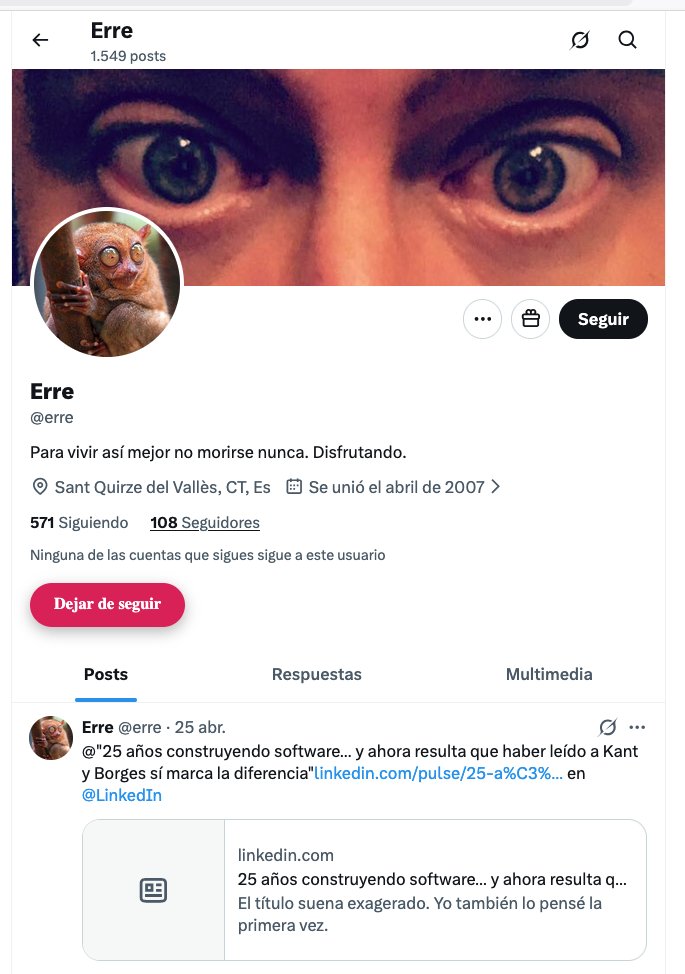
Les dejo el script de tampermonkey para que lo tengan a la mano.
// ==UserScript==
// @name X Unfollow Button Below No Mutual Message
// @namespace x.com/
// @version 1.1
// @description Agrega un botón debajo del mensaje "Ninguna de las cuentas que sigues sigue a este usuario" para dejar de seguir.
// @match x.com/*
// @match twitter.com/*
// @grant none
// ==/UserScript==
(function () {
'use strict';
const TARGET_TEXT = 'Ninguna de las cuentas que sigues sigue a este usuario';
const BUTTON_ID = 'tm-unfollow-under-message';
function findTargetTextElement() {
const elements = [...document.querySelectorAll('span, div')];
return elements.find(el =>
el.innerText &&
el.innerText.trim() === TARGET_TEXT
);
}
function findFollowingButton() {
return [...document.querySelectorAll('button')].find(btn => {
const text = btn.innerText?.trim() || '';
const label = btn.getAttribute('aria-label') || '';
return (
text === 'Siguiendo' ||
text === 'Following' ||
label.includes('Siguiendo') ||
label.includes('Following')
);
});
}
function findConfirmUnfollowButton() {
return [...document.querySelectorAll('button')].find(btn => {
const text = btn.innerText?.trim() || '';
const label = btn.getAttribute('aria-label') || '';
return (
text.includes('Dejar de seguir') ||
text.includes('Unfollow') ||
label.includes('Dejar de seguir') ||
label.includes('Unfollow')
);
});
}
function unfollowUser() {
const followingButton = findFollowingButton();
if (!followingButton) {
alert('No encontré el botón "Siguiendo".');
return;
}
followingButton.click();
setTimeout(() => {
const confirmButton = findConfirmUnfollowButton();
if (confirmButton) {
confirmButton.click();
} else {
alert('No encontré la confirmación para dejar de seguir.');
}
}, 700);
}
function createButtonBelowMessage() {
if (document.getElementById(BUTTON_ID)) return;
const messageElement = findTargetTextElement();
if (!messageElement) return;
const button = document.createElement('button');
button.id = BUTTON_ID;
button.textContent = 'Dejar de seguir';
button.type = 'button';
button.onclick = unfollowUser;
Object.assign(button.style, {
display: 'block',
marginTop: '14px',
background: '#e0245e',
color: '#ffffff',
border: 'none',
borderRadius: '9999px',
padding: '12px 22px',
fontSize: '15px',
fontWeight: '700',
cursor: 'pointer',
boxShadow: '0 4px 12px rgba(0,0,0,0.25)',
width: 'fit-content'
});
messageElement.insertAdjacentElement('afterend', button);
}
function removeButtonIfMessageGone() {
const button = document.getElementById(BUTTON_ID);
const messageElement = findTargetTextElement();
if (button && !messageElement) {
button.remove();
}
}
function run() {
createButtonBelowMessage();
removeButtonIfMessageGone();
}
const observer = new MutationObserver(() => {
setTimeout(run, 400);
});
observer.observe(document.body, {
childList: true,
subtree: true
});
setInterval(run, 1200);
})();
👇
14 Jul 2025

TIPS PARA SABER A QUIÉN DAR FOLLOW:
PARA LOS NUEVOS EN X, LES PASO ESTE HACKLIFE; HAY UN BOT QUE FUNCIONA COMO UN DETECTOR DE P3ND3J0S EN ESTA RED, SI AL QUE ACABAN DE SEGUIR APARECE EN LA LISTA DE FOLLOWS DE ESTE BOT, ES SEÑAL DE RETIRARSELO PARA EVITAR CONTAMINAR TU TIMELINE

4
194

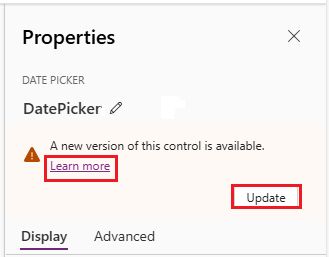
Modern controls in Power Apps canvas apps got a refresh:
🔄 FontColor → Color, FontSize → Size
🎯 Enum syntax replaces strings
🔲 BorderRadius split per corner
⚡ Text Input OnChange fires on blur only
⚠️ Existing formulas may need updates
#PowerApps
learn.microsoft.com/en-us/po…
2
8
709

May 17
Inspired by @nitishkmrk . Animated using @motiondotdev
1. layoutId is the morph — give the button and expanded form the same layoutId
2. borderRadius on style, never className
3. Blur-fade child content
5. AnimatePresence owns the exit
@mannupaaji feedback please

1
6
556
May 11
Access ALL prompts for stunning animated websites in one click: motionsites.ai
---
**Build a fullscreen hero section in a Vite React TypeScript Tailwind CSS project. Use `gsap` and `lucide-react`. No other UI libraries.**
### Fonts (in `src/index.css`)
Import at the top of index.css BEFORE `@tailwind` directives:
```css
@import url('fonts.googleapis.com/css2?fa…');
@font-face {
font-family: 'Dirtyline';
src: url('fonts.cdnfonts.com/s/15011/D…') format('woff');
font-weight: normal;
font-style: normal;
font-display: swap;
}
```
Body font: `'Barlow', sans-serif`, background `#000`.
### Tailwind config (`tailwind.config.js`)
```js
theme: {
extend: {
fontFamily: {
heading: ['Instrument Serif', 'serif'],
body: ['Barlow', 'sans-serif'],
dirtyline: ['Dirtyline', 'sans-serif'],
},
borderRadius: { DEFAULT: '9999px' },
},
},
```
### CSS (append to `src/index.css`)
```css
.liquid-glass {
background: rgba(255,255,255,0.01);
background-blend-mode: luminosity;
backdrop-filter: blur(4px);
-webkit-backdrop-filter: blur(4px);
border: none;
box-shadow: inset 0 1px 1px rgba(255,255,255,0.1);
position: relative;
overflow: hidden;
}
.liquid-glass::before {
content: "";
position: absolute; inset: 0;
border-radius: inherit;
padding: 1.4px;
background: linear-gradient(180deg,
rgba(255,255,255,0.45) 0%,
rgba(255,255,255,0.15) 20%,
rgba(255,255,255,0) 40%,
rgba(255,255,255,0) 60%,
rgba(255,255,255,0.15) 80%,
rgba(255,255,255,0.45) 100%);
-webkit-mask: linear-gradient(#fff 0 0) content-box, linear-gradient(#fff 0 0);
-webkit-mask-composite: xor;
mask-composite: exclude;
pointer-events: none;
}
.liquid-glass-strong {
background: rgba(255,255,255,0.01);
background-blend-mode: luminosity;
backdrop-filter: blur(50px);
-webkit-backdrop-filter: blur(50px);
border: none;
box-shadow: 4px 4px 4px rgba(0,0,0,0.05), inset 0 1px 1px rgba(255,255,255,0.15);
position: relative;
overflow: hidden;
}
.liquid-glass-strong::before {
content: "";
position: absolute; inset: 0;
border-radius: inherit;
padding: 1.4px;
background: linear-gradient(180deg,
rgba(255,255,255,0.5) 0%,
rgba(255,255,255,0.2) 20%,
rgba(255,255,255,0) 40%,
rgba(255,255,255,0) 60%,
rgba(255,255,255,0.2) 80%,
rgba(255,255,255,0.5) 100%);
-webkit-mask: linear-gradient(#fff 0 0) content-box, linear-gradient(#fff 0 0);
-webkit-mask-composite: xor;
mask-composite: exclude;
pointer-events: none;
}
.hero-title {
font-family: 'Instrument Serif', serif;
font-style: italic;
font-size: clamp(96px, 18vw, 280px);
line-height: 0.92;
letter-spacing: -0.02em;
color: white;
text-align: center;
}
```
### Component (`src/App.tsx`)
**Constants:**
- `NAV_LINKS = ['Gallery', 'Styles', 'API', 'Pricing', 'Blog']`
- `VIDEO_SRC = 'd8j0ntlcm91z4.cloudfront.net…'`
**LogoMark** — inline SVG, 44x26, viewBox `0 0 44 26`, three white rects at x=0/16/30, y=3, widths 14/12/14, height 20, rx=3.
**State/refs:**
- `mounted` (boolean, set true in a mount effect for fade-in).
- `videoRef` (HTMLVideoElement), `videoBgRef` (HTMLDivElement), `displayCanvasRef` (HTMLCanvasElement).
- `framesReady` boolean state, `framesRef` = `useRef<HTMLCanvasElement[]>([])`.
**Effect 1 — Frame capture (boomerang setup):**
- On mount, get `videoRef.current`. Set `capturing = true`, `lastTime = -1`, `MAX_WIDTH = 960`, `frames: HTMLCanvasElement[] = []`.
- `captureFrame()`: bail if `!capturing` or `readyState < 2` or `currentTime === lastTime`. Update `lastTime`. Scale = `min(1, 960/videoWidth)`. Create offscreen canvas at scaled w/h, `ctx.drawImage(video, 0, 0, w, h)`, push to frames.
- Use `requestVideoFrameCallback` when available, else `requestAnimationFrame` fallback.
- On `loadedmetadata`: call `video.play().catch(()=>{})` then start the capture loop.
- On `ended`: set `capturing = false`, store frames in `framesRef.current`, `setFramesReady(true)`.
- If `readyState >= 1`, invoke `onLoaded()` immediately.
- Cleanup: cancel raf remove listeners.
**Effect 2 — Boomerang render:**
- When `framesReady` true, grab `displayCanvasRef`, set its `width/height` from `frames[0]`.
- Variables: `index = 0`, `direction = 1`, `last = performance.now()`, `interval = 1000/30`.
- In an `requestAnimationFrame(render)` loop: if `now - last >= interval`, draw `frames[index]`, advance `index = direction`. When `index >= frames.length - 1`, clamp and flip to `-1`. When `index <= 0`, clamp and flip to ` 1`.
- Cleanup: cancelAnimationFrame.
**Effect 3 — Parallax mouse tracking (gsap):**
- `strength = 20`. Track `targetX/Y`, smoothly lerp `currentX/Y = (target - current) * 0.06` each frame.
- On `mousemove`: `targetX = ((clientX - cx)/cx) * strength` (same for Y).
- Each frame: `gsap.set(videoBgRef.current, { x: currentX, y: currentY })`.
**JSX structure:**
Root: `<div className="min-h-screen bg-black text-white font-body overflow-x-hidden">`
1. **Video background layer:** `<div ref={videoBgRef} className="fixed top-0 left-0 w-full h-full z-0 scale-[1.08] origin-center">` containing:
- `<video>` with `src={VIDEO_SRC}`, `muted`, `playsInline`, `preload="auto"`, `crossOrigin="anonymous"`, `className="w-full h-full object-cover"`, `style={{ display: framesReady ? 'none' : 'block' }}`.
- `<canvas ref={displayCanvasRef} className="w-full h-full object-cover" style={{ display: framesReady ? 'block' : 'none' }}>`.
2. **Hero title:** fixed div, `left-0 right-0 z-20 w-full px-4`, `style={{ top: '126px' }}`, fades in via `transition-all duration-1000` toggling `opacity-100 translate-y-0` vs `opacity-0 translate-y-6` based on `mounted`. Inside: `<h1 className="hero-title select-none">MicroVisuals</h1>`.
3. **Nav:** `<nav className="fixed top-5 left-1/2 -translate-x-1/2 z-50 whitespace-nowrap">` containing a `liquid-glass flex items-center gap-6 rounded px-4 py-2.5` pill:
- `<LogoMark />`
- `<div className="flex items-center gap-5">` of `NAV_LINKS` as `<a>` with classes `text-sm font-body font-light text-white/70 hover:text-white transition-colors duration-200`.
- Right cluster `flex items-center gap-3 ml-4`: "Sign in" link (same style), then "Try it free" with `liquid-glass-strong text-sm font-body font-medium text-white rounded px-4 py-1.5 transition-all duration-200 hover:scale-[1.04] hover:shadow-[0_0_16px_2px_rgba(255,255,255,0.12)] active:scale-[0.97]`.
4. **Bottom row:** fixed, `bottom-12 left-0 right-0 px-10 flex items-end justify-between z-20`, fade-in with `transition-all duration-1000 delay-300`.
- Left `<p>`: `text-sm font-body font-light text-white/75 max-w-[220px] leading-relaxed`, text: "Forma's AI understands context, composition, and style like a creative director would."
- Center absolute `left-1/2 -translate-x-1/2 bottom-0 flex items-center gap-3` with two buttons:
- Primary: `group relative bg-white text-black text-sm font-body font-medium rounded px-6 py-3 overflow-hidden active:scale-[0.97] transition-all duration-200 shadow-[0_0_0_0_rgba(255,255,255,0)] hover:shadow-[0_0_24px_4px_rgba(255,255,255,0.25)] hover:scale-[1.03]`. Contents: `<span className="relative z-10">Start generating</span>` overlay `<span className="absolute inset-0 bg-gradient-to-b from-white to-white/85 opacity-0 group-hover:opacity-100 transition-opacity duration-200" />`.
- Secondary: `liquid-glass group text-white text-sm font-body font-medium rounded px-6 py-3 active:scale-[0.97] transition-all duration-200 hover:scale-[1.03] hover:shadow-[inset_0_1px_1px_rgba(255,255,255,0.2),0_0_20px_2px_rgba(255,255,255,0.07)]` — label "See templates".
- Right `<p>`: same classes as left plus `text-right`, text: "Describe what you see in your head — get images that actually match."
### Notes
- Tailwind default border-radius is overridden to `9999px` (full pill) — every `rounded` in the markup produces pill corners.
- Do NOT use `video.currentTime` to reverse — the boomerang uses the captured `frames[]` array only.
- The video element stays mounted (hidden once `framesReady`) so the canvas keeps drawing snapshots.
1
1
9
4,203

More Migrations...
✨ Updated my #rustlang macros for #bevyengine
🐿️ Added feature "0.18" for mevy_ui & mevy
🐬 ..which handles the changes to BorderRadius & LineHeight
github.com/dekirisu/mevy
3
148

Apr 28
16. X風スタイリッシュ字幕
/hyperframes 9:16、3秒の字幕。
画面中央下に半透明の黒い角丸ボックス(borderRadius 12px)、
その中に白文字でセリフを表示。
ボックスは下からスライドアップ+透明度0→0.8で登場。
フォントはInter、weight600、サイズ28px。
17. 吹き出し型字幕
/hyperframes 9:16、4秒の吹き出し風セリフ。
画面右下に白い吹き出し(角丸+三角の尻尾付き)、
中に「うそでしょ…?」と黒文字。
吹き出しは尻尾の付け根からスケールアップで登場、
GSAPのback.outイージング。
18. ニュース速報風字幕
/hyperframes 9:16、5秒のニューステロップ風演出。
画面下に赤い帯(高さ画面の8%)、
左に白文字で「速報」と縦書き、
右側にセリフが右から左へ流れるテロップ。
帯の上に細い金色のライン。
フォントはNoto Serif JP。
🎨 カテゴリー4:装飾・モーショングラフィック系(19〜24)
動画全体の質感を上げる装飾系です。
19. ローワーサード(名前テロップ)
/hyperframes 9:16、4秒のローワーサード演出。
画面下部30%の位置に左から斜めにスライドインする
2層の帯。上の帯は紫(# AF52DE)、下の帯は白。
紫の帯に白文字で「月島くん」、
白の帯に黒文字で「Xで億稼いでFIRE」と表示。
0.6秒で出現、3秒間表示、0.4秒でスライドアウト。
20. パーティクルキラキラ
/hyperframes 9:16、3秒のキラキラエフェクト。
画面全体に金色(# FFD700)のパーティクルが
ランダムな位置から光りながら降る。
30個のパーティクル、それぞれ違うサイズ(4〜12px)と
タイミングで明滅する。
21. ライトリーク・フラッシュ
/hyperframes 9:16、2秒のシーン切り替え演出。
画面が一瞬真っ白にフラッシュ(0.1秒)してから
徐々に元に戻る。
フラッシュ前後で異なるシーンが入れ替わる前提。
GSAPでブラー効果も0→8px→0で同期させる。
22. 進行バー(X動画ポスト用)
/hyperframes 9:16、画面最上部に細い進行バー。
動画全体30秒の長さに対して、
左から右へ30秒かけて100%まで伸びる。
バーの色は白、背景は半透明の黒、高さ4px。
動画進行と完全に同期。
23. 矢印ポインター誘導
/hyperframes 9:16、3秒の矢印演出。
画面中央の特定オブジェクト(例:金額部分)を指す
赤い手描き風の矢印が左下から登場。
矢印先端で2回バウンスする動き。
ストロークアニメーションで線が描かれる演出。
24. グリッチ・デジタルノイズ演出
/hyperframes 9:16、1秒のグリッチエフェクト。
画面が激しくシェイクしながらRGBが分離する
デジタルグリッチ演出を0.5秒。
その後0.5秒で正常な画面に戻る。
背景音的には警告音が鳴る前提のシーン切り替え用。
🔁 カテゴリー5:CTA・締め系(25〜30)
X特有の「フォロー」「リポスト」「いいね」「固定ポスト誘導」系です。
25. フォロー誘導CTA
/hyperframes 9:16、4秒のフォロー誘導演出。
画面中央に丸いプロフィールアイコン枠、
その下に「@月島くん」と表示、
さらに下に「+ フォロー」ボタン(黒背景+白文字、角丸)。
ボタンは1秒ごとに軽くパルス(拡大縮小)する。
背景はグラデーション(紫→ピンク)。
26. リポスト誘導CTA
/hyperframes 9:16、3秒のリポスト促進演出。
画面右下に大きな「🔁 リポスト推奨」テロップ。
リポストアイコンが回転するアニメーション。
下に小さく「学びになった人は拡散お願いします」。
背景は半透明の黒ボックス。
27. 固定ポスト誘導CTA
/hyperframes 9:16、5秒の固定ポスト誘導演出。
画面中央に「📌 固定ポスト見て」と大きく表示、
下に「プロフィールの一番上にあります」とテロップ。
ピンアイコンが軽く揺れるループアニメーション。
背景は黒、文字は白+赤いアクセント。
28. DM誘導CTA
/hyperframes 9:16、4秒のDM誘導。
画面中央に大きなDMアイコン(紙飛行機)、
下に「気になる方はDMで『AI』と送ってください」と表示。
紙飛行機アイコンは右上にスーッと飛んでいく
ループアニメーション。
背景はパステルカラーのグラデーション。
29. リプ・引用RP誘発CTA
/hyperframes 9:16、4秒のエンゲージメント促進演出。
画面中央に大きな「?」マーク、
下に「あなたの意見は?リプで教えて」と表示。
「?」は左右に揺れながら、
3つの「?」が周囲にランダムに点滅する装飾。
全体的にポップで明るい色調(黄色+オレンジ)。
30. シリーズ告知エンディング
/hyperframes 9:16、6秒のエンドカード。
画面上部にロゴ、中央に「Vol.1 / 全10話」、
下に「次回:AIで月1000万円稼ぐ全手順」と表示。
全体がフェードインで登場、
最後の1秒で「to be continued...」がタイプライター風に。
背景は深い紺色、文字は白+金のアクセント。
3
1,446
Apr 27
Access ALL prompts for stunning animated websites in one click: motionsites.ai
Create a React TypeScript component named HeroSection in src/components/HeroSection.tsx using Tailwind CSS and the hls.js npm package (install it: npm install hls.js).
Layout & Background:
A <section> that is 100vh tall, position: relative, overflow: hidden, flex column centered, with background: #000.
A fullscreen HLS video background using this Mux stream URL:
stream.mux.com/tLkHO1qZoaaQO…
The video is <video autoPlay loop muted playsInline> with classes absolute inset-0 w-full h-full object-cover and zIndex: 0. Play it through hls.js: if Hls.isSupported(), create an Hls({ autoStartLoad: true }) instance, loadSource, attachMedia, and play on MANIFEST_PARSED. Else, fall back to native application/vnd.apple.mpegurl support. Clean up the Hls instance on unmount. No overlay over the video — full opacity.
Content container:
A div with classes relative z-10 flex flex-col items-center text-center px-4 max-w-5xl mx-auto and inline style marginTop: 380 (pushes content down 380px).
Headline (<h1>):
Font: 'YDYoonche L', 'YDYoonche M', sans-serif
fontSize: clamp(2.2rem, 7vw, 6.5rem), color: #fff, fontWeight: 300, letterSpacing: -0.01em, lineHeight: 1.1, className="leading-tight".
Three lines:
"The vision" — gradient text using background: linear-gradient(90deg, #666666 0%, #d0d0d0 50%, #666666 100%) with WebkitBackgroundClip: text, WebkitTextFillColor: transparent, backgroundClip: text, display: block, lineHeight: 1.1, marginBottom: -0.22em.
"of engineering" — same gradient styling as line 1.
A flex line flex items-center justify-center gap-3 flex-wrap with white text containing in order:
<span style={{color:'#999'}}>is</span>
A circular video icon (see below) playing the human clip
<span>human</span>
<span style={{color:'#999', position:'relative', top:'0.15em', marginLeft:'0.25em'}}> </span>
A circular video icon playing the AI clip
<span>AI</span>
VideoIcon component:
Outer <span> with classes inline-block align-middle rounded-full overflow-hidden, sized via inline style width/height: clamp(48px, 10vw, ${size}px) (default size=72, but the hero passes size={110} for both icons), flexShrink: 0.
Inner <video autoPlay loop muted playsInline> with width: 100%, height: 100%, objectFit: cover, display: block. Call videoRef.current.play().catch(() => {}) in a useEffect.
Two CloudFront MP4 sources:
VIDEO_HUMAN:
d8j0ntlcm91z4.cloudfront.net…
VIDEO_AI:
d8j0ntlcm91z4.cloudfront.net…
Subheading (<p>):
Classes mt-4 max-w-xl text-center px-2.
fontSize: clamp(0.95rem, 2.2vw, 1.2rem), color: #ccc, lineHeight: 1.4, fontWeight: 400.
Text: "We help you map the talent you need, track the talent you have, and close your gaps to thrive in a GenAI world."
CTA Button:
Classes: mt-6 transition-all duration-300 hover:scale-[1.03] hover:shadow-[0px_6px_32px_8px_rgba(39,243,169,0.22)] active:scale-[0.98]
Inline style: padding: '12px 28px', background: '#000', boxShadow: '0px 6px 24px 6px rgba(39, 243, 169, 0.15)', borderRadius: 8, outline: '1px solid #30463C', outlineOffset: -1, border: 'none', cursor: 'pointer', display: 'inline-flex', alignItems: 'center', justifyContent: 'center', gap: 10.
Inner <span> with color: '#fff', fontSize: 14, fontWeight: 400, text: "Join The Movement!".
Animations / interactions:
All three videos auto-play, loop, muted, inline.
Button has a 300ms transition: scales to 1.03 and gains a brighter green glow on hover, scales to 0.98 on active.
Fonts:
The headline expects 'YDYoonche L' / 'YDYoonche M' to be loaded globally (e.g., via index.css or an external font provider). It falls back to sans-serif.
1
1
24
7,351
Apr 25
Access ALL prompts for stunning animated websites in one click: motionsites.ai
Detailed Prompt to Recreate the Social Media Poster:
Build a self-contained 4:5 portrait social media poster (NOT a website — no navbar, no buttons, no scrolling sections). It should look like an Instagram/social poster card centered on a black page.
Tech Stack
Vite React TypeScript
Tailwind CSS v3
Font: "General Sans" loaded from Fontshare CDN: api.fontshare.com/v2/css?f[]…
Set font-family: 'General Sans', sans-serif globally on html/body/#root
Page Container
Full viewport, pure black #000000 background
Flex center the poster card both axes
Padding: p-4 sm:p-8
Poster Card
width: min(100%, 540px), aspectRatio: 4 / 5
borderRadius: 24px, overflow: hidden, position: relative, background: black
boxShadow: 0 40px 120px rgba(0,0,0,0.6), 0 0 0 1px rgba(255,255,255,0.06)
Background Video (NO overlay)
Absolute inset-0, w-full h-full object-cover
Attributes: autoPlay, muted, loop, playsInline
Source URL: d8j0ntlcm91z4.cloudfront.net…
Decorative Glow Blobs (pointer-events-none, absolute inset-0)
Top-left: -top-24 -left-24 w-72 h-72 rounded-full blur-3xl opacity-40, background radial-gradient(circle, rgba(255,255,255,0.35), transparent 70%)
Bottom-right: -bottom-32 -right-20 w-80 h-80 rounded-full blur-3xl opacity-30, background radial-gradient(circle, rgba(255,255,255,0.25), transparent 70%)
Top Status Bar (absolute, top-5 left-5 right-5)
Flex justify-between, white/90, text-[11px] tracking-[0.3em] uppercase font-medium
Left: EOS / Web3
Right: row with a w-1.5 h-1.5 rounded-full bg-white dot using the pulse-dot animation, then text Live Drop
Sub Status Row (absolute, top-5 left-5 right-5 mt-7)
Flex justify-between, white/50, text-[10px] tracking-[0.25em] uppercase
Left: Issue №017
Right: 04 / 25 / 2026
Corner Frame Brackets (4 absolute divs, 5x5, white/30 borders, rounded corner)
Top-left: top-3 left-3 border-l border-t rounded-tl
Top-right: top-3 right-3 border-r border-t rounded-tr
Bottom-left: bottom-3 left-3 border-l border-b rounded-bl
Bottom-right: bottom-3 right-3 border-r border-b rounded-br
Center Content (absolute inset-x-0 top-1/2 -translate-y-1/2, px-7 sm:px-10, flex-col items-center text-center gap-6)
Glass Pill Badge
inline-flex items-center gap-2 px-3 py-1.5
borderRadius: 20px, background: rgba(255,255,255,0.10), border: 1px solid rgba(255,255,255,0.20), backdropFilter: blur(12px)
Tiny w-1 h-1 rounded-full bg-white dot
Text 13px font-medium: Early access from (white/60) followed by May 1, 2026 (solid white)
Headline (h1)
Class gradient-text font-medium
Style: fontSize: clamp(34px, 7vw, 48px), lineHeight: 1.1, letterSpacing: -0.02em, maxWidth: 420px
Text: Web3 at the Speed of Experience
.gradient-text CSS:background: linear-gradient(144.5deg, #ffffff 28%, rgba(0,0,0,0) 115%);
-webkit-background-clip: text;
background-clip: text;
-webkit-text-fill-color: transparent;
color: transparent;
Subtitle (p)
white/70 font-normal, fontSize: 13px, lineHeight: 1.55, maxWidth: 360px
Text: Powering seamless experiences and real-time connections — EOS is the base for creators who move with purpose.
CTA Divider Row (mt-2 flex items-center gap-2)
Join the Waitlist — white/50, text-[11px] tracking-[0.35em] uppercase
w-8 h-px bg-white/40 line
eos.io — white, text-[11px] tracking-[0.35em] uppercase font-medium
Footer Bar (absolute bottom-5 left-5 right-5, flex justify-between text-[11px] font-medium text-white/80)
Left: Logo cluster
6x6 rounded-full circle with 1px solid rgba(255,255,255,0.3) border, rgba(0,0,0,0.4) background, contains L (10px, font-semibold)
Wordmark: LOGOIPSUM with tracking-wider
Right: Hashtag row (flex gap-3 text-white/60)
#Web3, #EOS, #FutureNow
Decorative Mid-Footer Divider (absolute bottom-14 inset-x-0, flex justify-center)
Row: w-6 h-px bg-white/40 line, w-1 h-1 rounded-full bg-white/60 dot, w-6 h-px bg-white/40 line
Global CSS Animations (in index.css)
@keyframes pulse-dot {
0%, 100% { opacity: 1; transform: scale(1); }
50% { opacity: 0.5; transform: scale(1.4); }
}
.pulse-dot { animation: pulse-dot 2s ease-in-out infinite; }
@keyframes shimmer {
0%, 100% { opacity: 0.7; }
50% { opacity: 1; }
}
.shimmer { animation: shimmer 3s ease-in-out infinite; }
Tailwind Config
Extend theme.fontFamily.sans to ['"General Sans"', 'sans-serif']. Content paths: ./index.html and ./src/**/*.{js,ts,jsx,tsx}.
Notes
No Bolt Database data persistence is used because there is no dynamic data — the poster is a static visual.
No buttons, no anchor tags, no navigation. All elements are decorative/typographic only.
Use semantic black (#000) page background; let the video bleed through inside the poster card with no dimming overlay.
1
2
16
4,943


Thank you sir!
function MacNotch({ cameraActive, pulseIntensity = 0 }) {
return (
<div className="absolute top-0 left-1/2 -translate-x-1/2 z-30">
<div
className="relative flex items-center justify-center"
style={{
width: "200px",
height: "34px",
background: "#000",
borderRadius: "0 0 12px 12px",
}}
>
<div
className={`w-[7px] h-[7px] rounded-full transition-all duration-300 ${cameraActive ? "camera-pulse" : ""}`}
style={{
backgroundColor: cameraActive ? "#32D74B" : "#0d0d15",
border: cameraActive ? "none" : "1px solid #2a2a35",
}}
/>
</div>
</div>
);
}
And the CSS:
.camera-pulse {
animation: cameraPulse 2s ease-in-out infinite;
}
@keyframes cameraPulse {
0%,
100% {
box-shadow: 0 0 6px 3px rgba(50, 215, 75, 0.5);
}
50% {
box-shadow: 0 0 10px 5px rgba(50, 215, 75, 0.9);
}
}
1
1
245

Mar 29
1. Backdrop blur: blurs whatever's behind the button
ClipRRect(
borderRadius: BorderRadius.circular(80),
child: BackdropFilter(
filter: ImageFilter.blur(sigmaX: 4, sigmaY: 4),
child: child,
),
)
2. Semi-transparent gradient: subtle white gradient for depth
gradient: LinearGradient(
colors: [Color(0x12FFFFFF), Color(0x0AFFFFFF)],
)
3. Faint white border: gives it the glass edge
border: Border.all(color: Color(0x1AFFFFFF), width: 2)
3
350


Mar 19
npm i react-native-morph-card
Pure native animations,
works well with navigation
Simple API
Animates size, borderRadius, position & rotation in a single native transaction
Works with live components
What should I add next?
9
30
451
21,925