
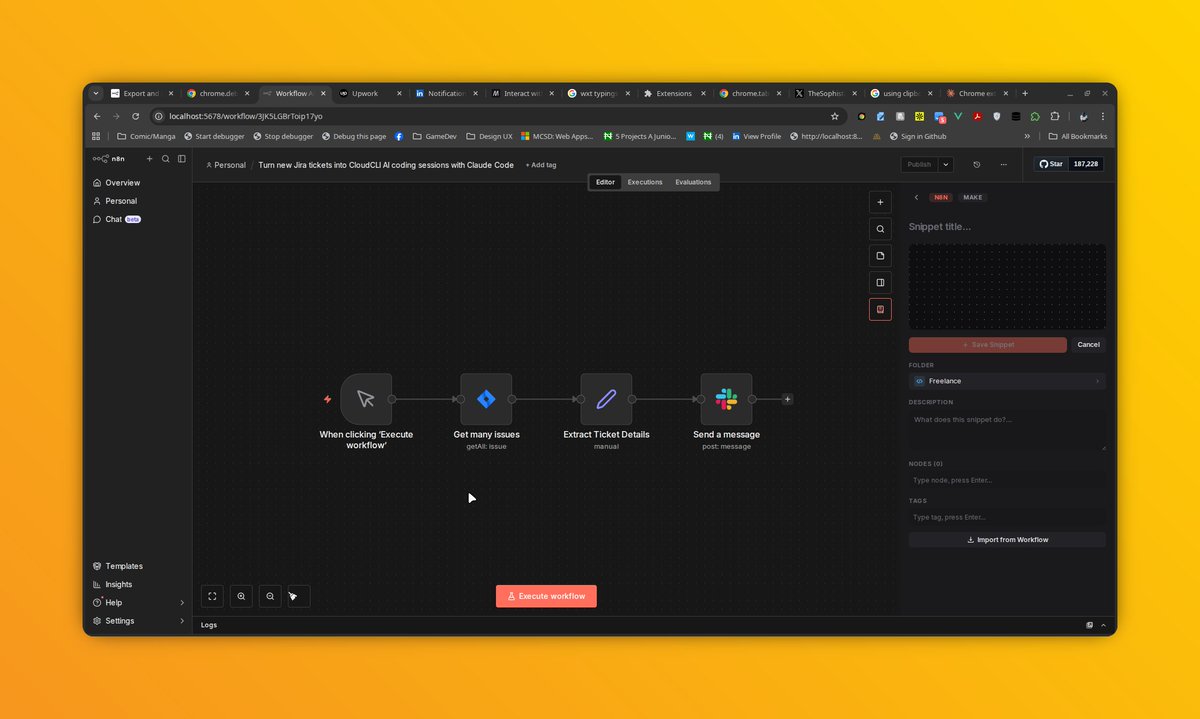
This was initially done with sidePanel api, but when you perform a post message to contentScript, you cannot read from clipboard without the main document being focused, so I had no choice than to bring this into the host page, it also replicates the same slide-out functionality, I added an extra button mirroring the existing design.
Now nodes Ctrl A => Ctrl C can be triggered before it finally parses the n8n nodes in the clipboard
Reference: docs.n8n.io/workflows/export…
@n8n_io #Automation #ChromeExtension
3
217
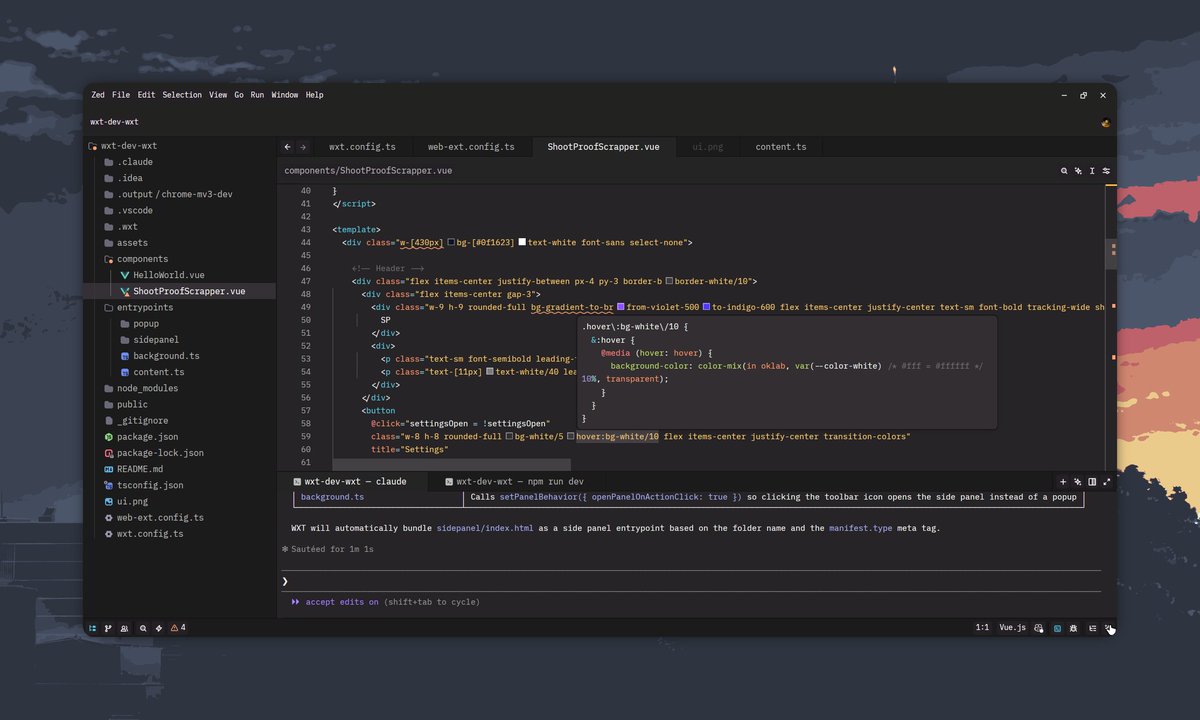
I've built 30 extensions on the Upwork platform, but this is the first time, I feel like I'm not even working. All I need to say is "set the world as MAIN_CONTEXT", "configure entrypoint for sidepanel", "re-create this image UI using tailwind", "handle message passing in background script from ContentScript"
It's both exciting and sad at the same time.
2
12
460

okeowoaderemi.com/articles/p…
Wrote a short note on ContentScript and ExecutionWorld using a Shopify as a case sample to highlight how to inject a script into a host-page and communicate with the extension using postMessage.
#chromeextension
1
5
26
1,075
1st week of switching to Vue for Web extensions:
1. Wxt is 100% opinionated but easy to work with once you get pass the beginner phase
2. ContentScript registration is weird, uses browser.scripting to inject in build mode, and uses manifest in production.
3. No more reload extension
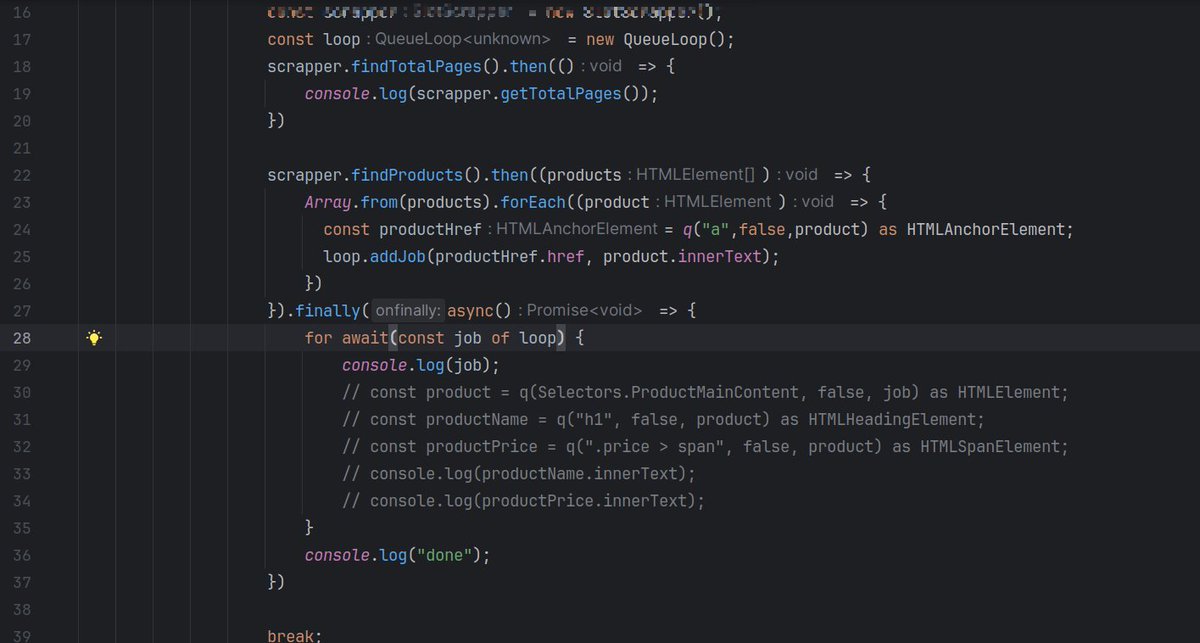
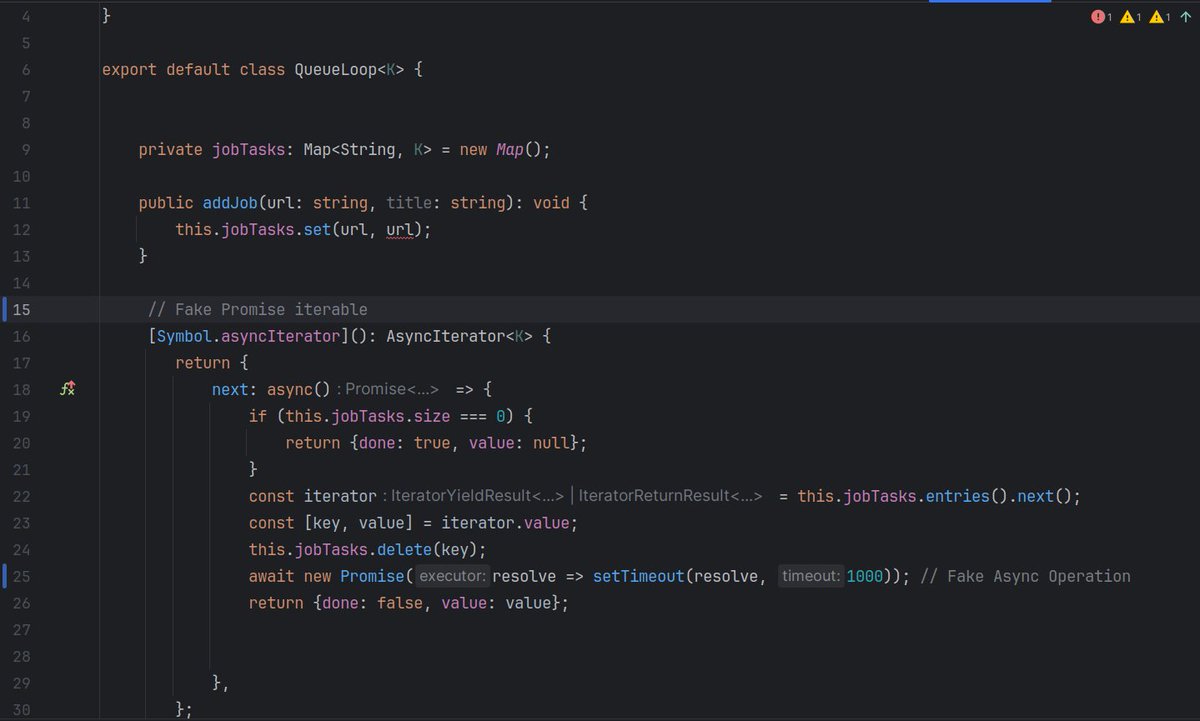
Extra: Building bots in Chrome extensions, requires running a sequence of actions, however this actions need to run one after the other in an asynchronous pattern. e.g loop through 5 items, click something, wait then proceed to the next item while waiting for an action to be handle.
The AsyncIterator is a perfect use case for such operation.
#chromeextension #wxt #vue #vite
developer.mozilla.org/en-US/…

1
5
426
Yeah changing this to Webpack, Vite CRX is meant to inject as ContentScript and not using chrome.runtime.getURL to import scripts. #chromeextension
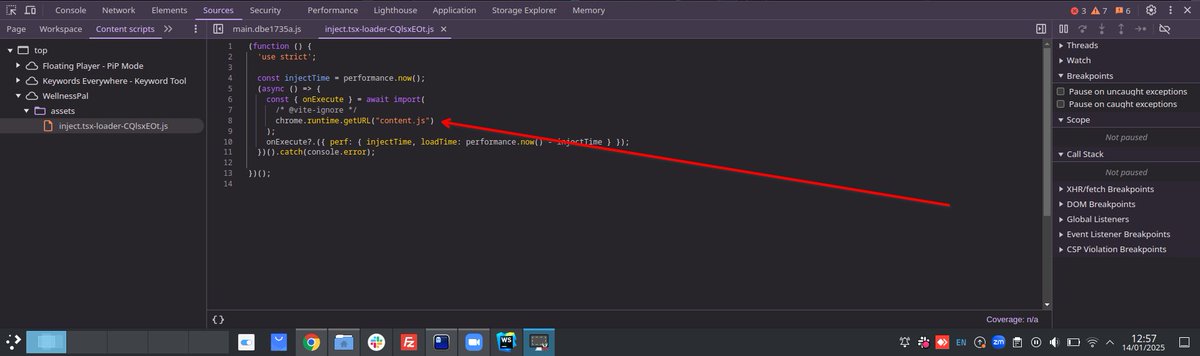
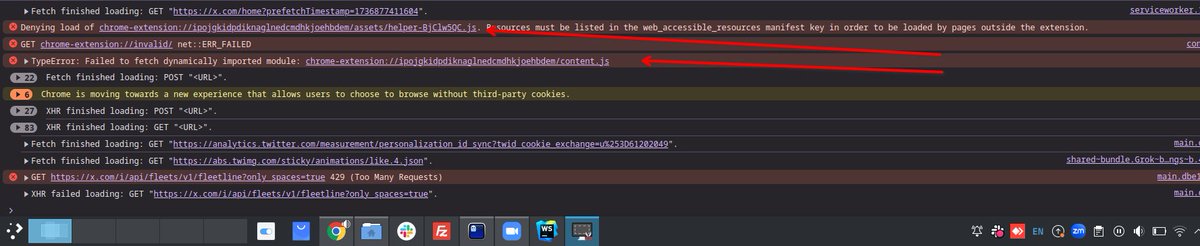
1
3
343
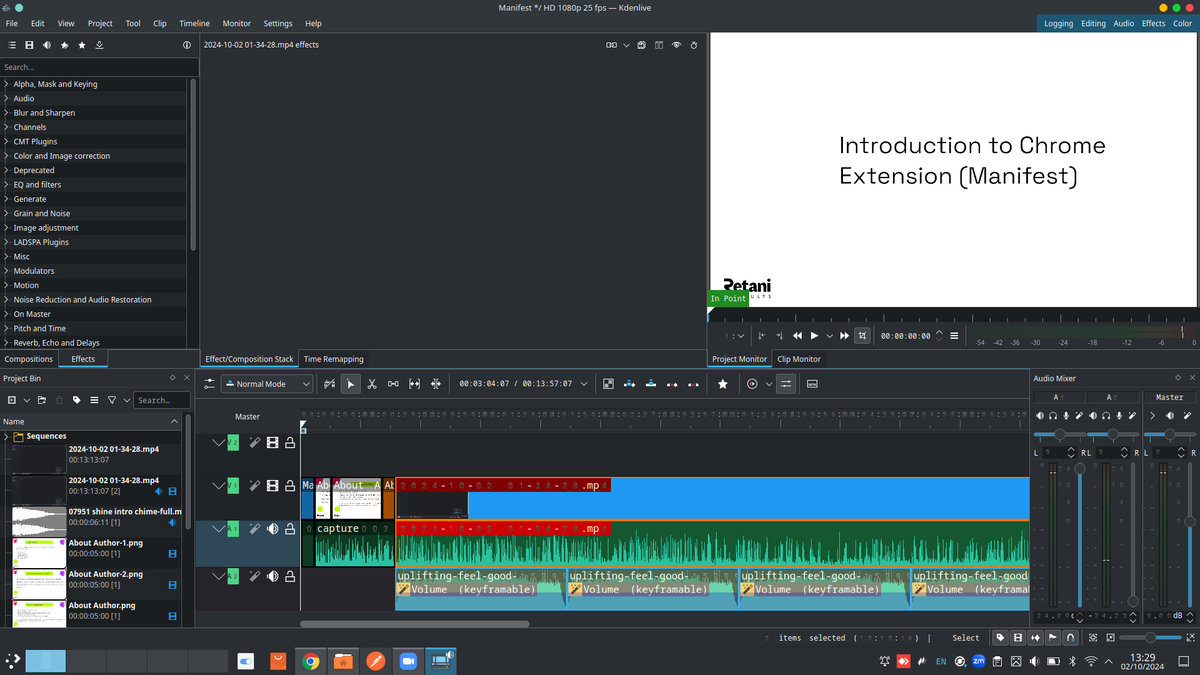
#chromeextension Dropping Part 2 [ The Manifest ] I covered setting up the Sidepanel, ContentScript and the Popup in this video. coming up soon #Youtube
7
159

26 Jul 2024
这几天在用wxt,打算放弃这个转plasmo或者自己写个脚手架了。写contentscript的时候用了shadow dom,然后集成mui报错了,好不容易搞定,tailwindcss又失效了,心累。
25 Jul 2024

这几天在写插件,不知不觉已经踩了好多坑了...
发现做工程也和做产品一样,开始前先做个完整的技术调研真的很重要
2
4
1,529
Google pre-rendering almost ran me mad, when you type a url, Google does a pre-render which also triggers your ContentScript.
Had to do some deep reading
developer.chrome.com/docs/we…
1
2
181
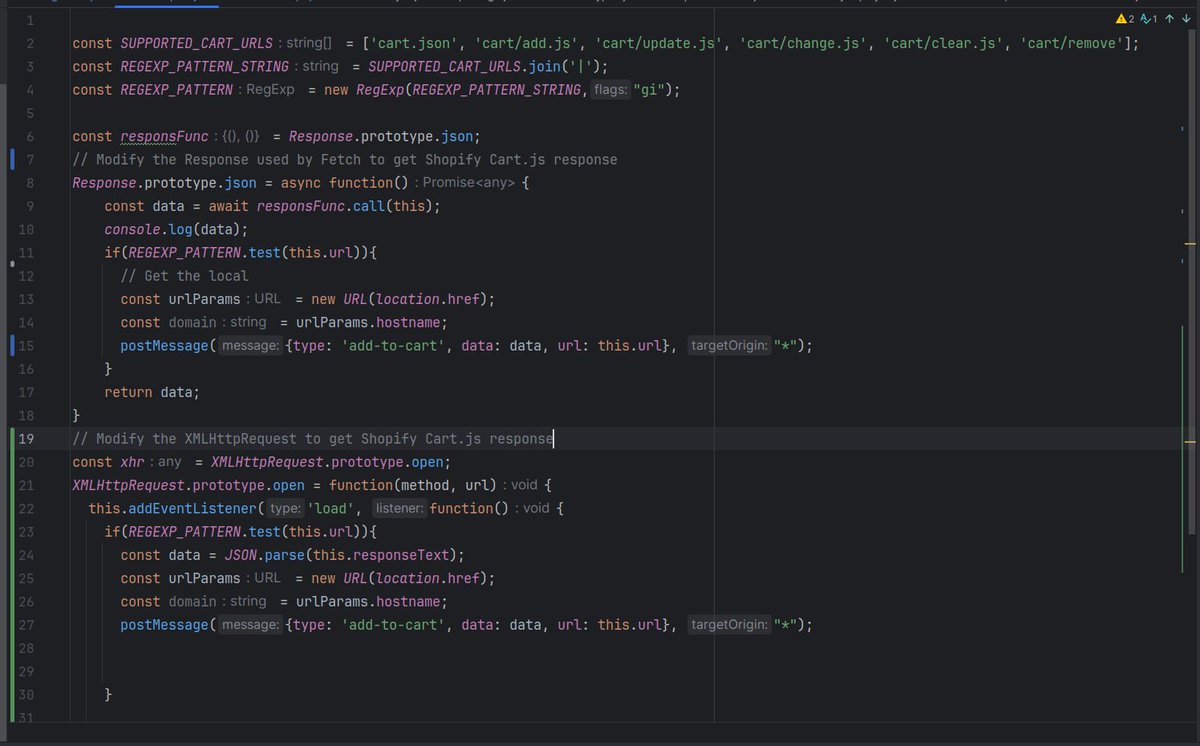
#chromeextension A Snippet on listening to Shopify Cart Events and sending them to ContentScript.
1
3
266
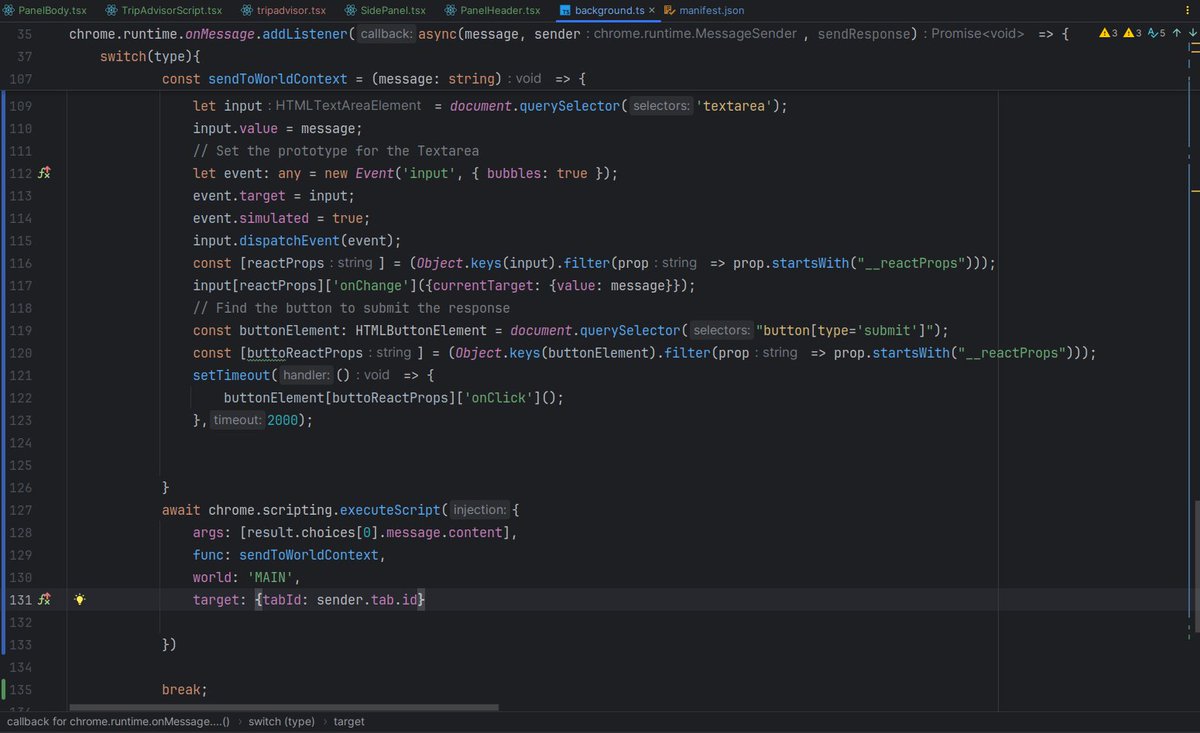
Here is the full-code to trigger a React textarea, the issue is you can't access the React Context from ContentScript, so you have to inject script into the main context.
React stores it's props inside a node, so with this, you can access the ReactProps and trigger it.
#chromeextension
3
453
Created some Airtable tutorials but it seems Airtable compared to Chrome extension has little demands, would you prefer to see Chrome extension tutorials, I plan to touch the following:
* DOM Manipulation with ContentScript
* Intercepting XHR/Fetch responses in Hostpage
* Automating events e.g Mouse Click
* Google Authentication with Oauth Screen
* Payment Integration e.g Stripe
* WxExt and Plasmo
* MV3 migration
* React Framework for extensions
* Middlewares for extensions to protect API (keys)
What do you think ?
#chromeextension
29%
Let's do Airtable instead
71%
Chrome Extension Please
17 votes • Final results
3
3
240
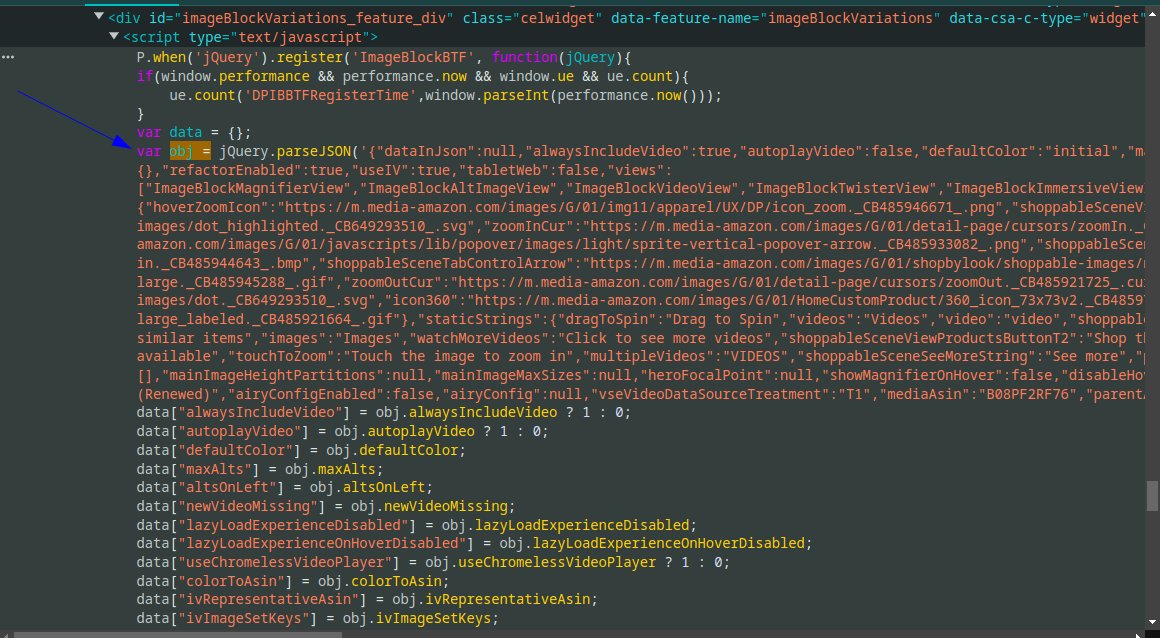
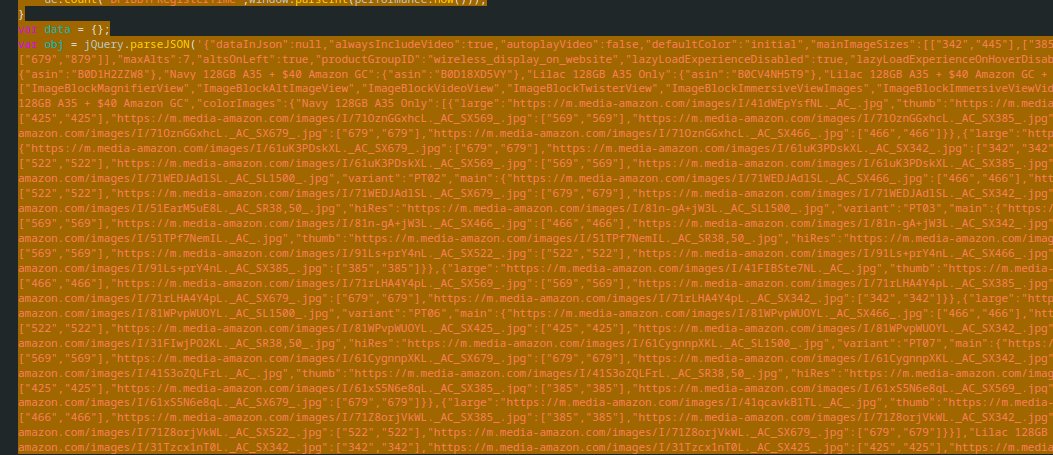
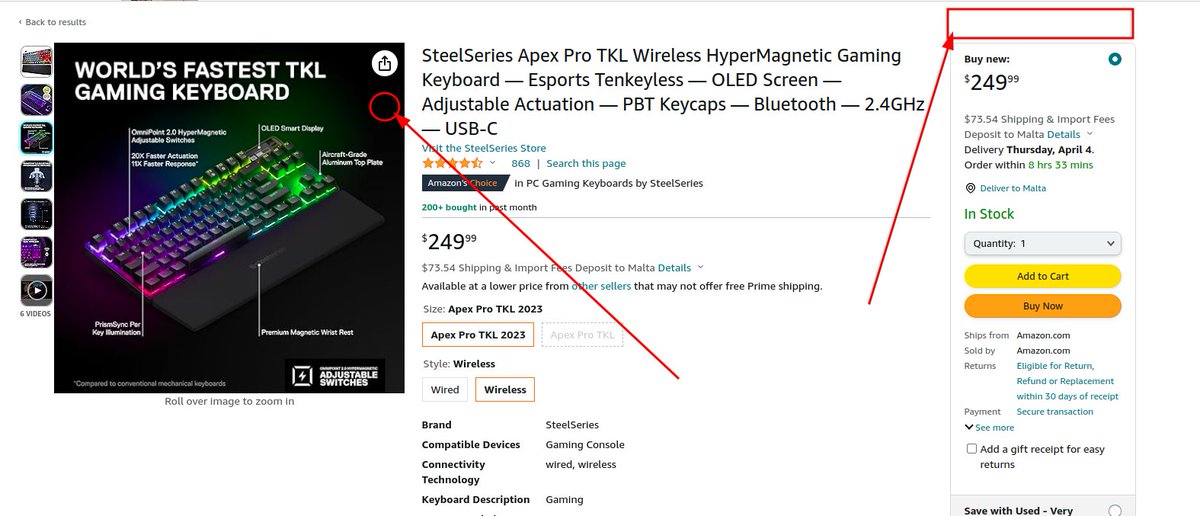
Continuation from this, so scraping this from Amazon page was almost impossible because it's not attached to the window object, however it's still valid JS code and JS code are intepreted usually by V8, so meaning I should be able to also parse the code too.
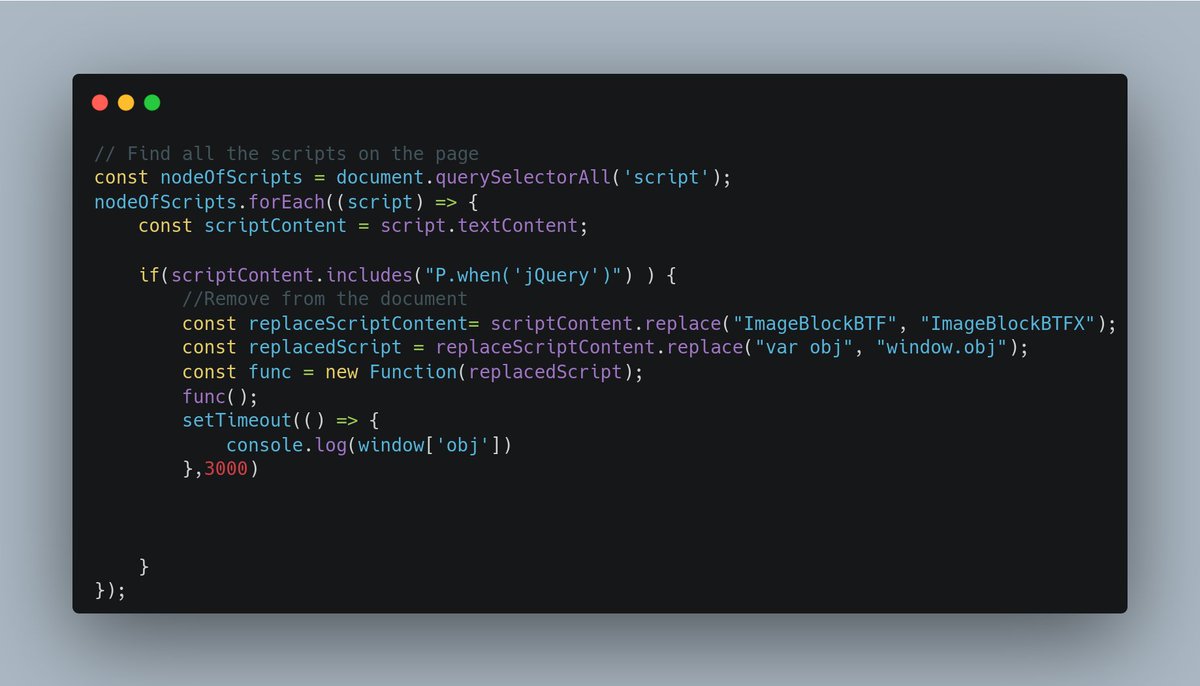
The interceptor simplys finds the specific script and modifies it, JQuery is used to register this block of code somewhere, so all I simply did was rename the registry name and change from var to window.obj and generate a function with it, once I called the function, it was evaluated and attached to the global window object.
isn't JavaScript and ContentScript very fun 🤣
#chromeextension
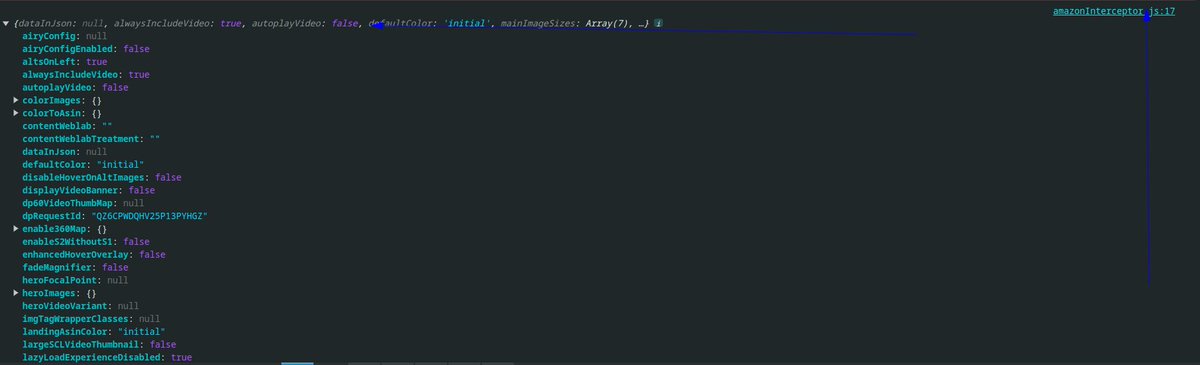

I can also scrape Amazon product info from the object already available in the global scope; just by using ContentScript as mentioned in my previous tweets. #chromeextension
1
1
8
906
I can also scrape Amazon product info from the object already available in the global scope; just by using ContentScript as mentioned in my previous tweets. #chromeextension
1
4
1,397
Continuation
And see how easy it is to extract variable from the host page with ContentScript injection.
Now I can easily save this to the storage and send a postMessage from one ContentScript to another ContentScript.
Extraction made easy
THE END
#chromeextension
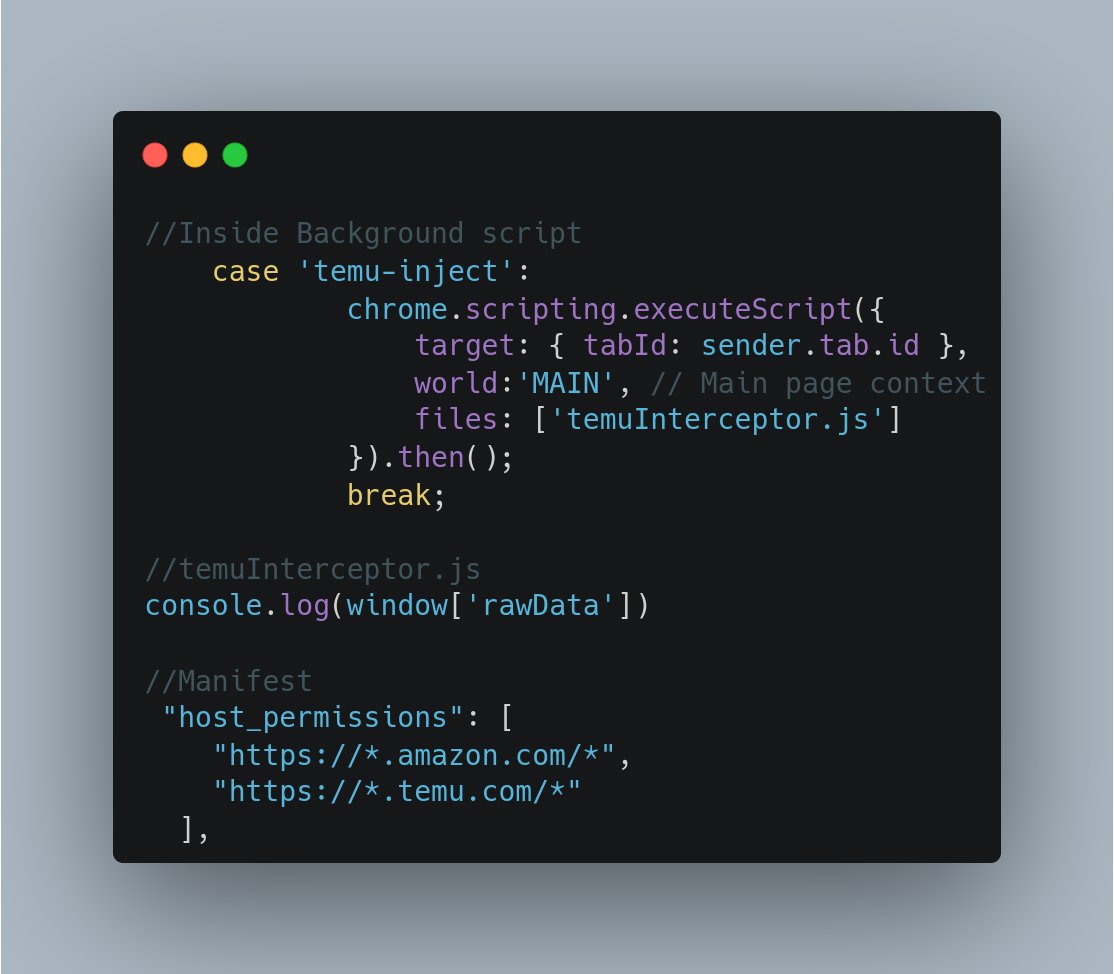
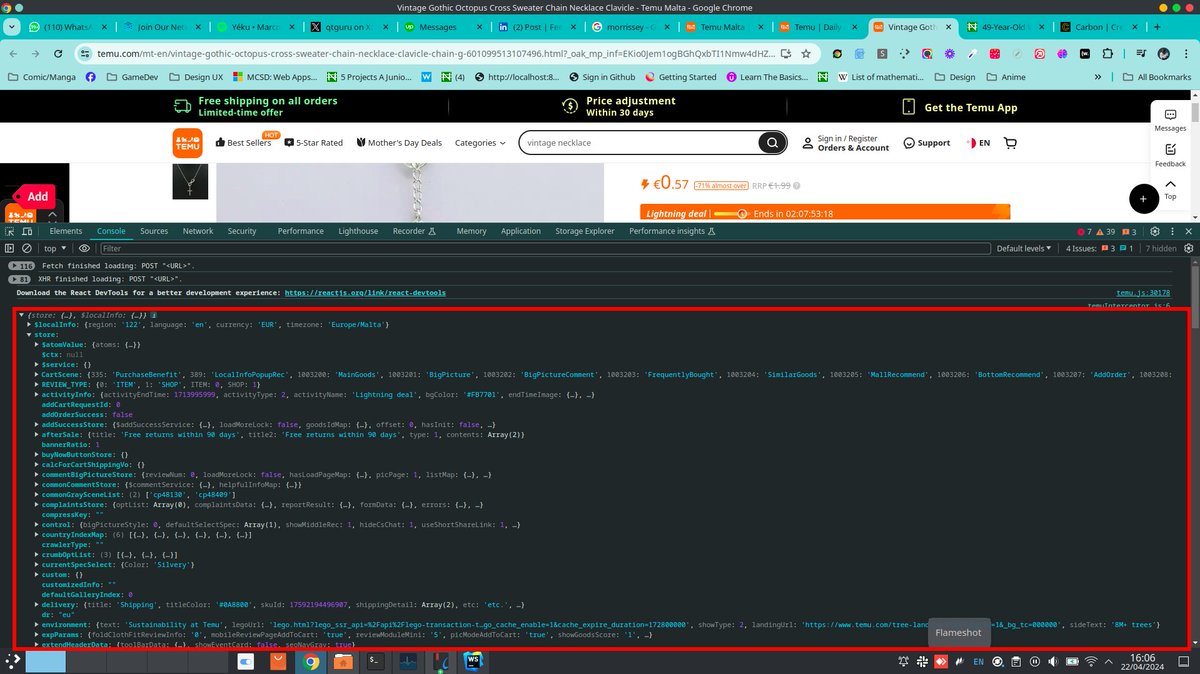
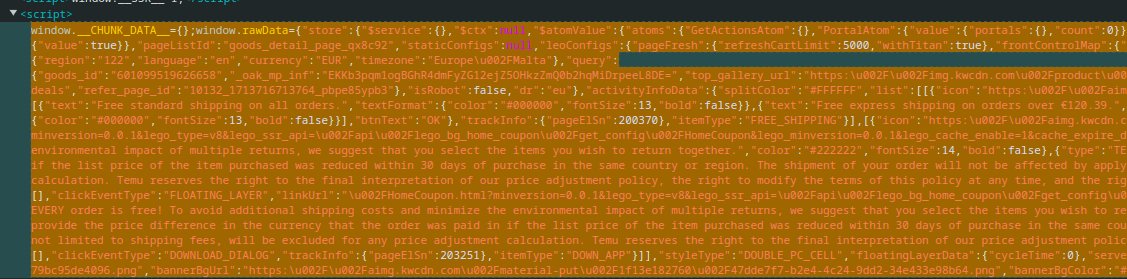
Scrapping with chrome extension can be fun, especially when you encounter platforms like #Skool and #Temu where the classes are rotated/scrambled. What's helped in my case are usually:
1. data-id
2. JSON Linked Data
3. Querying unique CSS stylings
Let's take Temu for context, most of Temu classes are scrambled and there's a general use of data-id so it's hard to pinpoint/make specific queries; leaving us with option 2 ( See attached image below)
HOWEVER
ContentScript can not read variables from the hostpage UNLESS the ContentScript is injected into host page using chrome.scripting.executeScript
Another Gotcha
Some CSP from the hostpage, can forbid you from injecting into the DOM e.g Instagram
(Attaching script into the head tag)
HOWEVER AGAIN
executeScript can allow you run in the host's context without the need to inject the script using the ScriptInjection.func;
this executes your code with the context of the hostpage, where the JSON can be accessed and stored to the localStorage, now because ContentScript and the Host page are attached to the same DOM,
they can both access the same localStorage or you can even use postMessage the host's DOM, and also use ContentScript to listen to onMessage on the same DOM to receive the data.
developer.chrome.com/docs/ex…
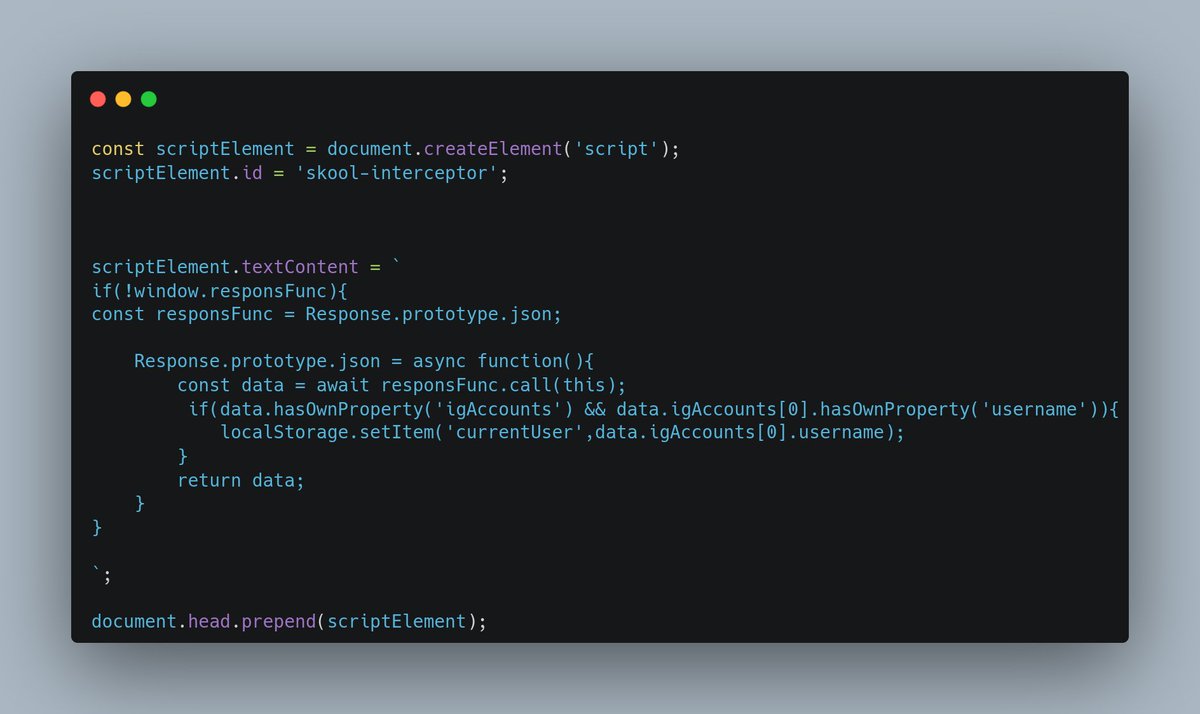
lol I haven't coded it yet but I've done this for the #Skool platform to monkey patch the Fetch and Response object to retrieve channelID for mass messaging purposes.
#chromeextension
1
4
408
Scrapping with chrome extension can be fun, especially when you encounter platforms like #Skool and #Temu where the classes are rotated/scrambled. What's helped in my case are usually:
1. data-id
2. JSON Linked Data
3. Querying unique CSS stylings
Let's take Temu for context, most of Temu classes are scrambled and there's a general use of data-id so it's hard to pinpoint/make specific queries; leaving us with option 2 ( See attached image below)
HOWEVER
ContentScript can not read variables from the hostpage UNLESS the ContentScript is injected into host page using chrome.scripting.executeScript
Another Gotcha
Some CSP from the hostpage, can forbid you from injecting into the DOM e.g Instagram
(Attaching script into the head tag)
HOWEVER AGAIN
executeScript can allow you run in the host's context without the need to inject the script using the ScriptInjection.func;
this executes your code with the context of the hostpage, where the JSON can be accessed and stored to the localStorage, now because ContentScript and the Host page are attached to the same DOM,
they can both access the same localStorage or you can even use postMessage the host's DOM, and also use ContentScript to listen to onMessage on the same DOM to receive the data.
developer.chrome.com/docs/ex…
lol I haven't coded it yet but I've done this for the #Skool platform to monkey patch the Fetch and Response object to retrieve channelID for mass messaging purposes.
#chromeextension
1
6
1,016
Finally gotten chance to work on my extension, what's left is mapping ecommerce products to Shopify CSV.
The interface will use alot of message passing between ContentScript and SidePanel. #chromeextension #shopify
1
5
288

4 Apr 2024
Chrome extensions are weird, all code that you write is exposed in the inspect element, both contentScript and background script, some are obfuscated, but with GPT it's not that hard to unobfuscate.
Did anyone of you solve this problem?
#buildinpublic #indiehackers
1
5
64
Can anyone explain what this code does for Chrome extension and why I can't do this in the ContentScript ?
I used it in an extension, but trying to check something
#chromeextension #quiz
2
5
773