
The narrative around DePIN has shifted dramatically, creating a massive divergence between market sentiment and real-world fundamentals. Here is a breakdown of why the ecosystem is stronger than ever:
1. From Retail Speculation to Real Revenue
Back in 2021, DePIN valuations were driven almost entirely by retail speculation, multi-billion-dollar paper valuations, and highly inflationary token models with little to no actual revenue. Fast forward to today, and top-tier networks have transitioned into highly efficient, revenue-generating marketplaces. They boast multi-year track records of growing revenue and sustained profits, yet many of these projects are trading at rock-bottom multiples.
2. Deflationary Mechanics and Real-World Demand
The unit economics of mature DePIN projects have fundamentally changed. While early hardware deployments relied heavily on inflationary token subsidies (where hardware could pay for itself in a matter of weeks), modern rewards have drastically shifted toward paid usage and actual utility. This shift has successfully driven leading networks toward net deflation.
Helium ($HNT) transitioned from 10% token inflation to a deflationary model rooted in real network usage. Top telecom companies are actively paying to offload customer traffic onto these hotspots.
GEODNET is moving rapidly along the same path, offsetting a massive portion of its token inflation through demand-side token burns, supported by farmers, fleets, and factories paying for precise GPS sensor data.
3. Institutional Adoption and the Rise of InfraFi
While the entire crypto altcoin market has faced intense valuation compression, leading DePIN protocols have demonstrated remarkably resilient revenue growth compared to standard DeFi and L1 networks. This resilience is opening the door for new capital structures. Instead of relying purely on volatile utility tokens to finance infrastructure buildouts, the ecosystem is moving toward InfraFi—using tokens to incentivize stablecoin lenders, tapping into global capital markets to provide low-cost liquidity and sustainable leverage for physical deployments.
4. Fueling the AI Revolution
DePIN is no longer just about decentralized internet or mapping, it has become the bedrock layer for artificial intelligence. AI models require massive, real-time data pipelines to remain relevant. Networks like Grass are proving this value by scaling infrastructure capable of scraping and indexing the public web at immense speeds. By turning live context retrieval into an open, decentralized resource, any LLM can leverage the entire internet in real time, moving the industry far beyond static data snapshots.
The market is facing a clear crossroads, either infrastructure networks will suddenly stop growing their cash flows, or the market will eventually have to re-rate these cash-flowing protocols upward. Real demand, enterprise adoption, and structural deflation are quietly building the next generation of global infrastructure.
#DePIN #Crypto #Web3 #AI #InfraFi #Altcoins #Helium #GrassNetwork #Geodnet
1
30

Jun 15
Most people spend hours online every day.
What if a tiny part of that activity could actually work for you?
Worth a look 👇
app.grass.io/register?referr…
#GrassNetwork #PassiveIncome
3


Jun 15
10,085.11ポイント になってました。Network Qualityも100%
正直まだ仕組みをよく理解できてないけど、寝てる間に少しずつ増えてるのが不思議で面白い。この調子で続けていこうと思います。
Grassやってる方、どれくらいポイント溜まってるのか気になる #Grass #GrassNetwork

1
34

Jun 15
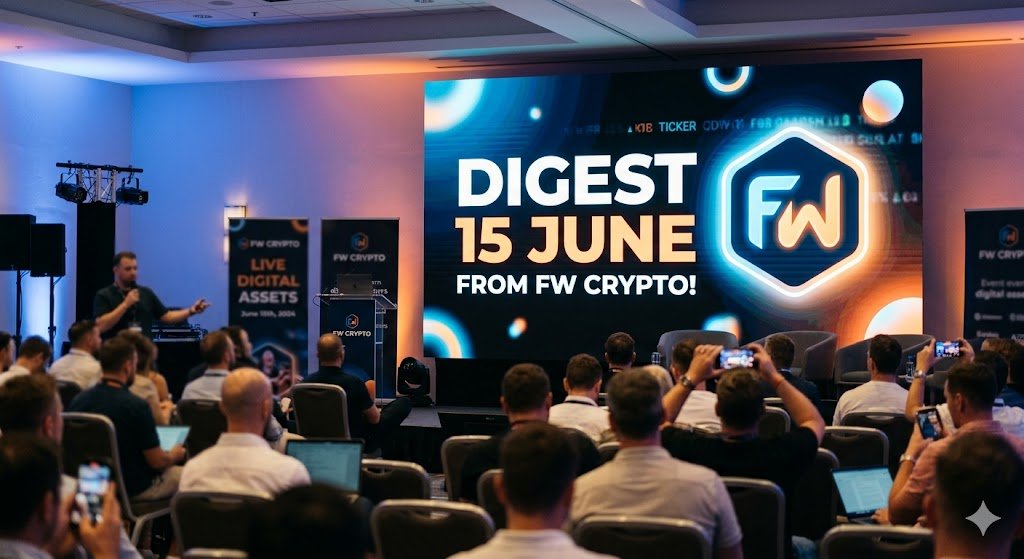
June 15th Crypto Digest: Major Grass Discord Phishing Warning, SimpleChain Community Survey & RAX Finance Update!
🔹 @grass: Critical Security Warning—Official Discord Compromised by Phishing Scammers!
- The Danger: Drop everything and exercise extreme caution. High-profile decentralized infrastructure network Grass is currently targeted by an aggressive security compromise. Malicious actors have breached or heavily impersonated administrative communication layers within the official Grass Discord Server.
- The Trap: Attackers are blasting out fake, highly-convincing dashboard announcements embedded with malicious contract links claiming that the official token airdrop allocation claim is live.
- The Action: DO NOT click any external link posted in the Grass Discord right now. These are wallet-draining smart contract exploits designed to instantly siphon your liquid assets and gas tokens. Wait for secondary cross-verification on their official, verified X (Twitter) profile before interacting with any claim parameters. Guard your keys!
🔹 @SimpleChain_RWA: Community Feedback Survey Live & Daily Streak Optimization
- The Alpha: High-speed infrastructure play SimpleChain is gathering essential user footprint data to optimize its final distribution criteria, formally launching their official feedback portal.
- Action Steps:
1. Submit Feedback: Head to the internal portal and complete the survey layout to establish your active early-supporter validation metrics: SimpleChain Community Survey Form docs.google.com/forms/d/e/1F….
2. Ecosystem Maintenance: Navigate back to the core tracking hub: SimpleChain Task Portal task.simplechain.com/?invite….
3. Sync Wallet: Fire up your active Chrome extension: Chainbox Wallet Chrome Store chromewebstore.google.com/de….
4. Maintain Streaks: Ensure your wallet integration stays synchronized and log your mandatory weekly Daily Check-In sequence to prevent score decay.
🔹 @RaxFinance: New Campaign Dashboard Tasks Live
- The Update: Modular liquidity hub RAX Finance has officially loaded another advanced tier of social and promotional tasks onto their early-access waitlist interface.
- Action: Hop back onto the main platform layout, sign in securely using your primary Web3 farming wallet, and clear the newly deployed milestones to keep your leaderboard ranking optimized.
👉 RAX Finance Waitlist Terminal app.rax.finance/waitlist/?re…
Keep your wallets tightly disconnected from the Grass Discord ecosystem tonight until the security core team rolls out a full clearance report, and lock in your SimpleChain survey responses to secure your network eligibility weight!
#Airdrop #GrassNetwork #GetGrass #DiscordHack #PhishingAlert #ScamWarning #SecurityAlert #DePIN #SimpleChain #ChainboxWallet #CommunitySurvey #RAXFinance #WaitlistFarming #Web3 #Crypto #DeFi #SmartMoney #Blockchain #DailyCheckIn
1
3
108
Jun 15
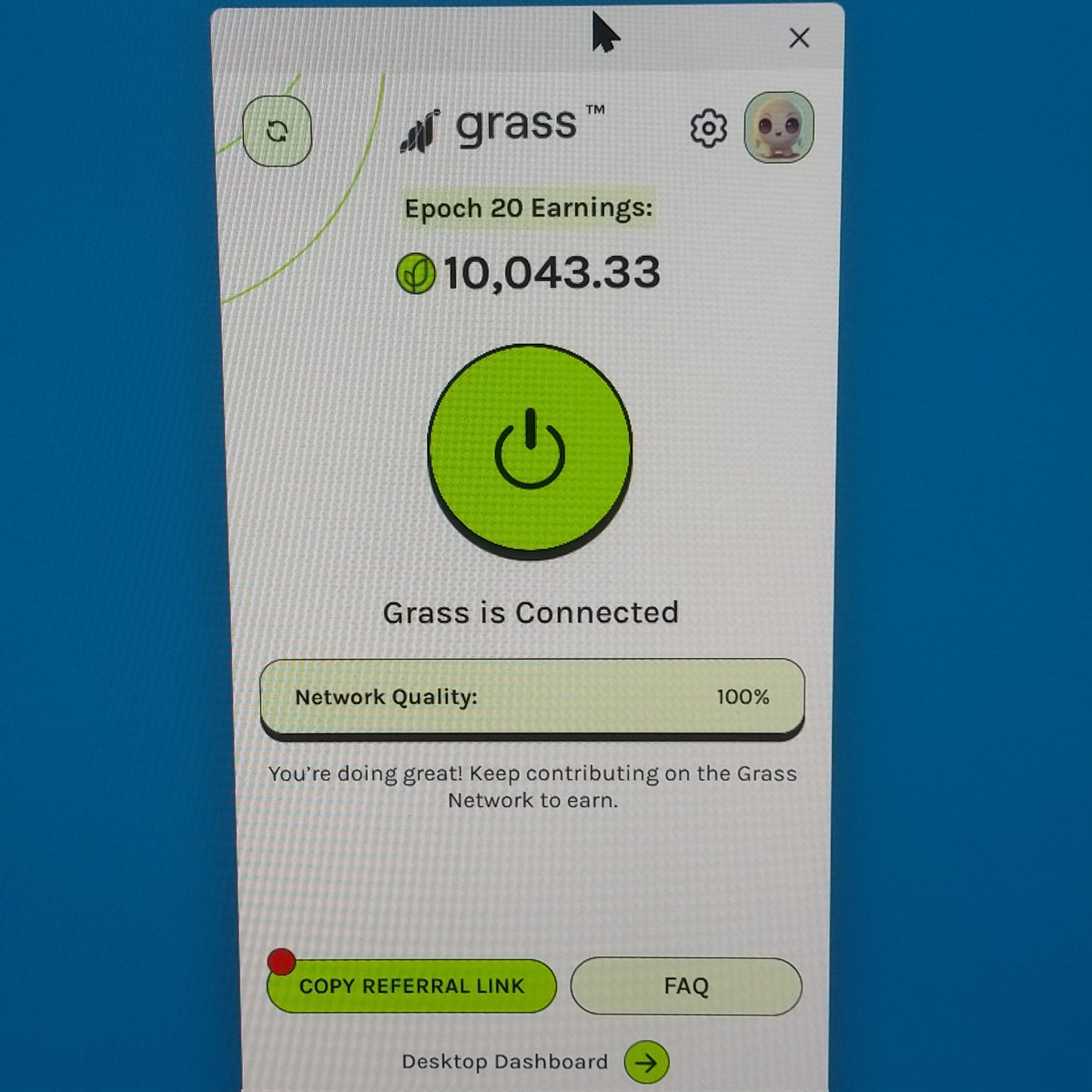
10,043.33ポイント獲得しました!Network Quality 100% で安定稼働中
Grass is Connected の調子、めっちゃ良いです!地道に貢献してるだけでここまで来ました。#Grass #GrassNetwork #Crypto
21

Jun 15
「ネットを見てる時間」が資産になる時代って面白くないですか?
特別な作業はほぼ不要。 気づいたら少しずつ積み上がっていくタイプ。
興味ある人は試してみて👇 app.grass.io/register?referr…
#GrassNetwork #副業
8

11/15
One major milestone expected in 2026:🗓
July 7, 2026 @grass will host a Token Holder & Network Participant Call to discuss roadmap updates and network progress.Many community members are watching closely for potential Season 2 news.
12/15
Future developments may include:🔹 Native @grass Wallet
🔹 Grasshopper tools
🔹 More decentralized validator architectureShowing that Grass is expanding beyond simple bandwidth sharing.
13/15
What separates @grass from many DePIN projects?✔ Millions of nodes
✔ AI-focused use case
✔ Real revenue model
✔ Strong ecosystem growth
✔ Active global community
14/15
Season 1 rewarded early believers.Season 2 may reward those who stay active and contribute consistently.Patience has been one of the biggest advantages in the @grass ecosystem.
15/15
@grass is evolving into more than an airdrop.
It's becoming a foundational layer for decentralized AI data infrastructure.Still running your node?The next chapter of #Grass has only just begun. 🌱🚀
#GrassNetwork #GRASS #AI #DePIN #Solana
1
59

Jun 9
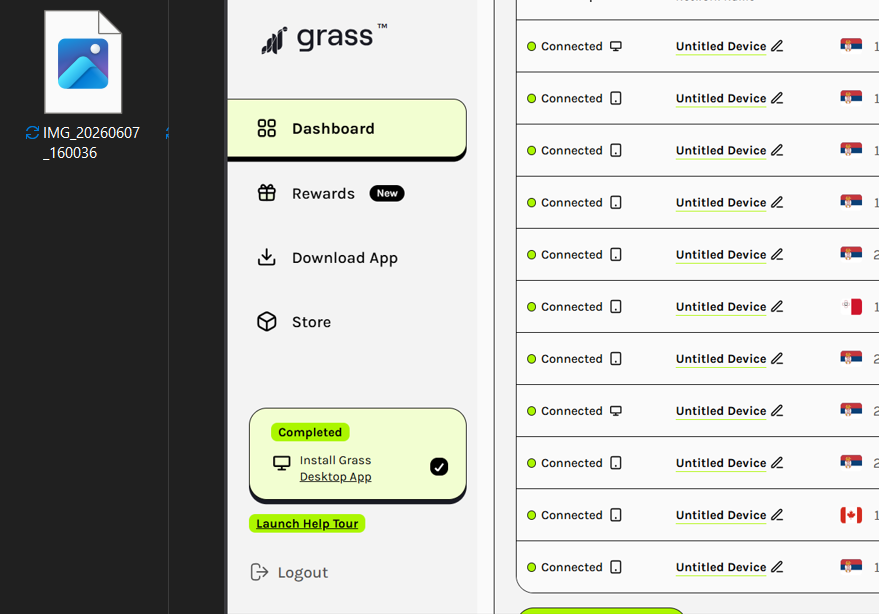
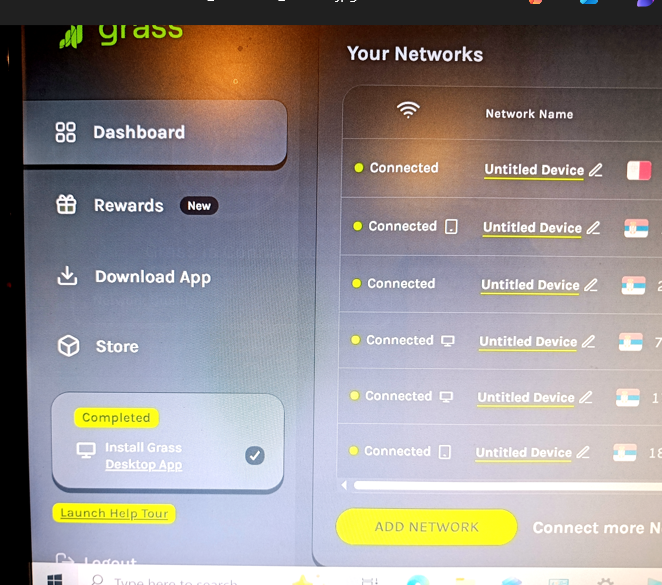
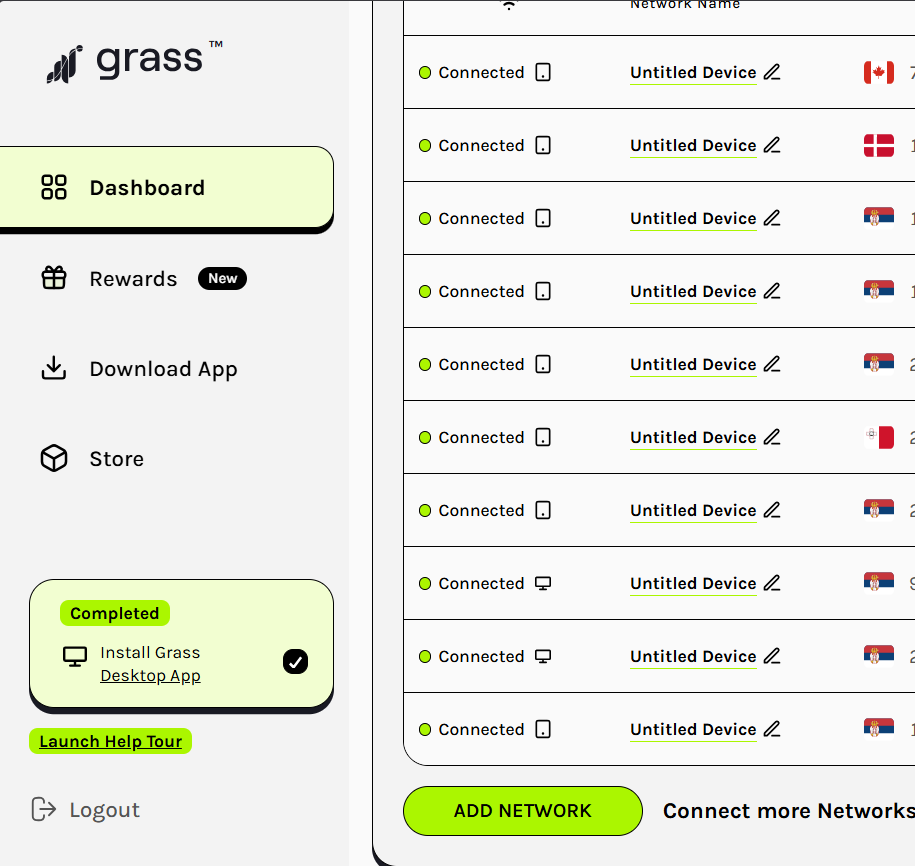
While preparing for the Token Holder Call, my global solo farm is fully optimized and melting the network! 🛠️📈
52,000 POINTS YESTERDAY ALONE!
🖥️ 2 Active Desktop Nodes (2x multi)
📱 9 Dedicated Mobile Devices (Locked in RAM)
🌍 Clean Residential IPs: 🇷🇸 🇨🇦 🇩🇰 🇲🇹100% Solo, pure physical hardware. No referral bots needed if you know how to configure your setup right.
Check out the full 5,000-character Optimization Blueprint pinned on my profile if you want to scale up! 📌🚀
@getgrass_io #GrassNetwork #DePIN #Solana #Airdrop


2
3
836
Jun 9
🛠️ GRASS STAGE 2 UPDATE: 99% Coverage Strategy in Action!
A lot of people read my ultimate 17M impressions guide [linkedin.com], but here is the real live proof.
My global solo farm is fully optimized and printing without breaks:📈 52,000 POINTS YESTERDAY ALONE!
🖥️ 2 Active Desktop Nodes running 24/7 (2x earning multiplier!) [grass-foundation.gitbook.io]
📱 9 Dedicated Mobile Devices locked in RAM [grass-foundation.gitbook.io]
🌍 Global IP Distribution: Serbia 🇷🇸, Canada 🇨🇦, Denmark 🇩🇰, Malta 🇲🇹 🔒 Solid uptime (up to 15 days continuous sessions)
No referrals, just pure physical hardware, clean residential IPs, and strict background management [grass-foundation.gitbook.io].
The farm is expanding soon. Are you running your nodes right? 🚀
Note: Everything is perfectly configured using the 5,000-character guide pinned on my profile! Check it out if you want to optimize your setup. 📌
x.com/fanfi111/status/203603…
@getgrass_io #GrassNetwork #DePIN #Solana #Airdrop


Mar 23

I promised the full Grass guide at 500 followers, but why wait?
You guys gave me 17,000,000 impressions, so I’m giving you the full blueprint for FREE today.
Most people set up their nodes wrong and miss out on 50% of the points. Here is the ultimate step-by-step guide to maximizing your $GRASS earnings before the snapshot. THE COMPLETE GUIDE IS BELOW 👇
MY ULTIMATE GRASS STRATEGY: From Epoch 1 to Diamond Tier 💎🌿
By Petar Stokić (@fanfi111)
March 2026 | 17M Impressions Strategy
🛡️ Safety First! 🚜 💨
Use only official @getgrass_io channels to stay safe:
🌐 grass.io
🏛️ grassfoundation.io
👾 discord.gg/getgrass
📧 no-reply@grassfoundation.io
Many are farming, but few are optimizing. I’ve reached 17M impressions and Diamond status by running a professional-grade setup. If you want to scale your earnings and stop losing points to "Disconnected" errors, this is the only guide you’ll ever need.
Here is my EXACT 99% coverage strategy for Desktop, Mobile, and IP Management. 🧵👇
⚡ THE "60-SECOND" QUICK FIX (Try this first!)
If your node is acting up, perform the Network Reset Cycle:
Toggle Airplane Mode: Turn it ON for 10 seconds, then OFF. This forces your network card to re-establish a fresh connection.
Restart Browser: Fully close Chrome/Brave and reopen it.
Check IP: Ensure your VPN is OFF. Grass requires your genuine residential IP.
🌐 0. Network Barriers (Most Common Issues)
Active VPN or Proxy: Grass detects IP changes instantly. If you use a VPN (even Opera’s built-in one), the node will disconnect. Grass requires your genuine residential IP.
Multiple Accounts on One IP: One IP = One active node. If a roommate or family member uses Grass on the same Wi-Fi, the system may flag both or drop "Network Quality" to zero.Public Networks (Uni, Cafes, Work): These often have firewalls that block the ports Grass needs to communicate with its servers.
IPv6 Incompatibility: Some ISPs force IPv6, which can be unstable. Fix: Switch to IPv4 in your router settings if possible.
🌐 1. The Multi-Device Strategy (My Setup)
I don’t just run one node; I run a farm. To maximize efficiency without getting flagged:
2 Full Desktop Nodes: I use direct LAN (Ethernet) cables instead of Wi-Fi. This ensures a 100% Network Quality score and zero packet loss.
4 Mobile Devices: Each phone runs on its own dedicated LTE/4/5G mobile data.
Rule: 6 Devices = 6 Unique Residential IPs. NO shared Wi-Fi. NO hotspots. This is how you hit Diamond Tier safely. 🛡️📈
💻 2. Browser & System Restrictions
Chrome "Memory Saver": The #1 node killer. It hibernates background tabs to save RAM.
Fix: Go to chrome://settings/performance and disable "Memory Saver" or add app.getgrass.io to the exceptions.
Aggressive AdBlockers: Extensions like uBlock Origin might mistake Grass scripts for trackers. Whitelist getgrass.io immediately.
Outdated Browser: Grass frequently updates its protocol. Ensure you are running the latest version of Chrome or Brave.
🔋 3. Power Management
Sleep/Hibernate Mode: If your PC "naps," your network card stops working.
Fix: In Power & Sleep settings, set your computer to "Never Sleep" while plugged in.
USB/Network "Selective Suspend": Windows sometimes kills the Wi-Fi adapter to save power.
Fix: Go to Power Options > Change advanced power settings > Wireless Adapter Settings and set it to "Maximum Performance.
🛡️ 4. Security Software
False Positives: Antiviruses (Avast, Kaspersky, etc.) might flag the extension as "unwanted software." Check your Quarantine folder and "Allow" Grass.
Windows Defender Firewall: Ensure your browser is allowed to send and receive data through the firewall.
⚙️ 5. Technical Account Fixes
Ghost Sessions: Sometimes the dashboard looks active but you’ve been "silently" logged out. Fix: Log out and log back in manually.
Update the Extension: Right-click the extension > Manage Extensions > Toggle "Developer Mode" (top right) > Click "Update.
🛠️ 6. Advanced Fixes: Using Command Prompt (CMD)
If you are still seeing "Disconnected," run CMD as Administrator and use these commands to clear IP glitches:
ipconfig /release
ipconfig /renew
ipconfig /flushdns (Crucial for clearing cache)
netsh winsock reset
Restart your computer after running these.
Port 443 Check (PowerShell): Run Test-NetConnection -ComputerName websocket.getgrass.io -Port 443. If TcpTestSucceeded is True, you’re good. If False, a firewall is blocking you.
🚀 Conclusion: Don't Just Watch, Participate!
I’ve been in the game since Epoch 1. Grass isn’t just an airdrop; it’s the foundation of a Decentralized Internet (DePIN). Most users quit at the first error message—now you have the technical edge to keep farming while they lose points.
🔥 What's Next?
Apply these fixes (especially flushdns and LAN setup) immediately.
Share this guide—your Tier 2 referrals drive your growth!
The Road to Conqueror & Beyond ⚔️
We are at 84% progress to the next tier. The DePIN revolution is just starting.
If this guide helped you:
🔄 Retweet to help the community.
❤️ Like if you're farming $GRASS.
🔔 Follow @fanfi111 for the next Alpha update.
Let’s win this together @grass army! 💎🌿🚀
#Grass @getgrass_io @grassfdn #Solana #SolanaSummer #Safety #CMC #Web3 #DePIN @CoinMarketCap @WyndNetwork #Airdrop #Crypto


118

Jun 6
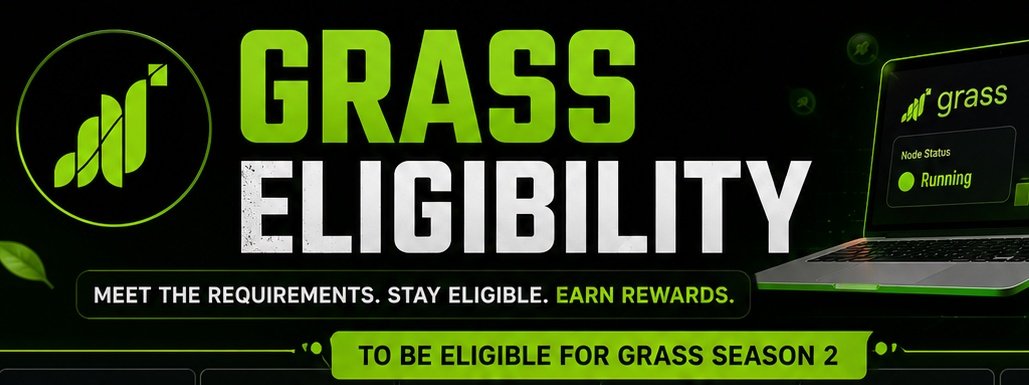
Are You Really Eligible for GRASS S2? 👀
Quick checklist:
✅️ Grass extension/node installed
✅️ Wallet connected
✅️ Earning points regularly
✅️ Node running daily
✅️ No suspicious activity detected
If you checked all five boxes, you're positioning yourself for a potential Season 2 reward.
Don't wait until snapshot rumors start circulating.
Farm now. Verify later.
#GrassNetwork #GRASS #CryptoAirdrop
2
213

🚨 Is $Grass Season 2 Airdrop Closer Than We Think? 👀🌱
Grass has announced a Community Call for Token Holders & Network Participants on July 7, 2026.
What’s on the agenda?
📈 Network Progress
🛠️ Development Roadmap
🤝 Business Updates
🚀 Growth News
🎁 Season 2 Airdrop Plans
Here's the interesting part...
The team is expected to discuss the future of the Season 2 airdrop during or after this call, meaning there may be no official airdrop announcement before July 7.
If you're farming Grass, this date should already be on your calendar. 📅
How many points have you accumulated so far? 👇
#Grass #GrassNetwork #Airdrop #CryptoAirdrop #DePIN #Web3
7
13
86
7,683

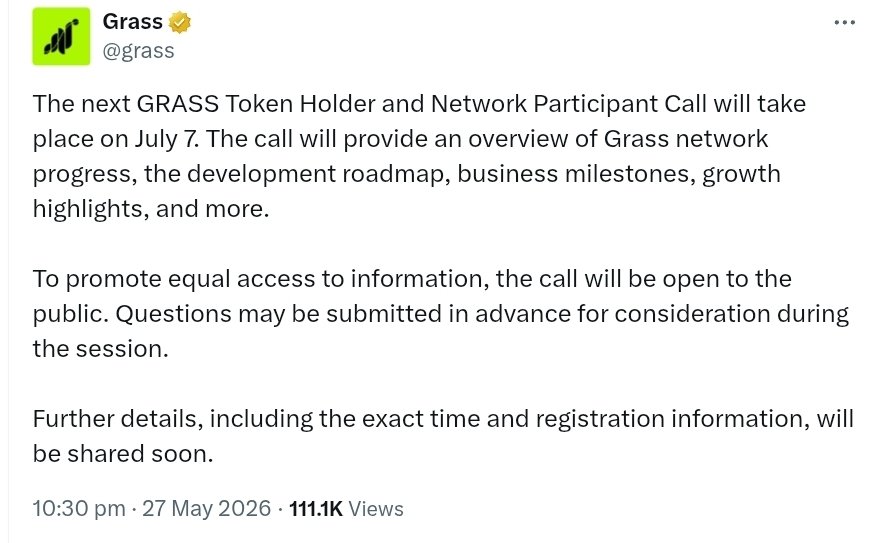
🚨 The next GRASS Token Holder & Network Participant Call is scheduled for July 7.
@grass
The session will cover: • Grass network progress
• Development roadmap
• Business milestones
• Growth highlights
• Upcoming plans and more
To ensure equal access to information, the call will be open to the public, and community questions can be submitted in advance for possible discussion during the session.
More details, including the exact time and registration link, will be shared soon.
#GRASS #GrassNetwork #Crypto #Web3 #DePIN #Blockchain
50
3
48
347

🚨 Grass Ban Wave Started 🚨
Bot farming & scripted accounts are getting banned from the Grass airdrop ecosystem.
If you used fake activity, automation, or multiple suspicious setups, your account may already be flagged. ⚠️
Check your dashboard now and confirm your account status.
Stay safe. Farm legit. 🌱
#Grass #Airdrop #Crypto #Web3 #GrassNetwork #Airdrops #CryptoNews
4
3
5
254

May 17
🚨 Grass Update Check 📢
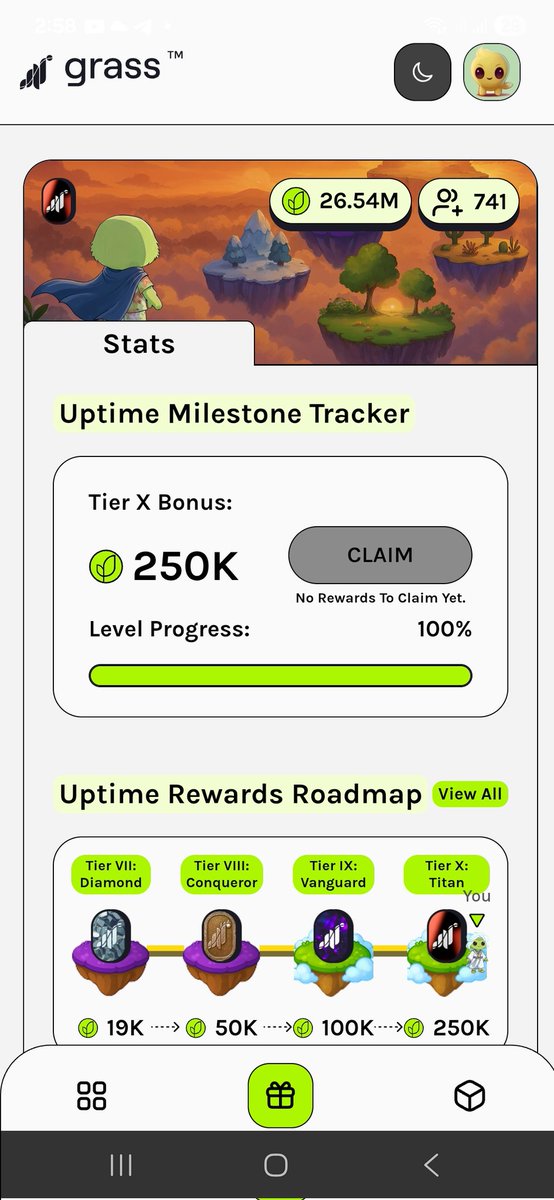
The ban wave has officially started — check your accounts now 👀
Real users are getting rewarded 🌱💸
Stay active, avoid bot activity, and keep farming consistently.
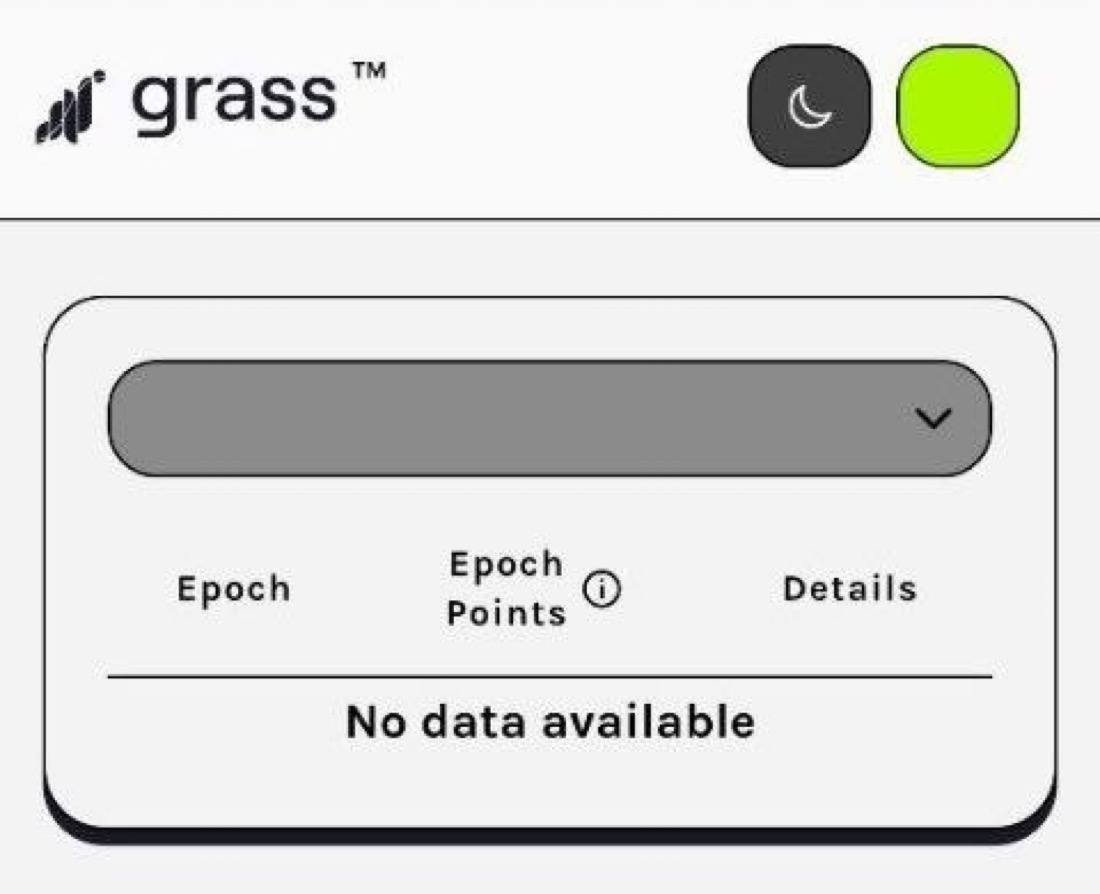
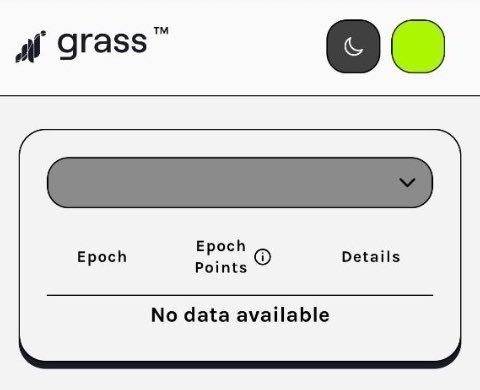
If your dashboard shows “No data available,” don’t panic yet — updates may still be rolling out ⏳
Who’s still farming $GRASS? 🌿🔥
#Grass #Airdrop #Crypto #DePIN #Web3 #GrassNetwork #Airdrops
5
1,159

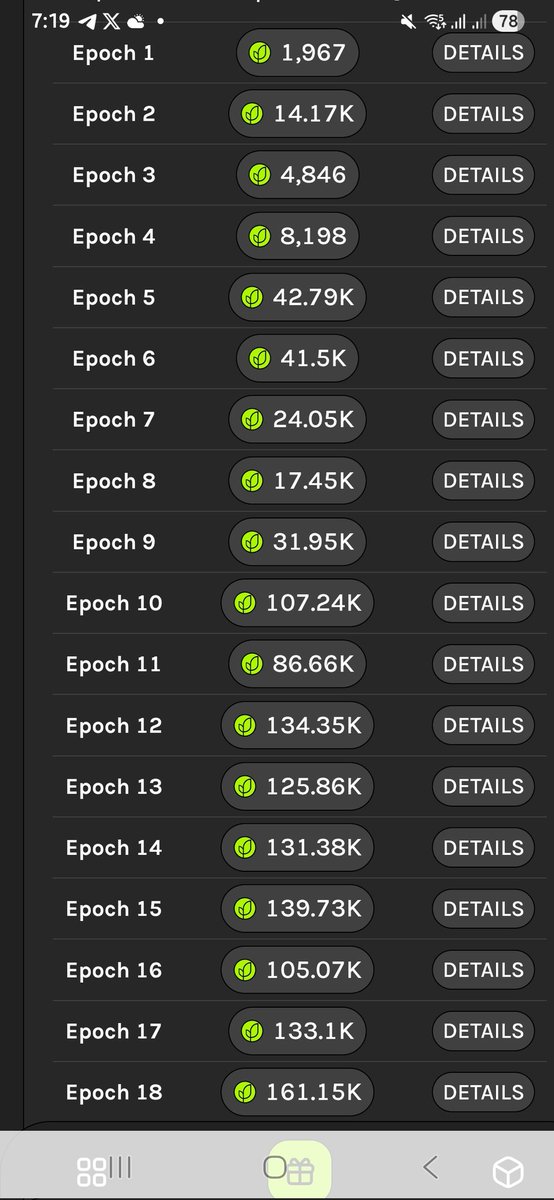
From Epoch 1 to Epoch 19, the growth has been insane. Just crossed 1.31M total points for Grass Season 2, with my highest epoch hitting 161.15K.
Real grinders stay connected. 🌐 @getgrass_io #GrassNetwork #CryptoGains
1
10
1,585
May 16
Season 1 was just the warm-up, but Season 2 is where the real farm grows! 🚀
Running a fully diversified 10-node Grass farm with 100% residential uptime. Massive thanks to my family across Serbia, Canada 🇨🇦, Denmark 🇩🇰, and Malta 🇲🇹 for keeping the nodes connected 24/7.
We don't use VPNs, we use real family bonds. 🤝 Top 0.5% on the network and pushing hard towards Vanguard tier!
Note: Everything is perfectly configured using the 5,000-character guide pinned on my profile! Check it out if you want to optimize your setup. 📌
x.com/fanfi111/status/203603…
The countdown to the snapshot is on. Keep farming!
@getgrass_io #DePIN #GrassNetwork $GRASS

Mar 23
I promised the full Grass guide at 500 followers, but why wait?
You guys gave me 17,000,000 impressions, so I’m giving you the full blueprint for FREE today.
Most people set up their nodes wrong and miss out on 50% of the points. Here is the ultimate step-by-step guide to maximizing your $GRASS earnings before the snapshot. THE COMPLETE GUIDE IS BELOW 👇
MY ULTIMATE GRASS STRATEGY: From Epoch 1 to Diamond Tier 💎🌿
By Petar Stokić (@fanfi111)
March 2026 | 17M Impressions Strategy
🛡️ Safety First! 🚜 💨
Use only official @getgrass_io channels to stay safe:
🌐 grass.io
🏛️ grassfoundation.io
👾 discord.gg/getgrass
📧 no-reply@grassfoundation.io
Many are farming, but few are optimizing. I’ve reached 17M impressions and Diamond status by running a professional-grade setup. If you want to scale your earnings and stop losing points to "Disconnected" errors, this is the only guide you’ll ever need.
Here is my EXACT 99% coverage strategy for Desktop, Mobile, and IP Management. 🧵👇
⚡ THE "60-SECOND" QUICK FIX (Try this first!)
If your node is acting up, perform the Network Reset Cycle:
Toggle Airplane Mode: Turn it ON for 10 seconds, then OFF. This forces your network card to re-establish a fresh connection.
Restart Browser: Fully close Chrome/Brave and reopen it.
Check IP: Ensure your VPN is OFF. Grass requires your genuine residential IP.
🌐 0. Network Barriers (Most Common Issues)
Active VPN or Proxy: Grass detects IP changes instantly. If you use a VPN (even Opera’s built-in one), the node will disconnect. Grass requires your genuine residential IP.
Multiple Accounts on One IP: One IP = One active node. If a roommate or family member uses Grass on the same Wi-Fi, the system may flag both or drop "Network Quality" to zero.Public Networks (Uni, Cafes, Work): These often have firewalls that block the ports Grass needs to communicate with its servers.
IPv6 Incompatibility: Some ISPs force IPv6, which can be unstable. Fix: Switch to IPv4 in your router settings if possible.
🌐 1. The Multi-Device Strategy (My Setup)
I don’t just run one node; I run a farm. To maximize efficiency without getting flagged:
2 Full Desktop Nodes: I use direct LAN (Ethernet) cables instead of Wi-Fi. This ensures a 100% Network Quality score and zero packet loss.
4 Mobile Devices: Each phone runs on its own dedicated LTE/4/5G mobile data.
Rule: 6 Devices = 6 Unique Residential IPs. NO shared Wi-Fi. NO hotspots. This is how you hit Diamond Tier safely. 🛡️📈
💻 2. Browser & System Restrictions
Chrome "Memory Saver": The #1 node killer. It hibernates background tabs to save RAM.
Fix: Go to chrome://settings/performance and disable "Memory Saver" or add app.getgrass.io to the exceptions.
Aggressive AdBlockers: Extensions like uBlock Origin might mistake Grass scripts for trackers. Whitelist getgrass.io immediately.
Outdated Browser: Grass frequently updates its protocol. Ensure you are running the latest version of Chrome or Brave.
🔋 3. Power Management
Sleep/Hibernate Mode: If your PC "naps," your network card stops working.
Fix: In Power & Sleep settings, set your computer to "Never Sleep" while plugged in.
USB/Network "Selective Suspend": Windows sometimes kills the Wi-Fi adapter to save power.
Fix: Go to Power Options > Change advanced power settings > Wireless Adapter Settings and set it to "Maximum Performance.
🛡️ 4. Security Software
False Positives: Antiviruses (Avast, Kaspersky, etc.) might flag the extension as "unwanted software." Check your Quarantine folder and "Allow" Grass.
Windows Defender Firewall: Ensure your browser is allowed to send and receive data through the firewall.
⚙️ 5. Technical Account Fixes
Ghost Sessions: Sometimes the dashboard looks active but you’ve been "silently" logged out. Fix: Log out and log back in manually.
Update the Extension: Right-click the extension > Manage Extensions > Toggle "Developer Mode" (top right) > Click "Update.
🛠️ 6. Advanced Fixes: Using Command Prompt (CMD)
If you are still seeing "Disconnected," run CMD as Administrator and use these commands to clear IP glitches:
ipconfig /release
ipconfig /renew
ipconfig /flushdns (Crucial for clearing cache)
netsh winsock reset
Restart your computer after running these.
Port 443 Check (PowerShell): Run Test-NetConnection -ComputerName websocket.getgrass.io -Port 443. If TcpTestSucceeded is True, you’re good. If False, a firewall is blocking you.
🚀 Conclusion: Don't Just Watch, Participate!
I’ve been in the game since Epoch 1. Grass isn’t just an airdrop; it’s the foundation of a Decentralized Internet (DePIN). Most users quit at the first error message—now you have the technical edge to keep farming while they lose points.
🔥 What's Next?
Apply these fixes (especially flushdns and LAN setup) immediately.
Share this guide—your Tier 2 referrals drive your growth!
The Road to Conqueror & Beyond ⚔️
We are at 84% progress to the next tier. The DePIN revolution is just starting.
If this guide helped you:
🔄 Retweet to help the community.
❤️ Like if you're farming $GRASS.
🔔 Follow @fanfi111 for the next Alpha update.
Let’s win this together @grass army! 💎🌿🚀
#Grass @getgrass_io @grassfdn #Solana #SolanaSummer #Safety #CMC #Web3 #DePIN @CoinMarketCap @WyndNetwork #Airdrop #Crypto
8
1
15
4,547

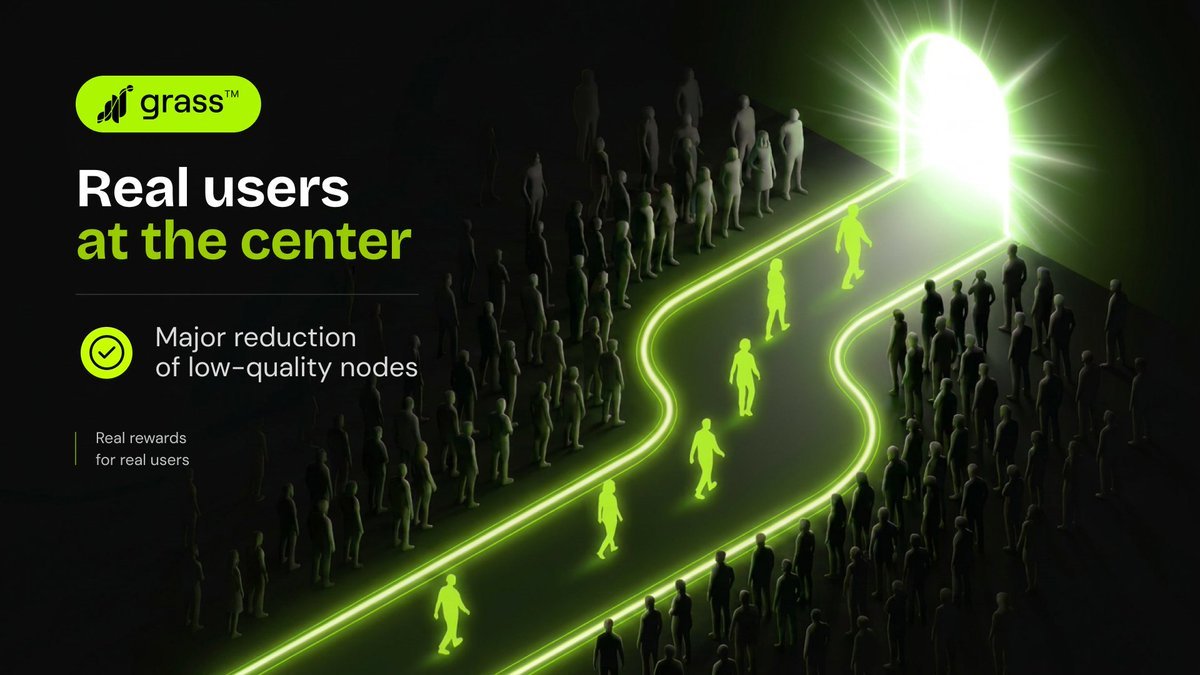
🚨 Check your @grass dashboard 👀
Has your account been removed or is it still active?
Grass just changed everything… bots and low-quality nodes are getting wiped out 🌱
The new filtering system seems focused on improving network quality and rewarding real users who provide genuine bandwidth.
#Grass #GrassNetwork #DePIN
4
1
12
811
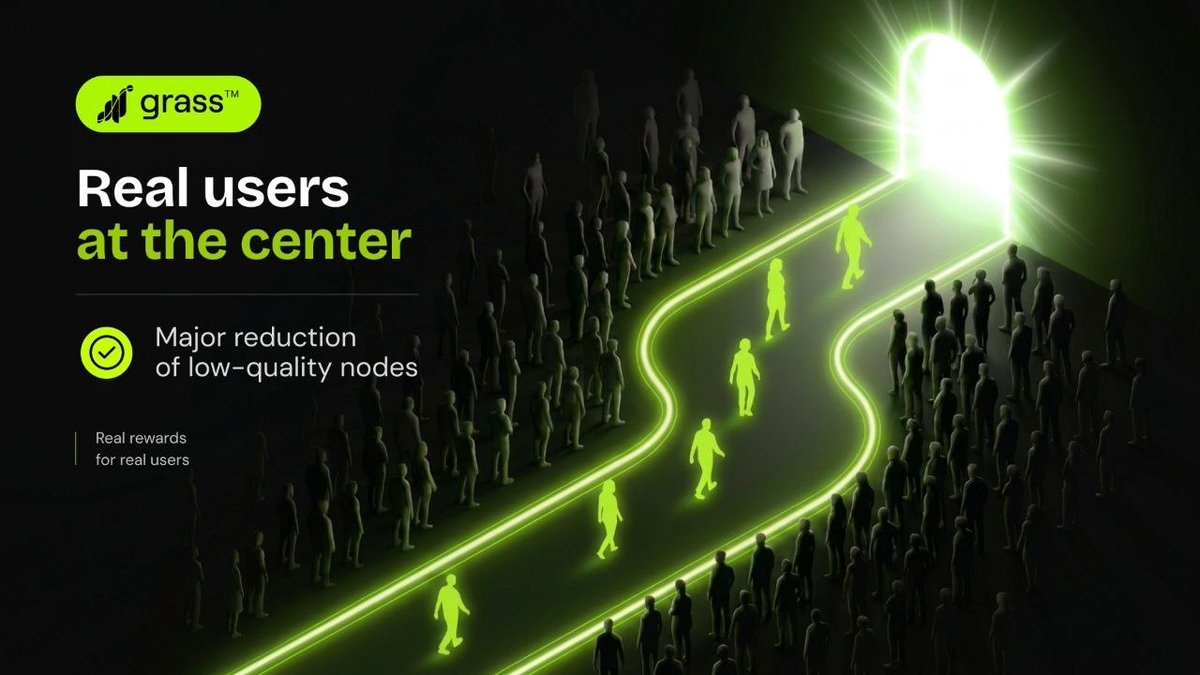
@grass 🚨 Grass Network says the platform is now stronger & more reliable than ever.
✅ Bots and low-quality nodes are being removed
✅ Detection systems improved
✅ Focus shifted to rewarding real users with real bandwidth
“Real rewards for real users.” 🌱
#Grass #GrassNetwork #DePIN #Crypto #Airdrop #Web3 #NodeMining #PassiveIncome #CryptoNews
2
1
5
270

May 2
Grass Airdrop 2 Details
Grass is prepping the next reward season!
Airdrop 2 will reward long-term network contribution and distribute directly through a new native wallet on the Grass dashboard.
170M tokens allocated for Season 2, more nodes farming points = bigger rewards.
Full eligibility details drop in H1 2026 once the wallet is live.
#GrassAirdrop2
#GrassNetwork
#AirdropSeason2
#DePIN
#CryptoRewards
1
7
565