
Jun 2
DEPENDENCIES
Only React, ReactDOM, Tailwind CSS, and Vite. No other UI libraries. Lucide-react is available but not used in this component.
2
4
992


May 30
Access ALL prompts for stunning animated websites in one click: motionsites.ai
Prompt:
Build a full-screen hero landing page for a creative agency called "Mainframe" using React, TypeScript, Vite, and Tailwind CSS. Here is every detail:
---
FONTS
Load two fonts in `index.html` via these stylesheet links:
- Heading: `db.onlinewebfonts.com/c/5ac3…`
- Body: `db.onlinewebfonts.com/c/1aa3…`
In `index.css`, define CSS variables:
```css
:root {
--font-heading: 'HelveticaNowDisplay-Medium', 'Helvetica Neue', Arial, sans-serif;
--font-body: 'HelveticaNowDisplayW01-Rg', 'Helvetica Neue', Arial, sans-serif;
}
body {
font-family: var(--font-body);
}
```
The entire page uses `var(--font-body)` except the logo text which uses `var(--font-heading)`.
---
BACKGROUND VIDEO (mouse-scrub controlled)
- A full-screen `` element is `position: fixed; inset: 0; z-index: 0; object-fit: cover; object-position: 70% center;`.
- Video source URL: `d8j0ntlcm91z4.cloudfront.net…`
- The video is `muted`, `playsInline`, `preload="auto"`. It does NOT autoplay.
- The video scrubs forward/backward based on horizontal mouse movement. Use a `mousemove` event listener on `window`. Track `prevX`, compute `delta = currentX - prevX`, convert to a time offset: `(delta / window.innerWidth) SENSITIVITY video.duration` where `SENSITIVITY = 0.8`. Clamp `targetTime` between 0 and `video.duration`. Use `video.currentTime` to seek, and an `onSeeked` handler to queue the next seek if `targetTime` has moved, preventing seek-flooding.
---
**NAVBAR (fixed, z-index: 10)**
- Fixed to top, full width. Padding: `px-5 sm:px-8 py-4 sm:py-5`. Flex row, `justify-between`, `items-center`.
- **Logo (left):** Flex row with `gap-3`. Text "Mainframe(R)" (use the registered trademark symbol) at `text-[21px] sm:text-[26px]`, `tracking-tight`, black, using `var(--font-heading)`. Beside it, a decorative asterisk character `✳︎` at `text-[25px] sm:text-[30px]`, black, `select-none`, `letter-spacing: -0.02em`.
- **Desktop nav links (center, hidden below md):** Flex row, `text-[23px]`, black. Links: "Labs", "Studio", "Openings", "Shop" separated by commas rendered as `, `. Each link has `hover:opacity-60 transition-opacity`.
- **Desktop CTA (right, hidden below md):** An anchor "Get in touch" at `text-[23px]`, black, `underline underline-offset-2`, `hover:opacity-60 transition-opacity`.
- **Mobile hamburger (visible below md):** A button with 3 horizontal bars (each `w-6 h-[2px] bg-black`), spaced with `gap-[5px]`. On toggle, the top bar rotates 45deg and translates down 7px, middle bar fades to opacity 0, bottom bar rotates -45deg and translates up 7px. All transitions are `duration-300`.
- **Mobile overlay (z-index: 9):** `fixed inset-0 bg-white/95 backdrop-blur-sm`, flex column, vertically centered, left-aligned with `px-8 gap-8`. Same links at `text-[32px] font-medium`, plus "Get in touch" underlined. Fades in/out with `opacity` and `pointerEvents` toggled. Hidden on md .
---
**HERO SECTION (z-index: 1)**
- Full `h-screen`, flex column. On mobile: `justify-end pb-12`. On `md:`: `justify-center pb-0`. Horizontal padding: `px-5 sm:px-8 md:px-10`. `overflow-hidden`.
- Content container: `max-w-xl`, `relative z-10`.
**1. Blurred intro label:**
- `pointer-events-none`, `select-none`, `mb-5 sm:mb-6`.
- Font size: `clamp(18px, 4vw, 26px)`, `line-height: 1.3`, `font-weight: 400`, `color: #000`, `filter: blur(4px)`.
- Two lines of text:
- Line 1: "Hey there, meet A.R.I.A,"
- Line 2: "Mainframe's Adaptive Response Interface Agent"
- Separated by a `
`.
**2. Typewriter text:**
- Text: `"Glad you stopped in. Good taste tends to find us. Now, what are we building?"`
- Custom `useTypewriter` hook: takes `text`, `speed` (default 38ms per character), `startDelay` (default 600ms). After the delay, an interval reveals one character at a time. Returns `{ displayed, done }`.
- Rendered in a `
` tag, black, `mb-5 sm:mb-6`, font size `clamp(18px, 4vw, 26px)`, `line-height: 1.35`, `font-weight: 400`, `min-height: 54px`.
- While typing, show a blinking cursor: `inline-block w-[2px] h-[1.1em] bg-black align-middle ml-[2px]` with CSS animation `blink 1s step-end infinite` (`opacity: 1 at 0%/100%, 0 at 50%`). Cursor disappears when `done` is true.
**3. Action pill buttons:**
- Appear with a fade-in slide-up animation (`opacity 0->1`, `translateY(8px)->0`, `transition: opacity 0.4s ease, transform 0.4s ease`). They become visible 400ms after page load, independent of the typewriter animation (do NOT wait for typing to finish).
- Container: `flex flex-wrap gap-y-1`.
- **4 white pill buttons:** Labels: "Pitch us an idea", "Come work here", "Send a brief hello", "See how we operate". Each is `inline-flex items-center justify-center bg-white text-black border border-black/10 rounded-full text-[13px] sm:text-[15px] px-4 sm:px-5 py-[0.3em] mx-[0.2em] mb-[0.4em] white-space: nowrap`. Hover: `bg-black text-white`, `transition-colors duration-200`.
- **1 outline pill button:** Text "Reach us: hello@mainframe.co" (email is underlined with `underline-offset-1`), followed by a small 12x12 copy icon (inline SVG of two overlapping rectangles). Styled: `text-white bg-transparent border border-white rounded-full`, same sizing as above, with `gap-2 sm:gap-3` between text and icon. Hover: `bg-white text-black`. On click, copies "hello@mainframe.co" to clipboard via `navigator.clipboard.writeText()`.
---
DEPENDENCIES
Only React, ReactDOM, Tailwind CSS, and Vite. No other UI libraries. Lucide-react is available but not used in this component.
5
9
102
10,168

May 10
Hanji kaise ho sab?
Aaj React ka BTS samjha
Raw JS vs React, ReactDOM & createElement clear hua
JSX actually Babel ke through kaise work karta hai
Also
ESLint Prettier
Vite bundling
SSR/SSG/ ISR in Next.js
Error Boundaries,Custom Hooks & state management
@Hiteshdotcom
36
231

May 9
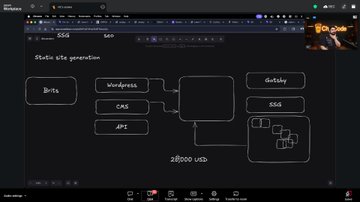
Deep dive in react ocean today
Lots of things covered
- React ReactDom
- Babel vite (jsx)
- prettier
- linting
• SSG/ISR/SSR
• error boundaries
Understand the internals of the tech stack we use daily
@Hiteshdotcom
@piyushgarg_dev @nirudhuuu @BlazeisCoding
3
34

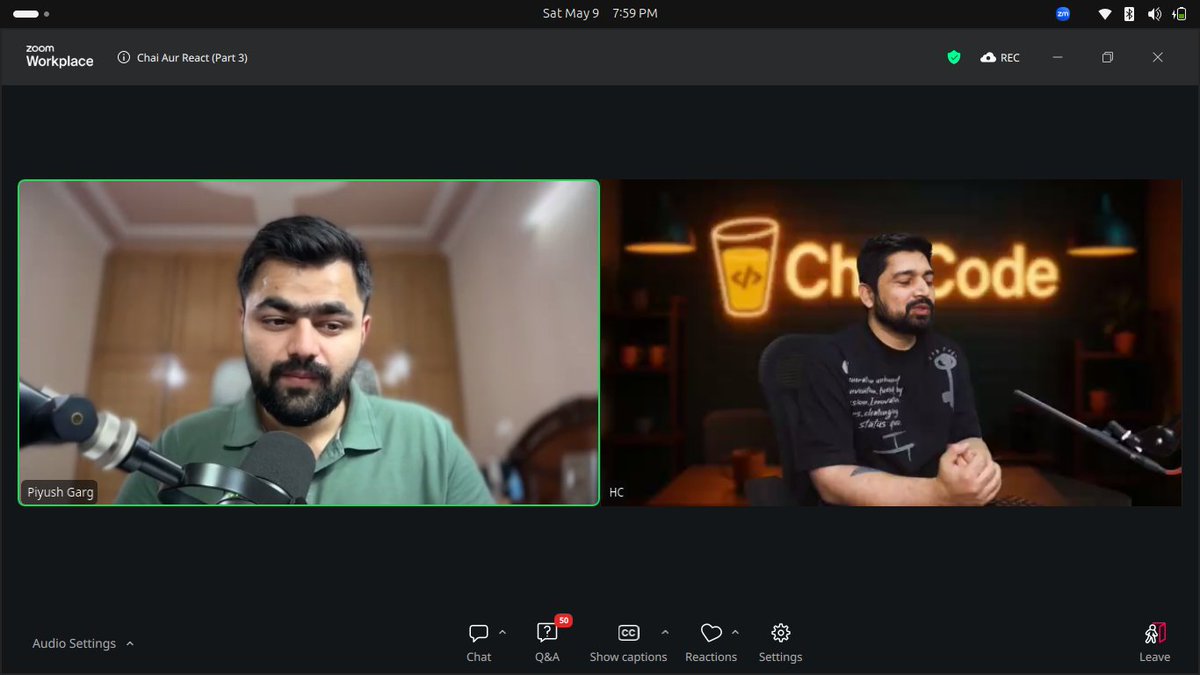
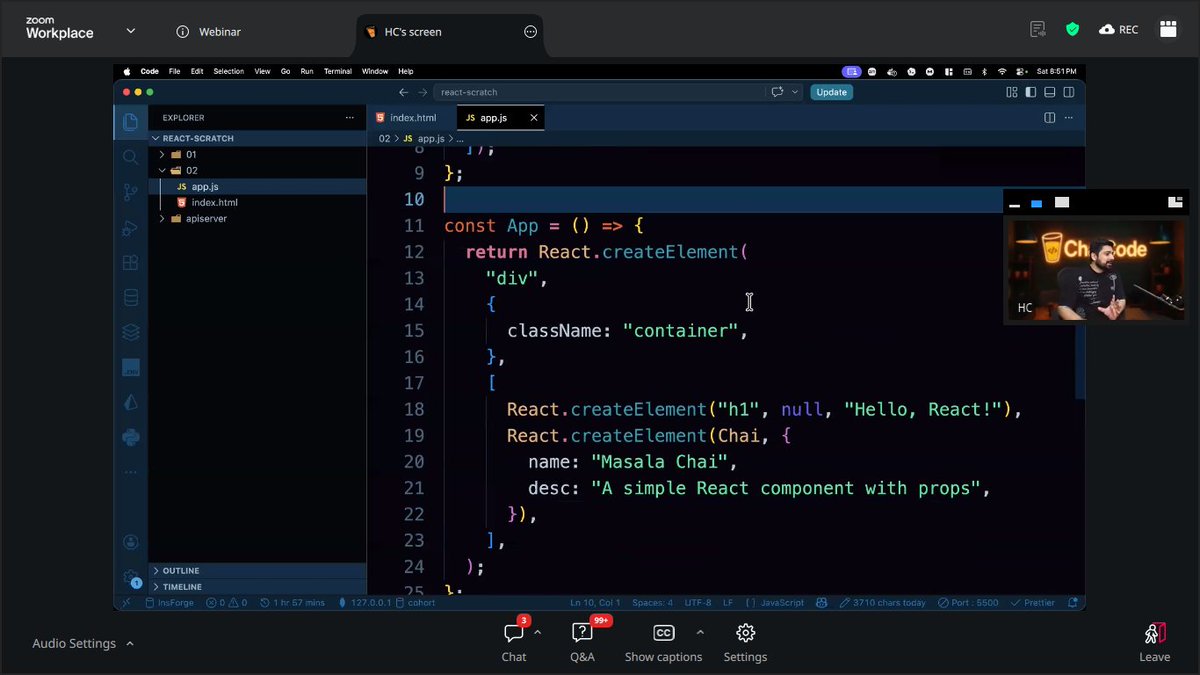
Today at Web Dev Cohort, we learned:
ReactDOM in depth
ESLint
Prettier
Raw React and using CDN to write it
What Babel is and what it does
What Vite is and why it’s used
How Next.js came into existence
Thank you to @ChaiCodeHQ @Hiteshdotcom for providing the opportunity.
2
45

May 9
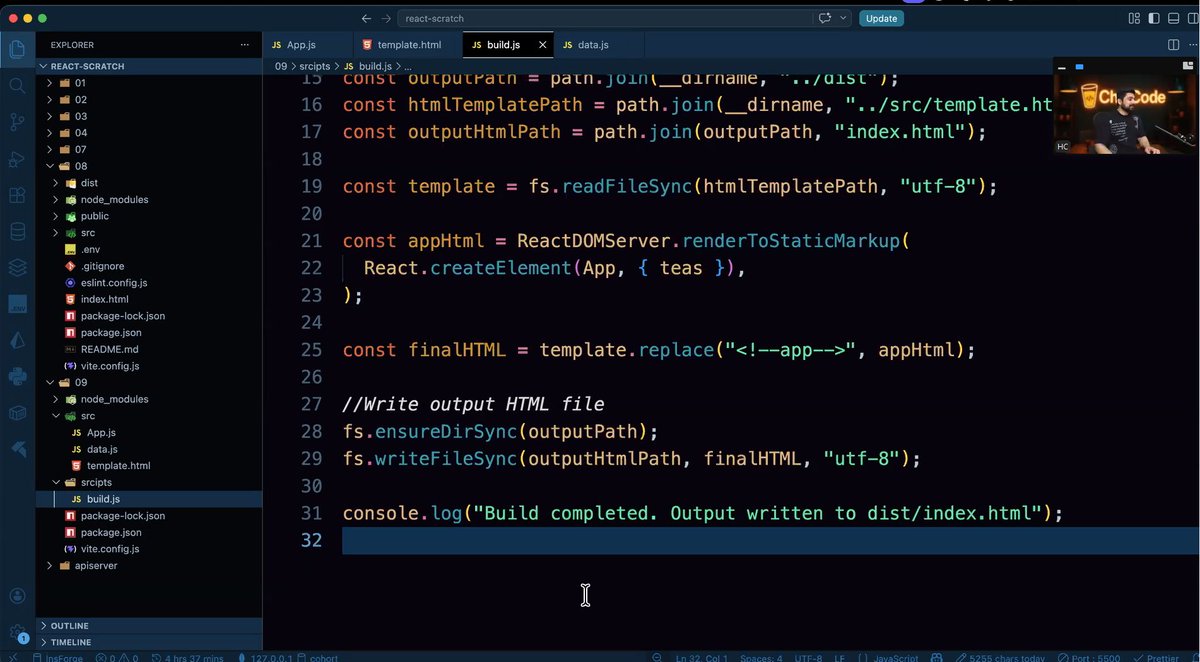
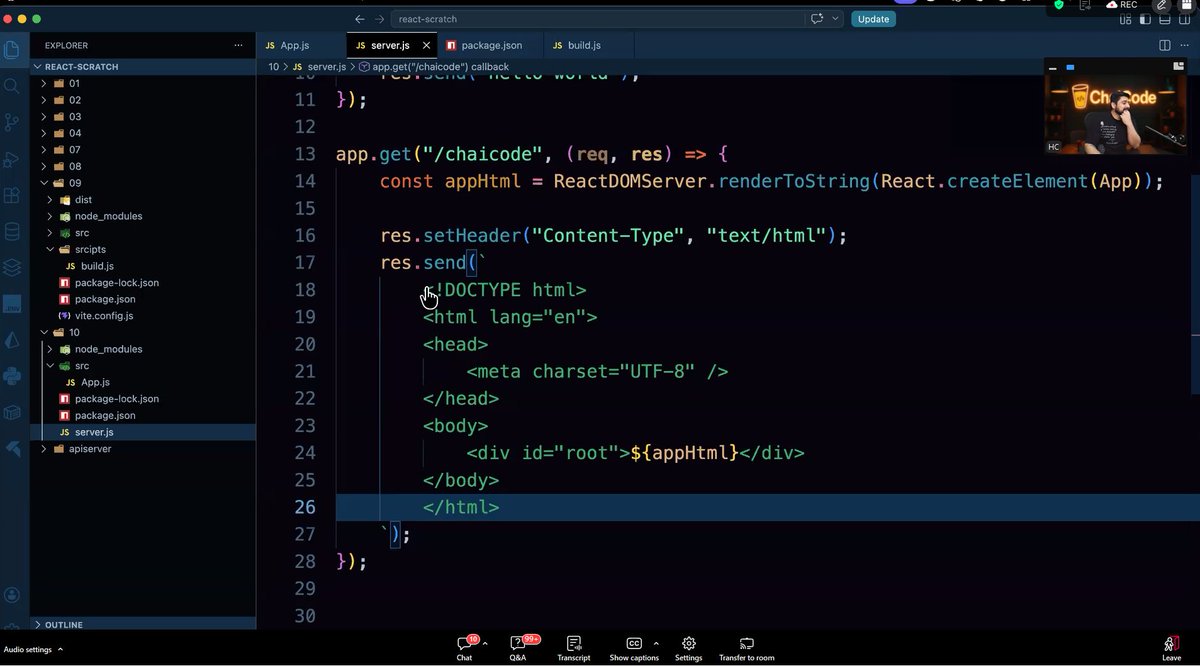
Today’s class was a deep dive into React from understanding why React was built to writing the starter setup from scratch using React & ReactDOM.
The highlight was building an SSG from scratch with React Server and how Next.js uses SSR and SSG.
Learned a lot by @Hiteshdotcom
8
81

May 8
Day-3 Chai aur React
Today’s Learning:
• React uses a Virtual DOM
• Built my first React app
• Used React Fragments and explored debugging
• Components use Capital letters & Vite prefers .jsx files
• Understood how React and ReactDOM render the app
@Hiteshdotcom @nirudhuuu
1
50
836

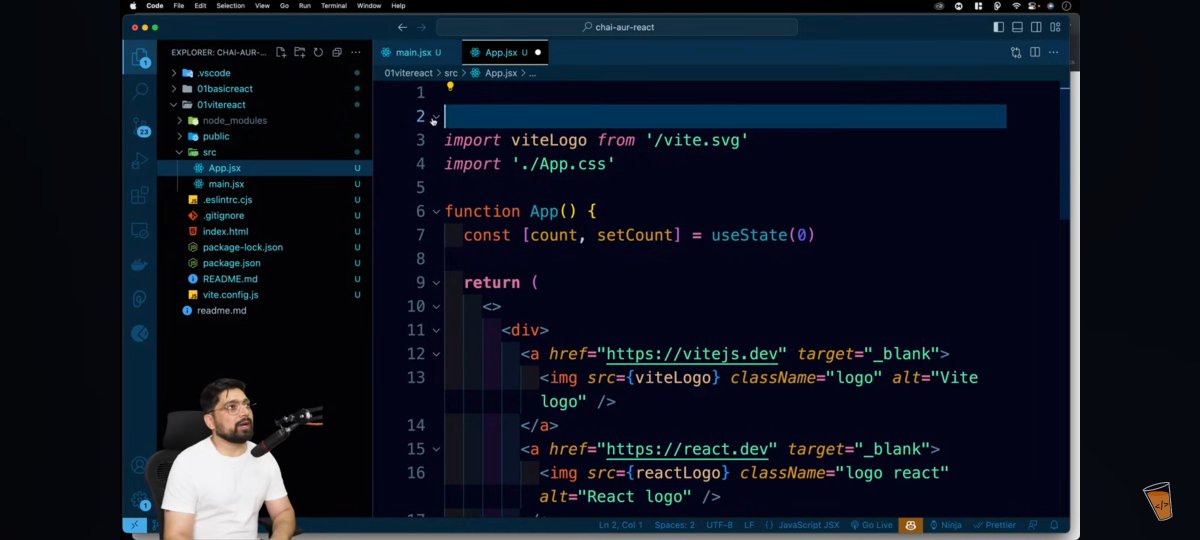
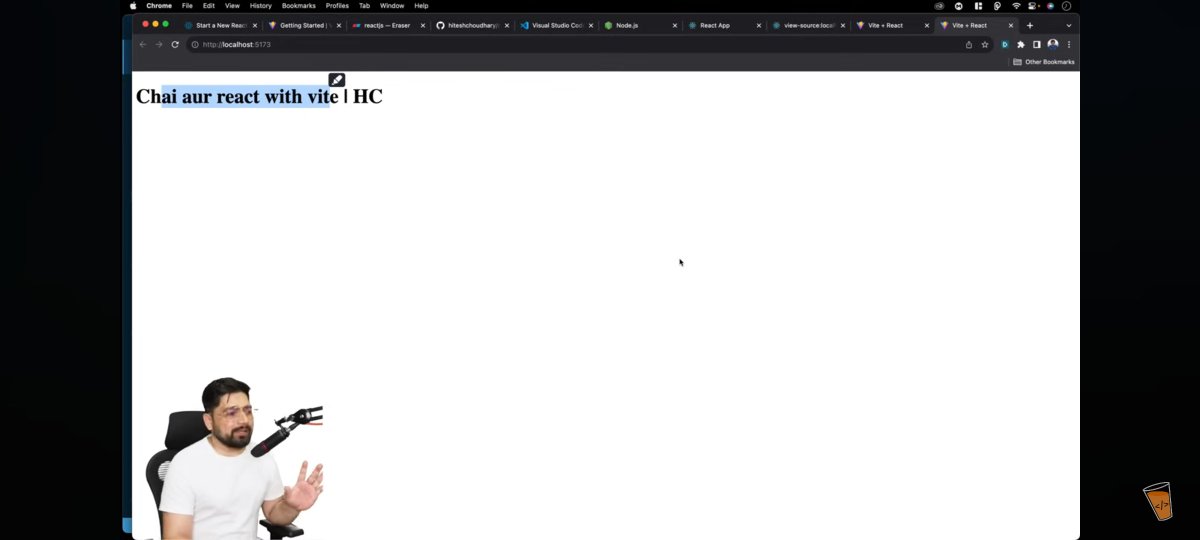
Day 2 of #ChaiAurReact Masterji Challenge ⚛️
Today explored:
• create react app vs Vite setup
• React project structure
• ReactDOM rendering
• App.js & main.jsx understanding
@Hiteshdotcom @ChaiCodeHQ
1
25
250

May 7
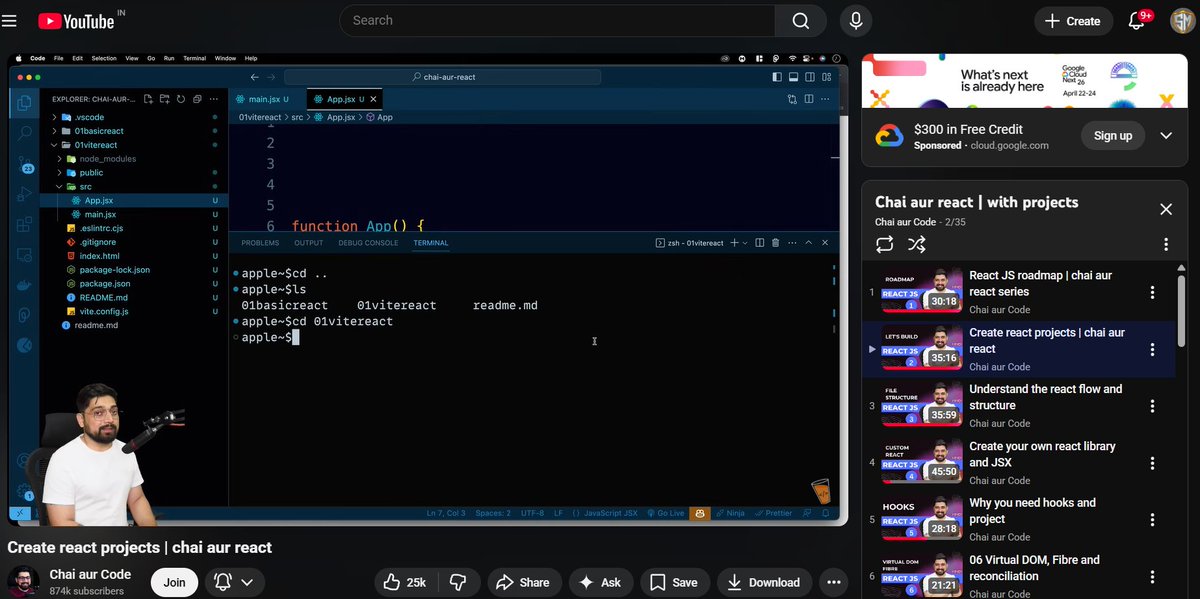
Day 2 of Chai Aur React
-> Learned why Bundlers like Vite (modern, fast, and lightweight) are preferred over CRA, which is heavy and slower
-> Learned how ReactDOM injects App into root div via Virtual DOM
@ChaiCodeHQ @Hiteshdotcom @piyushgarg_dev @nirudhuuu @surajtwt_
3
75

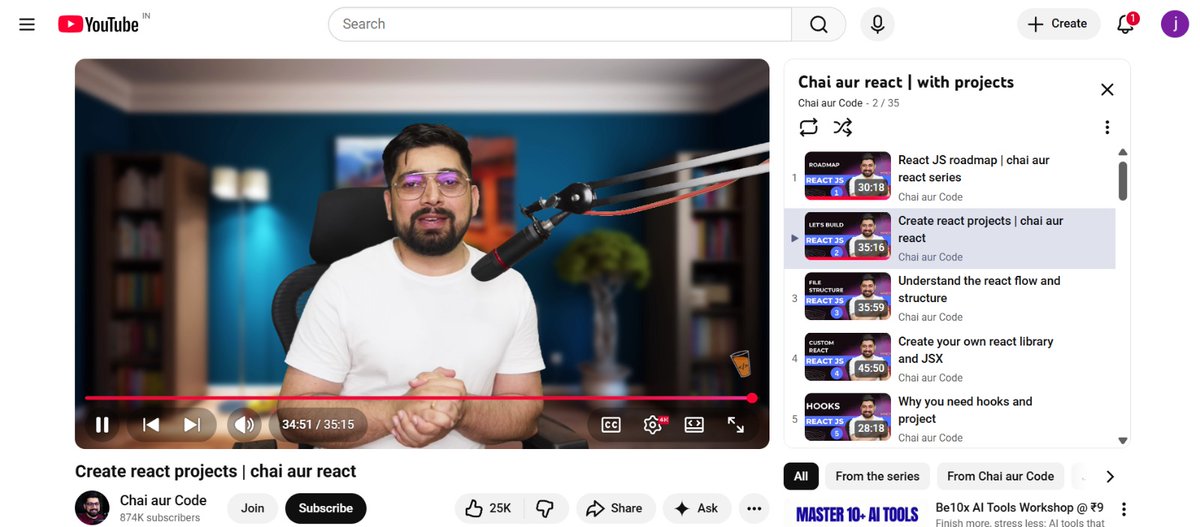
Day2 : Chai Aur React ✅
1) Install Node.js, npm & npx for React setup.
2) CRA creates heavy apps with slow setup.
3) Vite is faster, lightweight & industry standard.
4) node_modules stores dependencies, package.json manages scripts/packages.
5) ReactDOM injects App into root div via Virtual DOM.
6) Clean boilerplate by removing default files and start with a minimal App component for fresh development setup.
@ChaiCodeHQ @Hiteshdotcom @piyushgarg_dev @nirudhuuu @surajtwt_ @yntpdotme @devwithjay
1
37
351

Starting my Mobile Dev journey today, Learning how React, ReactDOM, and Vite power modern apps from the ground up.
Small steps today, big builds tomorrow ⚡📱 #chaicode #ReactJS #Vite #WebDev #CodingJourney
1
19
109

Apr 13
Coming soon to a browser near you.
● Build me AntiFigma. A deterministic frontend builder where prompt config always produces the same UI.
Prompt → structured spec → template → rendered React/Tailwind UI
No canvas. No drag-and-drop. No design tools
3-column app: prompt, live preview, structured output
Theme template selectors drive output
Deterministic seed visible and used for variant selection
Registry-based architecture for templates, themes, and components
Built to support audited community modules with tracked usage
Looks premium, dark, sharp, and real
Not a toy. Not a chatbot. A UI compiler.
● I'll build the AntiFigma MVP at D:/lost_marbles/antifigma/.
Writing all files now.
● Write(antifigma\package.json)
⎿ Wrote 25 lines to antifigma\package.json
1 {
2 "name": "antifigma",
3 "private": true,
4 "version": "0.1.0",
5 "type": "module",
6 "scripts": {
7 "dev": "vite",
8 "build": "tsc -b && vite build",
9 "preview": "vite preview"
10 },
… 15 lines (ctrl o to expand)
● Write(antifigma\tsconfig.json)
⎿ Wrote 20 lines to antifigma\tsconfig.json
1 {
2 "compilerOptions": {
3 "target": "ES2022",
4 "useDefineForClassFields": true,
5 "lib": ["ES2022", "DOM", "DOM.Iterable"],
6 "module": "ESNext",
7 "skipLibCheck": true,
8 "moduleResolution": "bundler",
9 "allowImportingTsExtensions": false,
10 "resolveJsonModule": true,
… 10 lines (ctrl o to expand)
● Write(antifigma\vite.config.ts)
⎿ Wrote 7 lines to antifigma\vite.config.ts
1 import { defineConfig } from "vite";
2 import react from "@vitejs/plugin-react";
3
4 export default defineConfig({
5 plugins: [react()],
6 server: { port: 5180 },
7 });
● Write(antifigma\postcss.config.js)
⎿ Wrote 6 lines to antifigma\postcss.config.js
1 export default {
2 plugins: {
3 tailwindcss: {},
4 autoprefixer: {},
5 },
6 };
● Write(antifigma\tailwind.config.js)
⎿ Wrote 15 lines to antifigma\tailwind.config.js
1 /** @type {import('tailwindcss').Config} */
2 export default {
3 content: ["./index.html", "./src/**/*.{ts,tsx}"],
4 theme: {
5 extend: {
6 fontFamily: {
7 mono: ["ui-monospace", "SFMono-Regular", "M
enlo", "Consolas", "monospace"],
8 },
9 boxShadow: {
10 glow: "0 0 0 1px rgba(34,211,238,0.25), 0 8
px 40px -8px rgba(34,211,238,0.25)",
… 5 lines (ctrl o to expand)
● Write(antifigma\index.html)
⎿ Wrote 12 lines to antifigma\index.html
1 <!doctype html>
2 <html lang="en">
3 <head>
4 <meta charset="UTF-8" />
5 <meta name="viewport" content="width=device-wid
th, initial-scale=1.0" />
6 <title>AntiFigma — Deterministic Frontend Build
er</title>
7 </head>
8 <body class="bg-black text-zinc-100 antialiased">
9 <div id="root"></div>
10 <script type="module" src="/src/main.tsx"></scr
ipt>
… 2 lines (ctrl o to expand)
● Continuing to write the source files.
● Write(antifigma\src\main.tsx)
⎿ Wrote 10 lines to antifigma\src\main.tsx
1 import React from "react";
2 import ReactDOM from "react-dom/client";
3 import App from "./App";
4 import "./index.css";
5
6 ReactDOM.createRoot(document.getElementById("root")
!).render(
7 <React.StrictMode>
8 <App />
9 </React.StrictMode>
10 );
● Write(antifigma\src\index.css)
⎿ Wrote 28 lines to antifigma\src\index.css
1 @tailwind base;
2 @tailwind components;
3 @tailwind utilities;
4
5 html, body, #root { height: 100%; }
6
7 body {
8 font-family: "Inter", ui-sans-serif, system-ui, -
apple-system, "Segoe UI", Roboto, sans-serif;
9 background:
10 radial-gradient(1100px 600px at 85% -10%, rgba(
34,211,238,0.08), transparent 60%),
… 18 lines (ctrl o to expand)
● Write(antifigma\src\types.ts)
⎿ Wrote 110 lines to antifigma\src\types.ts
1 import type { ComponentType } from "react";
2
3 export type TemplateId = "landing" | "dashboard" |
"docs" | "pricing";
4 export type ThemeId = "black-cyan" | "black-white"
| "slate-blue";
5
6 export interface ThemePalette {
7 id: ThemeId;
8 name: string;
9 bg: string;
10 panel: string;
… 100 lines (ctrl o to expand)
2
78

Mar 17
Day 74 / 365 👨💻
Summarized what I learned in the last few React sessions.
📘 Basics of React and why it’s used
🔗 Role of ReactDOM in rendering
🧩 createElement concept and repetitive DOM problems
🚀 React 18 rendering with createRoot
#365DaysOfCode #React #JavaScript #Frontend
4
114

Day 74 / 365 👨💻
Summarized what I learned in the last few React sessions.
📘 Basics of React and why it’s used
🔗 Role of ReactDOM in rendering
🧩 createElement concept and repetitive DOM problems
🚀 React 18 rendering with createRoot
#365DaysOfCode #React #JavaScript #Frontend
2
30
Mar 16
Day 73 / 365 👨💻
Revisited React basics from the last couple of sessions.
🔁Revised what React and ReactDOM do
🧠Revisited the idea behind createElement
⚙️Looked again at how rendering works with createRoot
📚Focused on understanding the overall flow
#React #JavaScript #Frontend
3
120

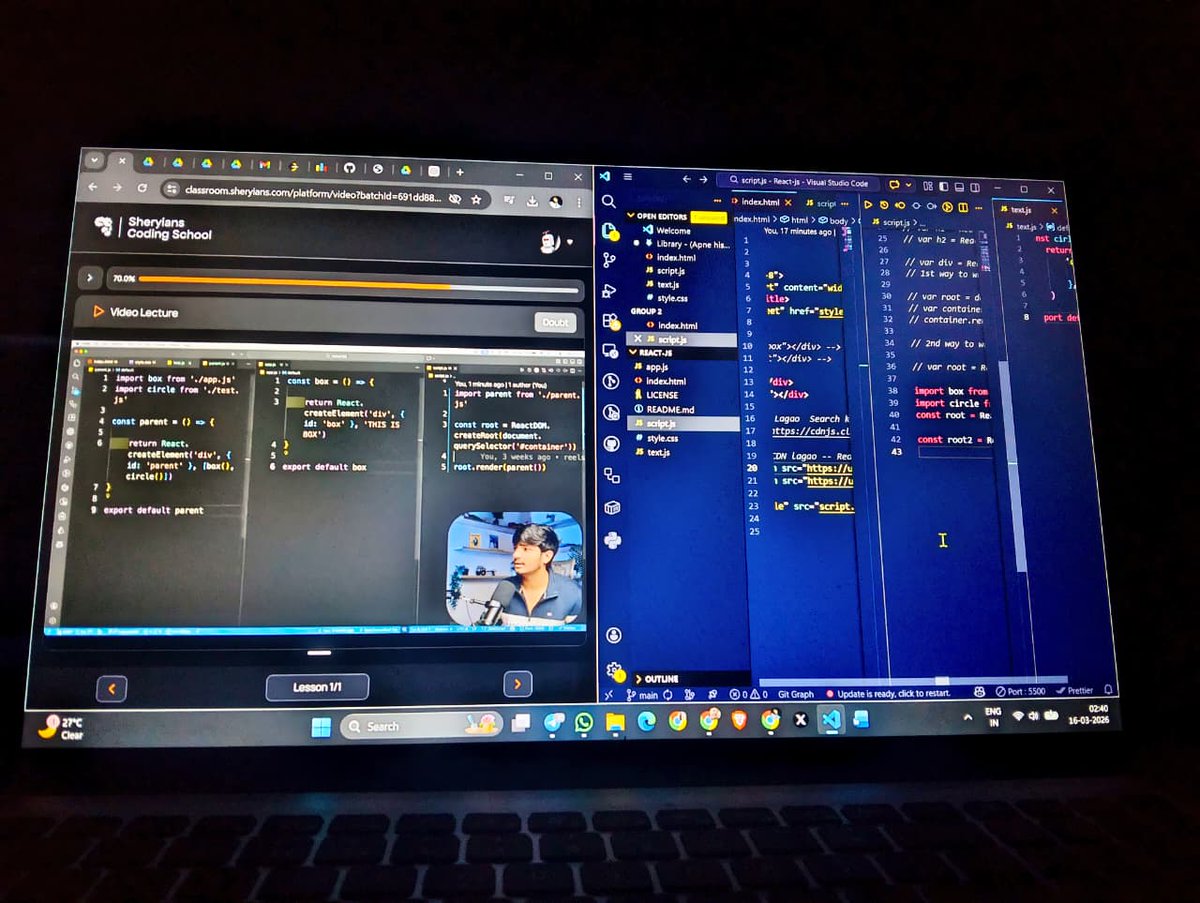
🚀Learning #ReactJS
Today I learned:
• What React is and why it's used
• Difference between React & ReactDOM
• Creating elements using React.createElement()
• Rendering elements using createRoot().render()
• How React updates the DOM efficiently
#WebDevelopment #JavaScript
ALT Built my first small example that renders an <h1> using React. Excited to go deeper into components, JSX, and state next! 💻 #ReactJS #WebDevelopment #JavaScript #LearningInPublic #100DaysOfCode
6
40
Mar 15
Day 72 / 365 👨💻
Continued with React today.🧠
What React actually is
🔗 Role of ReactDOM
⚖️ React vs ReactDOM
⚙️ Basic idea of a custom renderer
🚀 React 18 createRoot#365DaysOfCode
#React #JavaScript #Frontend
4
80

Mar 14
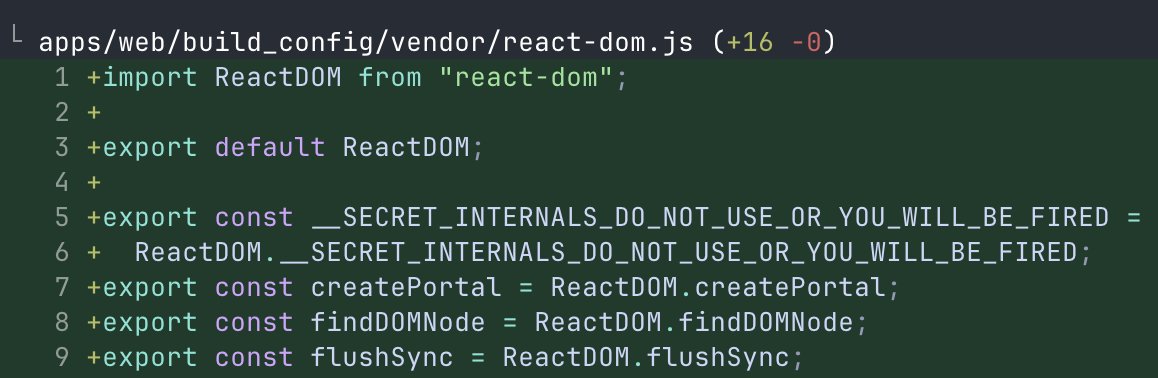
glance over at codex
it is monkeypatching ReactDOM.__SECRET_INTERNALS_DO_NOT_USE_OR_YOU_WILL_BE_FIRED
12
14
1,235
101,689

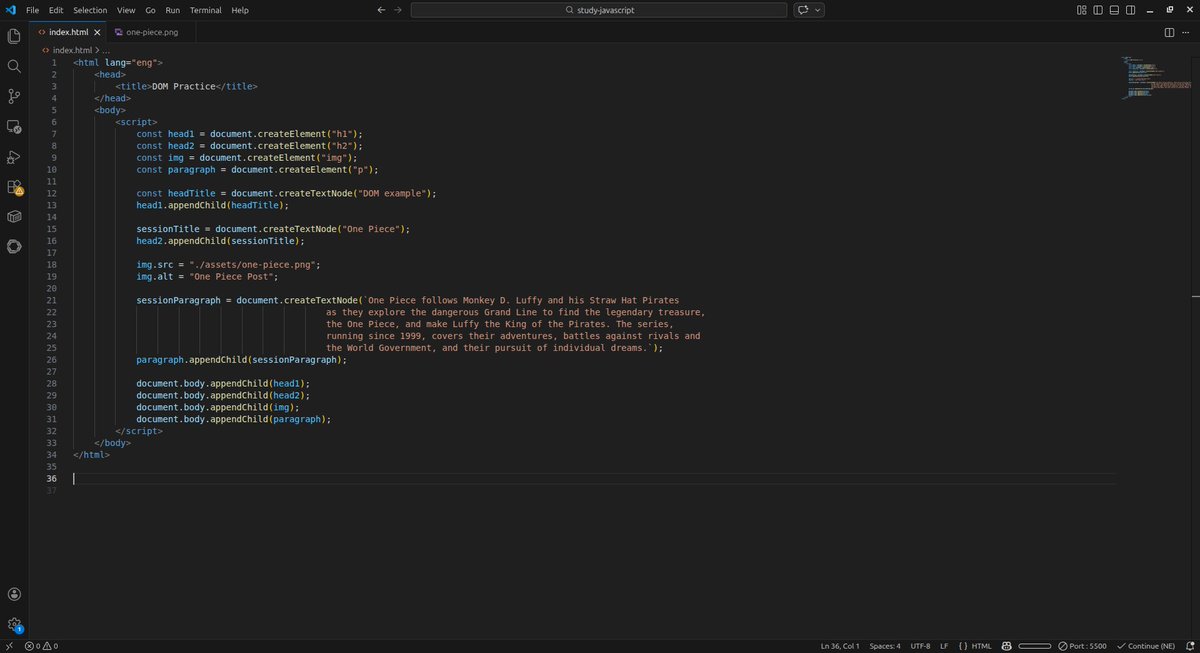
#100DiasDeCodigo [77/100]
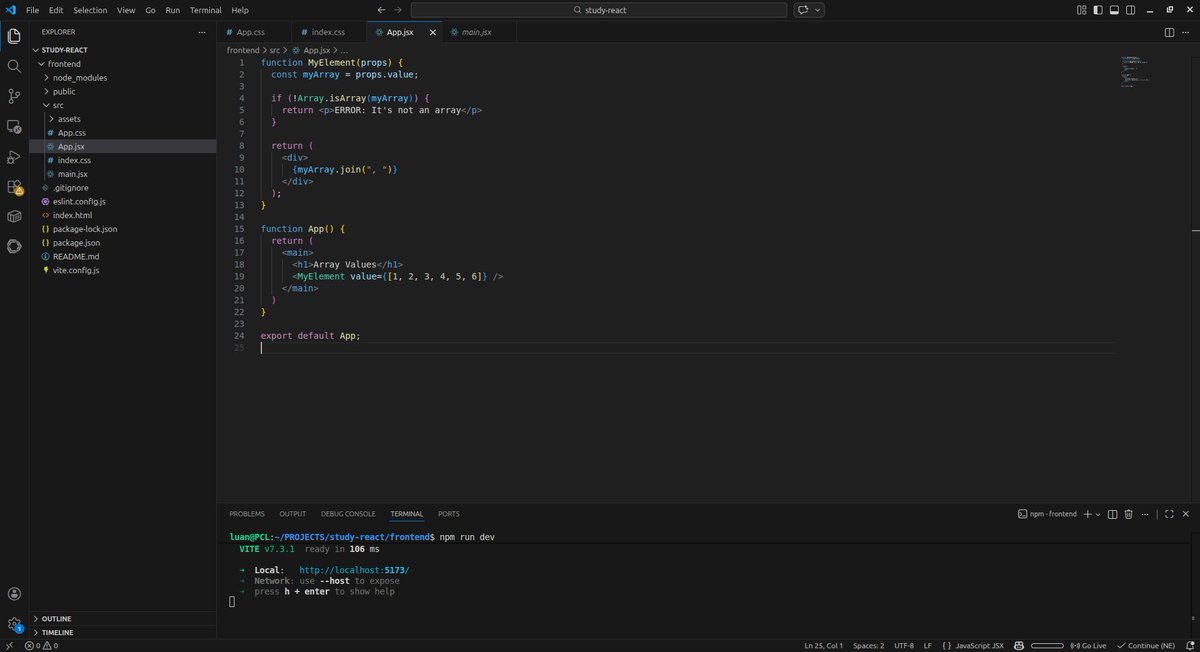
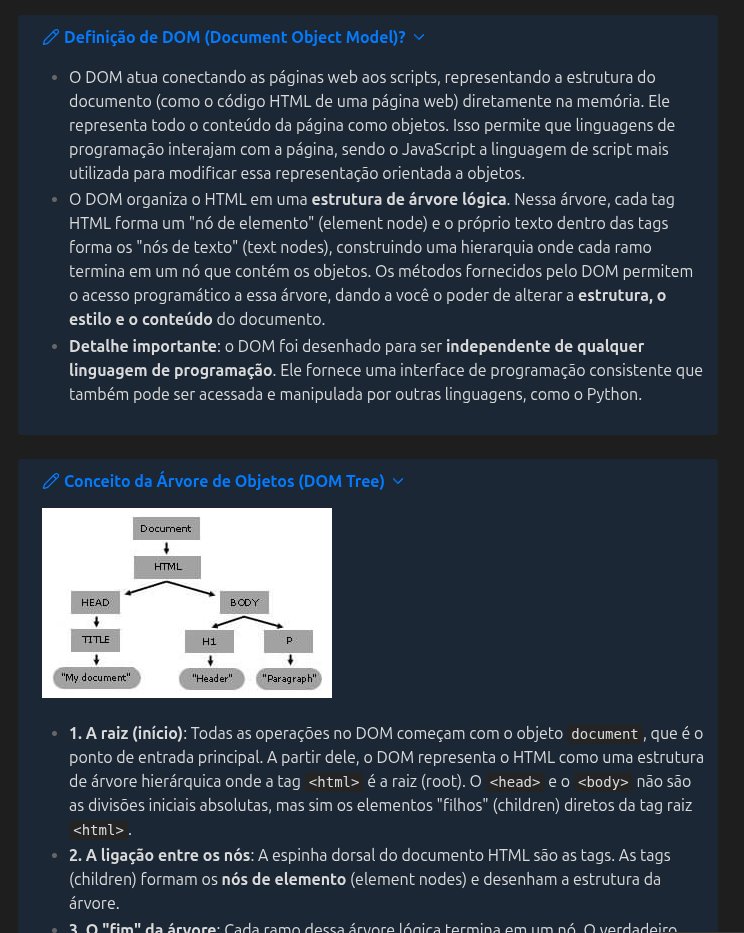
Estudei sobre o DOM e ReactDOM, entendi os conceitos sobre a manipulação da árvore de objetos e seu consumo na memória ram do navegador, além de praticar com uns exemplos simples pra visualizar melhor isso.
6
131