
To stop wasted renders, the best solution is structural: Move State Down.
If a text input updates frequently, don't put its state in <App />. Extract it into an isolated <TextInput />. Now only the input re-renders on keystrokes, leaving your heavy components untouched.
1
6


Jun 12
its fixed! will you let me know if the textinput keeps giving you issues?
1
1
29

Jun 12
Expo UI provides a controlled TextInput that supports synchronous updates without lag
docs.expo.dev/versions/lates…
1
39

Jun 11
Fluent UI 2 の Input を理解する — Textarea・Fluent UI Blazor TextInput / Number 比較とアクセシビリティ qiita.com/tomokusaba/items/0… #Qiita @tomo_kusabaより
1
99


こちらがマージされたら良いのですが…
github.com/facebook/react-na…
あとはExpo UIのTextInputを使うことで回避出来るかもしれません…!
docs.expo.dev/versions/lates…
1
2
62

#M5StackNew 🎉Tab5 Keyboard
Tab5 Keyboard is a 70-key physical keyboard input expansion module designed specifically for Tab5. It connects directly to the host via Tab5 Ext.Port1, enabling a plug-and-play input experience.
✅ Uses STM32F030C8T6 as the main control chip, designed for Tab5, plug and play via direct connection to the expansion port
✅ 14 x 5 matrix, supports multiple simultaneous key presses
✅ Three operating modes (Normal, HID, and Character) to meet diverse requirements
✅ I2C communication with low-latency reporting through an interrupt pin
✅ Onboard dual RGB LEDs for colorful status indication
🛒 Get Yours:
Shopify: bit.ly/4xeSzZR
AliExpress: bit.ly/4nT5Lz0
#M5Stack #M5StackNew #Tab5 #Keyboard #IoT #Hardware #Makers #HumanComputerInteraction #TextInput #PortableDevices
5
19
127
21,259

Didn't have time to study in depth
This new solution only works for Expo UI, right?
Although the shared TextInput component should be easy to adopt.
And the transformer lib requires a <TransformerTextInput> wrapper
1
4
629


Completing Backlog Day 2
Completed Class 3 of React Native Init.
Learned the basics of React Native and Expo, including project setup, core components.
Covered components like
• View
• Text
• TextInput
• Pressable
• ScrollView
• Switch
• FlatList
• KeyboardAvoidingView

1
5
135
May 13
you can validate on each keystroke using a worklet callback and updating the native state in it.
e.g. docs.expo.dev/versions/v56.0…
also we shipped universal TextInput so it works on iOS/Android/web
docs.expo.dev/versions/v56.0…
4
144

May 12
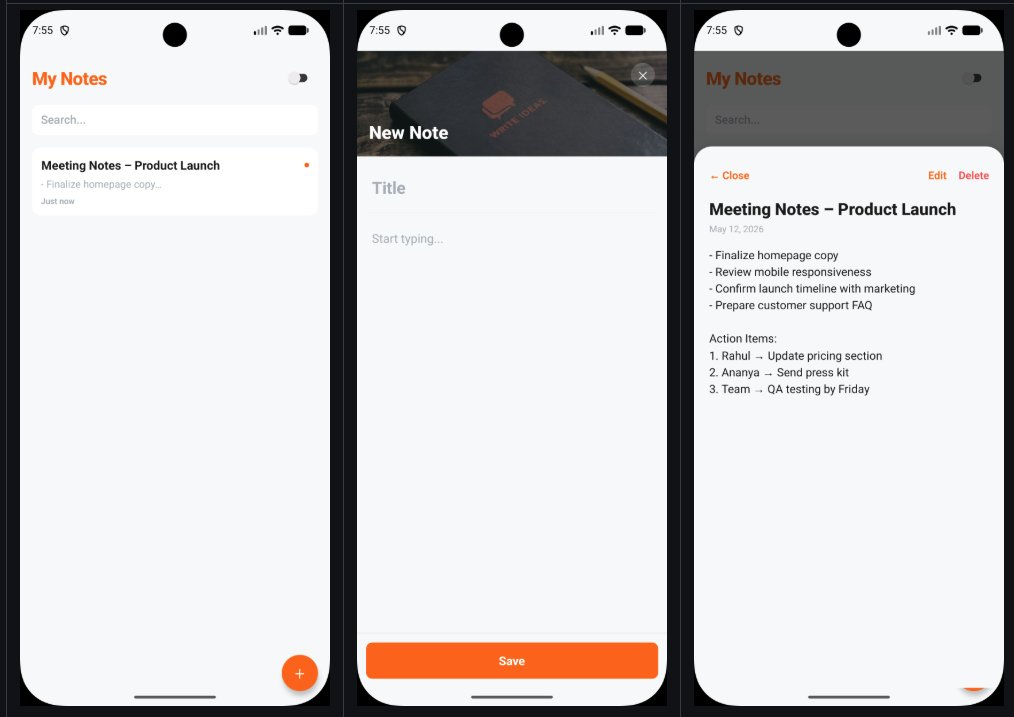
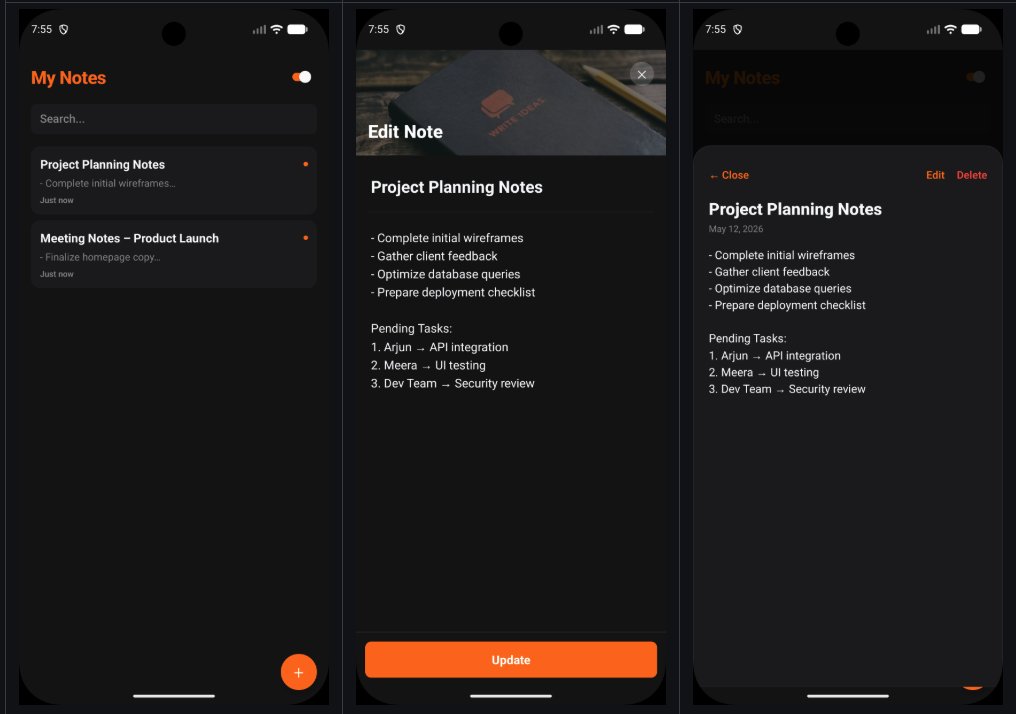
Completed the assignment of note making app. By this i explored these core components: SafeAreaView, Switch, FlatList, TextInput, KeyboardAvoidingView, ImageBackground etc and also Responsive Layout. repo in comm.
@nirudhuuu @surajtwt_ @ChaiCodeHQ @Hiteshdotcom
1
5
180

First React Native assignment completed 🎉📱( a bit late post)
Learned:
• View, Text, TextInput, Image
• TouchableOpacity
• ScrollView & KeyboardAvoidingView
• Component-based UI 🧩
Thanks @surajtwt_ @nirudhuuu @Hiteshdotcom
#ReactNative #ChaiCode
19
236

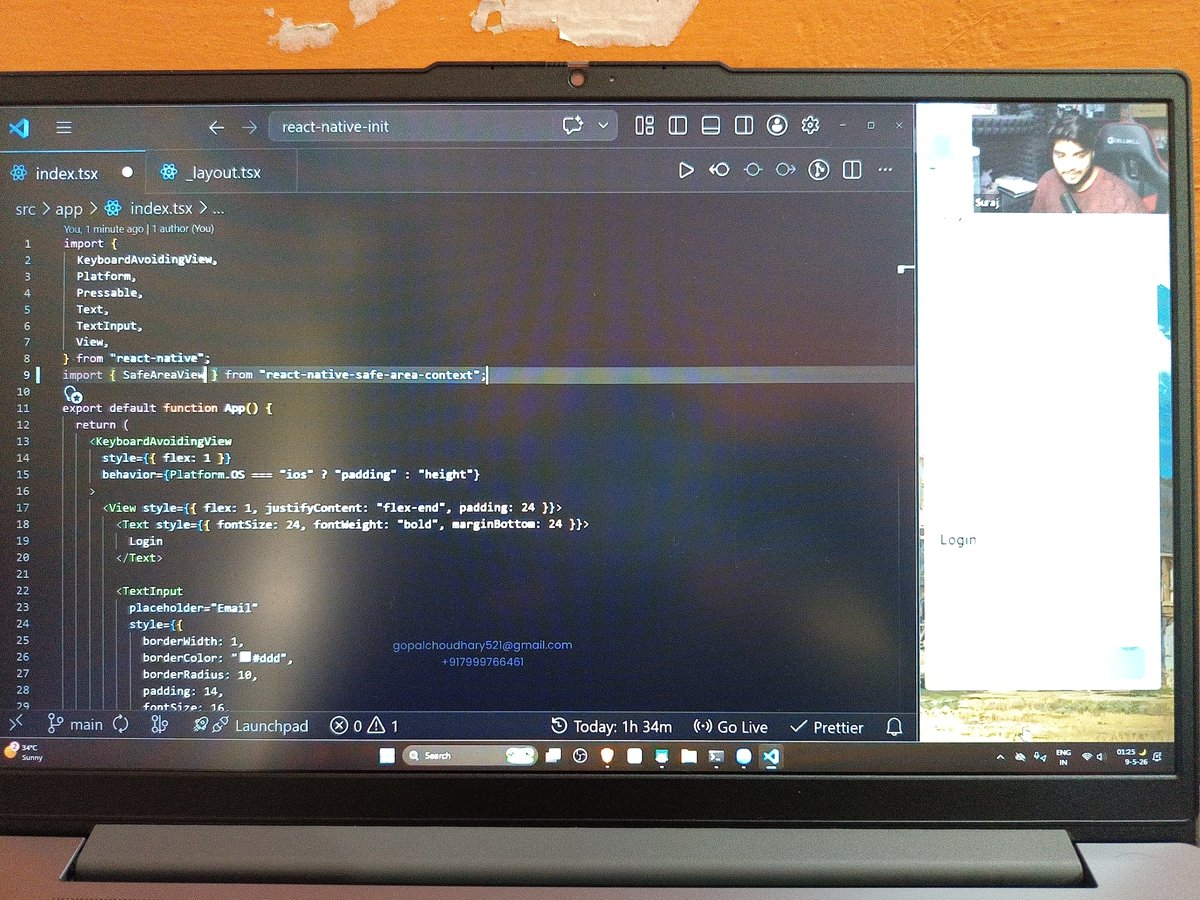
Missed the 3rd live class of mobile dev but today saw the recording
Topics are core react native components - View, Text, TextInput, Pressable, Flatlist, ScrollView
@surajtwt_ @Hiteshdotcom @nirudhuuu @piyushgarg_dev @yntpdotme
21
188

May 9
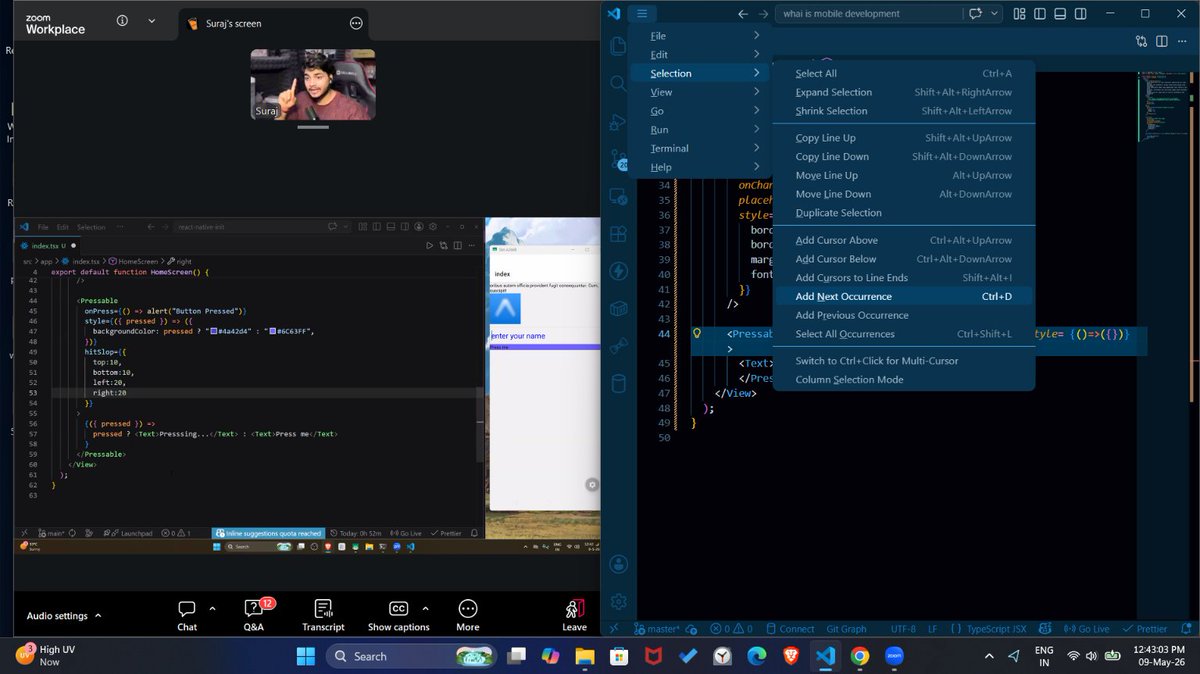
Mobile Dev Cohort — Class 3 ✅
We're going mobile! 📱🔥
🧩 Native vs Cross-Platform explained
⚛️ Core React Native components with Expo:
↳ View, Text, Image
↳ TextInput, Pressable, ScrollView
↳ Button, Switch & more!
Same React brain — new platform 🤯
With @surajtwt_ sir 🙌
@ChaiCodeHQ @Hiteshdotcom @piyushgarg_dev @nirudhuuu @BlazeisCoding @yntpdotme
#chaicode #ReactNative #Expo #MobileDevelopment #LearningInPublic

5
64

Done with suraj sir's assignment.
Assignment was to replicate a mobile app screen gave by @surajtwt_
BTW great class and a lots of things learnt.
N.B. - later added autoFocus prop to the email TextInput.
@ChaiCodeHQ @Hiteshdotcom @nirudhuuu
2
1
14
301

I didn't add the KeyboardAvoidingView diagram in previous tweet, so here's an overview:
If you have a TextInput on the lower half of your screen, the keyboard will cover it. The fix is the behavior prop, which takes "padding", "height", or "position".
Here is how it differs across OS:
🤖 Android: "height" -> it shrinks the height of the view.
🍎 iOS: "padding" -> it adds bottom padding equivalent to the keyboard's height.
To do this intelligently, use the "Platform" API to detect the OS and assign the behavior dynamically!
behavior={Platform.OS === 'ios' ? 'padding' : 'height'}

Wrapped up another session of Mobile Dev Cohort.
Topics covered:
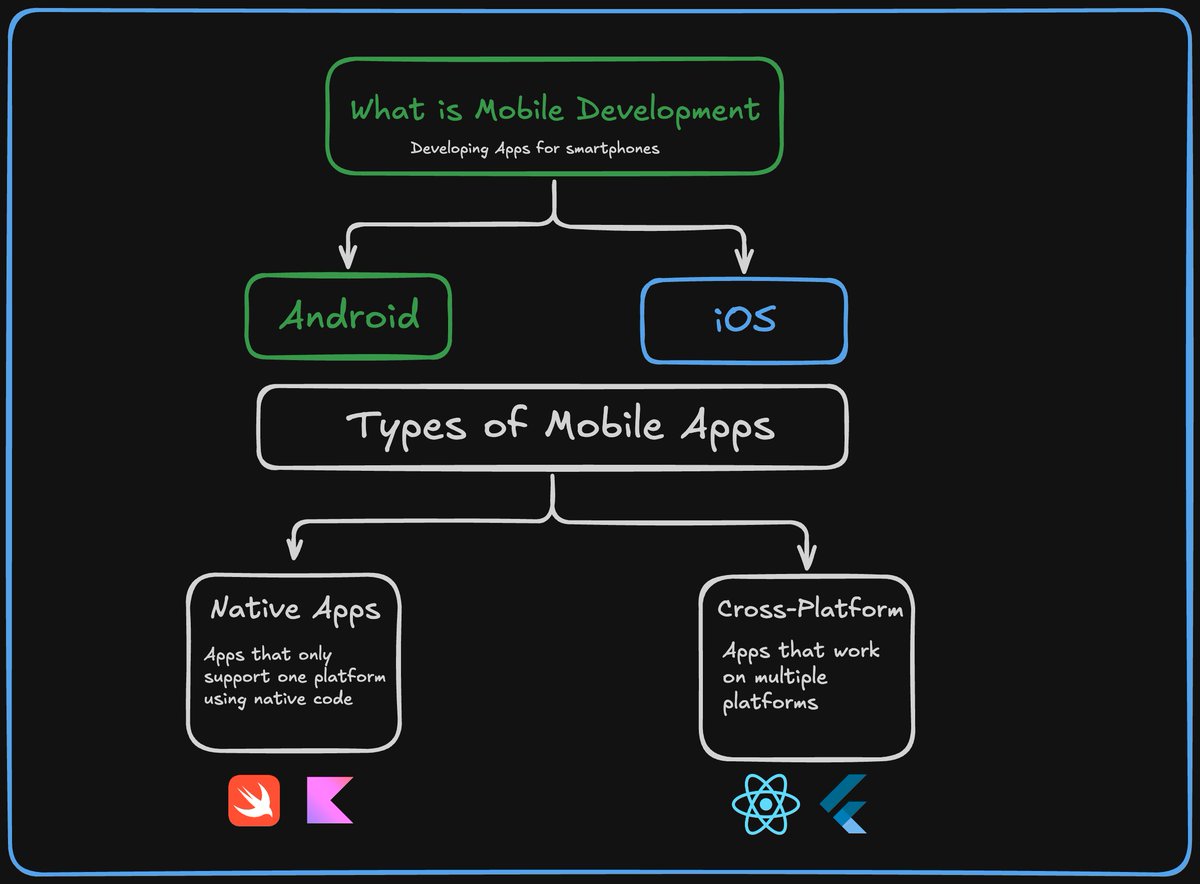
✅ What is mobile development
✅ Types of Mobile Apps
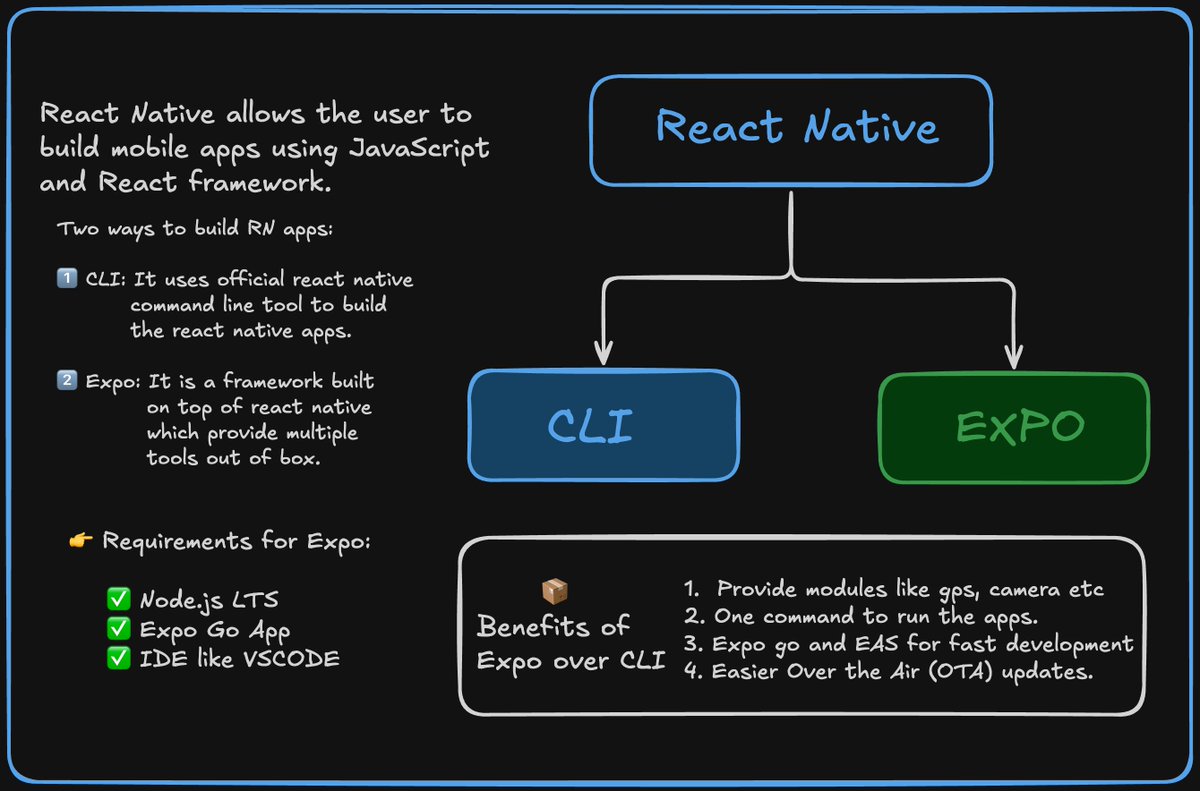
✅ Intro to React Native & Expo
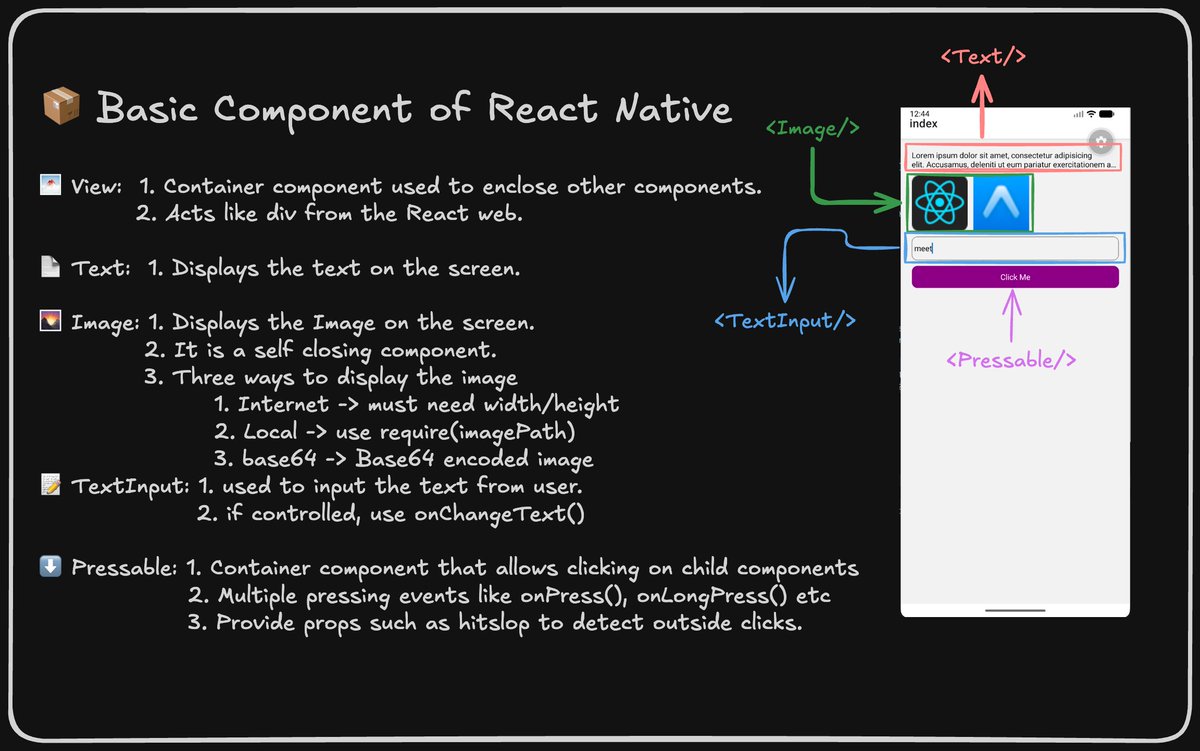
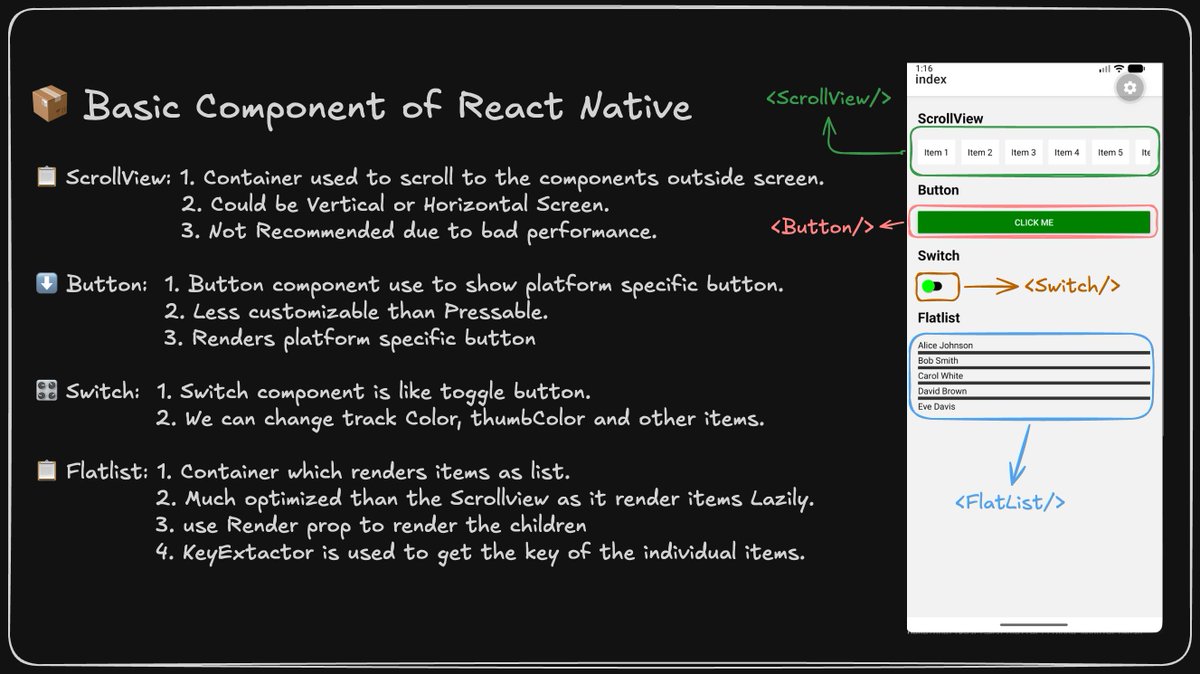
✅ Basic react native components like Text, Button, Scrollview, Flatlist
Thanks @surajtwt_, @nirudhuuu, @Hiteshdotcom and @ChaiCodeHQ team. #chaicode
5
91

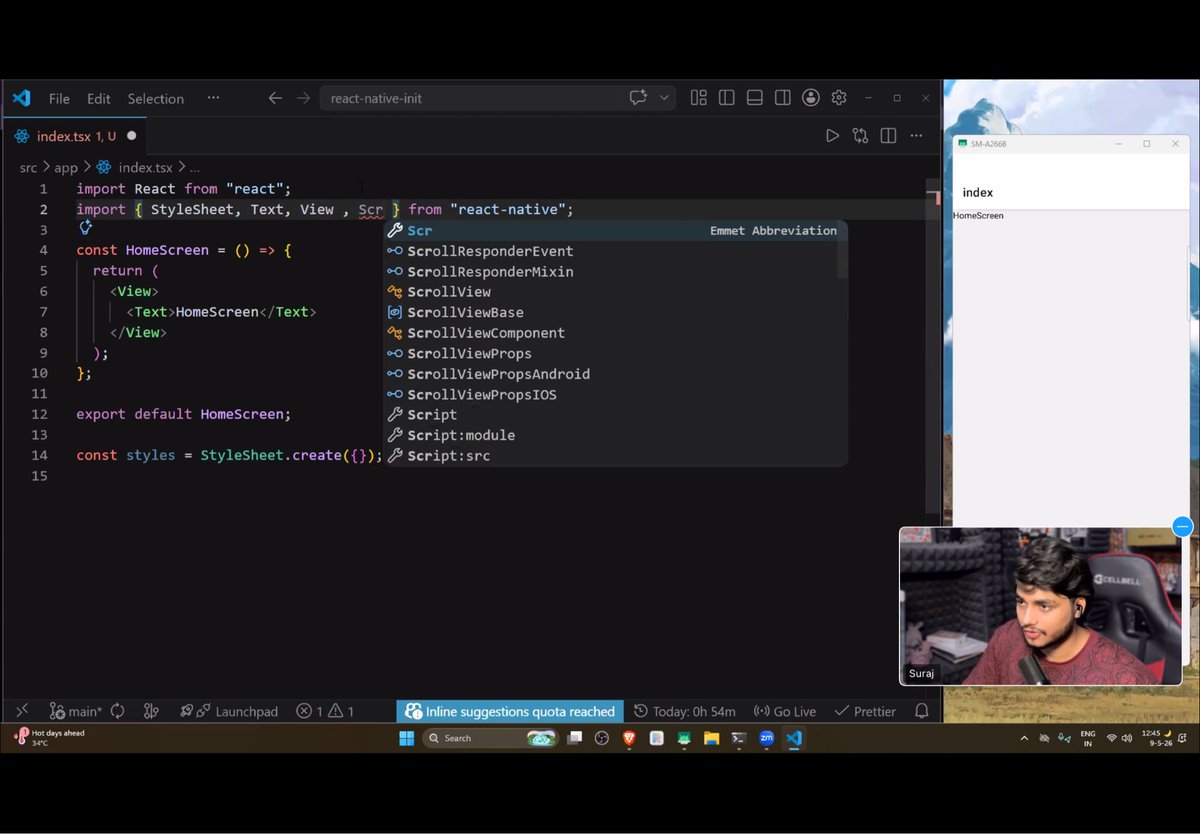
Day 3 of learning React Native with @surajtwt_ Sir at @ChaiCodeHQ Learned about Expo setup, project structure, and components like View, Text, Image, TextInput, FlatList, ScrollView, Pressable, etc. Too many new things today, need practice alot
6
58

May 9
Today Mobile development class done, learn about react native core components:
Text, View, Image,Pressable, Button, Switch, FlatList,TextInput, Scrollview KeyboardAvoidingView, SafeAreaView
@Hiteshdotcom @surajtwt_ @nirudhuuu @ChaiCodeHQ #chaicode

10
126