
Architectural Design Software
Joined June 2009
- Tweets 2,246
- Following 97
- Followers 777
- Likes 41
1,249 Photos and videos











Tech Call of the Week:
I can't get all of my speed notes and room names to show in Electrical mode. How do I make sure everything appears?
Solution:
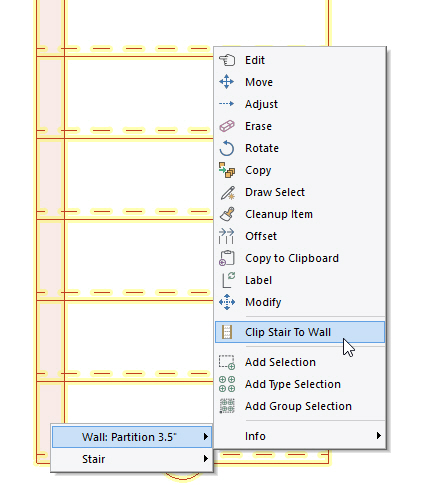
Switch the drawing back to Drawing mode and Edit each of the Speed Notes. From the Common tab, make sure "Visible In All Modes" is enabled.
youtube.com/watch?v=WFo9hdOq…
1
41
SoftPlan | web3d | Featured Project
softplan.com/web3d/display_m…
Created by Jeremy Martin and published with SoftPlan .
Visit the complete web3d public gallery: softplan.com/web3d/web3d.php
1
32
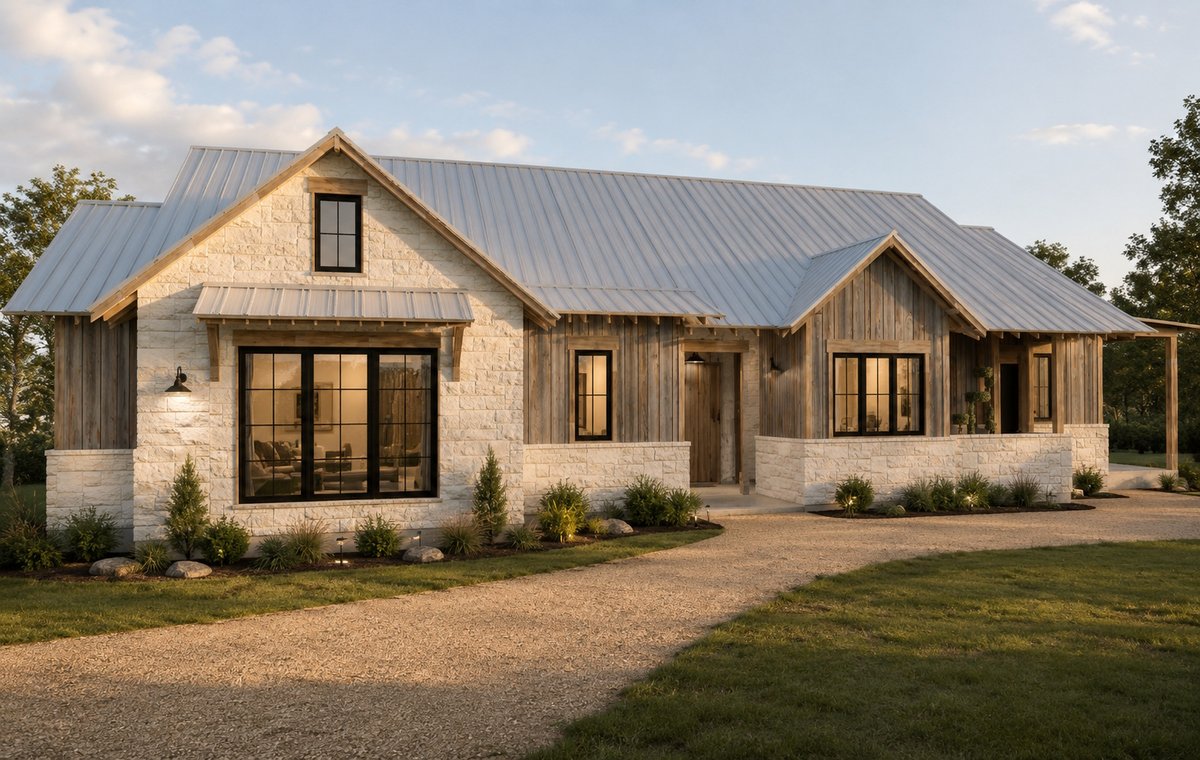
SoftPlan AI Enhanced Render
Sussex Construction | Montana City, MT | sussexconstruction.com/
1
128
Tech Call of the Week:
How do I make a copy of a Plan Set?
Solution:
Right-click the original Plan Set in the Navigation bar and choose 'Save As Template.' When creating a new Plan Set (in this project or another), set the Method to Template and select the Plan Set Template.
youtube.com/watch?v=9x7rxBME…
1
373
SoftPlan | web3d | Featured Project
softplan.com/web3d/display_m…
Created by Jeremy Martin and published with SoftPlan .
Visit the complete web3d public gallery: softplan.com/web3d/web3d.php
1
62
Tech Call of the Week:
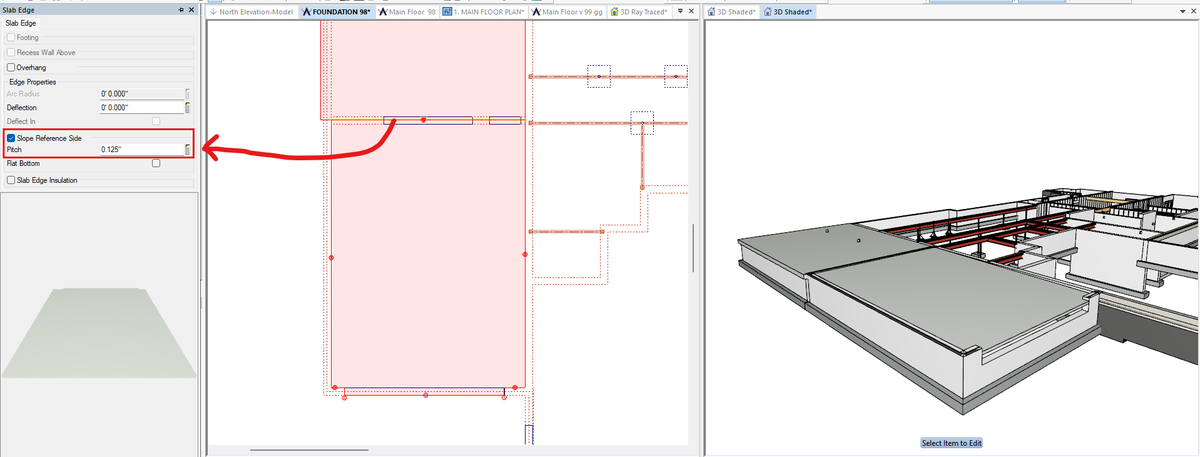
I want my garage floor to slope towards the garage door. How do I do this?
Solution:
To slope a slab, Edit the high edge of the slab and enable the "Slope Reference Side" option. In this case, Edit the top edge of the the slab and it will slope down from that edge at the specified pitch.
91
SoftPlan AI Enhanced Render
Grand Home Designs | Fort Worth, TX | grandhomedesigns.com/
1
270
SoftPlan AI Enhanced Render
John McCune Construction | Los Gatos, CA | johnmccuneconstruction.com/
1
72
SoftPlan | web3d | Featured Project
softplan.com/web3d/display_m…
Created by Chrisha Potter and published with SoftPlan .
Visit the complete web3d public gallery: softplan.com/web3d/web3d.php
2
76
Tech Call of the Week:
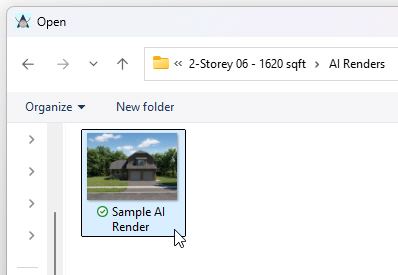
Can you tell me how I can bring AI renderings into my plan set ?
Solution:
In your AI Enhanced Render gallery, locate the rendering you want to import into the plan set and click the download button (lower right of each image). The image is saved into an AI Renders folder found within the project's folder.
You can then open a new or existing drawing file or plan set page and select File > Import > Image. Navigate to the projects folder, open the AI Renders folder, and select the downloaded image file to import.
1
131
SoftPlan Training | Barndominium
There is a new collection of tutorial videos on how to create a Barndominium in the SoftPlan Training Video Library. The full training library can be accessed from the Start Page of SoftPlan.
Click the link to view a sample chapter:
youtube.com/watch?v=YG-uH29V…
1
153
SoftPlan AI Enhanced Render
Goody's Home Design | Manheim, PA | goodyshomedesign.com/
1
175
SoftPlan | web3d | Featured Project
softplan.com/web3d/display_m…
Created by Ryan Reasoner and published with SoftPlan .
Visit the complete web3d public gallery: softplan.com/web3d/web3d.php
1
81
Coming Next Week | SoftPlan Training | Roof Design Class
Link to sign up: softplan.com/?page_id=35
SoftPlan's Roof Design class will teach you the advanced skills you need to design beautiful roofs. This class will be held May 5th - 8th.
SoftPlan’s live online training classes allow you to learn SoftPlan from the convenience of your own office. These content-rich webinars are taught by our knowledgeable training staff and are conducted using our newest version, SoftPlan 2026!
46