
Joined January 2026
- Tweets 112
- Following 225
- Followers 7
- Likes 338
11 Photos and videos




Pinned Tweet

Jan 13
As @GeorgeKirikos said, "If $2.5 million per year is a feasible investment for a company to lease a domain name, for a company worth a mere $240 million, how much can much larger enterprises justify investing ... " freespeech.com/2023/12/06/vi… sec.gov/Archives/edgar/data/… Page 13, note 7
2
3,319
Absolute Return retweeted

May 16
Pair of 7-Figure Domain Sales Uncovered By George Kirikos (Including One of All Time Top 20 Reported) Lead the Pack On Latest Charts: dnjournal.com/archive/domain…

1
13
41
2,329
Absolute Return retweeted

May 14
Not every domain deal starts on SellerHub.
But now more of them can close the SellerHub way: fast, secure, and on better terms.
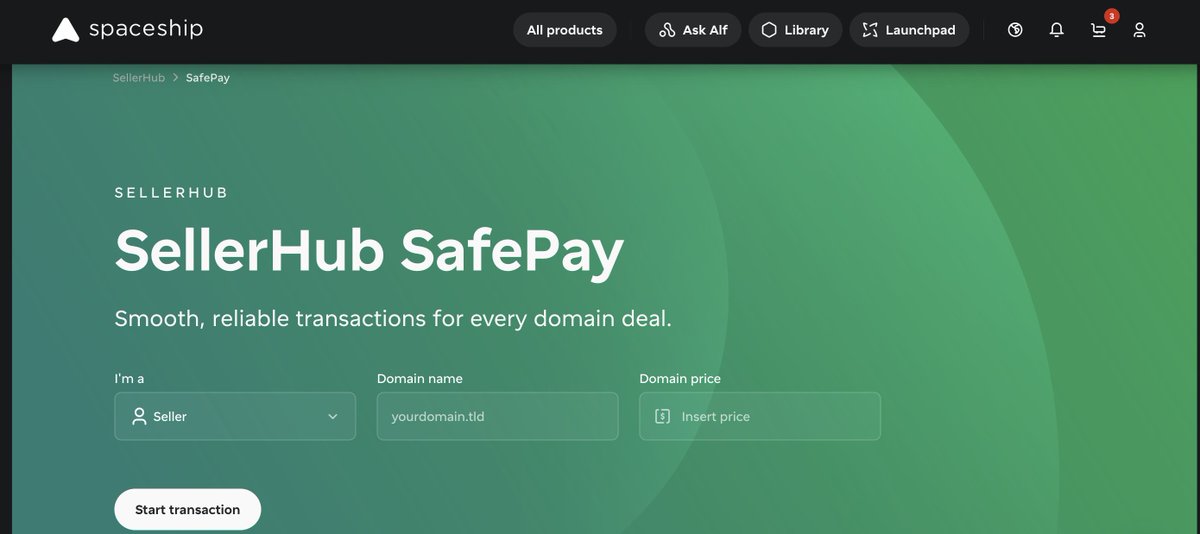
🚀Meet SafePay, built for deals agreed outside SellerHub.
What it brings:
- Flexible payment options (credit cards, wire transfers, PayPal, BTCPay, etc.)
- Secure transactions
- Fast payouts and domain transfer
- Up to 5% commission and your choice of commission split
So if your next deal happens outside SellerHub, SafePay is ready for it.
🔗Save the link: spaceship.com/sellerhub/safe…

Just released SafePay for Sellerhub. Now both buyers and sellers can easily start a transaction to buy or sell a domain name. Domains paid by wire and BTC payments are processed at 3%. Option to split the commission in a variety of ways is available as well!
8
6
81
7,471
Absolute Return retweeted
May 14
SafePay allows you to complete domain transactions even if the deal was negotiated outside of Spaceship or the domain is not yet listed in SellerHub. You can check it out here: spaceship.com/sellerhub/safe…
1
14
420
Absolute Return retweeted

Just released SafePay for Sellerhub. Now both buyers and sellers can easily start a transaction to buy or sell a domain name. Domains paid by wire and BTC payments are processed at 3%. Option to split the commission in a variety of ways is available as well!
40
36
247
12,988
May 12
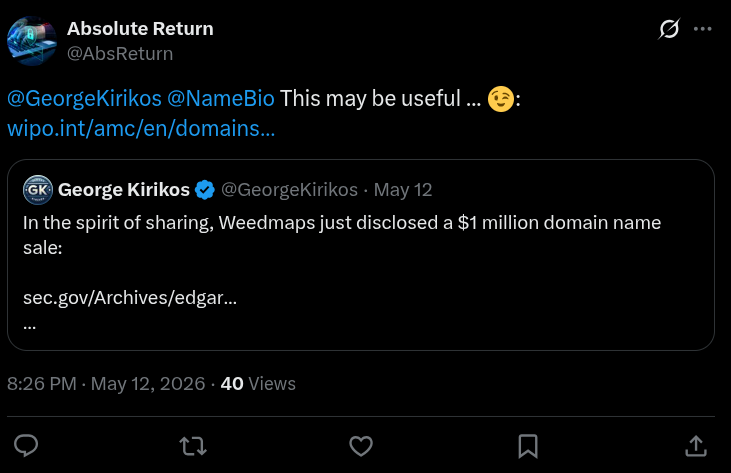
As firstly discovered by @GeorgeKirikos,
HighLevel.com was sold for $1,000,000 USD in Q1 2026 by @weedmaps (WM Technology). Seller got hit by a UDRP in 2025 after turning down a $200k offer from Highlevel Inc., Dallas, TX. Complainant lost, then purchased it for 5x.
ALT https://www.sec.gov/Archives/edgar/data/1779474/000177947426000023/maps-20260331.htm
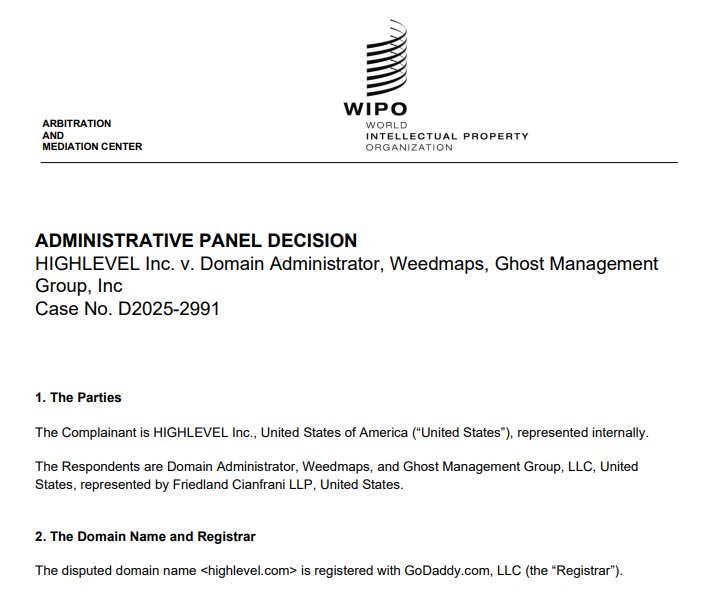
ALT https://www.wipo.int/amc/en/domains/decisions/pdf/2025/d2025-2991.pdf
2
13
57
9,085
Absolute Return retweeted
Apr 3
Another SellerHub update🚀
You can now create Checkout links for LTO deals and choose how the commission is split.
SellerHub → Domains, click the domain you need, then in the menu that opens on the right choose Generate checkout link → LTO.
Here's to many more sales ahead🤞
11
8
83
2,658
Absolute Return retweeted
Mar 27
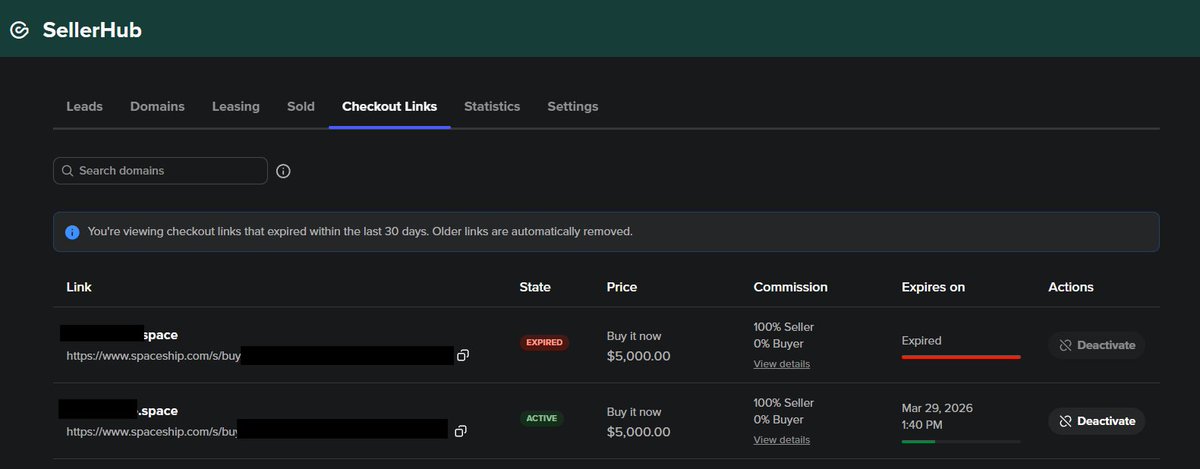
Another SellerHub update: Checkout links management - ✅
Now you can:
- see the domain and its checkout link;
- view the price, commission, and commission split;
- check if a link is active or expired, plus its expiration date;
- deactivate a link when needed.
Go to SellerHub → Checkout Links
Or open it here: spaceship.com/application/se…
Next up: Checkout links for LTO🚀
17
14
102
7,526

Absolute Return retweeted
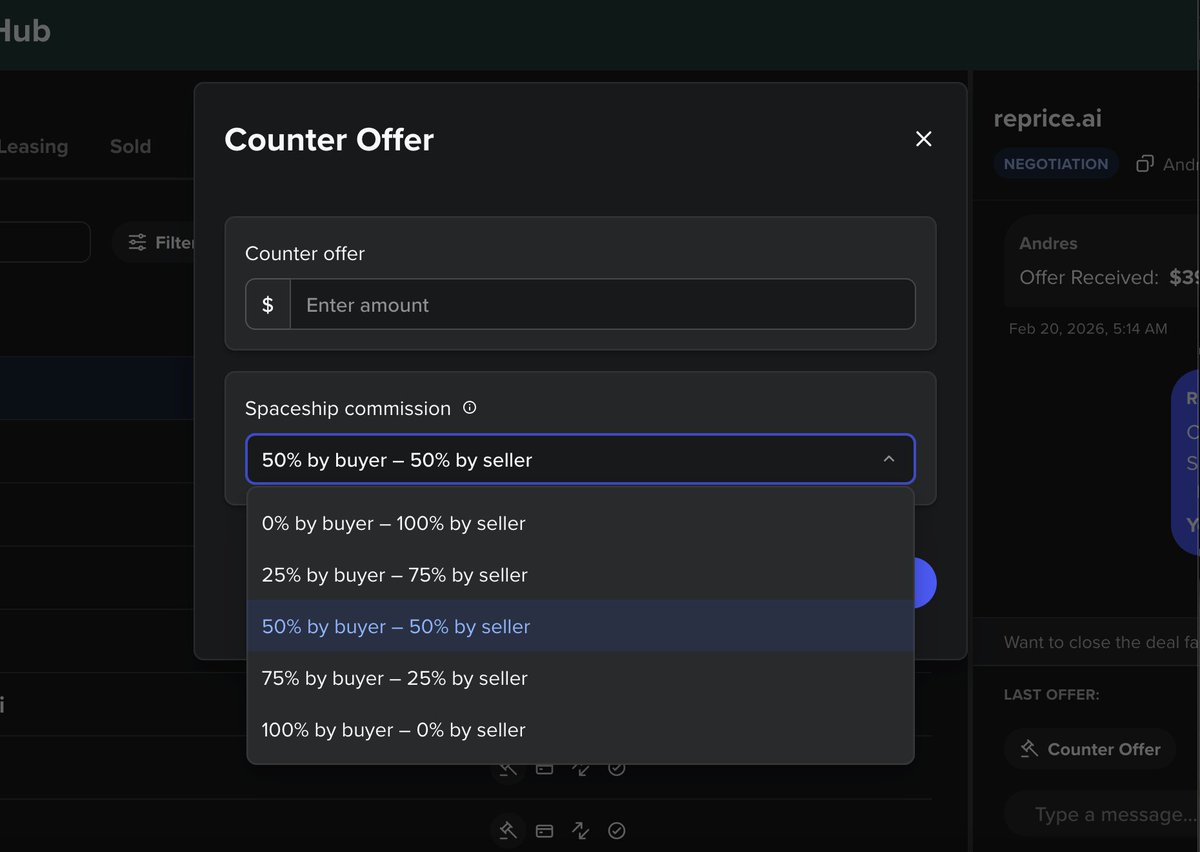
Live! You can now negotiate who pays commission on Spaceship's Sellerhub for make offer, LTO and check out link deals for your domain sales.
24
17
131
7,317
Feb 20
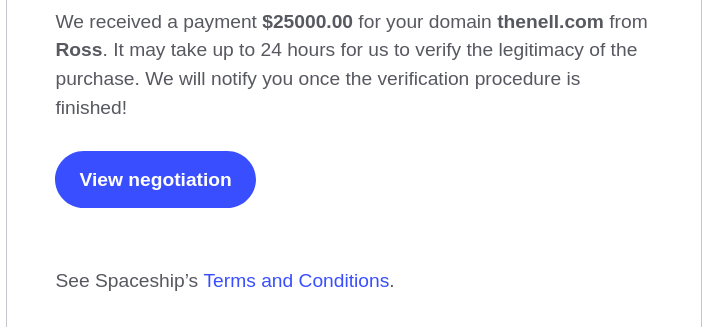
Just closed a nice, little sale via @spaceship: thenell.com for $25,000 USD.
Thanks @namecheapceo123 and all the amazing @spaceship team.👍
Ever upward! 🚀😃
2
10
148
2,182
Absolute Return retweeted
Feb 19
Led by the $70 Million Sale of AI.com and a $400,000 .AI, .Com and .AI Domains Swept 19 of 20 Positions on the Latest DNJournal Chart: dnjournal.com/archive/domain…

4
23
74
4,064

A founder-led buyout of Canadian luxury fashion retailer Ssense obtained court approval, despite a group of lenders seeking to block the deal and pushing for a liquidation process to recover more money. bloomberg.com/news/articles/…
3
2
7
8,700
Absolute Return retweeted

Feb 18
We spent $125,000 on one extra letter.
Durable.co is now Durable.com.
Over three million people have used Durable to start and grow their independent business.
It's time our domain name matched our ambitions.
We're launching something big soon to help the next 30 million grow theirs even faster.
durable.com
71
50
383
29,550
Absolute Return retweeted

Feb 14
𝗜𝗩𝗙.𝗰𝗼𝗺 𝗟𝗲𝘁’𝘀 𝗿𝗲𝗺𝗼𝘃𝗲 𝗮𝗹𝗹 𝘁𝗵𝗲 𝗳𝗹𝘂𝗳𝗳. 👇
IVF.com is $1.5M.
𝗧𝗵𝗮𝘁 𝗶𝘀 𝗹𝗲𝘀𝘀 𝘁𝗵𝗮𝗻 𝘄𝗵𝗮𝘁 𝗺𝗮𝗻𝘆 𝗳𝗲𝗿𝘁𝗶𝗹𝗶𝘁𝘆 𝗴𝗿𝗼𝘂𝗽𝘀 𝘀𝗽𝗲𝗻𝗱 𝗼𝗻 𝗣𝗣𝗖 𝗶𝗻 𝗮 𝘀𝗶𝗻𝗴𝗹𝗲 𝘆𝗲𝗮𝗿. 💰
Now let’s talk reality.
The global in vitro fertilization industry is high-ticket, high-intent, emotionally urgent.
Patients don’t casually browse.
They search one word:
IVF. 🔎
𝗧𝗵𝗲 𝗼𝘄𝗻𝗲𝗿 𝗼𝗳 𝗜𝗩𝗙.𝗰𝗼𝗺 𝗽𝗲𝗿𝗺𝗮𝗻𝗲𝗻𝘁𝗹𝘆 𝗰𝗼𝗻𝘁𝗿𝗼𝗹𝘀 𝘁𝗵𝗲 𝗵𝗶𝗴𝗵𝗲𝘀𝘁-𝗶𝗻𝘁𝗲𝗻𝘁 𝗱𝗶𝗴𝗶𝘁𝗮𝗹 𝗱𝗼𝗼𝗿𝘄𝗮𝘆 𝗮𝗻𝗱 𝗹𝗲𝗮𝗱 𝗴𝗲𝗻𝗲𝗿𝗮𝘁𝗶𝗼𝗻 𝗽𝗹𝗮𝘁𝗳𝗼𝗿𝗺 𝗶𝗻 𝘁𝗵𝗲 𝗲𝗻𝘁𝗶𝗿𝗲 𝗶𝗻𝗱𝘂𝘀𝘁𝗿𝘆.
𝗡𝗼𝘁 𝗿𝗲𝗻𝘁 𝗶𝘁.
𝗢𝘄𝗻 𝗶𝘁. 🏆
No more escalating Google Ads costs.
No more bidding wars.
No more watching cost-per-lead climb quarter after quarter. 📈
When you own the exact-match, category-defining domain, the traffic comes to you.
Daily.
Weekly.
Monthly.
Year after year. 🔁
And in IVF — where treatment cycles often range from $15,000–$40,000 💵 and lifetime value can be far higher — 𝘁𝗵𝗲 𝗥𝗢𝗜 𝗺𝗮𝘁𝗵 𝗯𝗲𝗰𝗼𝗺𝗲𝘀 𝗼𝗯𝘃𝗶𝗼𝘂𝘀 𝘃𝗲𝗿𝘆 𝗾𝘂𝗶𝗰𝗸𝗹𝘆.
𝗖𝗮𝗽𝘁𝘂𝗿𝗲 𝗲𝘃𝗲𝗻 𝗮 𝗳𝗿𝗮𝗰𝘁𝗶𝗼𝗻 𝗼𝗳 𝗴𝗹𝗼𝗯𝗮𝗹 𝗱𝗶𝗿𝗲𝗰𝘁-𝗻𝗮𝘃𝗶𝗴𝗮𝘁𝗶𝗼𝗻 𝗮𝗻𝗱 𝗼𝗿𝗴𝗮𝗻𝗶𝗰 𝗰𝗮𝘁𝗲𝗴𝗼𝗿𝘆 𝘁𝗿𝗮𝗳𝗳𝗶𝗰 𝗮𝗻𝗱 𝘁𝗵𝗲 𝗿𝗲𝘁𝘂𝗿𝗻 𝗶𝘀 𝗺𝗮𝘀𝘀𝗶𝘃𝗲. 🚀
This is not branding.
This is lead-flow infrastructure.
𝗔𝘁 $𝟭.𝟱𝗠, 𝗜𝗩𝗙.𝗰𝗼𝗺 𝗶𝘀 𝗽𝗿𝗶𝗰𝗲𝗱 𝗯𝗲𝗹𝗼𝘄 𝘁𝗵𝗲 𝘃𝗮𝗹𝘂𝗲 𝗶𝘁 𝘄𝗶𝗹𝗹 𝗴𝗲𝗻𝗲𝗿𝗮𝘁𝗲 𝗳𝗼𝗿 𝘁𝗵𝗲 𝗿𝗶𝗴𝗵𝘁 𝗼𝗽𝗲𝗿𝗮𝘁𝗼𝗿....𝗶𝗻 𝘁𝗵𝗲 𝘃𝗲𝗿𝘆 𝗳𝗶𝗿𝘀𝘁 𝘆𝗲𝗮𝗿!
𝗧𝗵𝗲𝗿𝗲 𝗶𝘀 𝗼𝗻𝗹𝘆 𝗼𝗻𝗲 𝗲𝘅𝗮𝗰𝘁-𝗺𝗮𝘁𝗰𝗵 𝗴𝗹𝗼𝗯𝗮𝗹 𝗱𝗶𝗴𝗶𝘁𝗮𝗹 𝗯𝗿𝗮𝗻𝗱 𝗳𝗼𝗿 𝘁𝗵𝗲 𝗶𝗻𝗱𝘂𝘀𝘁𝗿𝘆.
𝗜𝗩𝗙.𝗰𝗼𝗺.
𝗪𝗵𝗼𝗲𝘃𝗲𝗿 𝗮𝗰𝗾𝘂𝗶𝗿𝗲𝘀 𝗶𝘁 𝗰𝗼𝗻𝘁𝗿𝗼𝗹𝘀 𝘁𝗵𝗲 𝗹𝗲𝗮𝗱 𝗴𝗲𝗻𝗲𝗿𝗮𝘁𝗶𝗼𝗻 𝗿𝗮𝗰𝗲. 🌎
𝗪𝗵𝗮𝘁 𝘄𝗼𝘂𝗹𝗱 𝟱𝟬𝟬 𝘁𝗼 𝟭,𝟬𝟬𝟬 𝗮𝗱𝗱𝗶𝘁𝗶𝗼𝗻𝗮𝗹 𝗰𝗹𝗶𝗲𝗻𝘁𝘀 𝗺𝗲𝗮𝗻 𝘁𝗼 𝘆𝗼𝘂𝗿 𝗼𝗿𝗴𝗮𝗻𝗶𝘇𝗮𝘁𝗶𝗼𝗻𝘀 𝗯𝗼𝘁𝘁𝗼𝗺 𝗹𝗶𝗻𝗲 𝗲𝘃𝗲𝗿𝘆 𝘆𝗲𝗮𝗿?
𝗦𝗲𝗿𝗶𝗼𝘂𝘀 𝗶𝗻𝗾𝘂𝗶𝗿𝗶𝗲𝘀 𝗼𝗻𝗹𝘆.
𝗙𝗠@𝗢𝗺𝗻𝗶𝗪𝗼𝗿𝗹𝗱𝗠𝗲𝗱𝗶𝗮.𝗰𝗼𝗺
𝗪𝗲 𝗮𝗿𝗲 𝗻𝗼𝘄 𝗶𝗻 𝟴 𝗱𝗶𝘀𝗰𝘂𝘀𝘀𝗶𝗼𝗻𝘀, 𝗮𝗻𝗱 𝘄𝗵𝗶𝗹𝗲 𝘄𝗲 𝗮𝗿𝗲 𝗷𝘂𝘀𝘁 𝘀𝘁𝗮𝗿𝘁𝗶𝗻𝗴 𝗺𝗼𝗻𝘁𝗵 𝟰 𝗼𝗳 𝗼𝘂𝘁𝗿𝗲𝗮𝗰𝗵, 𝘄𝗲 𝘂𝗻𝗱𝗲𝗿𝘀𝘁𝗮𝗻𝗱 𝗯𝗼𝗮𝗿𝗱 𝗮𝗽𝗽𝗿𝗼𝘃𝗮𝗹 𝗮𝗻𝗱 𝗺𝗮𝗿𝗸𝗲𝘁𝗶𝗻𝗴 𝗱𝗶𝘀𝗰𝘂𝘀𝘀𝗶𝗼𝗻𝘀 𝗮𝗻𝗱 𝗰𝗼𝗻𝘀𝗶𝗱𝗲𝗿𝗮𝘁𝗶𝗼𝗻𝘀 𝘁𝗮𝗸𝗲 𝘁𝗶𝗺𝗲.
𝗥𝗲𝗴𝗮𝗿𝗱𝗹𝗲𝘀𝘀 𝗼𝗳 𝗵𝗼𝘄 𝗼𝗯𝘃𝗶𝗼𝘂𝘀 𝘁𝗵𝗲 𝗼𝗽𝗽𝗼𝗿𝘁𝘂𝗻𝗶𝘁𝘆 𝗶𝘀, 𝗮𝗻𝗱 𝘄𝗵𝗮𝘁 𝗶𝘀 𝗮𝘁 𝘀𝘁𝗮𝗸𝗲.
𝗧𝗵𝗲 𝗯𝗿𝗮𝗻𝗱 𝘄𝗶𝗹𝗹 𝘀𝗼𝗼𝗻 𝗯𝗲 𝗽𝗹𝗮𝗰𝗲𝗱.

4
3
27
1,030
Absolute Return retweeted

Feb 13
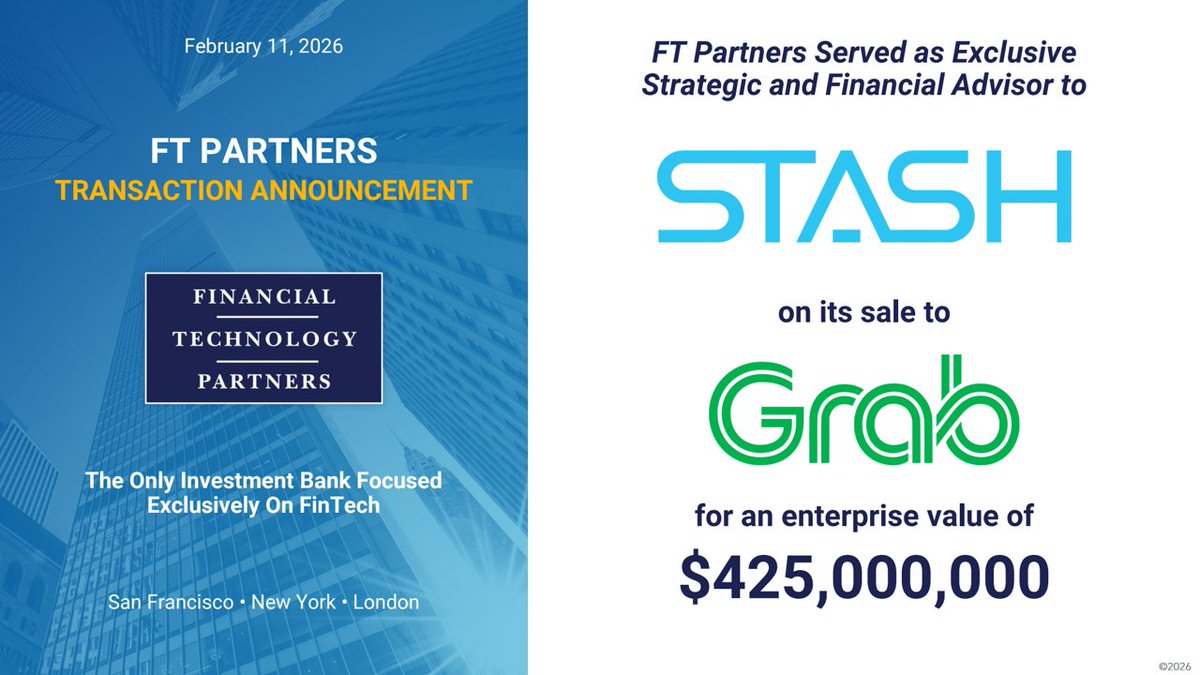
💵 Stash․com Acquired By Grab․com
💰 Stash: We make it easy to start your investing journey
🚚 Grab: Southeast Asia's leading superapp. It provides everyday services like Deliveries, Mobility, Financial Services, and More.
Feb 11

FT Partners is pleased to announce our role as strategic and financial advisor to @Stash, an AI-powered investing app, on its sale to Grab (@InsideGrab), a leading super-app in Southeast Asia, for an enterprise value of $425 million. See more details in our transaction profile (for professional / institutional use only): finte.ch/StashGrab
1
12
746
Absolute Return retweeted

“We need this data to prevent fraud” is often code for:
“We designed a system that can’t function without tracking everyone.”
22
58
293
6,167
Absolute Return retweeted
Feb 13
WordPress sites are feeling the AI shift.
From our WordCamp observations, AI is getting good at the mundane parts of WordPress – spotting broken links and layout issues, flagging security risks, etc.
What it doesn’t replace is product sense and taste. Deciding what to build (and why), keeping voice and UX consistent, protecting data – that’s still a human job.
The best results come from a pairing model: let AI draft, generate, and propose; let human specify constraints, review, and accept or roll back. AI can handle the heavy technical tasks, so you can focus on what people do best: creating and innovating.
So, what can AI do?
✅Plugin development
AI: generate plugin skeletons, add settings pages, write inline documentation, and follow WordPress coding standards.
Human: define the spec, choose APIs, enforce coding standards, test, and implement.
✅Site fixes & tuning
AI: scans for broken links (404s), missing or weak alt text, slow pages, and messy titles/meta. Suggests redirects, image compression, clearer headings, and flags mobile layout issues.
Human: Sets priorities, approves/implements redirects, rewrites alt text in your brand voice, tests changes in staging, and makes sure speed/UX gains don’t break the design.
✅Content & SEO
AI: Drafts article outlines and headline options, suggests FAQs and internal links, surfaces fresh keyword ideas, and proposes short meta titles/descriptions.
Human: Adds real examples and proofs, ensures accuracy and tone, updates prices/screenshots, decides what to publish, cites sources, and reviews for trust and usefulness.
Here are some small steps for getting started:
▪️Test free and popular AI-powered plugins by simply installing them from the plugin repository and giving them a try.
▪️Subscribe to a newsletter that focuses on emerging AI technologies and how to use them, such as Mindstream and The Neuron.
▪️Explore how AI can power your overall business strategy.
AI can definitely speed up the work, but your product sense is what keeps it worth shipping 🚀

3
2
23
1,645
Absolute Return retweeted
This is why good domains will become even more important. The better the domain(brand), the better the moat becomes.
Feb 13

From now on, hype-centric splashy launches will likely be strongly uncorrelated with success.
If by the time you launch you don’t have escape velocity, you will likely get Sybil attacked¹. Agents will spin up 10 competing products with your same interface.
Start with an audience of 1 and get confirmation that it works. Then expand to a circle of friends or design partners. By the time you go public, your moat needs to be deeper than it’s ever been.
¹ en.wikipedia.org/wiki/Sybil_…
7
8
79
5,055
Absolute Return retweeted

Feb 12
Your math skills are good! We paid $1.7m and a large chunk of equity for Recruiter com. ~$450k cash for Employer com and Mainstreet was a company acquisition i believe mostly equity mid to high 8 figures but that was for an entire company not just the domain.
1
1
12
1,873
Absolute Return retweeted

Feb 12
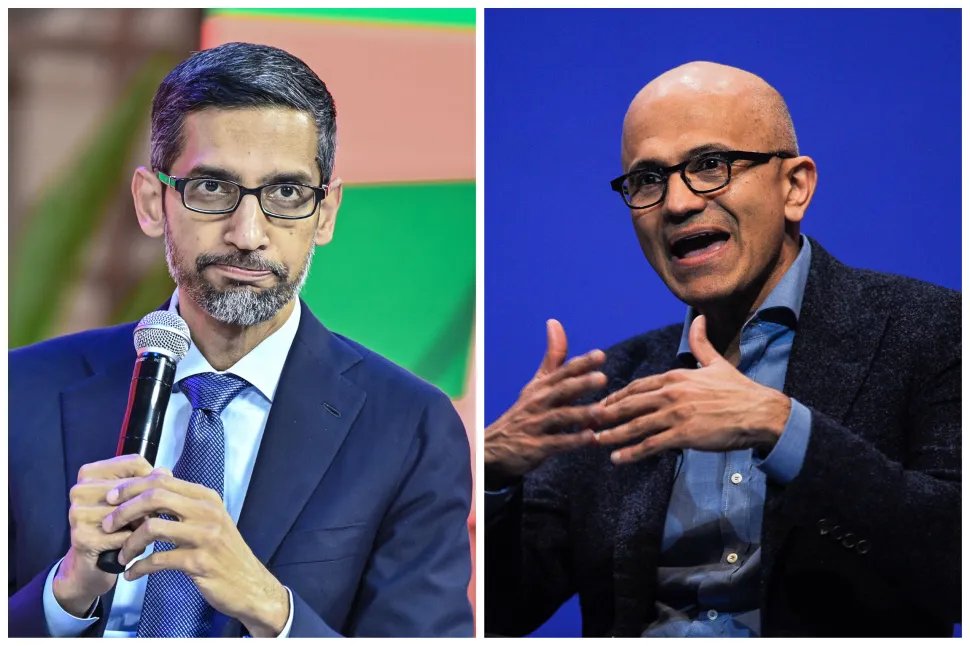
🦔 Microsoft and Google are paying influencers between $400,000 and $600,000 for long-term partnerships to promote their AI tools on social media. Anthropic, Meta, and OpenAI are running similar campaigns. Some creators charge up to $100,000 per post.
AI companies spent over $1 billion on digital ads in the US last year, up 126% from 2024. Digital ad spending by Google and Microsoft to promote AI products jumped 495% last month compared to a year ago.
One agency founder: "Some of these bigger companies have so much money to spend that they don't care to negotiate."
My Take
When you're spending half a million dollars to get an influencer to post about your chatbot, you're not confident the product sells itself. These are companies burning tens of billions on infrastructure while struggling to get users to pay for subscriptions. Only 3.3% of Microsoft 365 users pay for Copilot. OpenAI just started running ads because they need revenue. Now they're flooding social media with paid promotions.
What gives me some hope is the creators turning down the money. One guy with 7 million followers said he wouldn't take $500,000 to promote AI image tools because he can't support something that makes it harder for normal people to make a living. Roughly half of US adults say they're more concerned than excited about AI. The backlash is strongest around tools that generate images or video, the ones that most directly replace creative work. You can pay influencers to say AI is cool. You can't pay them to make people believe it.
Hedgie🤗
129
367
1,229
130,384