
Google Analytics is complicated. Independent Analytics gives you simple, common-sense stats you can use to grow your website.
Joined September 2022
- Tweets 410
- Following 196
- Followers 294
- Likes 352
76 Photos and videos
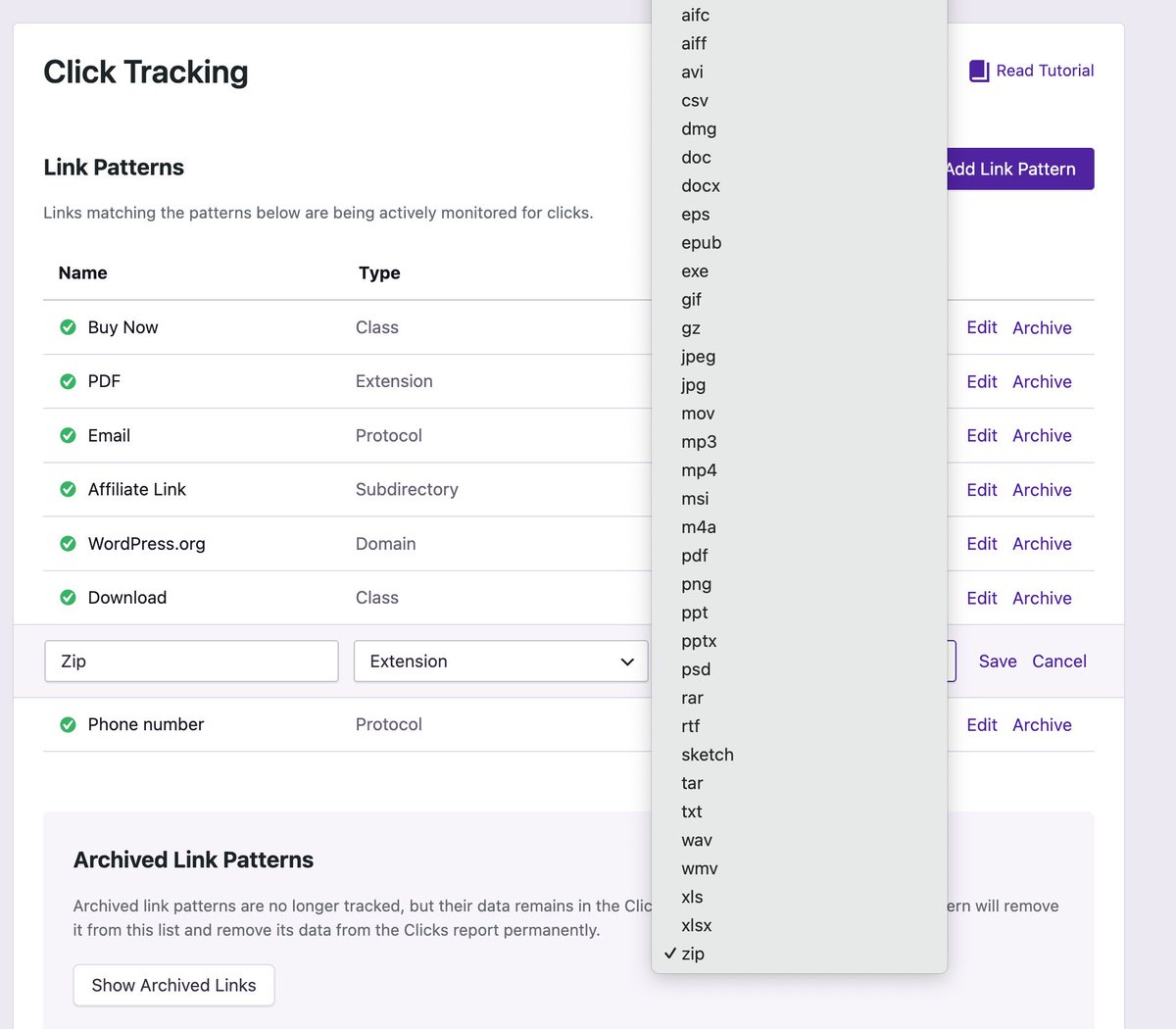
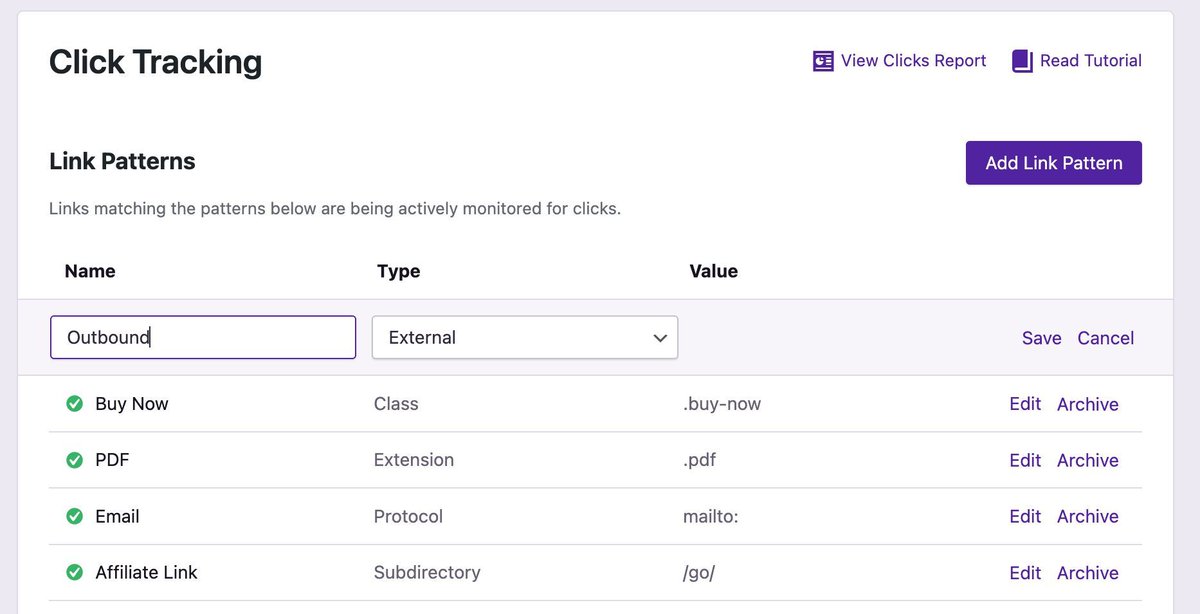
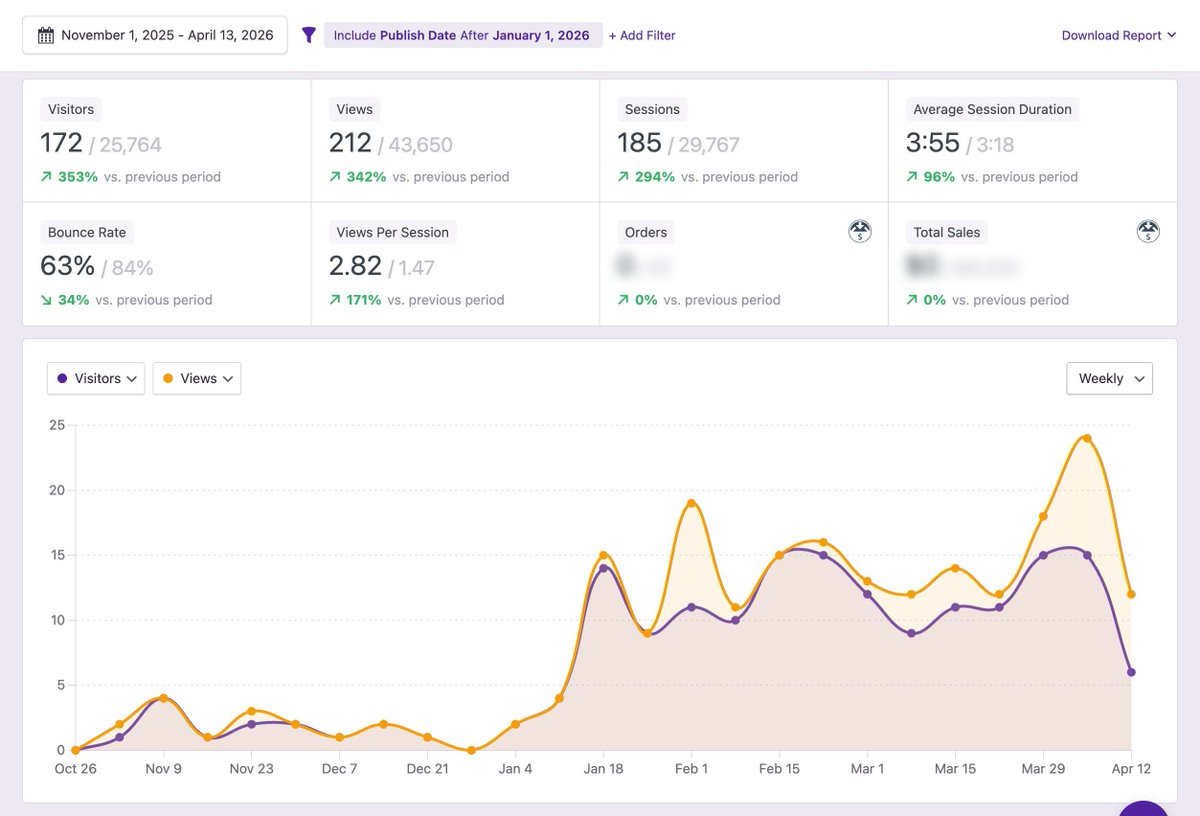
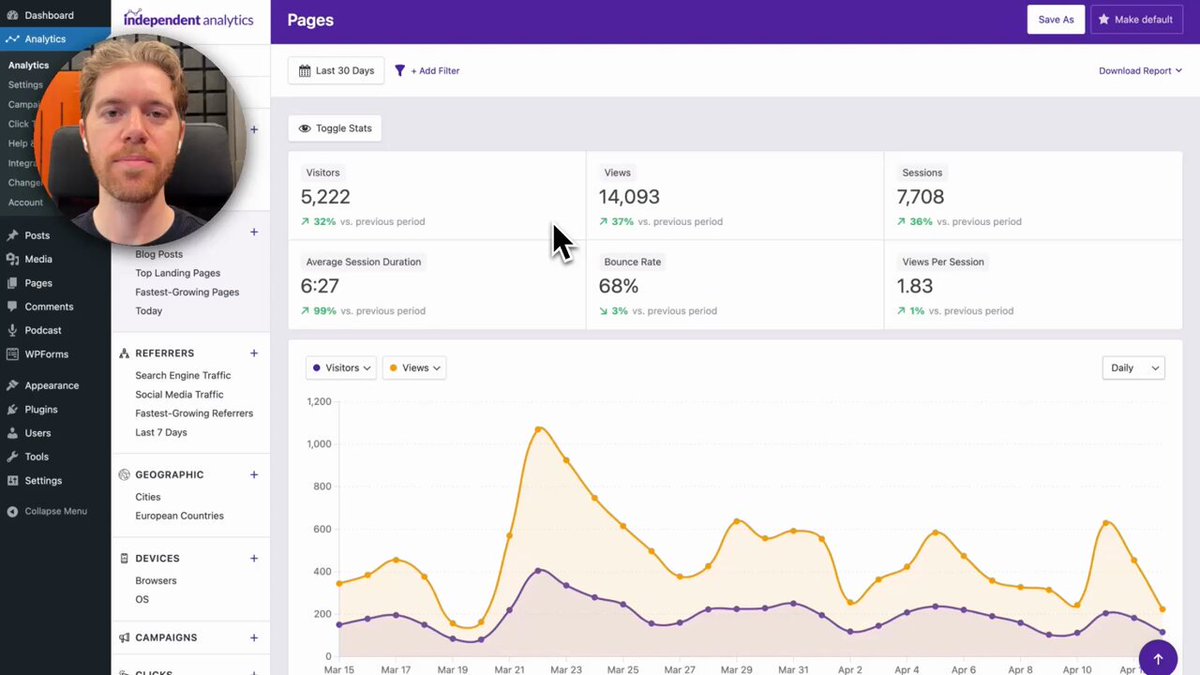
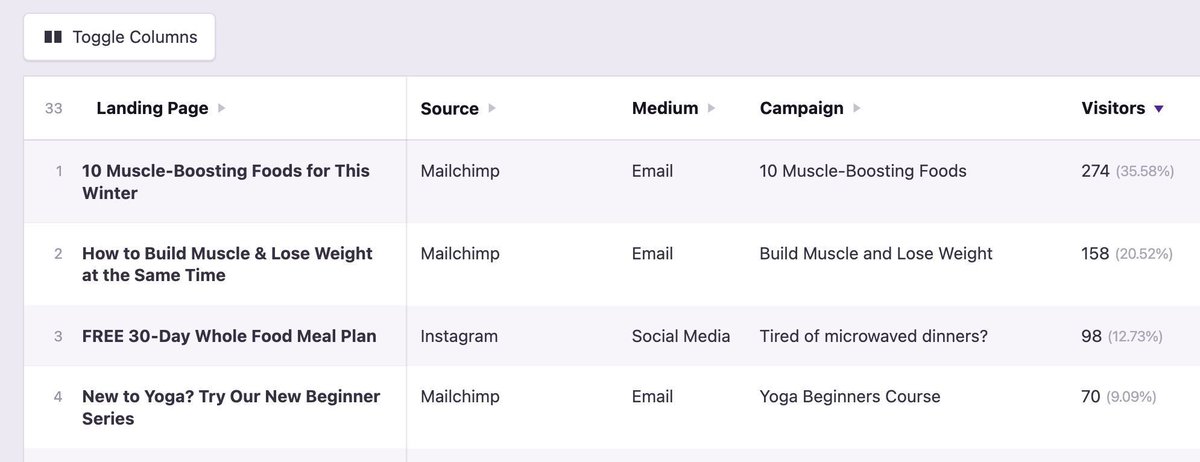

With the click tracking feature in IA Pro, you can track clicks on all links pointing to the selected file type.
Our last update increased the number of recognized file types to 37, including some we've never even heard of!
1
38
We save a lot of custom reports for our own website.
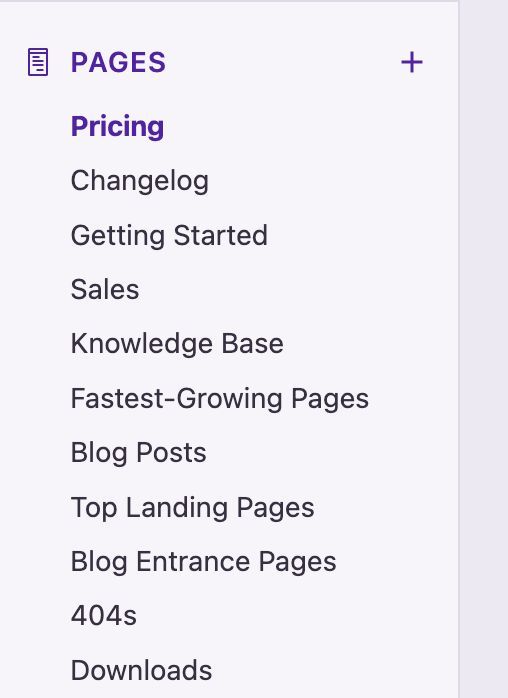
The Pricing page stays at the top of the Pages reports because it's the best way to assess how effective we are at attracting new buyers to our product.
3
35
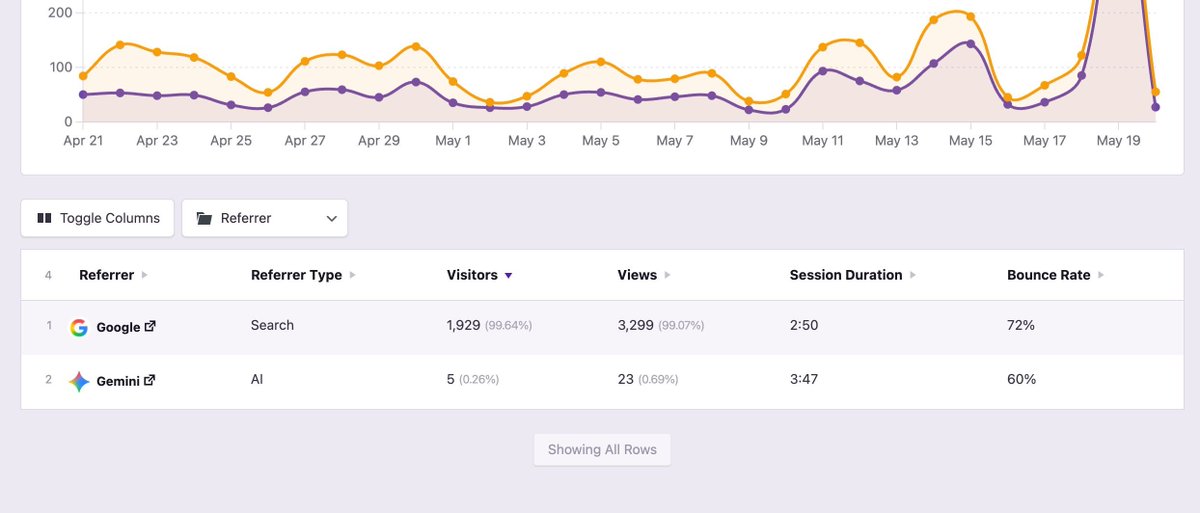
PSA: If someone clicks on a link to your site in a Google AI Overview, that will show up as a visitor from Google.
If they are using Gemini directly and click on a link to your site, they will show up as a visitor from Gemini.
3
100
Version 2.14.10 includes a few important bug fixes and enhancements, including an improved report-loading experience.
Full changelog here: buff.ly/uahwLOj
5
213
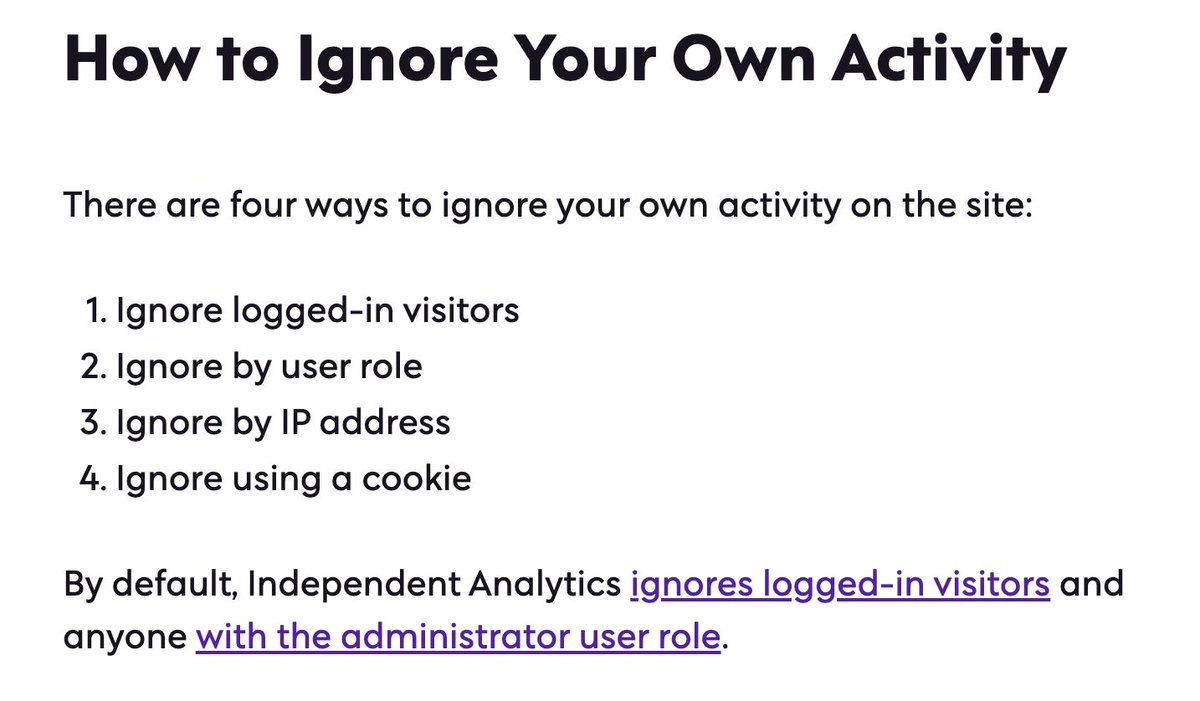
Blocking your IP address doesn't always keep your activity from showing up in your analytics.
That's why we offer a multi-layered approach to ensure only the right visitors get tracked.
1
40
Find out where your WooCommerce customers come from and which marketing channels drive the most profitable customers to your site.
buff.ly/MKDnaOY
28
Confusing traffic growth with business growth may be the biggest trap for an online biz.
Getting more people into the top of your funnel helps, but don't get distracted by pageview counts.
Keep your sales funnel in mind, and focus on the tactics that move visitors through it.
2
40
Your best traffic sources might not be the ones sending you the most visitors.
Compare them by engagement metrics, like average session duration, to see which ones send the most engaged visitors.
Even better, compare by leads and sales to find which ones are most profitable.
1
29
Wondering which landing pages drive the most revenue for your WooCommerce store?
You can find this data in seconds with Independent Analytics Pro.
buff.ly/F1dAURG
2
27
Independent Analytics retweeted

More #WordPress stories in WP Weekly 290 issue from: @AnalyticsForWP @elegantthemes @gravityforms @laxmariappan @jamesfarmer @BeaverBuilder @brianleejackson @Hostinger @raemoreywrites @wpbakery @vapvarun @wp_acf @ImranWebsites
@MRcrocoblock @yoast
thewpweekly.com/issue-290/
3
4
5
232
What's the most popular page on your site?
Most people would assume it's their homepage, but that's not always the case.
Check your top 10 pages now, and there's bound to be at least one page that surprises you.
1
30
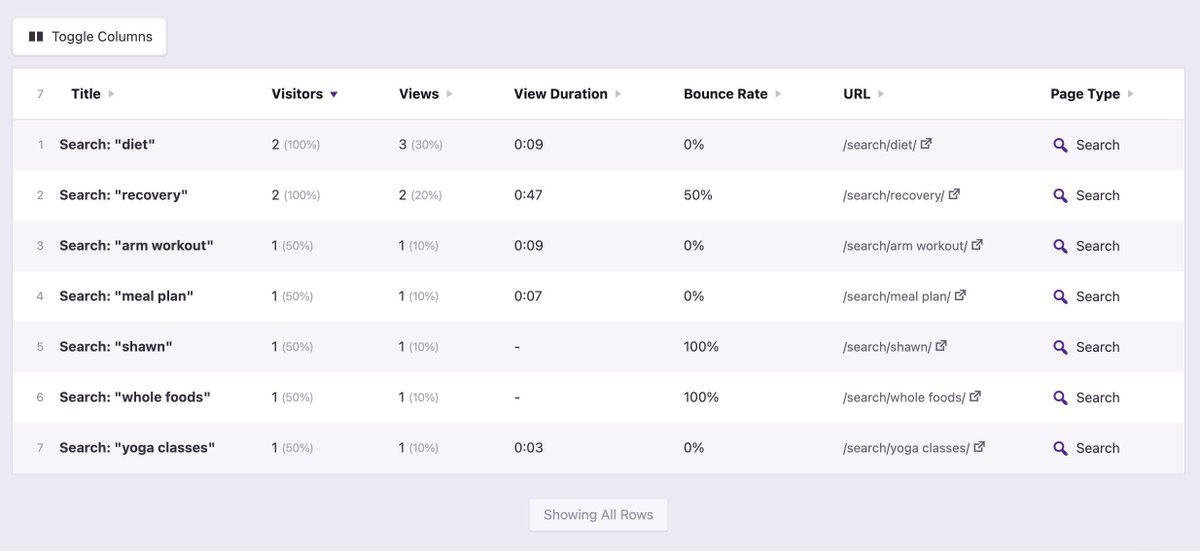
Keep track of what people search for on your site.
These queries are a goldmine.
They'll help you generate new ideas for content, products, features, and UX improvements.
2
31
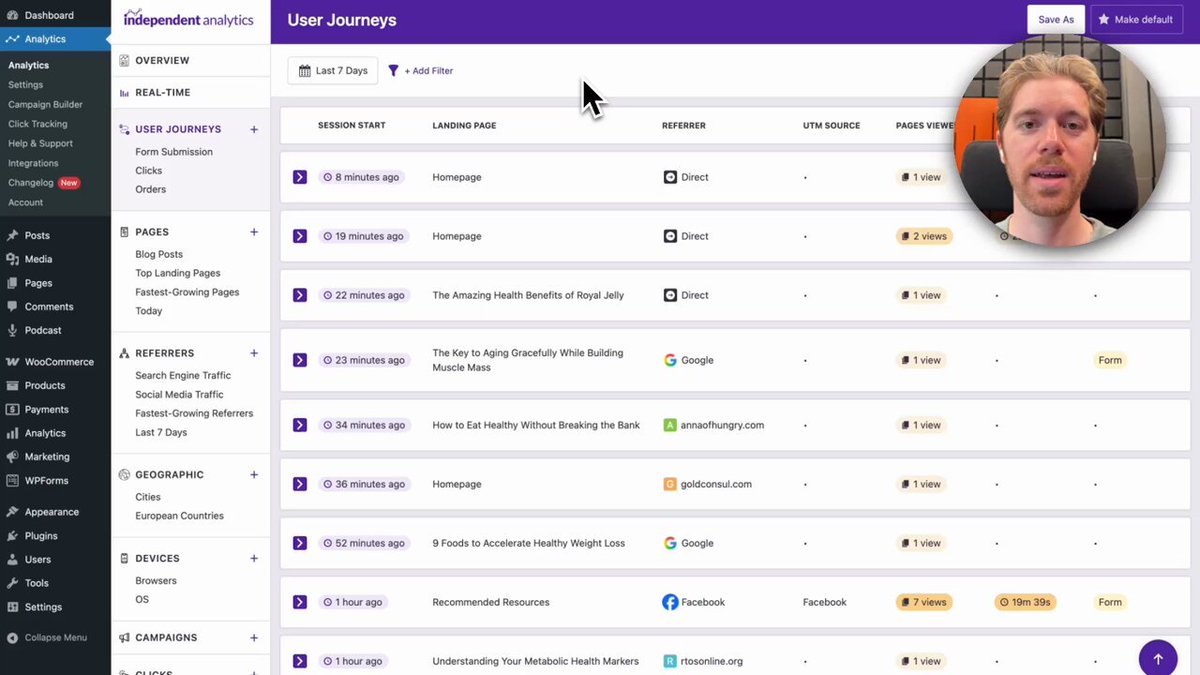
You can now find shoppers who abandoned their carts in the User Journeys report!
The key is to filter the sessions by those with zero gross sales and a click on an Add to Cart button.
This reveals everyone who added an item to their cart but didn't complete a purchase.
1
1
37
Tracking clicks on your Add to Cart buttons can be done in a matter of seconds using the Click Tracking menu: buff.ly/P7tj79V
22
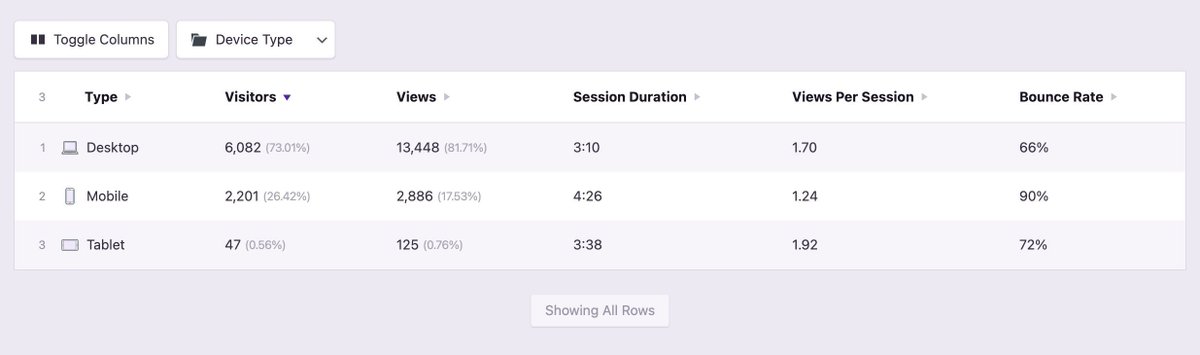
Does your site get more traffic from mobile or desktop visitors?
The answer might surprise you.
Depending on your niche, you could see more desktop visitors, despite how often people browse on their phones these days.
1
40
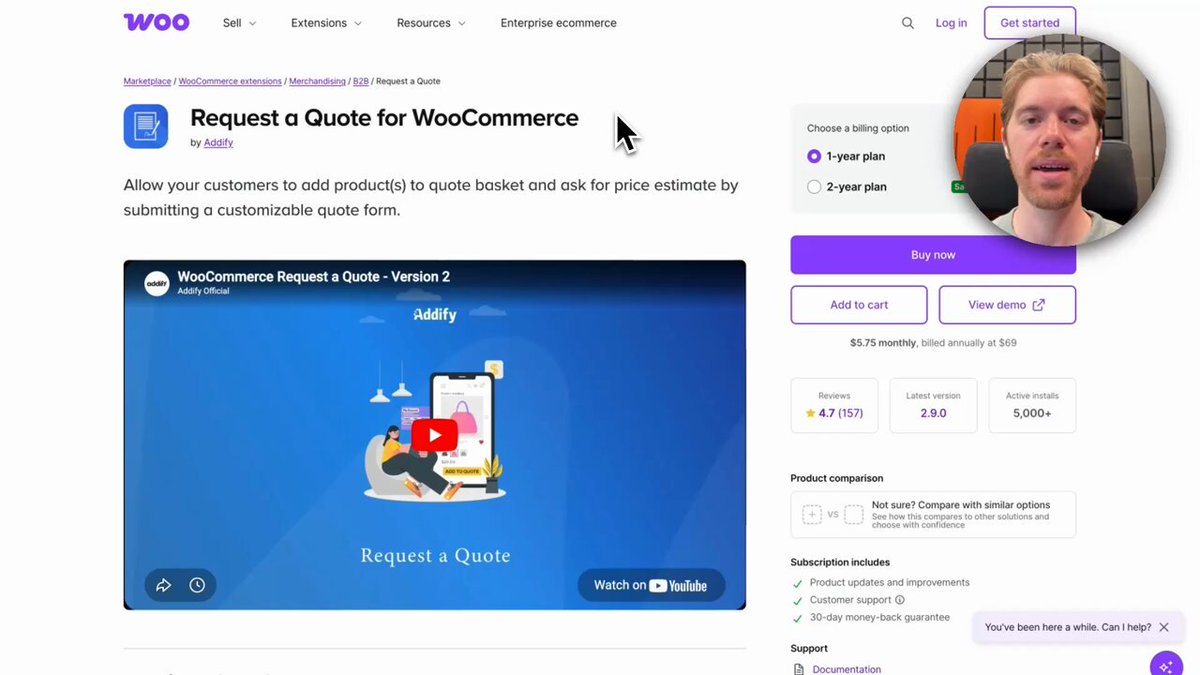
Our newest update includes an integration with the Request a Quote for WooCommerce plugin.
Your quote requests will be tracked automatically, so you can see the traffic sources and campaigns generating the most leads.
6
1
4
366
If you're feeling overwhelmed by the metrics in your analytics, choose one.
Focus on a single metric that matters most to your business. That could be gross sales, lead submissions, or clicks on a certain button.
Optimize your site to move that metric.
1
34
Thanks to @wpgaura for such an awesome review!
Apr 26

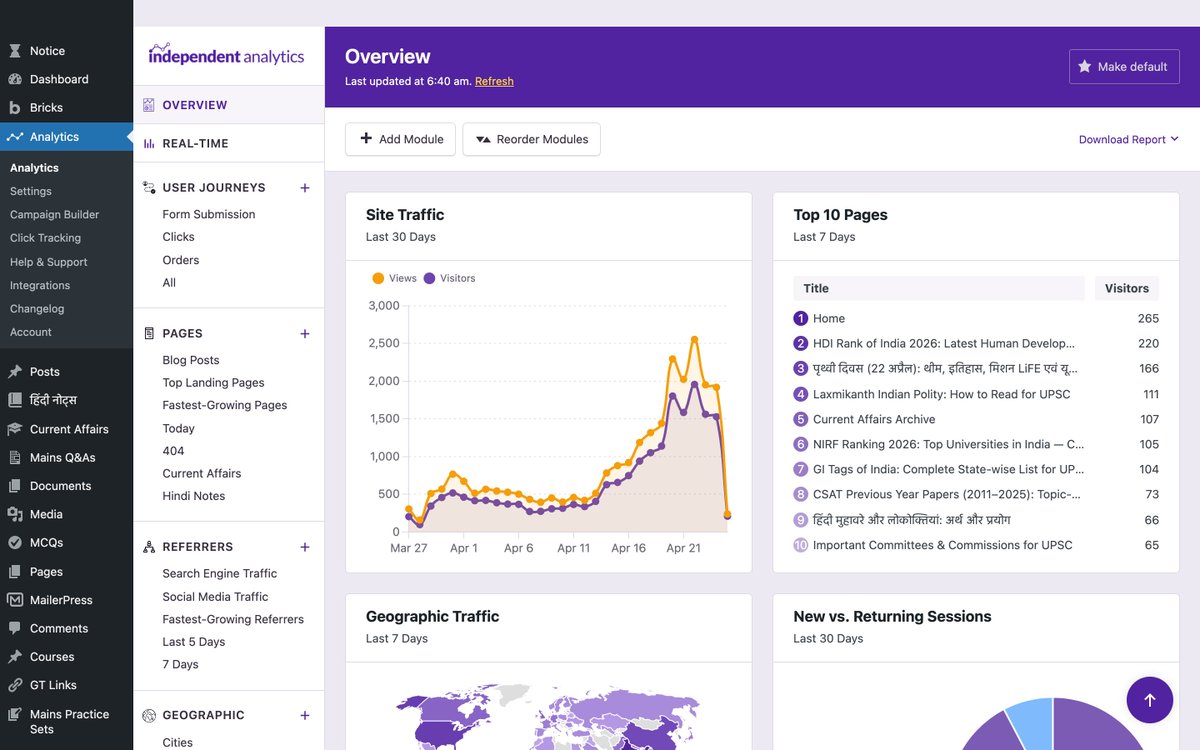
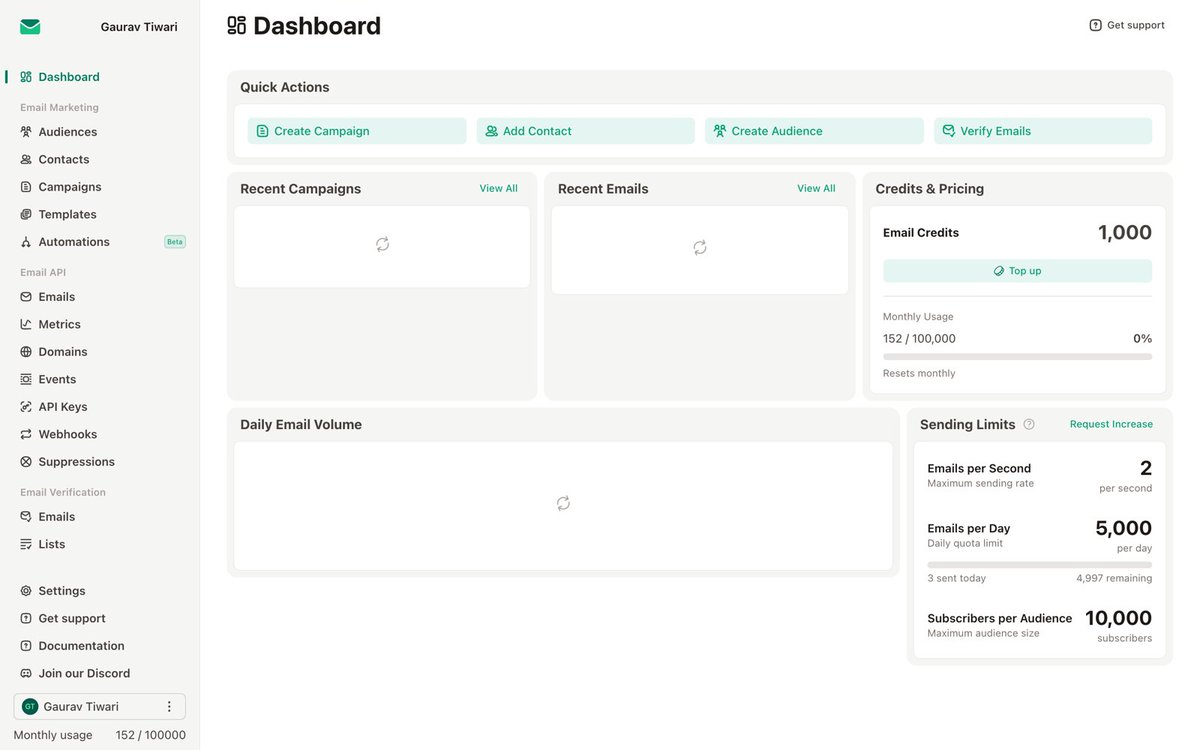
Recently published @emailitcom and @AnalyticsForWP reviews on gauravtiwari.org:
1. gauravtiwari.org/emailit-rev…
2. gauravtiwari.org/independent…
3
73
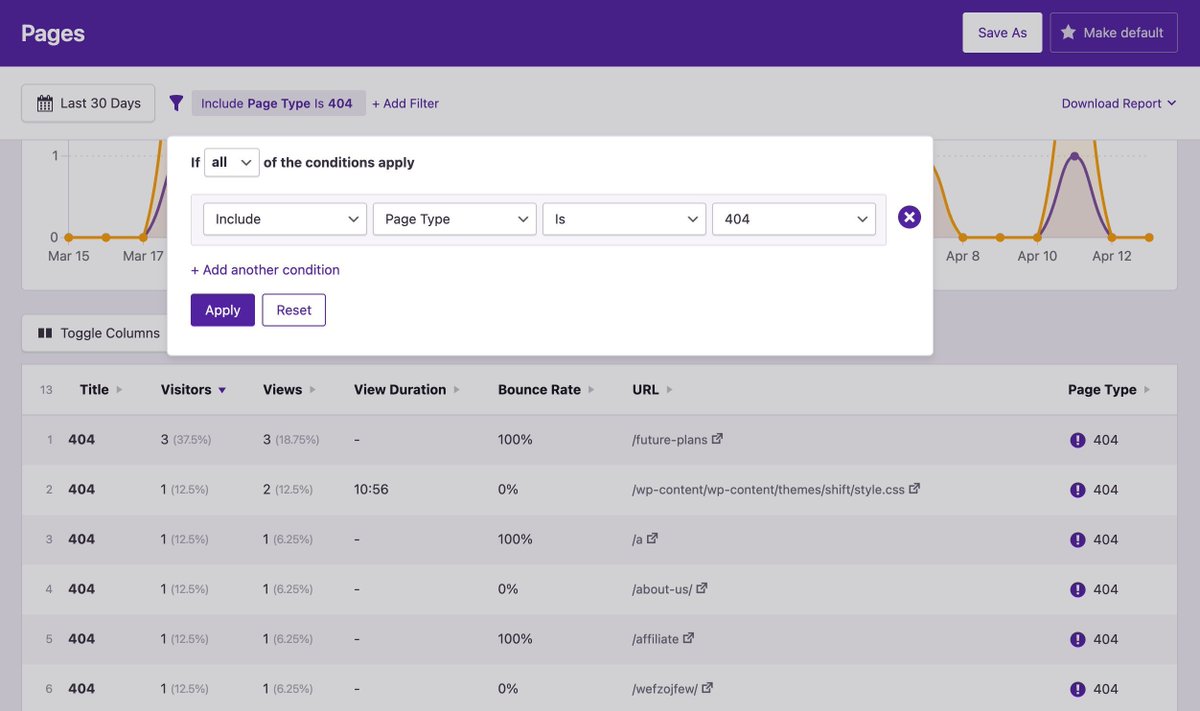
You probably have more 404 errors than you realize.
The good news: you can find them in seconds by filtering the Pages report by the 404 page type.
Some of these 404 pages can be ignored. Others are due to broken links or deleted pages and can be resolved with a 301 redirect.
1
80
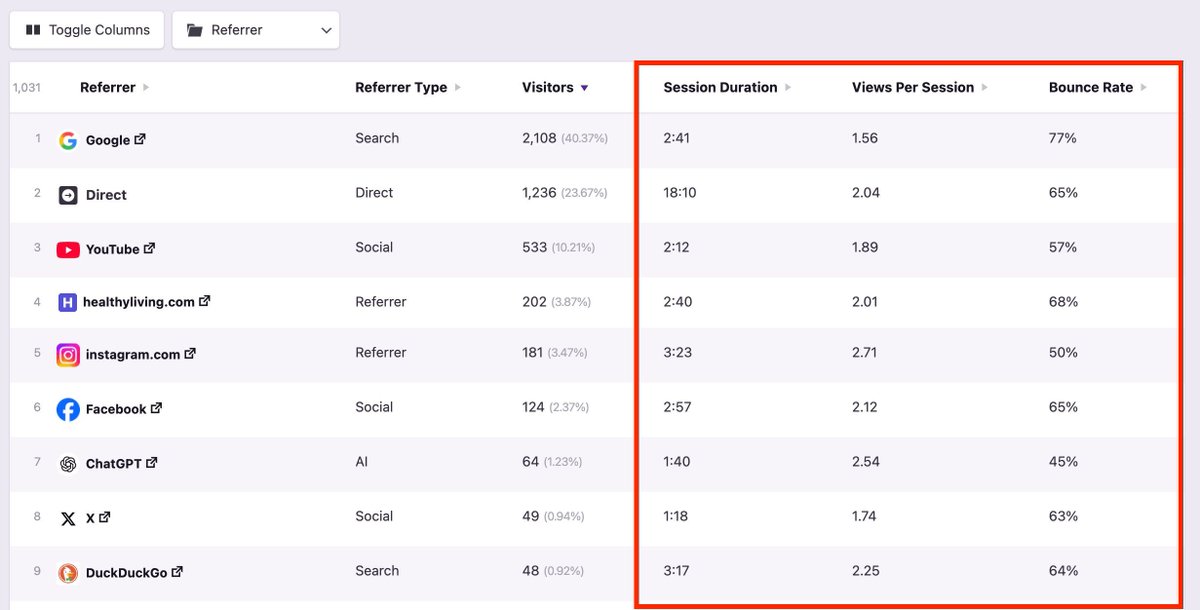
Not all traffic is equal.
When analyzing your top traffic sources, pay close attention to engagement metrics, like:
- Session Duration
- Views Per Session
- Bounce Rate
This can help you separate the low-quality sources from the high-quality ones.
1
36