New & forgotten commands daily. Whether you’re learning or staying sharp, follow for quick, useful CLI tips. Bite-sized. Zero fluff. #DailyCLI #ByteSizeCLI
Joined June 2025
- Tweets 5
- Following 123
- Followers 11
- Likes 7
Photos and videos

28 Jun 2025
🔧 #FastFixFriday – Let’s Practice!
Don’t forget about this hidden gem — netstat is still one of the quickest ways to spot what’s listening or connecting on your machine.
Let’s byte into the NETSTAT command:
Open Command Prompt on your PC and try these:
•See all active TCP connections:
netstat -an
•Display executable behind each connection (run as admin):
netstat -b
•Show routing table:
netstat -r
•Refresh connections every 5 seconds:
netstat -an 5
Now give it a whirl — try checking what ports are open, or see if a known service is listening.
1
8
26 Jun 2025
⏳ #ThrowbackThursday – Let’s Practice!
Don’t forget about this classic command — ipconfig is still one of the best tools in your local troubleshooting kit.
Let’s byte into the IPCONFIG command:
Open Command Prompt on your PC and try these:
•Check current IP and gateway:
ipconfig
•Show full adapter details:
ipconfig /all
•Release and renew your IP address:
ipconfig /release
ipconfig /renew
•Flush DNS resolver cache:
ipconfig /flushdns
Now give it a whirl — try releasing and renewing, then compare your new IP address.
Prove you practiced below!
Keep it real — drop your output or tell us what changed.
#ThrowbackThursday #ByteSizeCLI #Windows #CommandPrompt #PracticeWithMe #networkengineer #networking #computersupport #techsupport #engineering #technology
1
6
25 Jun 2025
🦈 #WiresharkWednesday | Let’s Practice!
Don’t forget about this essential tool. Wireshark is still one of the most powerful ways to see what’s really happening on your network.
Let’s byte into some Wireshark filters:
Try these filters in the top filter bar:
•Show only ICMP (ping) traffic:
icmp
•Show only DNS traffic:
udp.port == 53
•Show traffic to or from a specific IP:
ip.addr == 8.8.8.8
•Show HTTP traffic only:
http
Start a capture on the interface you see traffic on or know which one you need information from and see what the shark picks up!
Help us out (help me out)— drop your favorite filters or what you caught in the capture!
Have a great Wednesday, we’re half way there!
#WiresharkWednesday #ByteSizeCLI #Windows #Wireshark #PracticeWithMe #networkengineer #networking #computersupport #techsupport #engineering #technology
1
11
24 Jun 2025
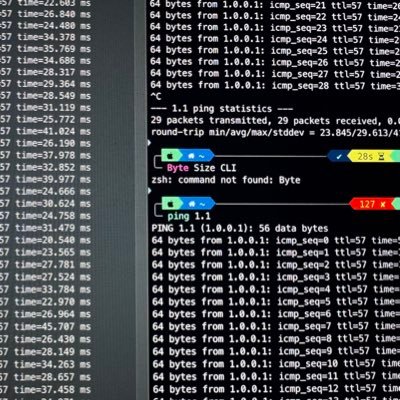
#TuningTuesday – Let’s Practice!
Don’t forget about this basic command, it’s still one of the most powerful tools in your kit.
Let’s byte into this PING command:
Open Command Prompt on your PC and try these:
•Continuous ping: ping 8.8.8.8 -t
(Runs until you stop it with Ctrl C.)
•Ping with a timeout of 2 seconds: ping 8.8.8.8 -w 2000
•Ping with a 128-byte payload: ping 8.8.8.8 -l 128
•Combined command: ping 8.8.8.8 -t -l 128 -w 2000
Now give it a whirl, try it on a local device or a DNS name.
Prove you practiced below!
Keep it real, drop your results or your favorite ping combos in the replies.
#TuningTuesday #ByteSizeCLI #Windows #CommandPrompt #PracticeWithMe #networkengineer #networking #computersupport #techsupport #engineering #technology
3
9,614