∿ Music hackers. Algoraves. Inventing, playing. Neural synthesis. 24/7 ai death metal. Stable Audio team. Open models. Mischief @harmonai_org @artblocks
Joined October 2017
- Tweets 8,440
- Following 9,092
- Followers 10,673
- Likes 14,600
1,051 Photos and videos

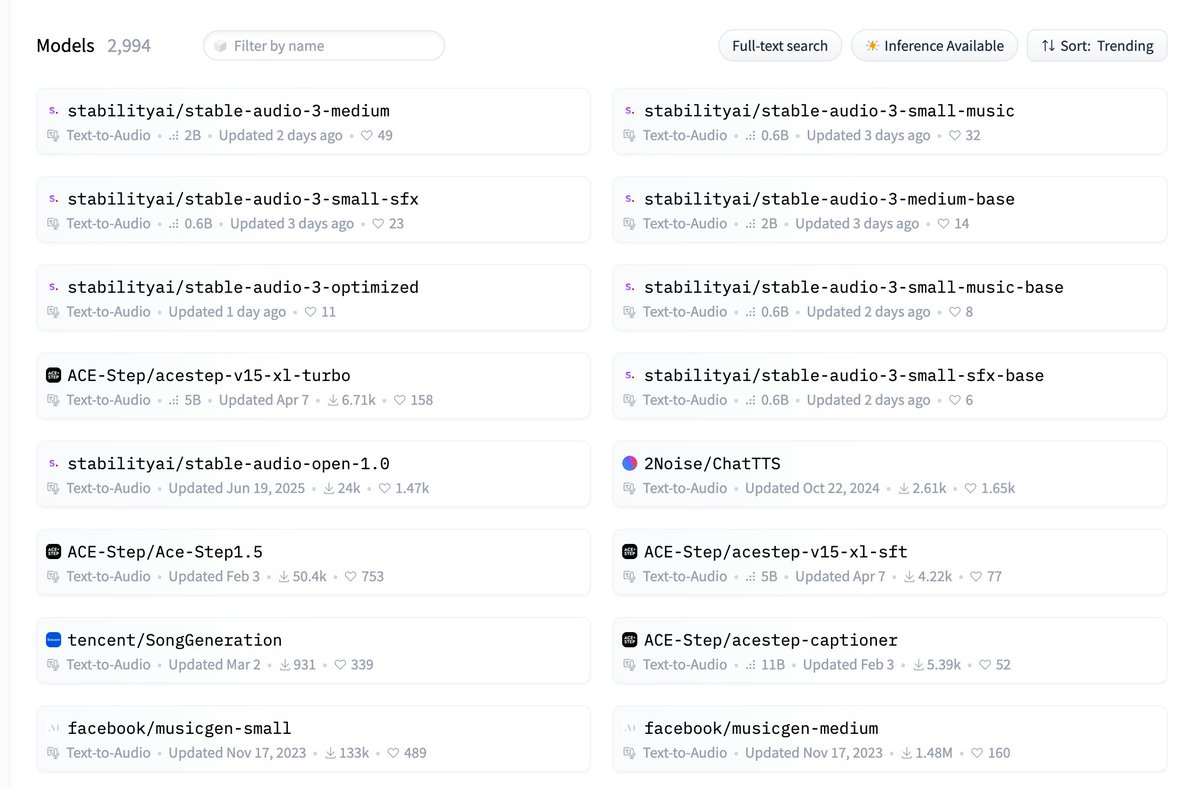
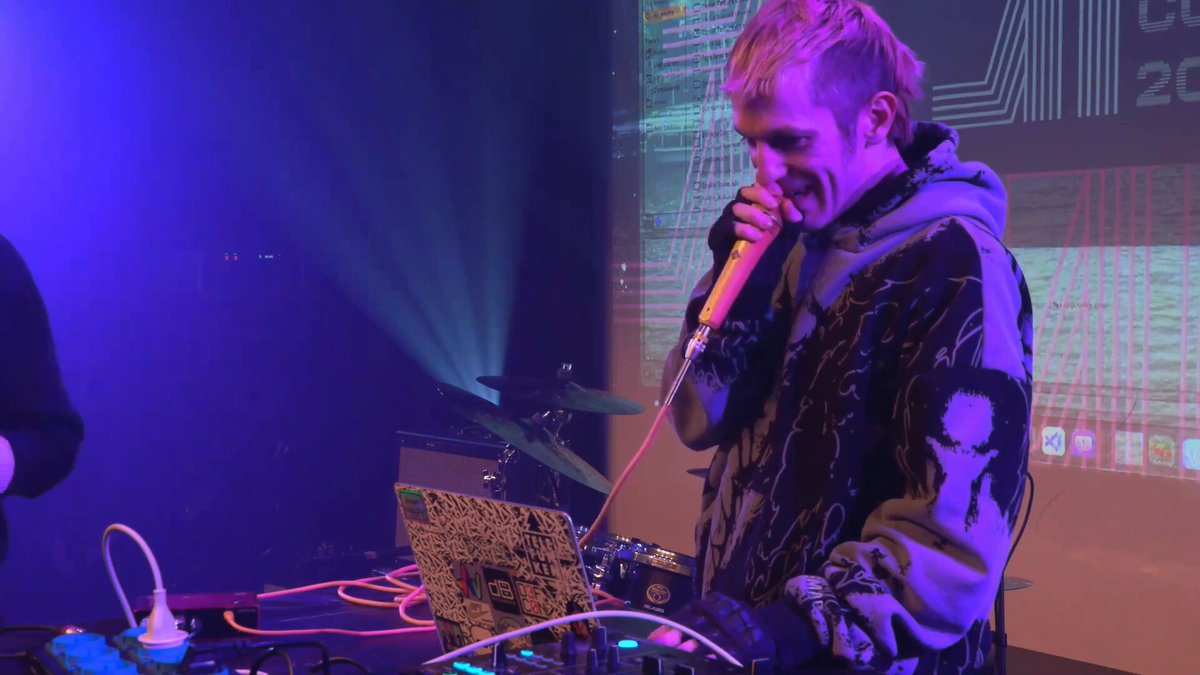

🥳 Announcing Stable Audio 3 🍕
🏆 fastest music models ever
💻 runs on MacBookPro M-series
🧪 break it plz
🧠 LoRA finetune in < 1h
📷 Sm = faster, Medium = qualityer
⚡ 59x realtime on M5 Pro
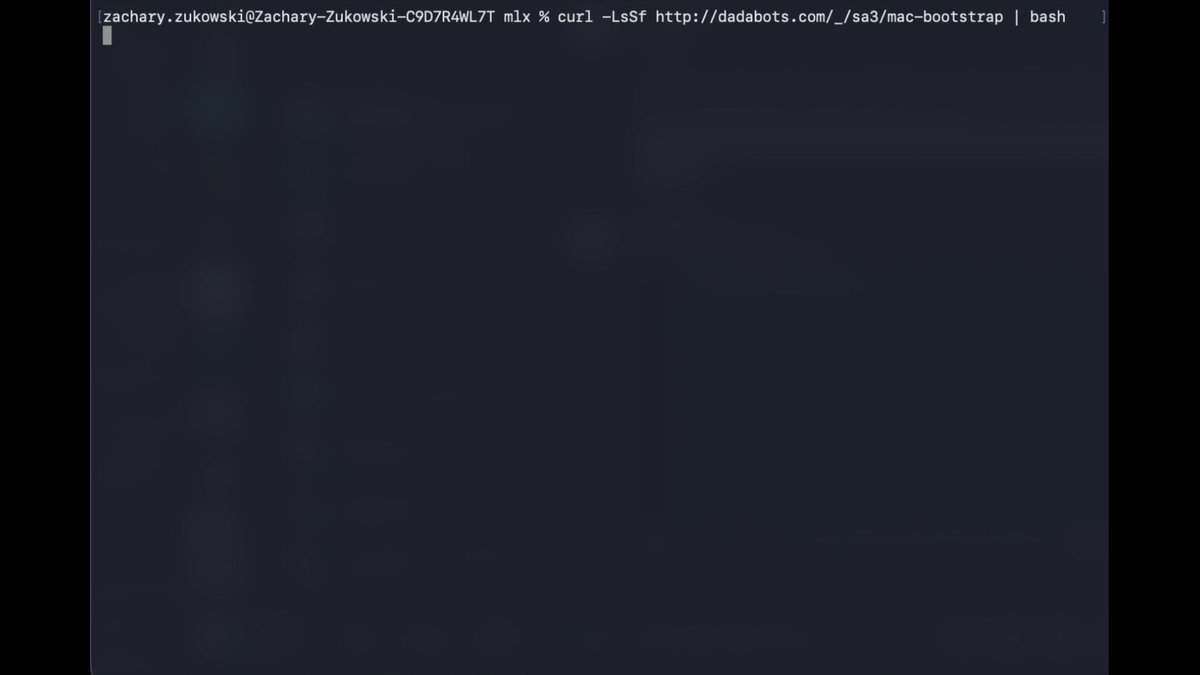
One-liner fast install:
curl -LsSf dadabots.com/_/sa3-mac | bash
May 20

Meet Stable Audio 3.0, the open-weight model family built for artistic experimentation.
This is our open invitation to experiment with generative audio. We believe the best innovations are still waiting to be built.
The 4-1-1 on 3.0:
📣 You own your outputs, and can distribute and commercialize them under the Stability AI Community License (up to $1 million in revenue).
🎵 New and improved capabilities include variable-length generation up to six minutes, and full song composition on portable devices, no GPU required.
✅ Trained on a fully licensed dataset.
🎨 You can customize the models on your own library with support for LoRa training, which we’ve documented for the first time.
More on the models 👇
13
37
291
56,765
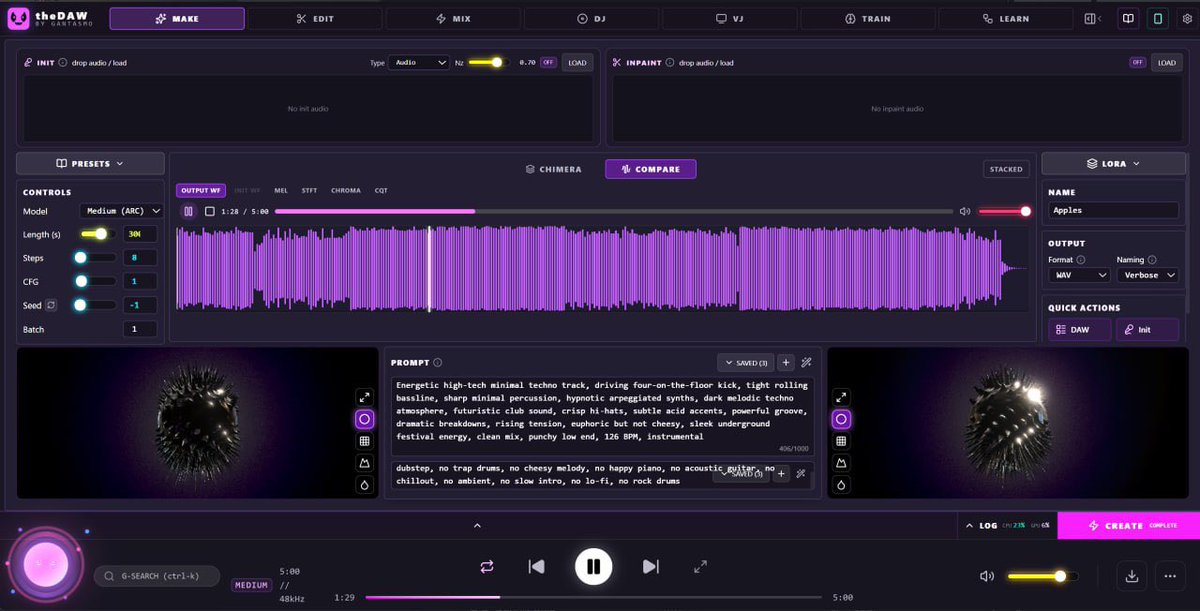
love seeing the community build UX around our open models— @gantasmo’s theDAW is slaying
Jun 14

Я просто в ахуе. В Pinokio вышел инструмент, называется StableDAW и он генерирует треки попизже чем Suno. И быстрее блин. И все это абсолютно бесплатно.
2
5
392
dadabots retweeted
If you train your stable audio lora, share some results!
Maybe even publish on huggingface, so others can just plug your lora in and play with.

I’m playing around with this. Trained it on the 1960s/70s Delia Derbyshire versions of the Doctor Who theme (yes, I am a nerd) for only one epoch last night and got some fascinating results running the LoRA on a few randomly selected songs.
Really neat.
2
2
15
2,042
dadabots retweeted

Jun 13
Detailed post here how to get started pinokio.co/posts/01kv14gjzsj…
1
5
796
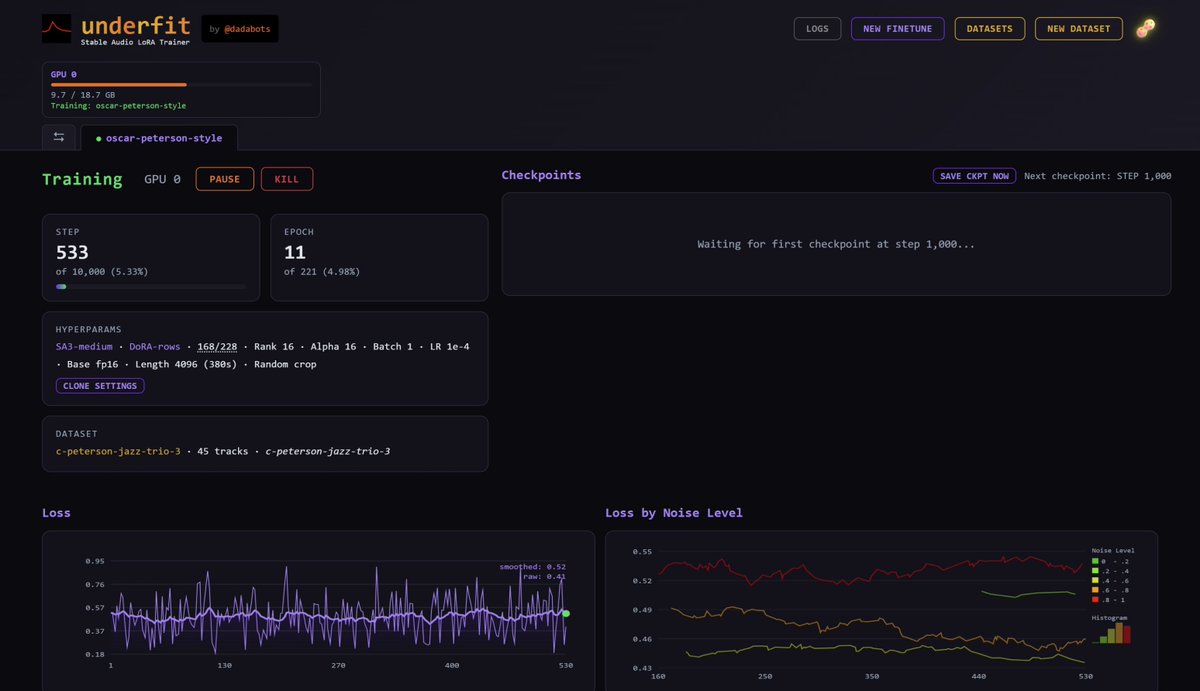
Underfit - I built a power user tool for training SA3 LoRAs.
- only needs >10min of audio
- depending on GPU, trains 1h - 1day
- train many, launch gradios
- continuous listening as it trains
- windows or linux, nvidia gpu
- runs in colab too
Below is 1-click pinokio launcher
Jun 13

Underfit: Train Stable Audio 3 Loras on your Local PC
Underfit (by @dadabots) lets you train your own Stable Audio 3 Loras.
Feed your own music samples to train a Lora, and use that as input to generate songs.
1-click launcher (linux windows NVIDIA GPU required)
3
8
47
2,586
dadabots retweeted

Jun 11
Okay, here's how you do it.
It depends on your workflow, and what medium you're trying to work in.
First thing you need to understand is that you don’t “make AI art” with one button, unless you’re deliberately using the most boring version of the tool.
The process has parts: source material, model, prompt, sampler, scheduler, seed, latent noise, VAE, masks, control images, reference images, adapters, upscalers, and post-processing. Those are not magic words. They are control surfaces.
If you’re doing a transformation workflow, especially one with heavy inpainting, you usually start in Photoshop, Krita, Procreate, Blender, a camera, a scanner, or whatever tool gets you source material. You create a thing first. A drawing, a doodle, a collage, a render, a photograph, a pile of visual scraps. Doodles are useful here, as long as they’re recognizable enough to trigger the model’s learned associations. At a high enough denoise level, a rough concept can become a finished element fairly quickly.
I like collages because the outputs are less predictable. I’ll build a source image out of clashing textures, old drawings, photos, generated scraps, painted marks, broken perspective, or anything discordant that gives the model something interesting to chew on. That source work does not disappear. It affects the entire project. The model reacts to it, argues with it, preserves some of it, misunderstands some of it, and sometimes turns the accident into the best part.
Then you take that into the generation system.
In ComfyU, the main thing you’re doing before you even start, is building out your node graph.
A basic text-to-image graph starts with a checkpoint loader. That loads the model, usually along with CLIP and the VAE. The text prompt goes into a text encoder. The negative prompt goes into another text encoder. An empty latent image node creates the starting latent space at whatever resolution you choose. Those conditionings, the latent, the model, the seed, the sampler, the scheduler, the step count, and the CFG value all feed into the sampler node. The sampler denoises the latent. The VAE decode node turns that latent into pixels. Then the save image node writes it out.
That is your most basic possible node graph.
Model loader into sampler. Prompts into sampler. Latent into sampler. Sampler into VAE decode. Decode into save.
Even there, you have decisions. Change the checkpoint or “model” and the image vocabulary changes. Change the sampler and the path through noise changes. Change the scheduler and the timing of the denoise changes. Change the seed and the initial noise field changes. Change the CFG and the model listens to the prompt more or less aggressively. Change the VAE and the final pixel interpretation can shift color, contrast, or detail.
Still with me, or are your eyes starting to glaze?
Let’s keep going.
For inpainting, the graph gets another branch.
Instead of starting from an empty latent, you load a source image and a mask. The source image gets encoded into latent space by the VAE. The mask tells the sampler which part of that latent is allowed to change. You pass the masked latent into an inpaint sampler or an inpaint conditioning path, depending on the workflow.
The prompt describes what should exist in the edited region. Then the denoise value controls how strongly the model is allowed to reinterpret it, while the CFG adjusts your semantic weight.
That’s the important part. Denois is the amount of permission you are giving the model.
Low denoise says, “stay close to the source.”
Medium denoise says, “improvise, but keep the structure.”
High denoise says, “use this as a launch ramp.”
The better mind model, is think of like improvising against a blurry surface. Light blur gives you minor changes, heavy blur gives you radical improv.
Inpainting is a sort of controlled reinterpretation. The mask is the boundary between what you are protecting and what you are letting the model predict.
You can make that mask in Photoshop. You can paint it by hand. You can blur it, sharpen it, grow it, shrink it, feather it, invert it, combine it with alpha, or generate it from segmentation.
You can use SAM (or segmentation anywhere model) to isolate a person, a face, a shirt, a background object, or a region of the frame. You can use depth or edge maps to build a mask. You can roto it manually if you hate yourself or love precision enough that the difference becomes academic.
But once you care about structure, you start to care about ControlNet.
That means the graph grows another conditioning branch (or several). You load a ControlNet model, load or generate a control image, preprocess that image into the right kind of map, and feed the resulting control conditioning into the sampler alongside the prompt conditioning.
If you want pose, you use OpenPose or something like it. If you want to preserve linework, you use Canny, HED, Scribble, or Lineart. It depends, you sort of have to feel that one out.
If you want composition, you use a depth model like Midas. For artistic compositions, I like balanced combinations of normal maps, depth, and HED, because together they can preserve form, spatial layout, and edge energy without freezing the whole image into a dead little technical diagram.
ControlNet is a family of structural constraints.
You can stack them. Pose can control the body, depth can control the space, HED can control the graphic outline, and the prompt can control the interpretation. Each one gets a strength value. Each one can start and stop at different points in the diffusion process. Maybe you want the pose to matter the whole time, but the edge map only matters early. Maybe you want depth to keep the room intact, but you want the surface detail to drift.
Congratulations my friend! You are mixing constraints across the denoising schedule.
Feels good, don’t it.
Then there are identity and consistency tools.
A LoRA is a small adapter trained to bias the model toward a subject, style, object, outfit, rendering habit, or visual vocabulary. So yes, you can have models in your models while you’re modeling things. If that isn’t enough, you can use embeddings, IPAdapter, reference conditioning, face reference tools, or a retrained checkpoint. If you want to get really ridiculous, you can start talking about hypernetworks, which are another layer of “AI that modifies the behavior of the AI,” because apparently the recursion monster was not done building things.
The graph for this is usually another load-and-attach pattern. You load the LoRA and apply it to the model and CLIP before sampling. You load IPAdapter, feed it a reference image, encode that image through a vision model, and pass that conditioning into the sampler. You use reference tools when you want the output to inherit some visual identity from an image without being trapped by the source composition.
Upscaling is another stage.
So, now you’ve got this beautiful image you’ve made, but it’s low resolution compared to the usable professional output you want. Whatever will you do?
Well, a simple upscale might take the decoded image, enlarge it with an upscale model, then run another img2img pass at low denoise to restore detail. A more serious upscale graph might tile the image, process each tile, blend the seams, preserve the global composition, and then do a final cleanup pass.
Latent upscale changes the latent before decoding. Pixel upscale enlarges after decoding. Tiled diffusion tries to get more detail without blowing up VRAM. And now, there’s a new one that skips the latent step altogether, and just goes straight into absurdly heavy direct image editing, which… looks beautiful.
New problem: “make it bigger” and “add plausible detail” are not the same operation.
So you have to weigh that one when you get there.
Now video.
Video is where the machine starts smoking in funny colors.
A still image only has to be coherent once. Video has to stay coherent across time, which means every frame inherits problems from the frame before it and invents new ones for the frame after it. If your workflow does not account for temporal consistency, weird shit happens. Y’know, there are half a dozen people who are doing this intentionally with their videos right here on X, and it’s pretty wild. You should check it out. My favorite is the exploding body parts guy. It looks like a japanese action movie… until it doesn’t.
Assuming you’re not into body horror or hard surrealism, there are a few ways to approach it.
In an image-to-video workflow, you start with a still image or keyframe and use a video model to generate motion from it. That can be great for short shots, animated loops, camera drift, character motion, or atmospheric movement. The graph usually loads the video model, encodes the starting image, sets motion parameters, samples a sequence of latent frames, decodes them, and combines them into a video file. The challenge is that you are giving up some control to the video model’s idea of motion.
In a frame-by-frame workflow, you start with source footage. You extract the frames, process them through img2img or inpainting, then reassemble them. This gives you more control, but it creates temporal problems. Each frame can drift. Small inconsistencies become flicker. The character’s face may mutate. The texture may crawl. The background may breathe like it has opinions.
To fight that, you use constraints. You keep seeds stable or vary them carefully. You use low denoise when you need preservation. You use ControlNet from the original footage, often with depth, lineart, or pose maps. You use optical flow or motion guidance when available. You track masks across frames instead of repainting them randomly. You may render keyframes first, then interpolate between them. You may use EbSynth-style propagation, video ControlNet, AnimateDiff-style motion modules, or a video model to stabilize the motion.
In video inpainting, the mask becomes a time-based object. It is not just “paint this region.” If you’ve ever used something like Davinci Resolve or Premier, it’s the same general concept.
You might generate masks with segmentation, clean them manually, track them through the shot, feather them to avoid hard seams, and then inpaint the masked area with enough denoise to change it but not so much that it detaches from the footage.
This is where the workflow becomes very medium-specific.
If I’m changing a shirt in a still image, I can mask the shirt, prompt the new garment, inpaint, clean the edges, and upscale.
If I’m changing a shirt in a video, I need the mask to follow the torso, survive arm motion, handle folds, avoid eating the neck and hair, maintain fabric identity across frames, and not shimmer like a cursed napkin.
Same idea. Different difficulty class.
The Comfy graph for video usually becomes a chain of smaller graphs. One graph extracts or loads frames. Another generates control maps. Another handles masks. Another performs img2img or inpainting. Another upscales or interpolates. Another combines frames back into video. You can do some of this inside Comfy, some outside it, and some in a video editor. The cleanest workflows are rarely one giant graph. They are usually staged pipelines.
So there you go.
Now you know how to do it.

Alright, what else is involved beyond just prompting with AI. Teach me.
5
7
47
5,390
Is the world ready for a nonsense lyrics jmann model

3
1
10
1,283
Once on covid, 3 days no sleep from inflammation, i hallucinated awake in a far more controlled way than dreams or being very high. I opened ChatGPT in my vision and asked it questions & my brain answered. I also opened Ableton Live & recorded & looped layers of my inner singing

1
1
10
657
“the worse we make the corporate ai music system, the better it is for art”

4
13
1,050


The community is already doing awesome things with Stable Audio 3! Check it out!

Check out Awesome Stable Audio, a curated list of integrations and extensions for stable audio. If I missed anything or you build something cool, please submit a PR and I will add you!
github.com/Stability-AI/Awes…
1
2
9
656
Accelerate Humans into Music

guitarist who is an AI accelerationist because she knows the slopocalypse will make people yearn for real humans playing live music
2
10
772
Sa3 turning speech into nonsense since 2026
Jun 2

can anyone translate?
working on a Hermes agent Discord voice chat skill that pipes agent voice responses through Stable Audio 3…
good for when you want to converse w your agent in unknown languages
2
2
9
761

Two sentences in: <thinking> I should apply this idea to. . .
Three sentences in: 🤯 that’s the paper
Jun 8

Zixi Li, Youzhen Li, "Entropy as a Structural Prior: How a Log-Barrier on DiT Belief Space Drives Musical Diversity and Development," arxiv.org/abs/2606.07207
2
10
2,296
dadabots retweeted

Check out Awesome Stable Audio, a curated list of integrations and extensions for stable audio. If I missed anything or you build something cool, please submit a PR and I will add you!
github.com/Stability-AI/Awes…
7
7
56
3,113
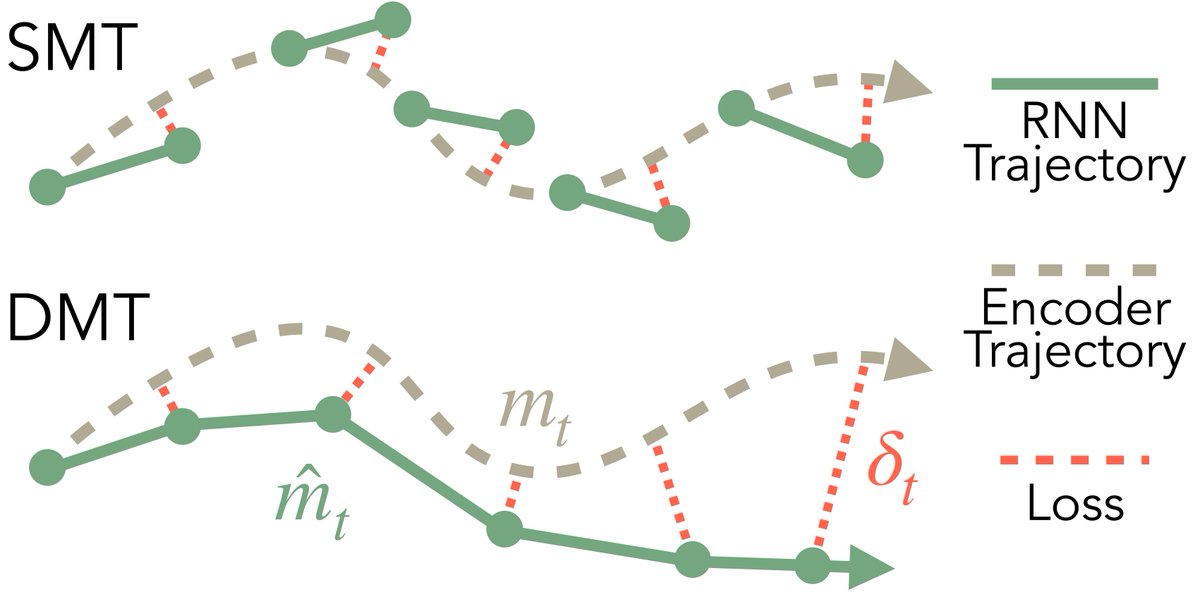
Parallelized alternative to Backpropagation through time? Might have to revisit this with SampleRNN.
& ablate it with convolutional autoencoder & diffusion baselines for electronic music synthesis
Then we can finally compare DMT vs RAVE vs EDM
Jun 7

SMT is akin to off-policy behavior cloning, and is mainly for pretraining.
To stabilize RNN rollouts, we introduce an on-policy imitation algo: DAgger Memory Training (DMT), a relatively lightweight fine-tuning phase.
10
1,042

the goat!
Jun 8

Is AI good or bad for art? → An opinion shared by artist @matdryhurst
Before the common use of ChatGPT (not that long ago, in 2022) everybody was freaking out about text-to-image generators like DALL·E and Midjourney, and the The Culture Journalist team discussed what that might mean for working artists. Obviously, a lot has happened since then, so it felt like time to check back in with Mat.
↓ Below, we’re sharing some abstracts from that conversation.
12
868