
Joined April 2025
- Tweets 8,190
- Following 155
- Followers 1,314
- Likes 5,421
350 Photos and videos











Pinned Tweet

Jan 8
Blurrrrreed
Sorry guys, if I'm away, working tirelessly on something, I'm almost ready
6
1
41
1,233
Fuego retweeted

Jan 30
HackMoney 2026 | Opening Ceremony x.com/i/broadcasts/1yNxabZVQ…
4
10
70
3,522
Feb 1
Big ups to everyone! Thank you guys
Feb 1

Yesterday’s MetaMask Community Builder Nights event was simple, engaging, and very real. It was a space where builders genuinely connected, shared ideas, and learned from each other without pressure.
The conversations, insights, and community energy reminded everyone that Web3 is still about people building together, and @MetaMask continues to be at the center of that journey.
1
11
408
Fuego retweeted

Feb 1
Yesterday’s MetaMask Community Builder Nights event was simple, engaging, and very real. It was a space where builders genuinely connected, shared ideas, and learned from each other without pressure.
The conversations, insights, and community energy reminded everyone that Web3 is still about people building together, and @MetaMask continues to be at the center of that journey.
18
16
87
3,908
Jan 25
Meet me here on the 31st.
Might do a bit giveaway if you got metaMask wallet installed 😉
Jan 20
Lagos builders this one is for you 😌
We’re bringing the @MetaMask community together to learn, connect and build real Web3 stuff.
📅 31st January 2026
⏰ 11am
Ps; location would be emailed to you
Secure your spot here ⬇️
luma.com/cbnlagos2026

5
18
550
Fuego retweeted
Jan 20
Lagos builders this one is for you 😌
We’re bringing the @MetaMask community together to learn, connect and build real Web3 stuff.
📅 31st January 2026
⏰ 11am
Ps; location would be emailed to you
Secure your spot here ⬇️
luma.com/cbnlagos2026
37
17
127
7,600
Fuego retweeted

Jan 15
Day 103 of #200DaysOfCodingChallenge
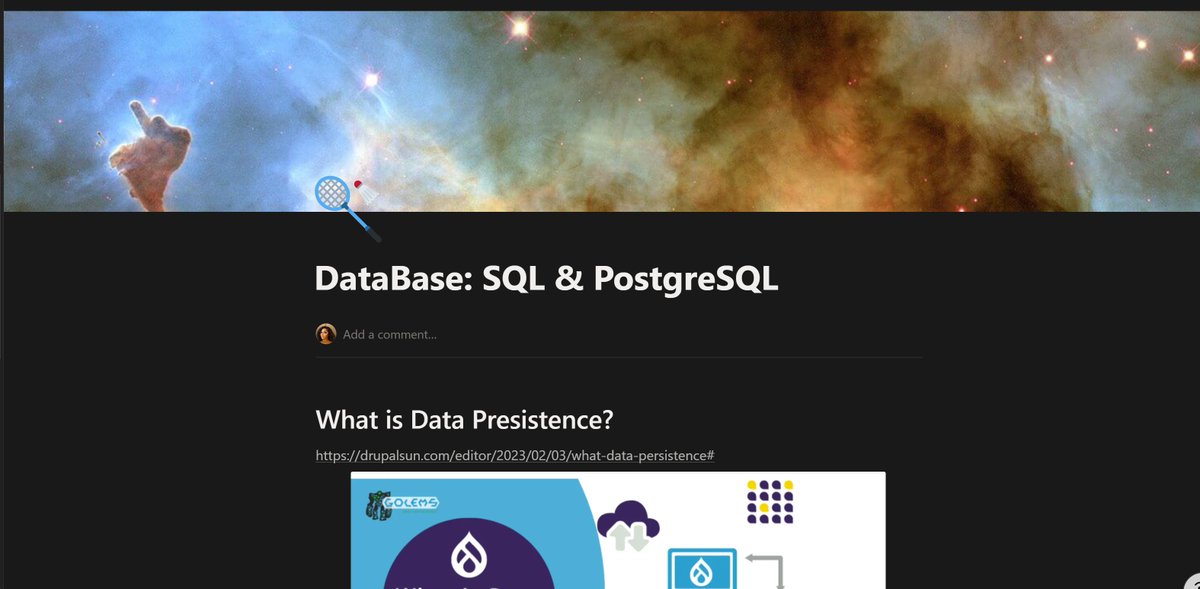
Databases, SQL & PostgreSQL: The Foundation of Data Persistence 🧠🗄️
Every serious application starts with one core question:
👉 Where does data live when the app stops running?
That answer is data persistence.
🔹 What Is Data Persistence?
Data persistence means:
Information continues to exist even after the program that created it stops running.
If your server crashes, restarts, or updates:
• User accounts still exist
• Records remain intact
• Business logic continues seamlessly
Persistent data is stored in non-volatile storage (databases, filesystems, cloud storage).
Without persistence:
• Every refresh = data loss
• No automation
• No real applications
🔹 Why Databases Exist
Databases solve four fundamental problems:
1️⃣ Structured storage
2️⃣ Fast querying
3️⃣ Data relationships
4️⃣ Integrity & consistency
They allow applications to:
• Store millions of records safely
• Query efficiently
• Enforce rules (constraints)
• Scale without chaos
🔹 SQL Databases (Relational Databases)
SQL databases store data in tables with fixed structure.
Example:
• users (id, name, email)
• posts (id, title, user_id)
The user_id connects posts to users.
This is what “relational” means.
Relationships bring:
• Predictability
• Safety
• Clear data ownership
🔹 CRUD — The Core of All Databases
Every database interaction boils down to four actions:
• CREATE → Insert data
• READ → Fetch data
• UPDATE → Modify data
• DELETE → Remove data
Master CRUD = master database basics.
🔹 SQL Essentials You Must Know
Key SQL concepts every developer uses daily:
• SELECT — fetch data
• WHERE — filter records
• INSERT — store new data
• UPDATE — change data
• DELETE — remove data
• JOIN — connect tables
• GROUP BY — aggregate data
Constraints enforce safety:
• NOT NULL → no empty values
• UNIQUE → no duplicates
• PRIMARY KEY → unique identity
• FOREIGN KEY → relationships
🔹 Relationships in SQL
Databases mirror real life:
• One-to-One
• One-to-Many
• Many-to-Many
Foreign keys create these links and enforce consistency.
This prevents:
• Orphan records
• Invalid references
• Broken data models
🔹 SQL JOINs (The Power Feature)
JOINs allow data from multiple tables to be combined.
Example:
• Users Posts
• Orders Products
• Countries Capitals
JOINs turn separate tables into meaningful information.
🔹 NoSQL Databases (When Flexibility Matters)
NoSQL databases store data without rigid structure.
They shine when:
• Data shape changes often
• Content is unpredictable
• Scale is massive
Common types:
• Document DBs (MongoDB)
• Key-Value Stores (Redis)
• Graph DBs (Neo4j)
Great for:
• Social feeds
• Logs
• Real-time systems
🔹 Why SQL Still Dominates Production Systems
As systems mature, structure becomes an advantage.
SQL provides:
• Strong data integrity
• Clear relationships
• Safer updates
• Easier debugging
That’s why banks, fintechs, and core platforms still rely heavily on SQL.
🔹 PostgreSQL — Production-Grade SQL
PostgreSQL is:
• Open-source
• Extremely powerful
• ACID-compliant
• Used in real production systems
It sits at the heart of many serious backend architectures.
🔹 Backend Database Architecture
A typical flow:
Browser / Frontend
↓
Express / Backend Server
↓
PostgreSQL Database
The backend:
• Handles requests
• Applies logic
• Talks to the database
• Returns responses
🔹 Real Applications Use Queries Constantly
From quiz apps to dashboards:
• Fetch records
• Insert new data
• Update state
• Maintain relationships
Databases are not optional.
They are the spine of every real application.
🧠 Final Thought
If you understand:
• Data persistence
• SQL structure
• Relationships
• PostgreSQL fundamentals
You can build:
• Auth systems
• Dashboards
• APIs
• Scalable backends
📘 Full structured guide examples here:
🔗 notion.so/DataBase-SQL-Postg…
Follow @Iris_of_Defi
for clear Web Dev, Backend & Web3 education 🚀
Jan 4

Day 102 of #200DaysOfCodingChallenge 🚀
OAuth (Open Authorization): How Modern Login Systems Actually Work 🔐
Most modern applications don’t ask users to create yet another username and password.
Instead, they say:
“Sign in with Google.”
That flow is powered by OAuth.
What is OAuth?
OAuth (Open Authorization) is an open standard for token-based authorization.
It allows an application to access limited user data from another trusted service without ever seeing the user’s password.
OAuth answers this question:
“Can this app act on behalf of this user, and only within approved limits?”
Why OAuth Exists
Before OAuth:
• Apps collected passwords directly
• Password reuse caused massive breaches
• Trust was centralized and fragile
OAuth solves this by:
• Never sharing user passwords
• Using access tokens instead
• Letting users grant and revoke permissions
OAuth vs Traditional Login:
• Traditional authentication
• User gives email password to your app
• You store and protect credentials
Security responsibility is fully yours
OAuth authentication
User authenticates with a trusted provider (Google)
Provider issues a token
Your app trusts the provider’s verification
Result: less risk, better UX, stronger security
The OAuth Flow (Google Example)
1️⃣ User clicks “Login with Google”
2️⃣ App redirects user to Google.
3️⃣ User approves requested permissions.
4️⃣ Google sends back an authorization token.
5️⃣ App verifies the token.
6️⃣ User is logged in, no password exchanged.
At no point does your server see the Google password.
Passport.js: OAuth Made Practical
OAuth is powerful but complex.
Passport.js simplifies it by acting as an authentication middleware.
What Passport handles:
• OAuth strategies (Google, GitHub, etc.).
• Session management
• User serialization & deserialization
• Authentication state tracking.
You focus on logic, Passport handles protocol complexity.
Local Auth OAuth Together
A real system often supports:
• Email password login (local strategy)
• OAuth login (Google strategy)
Both lead to the same user session, but through different identity providers.
This allows:
• Flexible onboarding.
• Backward compatibility
• Secure migration paths
Password Security Still Matters:
Even with OAuth, local accounts must be secured properly.
Best practices applied:
• bcrypt hashing
• Salting salt rounds
• No plain-text passwords
• Slow, computationally expensive verification.
Passwords are never decrypted: only compared against hashes.
Sessions & Persistent Login
Authentication doesn’t end after login.
Sessions:
• Represent an authenticated user state
• Stored server-side
Cookies:
• Store session identifiers in the browser
• Automatically sent with each request
This enables:
• Persistent login
• Protected routes
• Secure access control
Environment Variables (.env)
Sensitive values must never live in source code.
Stored securely:
• Database credentials
• OAuth client secrets
• Session secrets
This prevents leaks and enables safe deployment across environments.
Final Principle 🧠
OAuth is not just “login with Google”.
It’s a delegated trust system built to:
• Reduce credential exposure
• Improve user experience
• Scale authentication securely
Modern authentication is layered by design:
• Hashing
• Tokens
• Sessions
• Middleware
Environment security
📘 Full structured notes architecture explanations here:
🔗 your Notion link : notion.so/Authentication-and…
Follow @Iris_of_Defi for clear Web Dev & Web3 education.
1
3
16
680
Jan 14
About last night! These guys just filmed what I don't understand 😅
I really want to spend my few days in Nigeria to just chill 😎
3
17
275
Fuego retweeted

Jan 6
Auth isn’t a binary choice
JWTs vs sessions is the wrong framing.
JWTs answers who is this user?
Sessions answers should this user be allowed right now?
JWTs are immutable.
Sessions are mutable.
That single difference enables:
🧵

2
2
14
331
Fuego retweeted

Jan 10
HOW TO SPOT MEMECOINS EARLY
I used to think I was always late.
Charts already pumping.
MC already high.
Opportunity gone.
Turns out I wasn’t early because I was looking in the wrong place.
Then I started paying attention to wom.fun @womdotfun, where attention itself gets rewarded.
If this video caught your attention, then you get it.
New creative arc unlocked, powered by $WOM Campaign.
Big shoutout to @Cruellacodes for building something this good👏🔥
Like and RT for others to see 🔥
Jan 6

One of the biggest challenges I faced while trading was missing entries, not because of bad timing, but because the DEX was lagging.
And honestly, that’s the worst kind of frustration.
Watching a trade run that should’ve been yours… seeing profits you missed just because you couldn’t get in on time, it hits hard.
But ever since I started using @DipCoinOfficial , I haven’t experienced that even once.
So if you’ve been dealing with slow DEXs and missed entries,
@DipCoinOfficial came with the solution right on time.
68
15
167
8,341
Fuego retweeted

Jan 8
mobile app loading
▓▓▓▓░░░░░░░░░ 33%

23
3
107
5,214
Fuego retweeted
Jan 8
Blurrrrreed
Sorry guys, if I'm away, working tirelessly on something, I'm almost ready
6
1
41
1,233

Incase you missed it
Here's a summary of yesterday's amazing space 🔥 about BRANDING.
Listen to the recording and share with your friends.
Shoutout to @LalaMetaX @DeployFuego @uniquekhaddy_0x @faizahnaserian and all amazing contributors
Join The Elite Community's space again tonight by 9pm for more insights like this


9
7
37
965
Fuego retweeted
Jan 8
The real skill is not about the syntax, but knowing what to build and solving a problem for yourself.
If you can solve your problem with programming you can do awesome stuff.
1
7
162
Fuego retweeted

Day 8: Share a productivity hack as a web developer.
@growthinweb3
One Web Dev tip that actually saves my time.
I keep one starter repo and use it for every projrct.
It already has: -my folder structure
-Eslint prettier
-stuff I always reuse
-Scripts I always forget

3
1
7
134