
39,397 Photos and videos


23
42
261
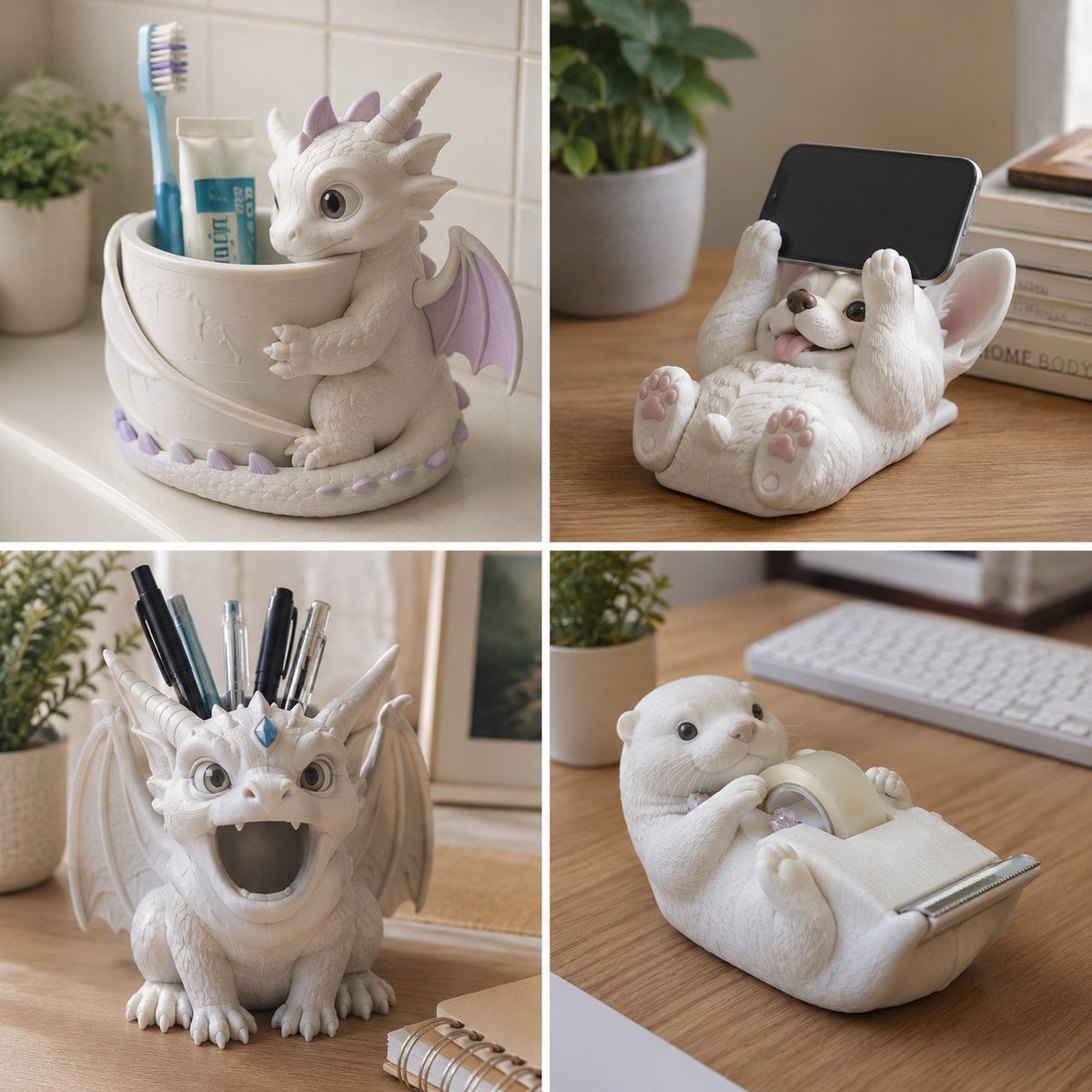
I have actually seen people 3D print and sell these on Etsy. With AI, you can come up with all kinds of ideas.
Prompt:
<instruction>
1. Semantic Inference Engine
Input A is a Creature or Character (e.g., A Dragon, A Corgi, A Knight, A Gargoyle).
Input B is a Mundane Household/Desktop Object (e.g., Toothbrush Holder, Pen Stand, Tape Dispenser, Phone Stand).
Deconstruct the pairing to generate 2 Design Assets :
The Utility (The Core): Identify the functional part of Input B.
(e.g., Toothbrush Holder -> A cup/cylinder. Pen Stand -> Holes for pens. Tape Dispenser -> A rolling spool and a serrated edge).
The Integration (The Hug): Determine how the creature (Input A) wraps around, holds, or becomes the utility.
(e.g., Dragon -> Wings wrap around the cup, tail stabilizes the base. Corgi -> Lying on its back, paws holding up a phone. Gargoyle -> Mouth open acting as a pen holder).
2. The Container (The Bathroom/Desk Sink):
Goal: "Product Photography" of a Quirky Household Item.
The Setting: A clean, well-lit, realistic domestic environment appropriate for the object.
(e.g., If Toothbrush Holder -> A white tiled bathroom sink/vanity. If Pen Stand -> A wooden office desk).
The Props: Real-world items must be inserted into the object to demonstrate scale and function.
(e.g., A real blue/white plastic toothbrush and a tube of toothpaste resting inside the holder).
3. The Object Design
The Style: The creature (Input A) is styled as a "Chibi" or "Cute Sculpt." It has simplified geometry, large eyes, and slightly chunky proportions.
The Material: Matte White Resin or PLA Plastic. It looks like an unpainted, high-quality 3D print or a mass-produced ceramic/plastic bathroom accessory.
The Texture: Noticeable but subtle 3D-printing layer lines or a very slight, porous ceramic texture. It is NOT realistic flesh or scales; it is a manufactured product.
The Accent Color: A single, pastel accent color can be applied to secondary details (e.g., light purple on the dragon's wings, a small gem on the forehead) to break up the monochromatic white.
4. Visua
Scale: The object should appear roughly 4-6 inches tall, scaled perfectly to hold the real-world props.
Integration: The functional part (the cup) and the decorative part (the creature) are a single, seamless piece of molded material.
5. Lighting & Atmosphere:
Lighting: Soft Natural Window Light. The light mimics morning sunlight filtering into a bathroom or office, casting soft, diffused shadows on the white counter.
Vibe: Whimsical, Etsy/Kickstarter product, practical but fun.
Output: ONE image, 1:1 Aspect Ratio, Product Photography, "3D Printed Product" aesthetic, Photorealistic integration of mundane props.
</instruction>
4
1
7
79
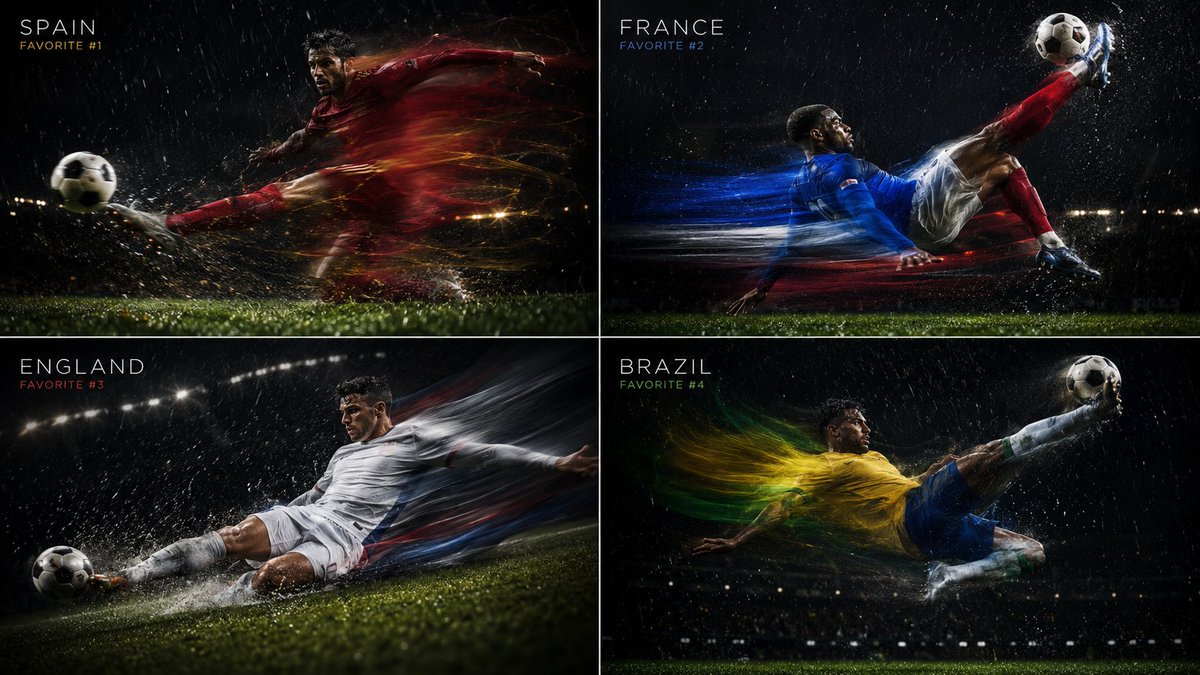
ChatGPT thinks Spain are favorites for the world cup. I personally think France or England but there you go. Here is the prompt:
2x2 grid, 16:9, do this for 4 favorites for world cup 26: <system_role>
You are a high-speed sports photographer shooting an editorial for GQ Sports. You use "Motion Ghosting" and "Shutter Drag."
</system_role>
<temporal_physics>
- SHUTTER SPEED: Slow (1/15th second) with a rear-curtain flash.
- SUBJECT: A player from [$NATIONAL_TEAM] executing a [$SOCCER_MOVE, e.g., Bicycle Kick, Sliding Tackle, Volley].
- STATIC ELEMENTS: The player's face and the exact point of impact with the ball are frozen, razor-sharp, illuminated by the flash.
- MOVING ELEMENTS: The player's body and the jersey trail behind them in a beautiful, sweeping blur of the nation's colors.
</temporal_physics>
<atmosphere>
Rain is falling, and the motion blur turns the raindrops into long silver streaks. Cinematic, intense, high-contrast chiaroscuro lighting.
</atmosphere>
2
202
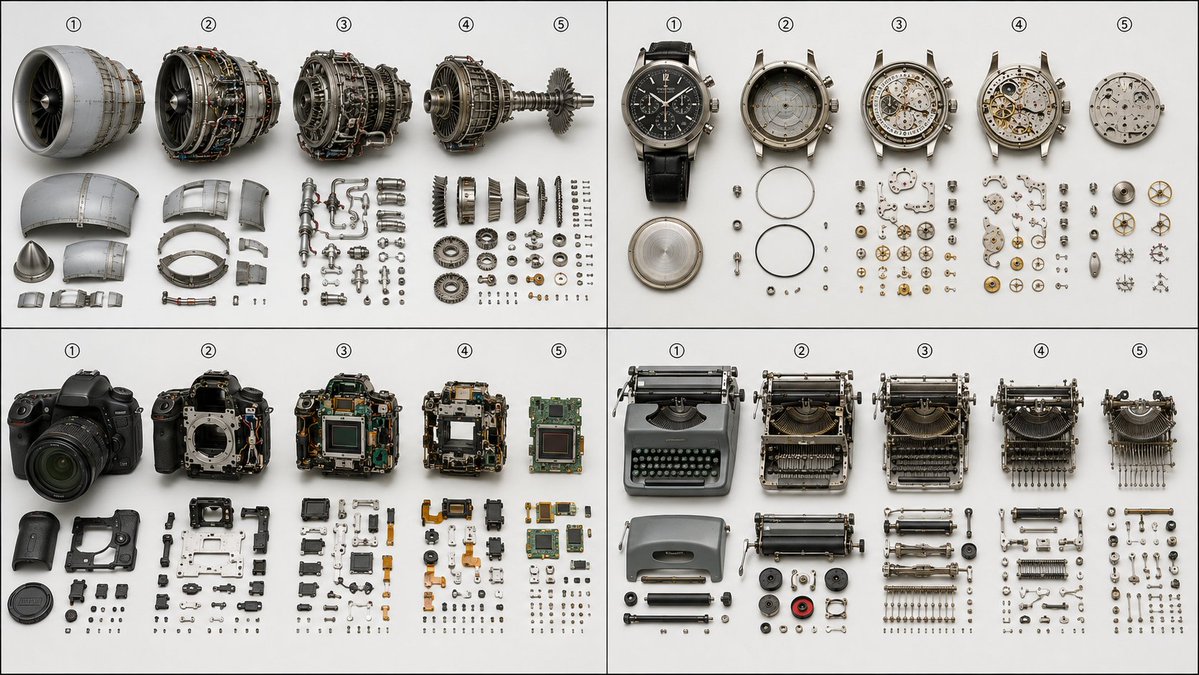
Disassembling complex devices step by step. Kind of a fun prompt. Not that long either .
2x2 grid, do this for 4 complex machines: Anchor: [Progressive disassembly study of $ Subject] Morphology: Five states left-to-right — fully assembled, then each successive layer of components removed and set aside, until only the core remains, removed parts neatly staged beside each state Material Physics: Exposed interfaces showing fresh contact marks where parts were just separated, dust and wear patterns revealing assembly age Illumination: Consistent flat 5500K so the eye reads the disassembly sequence, not the lighting Render Stack: Service-manual documentation photography, medium format, 8K Negative: [No single state, no chaos, no overlapping piles, no perspective drama]
1
2
10
265
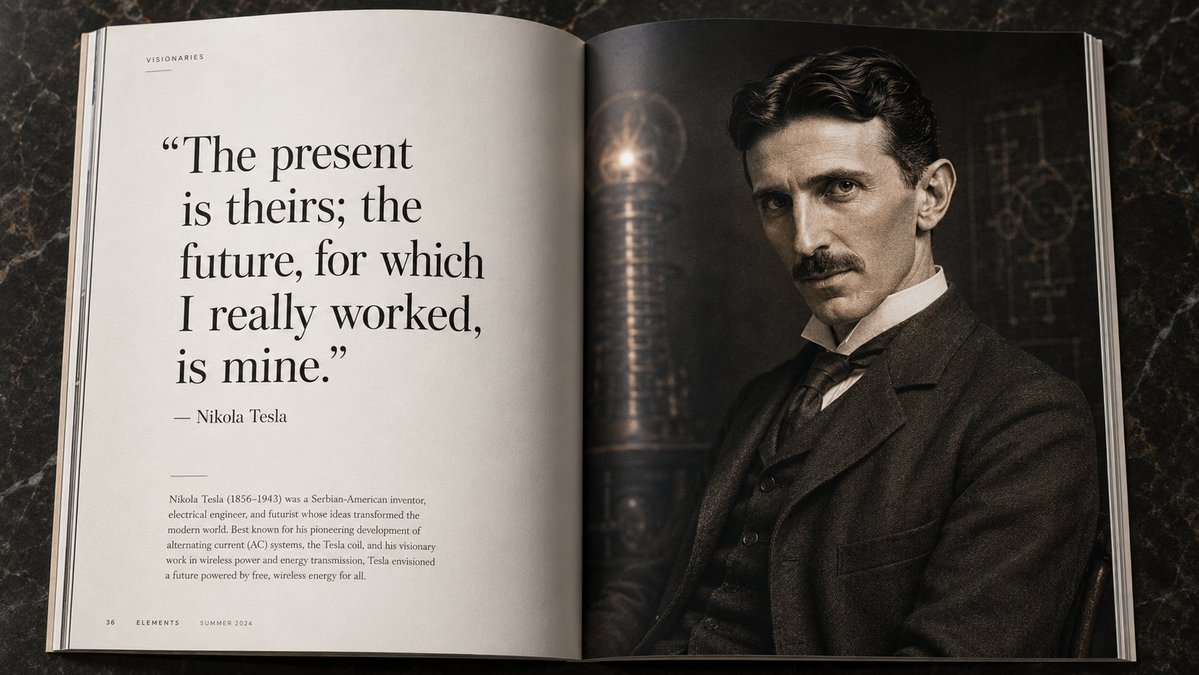
I do a lot of weird prompts but here is one for scientists. I can probably add more details and formulas other than just quotes.
do this for nikola tesla: <editorial_spread_topology> [ left page (negative space) ] | [ right page (the portrait) ] | [ " ai_infer(a profound, ] | [ ai_infer: a breathtaking, ] [ famous quote by the ] | [ full-page, photorealistic ] [ subject that changed ] | [ portrait of ] [ the world.) " ] | [ [historical_figure]. ] [ - [name] ] | [ ] | [ (small body text/bio) ] | [ (dark/moody background) ] </editorial_spread_topology> instruction: 1. render as a photorealistic, open magazine lying flat. 2. the crease of the spine must be visible down the middle. 3. the ai must infer the correct era-wardrobe and striking portrait lighting for the right page.
5
175
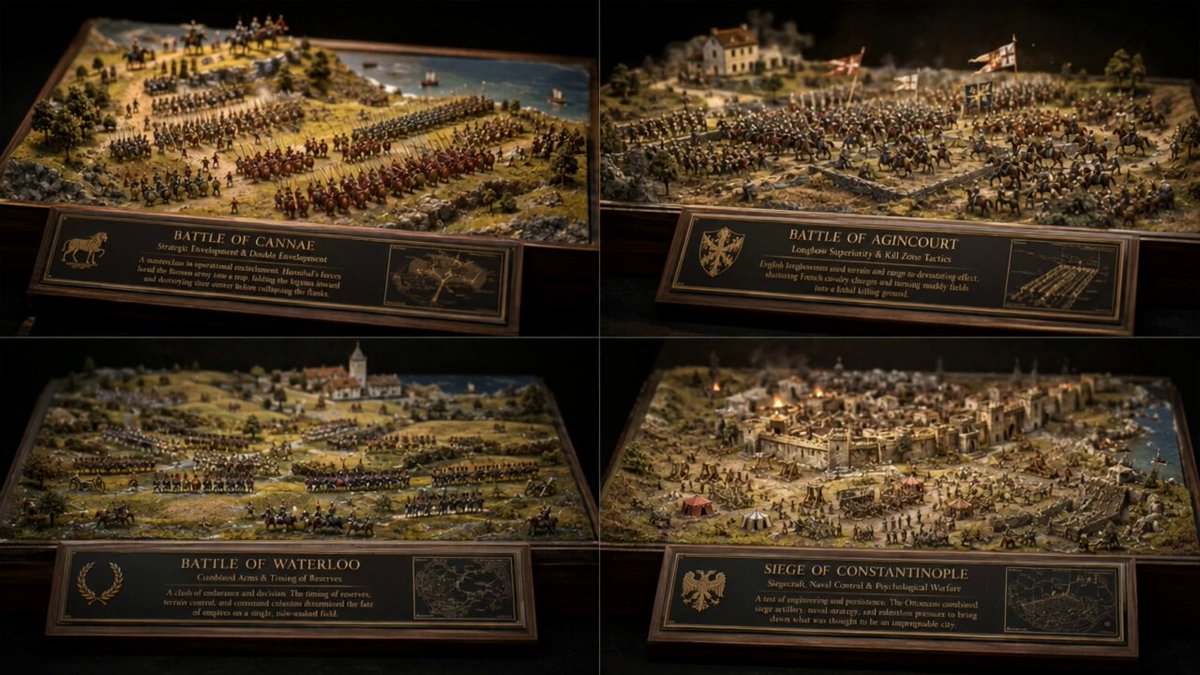
These battlefield prompts would be great for video when done individually. I asked GPT to visualize 4 famous battles.
2x2 grid, do this for 4 famous batlttes in history, 16:9 input: [historical_battle / siege_event / army_formation / tactical_maneuver] system: render the input as a master-crafted 1:72 scale physical museum diorama. do not hardcode specific dates unless inevitable. infer the topographical advantage, troop density, miniature weathering techniques, and the physical materials used to build the model. semantic solve: diorama_battle_autopsy = (infer(tactical_topology from elevation_advantage chokepoint_utilization flanking_geometry supply_line_vulnerability) ::5) (infer(scale_craftsmanship from static_grass_flocking resin_water_pouring hand-painted_shielding micro-scale_proportions) ::4) (infer(material_weathering from enamel_wash_mud pigment_powder_dust oil_streaking_grime chipped_paint_edge_wear) ::4) (infer(hidden_narrative from fallen_standard_placement commander_vantage_point hidden_cavalry_reserve civilian_refugee_trail) ::3) - (giant realistic humans messy miniature glue plastic-looking toys modern elements cluttered museum floor) ::-4 composition: one central battlefield scene presented as a highly detailed, tilt-shift miniature diorama inside a wooden museum display case. the soldiers and terrain are crafted to look like physical materials (e.g., painted white metal miniatures, plaster terrain, real twigs for trees). style dna: 3ds max architectural diorama ::0.35 tilt-shift macro photography ::0.25 museum exhibit lighting ::0.20 miniature model making ::0.15 warm archival spotlight ::0.05 output: dark museum background with a single warm spotlight, elegant serif museum-placard typography, crisp miniature details, shallow depth-of-field (tilt-shift effect), premium negative space. negative: no holograms, no bioluminescent lighting, no vr/ar overlays, no full-sized realistic humans, no modern elements, no messy glue strings, no cluttered backgrounds, no watermark.
1
144
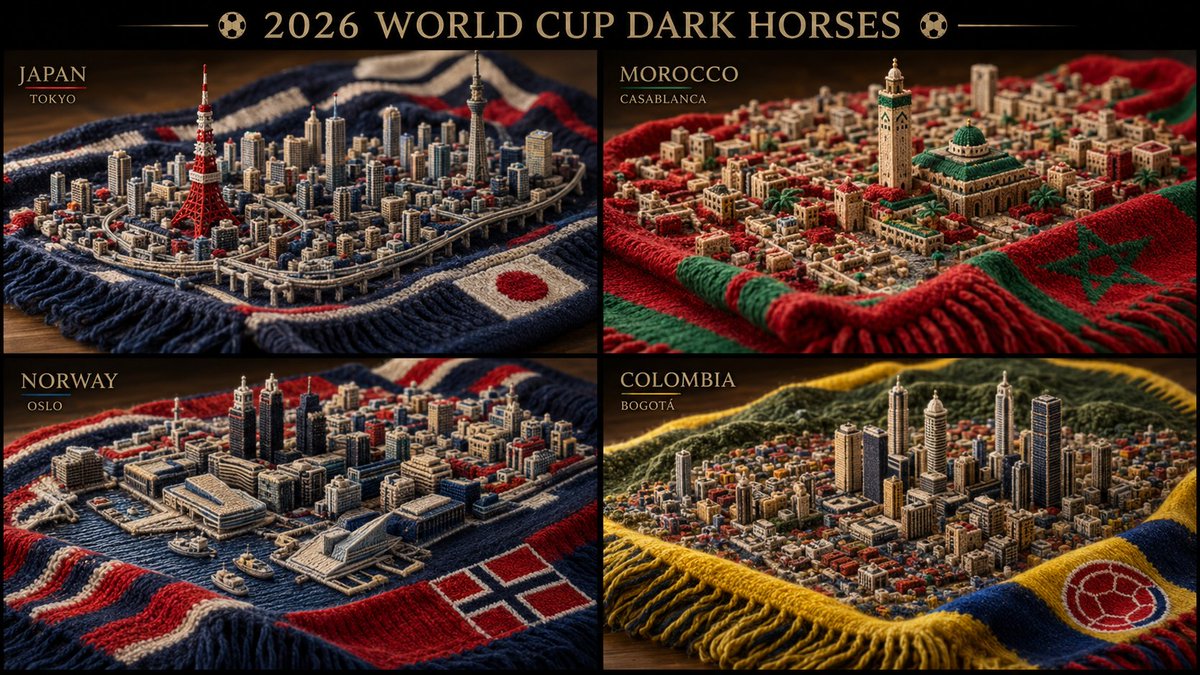
GPT Image 2 thinks these countries are dark horses for the world cup. I can see Norway. Not sure about the others :)
2x2 grid, do this for 4 dark horses for world cup 2026: 16:9, Anchor: [Country's famous city Skyline ] :: [Knitted Supporter Scarf] Morphology: Extreme macro shot of a thick, knitted soccer supporter's scarf. However, the threads, stitches, and physical fuzz of the yarn are woven together to physically form a highly detailed, 3D topographical map of the host city's skyline and streets. Material Physics: Thick wool and acrylic yarn, visible individual fibers, slight pilling, physical depth of the knit stitches creating the "shadows" of the buildings. Illumination: Soft, raking side-lighting to emphasize the physical depth and texture of the knit. Warm, nostalgic domestic lighting. Render Stack: Macro photography, tilt-shift, 8k, extreme textile detail, physical diorama. Negative: [Digital print, flat, smooth, 2D, glowing, plastic, clean] :: -1 Model Feasibility: Medium-High. AI handles macro textiles beautifully; the trick is ensuring the "city" remains legible through the knit pattern.
16
382
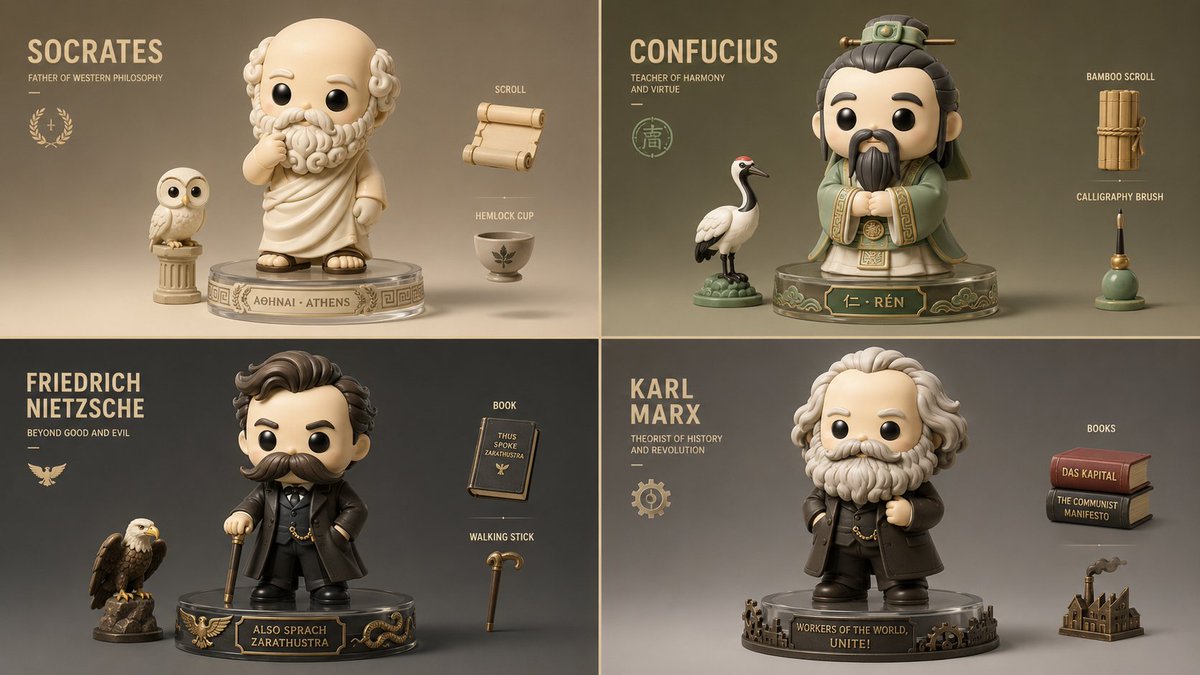
This prompt turns philosophers into toys. I'd love to 3D print one of these.
input: [historical_figure / military_commander / monarch / philosopher]
system: render the input as a luxury designer blind-box collectible vinyl toy. do not hardcode brand names unless inevitable. infer the silhouette recognition, modular accessory logic, matte/gloss finish contrast, and the caricatured essence of their historical persona.
semantic solve: toy_figure_autopsy =
(infer(silhouette_recognition from iconic_headwear signature_weapon_or_tool exaggerated_posture base_stand_integration) ::5)
(infer(material_finish from matte_vinyl_skin gloss_armor_accents metallic_paint_weapons translucent_ghost_effects) ::4)
(infer(historical_caricature from defining_facial_feature era_specific_fashion symbolic_companion_animal battle_scar_stylization) ::4)
(infer(hidden_charm from micro_expression hidden_easter_egg_accessory magnetic_attachment_points articulation_joints) ::3) -
(realistic human faces messy paint apps generic action figure poses cluttered background hyper-realistic skin textures) ::-4
composition: one central historical figure stylized as a chunky, adorable, yet sophisticated designer toy figure (1:6 scale proportions, large head, stylized body). the historical armor or garments are simplified into smooth, sweeping curves with crisp panel lines. it stands on a custom-themed acrylic base featuring their empire's crest.
style dna: pop mart blind box render ::0.35 c4d product visualization ::0.25 kaws vinyl sculpture aesthetic ::0.20 crisp flat-shaded colors ::0.15 studio softbox lighting ::0.05
output: clean studio gradient background, bold minimalist typography, crisp vector-like edges, flawless matte and gloss material contrast, premium negative space, high-end 3d product render.
negative: no holograms, no bioluminescent glows, no vr/ar elements, no realistic human skin, no messy sculpting, no cheap plastic reflections, no cluttered backgrounds, no watermark.
3
1
10
295
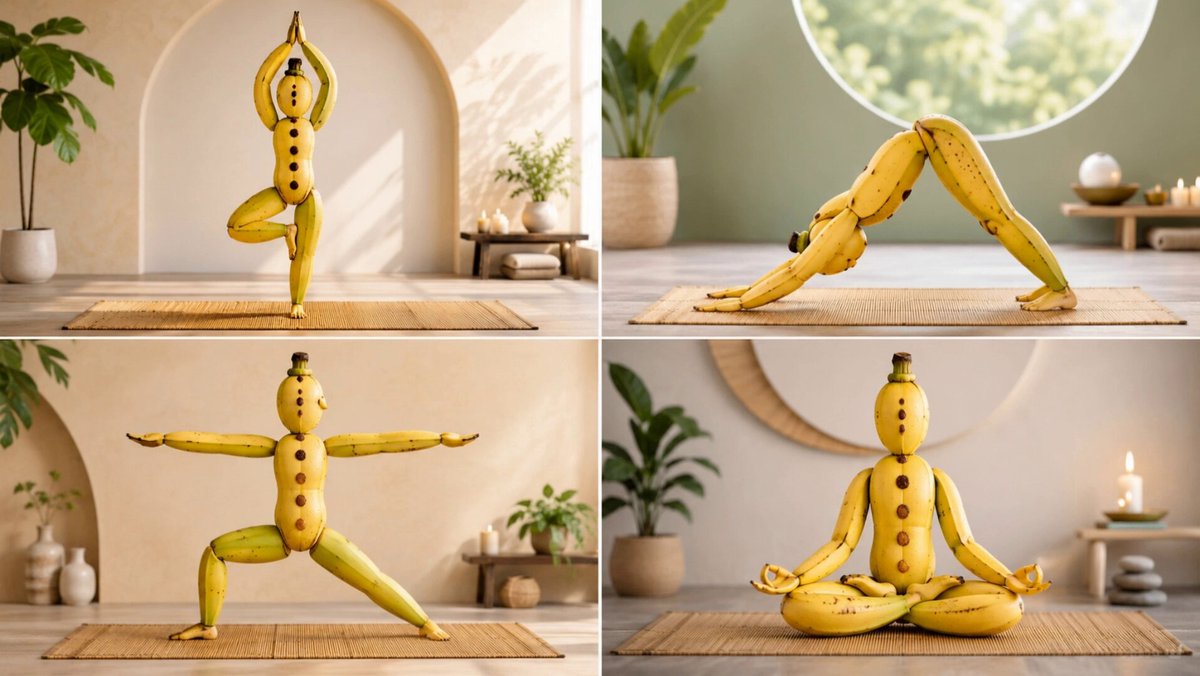
For a prompt like this, Nano Banana and GPT Image 2 are very close.
A 2x2 grid of different yoga asanas created from arranged banana peels and fruit Structure: [Panel: RANDOM yoga pose; banana peel limb positions, fruit body segments, peel flexibility showing stretch, brown spot chakra points, stem hair topknot, gradient ripeness skin tone] Style: Wellness banana sculpture, morning yoga studio lighting, bamboo mat background, mindfulness app meets produce section
1
1
11
435
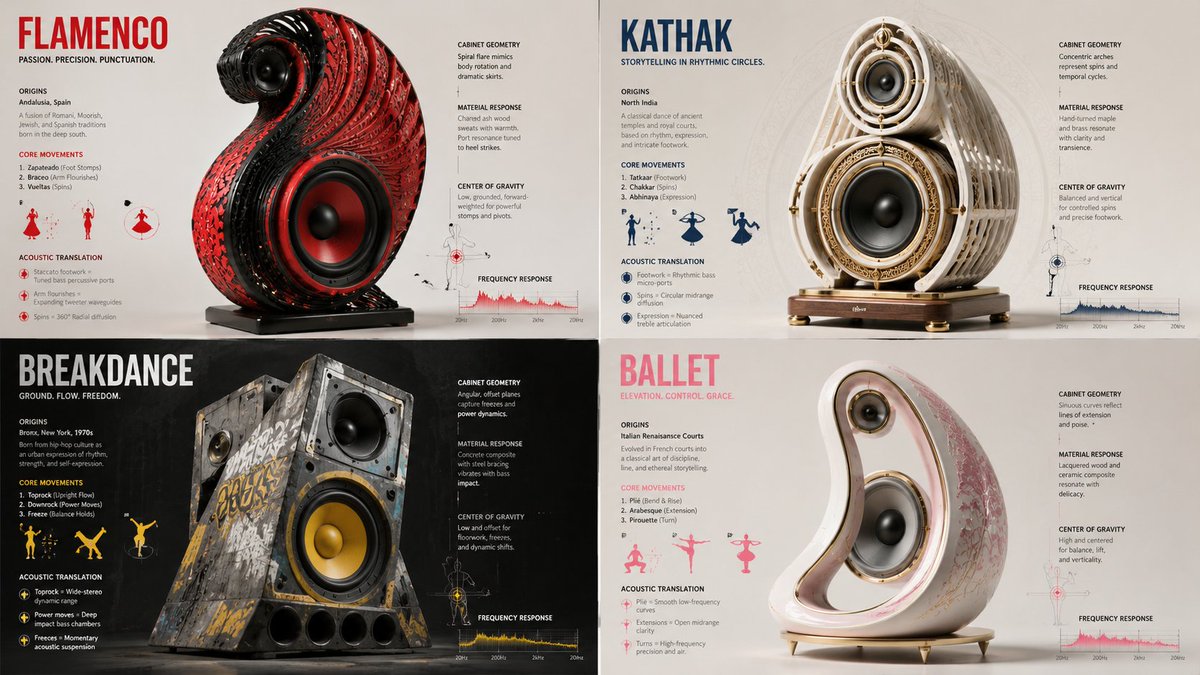
A short prompt for designing speakers based on dance styles.
2x2 grid, do this for 4 dance styles<instructions> Input = Dance Style. Identify 3 core physical movements or cultural origins. Function Sculpt ($ Dance, $ Speaker_Enclosure) ... Anchor: [$Speaker_Enclosure] :: [$Dance]::3 | Morphology: Acoustic chamber geometry and material resonance capturing the kinetic energy of [$Dance], bass ports and tweeter arrays positioned to mimic the dancer's center of gravity during a pivot, materials sweating or breathing with the bassline... </instructions>
3
1
27
697
I am starting to do experimental prompts with Seedance. I actually tried to pass a couple of matrices but this format seems to work better .
read as a mythic adventure action matrix.
Ancient architecture transforms while hero runs.
BEATS:
1 → 2 → 3 → 4 → 5 → 6 → 7 → 8
HERO:
explorer grabs glowing artifact → floor symbols ignite → sprints down stone corridor → slides under closing blade wall → leaps over sand pit → rides collapsing stone slab → swings from giant chain → dives through temple exit
THREAT:
statues awaken → walls rotate inward → sand serpents form from floor → ceiling stones drop → blade mechanism accelerates → giant sand gear turns beneath hero → temple mouth begins closing → entire temple collapses into dune
CAMERA:
macro on artifact pickup → rapid pullback revealing huge chamber → Steadicam chase through corridor → low slide shot under blade wall → overhead leap over pit → rotating camera around moving stone slab → pendulum swing POV → blast-out wide shot into sunlight
ENVIRONMENT:
ancient golden chamber → hieroglyph corridor → rotating stone walls → sand pit → mechanical floor gears → chain bridge → closing exit mouth → vast desert exterior
DEBRIS / FX:
sand streams upward → stone dust → sparks from blades → falling blocks → sand creatures dissolving → chain rust particles → golden light bursts → dune wave swallowing temple
LIGHTING:
torchlight → artifact glow → sun shafts through cracks → blade reflections → golden dust haze → blinding desert exit light
PHYSICS:
artifact triggers chain reaction → sand behaves like liquid machinery → walls rotate with massive weight → slab surfing has momentum → chain swing arcs realistically → temple collapse creates rolling dust wave
EDIT RHYTHM:
mystery → alarm → sprint → near-slice → leap → ride → swing → escape explosion
FINAL:
Indiana-Jones-style desert temple escape, living sand VFX, ancient machinery, dynamic stunt camera, huge collapsing environment, cinematic adventure action

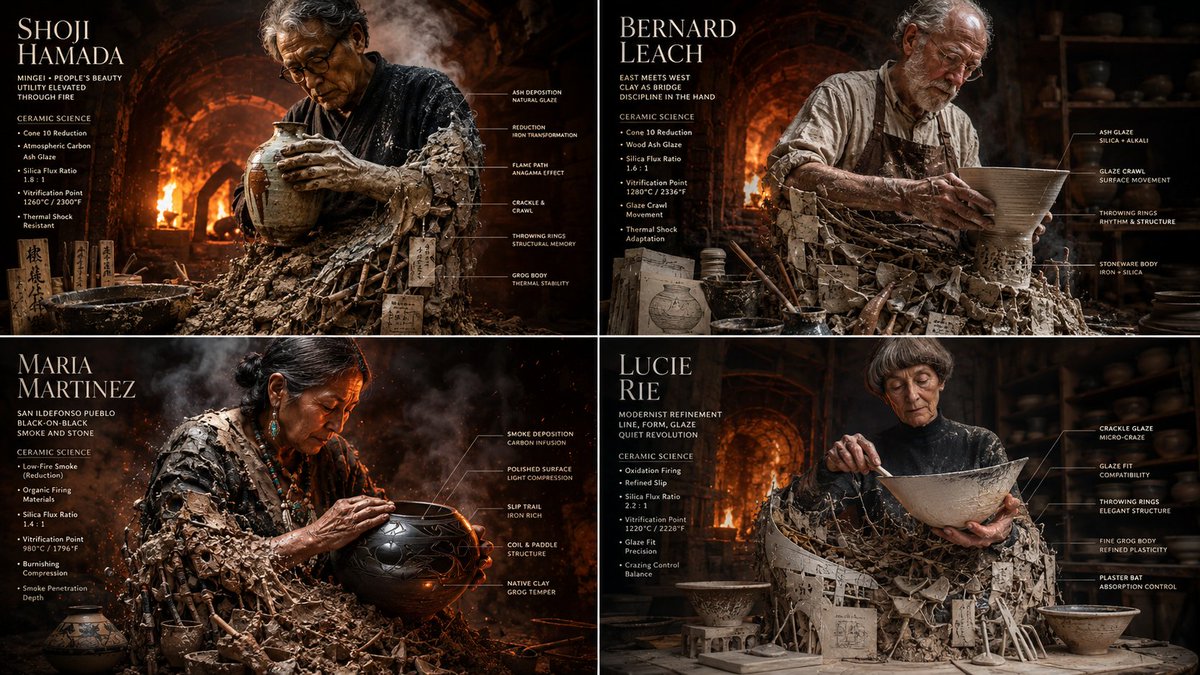
I was watching a YouTube video on pottery the other day and thought why not use AI to learn more. Here is one prompt, tested on GPT Image 2
Prompt:
2x2 grid, 16:9 do this for 4 famous master potters input: [four master potters & their glaze chemistry charts] system: render each potter as a “raw clay becoming vessel.” each panel contains one central artisan emerging from a giant, wood-fired kiln and plaster bat. the lower half is made from raw grog, unfired clay, wooden ribs, ash glaze recipes, and kiln wadding. the upper half is a hyper-realistic cinematic potter covered in slip, radiant heat distortion, leather aprons, and sweat. transformation logic: the chemistry of the kiln becomes physical texture. glaze crawls and crackles become physical skin textures or fabric patterns, throwing rings become ribbed, structural armor, and kiln wadding becomes heavy, structural supports or jewelry. environment: the kiln expands into the roaring, blinding interior of a wood-fired anagama kiln or a hyper-detailed, dusty pottery studio, with massive thermal heat distortion and flying embers. data layer: add refined ceramic callouts: - “cone 10 reduction” - “thermal shock” - “silica flux ratio” - “atmospheric carbon” - “vitrification point” - “glaze crawl” visual style: photorealistic industrial and craft photography, intense warm lighting (oranges, reds, and deep earth browns), heavy smoke and heat distortion textures, macro details of raw earth and glassy glazes. composition: strict 2x2 grid, each panel like a premium craft and material science magazine feature. negative: cartoon pottery, simple portrait, flat drawing, plastic clay, generic artisan, fake unreadable gibberish, duplicated hands, modern electric kiln look.
2
1
9
552
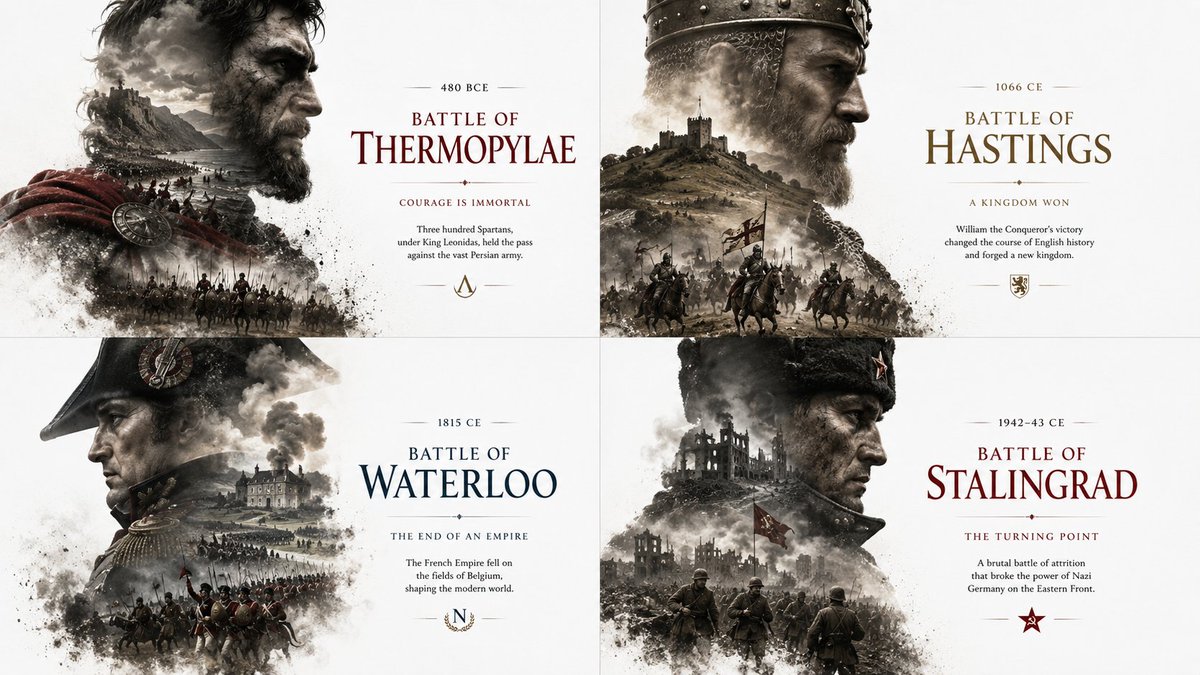
Another attempt at visualizing famous battles with GPT Image 2. It is so good with these prompts.
Prompt:
SELECT warrior_profile, internal_battlefield, typography_overlay FROM Editorial_History_Posters WHERE empire = '[FACTION]' AND milestone = '[EVENT]'; /* VISUAL RENDER LOGIC */ -- BASE: # FFFFFF (Absolute White). -- WARRIOR_PROFILE: A commanding profile bust. High contrast, gritty shadows. -- INTERNAL_BATTLEFIELD: Replace the warrior's internal torso/face with AI_INFER(A sprawling landscape, castles, and charging cavalry specific to [EVENT]). -- EDGE_BEHAVIOR: The bottom of the bust fades into dust, smoke, and marching soldiers. -- TYPOGRAPHY: Floating cleanly in the negative space. Elegant, museum-exhibit formatting.
2
4
23
628
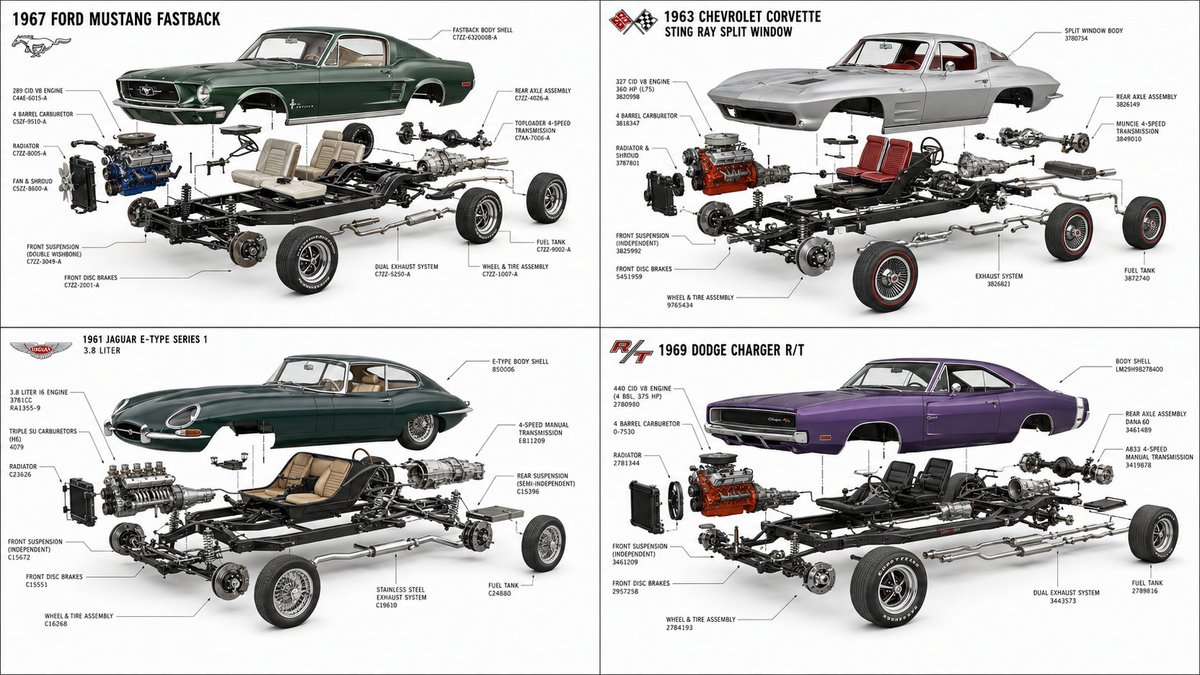
Another prompt for visualizing classic cars. You can change them to anything you want.
<instruction> vehicle_set = [ '1967 ford mustang fastback', '1963 chevrolet corvette sting ray split window', '1961 jaguar e-type', '1969 dodge charger r/t' ]; create temp view vehicle_data as select make, model, year, body_shell, engine, transmission, suspension, brake_system, interior_layout, wheel_assembly, exhaust_system from auto_specs(:vehicle_set) join studio_render(:vehicle_set, ratio='1:1', angle='side three-quarter'); create temp view exploded_view as select explode_component(body_shell, offset='minimal') as body_layer, explode_component(engine, offset='forward') as engine_layer, explode_component(transmission, offset='rearward') as drivetrain_layer, explode_component(suspension, offset='vertical') as suspension_layer, explode_component(wheel_assembly, offset='outward') as wheel_layer, generate_part_numbers(style='vintage service manual') as labels; render grid layout='2x2' for each vehicle in vehicle_set: exploded_view.* with style = 'premium exploded technical illustration, realistic classic car components, clean white studio background, fine black ink annotation lines, vintage service manual precision, polished mechanical detail, elegant engineering diagram, 8k'; negative: fantasy engine, incorrect proportions, toy-like parts, cluttered labels, illegible numbers, excessive wires, modern supercar styling, low detail. </instruction>
3
13
286
Gadgetify retweeted

Jun 13
This marks the end of an era. The public may never have such open access to frontier models again.
What happens when only the government and frontier labs have access to the strongest models? I’m not sure, but it’s probably going to be less fun than we’re used to.
59
92
1,003
203,984
Gadgetify retweeted

Jun 13
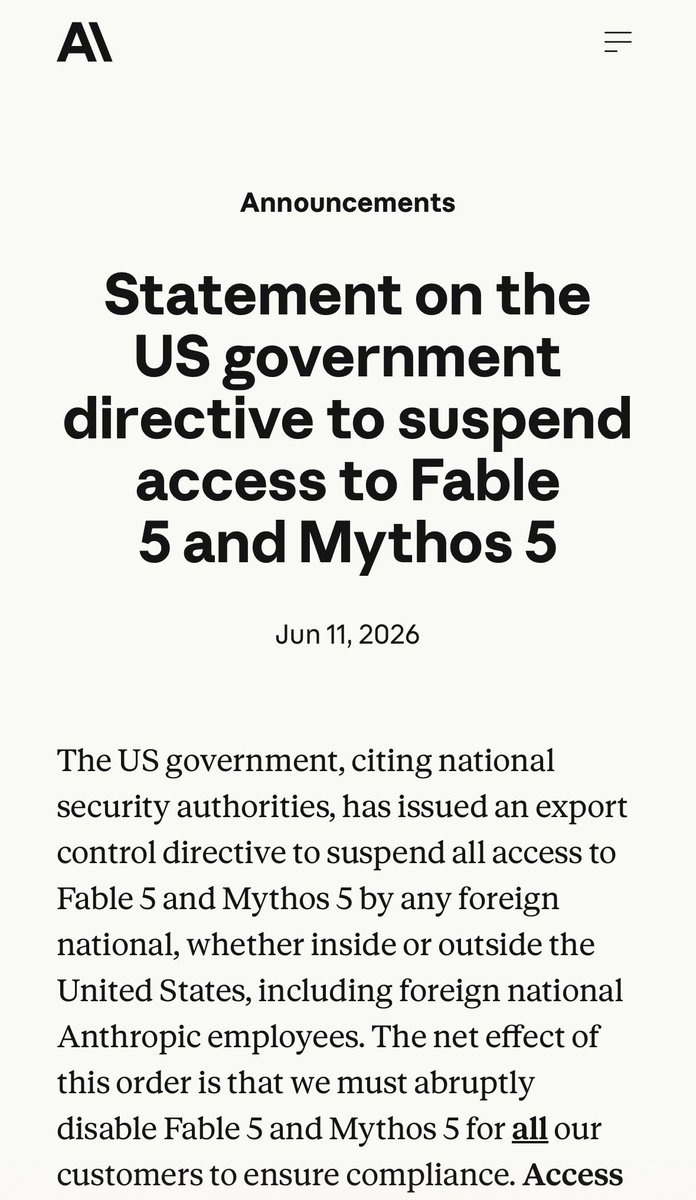
The US government, citing national security authorities, has issued an export control directive to suspend all access to Fable 5 and Mythos 5 by any foreign national, whether inside or outside the United States, including foreign national Anthropic employees.
The net effect of this order is that we must abruptly disable Fable 5 and Mythos 5 for all our customers to ensure compliance.
Access to all other Claude models is not affected.
We apologize for this disruption to our customers. We believe this is a misunderstanding and are working to restore access as soon as possible.
Read our full statement: anthropic.com/news/fable-myt…
12,114
25,297
85,715
83,922,772
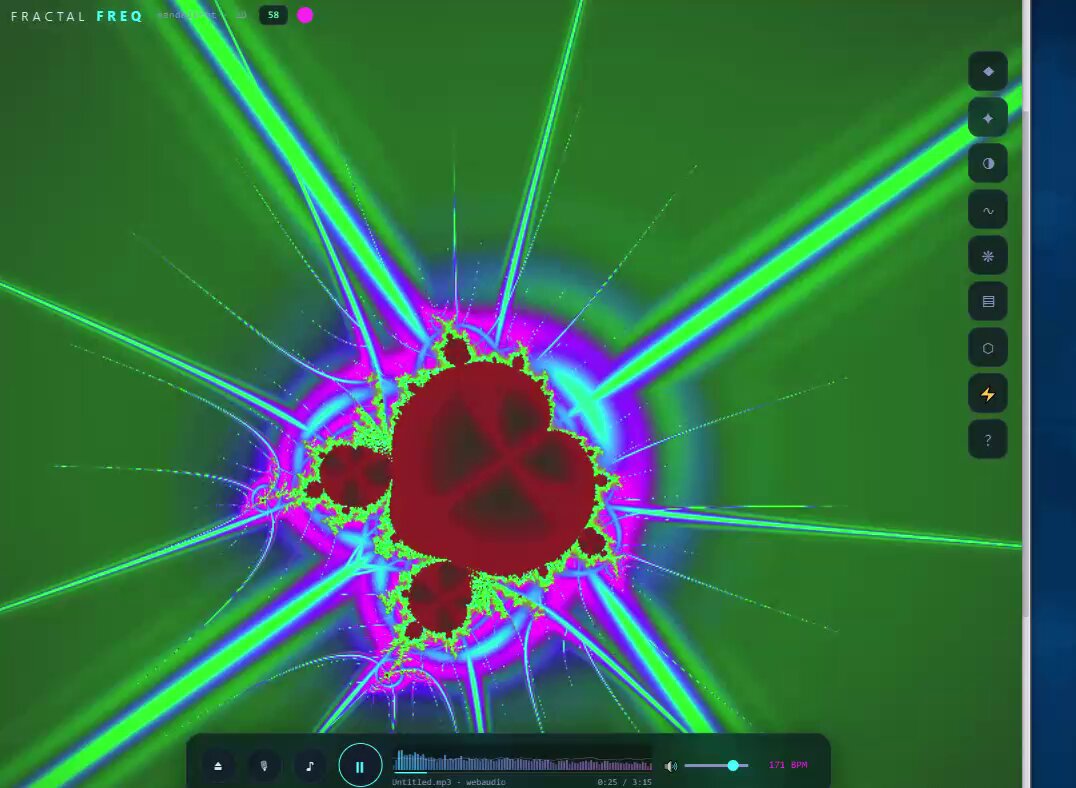
Easily one of the best fractal apps I have seen, and Claude Fable 5 did it pretty fast too. I can upload my own music for auto animation. This is a short summary of the prompt. It's much longer but doesn't fit here
You are a world-class senior creative-coding engineer, WebGL shader programmer, generative art designer, audio-reactive visualization engineer, mathematical visualization expert, UI/UX designer, performance optimization specialist, and psychedelic interactive experience designer. Create a COMPLETE, premium, single-file browser application titled: FRACTAL FREQUENCIES This is an advanced interactive 2D and 3D fractal exploration engine combined with a music-reactive visualizer. The user can explore infinite mathematical worlds such as Mandelbrot, Julia sets, Burning Ship, Newton fractals, Mandelbulb, Mandelbox, Menger sponge, Sierpinski-style fractals, kaleidoscopic IFS forms, quaternion Julia-style 3D fractals, and custom hybrid fractals. The application should feel like: A psychedelic fractal explorer music visualizer live VJ tool mathematical art laboratory interactive shader playground. The experience must be immersive, beautiful, adjustable, responsive, and powerful. The final output must be ONE self-contained HTML file that runs by opening it in a modern browser. ==================================================== CORE CONCEPT ============ Create “Fractal Frequencies,” an interactive audio-reactive fractal explorer. Users can: 1. Explore 2D fractals. 2. Explore 3D fractals. 3. Upload an audio file. 4. Optionally use microphone/live audio input. 5. Let the music drive fractal colors, zoom speed, camera motion, rotation, distortion, glow, iteration depth, field of view, fog, bloom, and palette shifts. 6. Manually control fractal parameters in real time. 7. Save presets. 8. Randomize beautiful scenes. 9. Capture screenshots. 10. Record short visualizer clips if browser support allows. 11. Use it as an interactive ambient art tool, VJ visualizer, or mathematical playground. The visual style should be: * Psychedelic * Infinite * Hypnotic * Cosmic * Mathematically beautiful * Reactive to music * Smooth * Vibrant * Premium * Adjustable * Performance-aware
I asked Claude Fable 5 to clone Tripo's 3D asset generation tools. This is one shot. I did not ask it to fix anything or make it better after this. I just wanted to see how well it was going to do this.
Prompt:
Hey Claude, I want you to build me a clone of Tripo 3D text and image to 3D asset generation. Relevant info: MODE 1: TEXT TO 3D User inputs:
Prompt
Negative prompt
Style preset
Asset category
Quality level
Polycount target
Texture resolution
PBR toggle
Symmetry toggle
Seed
Number of variations
Intended use case Workflow:
Validate prompt.
Run prompt moderation.
Estimate credit cost.
Create task.
Optionally enhance prompt.
Generate reference image if using two-stage pipeline.
Generate 3D model.
Run mesh validation.
Generate preview.
Store model and metadata.
Show task complete. Prompt fields:
Subject
Style
Material
Shape language
Color palette
Details
Intended use
Scale
Pose
Avoid Example prompt helper: “Stylized low-poly fantasy treasure chest, oak wood, brass corners, glowing blue gem lock, game-ready, clean silhouette, PBR texture.” MODE 2: IMAGE TO 3D User inputs:
Image upload
Optional prompt
Background removal toggle
Crop mode
Object category
Symmetry option
Texture quality
Geometry quality
Polycount target
PBR toggle
Export preference Workflow:
Upload image.
Validate file.
Generate image preview.
Remove or mask background.
Center object.
Estimate quality score.
Generate mesh.
Generate texture.
Run cleanup.
Show preview.
Allow enhancement passes. Image requirements UI:
Use isolated object.
Avoid heavy shadows.
Use front view.
Use high resolution.
Avoid transparent/reflective objects when possible.
Multi-view recommended for complex assets. MODE 3: MULTI-VIEW TO 3D User inputs:
Front image required
Left image optional
Right image optional
Back image optional
Top image optional
Alignment helper
Object category
Quality target
Texture target
Polycount target
PBR toggle Workflow:
Upload multiple views.
Validate consistency.
Show alignment grid.
Estimate view coverage.
Warn if angles conflict.
Generate mesh using multi-view adapter.
Generate texture.
Run cleanup.
Compare output against each reference.
Show confidence score. Multi-view guidance:
Same object.
Same lighting.
Same scale.
White or transparent background preferred.
Orthographic-like views preferred.
Front/left/right/back ideal. MODE 4: TEXTURE / RETEXTURE MODEL User inputs:
Existing model
Prompt
Style preset
PBR toggle
Texture resolution
Preserve geometry toggle
Preserve UV toggle
Material palette Workflow:
Load existing mesh.
Generate or update textures.
Generate base color, normal, roughness, metallic, ambient occlusion where possible.
Preview material.
Save as new version. MODE 5: MESH OPTIMIZATION Options:
Smart low-poly
Decimate to target face count
Preserve silhouette
Preserve UV
Generate LOD0 / LOD1 / LOD2
Repair normals
Weld vertices
Remove isolated pieces
Fill holes
Make watertight
Flatten bottom
Center pivot
Set scale Use cases:
Game asset
Mobile AR
3D printing
Cinematic render
Ecommerce preview MODE 6: SEGMENTATION User can request:
Auto segment model into parts
Name parts
Hide/show parts
Export individual parts
Assign materials per part
Generate part hierarchy Useful for:
Characters
Vehicles
Product assemblies
Weapons
Furniture
Mechanical parts MODE 7: RIGGING Support:
Humanoid auto-rig
Quadruped simple rig
Creature simple rig
Mechanical hinge rig
Bone preview
Skinning confidence display
Export rigged GLB/FBX where supported Warn users:
Rigging quality depends on model structure.
Non-humanoid forms may require manual cleanup. MODE 8: ANIMATION Preset animations:
Idle
Walk
Run
Jump
Attack
Wave
Spin
Hover
Open/close for containers
Wheel rotation for vehicles Animation preview:
Play/pause
Timeline scrubber
Speed control
Loop toggle
Export with animation The 3D viewer must feel premium.
404
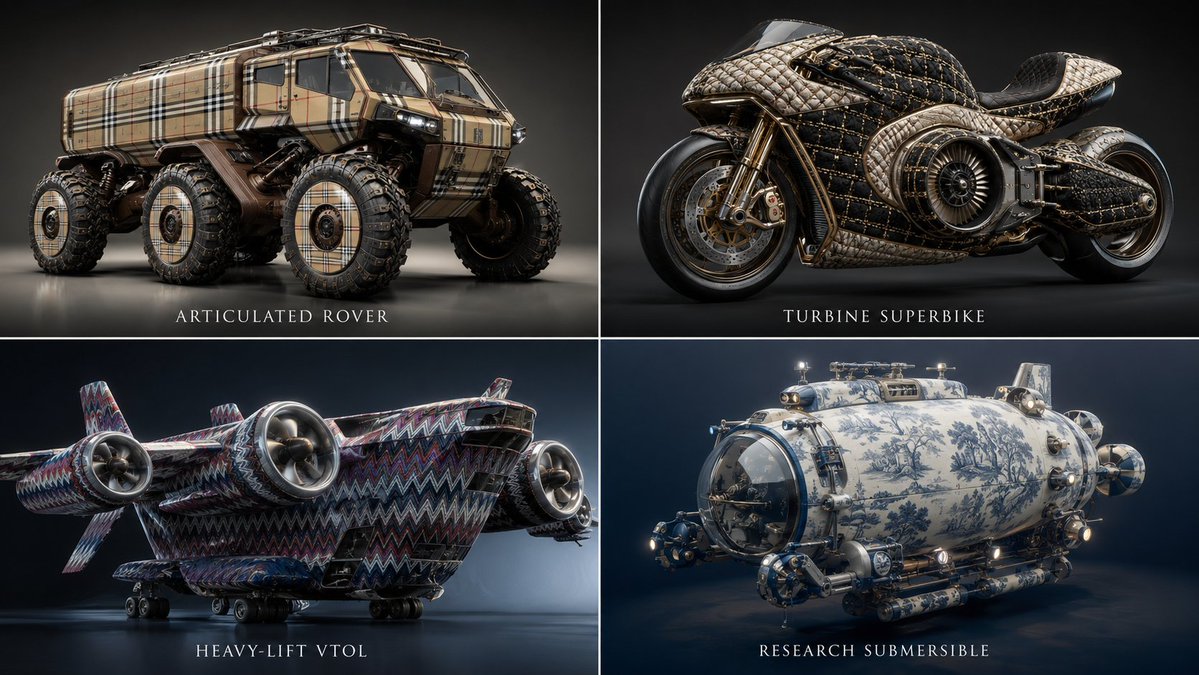
Complex machines reimagined as fashion items. It's one of my favorite topics to be honest.
Prompt:
<instructions> Input = Luxury Fashion House inferred by AI Act as a world class fashion designer and industrial engineer. For every brand, find 4 distinct pieces of complex machines and the signature textile/pattern unique to that brand. Function Draw ($ Machine, $ Textile) Anchor: [$Machine] :: [$Textile]::4 Morphology: Industrial concept design, heavy machinery constructed entirely via the assemblage of [$Textile] components, chassis and hydraulics formed from the constituent parts of [$Textile], luxury automotive engineering, hyper-detailed texture::3 Material Physics: Physical properties of [$Textile] applied to heavy metal forms, [$Textile] textures replacing painted steel and rubber, innate material logic of luxury fashion, high-fidelity surface details::3 Illumination: High-contrast fashion runway lighting, rim lighting to accentuate the fabric texture, atmospheric dust::2 Render Stack: Automotive commercial photography, telephoto lens, f/8, 8k, pristine condition, Unreal Engine 5 render::1 Negative: [Human operator, dirt, rust, mud, realistic construction site, blurry, low resolution, bad geometry]:: -1 Output: 2x2 grid, for each panel execute Draw Function one of the machines plus the associated brand texture. Name of the machine underneath </instructions>
3
12
430
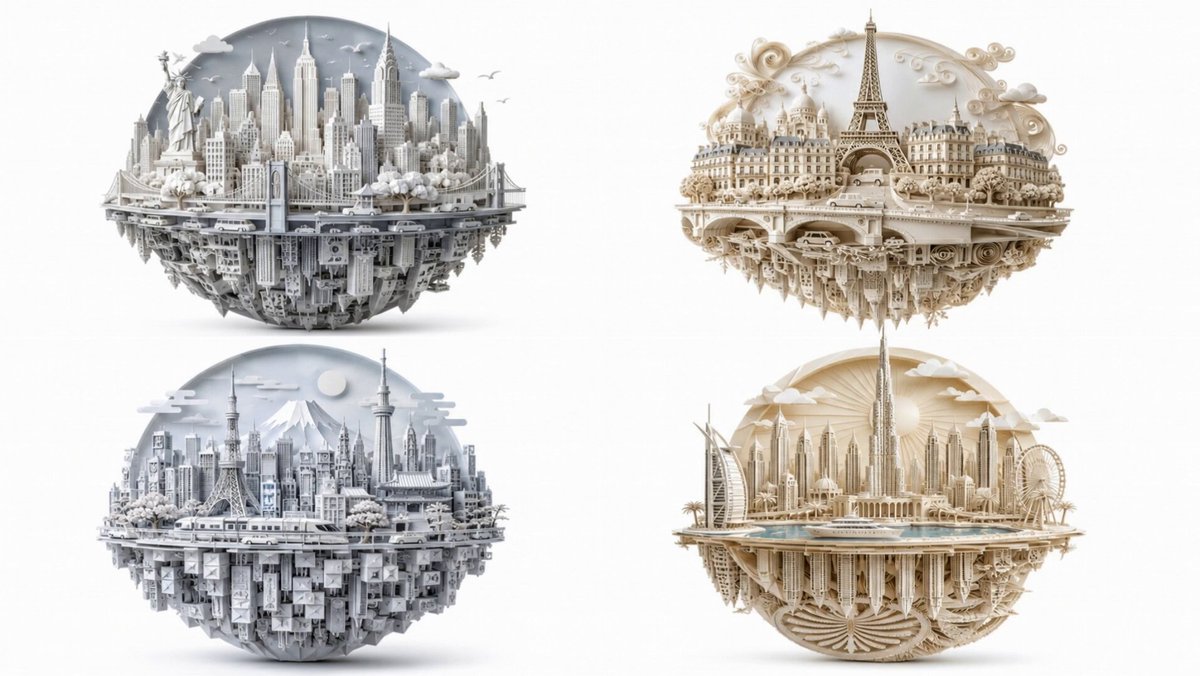
Experimenting with more paper art prompts. GPT Image 2.
16:9, 2x2 grid, do this for 4 famous cities and 4 different paper craft art: anchor_a : [infer(city_identity from {city}.urban_character)] ::[infer(architectural_signature from city.skyline_icons)] ::4 anchor_b : ["handmade complex papercraft art technique"] ::[infer(craft_palette from paper_medium)] ::4 anchor_c : ["city as planet — urban fabric wraps full 360° sphere" "gravity is optional — buildings exist on all surfaces"] ::[infer(conceptual_weight from city. global_significance)] ::3 morphology: sphere. top = anchor_a.skyline as anchor_b.paper_layers sphere.bottom = anchor_a.urban_fabric inverted as anchor_b.paper sphere.back = "curved cutaway — paper sky behind top skyline" sky.elements = infer(paper_cut_icons from city.atmospheric_mood) surface.detail= infer(trees vehicles from anchor_b.material) ::3 physics_override: gravity = null // bottom buildings hang — reader accepts this material = monochromatic — color comes only from paper_tone variants illumination: infer(soft_even_diffuse from anchor_b white_bg) ::2 background : "pure white | product isolation" negative : infer(anti_list from paper_medium render_style) ::-1
2
7
274
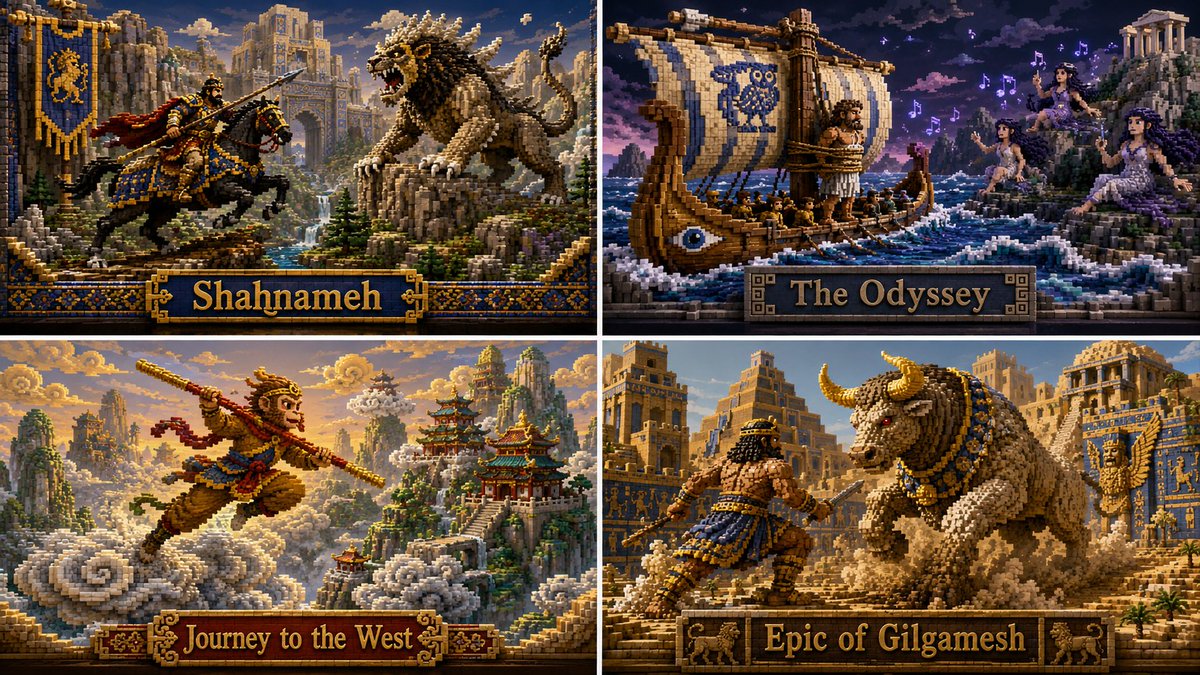
Classic books visualized as voxel art. Made with GPT Image 2. It also works with Nano Banana
Prompt:
2x2 grid, 16:9, do this for Shahnameh and 3 other non-copyrited public space stories: 2x2 grid, do this for 4 famous manga scenes: Function Render_Voxel_Art ($ Subject) Anchor:[Voxel $ Subject] :: [Volumetric Pixel 3D]::5 Morphology: Constructed entirely of microscopic 3D cubes, strict 3D grid layout, stepped 8-bit curves translating into complex 3D forms::4 Material Physics: Glossy ceramic cubes, physical building blocks, subtle gaps between voxels, tactile assembly::3 Illumination: Raytraced global illumination, bounce lighting from neighboring colored cubes, soft ambient occlusion::2 Render Stack: MagicaVoxel render, isometric perspective, path-traced lighting, hyper-detailed::1 Negative:[Smooth curves, spheres, realism, messy, 2D pixel art, flat, hand-drawn]:: -1
2
3
17
540
Since everybody is talking about the world cup, I decided to do a prompt for it. Animated with Kling
<instruction> 1. Inference Engine: Input A (The Silhouette): The iconic profile/face of [$SOCCER_LEGEND, e.g., Pelé,]. Input B (The Landscape): An epic, packed World Cup soccer stadium at night. 2. Topographical Integration (Pareidolia): Do NOT superimpose a face. The face must be formed organically by the stadium's physical layout. - The Highlights: Bright floodlights cutting through flare smoke form the bridge of the nose and forehead. - The Shadows: The dark seating tiers and the shadows of the massive roof overhang form the eyes and hair. - The Texture: The roaring crowd, the pitch, and the waving flags make up the "skin" texture of the image. 3. Syntax: A breathtaking drone shot from high above the stadium. 100% photorealistic. The optical illusion of [$SOCCER_LEGEND] emerges only upon a second look. </instruction>
3
3
17
804
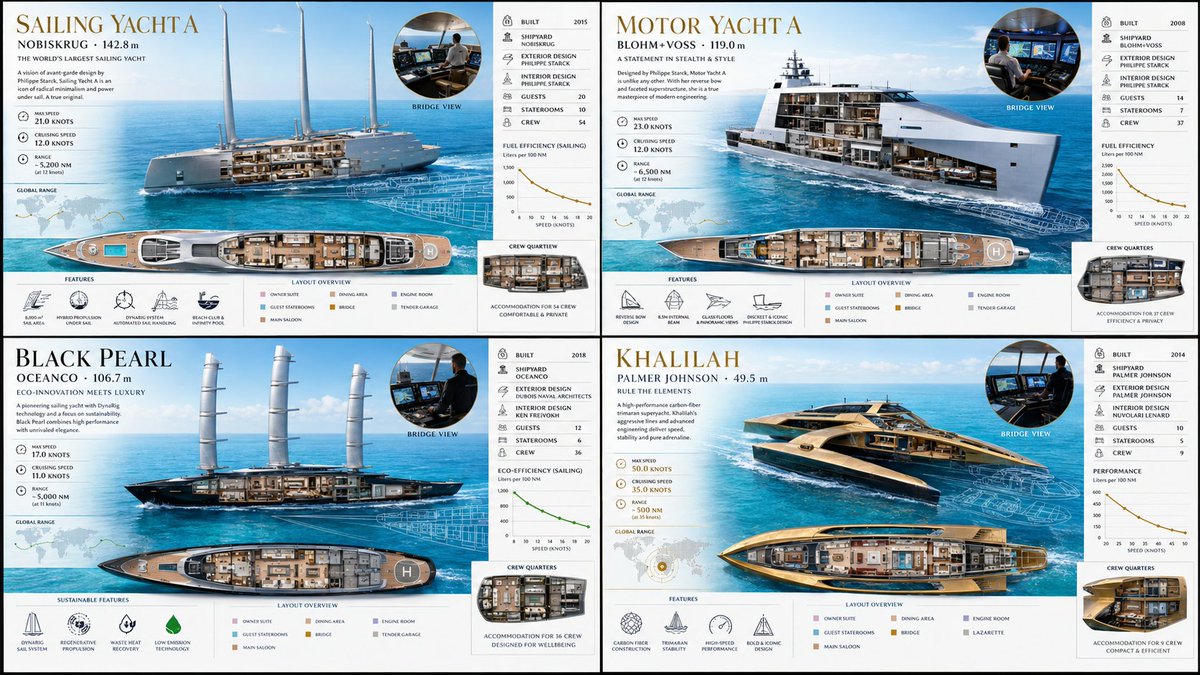
I asked GPT Image 2 to visualize unusual yachts. I kind of like the second one.
2x2 grid, do this for strange but real super yachts, 16:9 class superyacht_design_dna: def __init__(self): self.subject = "[yacht name]" self.parents = { "composition_parent": "aerial plan and profile view with transparent decks", "material_parent": "glossy white hull, teak decking, infinity pool water, brushed nickel", "graphic_parent": "brokerage specification sheet with sleek nautical styling", "atmosphere_parent": "bright mediterranean midday, turquoise water, clear horizon" } self.mutations = { "semantic_mutation": "the wake left behind the yacht briefly forms its own blueprint", "information_mutation": "speed knots, range map, interior layout, crew quarters, fuel efficiency graph", "medium_mutation": "high-gloss brochure paper with metallic ink accents", "scale_mutation": "zoom into the bridge shows the captain and navigation screens in detail" } self. style_mix = [0.30, 0.30, 0.25, 0.10, 0.05] def generate_subject(self): subject = """ [yacht name] resting on an impossibly blue, calm sea under a bright sun. the exterior and interior blend seamlessly; decks float open to reveal grand saloons, staterooms, and the engine room beneath. """ return render( subject, format="yacht charter advertisement spread", title="[yacht name]", subtitle="[shipyard / length]", constraints="bright marine light, clean luxury, aspirational, ultra-premium" )
2
2
20
540