
372 Photos and videos














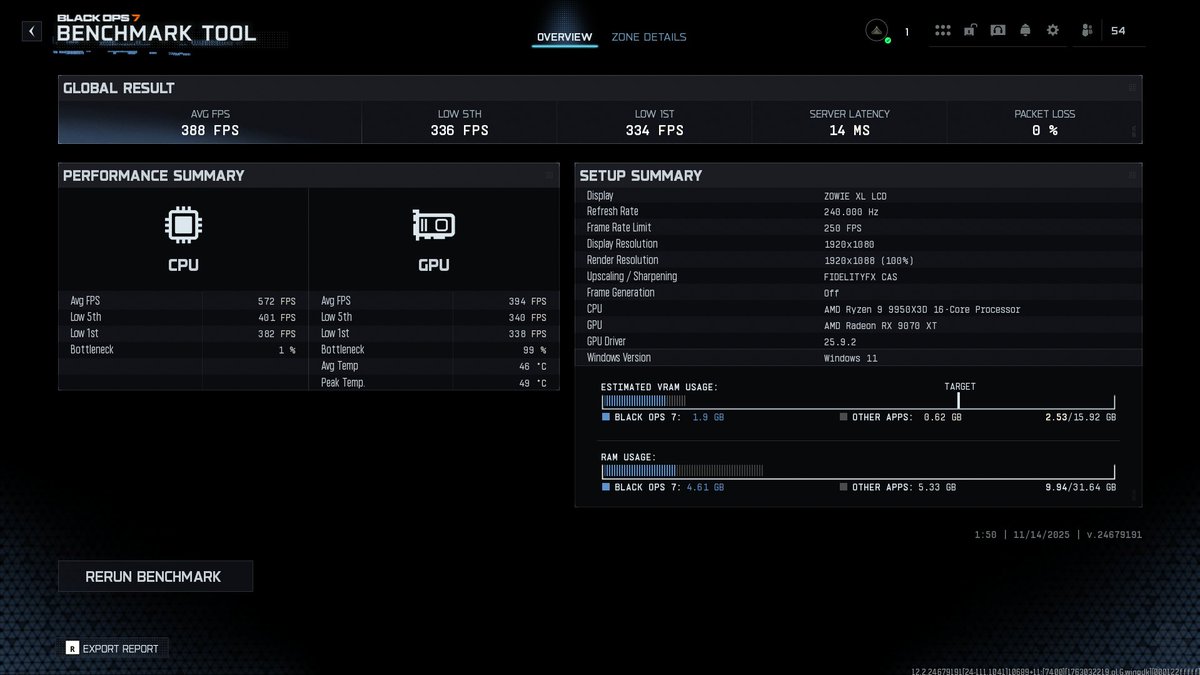


🚨 YOUR PC IS SLOW BECAUSE OF THIS 🚨
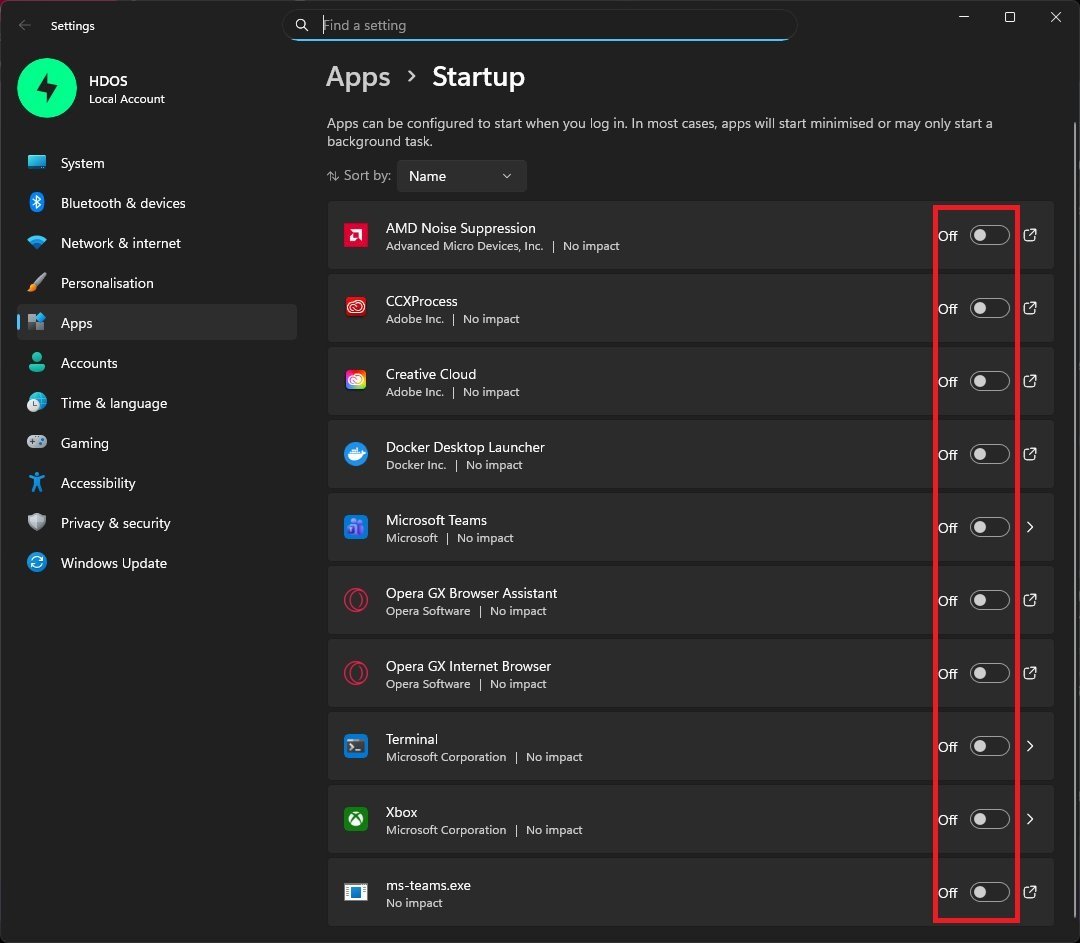
Every app starting with Windows steals CPU RAM before you even touch your mouse.
Fix it in 20 seconds: Settings → Apps → Startup Turn OFF anything that is not essential ❌
Go check yours now, Windows enables way more than you think.
2
10
173
14,415
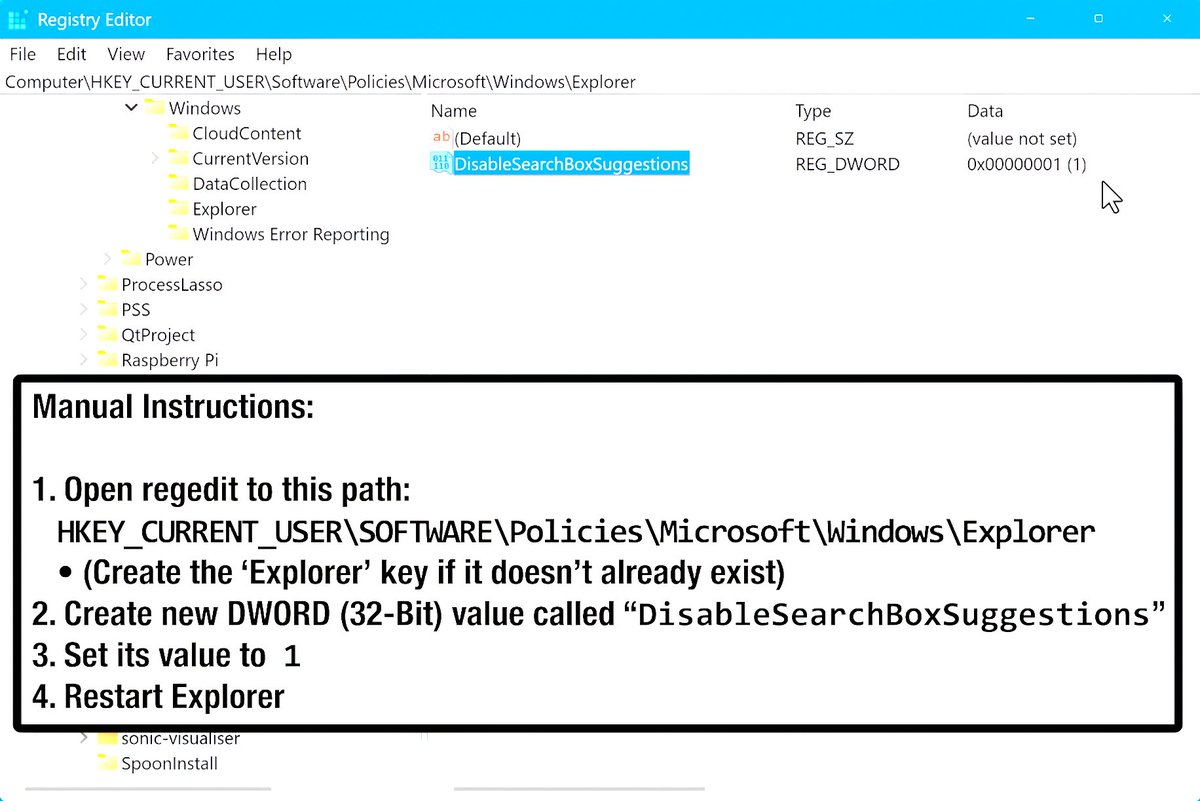
🚫 Disable File Explorer Search Suggestions in Windows 11
Want a cleaner search bar with fewer unnecessary suggestions and less saved search history?
1. Open Registry Editor
2. Go to: HKEY_CURRENT_USER\Software\Policies\Microsoft\Windows\Explorer
3. Create a DWORD called:
DisableSearchBoxSuggestions
4. Set the value to 1
5. Restart File Explorer
6
54
5,989
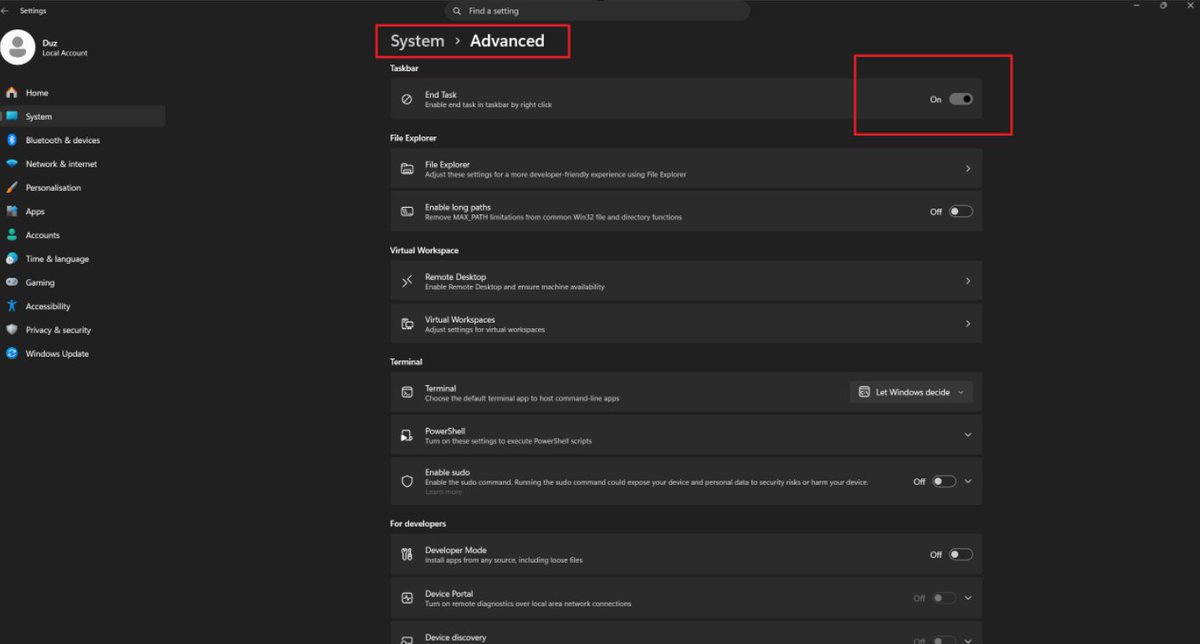
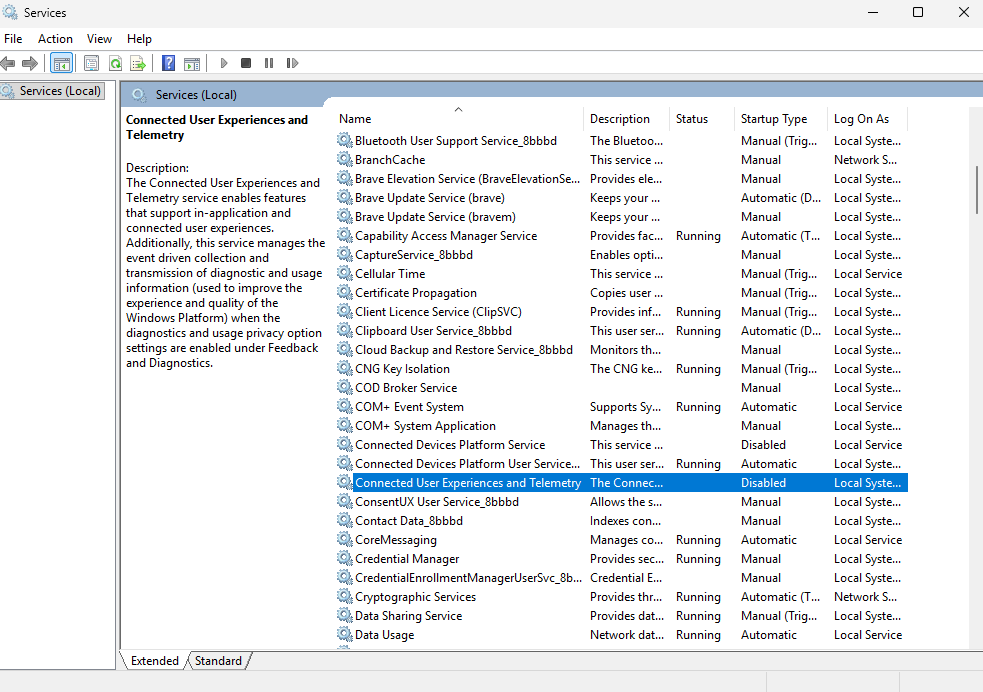
🚨Windows privacy tweak🚨
1. Press Win R
2. Type services.msc
3. Find Connected User Experiences and Telemetry
4. Right-click → Properties
5. Click Stop
6. Set Startup type to Disabled
Disabling it can reduce unnecessary data collection and background diagnostic activity, limit personalised recommendations, and improve your privacy.
15
118
7,960
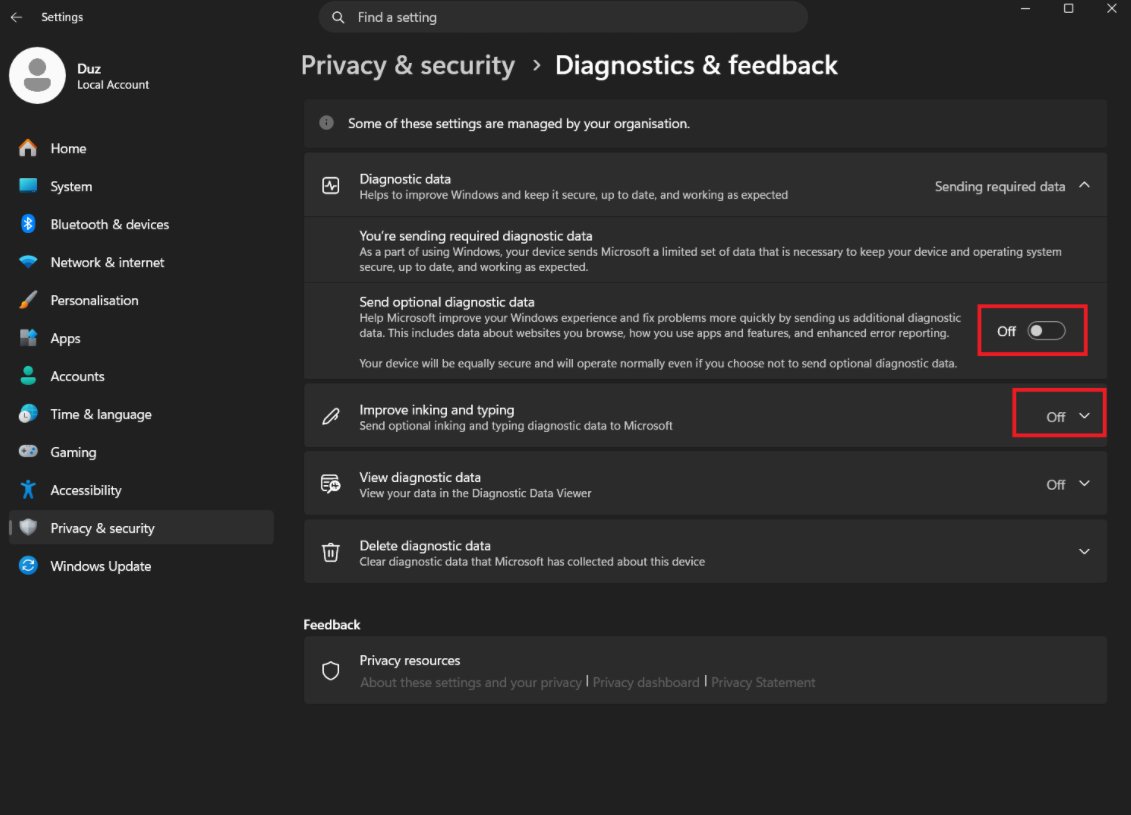
Windows privacy tweak👀
Go to:
Settings → Privacy & Security → Diagnostics & Feedback
Then turn OFF:
- Optional diagnostic data
- Improve inking and typing
This helps reduce unnecessary data sharing and keeps Windows a little cleaner in the background.
6
96
7,552

Best opti by far, my hard drive has never been safer. Use code hdopti.com?fpr=bounceonthebe… for 10 percent off

🚫 No rented girlfriends
🚫 No dodgy hard drives
✅ Just more FPS
Use code STAYSAFE30 for 30% off HD OPTI
2
3
1,472

May 24
Play predator in game, not real life!
🚫 No rented girlfriends
🚫 No dodgy hard drives
✅ Just more FPS
Use code STAYSAFE30 for 30% off HD OPTI
1
3
8
1,336
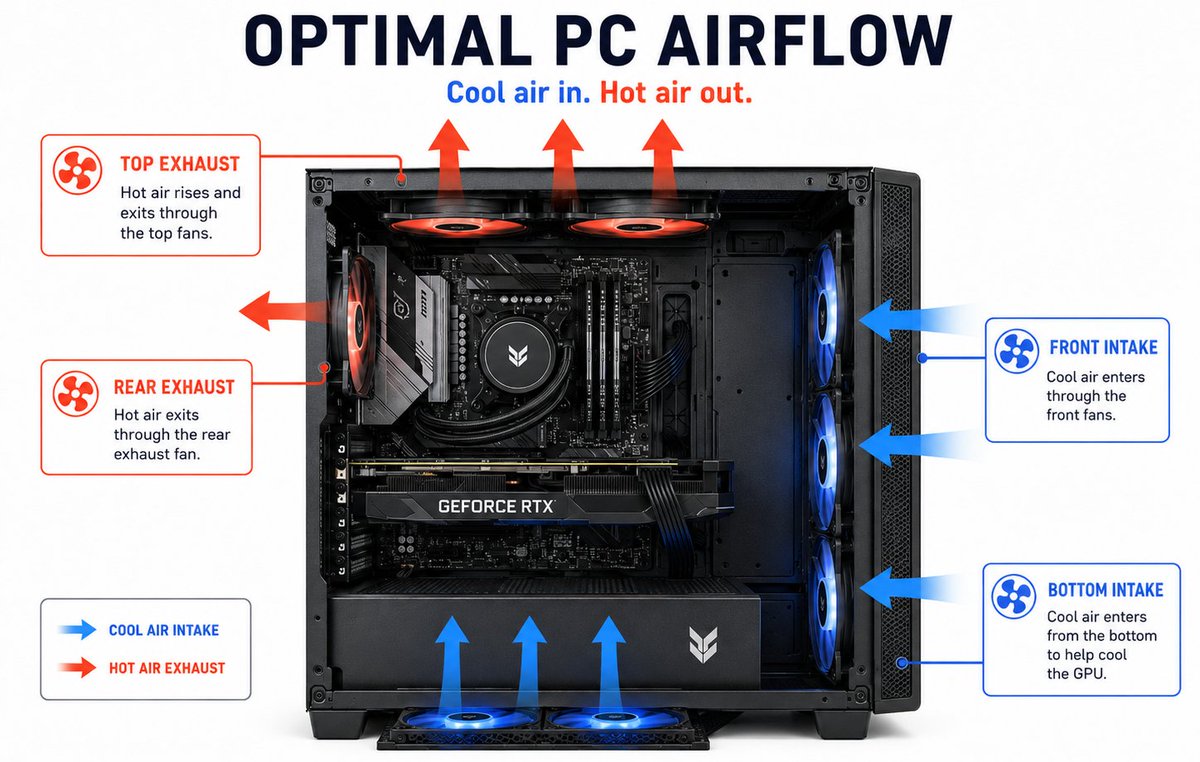
Bad PC airflow can kill your FPS 😬
If your case is full of dust, cables are blocking fans, or your intake/exhaust setup is poor, your CPU and GPU can run hotter and throttle under load.
Quick airflow checklist:
1. Clean dust filters
2. Keep front intake clear
3. Use intake exhaust fans
4. Tidy messy cables
5. Make sure hot air can escape
2
6
33
4,650
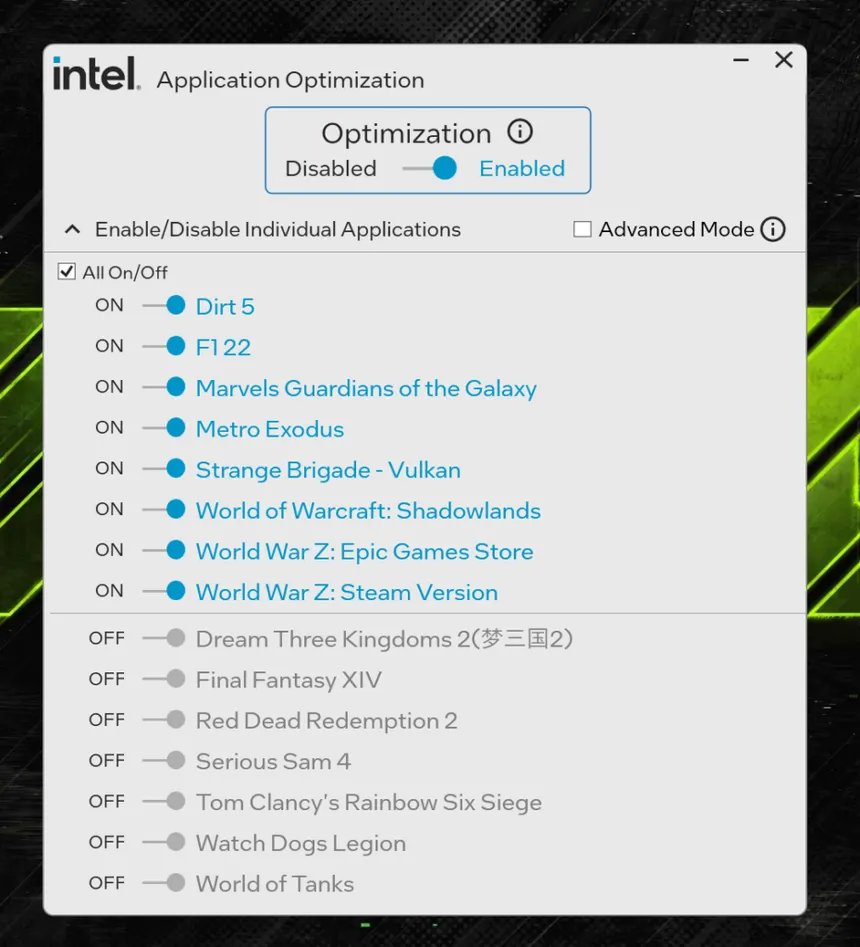
🚨 INTEL CPU USERS 🚨
Want more FPS in games? Enable Intel APO 👇
1. Update BIOS
2. Go into BIOS and enable Intel Dynamic Tuning Technology / Intel DTT / Intel IPF
3. Update chipset drivers
4. Install Intel DTT from your motherboard support page
5. Install Intel Application Optimization UI
6. Open APO and check supported games
Free FPS if your CPU/game supports it 🔥
3
17
127
17,545
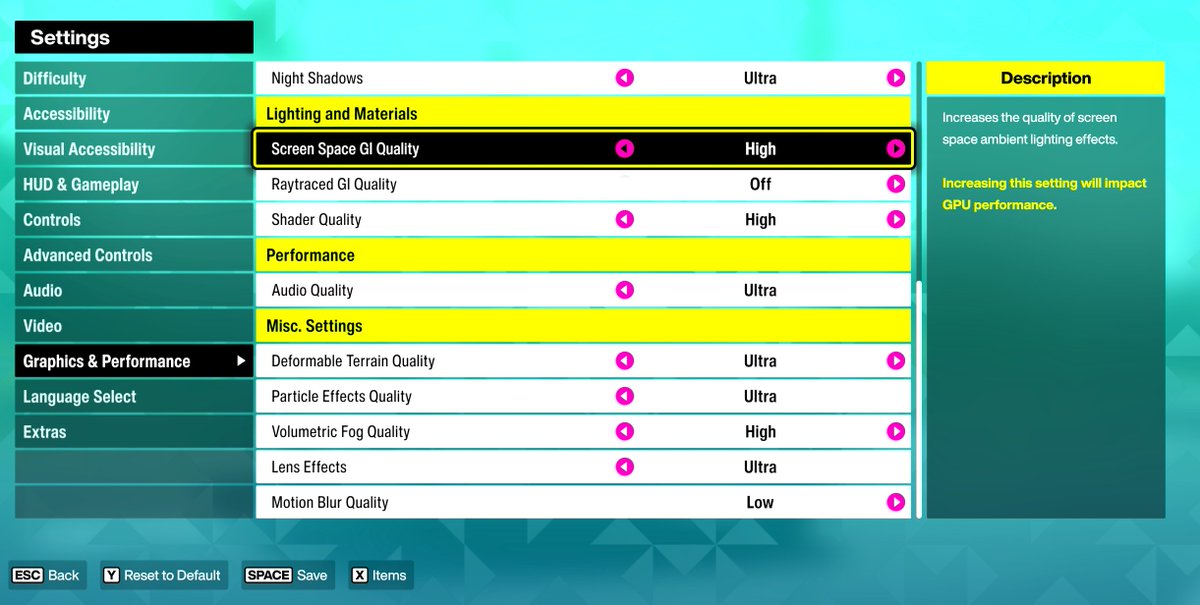
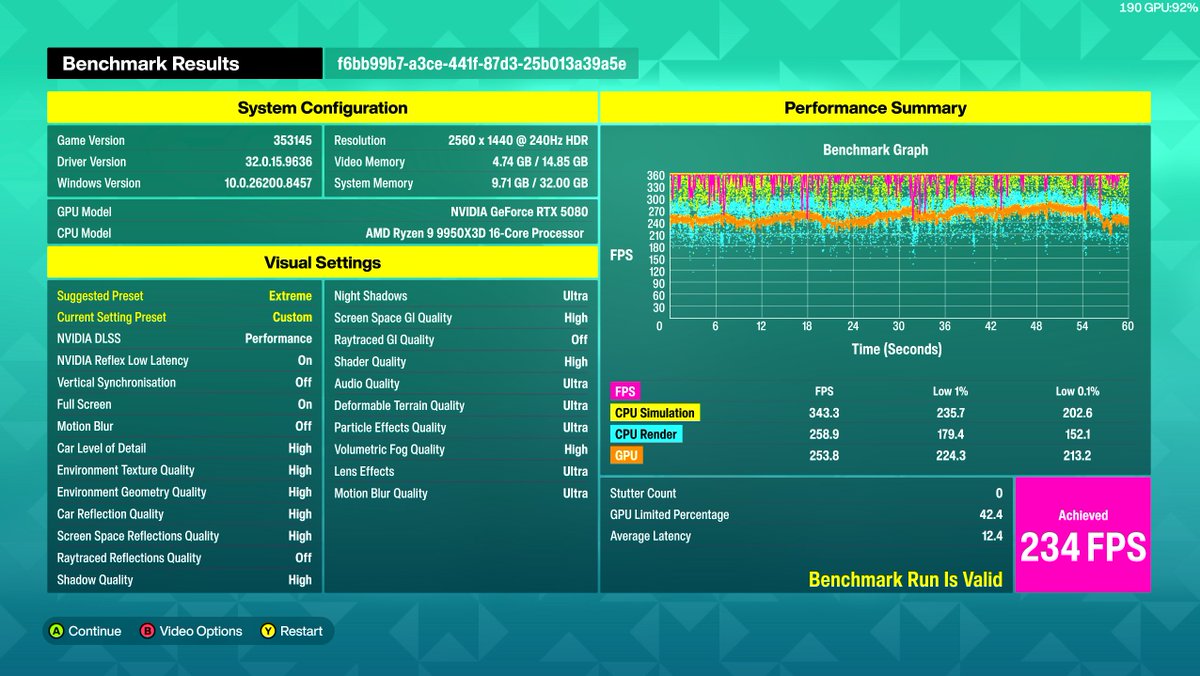
🚨 Windows FPS Boost Tip 🚨
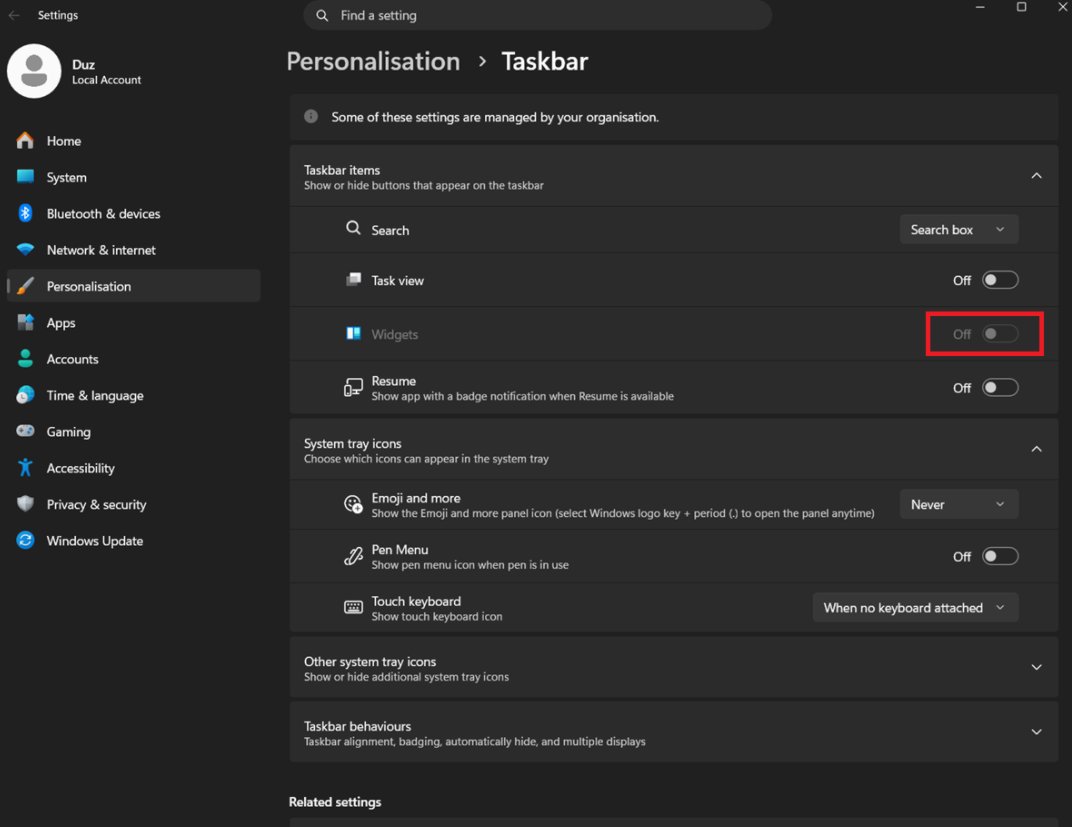
Disable Widgets on your taskbar to cut down background clutter and stop Windows pulling unnecessary live content while you game.
How to do it:
Settings → Personalisation → Taskbar → Widgets → Off ✅
Less background noise. Cleaner taskbar. More focus on FPS.
1
13
161
11,827
🚨 Update ALL your apps in one command
Outdated software can cause bugs, security risks and random performance issues.
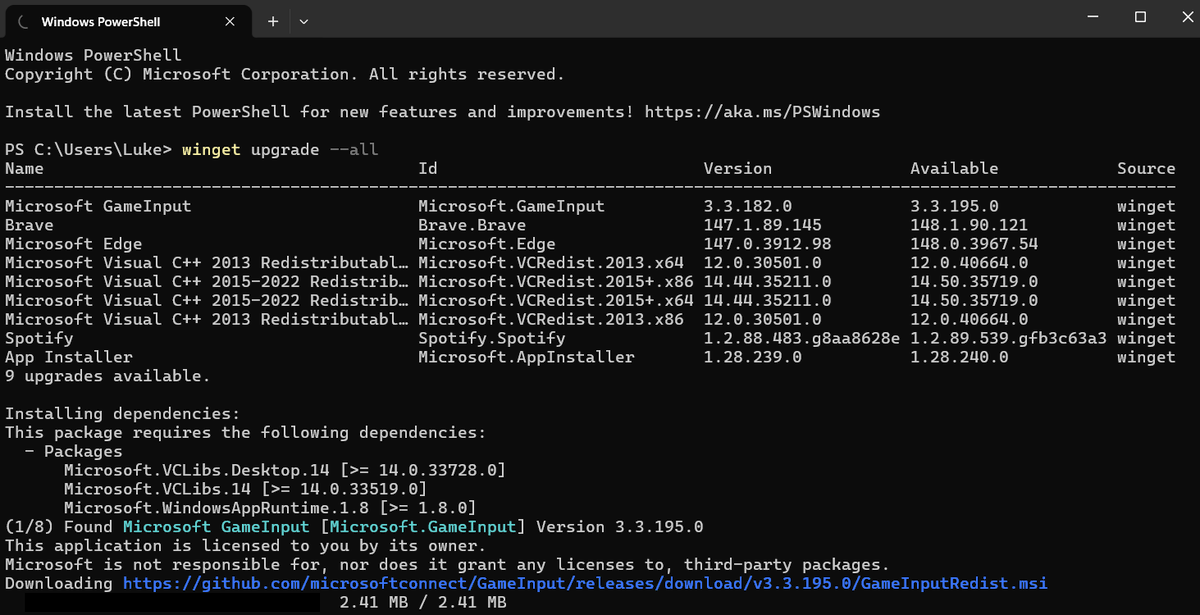
Here’s how to update everything with Winget:
1. Right-click Start
2. Open Terminal / PowerShell as Admin
3. Type: winget upgrade --all
4. Press Enter
5. Let Windows update supported apps automatically
6. Reboot when finished
Free maintenance. Cleaner system. Better security. ⚡
4
23
238
20,109
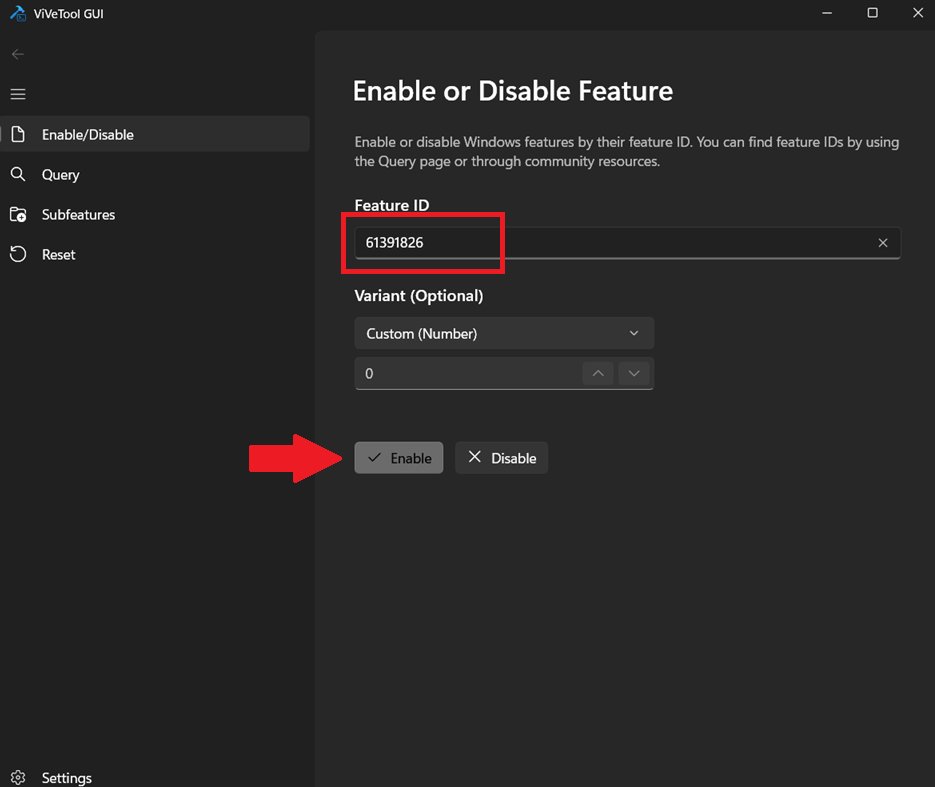
🚨 NEW Windows Low Latency Mode?
You can enable it using ViVeTool GUI:
1. Update Windows
2. Install ViVeTool GUI
3. Go to Enable/Disable
4. Enter Feature ID: 61391826
5. Click Enable
6. Reboot your PC
This makes Windows temporarily push the CPU harder for short bursts when you launch apps, open menus or trigger high priority actions. It boosts CPU frequency for around 1–3 seconds, helping Windows feel faster and more responsive rather than waiting for the CPU to slowly ramp up.
The difference is CRAZY
20
93
1,178
112,831
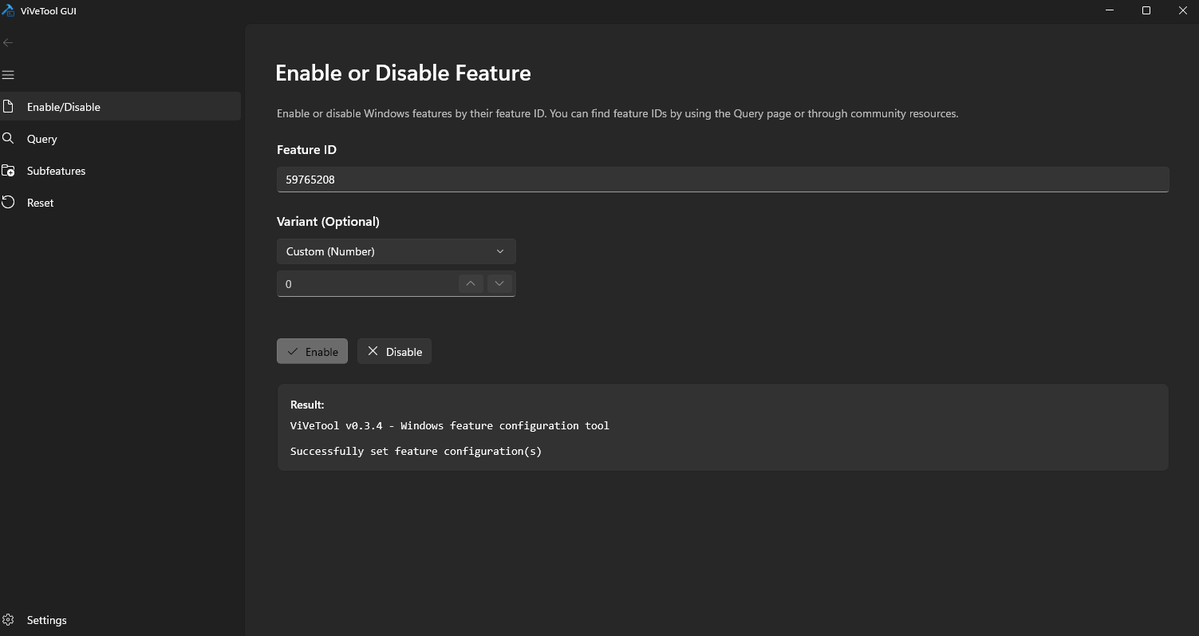
🚨 New Windows 11 FPS Boost Setting? 🚨
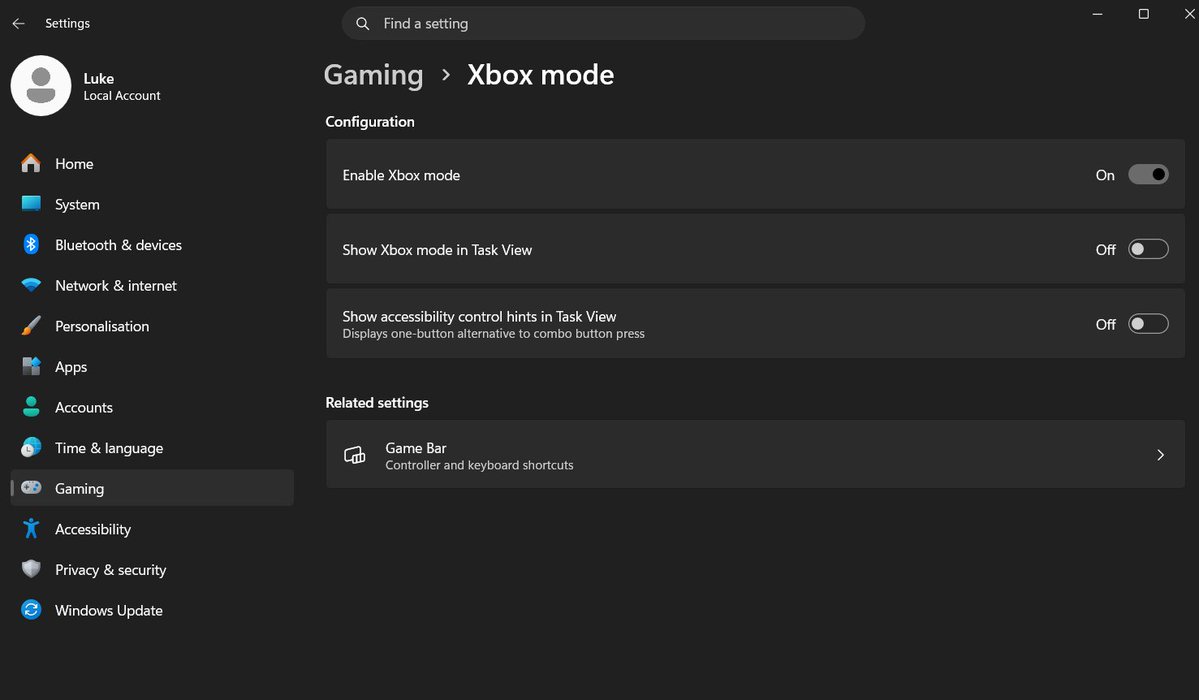
Enable Xbox Game Mode for a cleaner gaming setup and potentially better FPS/stability 👇
1. Update Windows
2. Open Microsoft Store
3. Install ViVeTool GUI
4. Enter feature code: 59765208
5. Apply reboot
6. Go to Settings → Gaming → Enable Xbox Mode
7. Open the Xbox app — Xbox Mode should appear top right
This new mode is designed to give Windows a more console-like gaming experience, this also sleeps a lot of background processes boosting fps
Try it and test your FPS before/after 👀
25
102
1,499
156,242
We’re looking for additional overclockers to join the HD OPTI team.
Due to high demand, we’re looking for experienced overclockers to help with client PC tuning.
If you understand CPU/GPU tuning, RAM timings, stability testing and BIOS settings then we want to hear from you.
Drop us a DM with your experience.

1
4
9
2,437
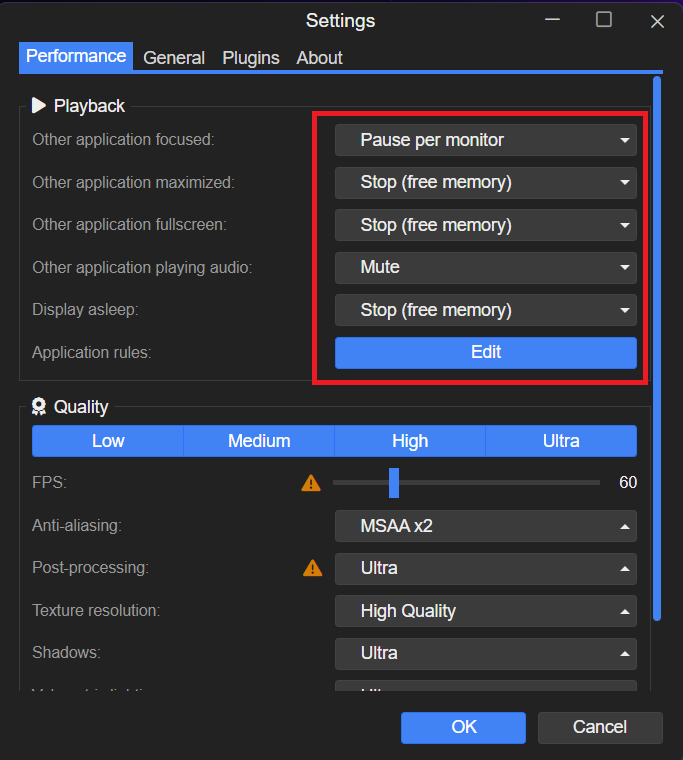
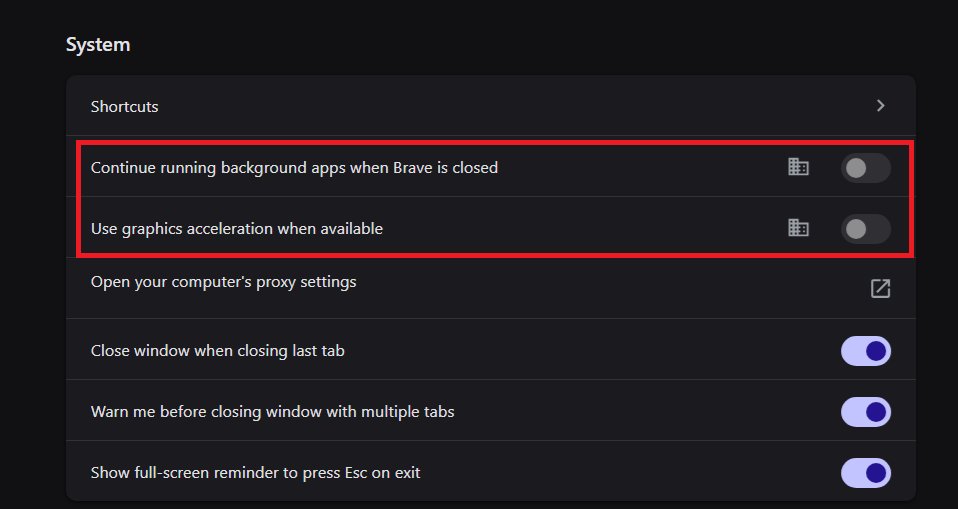
🚨 BROWSER FPS TIP 🚨
Want a quick performance boost?
Open your browser settings and turn OFF:
1. Continue running background apps when the browser is closed
2. Hardware/graphics acceleration
Less browser junk running in the background = more resources for your games 🎮
2
5
91
8,811