
Joined March 2026
- Tweets 40
- Following 14
- Followers 5
- Likes 3,466
2 Photos and videos



Jun 11
Time create those PiZero Ad blockers
Jun 11

Google Chrome 150 marks the end of full support for Manifest V2 extensions, effectively removing the remaining workarounds that allowed the original uBlock Origin to continue functioning in Chrome.
Starting with Chrome 150 (expected in late June 2026), Google will complete its transition from Manifest V2 to Manifest V3. This means the powerful webRequestBlocking API used by advanced extensions will no longer be available for normal Chrome extensions.
As a result, the original uBlock Origin will no longer work at full strength in Chrome. It relies on Manifest V2’s ability to inspect and block requests in real time.
Under Manifest V3, extensions must use declarativeNetRequest, which requires them to rely on predefined filtering rules instead of dynamic blocking. This improves security and performance according to Google, but it also limits what ad blockers can do, especially against complex ads and trackers on sites like YouTube.
The developer of uBlock Origin offers uBlock Origin Lite, a Manifest V3 version that still provides ad blocking but with the restrictions imposed by Chrome. Other ad blockers have also released Manifest V3 versions with similar limitations.
Users who want the full power of the original uBlock Origin can switch to Firefox, which continues to support Manifest V2 extensions, or use Brave, which includes built-in ad and tracker blocking.
Google has been gradually rolling out this change since 2024, and Chrome 150 marks the final step in that transition.


34

Jun 7
It's hard but it must be done

Shout out to all the learners balancing life and upskilling—you’re incredible 👏
6
Jun 6
Suffering from this right here.
May 31

Unfortunately, I have to admit that I have not done my best. My current situation is a direct consequence of my incompetence. I suck at doing this life thing.
9
May 14
Learning enough networking to understand traffic, enough Linux to understand servers, and enough infrastructure discipline to be trusted around expensive equipment.
Then I'll get where I need to be.
1
25
May 1
About to binge some Valo blogs
May 1

BTW "valorant" has technical blogs mostly based on Networking and managing large servers

1
110
Apr 28
Needed to come across this again.
Because subnetting really kicking my butt.
Apr 18

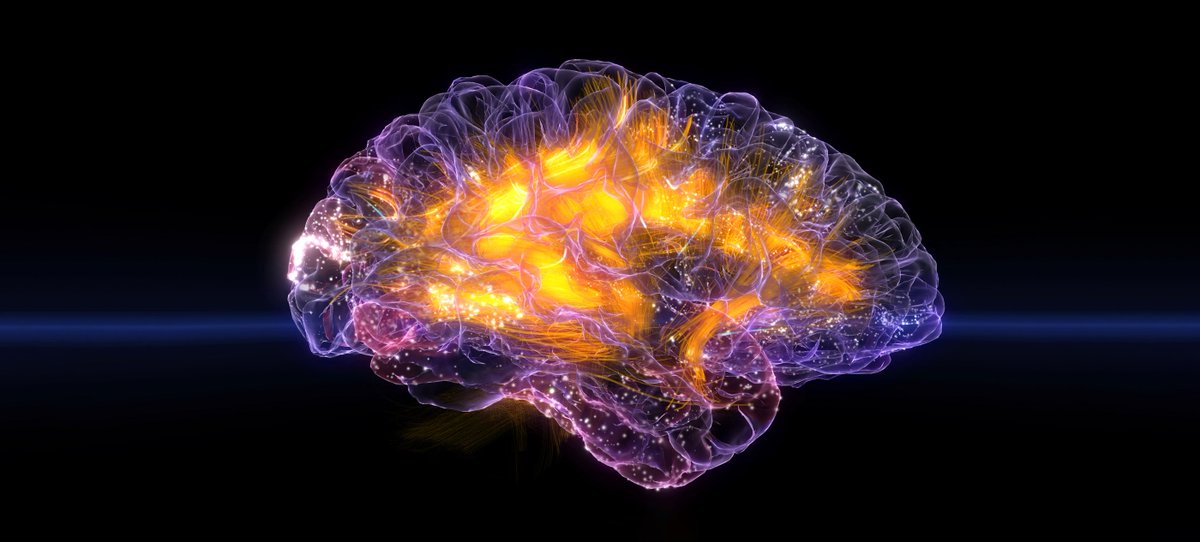
Instead of “I’m bad at this”.
Say “I'm new to this”.
This gives your brain the space to learn instead of shut down.
This is neuroplasticity in real time.
26
Apr 22
covered Network devices and functions today
Apr 21

Day today covered OSI Layer and Networking devices
2
28
Apr 22
VPN Concentrator = the device that manages hundreds of VPN connections at once. Often built into a NGFW.
QoS = traffic shaping. Your video call gets priority over someone's file download. You control who gets the bandwidth.
1
49
Apr 22
TTL (IP) = every packet has a hop counter. Decrements by 1 at every router. Hits zero — packet gets dropped. Stops loops. Default: 64 hops on Linux, 128 on Windows.
TTL (DNS) = how long your machine keeps a DNS answer cached before asking again. Measured in seconds, not hops.
23
Apr 22
Hub = dumb. Shouts data out of every port. Replaced by switches.
Switch = smart. Forwards data only to the right MAC address. Layer 2.
Router = connects different networks using IP addresses. Layer 3.
Modem = one job — connect you to your ISP.
2
13
Apr 22
Access Point = converts wired ethernet to wireless.
WLC = manages all your access points from one place. Handles roaming between floors without dropping connection.
NAS = here's the file. SAN = here's a disk, do whatever you want with it.
19
Apr 22
Firewall = filters traffic based on rules. NGFW goes deeper and inspects what the traffic actually is.
IDS = spots the threat and alerts you. IPS = spots it and kills it.
Load Balancer = spreads traffic across multiple servers so none gets overwhelmed.
9
Apr 21
Wish we could get this in SA.
Apr 20

Today, we’re announcing the LevelUp Fiber Technician Pathway: a free, four-week training program designed to prepare people to fill fiber technician jobs at data centers and our construction sites across the country. about.fb.com/news/2026/04/me…
18
Apr 21
The OSI model is a 7-layer framework that describes how data travels across a network and helps IT professionals pinpoint exactly where things break.
Apr 21
Day today covered OSI Layer and Networking devices
1
14
Apr 21
L3 Network - routers and IP addresses. This is where data moves between different networks and finds the best path.
L4 Transport - TCP vs UDP. TCP signs for the delivery. UDP just fires and forgets. Video calls = UDP. File downloads = TCP.
1
24
Apr 21
L5 Session - opens and closes the conversation between two devices.
L6 Presentation - the translator. SSL/TLS encryption lives here.
L7 Application - what you see with your eyes. HTTP, DNS, FTP. The protocol your app follows to get data to you.
16