
Joined September 2022
- Tweets 96
- Following 9
- Followers 180
- Likes 65
55 Photos and videos







15 Jul 2025
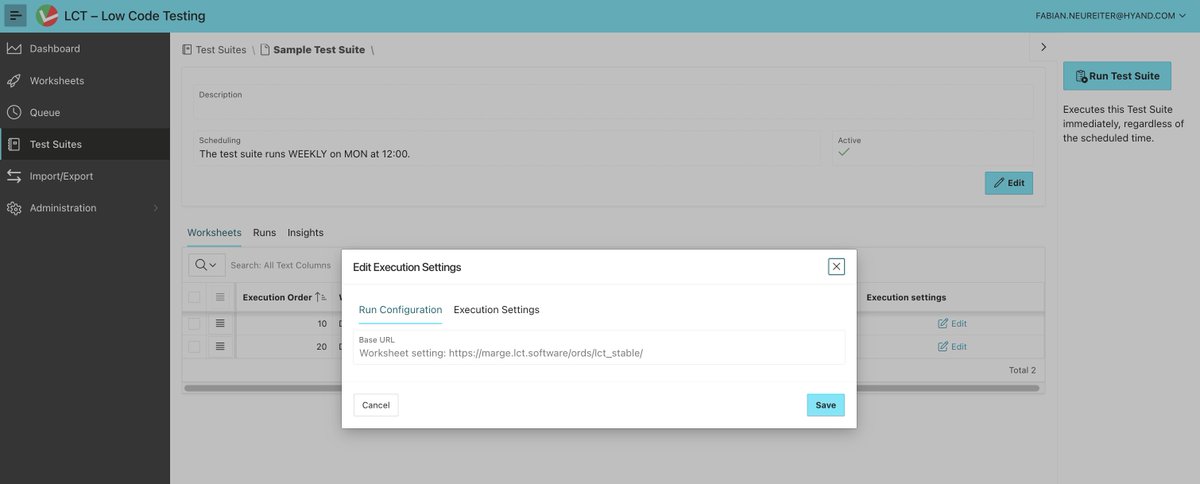
In our latest LCT release, you can define execution settings for your Test Suites!
All settings known from worksheet settings are supported. They include browser resolution, case retries and different timeout settings.
1
4
163
8 Jul 2025
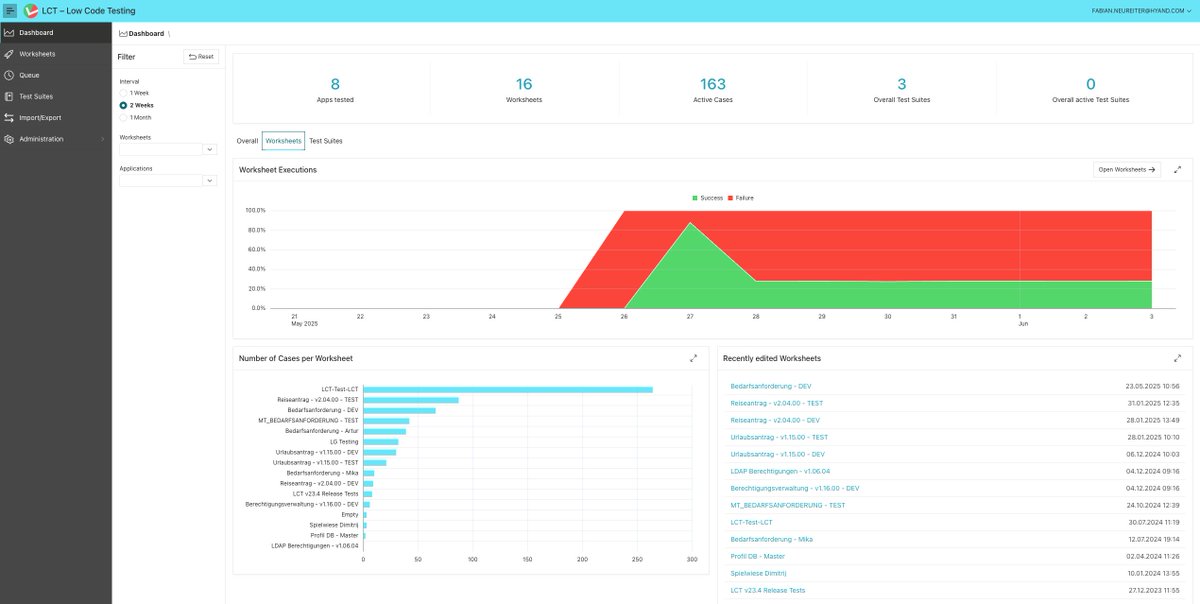
Our new dashboard lets you know how your worksheets and Test Suites perform over time!
The diagrams show different stats, like the percentage of successful test runs or the number of steps created. Additionally, you can filter by applications or specific worksheets.
2
58
27 Jun 2025
Exciting news! 🥳
We have been quiet for a while because we have been working on our new big release.
Read all about it on our blog post:
lct.software/blog/lct-releas…
2
6
181
11 Jul 2024
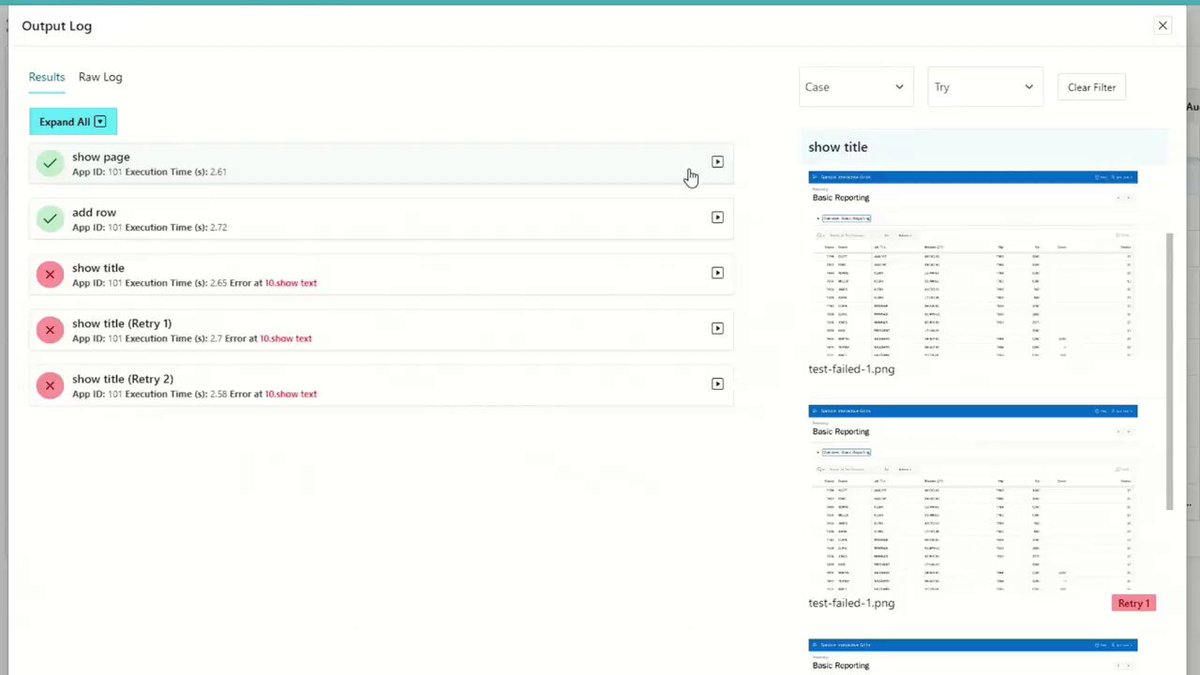
Sacrifice readability for technical precision? Not with LCT! Our test logs are designed to be easily understood while still providing all the information needed.
2
3
7
433
11 Jul 2024
If you want to know more about the results of each step, you can click on "See Details".
The log can be filtered by case and by try as well.
1
67
11 Jul 2024
Bonus: If a case fails, LCT will automatically generate a screenshot at the point of failure, which makes it easy to identify the error. Should you require it, you can also manually create more screenshots at any point in the test.
69
4 Jul 2024
Selectors are a pain in the ...neck!
Keeping them stable, readable and precise is a challenge.
Not with LCT! Using the APEX Metadata, we are able to create selectors in the background without having to worry about the DOM or CSS- or XPATH-syntax.
1
6
7
516
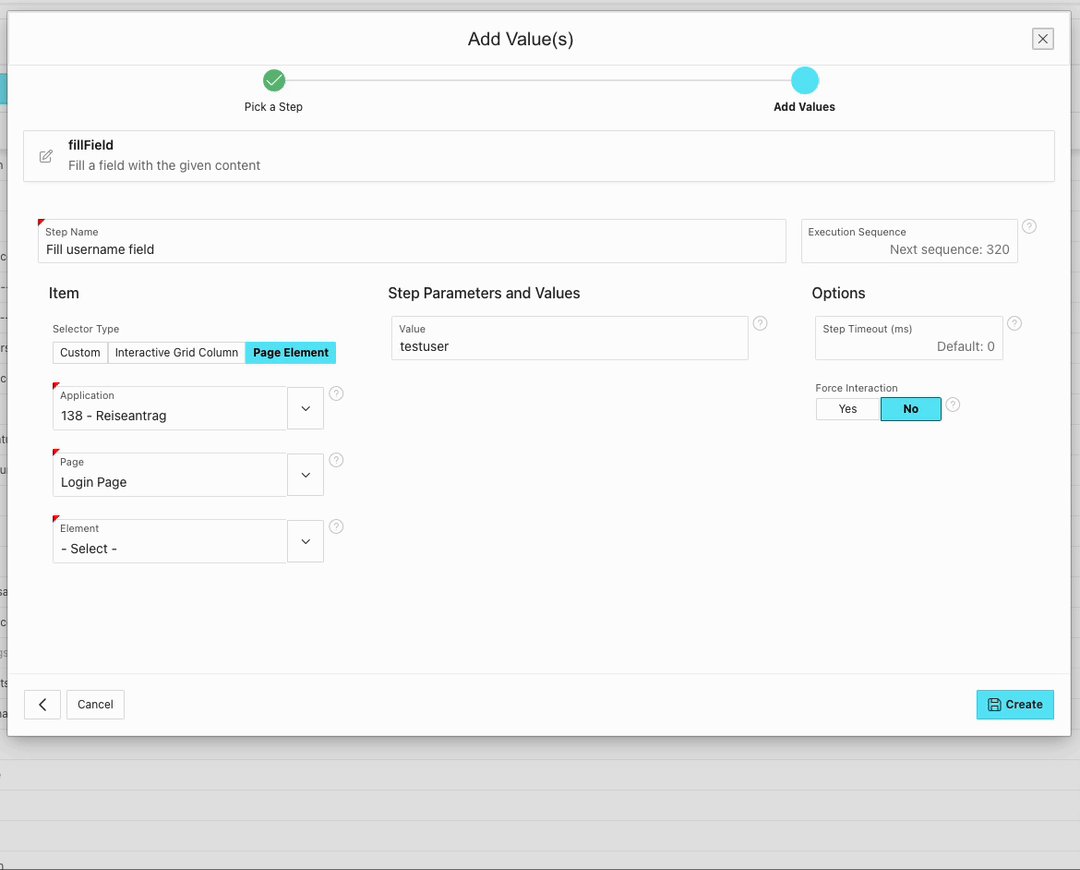
4 Jul 2024
Just select the element you want to interact with and you are done.
1
1
85
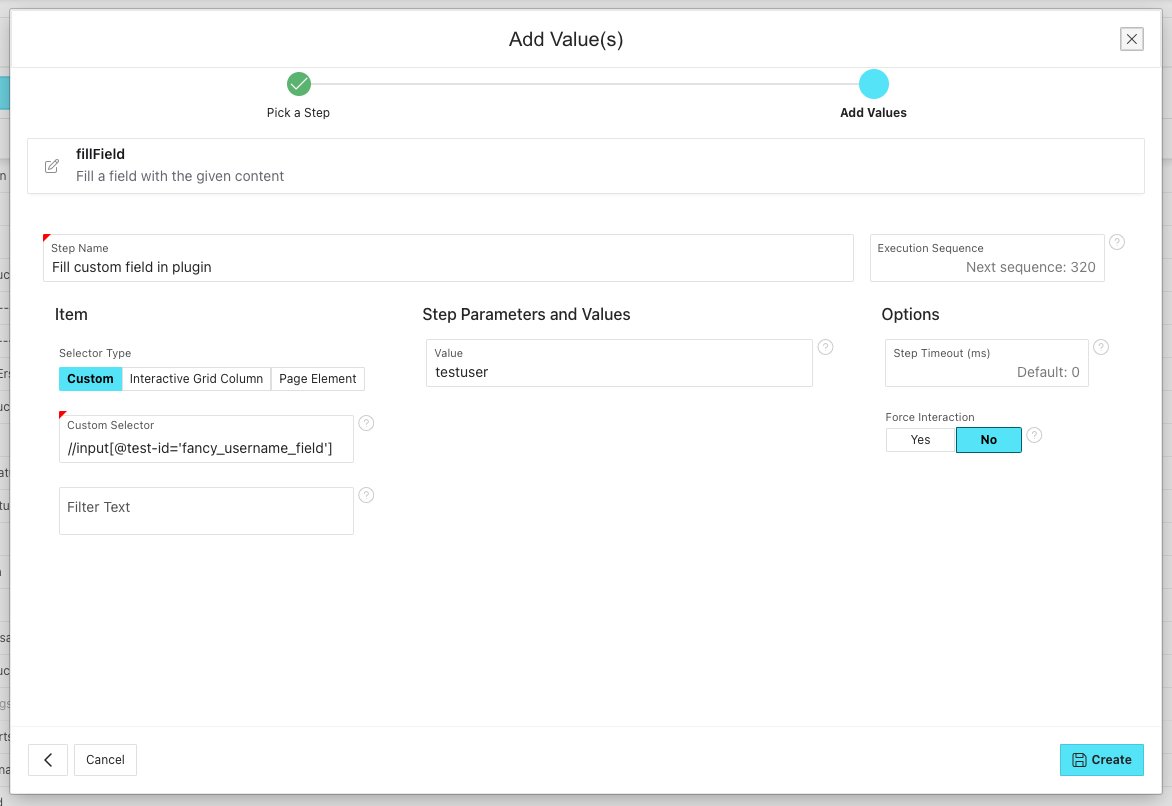
4 Jul 2024
You have a lot of custom components? No worries, you still have the possibility to use CSS- and XPATH-selectors.
1
71
27 Jun 2024
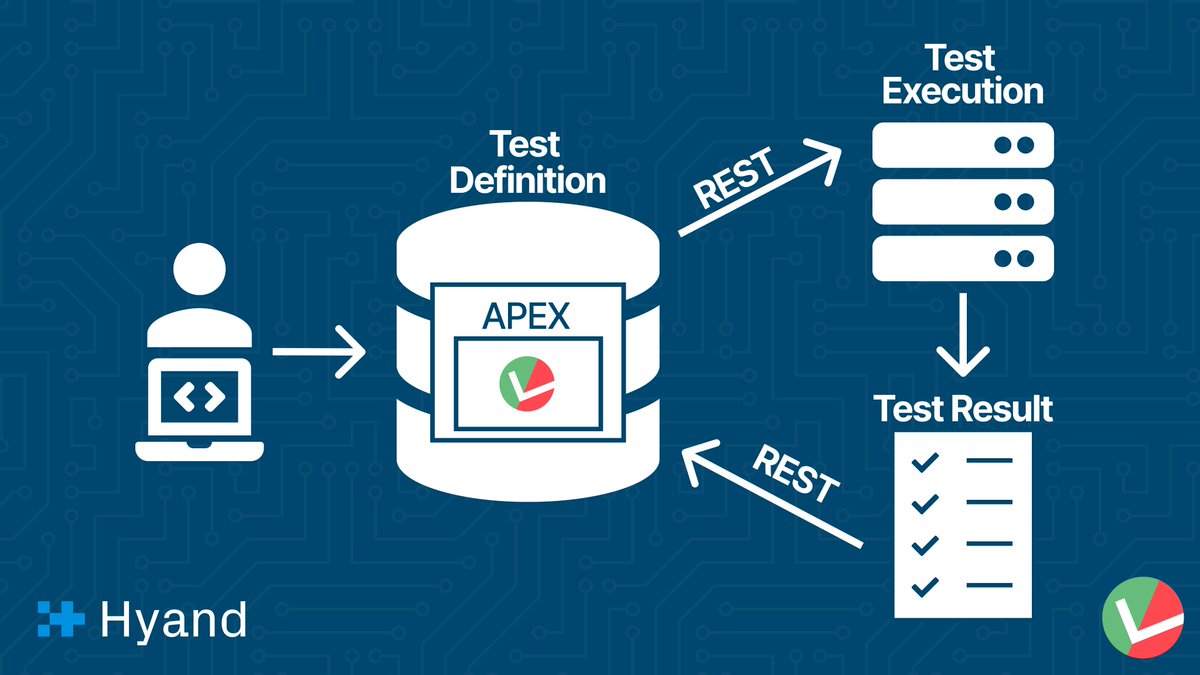
📣New Feature: REST Backend!
Our biggest feature in this release is that we have changed the way backend communication works. We have moved from Node Oracle DB to secure REST endpoints.
For more information, see our blog post:
lct.software/blog/lct-releas…
4
8
398
20 Jun 2024
📣New Feature: Single Checkbox Step!
This is an extension of the existing Check Options step, to test single checkboxes in Interactive Grids and Page Elements.
For more information, see our blog post:
lct.software/blog/lct-releas…
4
10
404
13 Jun 2024
📣New Feature: Datepicker Step!
You can now easily test your date pickers with this new step, specifically designed for all the different date pickers APEX offers in various releases.
For more information, see our blog post:
lct.software/blog/lct-releas…
2
4
375
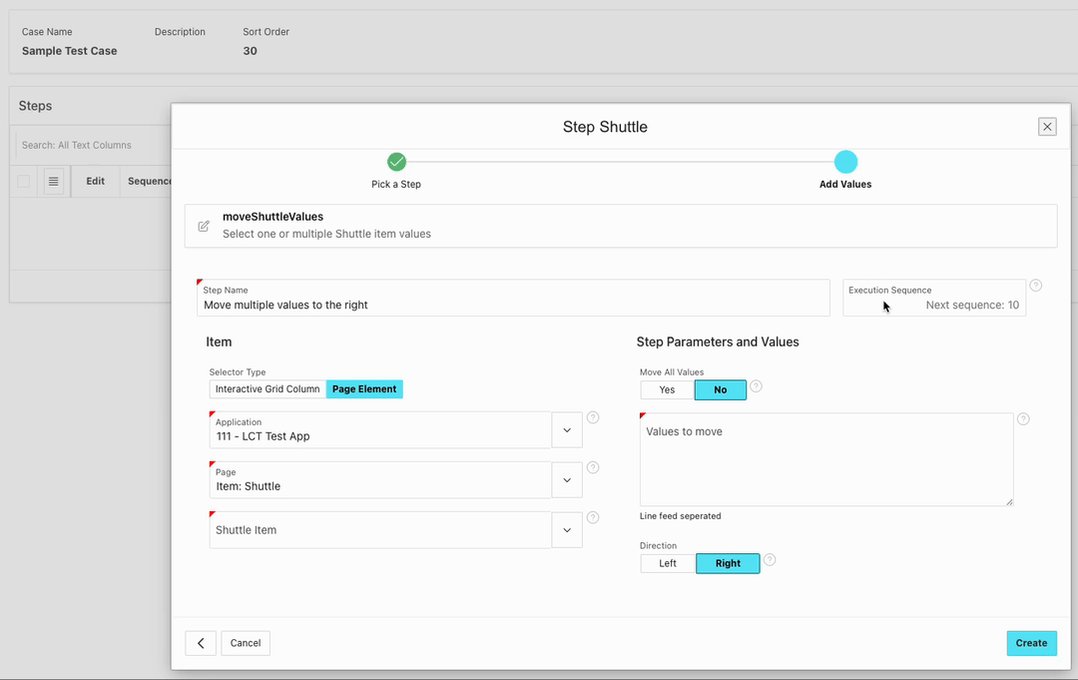
6 Jun 2024
Did you know?🤔
Selecting values with APEX Shuttle Elements is easy and fast with LCT!
Just select the shuttle element or interactive grid column and provide the values to move and you are done!
1
3
52
6 Jun 2024
No need to worry about:
- Selectors for the element itself, the move buttons and the values
- Iframe contexts
- Changes to the HTML of the component in past and future APEX versions
1
2
43
6 Jun 2024
All of this is being taken care of in the background, so that you can create tests for your applications the Low Code Way!
youtube.com/watch?v=LuZzyFDt…
2
44
24 May 2024
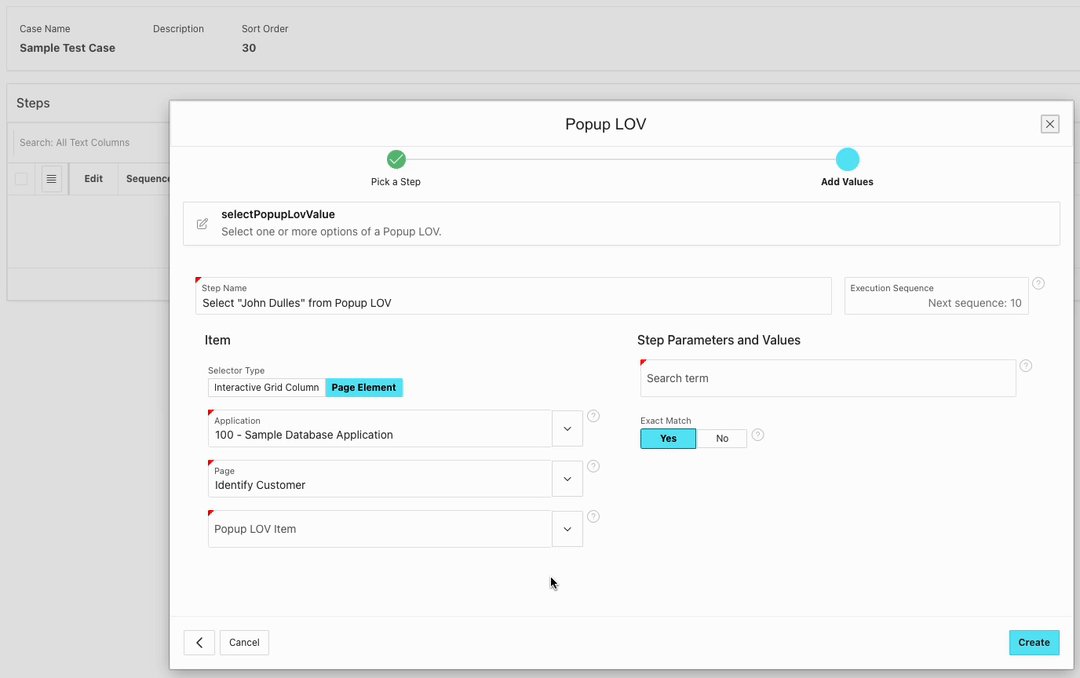
Interacting with a Popup LOV is easy and fast with LCT!
Just select the Popup-LOV element or Interactive Grid Column and provide a value to select.
Thats it.
1
3
123
24 May 2024
No need to worry about:
- Selectors
- Waiting for search results being loaded
- Iframe contexts (In what context are the searchbar
and the searchresults being rendered?)
- Changes to the HTML of the component in past
and future APEX versions
1
3
69
24 May 2024
All of this is being taken care of in the background, so that you can create tests the Low Code Way!
Happy testing 🚀
3
60
13 May 2024
Exciting news! 🥳
The new version of LCT has just been released!
Check out our latest youtube video to see our biggest features!
youtube.com/watch?v=uJ6kEs2a…
1
9
10
683
13 May 2024
You can also check out our blog post for more information:
lct.software/blog/lct-releas…
3
4
321