Folks, there is an update with additional details on the Microsoft will require MFA for all Azure users post.
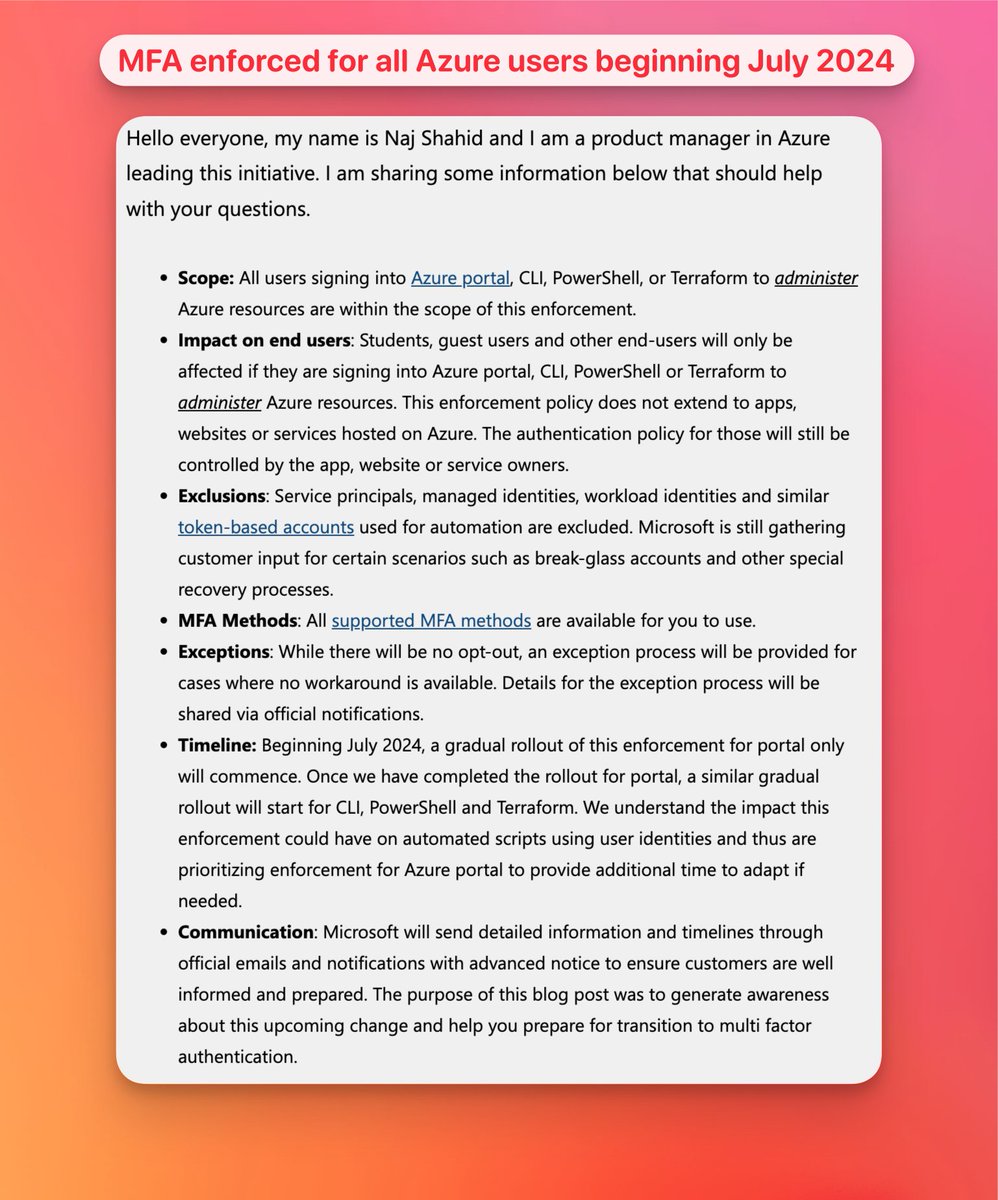
Here's a quick summary.
✅ Scope
→ Azure Portal
→ CLI
→ PowerShell
→ Terraform
to administer Azure resources
👥 Impact on end users
The following will be impacted only if they are signing into administer. Apps/sites hosted on Azure are not impacted.
→ Students
→ Guest users
→ other end-users
🚫 Exclusions
Token-based accounts used for automation are excluded, including
→ Service principals
→ Managed identities
→ Workload identities
📆 Timeline
Beginning July 2024, a gradual rollout of the portal will commence. Once completed a similar gradual rollout will start for
→ CLI
→ PowerShell
→ Terraform
📲 MFA Methods
All Entra ID MFA methods will be available.
⛔ Exceptions
There will be no opt-out.
An exception process will be provided for cases where no workaround is available.
💌 Communication
Microsoft will send detailed information and timelines through official emails. This blog post was to raise awareness.
Read the full post and comments at
techcommunity.microsoft.com/…
✅ Rolling out MFA to your users
If there is one takeaway that I can share. It is to start enrolling your Azure users for MFA if you haven't already. Here's a quick guide.
Using MFA Registration Policy
If you have E5 (Entra ID P2) it's as simple as configuring this MFA registration policy which will ensure your users have at least one form of MFA set up
learn.microsoft.com/en-us/en…
If you don't have E5 see below on how you can report on users without MFA and send targeted comms.
Conditional Access policy for MFA
Alternatively if you have P1 you can create a conditional access policy requiring MFA. This will force users to register for MFA if they haven't set one up for their account.
NOTE: If you don't have a conditional access policy for MFA I strongly recommend you create one using the template at
learn.microsoft.com/en-us/en…
Monitoring MFA Registration
You can monitor who has registered for MFA using the authentication methods registration report. See
learn.microsoft.com/en-us/en…
This can also be used by those who don't have P2 to monitor and send targeted comms to users that don't have MFA.
Here's a PowerShell script I've shared previously to quickly get a report of the MFA state of all your users.
github.com/orgs/msgraph/disc…
MFA email templates
We also provide email templates that you can use to inform your users about MFA and why you are rolling it out. Download them from
aka.ms/entratemplates
Found this useful?
Please bookmark, like and repost to raise awareness.
It's 2024. Let's get secure and keep the baddies out.
ALT Hello everyone, my name is Naj Shahid and I am a product manager in Azure leading this initiative. I am sharing some information below that should help with your questions.
Scope: All users signing into Azure portal, CLI, PowerShell, or Terraform to administer Azure resources are within the scope of this enforcement.
Impact on end users: Students, guest users and other end-users will only be affected if they are signing into Azure portal, CLI, PowerShell or Terraform to administer Azure resources. This enforcement policy does not extend to apps, websites or services hosted on Azure. The authentication policy for those will still be controlled by the app, website or service owners.
Exclusions: Service principals, managed identities, workload identities and similar token-based accounts used for automation are excluded. Microsoft is still gathering customer input for certain scenarios such as break-glass accounts and other special recovery processes.
MFA Methods: All supported MFA met