
Joined July 2024
- Tweets 57
- Following 318
- Followers 68
- Likes 19
36 Photos and videos


Pinned Tweet

30 Oct 2024
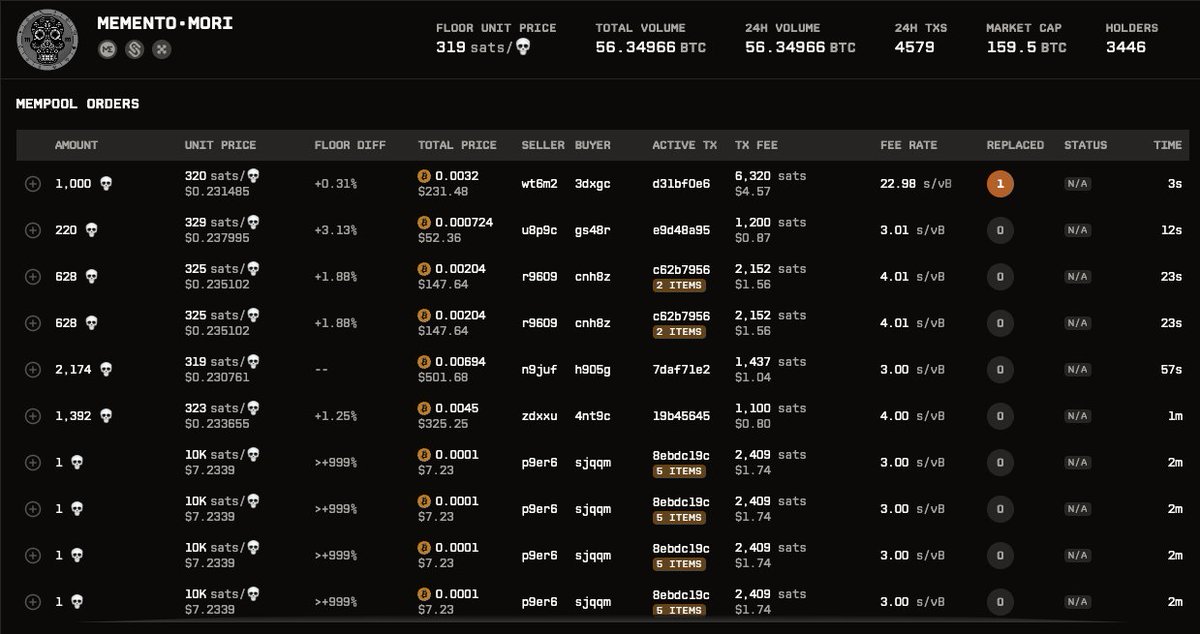
🚀 Big update! We’ve redesigned our backend to be fully event-driven, delivering mempool data to users in *under 100ms* on avg. ⚡️ Compare our feed to others and see new items arriving seconds faster – a huge advantage! 🕒💥
New Discord feeds mean undervalued items are just a notification away. No more waiting by your desktop for snipe ops! 🔥
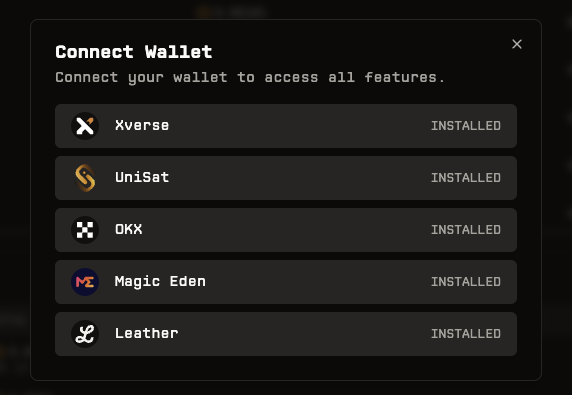
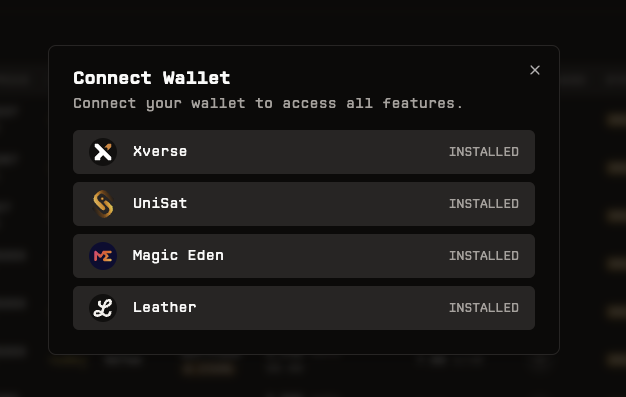
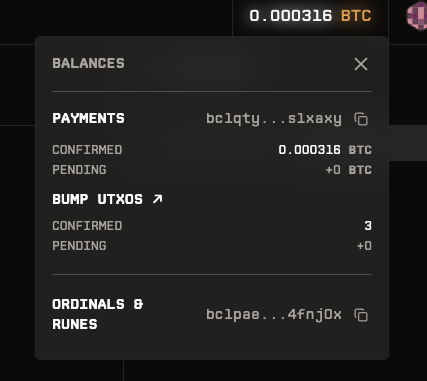
New channels filters coming soon (5%/10% below floor, collection filters, etc.), plus wallet support for Xverse (mobile too!), Unisat, Magic Eden, & Leather. 🤑
#btc #mempool #runes #ordinals @xverse @unisat_wallet @LeatherBTC
4
2
6
1,175
OrdRun retweeted

28 Mar 2025
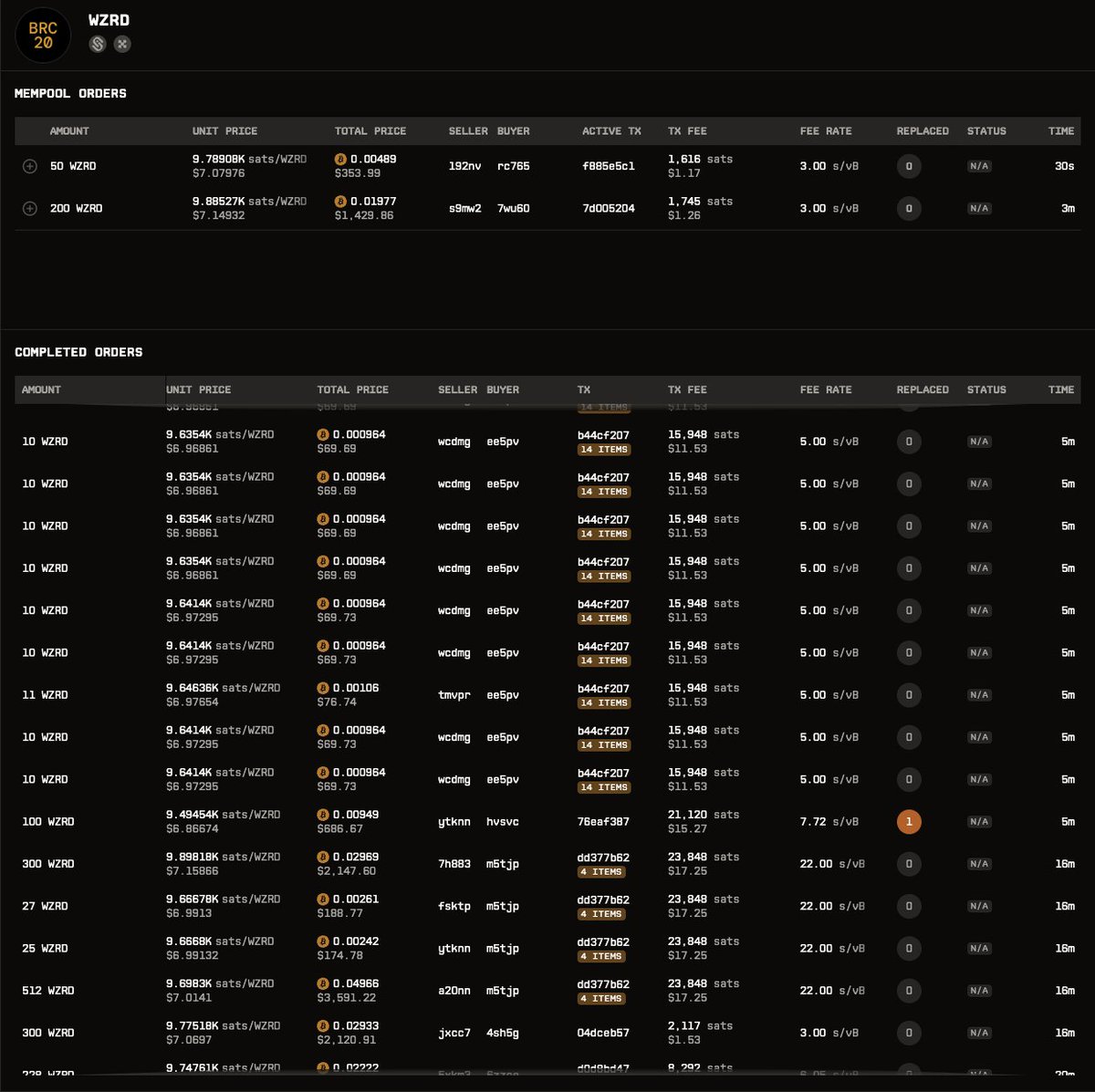
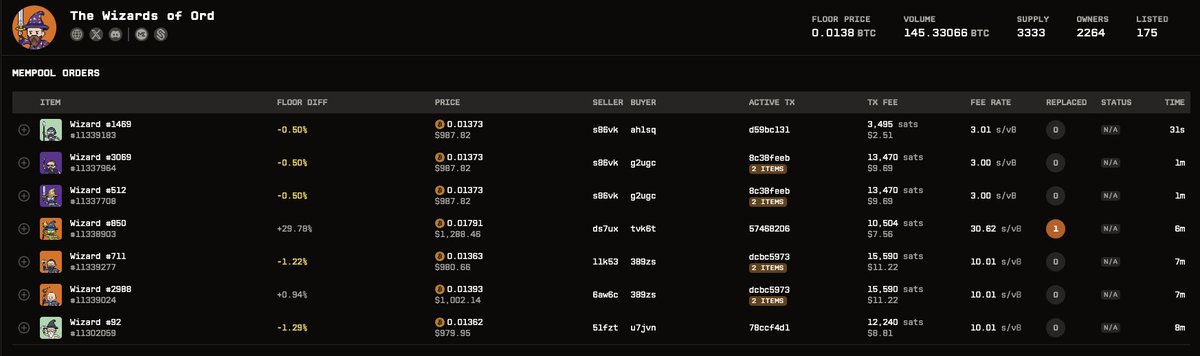
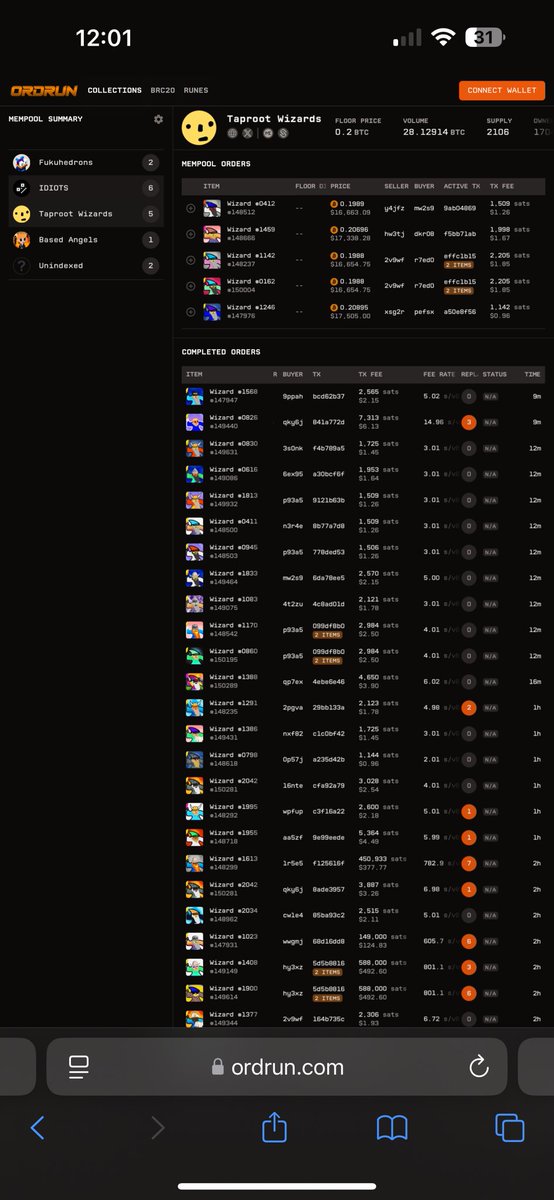
There is a war going on in the mempool over Taproot wizards
Use the best sniping platform on Bitcoin
Now is the time for killer deals
@OrdRunDotCom
2
4
364
OrdRun retweeted
14 Dec 2024
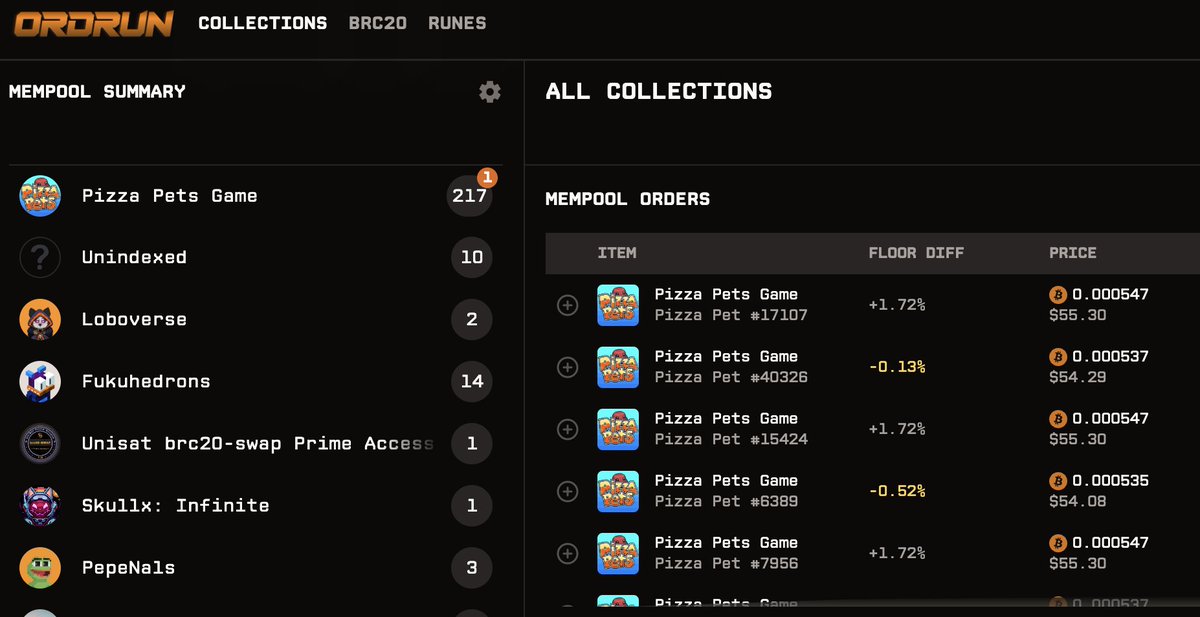
@pizzaninjas @Pizza_Pets are dominating the mempool. 217 current transactions (and growing) delicious and ready to be sniped. 🍕 I just picked one off the floor 12% lower than floor 👀 @OrdRunDotCom
2
5
219
17 Nov 2024
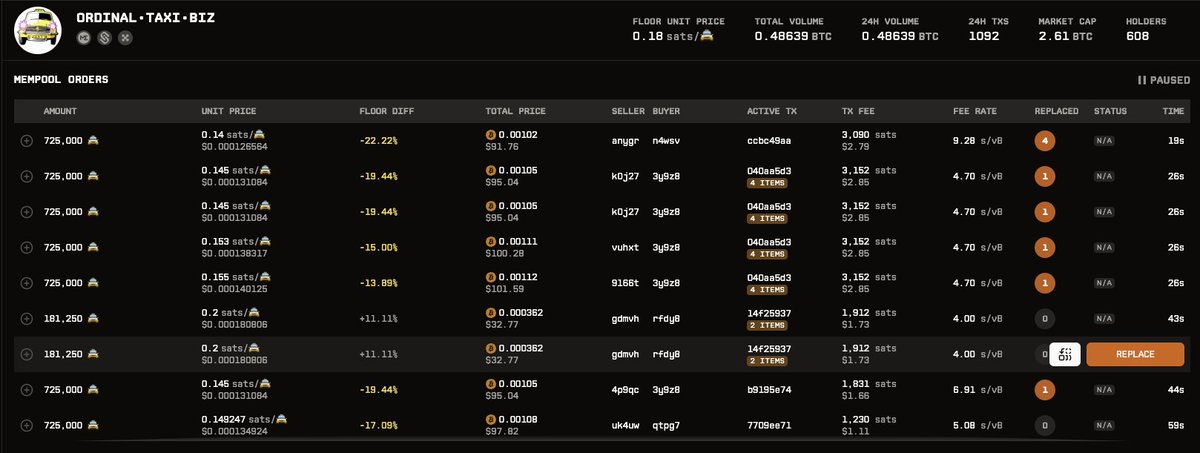
ORDINAL•TAXI•BIZ is taking off! Plenty of bargains to be had in the mempool.
Perfect time to take advantage of our mempool trading platform. The best mempool experienct bar none.
ordrun.com/runes/ORDINALTAXI…
#ORDINAL•TAXI•BIZ #runes #mempool
1
305
17 Nov 2024
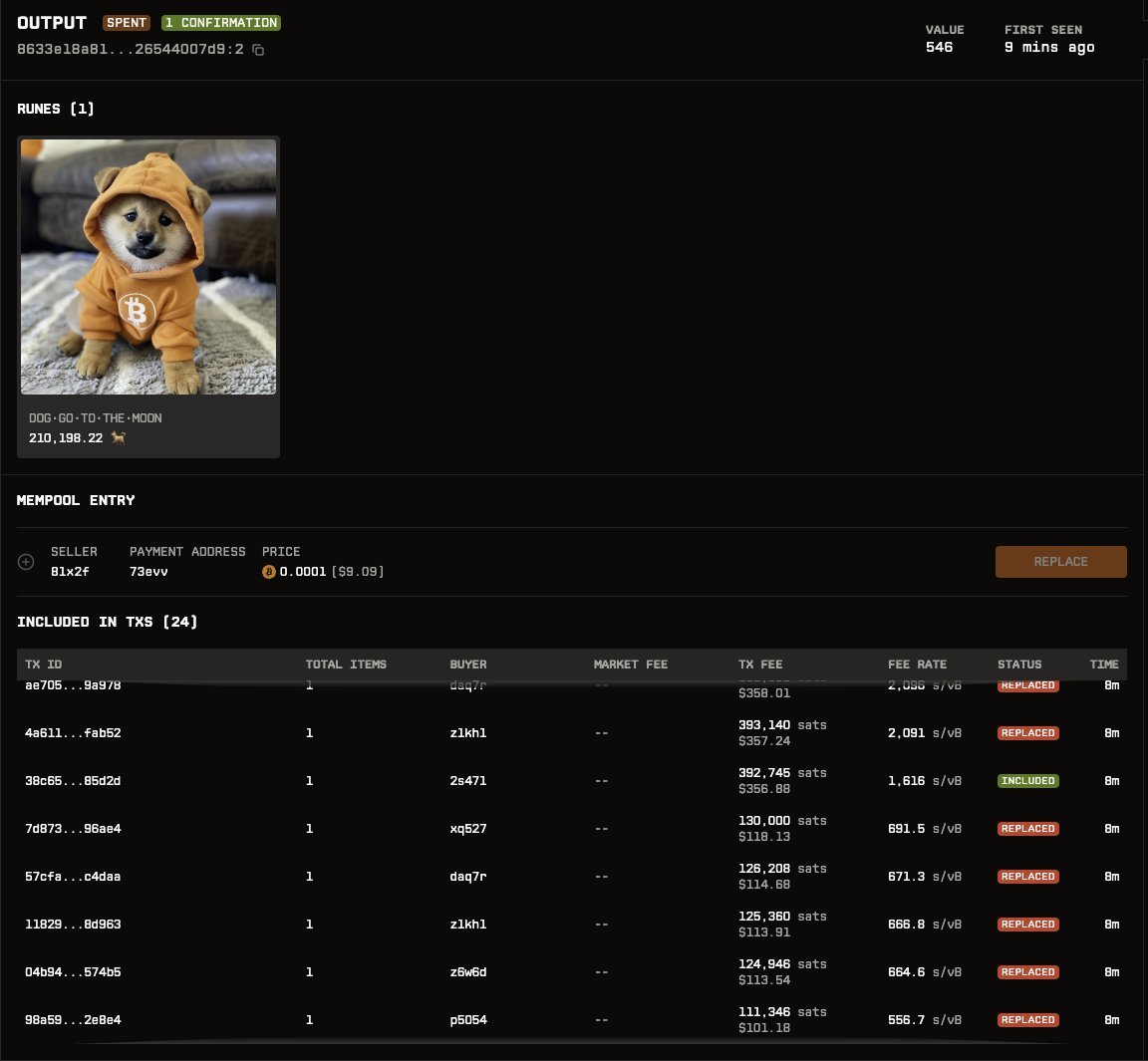
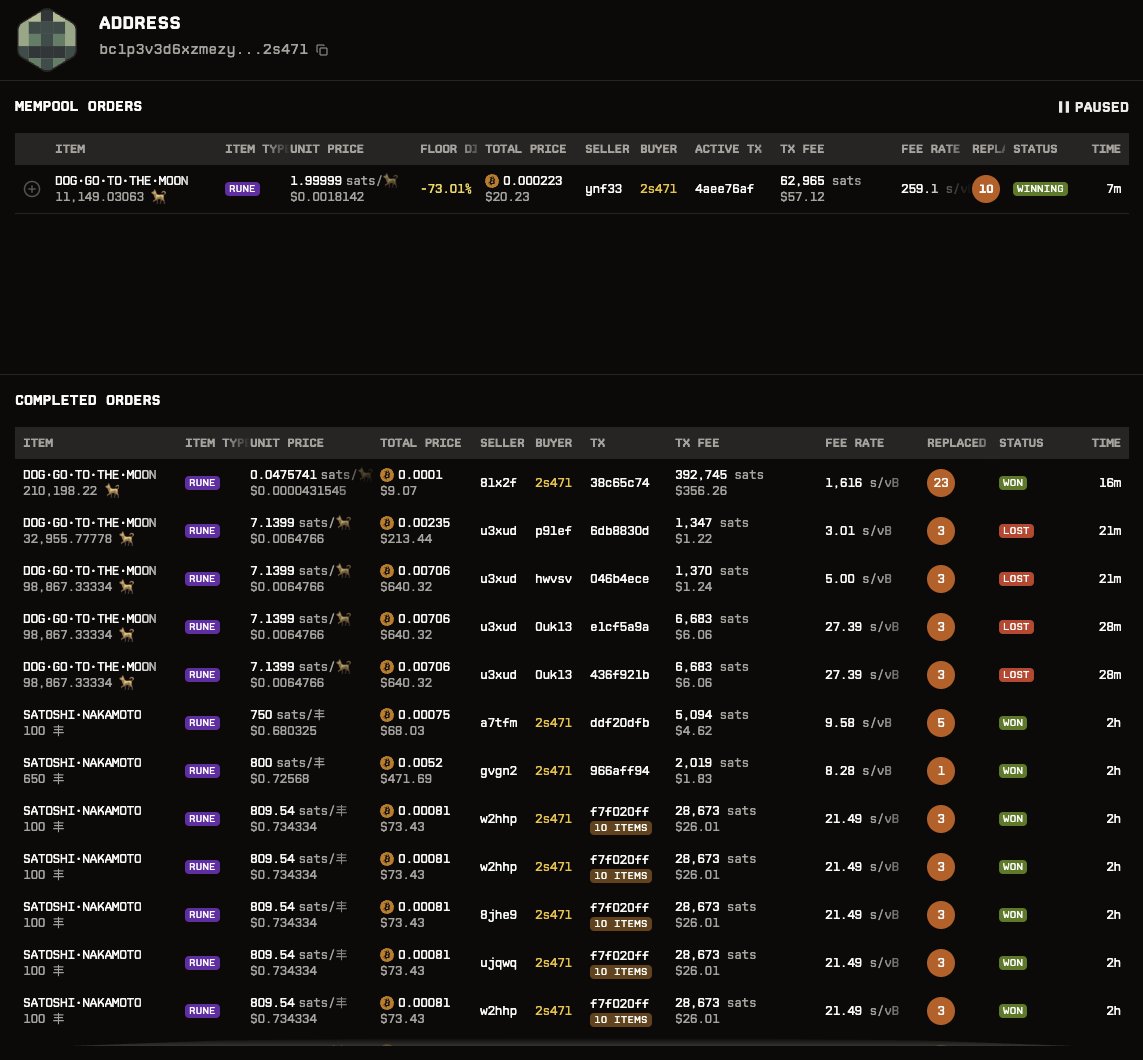
Someone listed $1300 worth of DOG•GO•TO•THE•MOON for just $9. As expected the mempool replacements came in thick and fast. One lucky dude bagged the lot for just $356 in fees. :O
ordrun.com/tx/38c65c74470d2d…
#DOG•GO•TO•THE•MOON #Runes #Mempool
144
5 Nov 2024
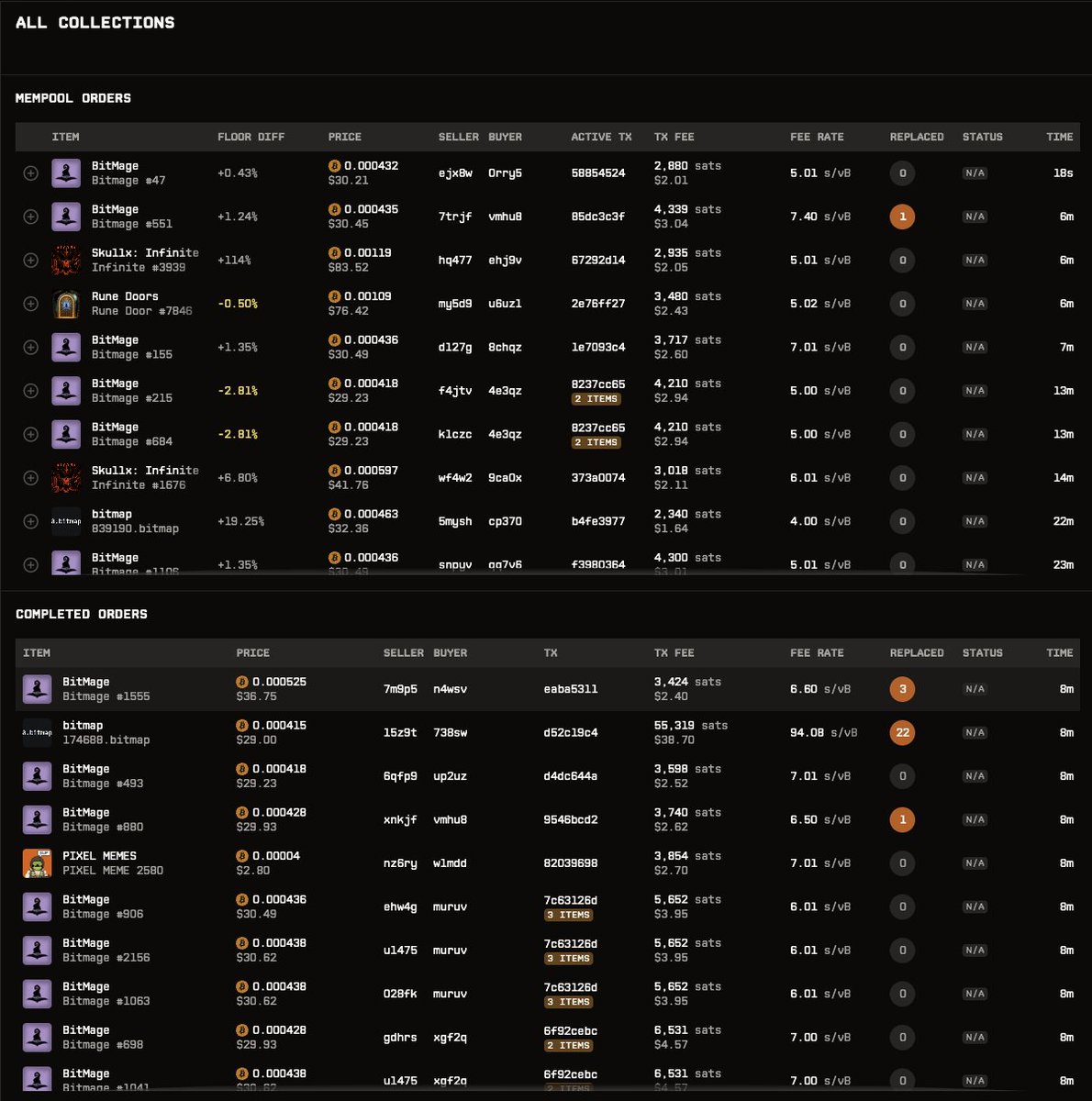
The death of mempool sniping has benn greatly exaggerated. Yes, it's a lot rarer now but a flaw in their current scheme means it won't completely go away.
Check some of the snipes in the last 20 mins or so (anything with the orange circle)
You can see and and snipe a live feed of ordinal listings @ ordrun.com/ordinals/all
Subscribe to our discord (discord.gg/set8e)
or Telegram (t.me/ordrunbotchan) for realtime snipe opportunity alerts.
#runes #ordinals #mempool #sniping #magiceden
294
4 Nov 2024
New: Subscribe to our telegram channel to get a live feed of underpriced items:
t.me/ordrunbotchan
#ordinals #runes
1
1
132
2 Nov 2024
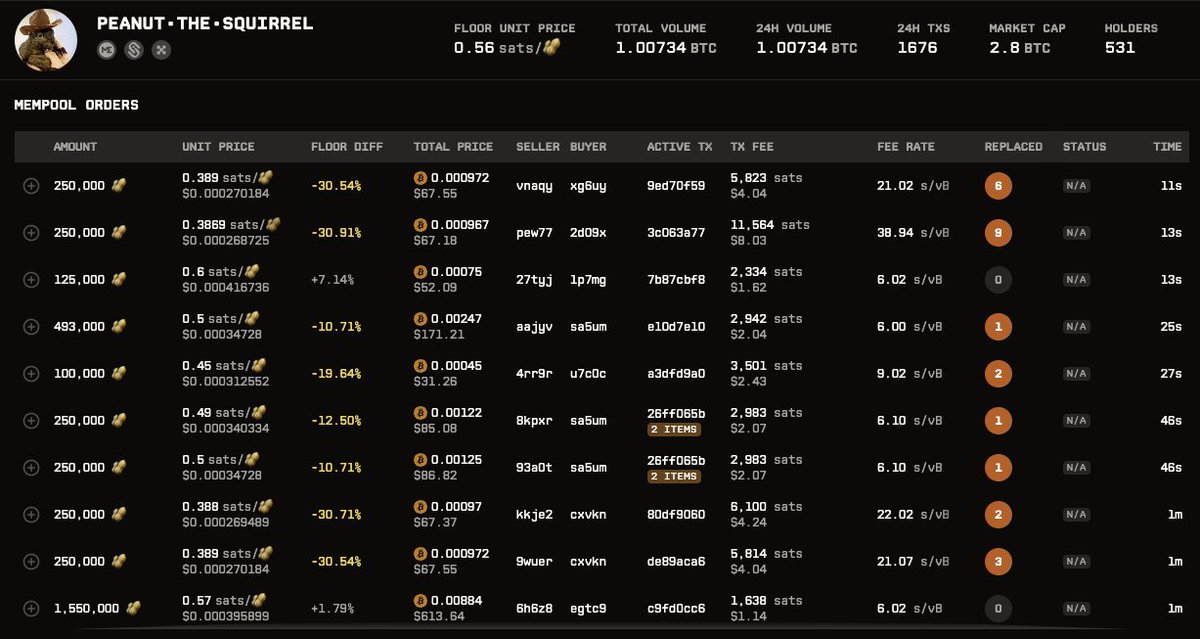
PEANUT•THE•SQUIRREL 30% under floor in mempool. replacement volume is crazy. don't miss out:
ordrun.com/runes/PEANUTTHESQ…
#peanutthesquirrel #runes #ordinals #memecoin
2
6
425
31 Oct 2024
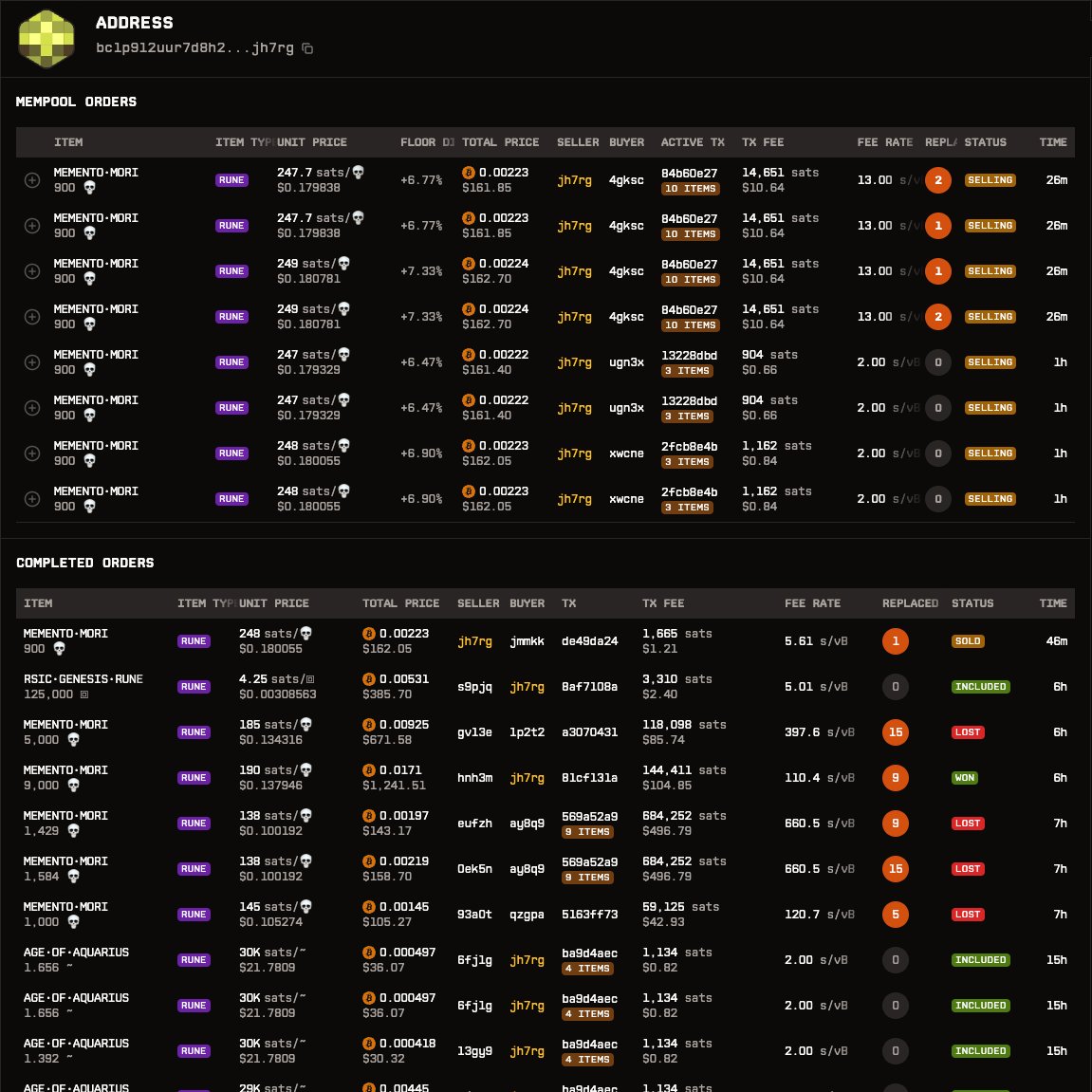
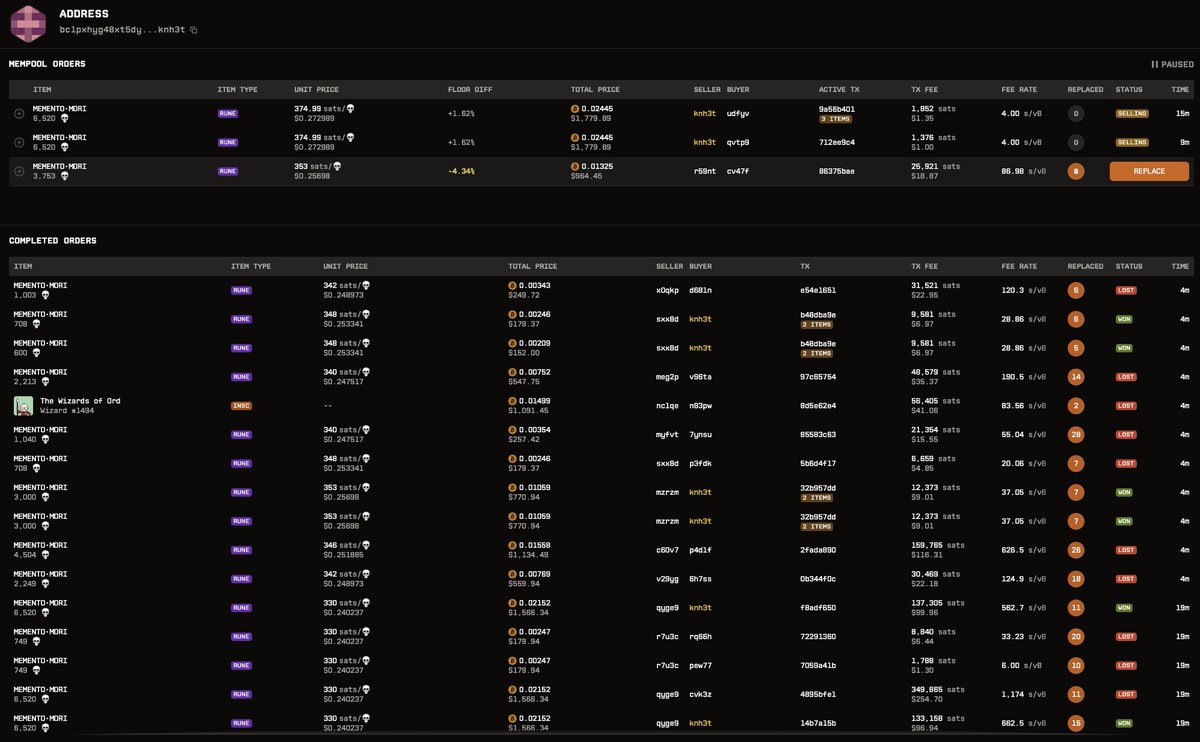
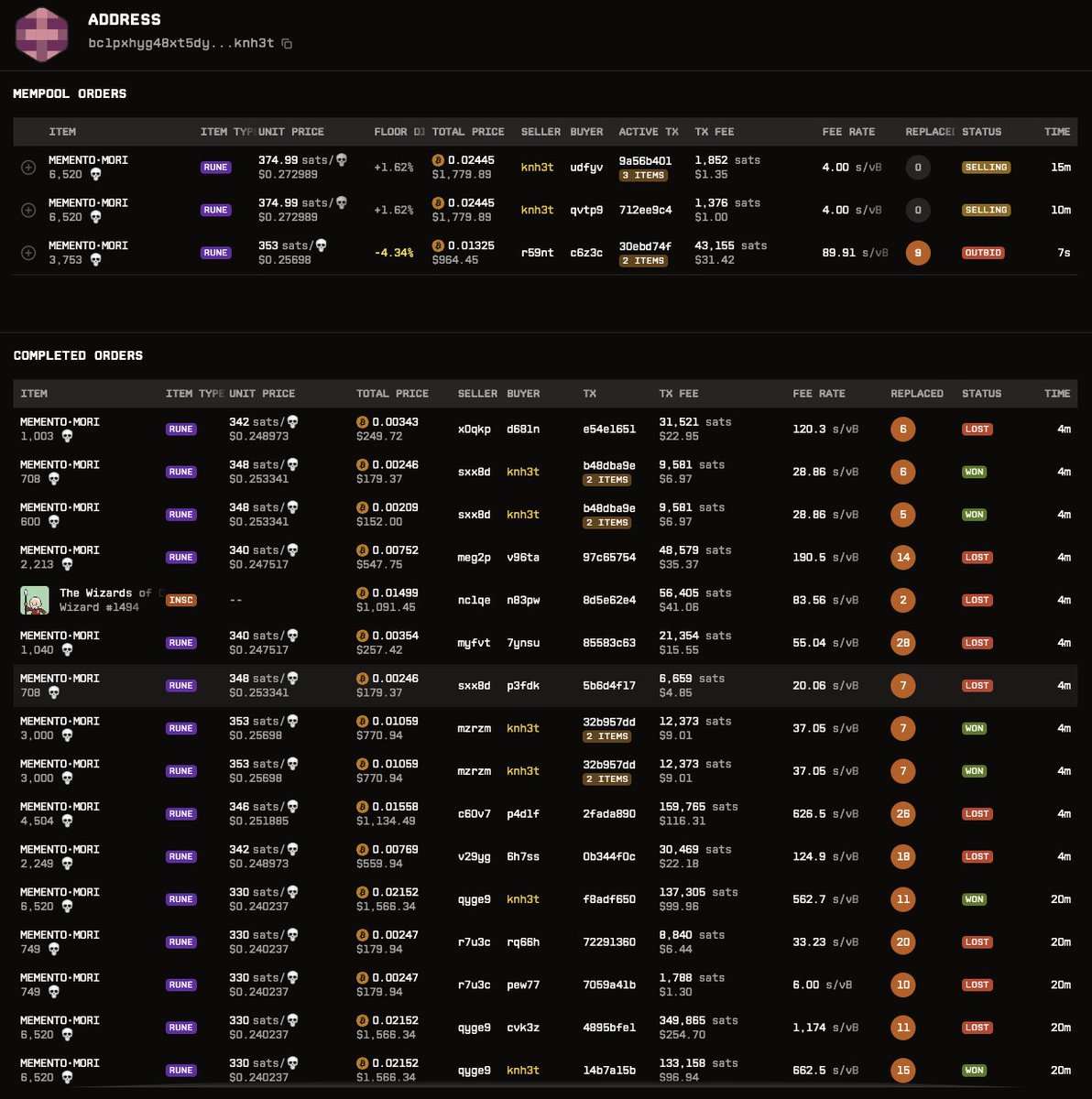
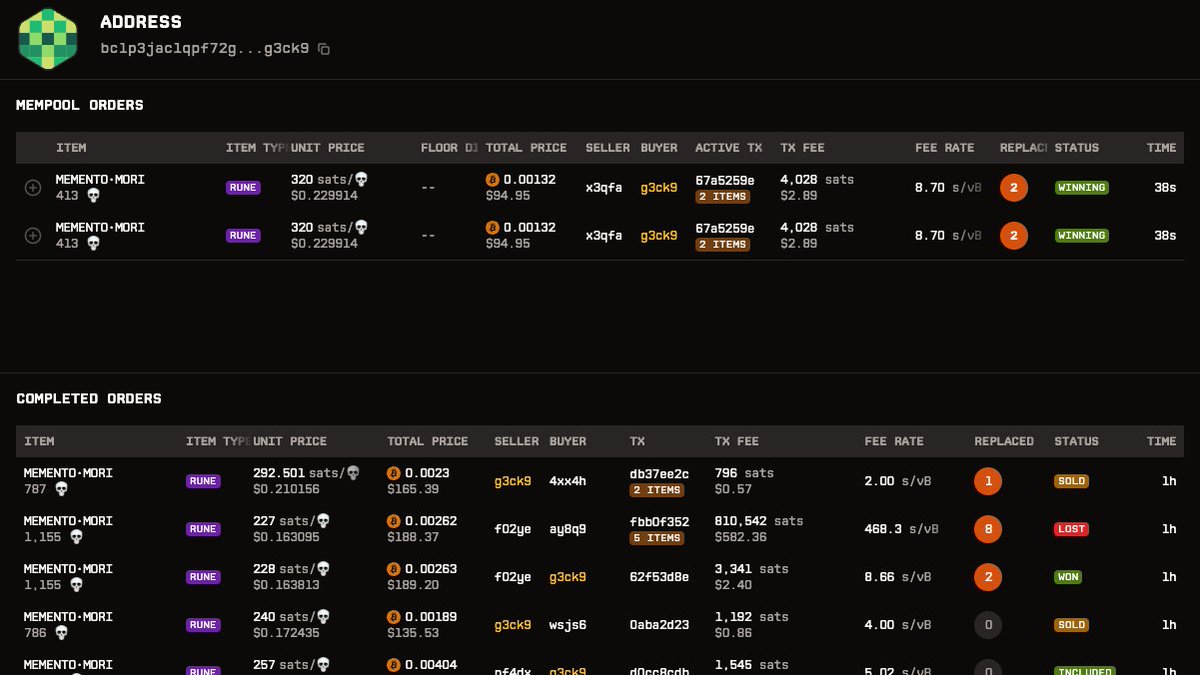
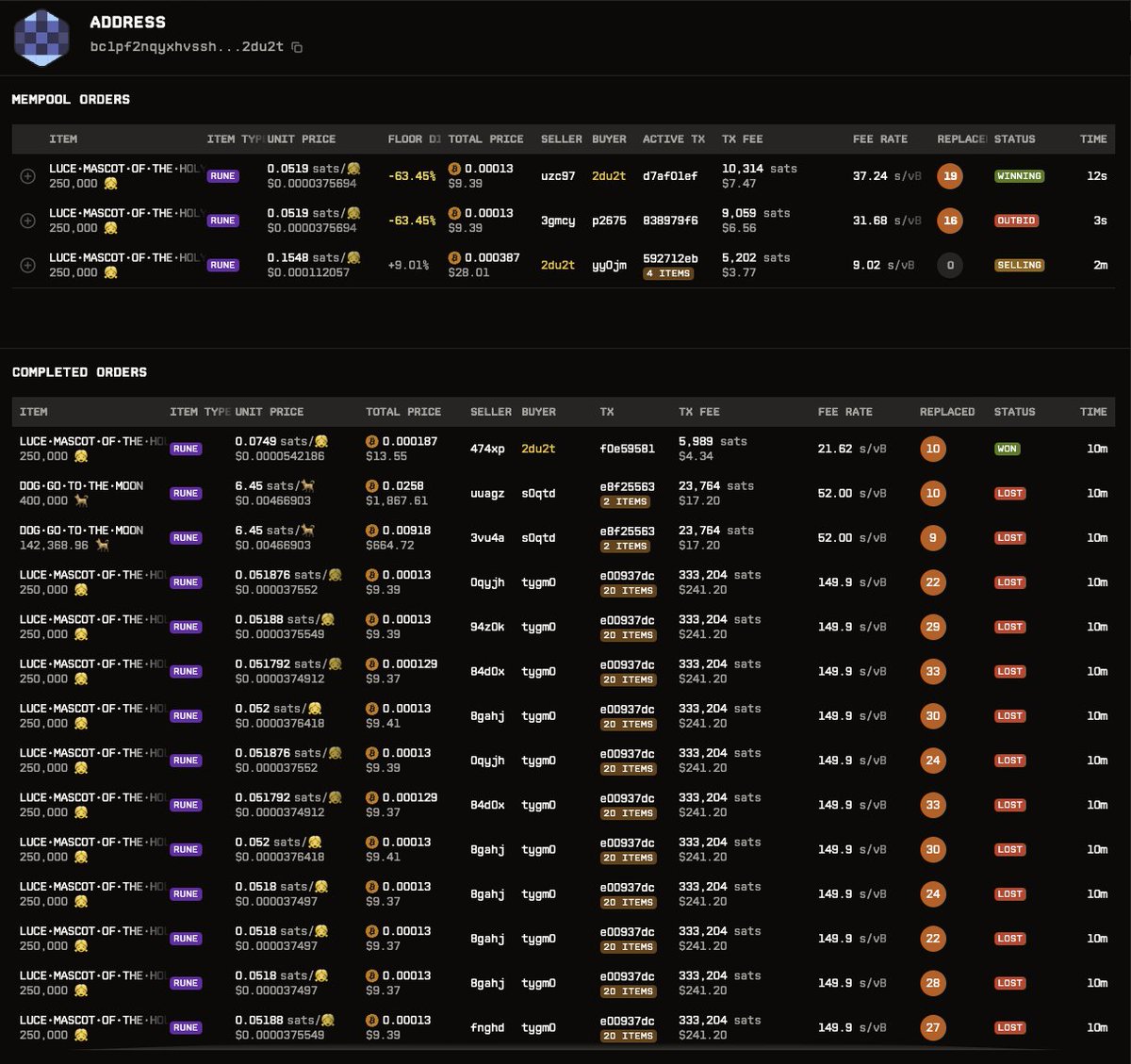
Introducing Address View! Get a comprehensive breakdown of any address’s activity: view active transactions (with links to replace), recent buys and sells, and even failed buys due to replaced transactions.
This in-depth view is a game-changer, revealing key insights into strategies that lead to successful trades. Track every move and uncover winning patterns — perfect for optimizing your own trading strategy! 📈 #Crypto #Runes #Ordinals
1
6
2,192
31 Oct 2024
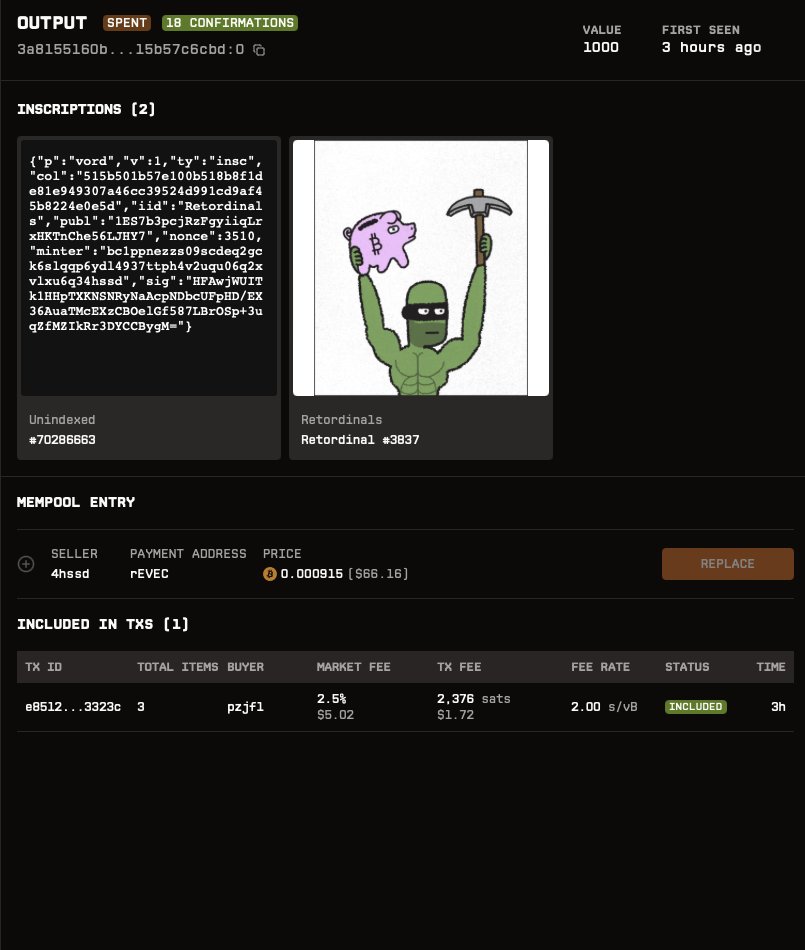
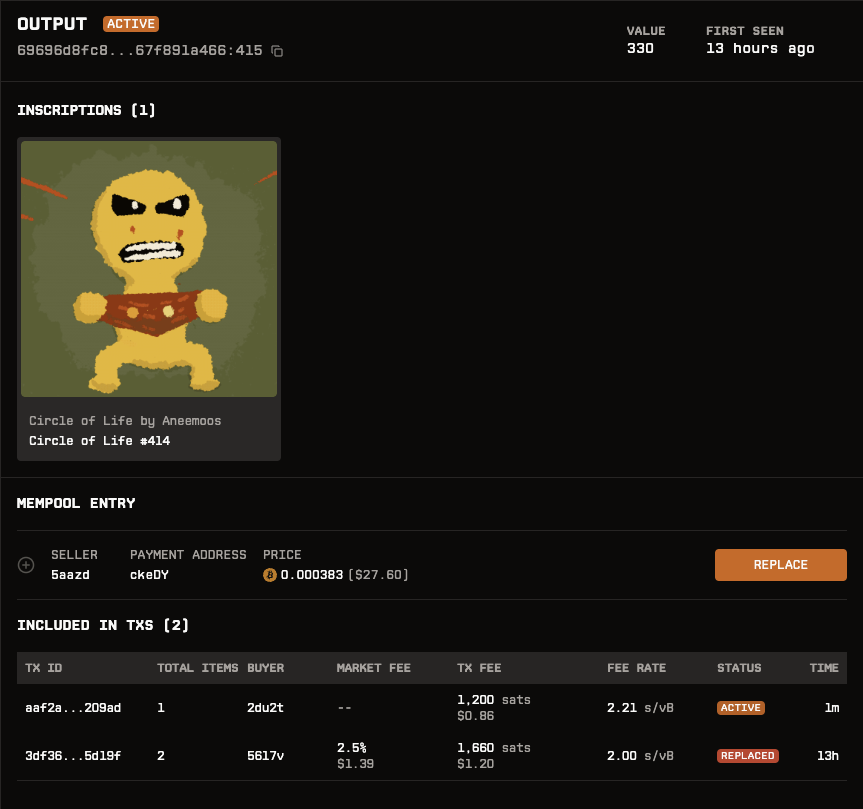
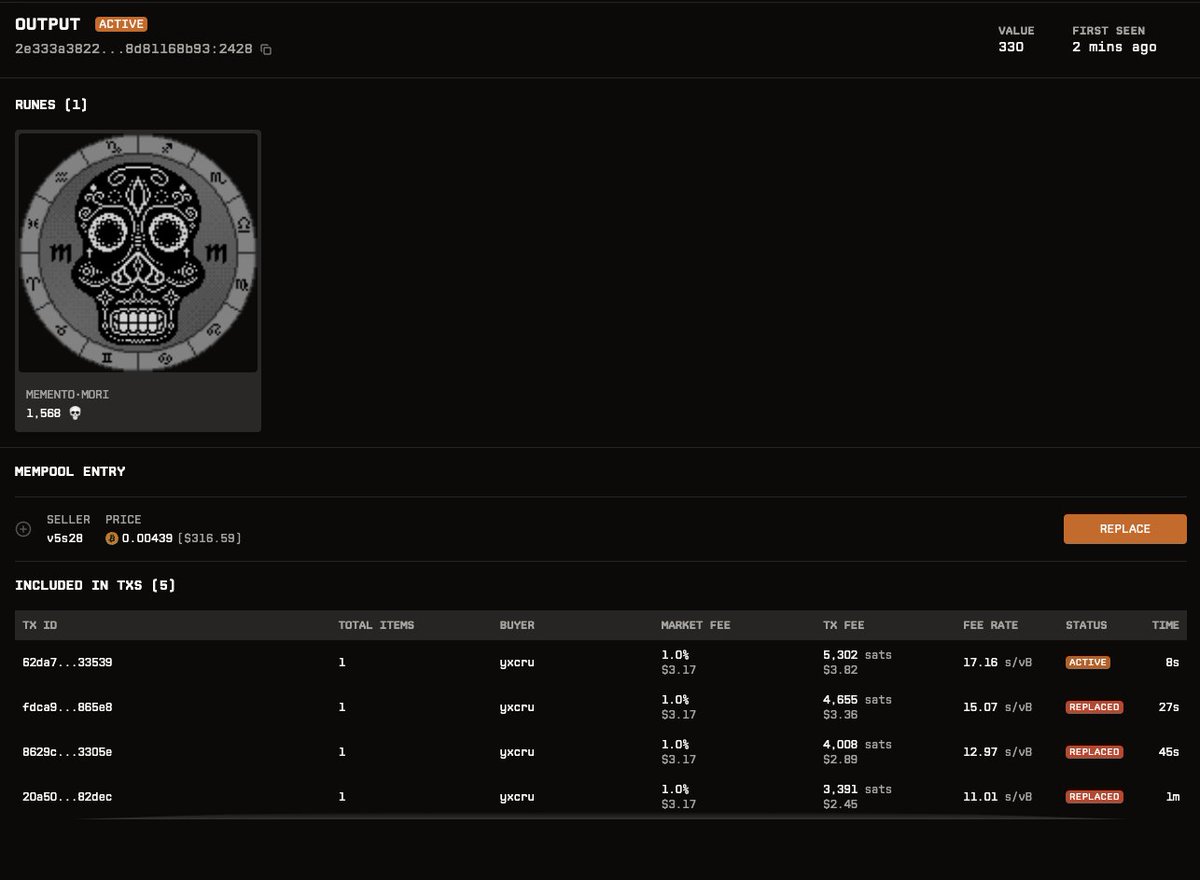
Click on any item name/picture to open Output View! See contained inscriptions/runes, access a replace button (if unspent & replaceable), and view a list of transactions that attempted to include the output. (in other words competing txs)
Look out for items with a 1 — it means multiple inscriptions/runes are included in that output. Click through to the Output View to see exactly what's included.
1
1
236
31 Oct 2024
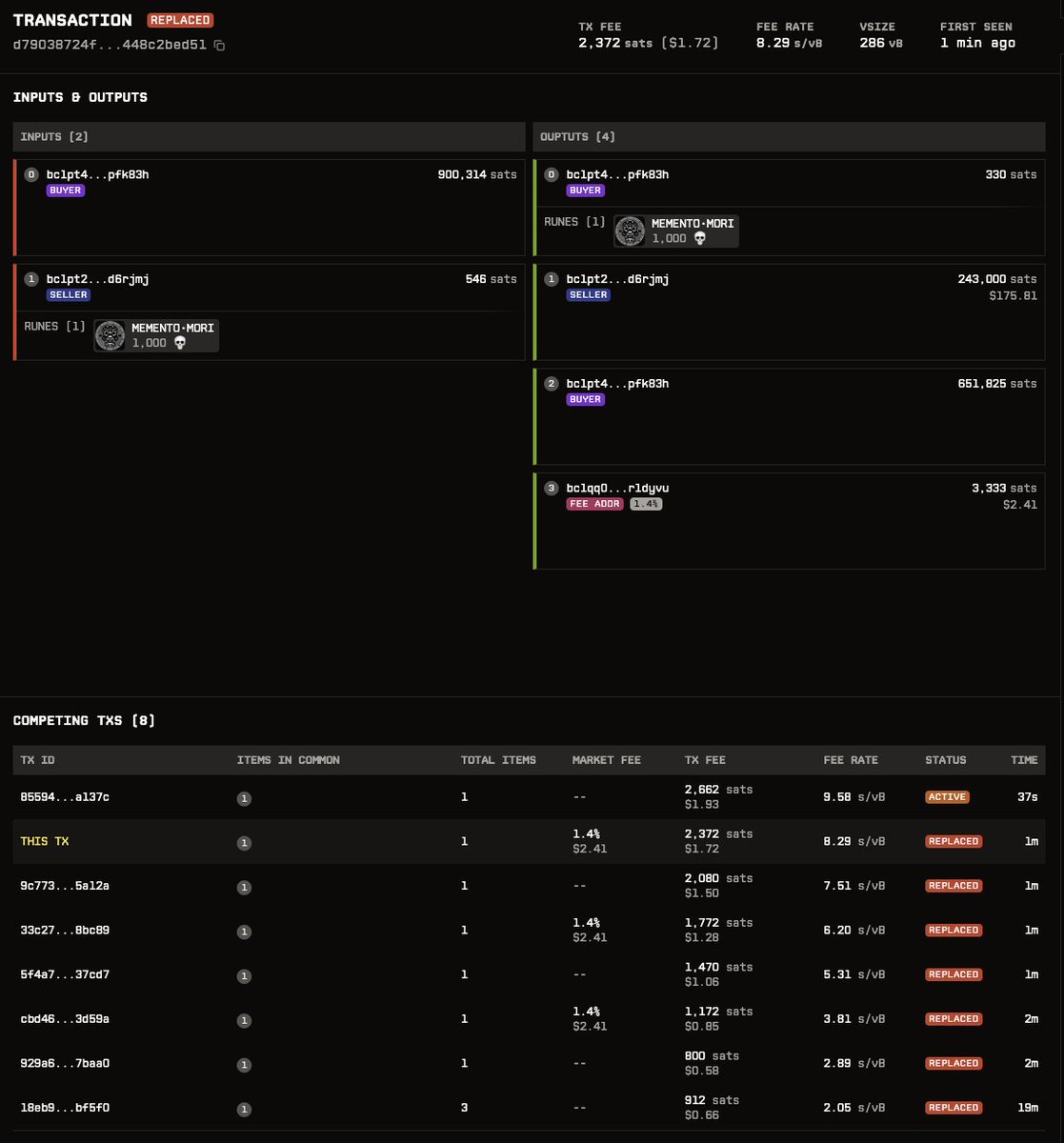
Introducing the Transaction View! Click on any TXID to get a full breakdown of inputs, outputs, inscriptions, and runes. 📜 See exactly where assets are sent, along with network and marketplace fees (if any). There's also a list of other transactions that were replaced, along with the UTXOs they share in common
Think Mempool.space’s tx breakdown — but enhanced with detailed ordinals and rune data every trader needs!
🔍 #Crypto #Ordinals #Runes #Blockchain
1
1
209

30 Oct 2024
1
1
3,544
30 Oct 2024

167
OrdRun retweeted
30 Oct 2024
Have a look at all the replaced transactions for this one.
Notice the replace button ;)
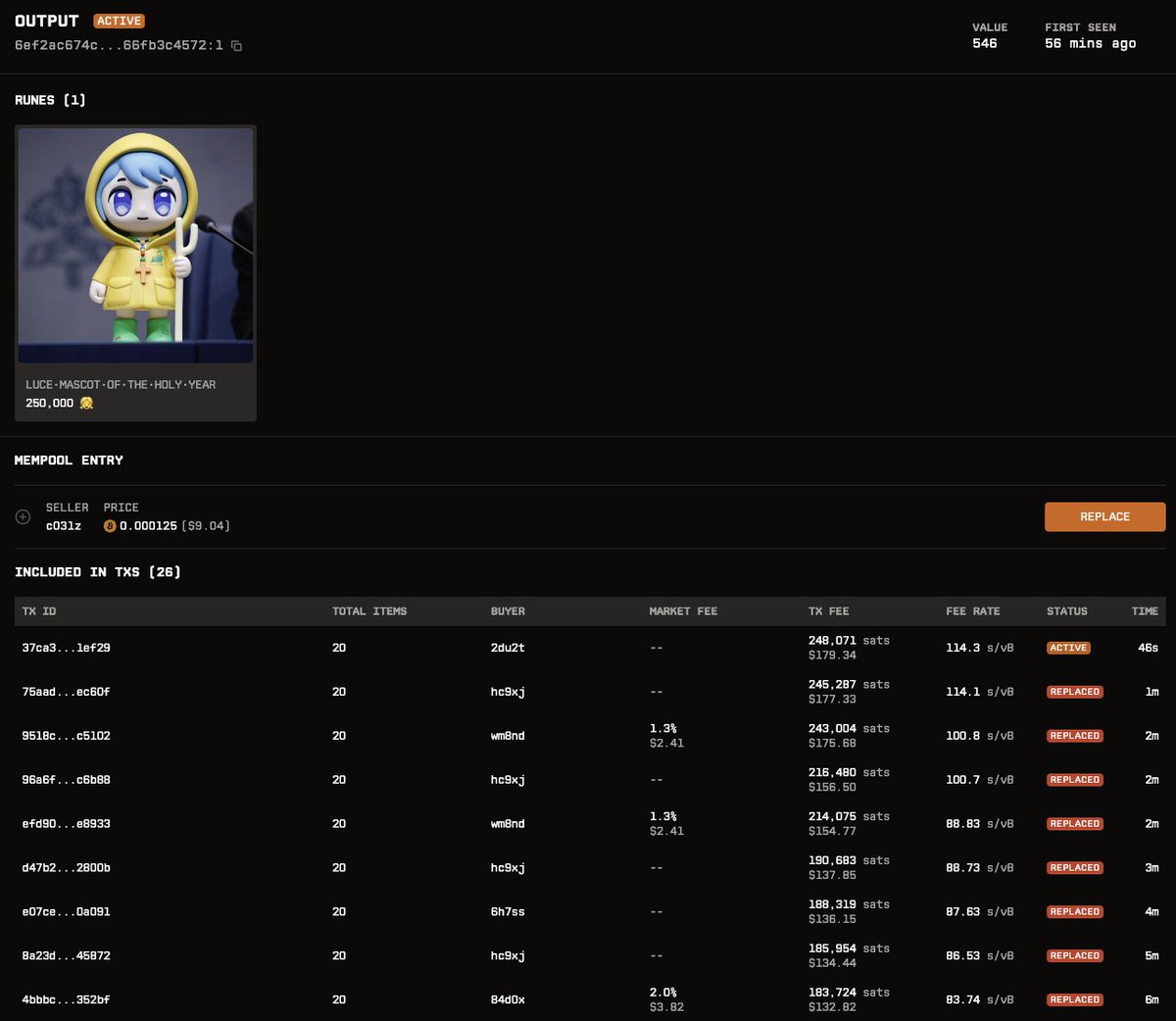
ALT LUCE•MASCOT•OF•THE•HOLY•YEAR $luce replaced transactions at ordrun.com
1
911

Too right. And ordrun.com is the best tool bar none for mempool sniping.
1
2
256