
314 Photos and videos









Pinned Tweet

24 Oct 2021
Hello Twitter
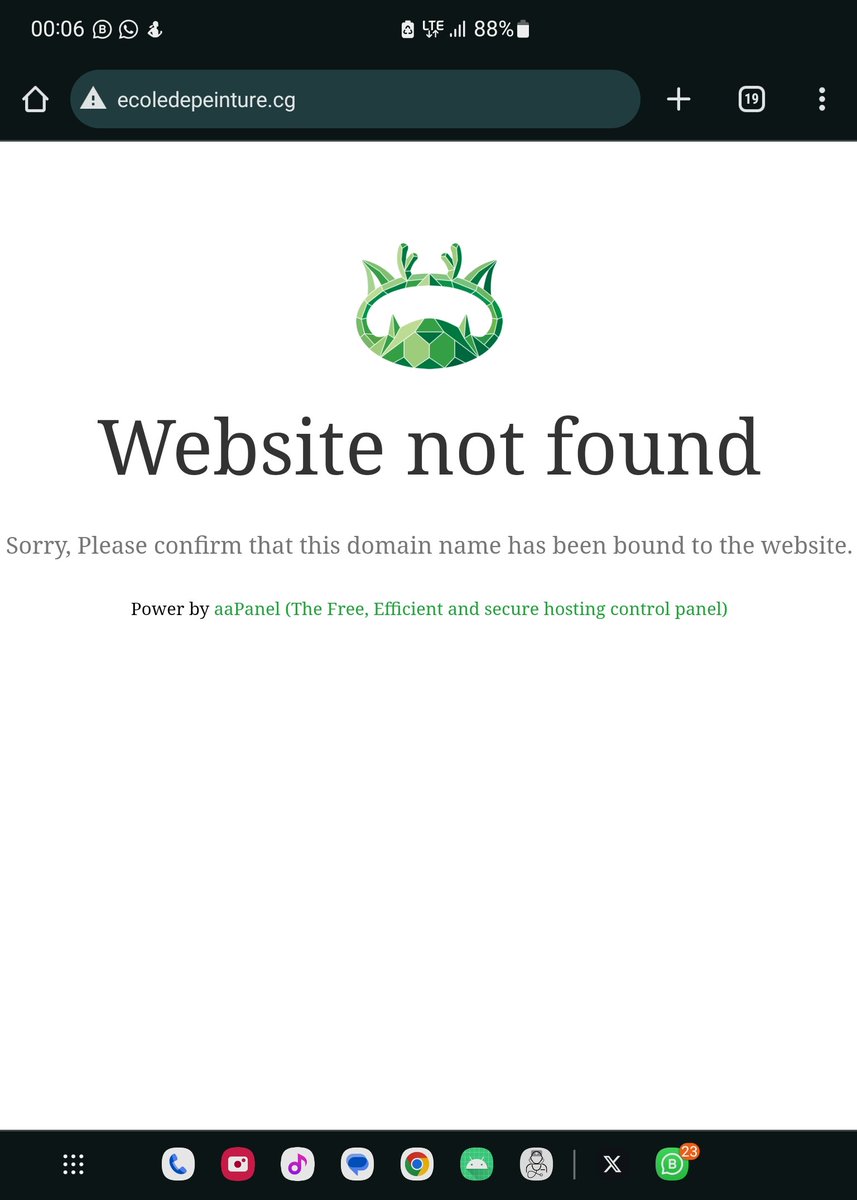
Ce matin #ChezMoiAuCongo j'ai pris le soin de passer par l'école de Tchimbamba pour photographier le magnifique travail réalisé par les artistes peintres.
J'ai rencontré un qui se nomme #Ouaboulé, formé à l'école de peinture de Poto-Poto (Brazzaville). Suite 👇🏾

4
35
58

Sites where you can watch FIFA World Cup matches for free👇
Footybite
Sportzfy
Camel1live
Vip League
Gingabet
Koralive
Starball TV
Epic Sports
808Sports
Cricfy TV
Football Libre
Liveball
Fawanews
RBTV
SportzSpeed 24
Playfly
Yasen TV
FCtv33
VIPB
58
1,001
4,652
201,159
Paridel MAKOUALA retweeted

Jun 2
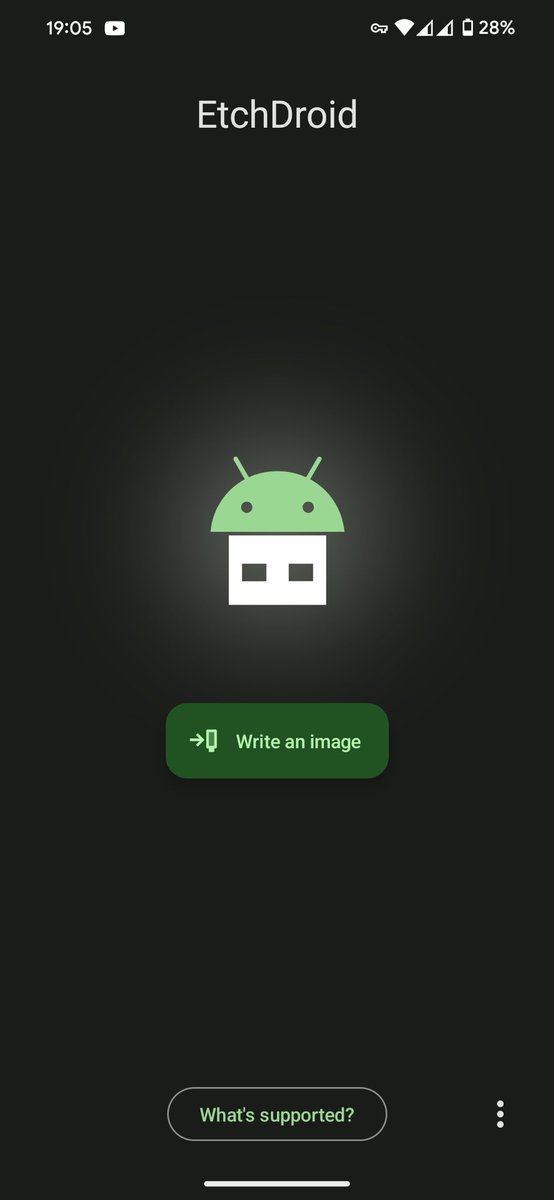
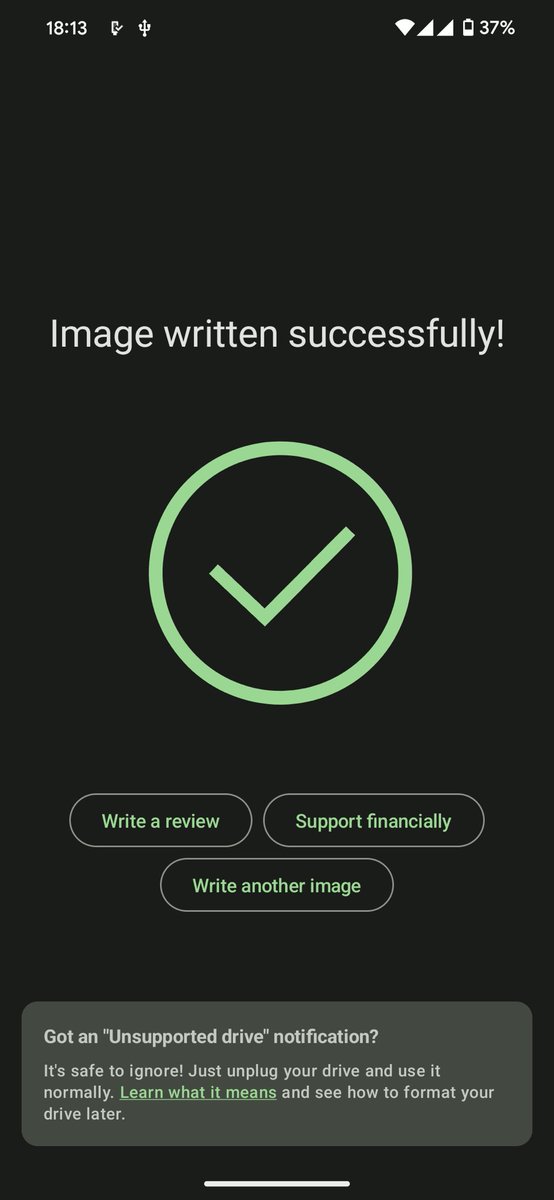
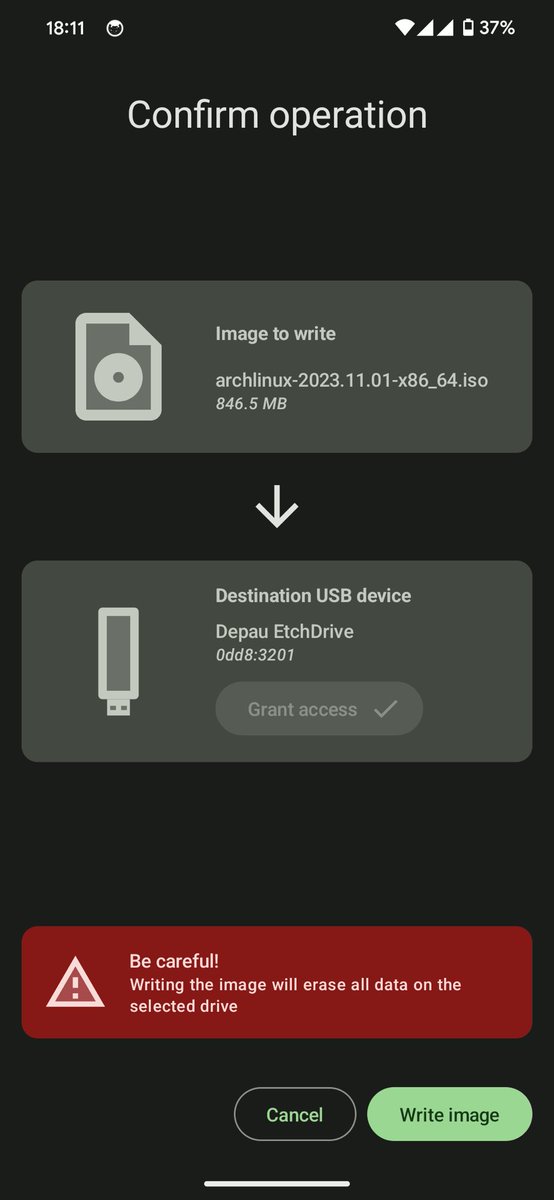
للأندرويد
حول جوالك إلى أداة لحرق الأنظمة
تطبيق EtchDroid يسمح لك بحرق ملفات ISO
و IMG على الفلاشات مباشرة من الأندرويد بدون كمبيوتر وبدون Root
يعني تقدر تحرق
• Linux
• Android TV
• BlissOS
• أنظمة Raspberry Pi
كل هذا من هاتفك فقط عن طريق وصلة OTG
مفتوح المصدر، مجاني، وبدون إعلانات , الرابط في الرد
8
70
579
36,702
May 27
What is this nonsense @telegram ? 🤬
Forced to pay just to log into my own existing account because I changed phones?! Blocking existing users to force them to pay up is incredibly frustrating and discouraging. Fix this.
50
Paridel MAKOUALA retweeted

May 26
🚨 YA PUEDES CAMBIAR TU CORREO DE GMAIL 🚨
Ahora es posible cambiar tu dirección de correo electrónico actual de @gmail.com por una nueva sin crear una cuenta desde cero.
Lo que debes saber de esta actualización:
✅ Tu información (fotos, archivos y suscripciones) se mantiene intacta.
✅ Tu correo anterior se convierte en una dirección alternativa para que sigas recibiendo todos tus mensajes.
⏳ Una vez hecho el cambio, no podrás crear una nueva dirección de Gmail por los siguientes 12 meses.
247
2,140
18,628
3,409,944
Paridel MAKOUALA retweeted

May 25
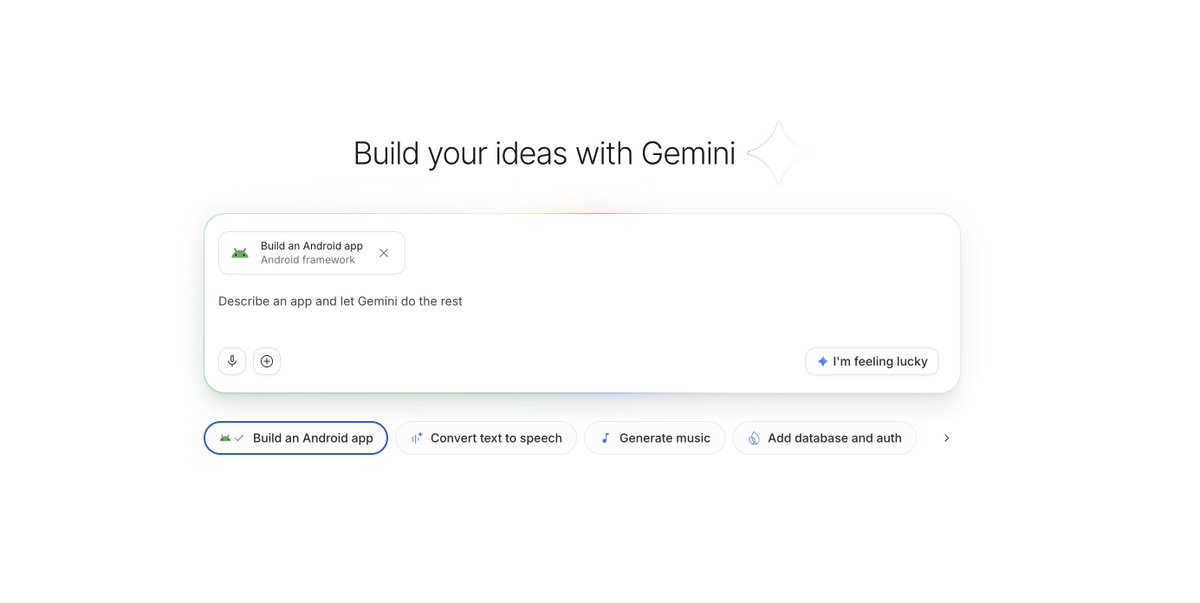
We just launched the ability to build native Android apps directly in Google AI Studio for free!
Since launch last week, people have created more than 250,000 Android apps. Likely >99% of these folks never built an Android app before, everyone can now build, no coding required!
352
477
5,008
534,146
Paridel MAKOUALA retweeted

Anthropic a publié une Formation complet de 2 HEURES sur la construction d'agents Claude.
Animé par l'ingénieur qui construit Claude Code.
Gardez-la précieusement en Signet🔖
de A à Z : Structurer un agent qui se gère sans supervision. Lui donner accès au terminal pour exécuter, lire, corriger. Gérer sa mémoire via le système de fichiers. Bloquer les hallucinations avec des Hooks. Faire tourner un agent sur un gros codebase sans tout casser.
À la fin : vous utilisez Claude comme un pro et vous monétisez vos compétences. Débutant ou avancé, tout est là en un seul endroit, ce cours couvre tout.
Ça vaut plus que tous les cours à 500$ que t’as failli acheter.
261
1,060
10,809
5,484,050

🚨Por qué nadie está hablando de ESTO? NVIDIA está regalando acceso GRATIS vía API a más de 80 modelos de IA hosted.
Modelos incluidos:
• MiniMax M2.7
• GLM 5.1
• Kimi 2.5
• DeepSeek 3.2
• GPT-OSS-120B
• Sarvam-M
y muchos más.
Funciona directo con Cursor, Zed, OpenCode, Hermes, OpenClaude, etc.
Cómo configurarlo en 30 segundos:
1. Consigue tu API Key gratis → build.nvidia.com
2. Base URL: integrate.api.nvidia.com
3. Elige el model ID (ej: `minimaxai/minimax-m2.7`)
Si estás prototipando o experimentando con IA esto es inferencia gratis.
La mayoría de builders aún no lo sabe.
Me das las gracias despues.

66
344
2,462
157,740

We’ve agreed to a partnership with @SpaceX that will substantially increase our compute capacity.
This, along with our other recent compute deals, means that we’ve been able to increase our usage limits for Claude Code and the Claude API.
4,731
11,930
130,533
23,980,366
Paridel MAKOUALA retweeted

May 1
Google acaba de hacer algo que Claude Design no esperaba.
Y lo hizo gratis, en abierto, para todo el mundo.
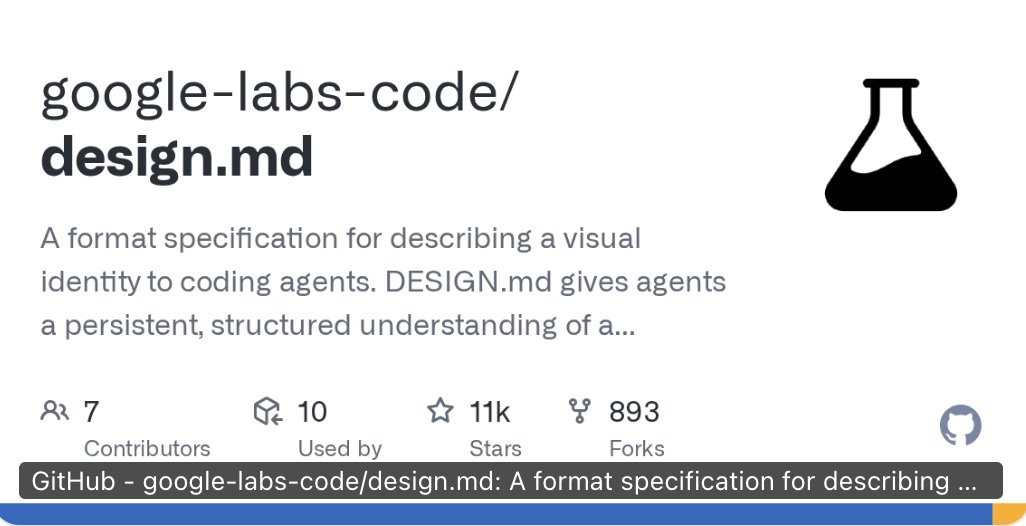
Se llama DESIGN.md.
Pero primero hay que hablar de lo que provocó esto.
Anthropic lanzó Claude Design con límites de uso ridículos.
Cerrado. Caro. Controlado.
La herramienta de diseño con IA más potente del momento, pero con la llave en su bolsillo.
Google vio la jugada.
Y respondió de la única forma que duele de verdad:
Abrió el código. Gratis. Para todo el mundo.
Se llama DESIGN.md.
Un estándar abierto que cualquier IA puede leer.
En cualquier herramienta. En cualquier plataforma.
El problema que resuelve es real:
Los agentes de IA no tienen ni idea de tu sistema de diseño.
No saben qué significa tu color primario.
No saben si ese botón es accesible.
No saben para qué sirve cada componente.
Cada vez que usabas IA para diseñar, empezabas de cero.
DESIGN.md lo resuelve con un solo archivo.
Tres cosas concretas que hace:
1️⃣ Tokens de diseño
Tus colores, tipografías y espaciados con descripciones en lenguaje natural.
La IA entiende para qué sirve cada valor, no solo cuál es.
2️⃣ Validación de accesibilidad
El agente comprueba sus decisiones contra las reglas WCAG.
Sin que tú tengas que revisar cada detalle manualmente.
3️⃣ Portabilidad total
Exportas e importas tus reglas de un proyecto a otro.
Un archivo. Cualquier herramienta. Cualquier plataforma.
Incluidas las de Anthropic.
Eso es lo que más duele en ese lado de la mesa.
Anthropic construyó muros.
Google tiró la pared entera.
El repositorio está en GitHub: github.com/google-labs-code/…
Esto es lo que pasa cuando los grandes se pelean.
Nosotros ganamos.
35
492
2,801
190,732
Paridel MAKOUALA retweeted

Apr 18
Ce gars vient d'expliquer gratuitement comment construire des sites animés dignes d'un prix en 18 minutes.
Pas de théorie. Il montre en direct comment Claude Design Opus 4.7 font tout le travail de design à ta place.
Garde-le avant qu'il le monétise.
14
437
3,302
231,421
Paridel MAKOUALA retweeted

Apr 17
Made this video with Claude Design in 12 prompts

Introducing Claude Design by Anthropic Labs: make prototypes, slides, and one-pagers by talking to Claude.
Powered by Claude Opus 4.7, our most capable vision model. Available in research preview on the Pro, Max, Team, and Enterprise plans, rolling out throughout the day.
Community note
The video attached to this post is identical to one the author shared on October 9, 2025—over six months before Claude Design's release on April 17, 2026. It was not made with Claude Design.
x.com/kail_designs/s…
x.com/claudeai/statu…
284
568
13,505
1,532,204
Introducing Claude Design by Anthropic Labs: make prototypes, slides, and one-pagers by talking to Claude.
Powered by Claude Opus 4.7, our most capable vision model. Available in research preview on the Pro, Max, Team, and Enterprise plans, rolling out throughout the day.
4,139
14,998
148,122
63,898,162
Paridel MAKOUALA retweeted

Apr 14
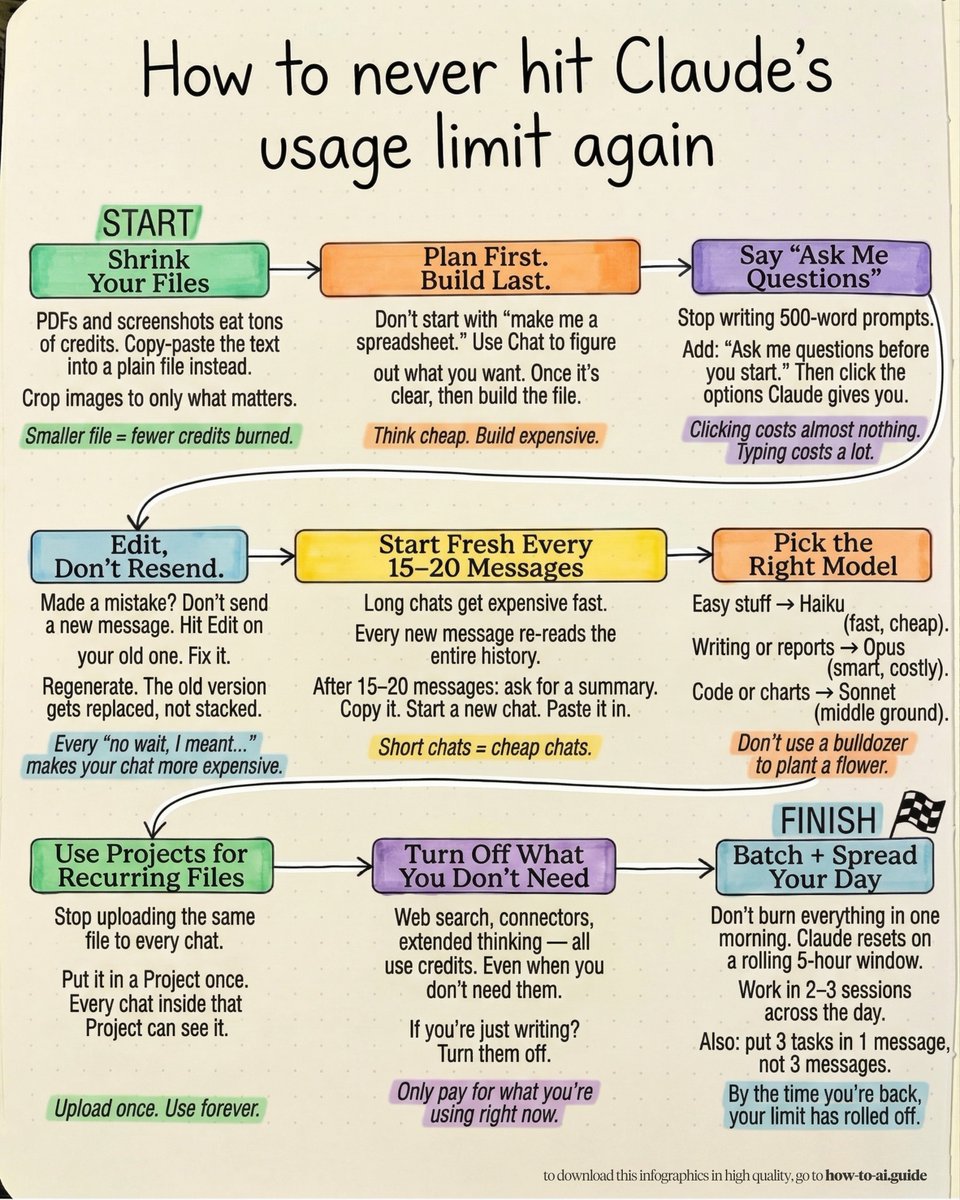
You don't need the $100 Claude plan.
Instead, you just need these 9 (free) fixes:
1. Shrink Your Files.
Open a Google Doc. Paste the text from your PDF.
Download as .md file format & upload that instead.
A 15-page PDF = 45,000 tokens.
The same text as the .md file = 2,000 tokens.
2. Plan First. Build Last.
Open Claude Chat. Prompt: "Help me plan a [financial model]. Ask me questions first."
Then paste the final plan into Cowork and prompt, "Build exactly this."
You just saved 1/10th of the cost.
3. Let Claude Ask You.
Stop writing long prompts. Prompt this instead: "I want to [TASK] to [SUCCESS CRITERIA]. Ask me questions using AskUserQuestion before you start."
Then just select answers. Clicking costs almost zero tokens. Your 500-word prompt costs 500.
Full guide here: ruben.substack.com/p/how-to-…
But here's what's really draining your credits:
4. Edit Your Messages, Don't Resend.
Click "Edit" on your last message to Claude.
Fix the mistake there. Hit Save. Claude regenerates without stacking a new message on top.
Every "no wait, I meant..." doubles your cost.
5. Summarize Every 15 Messages.
After having an entire chat with Claude. Prompt: "Summarize this entire conversation into a brief."
Copy it & paste it as the 1st message in a new chat.
You just compressed 105,000 tokens into 500.
6. Switch Models Before You Start.
Click the model dropdown. If the task takes Claude under 30 seconds to answer, pick Haiku or Sonnet. Only pick Opus for deep, multi-step work. This saves you 3–5x per message.
7. Use Projects, Not Uploads.
Go to Projects. Create one. Upload files there once.
Every new chat inside that Project reads it without re-tokenizing. Stop uploading the same contract to 5 separate chats.
8. Turn Off Extra Features.
Go to the tools panel. Turn off Web Search.
Turn off connectors. Turn off Extended Thinking.
Only turn on what this specific task needs.
Idle features burn credits silently.
9. Batch 3 Tasks Into 1 Message.
Instead of sending "Summarize this" then "List the key points" then "Write a headline" - send all three in one message.
Three messages = three full context reloads.
One message = one reload.
Access the free guides to copy my full system:
✦ 23-fixes breakdown: ruben.substack.com/p/how-to-…
✦ The infographic cheat sheet: how-to-ai.guide
Send it to the one who keeps hitting Claude's limits.

73
395
2,219
258,729
Paridel MAKOUALA retweeted

Apr 13
Stop telling Claude: "build this"
Stop telling Claude: "write code"
Stop telling Claude: "fix this bug"
You're using a staff-level AI like a junior intern.
Claude performs best when you give:
• role
• constraints
• architecture expectations
• output format
• real-world context
Here are 10 production-grade Claude prompts you can copy-paste:

23
109
987
103,367
Paridel MAKOUALA retweeted

Apr 12
I spent 10 years building Android apps natively. Compose, XML layouts, Material Design since version 1.
The one thing that always frustrated me? Asking AI tools for help and getting Material Design 2 with random teal everywhere.
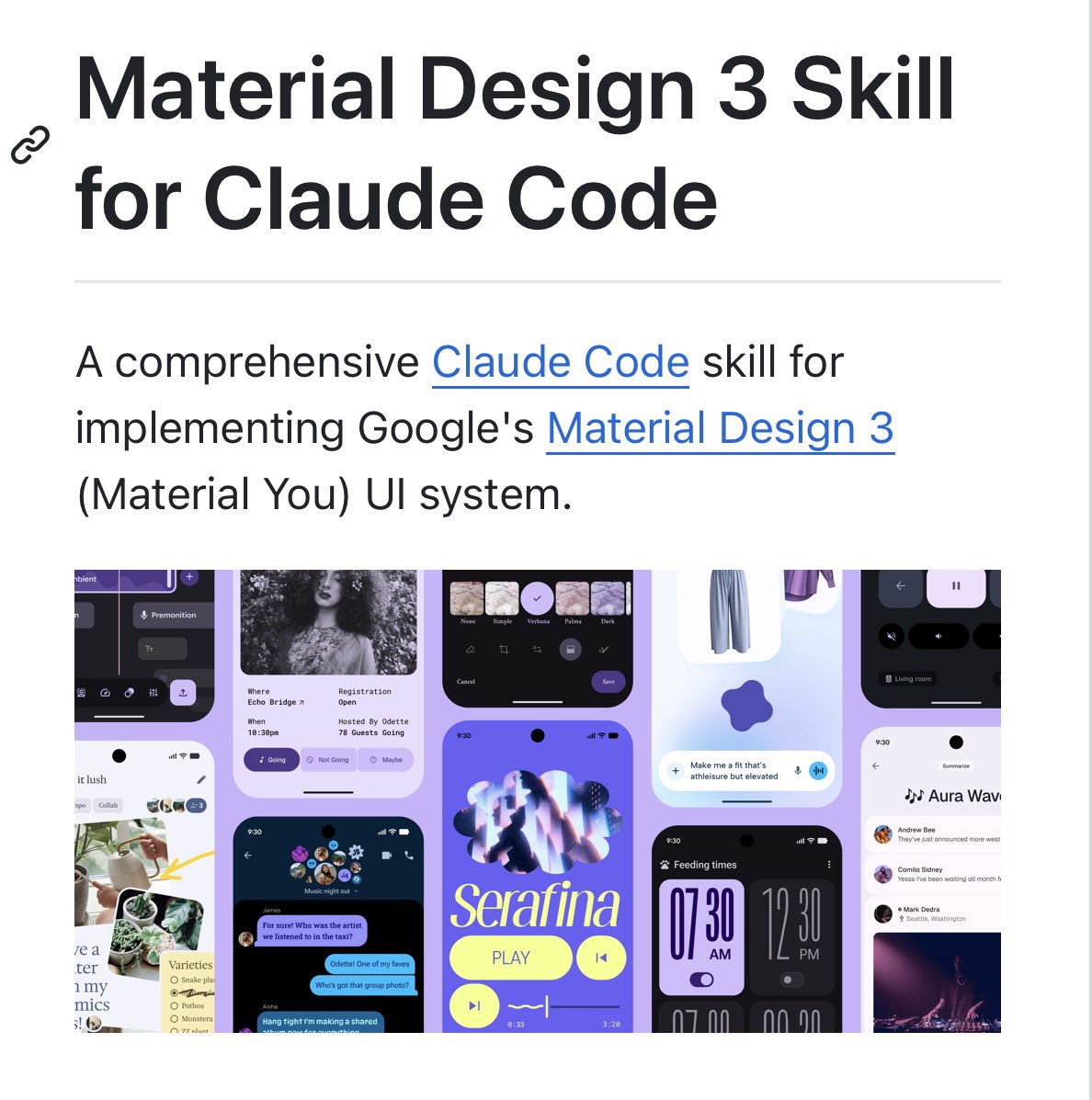
So I built the Material Design 3 Skill for Claude.
30 components. Compose, Flutter, Web. Full MD3 Expressive support. Built-in audit scoring to check if your UI is actually following the spec.
It's free. It's open source. And it finally makes AI understand what modern Android UI should look like.
Try it github.com/hamen/material-3-…
What's the worst AI-generated UI you've ever seen?
13
54
390
17,225
Paridel MAKOUALA retweeted
Apr 11
People think learning AI takes months.
It's really just a couple of hours.
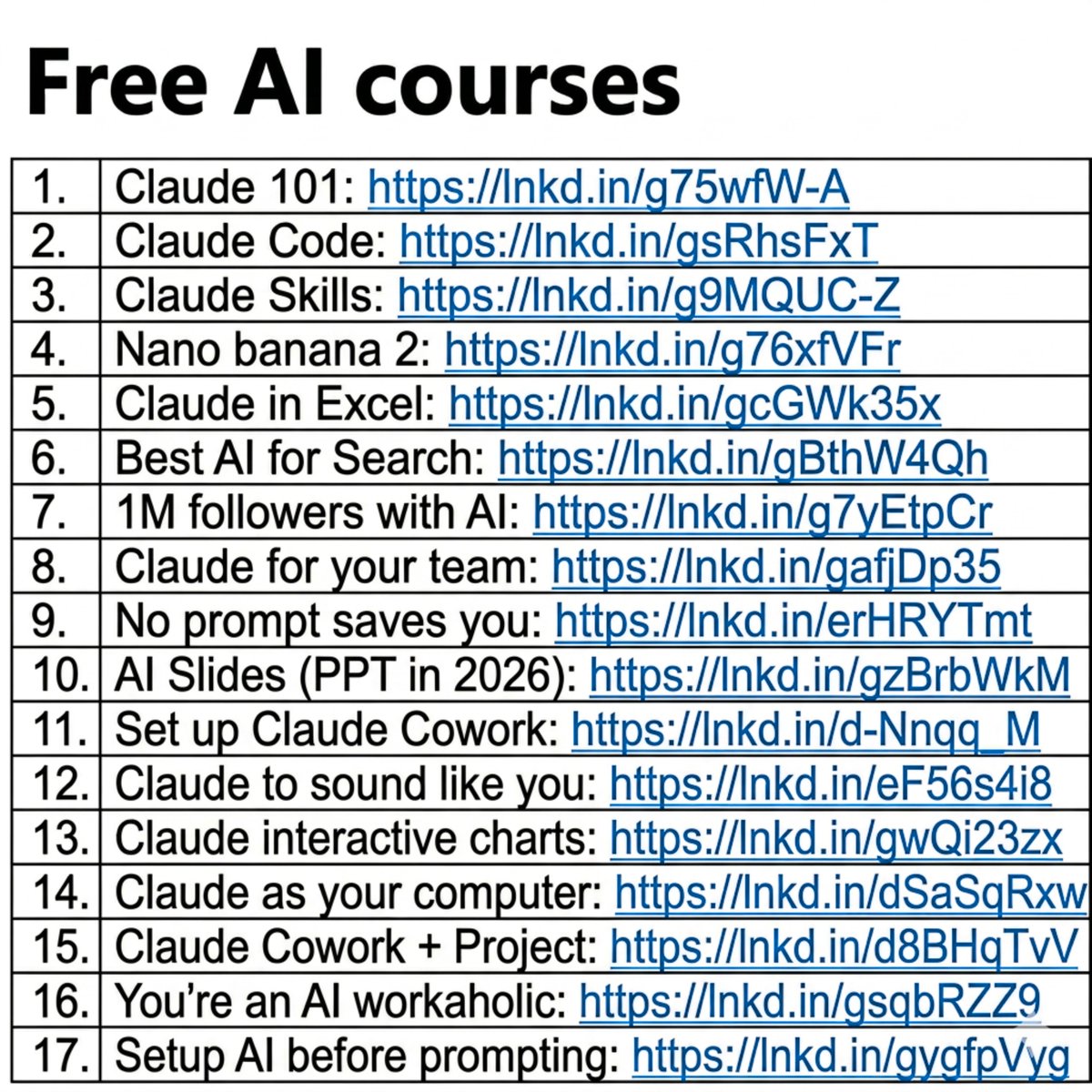
And I wrote 17 free guides to start right away:
Claude 101: ruben.substack.com/p/claude
Claude Code: ruben.substack.com/p/claude-…
Claude Skills: ruben.substack.com/p/claude-…
Nano banana 2: ruben.substack.com/p/banana-…
Claude in Excel: ruben.substack.com/p/ai-coul…
Best AI for Search: ruben.substack.com/p/grok-42…
1M followers with AI: ruben.substack.com/p/1000000
Claude for your team: ruben.substack.com/p/claude-…
No prompt saves you: ruben.substack.com/p/magic
AI Slides (PPT in 2026): ruben.substack.com/p/powerpo…
Set up Claude Cowork: ruben.substack.com/p/claude-…
Claude to sound like you: ruben.substack.com/p/i-am-ju…
Claude interactive charts: ruben.substack.com/p/claude-…
Claude as your computer: ruben.substack.com/p/claude-…
Claude Cowork Project: ruben.substack.com/p/claude-…
You're an AI workaholic: ruben.substack.com/p/ai-holi…
Setup AI before prompting: ruben.substack.com/p/how-to-…
___
1. Save this list for later (three dots, top right).
2. Share it with a friend by ♻️ reposting this image.
3. Subscribe to my free newsletter: how-to-ai.guide.
91
2,186
8,743
1,066,513
Paridel MAKOUALA retweeted

Apr 12
Someone finally made Claude understand Android UI. The Material Design 3 Skill:
- Generates proper Material 3 code
- 30 components covered
- Web, Flutter, Compose
- Built-in MD3 audit scoring
- All latest expressive updates
If you care about design systems, this is a must.
12
55
452
26,795
Paridel MAKOUALA retweeted
Apr 9
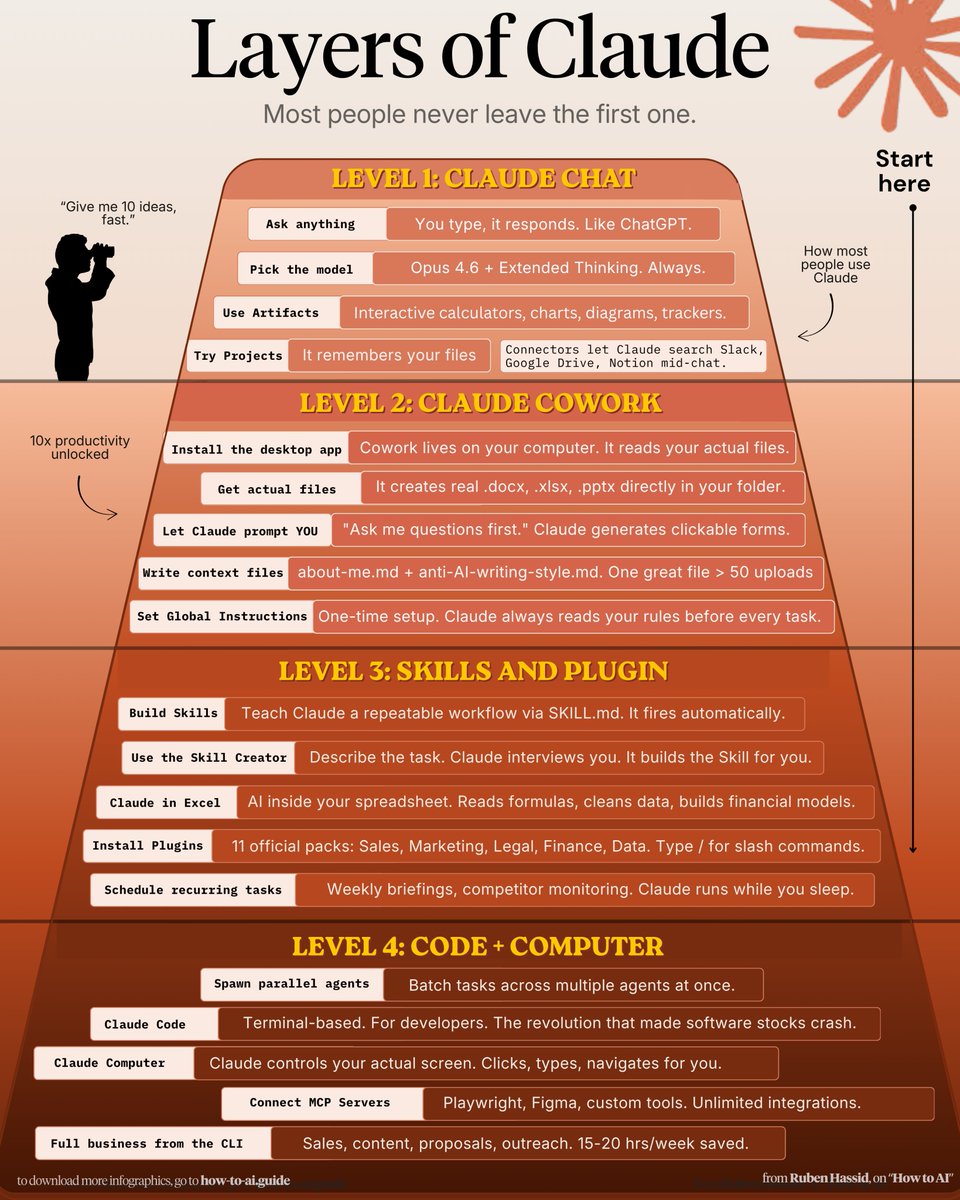
How to climb all 4 layers of Claude in one weekend:
(even if you just signed up yesterday)
✦ Level 1: Claude Chat (Saturday morning)
Go to claude .com/download. Install the app.
Pay the $20. Select Opus 4.6 Extended Thinking.
Connect Slack, Drive, Notion through Connectors.
Stop writing long prompts. Prompt this instead:
"I want to [TASK] for [SUCCESS CRITERIA]. Use AskUserQuestion before you start."
Most people stay here forever.
You're leaving 90% of Claude untouched.
Claude Basics: how-to-claude.ai.
——
✦ Level 2: Claude Cowork (Saturday afternoon)
Go to 'Cowork'. Create a folder "Claude-Cowork."
4 subfolders. About me, template, project & outputs
Create about-me .md: what you do, how you do.
Create anti-ai-style .md: words you'd never say.
Set Global Instructions (Settings → Cowork → Edit):
"Always read my files first, never edit my originals, deliver everything to CLAUDE OUTPUTS."
You just killed prompting.
From now on, your prompt is 2 lines your folder.
Move on to Cowork: claude-co.work
——
✦ Level 3: Skills Plugins (Sunday morning)
Open Cowork. Type: "Use the skill-creator to help me build a skill for [your most repeated task]."
Claude interviews you. Answer and be specific.
It generates a SKILL .md. Test it: "When would you use this skill?" If the description is vague, fix it.
Upload: Settings → Capabilities → Skills → Upload.
Now it fires automatically. No slash command.
Install Plugins: Cowork > Customize > Browse plugin
Skills with about-me .md. Skill handles the process.
Voice file handles tone. Two layers simultaneously.
Set up Claude Skills: x.com/rubenhassid/status/203…
——
✦ Level 4: Code Computer (Sunday afternoon)
Click the Code tab. Create a folder. Connect GitHub
(free account → Settings → Connectors).
Prompt: "Create a GitHub repo named [project]. Code everything. Don't ask for permissions."
Download VS Code. Install the Claude extension.
Turn on "Skip Permissions" to go 100x faster.
After your session, paste this: "Create a CLAUDE .md file with everything you learned about this project." Now Claude remembers your fonts, colors, and structure forever.
Claude code guide: claudecode.free
Claude Computer: Settings → Desktop app → turn on Browser use Computer use.
Connect your phone with Dispatch. Text a task.
Schedule a recurring task: left sidebar → Scheduled → write the prompt → pick the frequency.
Claude Computer: x.com/rubenhassid/status/203…
This is where you stop working inside Claude.
Claude starts working on your computer.
——
Saturday, you were prompting like it's ChatGPT.
Sunday, Claude is running your screen, building your website, & sending you text updates.
That's all 4 layers. In one weekend.
60
1,274
8,680
1,113,821
Paridel MAKOUALA retweeted

Apr 9
Después de la locura del Claude💥
Os dejo como tener vuestra propia App gratis en tú movil🤯
0/ Abre Claude y dile exactamente qué app quieres. Cuanto más detallado mejor.
1/ Claude te genera los 3 archivos de la app. Descárgalos y mándatelos a tu email
2/ Desde el ordenador abre Ntelify y arrastra la carpeta con los 3 archivos. En 10 segundos tienes tu enlace único.
3/ Abre ese enlace desde Safari en tu iPhone.
4/ Pulsa el botón compartir ↑ abajo en el centro.
5/ Busca “Añadir a pantalla de inicio” → ponle nombre → Añadir
✅ App instalada con icono propio, sin App Store, sin suscripciones, sin pagar nada💥🚀
Apr 8

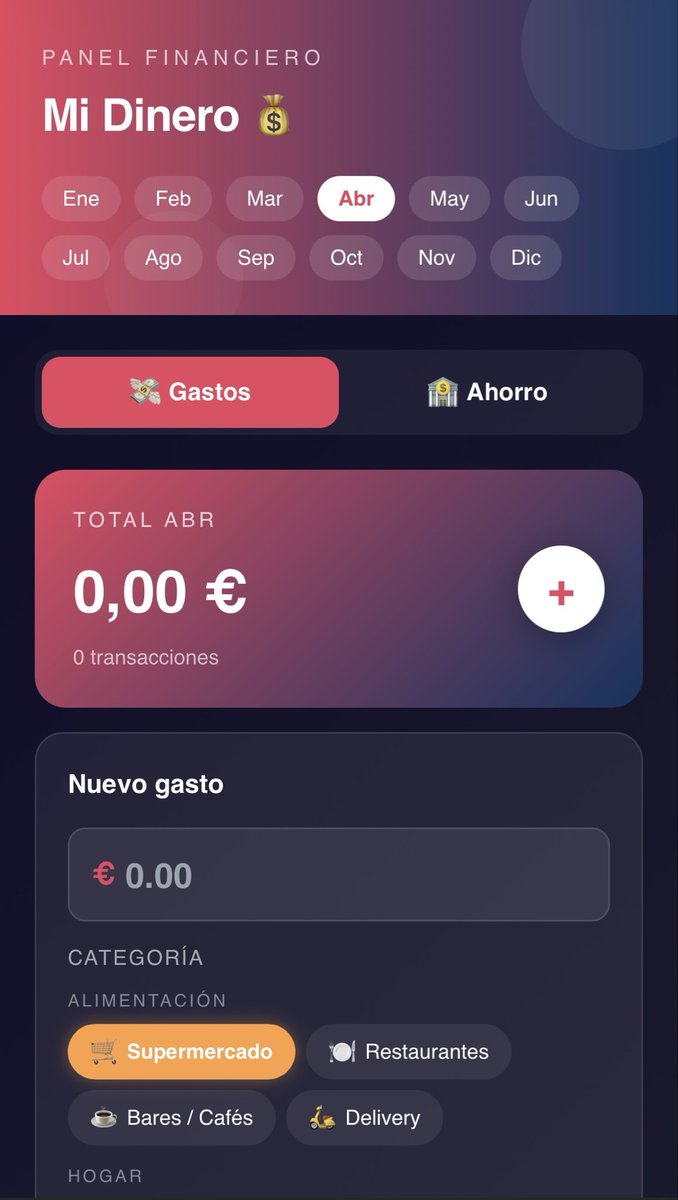
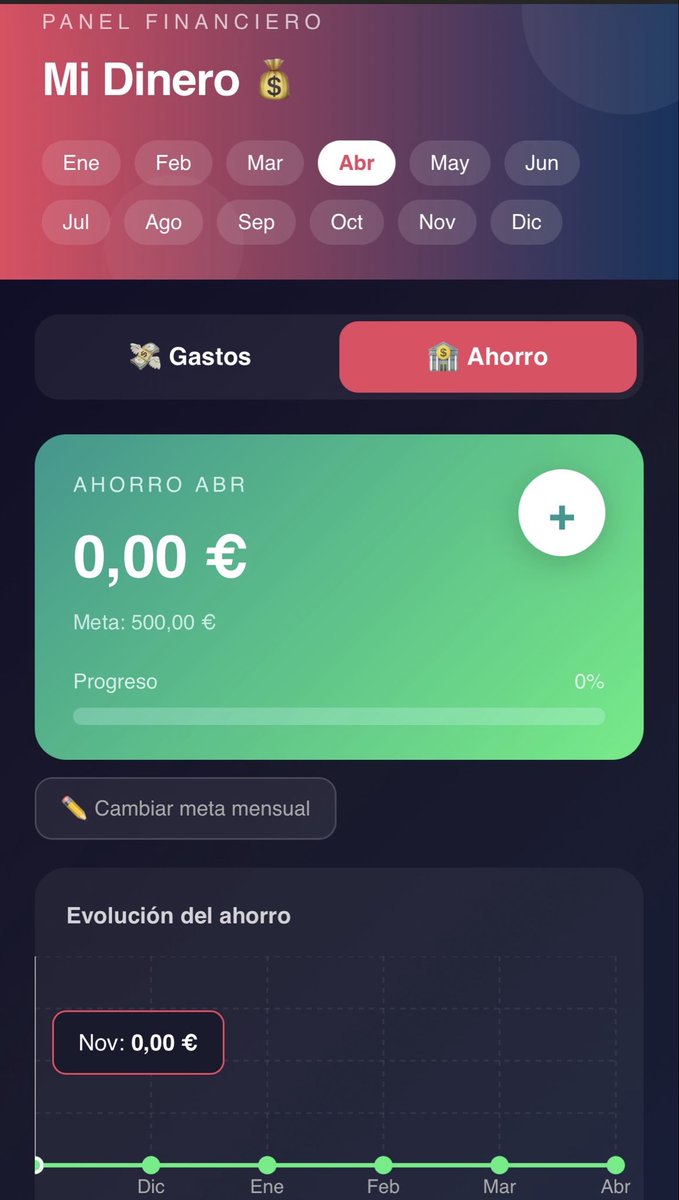
Esto de Claude es una locura!
Mirar que app de control de gastos y ahorro me ha creado en tan solo 2 minutos.💥
10
30
553
68,009