
Joined October 2019
- Tweets 1,210
- Following 2,897
- Followers 1,544
- Likes 7,452
175 Photos and videos


Pinned Tweet

Jun 10
🚀 𝟏𝟐𝟎 𝐌𝐢𝐧𝐝-𝐁𝐥𝐨𝐰𝐢𝐧𝐠 𝐀𝐈 𝐓𝐨𝐨𝐥𝐬 𝐘𝐨𝐮 𝐒𝐡𝐨𝐮𝐥𝐝 𝐊𝐧𝐨𝐰 𝐢𝐧 𝟐𝟎𝟐𝟔
Most people know 5–10 tools…
Top creators? They know the right 100 .
Here’s a curated list to upgrade your entire workflow 👇
𝟏. 𝐈𝐝𝐞𝐚𝐬
🔹YOU
🔹Claude
🔹ChatGPT
🔹Perplexity
🔹Bing Chat
𝟐. 𝐏𝐫𝐞𝐬𝐞𝐧𝐭𝐚𝐭𝐢𝐨𝐧
🔹Prezi
🔹Pitch
🔹PopAi
🔹Slides AI
🔹Slidebean
𝟑. 𝐖𝐞𝐛𝐬𝐢𝐭𝐞
🔹Dora
🔹Wegic
🔹10Web
🔹Framer
🔹Durable
𝟒. 𝐖𝐫𝐢𝐭𝐢𝐧𝐠
🔹Rytr
🔹Jasper
🔹Copy AI
🔹Textblaze
🔹Writesonic
𝟓. 𝐀𝐈 𝐌𝐨𝐝𝐞𝐥𝐬
🔹RenderNet
🔹Glambase App
🔹Luma AI
🔹Sora (OpenAI)
🔹Leonardo AI
𝟔. 𝐌𝐞𝐞𝐭𝐢𝐧𝐠
🔹Tldv
🔹Krisp
🔹Otter
🔹Avoma
🔹Fireflies
𝟕. 𝐂𝐡𝐚𝐭𝐛𝐨𝐭𝐬
🔹Poe
🔹Claude
🔹Gemini
🔹ChatGPT
🔹HuggingChat
𝟖. 𝐀𝐮𝐭𝐨𝐦𝐚𝐭𝐢𝐨𝐧
🔹ClickUp
🔹Drift
🔹Outreach
🔹Emplifi
🔹Phrasee
𝟗. 𝐔𝐈/𝐔𝐗
🔹Uizard
🔹Visily
🔹Khroma
🔹Galileo AI
🔹VisualEyes
𝟏𝟎. 𝐈𝐦𝐚𝐠𝐞
🔹Stylar
🔹Freepik
🔹Phygital
🔹StockIMG
🔹Bing Create
𝟏𝟏. 𝐕𝐢𝐝𝐞𝐨
🔹Pictory
🔹HeyGen
🔹Nullface
🔹Decohere
🔹Synthesia
𝟏𝟐. 𝐃𝐞𝐬𝐢𝐠𝐧
🔹Looka
🔹Clipdrop
🔹Autodraw
🔹Vance AI
🔹Designs AI
𝟏𝟑. 𝐌𝐚𝐫𝐤𝐞𝐭𝐢𝐧𝐠
🔹AdCopy
🔹Predis AI
🔹Howler AI
🔹Bardeen AI
🔹AdCreative
𝟏𝟒. 𝐓𝐰𝐢𝐭𝐭𝐞𝐫
🔹Typefully
🔹Postwise
🔹Metricool
🔹Tribescaler
🔹TweetHunter
⚡ Save this. You’ll need it.
Because in 2026:
AI isn’t optional. It’s your unfair advantage.
Follow me & DM @Princelight_ For more
2
117
Jun 11
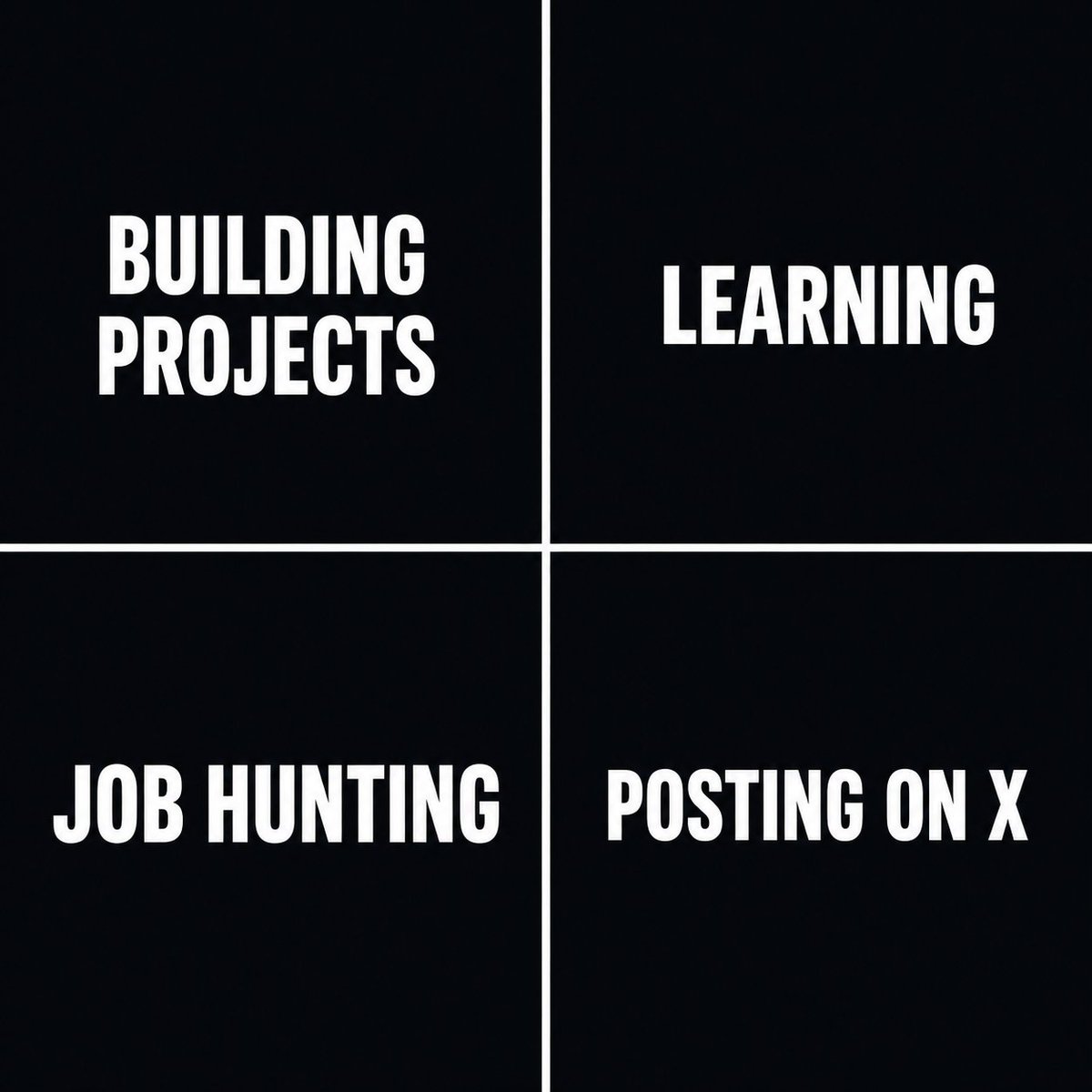
So Guyzz,
What's taking most of your time nowadays?
a) Building Projects
b) Learning
c) Job Hunting
d) Posting on X 👀
1
2
30
Jun 11
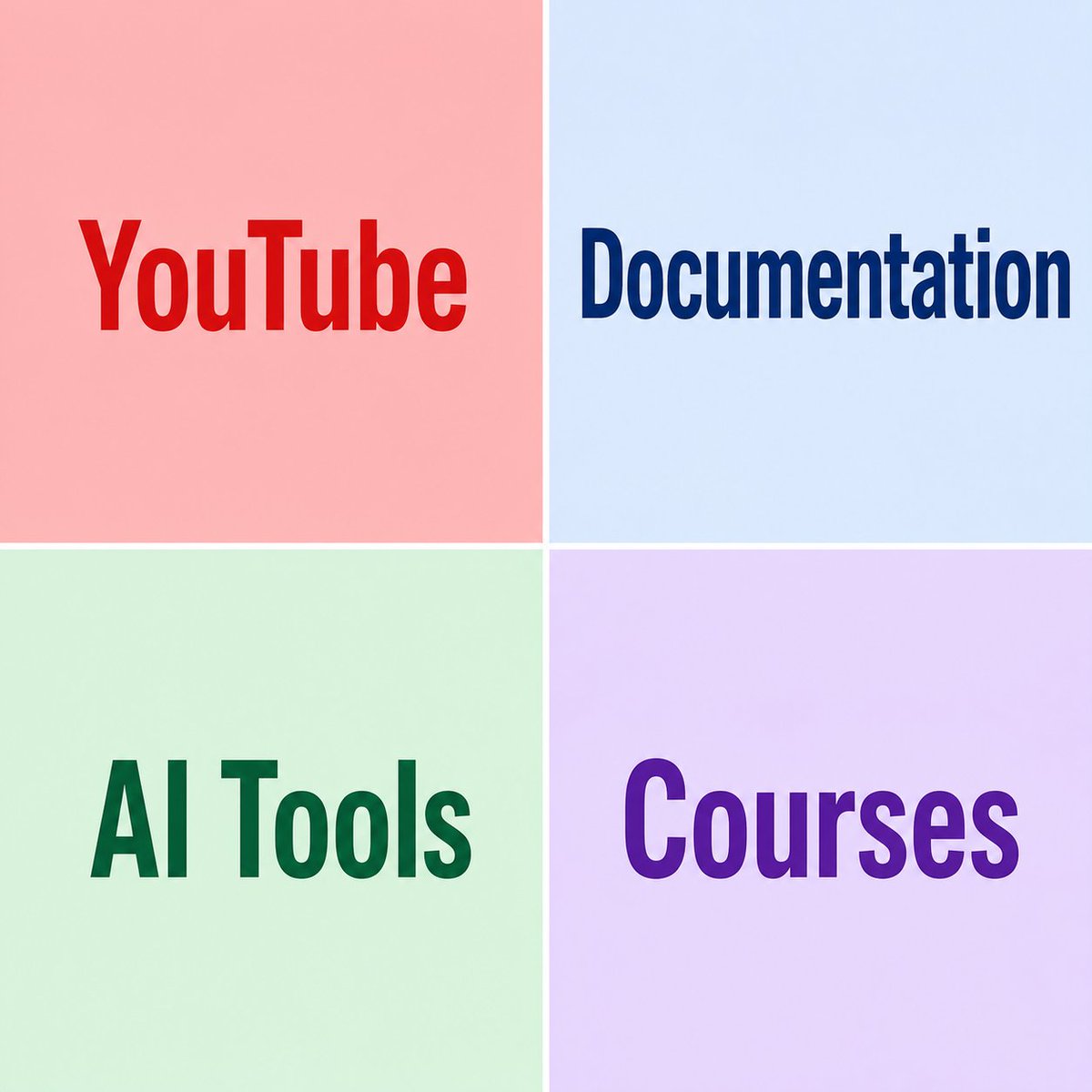
So Devs,
What's your favorite place to learn coding ?
a) YouTube
b) Documentation
c) AI Tools
d) Courses
1
1
16
Jun 11
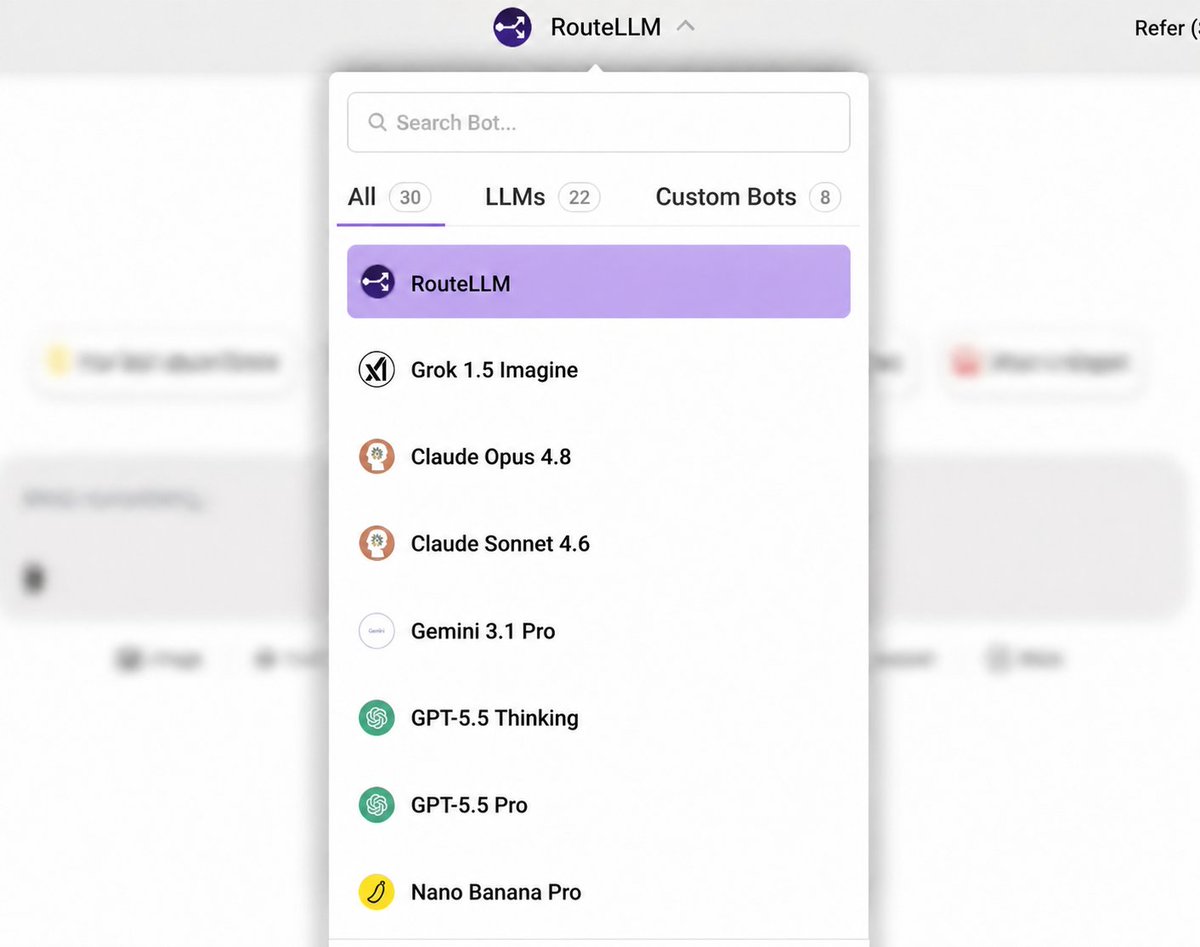
ChatLLM now has Grok 1.5 Imagine
Use The Best AI For Your Use Case. We smartly route to the best model for you AUTOMATICALLY
Video - SeeDance 2.0, Grok 1.5 imagine
Front-end - Opus 4.8
Back-end - GPT 5.5 xHigh
Chat- Flash 3.5
Cheap - DeepSeek Flash
Image - GPT Image-2.0, Nano Banana Pro
Voice - Flash Live
Writing - Gemini 3.1 Pro
Real Time - Grok 4.3
ALL IN ONE PLACE
We smartly route to 100 AI models across all modalities including voice, chat, coding and agentic tasks
1
252
Jun 11
Post your work 👇
📱 Apps
💻 SaaS
🧩 Plugins
🛠️ Tools
📂 Directories
🎨 Templates
🚀 Side projects
🌱 Early-stage ideas
Drop your link below 🔗
I’ll check them out and feature a few favorites so more people can discover what you’re building.
#buildinpublic #saas #Connect
23
1
12
671
Jun 11
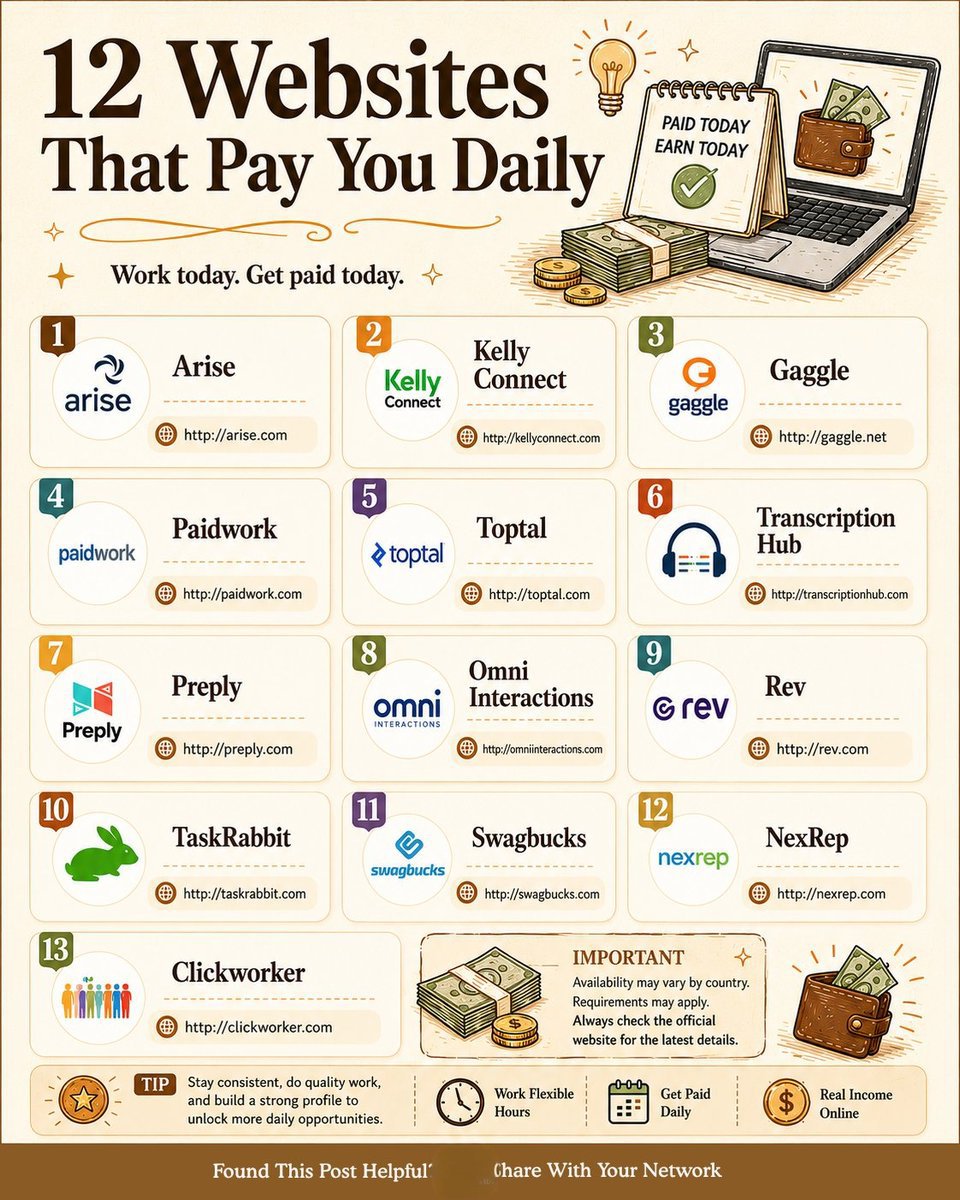
Looking for flexible online income opportunities?
Here are 13 platforms where you can earn from freelancing, tutoring, transcription, surveys, customer support, and more.
. Arise
. KellyConnect
. Gaggle
. Paidwork
. Toptal
. Transcription Hub
. Preply
. Omni Interactions
. Rev
. TaskRabbit
. Swagbucks
. NexRep
. Clickworker
★ Pro Tip: Consistency beats luck. Build your profile, deliver quality work, and positive reviews will open more earning opportunities.
★ Availability, requirements, and payment schedules vary by country.
Always verify details on the official website before applying.
★Which platform have you tried, or which one would you start with today?
#makemoneyonline #freelancing #remotework
1
20
Jun 11
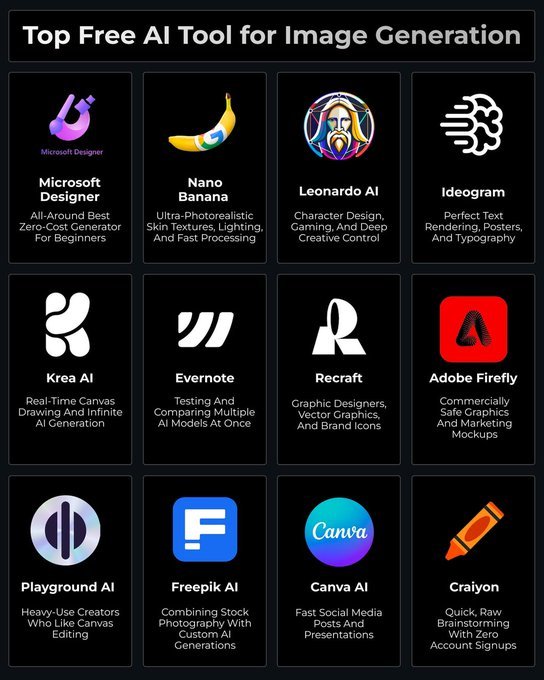
🚀 Top Free AI Tools for Image Generation
AI image generation has evolved rapidly, making it easier than ever to create stunning visuals in seconds.
Here are some of the best free tools that can help designers, creators, marketers, and beginners bring their ideas to life.
🔹 Microsoft Designer
➜ All-around best zero-cost generator for beginners.
🔹 Nano Banana
➜ Ultra-photorealistic skin textures, lighting, and fast processing.
🔹 Leonardo AI
➜ Character design, gaming, and deep creative control.
🔹 Ideogram
➜ Perfect text rendering, posters, and typography.
🔹 Krea AI
➜ Real-time canvas drawing and infinite AI generation.
🔹 Evernote
➜ Testing and comparing multiple AI models at once.
🔹 Recraft
➜ Graphic designers, vector graphics, and brand icons.
🔹 Adobe Firefly
➜ Commercially safe graphics and marketing mockups.
🔹 Playground AI
➜ Ideal for heavy-use creators who like canvas editing.
🔹 Freepik AI
➜ Combines stock photography with custom AI generations.
🔹 Canva AI
➜ Fast social media posts and presentations.
🔹 Craiyon
➜ Quick, raw brainstorming with zero account signups.
❤️ Like
🔁 Retweet
🔖 Bookmark
Follow👤
@Princelight_
for more such posts💫
1
4
142
Jun 11
Developers which model has impressed you more recently?
- Claude Fable 5
- GPT 5.6
3
4
259
Jun 10
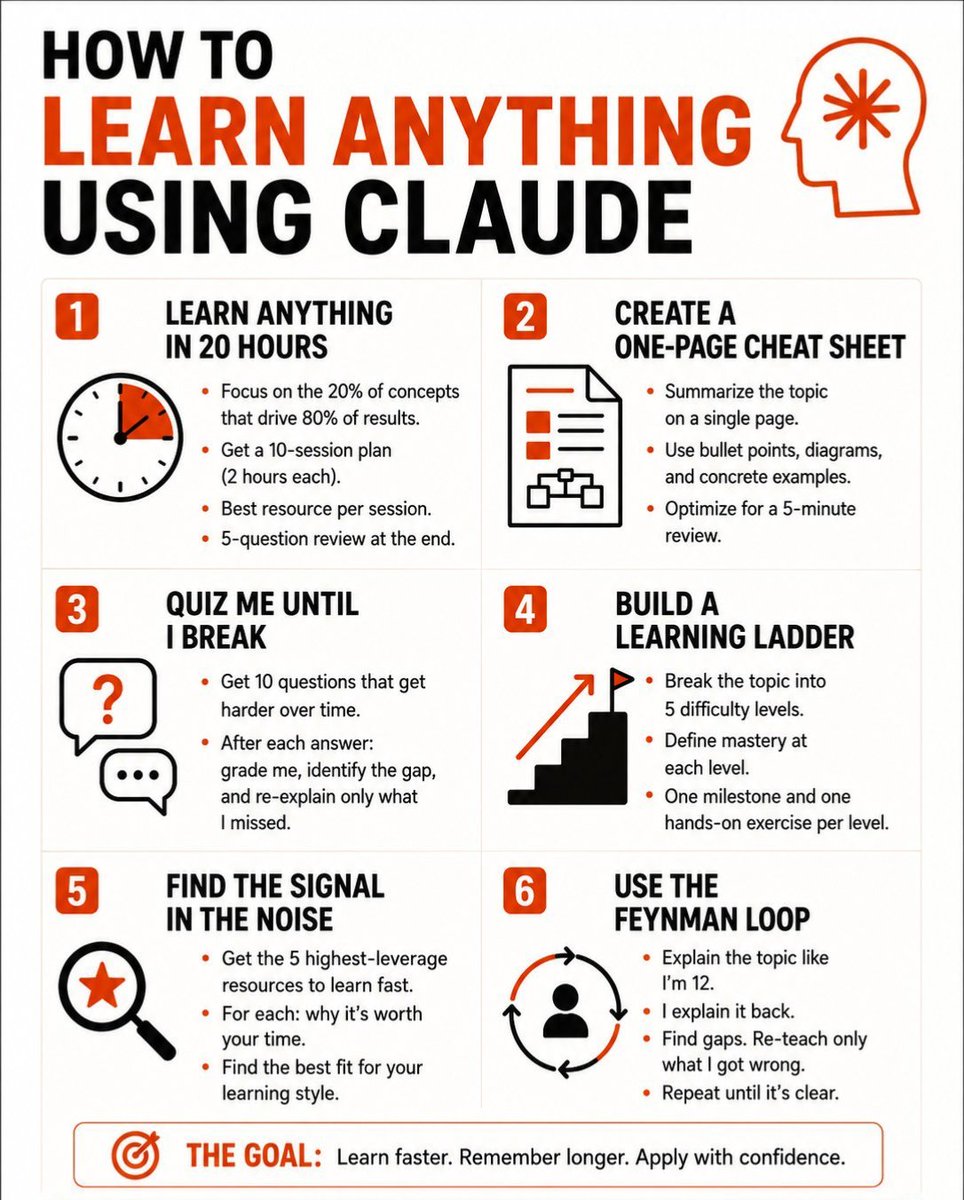
6 PROMPTS TO LEARN ANYTHING USING CLAUDE
Most people use Claude to get answers.
The smart ones use it to build understanding.
Big difference.
One makes you dependent.
The other makes you dangerous.
Here are 6 Claude prompts that turn any topic into mastery👇
🎯 LEARN ANYTHING IN 20 HOURS
"I need to learn [topic] in 20 hours. Identify the 20% of concepts that drive 80% of real-world results. Build me a 10-session plan — 2 hours each — with the best resource for each session and a 5-question review at the end."
→ Most subjects have 3–4 ideas that unlock everything else.
→ Finding those early saves you weeks of wandering.
🎯 CREATE A ONE-PAGE CHEAT SHEET
"Summarize [topic] on a single page. Use bullet points, labeled diagrams, and concrete examples. Optimize it for a 5-minute review the night before I need to use it."
→ Your brain remembers structure better than sentences.
→ Give it a map, not a wall of text.
🎯 QUIZ ME UNTIL I BREAK
"I just studied [topic]. Give me 10 progressively harder questions — start easy, end expert-level. After each answer: grade me, identify the gap, and re-explain only what I missed."
→ Passive reading feels like learning.
→ Active retrieval actually is.
🎯 BUILD A LEARNING LADDER
"Break [topic] into 5 difficulty levels. Define what mastery looks like at each level. Give me one milestone and one hands-on exercise per level — from complete beginner to confident practitioner."
→ Most people skip levels and wonder why nothing sticks.
→ The ladder fixes that.
🎯 FIND THE SIGNAL IN THE NOISE
"List the 5 highest-leverage resources for learning [topic] fast — books, videos, courses, or people. For each: explain what makes it worth my time and what type of learner it's best for."
→ There are 1,000 ways to learn anything.
→ Most of them are a waste.
🎯 USE THE FEYNMAN LOOP
"Explain [topic] to me like I'm 12. Then ask me to explain it back in my own words. Find every gap in my explanation. Re-teach only what I got wrong. Repeat until my explanation is clean."
→ If you can't explain it simply, you don't know it yet.
→ This prompt exposes that — fast.
This isn't a list of prompts.
It's a learning operating system.
Use it today.
___
1. Follow @Princelight_
2. Save the post.
3. Repost to your network.
____________________________
2
45
Jun 10
Let's settle this debate once and for all:
Which AI tool is #1 right now?
1
20
Jun 8
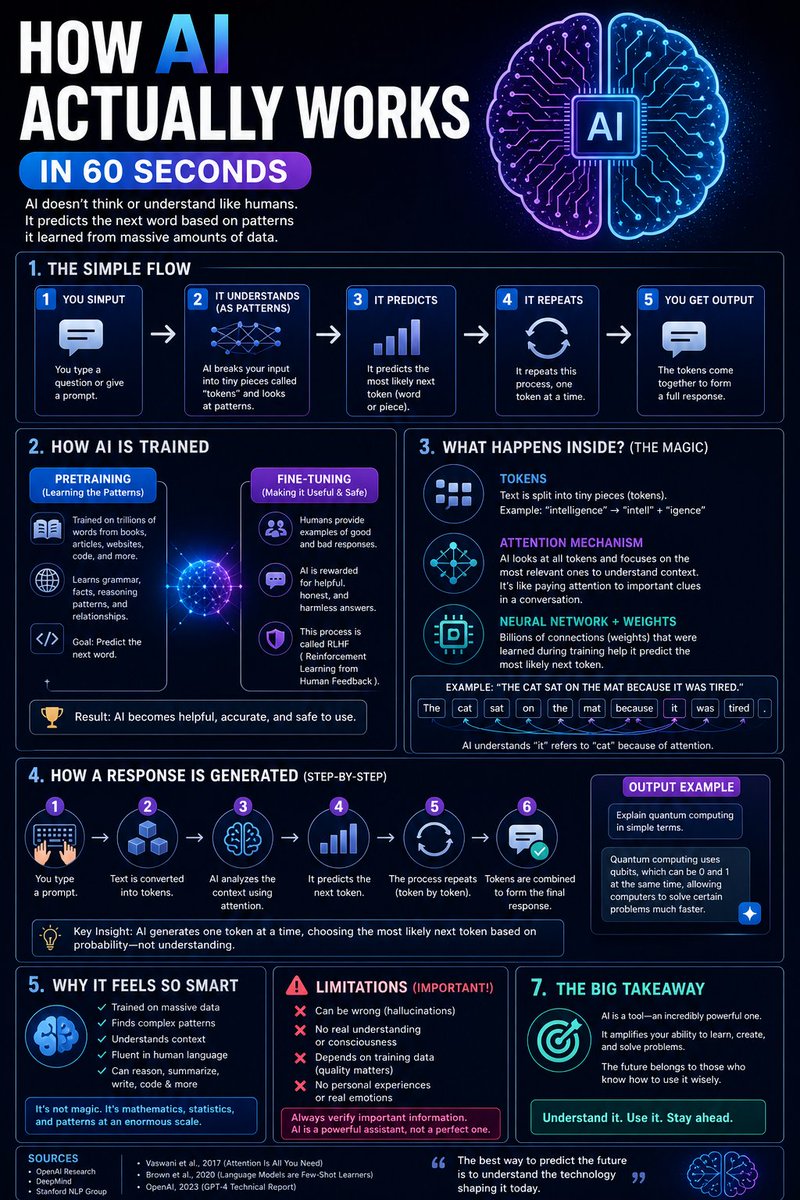
Stop Guessing How AI Works—Here Is The Truth
Ever wonder how AI Really works?
1. AI breaks your prompt into tiny pieces called "tokens.
2. It calculates the most likely next token based on massive training data.
3. It uses an attention mechanism to focus on relevant context.
1
6
Jun 8
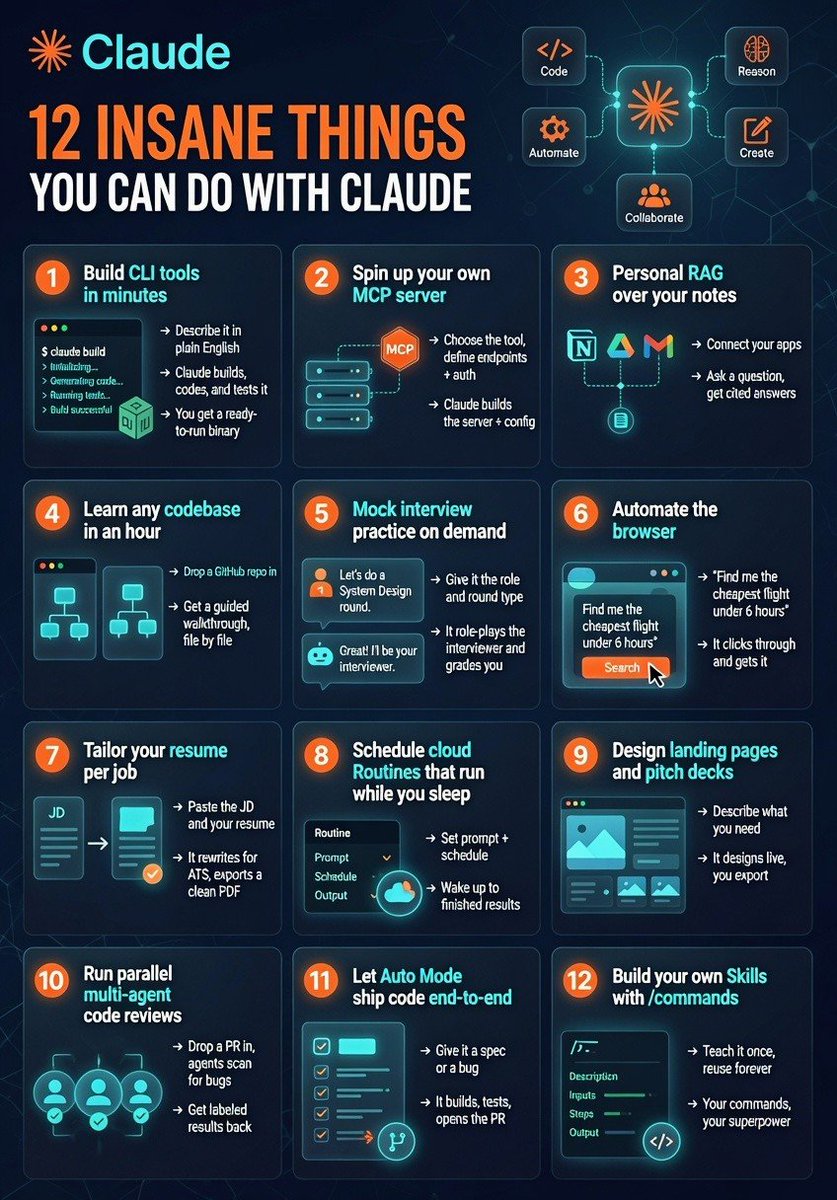
Most people see AI as a chatbot.
The top 1% see AI as a workforce.
While everyone else is asking questions...
They're building apps, automating tasks, reviewing code, creating agents, and shipping products 24/7.
The biggest opportunity of this decade isn't AI.
It's knowing how to use AI better than everyone else.
The gap is widening fast.
Which of these 12 Claude use cases would you try first? 👇
1
19
Jun 8
Most people think AI is about asking random questions.
But the people getting insane results from AI?
They follow systems.
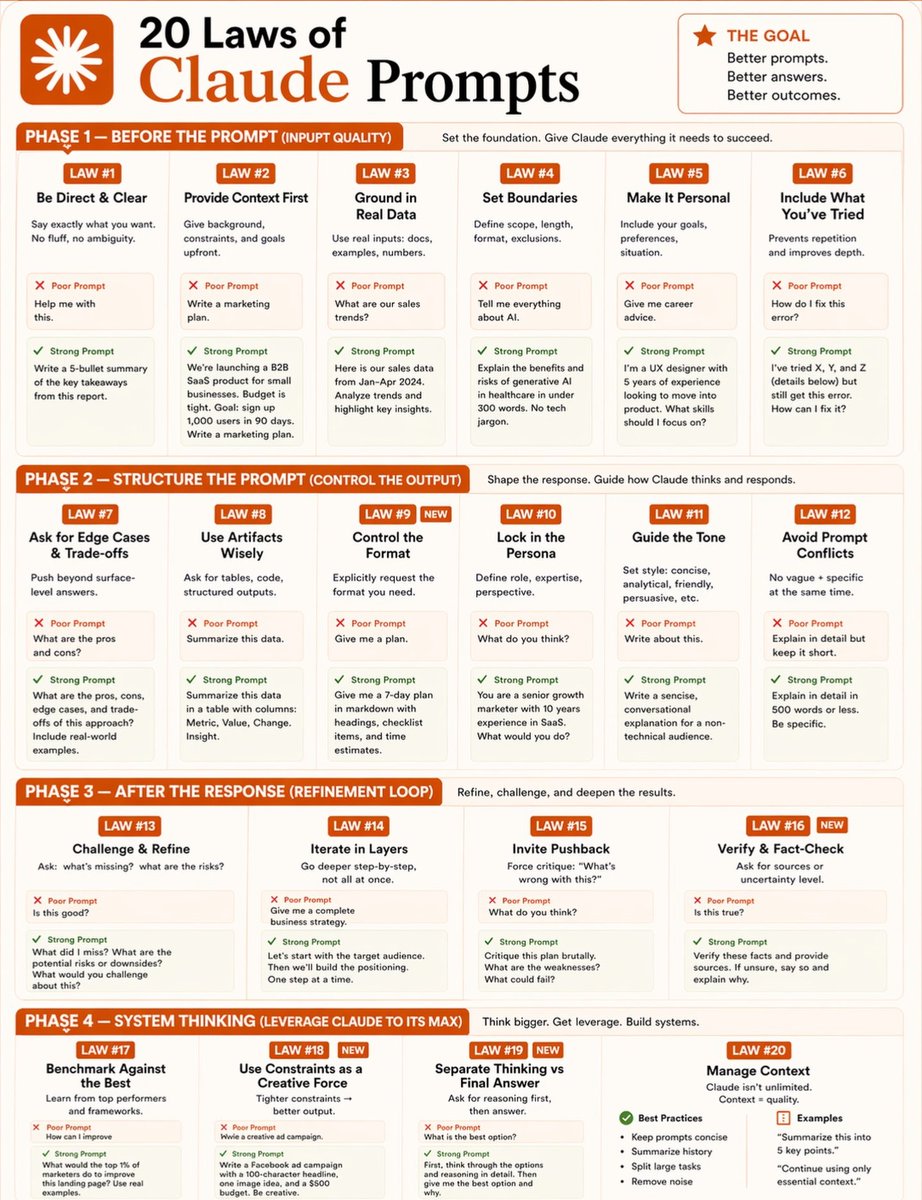
This image explains the “20 Laws of Claude Prompts” — and honestly, these rules work for ChatGPT, Gemini, and every major AI tool.
The biggest mistake beginners make:
❌ Vague prompts
❌ No context
❌ No structure
❌ No clear outcome
And then they say:
“AI is overrated.”
No.
Your prompt decides the quality of the answer.
The best AI users don’t just type.
They think strategically.
They:
• Give context
• Define the format
• Set boundaries
• Ask for edge cases
• Refine responses
• Fact-check outputs
• Use AI like a system, not a toy
That’s the difference between average output and world-class output.
AI won’t replace humans.
But humans who know how to use AI effectively will outperform those who don’t.
Prompt engineering is becoming a real digital skill in 2026.
Save this.
Study it.
Use it.
Because better prompts create better thinking.
And better thinking creates better results. 🚀
Follow me @Princelight_
For more
#AI #Claude #ChatGPT #ArtificialIntelligence #PromptEngineering #AITools #Productivity #Tech #FutureOfWork #Automation
1
47
Jun 7
AI tools you can’t ignore in 2026:
1. Claude – deep reasoning
2. ChatGPT – all-in-one AI
3. Replit – AI app builder
4. Grok – live insights
5. Cursor – vibe coding
6. Stitch – UI generator
7. Vidfield – AI video
8. Notion AI – smart workspace
9. Perplexity – real-time research
10. Google Gemini – multimodal workflows
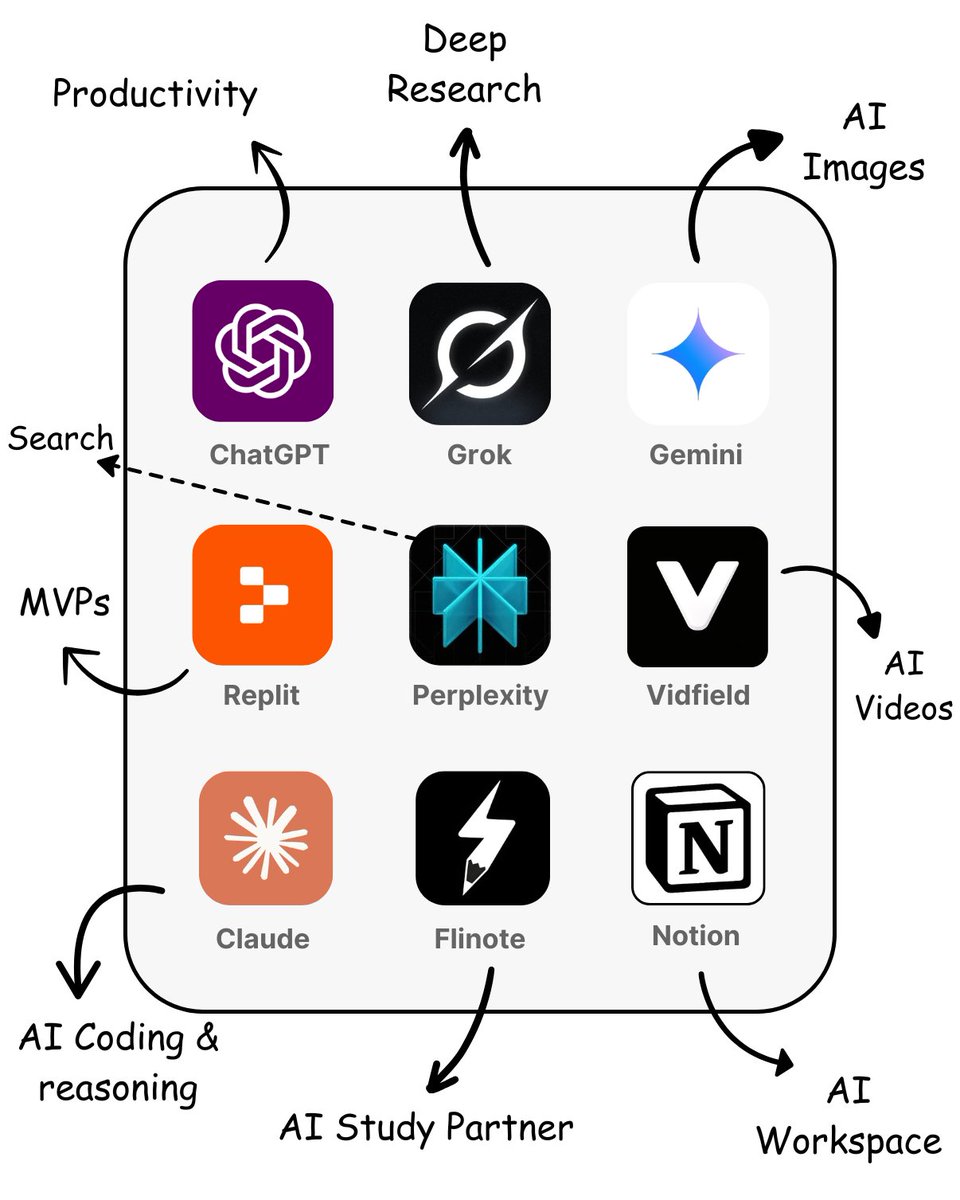
Save this. Tell me what deserves a spot here.
3
5
201
Jun 7
Hey Devs,
It’s time to market your Product.🧑💻
Drop your Project URL below.👇

68
2
31
1,530
Jun 7
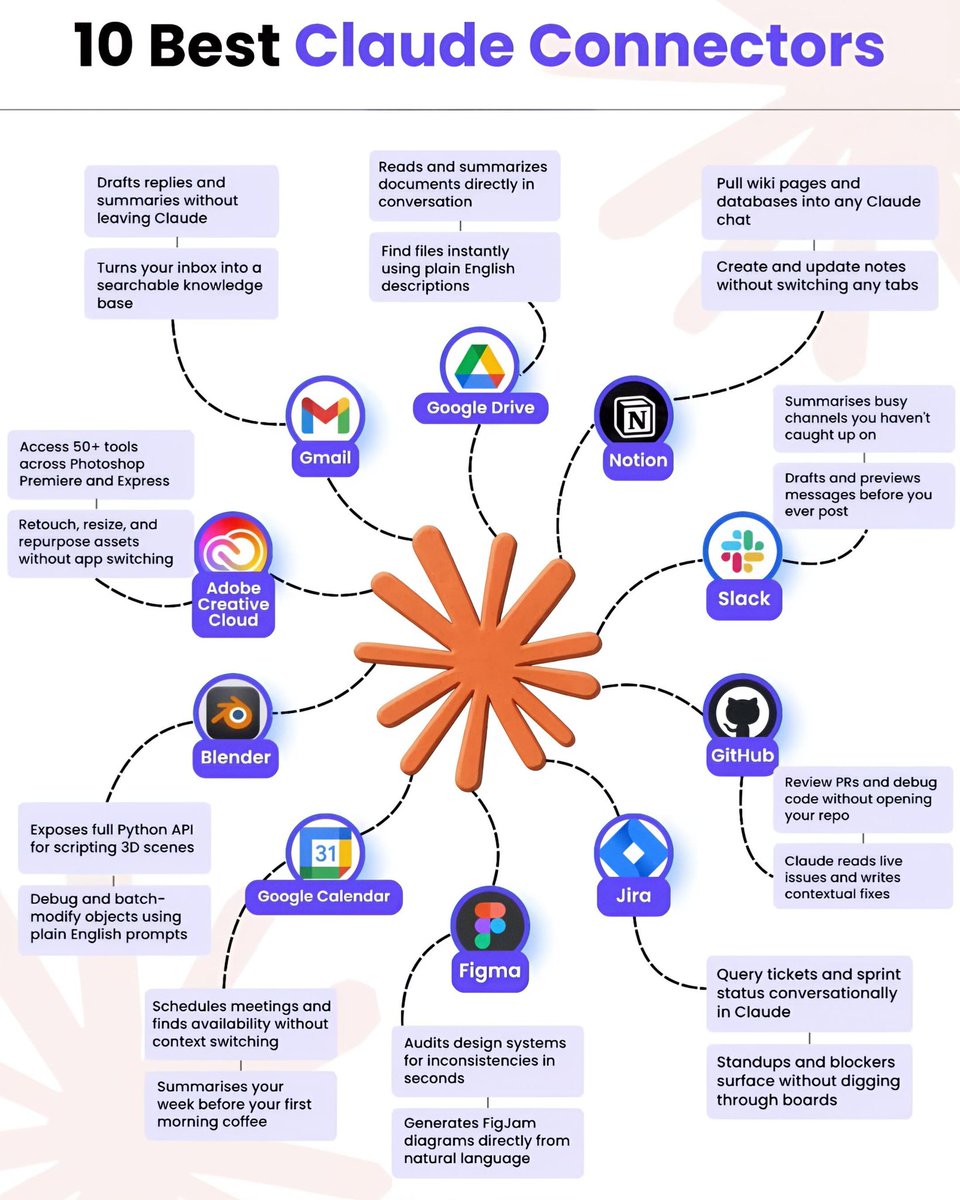
🚀 10 Best Claude Connectors to boost your workflow.
📌 Gmail
📌 Google Drive
📌 Notion
📌 Slack
📌 GitHub
📌 Jira
📌 Figma
📌 Google Calendar
📌 Blender
📌 Adobe Creative Cloud
Manage emails, files, projects, designs, and code all without leaving Claude.
🔖 Save for later.
1
85
Jun 7
AI is replacing people without the right skills.
Build AI skills to future-proof your career.
Knowing AI tools isn’t enough. It’s critical to learn the right AI skills.
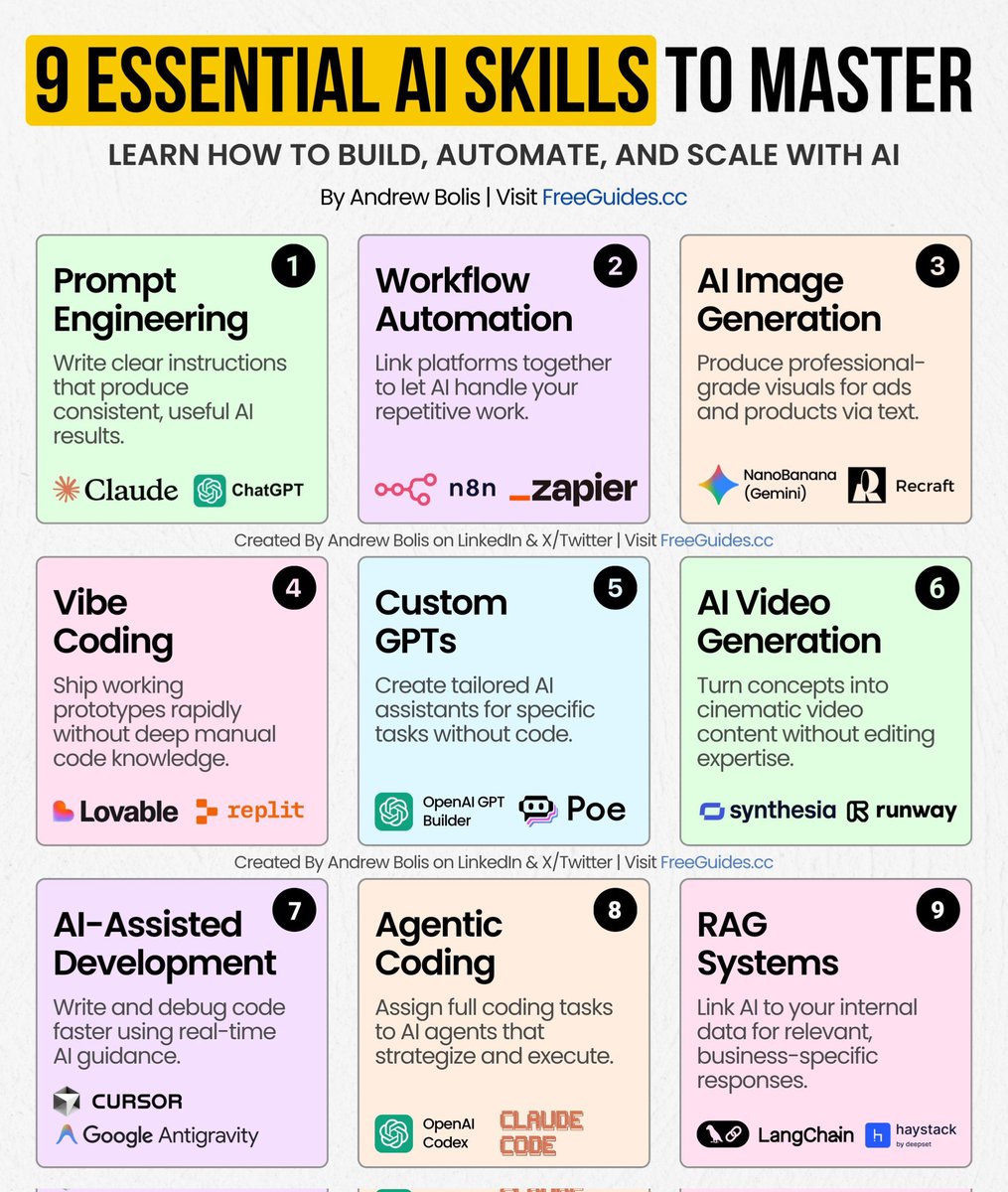
These 9 skills outline how professionals work with AI, from basic interaction to system-level execution.
Building a few of them will expand your career options and opportunities.
Here’s the full breakdown of each skill:
[ 🔖 bookmark this post for later ]
1️⃣ Prompt Engineering
Write clear instructions that produce consistent, useful AI results.
Most people type one prompt and fix the output later. Professionals structured prompts that deliver repeatable outcomes across tools and tasks.
Tools: Claude, ChatGPT
2️⃣ Workflow Automation
Link platforms together to let AI handle your repetitive work.
This is how teams eliminate manual handoffs and turn routine processes into background systems.
Tools: n8n, Zapier
3️⃣ AI Image Generation
Produce professional-grade visuals for ads and products via text.
Instead of waiting on designers or stock assets, teams generate visuals on demand and iterate instantly.
Tools: NanoBanana (Gemini), Recraft
4️⃣ Vibe Coding
Ship working prototypes rapidly without deep manual code knowledge.
The technical wall is gone; founders are now launching functional products by describing their ideas instead of hiring expensive developers.
Tools: Lovable, Replit
5️⃣ Custom GPTs
Create tailored AI assistants for specific tasks without code.
This turns AI from a general tool into a system that understands your workflows, tone, and use cases.
Tools: OpenAI GPT Builder, Poe
6️⃣ AI Video Generation
Turn concepts into cinematic video content without editing expertise.
Scale video marketing and training at lower costs by generating polished scenes from text scripts.
Tools: Synthesia, Runway
7️⃣ AI-Assisted Development
Write and debug code faster using real-time AI guidance.
Developers focus on logic and architecture while AI handles syntax, errors, and refactoring.
Tools: Cursor, Google Antigravity
8️⃣ Agentic Coding
Assign full coding tasks to AI agents that strategize and execute.
Instead of guiding every step, you define goals and let agents plan and complete the work.
Tools: OpenAI Codex, Claude Code
9️⃣ RAG Systems
Link AI to your internal data for relevant, business-specific responses.
This replaces generic outputs with answers grounded in your documents, systems, and knowledge base.
Tools: LangChain, Haystack
AI tools aren’t enough. It’s critical to build AI skills.
Use this roadmap to:
➟ Identify which AI skills support your role or team
➟ Start with one skill and apply it in real work
➟ Expand only after you see results
That’s how AI becomes a long-term asset, not a distraction.
👉 Follow me @Princelight_ for more and 🔄 Repost this to help others use AI
6
3
970
Jun 7
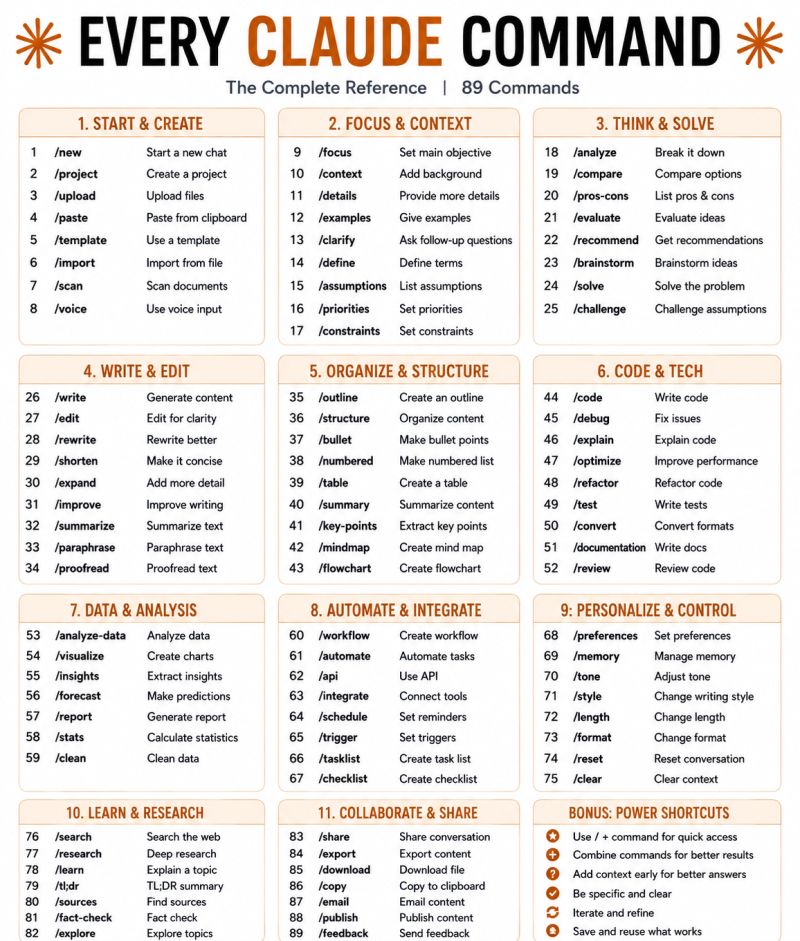
"Most people use Claude at 10% of its capability. Here are 89 commands that can completely change how you work with AI."
Most people type a question into Claude and call it a day.
Power users treat it like a command center.
Here's the complete cheat sheet 👇
1. START & CREATE
→ /new → Start a fresh conversation
→ /upload → Attach files for Claude to read
→ /template → Use a pre-built prompt structure
2. FOCUS & CONTEXT
→ /focus → Tell Claude exactly what you want
→ /context → Add background so answers are sharper
→ /clarify → Let Claude ask the right questions first
3. THINK & SOLVE
→ /analyze → Break any problem into parts
→ /compare → Put two options head to head
→ /brainstorm → Generate ideas fast, no filter
4. WRITE & EDIT
→ /write → Generate content from scratch
→ /edit → Clean up what you already have
→ /rewrite → Same message, better delivery
→ /shorten → Cut the fluff, keep the punch
5. ORGANIZE & STRUCTURE
→ /outline → Build a skeleton before you write
→ /bullet → Turn walls of text into scannable points
→ /table → Organize comparisons visually
→ /mindmap → Map out connected ideas
6. CODE & TECH
→ /code → Write code in any language
→ /debug → Find and fix what's broken
→ /optimize → Make it faster and cleaner
7. DATA & ANALYSIS
→ /analyze-data → Find patterns in raw data
→ /visualize → Turn numbers into charts
→ /insights → Pull the "so what" from the data
8. AUTOMATE & INTEGRATE
→ /workflow → Design a repeatable process
→ /automate → Remove manual steps entirely
→ /api → Connect Claude to other tools
9. PERSONALIZE & CONTROL
→ /tone → Formal, casual, bold — your call
→ /style → Match a writing voice or persona
→ /memory → Tell Claude what to always remember
10. LEARN & RESEARCH
→ /search → Pull current info from the web
→ /research → Go deep on any topic
→ /fact-check → Verify before you trust it
11. COLLABORATE & SHARE
→ /export → Save the output in your format
→ /download → Get the file instantly
→ /email → Draft and send directly
1. Follow @Princelight_
2. Save the post.
3. Repost to your network.
____________________________
#ArtificialIntelligence #AI #GenerativeAI #MachineLearning #Technology #Innovation #FutureOfWork #DigitalTransformation
2
2
174