
Save emails to Notion, Google Sheets, Airtable, Linear & Trello. Forward from any email client or use our Gmail add-on. By @LeanZubrezki
Joined April 2022
- Tweets 34
- Following 7
- Followers 62
- Likes 129
Photos and videos
Pinned Tweet

Mar 27
When I built Quicktion it only worked with Notion.
People kept asking for Google Sheets. Then Airtable. Then Linear. Then Trello.
So now it works with all five. Forward an email or save from Gmail — your emails end up where you actually work.
quicktion.io
1
578

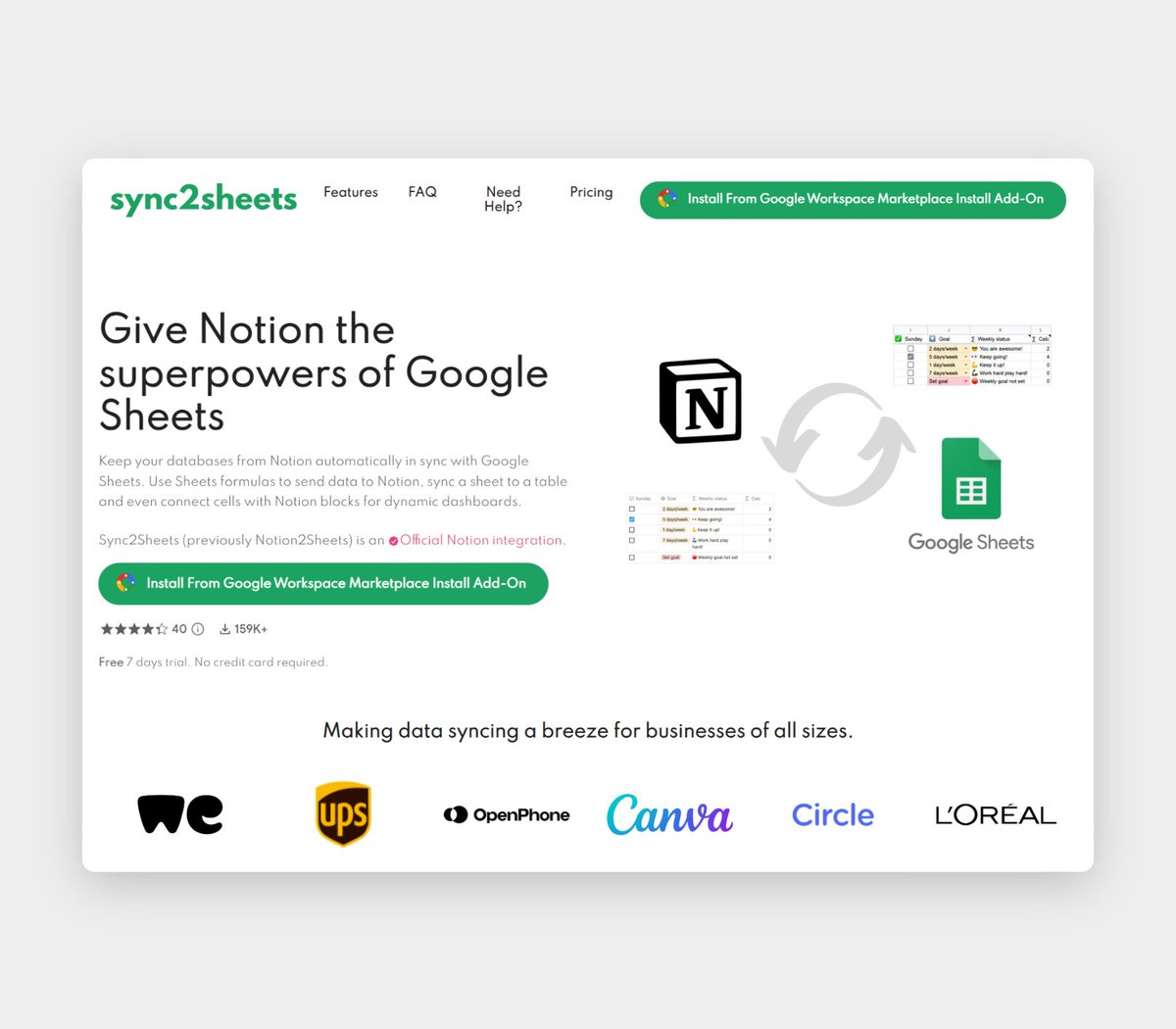
When Leandro discovered Notion's public API, he saw an opportunity. Using his Google Sheets API knowledge, he applied it to Notion databases. Two weeks later, his first product launched. 🚀
Today, @QuicktionIO is a Google Workspace add-on that saves emails to Notion from Gmail with one click.
@Notion2Sheets, an official integration, syncs Notion databases with Google Sheets.
2/7
1
2
3
505
Quicktion ⚡ retweeted

27 Nov 2023
Save your emails to Notion with one click - @quicktionio click.10words.io/click?appId…
2
3
281
Quicktion ⚡ retweeted

7 Nov 2023
Today I am launching @QuicktionIO on @ProductHunt 🚀
Quicktion started as a B2C mobile app idea, an app where you would create predefined actions that created or updated new pages in @NotionHQ databases.
I quickly realized that even though building a mobile app is fun, discoverability and marketing would be super hard but I really liked the idea.
Using my experience building @Notion2Sheets as a Workspace Add-On I decided to use the same concept but for saving emails, and that’s how Quicktion was born, an add-on that runs on @gmail and allows users to save emails with actions that map the email information to Notion databases 📧
Would love to get your support, comments and feedback and please ask if you have any questions 🩷
producthunt.com/posts/quickt…
3
7
964
Quicktion ⚡ retweeted

24 Oct 2023
🌟 Add-On 3: Quicktion 🌟
Simplify email management by saving Gmail messages directly to Notion databases. Create actions to map email data to Notion properties, save emails in one click, and it's mobile-friendly!
Try it with a 14-day free trial, no credit card required. 📧
1
1
2
141
Quicktion ⚡ retweeted
24 Oct 2023
Ready to supercharge your @NotionHQ experience with Google Workspace add-ons?
We've handpicked the top 5 tools that'll boost your productivity. Whether you're a Notion pro or a newbie, these add-ons will make your work smoother.
2
4
10
958
Quicktion ⚡ retweeted
3 Jul 2023
Showcase of @QuicktionIO is up on YouTube 🙌
I have a lot to improve in my video recordings but better done than perfect!
Next step is email sequence during the 14 days trial and the first blog post, "How to save emails from Gmail to Notion databases?"
youtu.be/8_FeVCjfNyI
1
1
3
455
21 Jun 2023
Some good news 🎉
Now attachments are saved inside a Quicktion folder!
That way you can share that folder with the rest of your team and they can access files from Notion 😉
3
634

2
2
203
Quicktion ⚡ retweeted
18 May 2023
Just finished deploying a new version of @QuicktionIO landing page!
The previous version was embarrassing 😅
Now:
- Features with images
- Need help and FAQ sections
- Better copy and call to actions to install
quicktion.io/
2
1
2
336
Quicktion ⚡ retweeted
24 Apr 2023
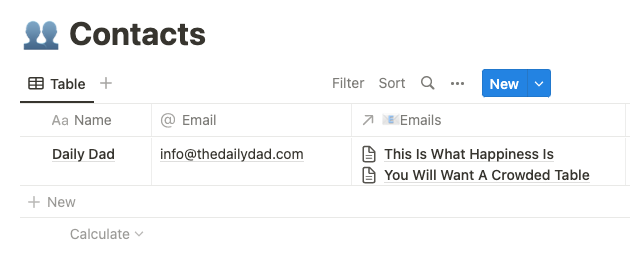
Create contacts while saving your emails using @QuicktionIO 🚀
It took some time but it is finally implemented.
You can now configure where to save a contact while saving your emails to @NotionHQ!
If contact exists, relate it to the email, if it doesn't, create and relate 🔥
3
4
9
4,064
10 Mar 2023
It is never too late!
10 Mar 2023

@notiondad a little bit late to the party but @QuicktionIO is now available!
workspace.google.com/marketp…
1
355
Quicktion ⚡ retweeted
10 Mar 2023
Take a look at @QuicktionIO, it supports attachments saving them to Google Drive first. Only support for Notion at the moment!
1
1
229

Quicktion ⚡ retweeted
22 Feb 2023
Number of emails saved to @NotionHQ using @QuicktionIO
- November 38
- December 304
- January 740
- February until now 1.120
Letting the product mature and I am close to a new development spike 🔥
1
1
8
966
9 Feb 2023
Want to notify someone in your team when saving an email?
You can now set default values for people properties!
👥✅
1
3
228
6 Feb 2023
New version of Quicktion just released!
If the add on fails to create the @NotionHQ page with rich text it will fallback to plain text 👌
No more actions that fail ✅
1
5
720
6 Feb 2023
Did you know that you can open Quicktion from both desktop and mobile?
Please tell me you did!
1
1
1
677
Quicktion ⚡ retweeted
30 Jan 2023
Gracias @notionologia por mencionar a @QuicktionIO en su último newsletter ❤️
Si quieren aprender todo sobre @NotionHQ, últimas novedades, tutoriales, recursos y más ya saben ⤵️
notionologia.com/blog
2
2
390
Quicktion ⚡ retweeted
20 Jan 2023
I have revenue for @Notion2Sheets
I have revenue for @Packs4Coda
Now it’s time for @QuicktionIO journey!
Quicktion is a Google Workspace Add-On that makes it super easy to save your emails to @NotionHQ with pre defined actions 📧
2
4
16
2,004