
Joined January 2020
- Tweets 177
- Following 81
- Followers 98
- Likes 541
41 Photos and videos




27
1,763

Jun 5
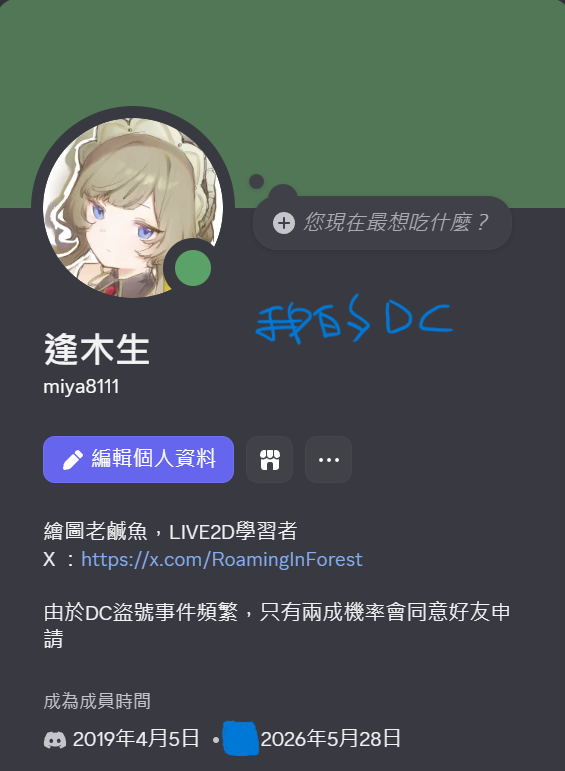
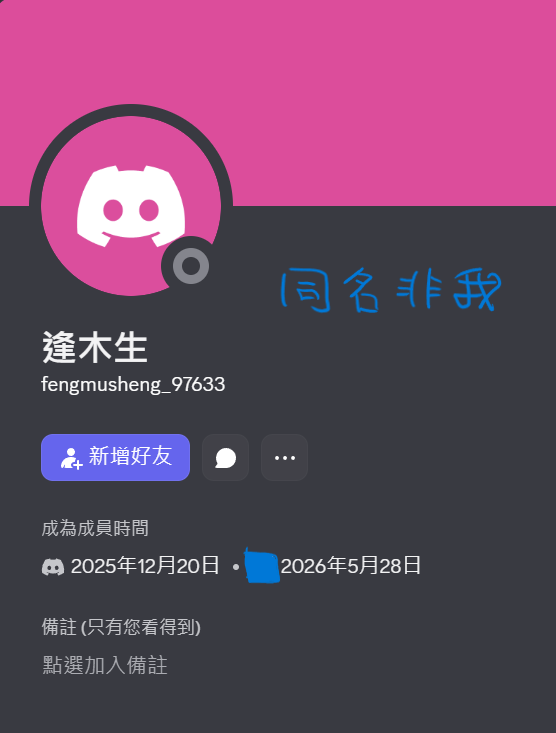
逢木生 是我在上REDSODA課時才取的名子耶 😅
如果看到同名的在留奇怪的留言,語調又不書面的
可以來問問是不是我本人
3
8
249
Jun 7
後知後覺的發現的隔天
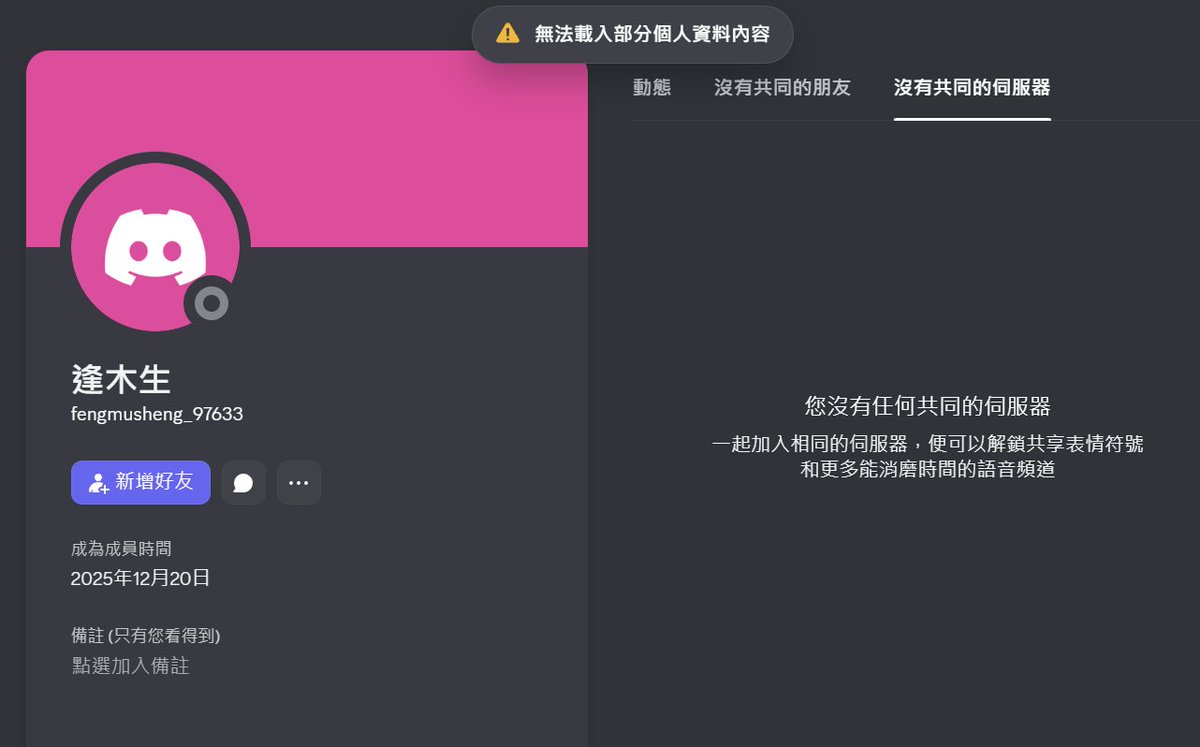
我有跟伺服器管理員反映這個帳號跟我同名但不同人
這個帳號蠻怪的,跟我同天入伺服器但迎賓列表裡沒他
今天6/7日他的帳號狀態是這樣的
我也不清楚DC被對方封鎖會是怎麼樣的視角
就現有的顯示狀態他已經沒在伺服器裡
我想他有在看我X
雖然我不知道你為何要這樣做
我也不太能理解為何選我名
因為同期作品好又有聲量的同學不少
選我一個軟體上手極慢的菜雞實在異常
順帶一提,那個伺服器是LIVE2D教學相關單位的
這類個人行為我管不了
只能讓我的遭遇給大家留個心眼了
90
逢木生 ◆ LIVE2D retweeted

Jun 7
[Live2D Tips]
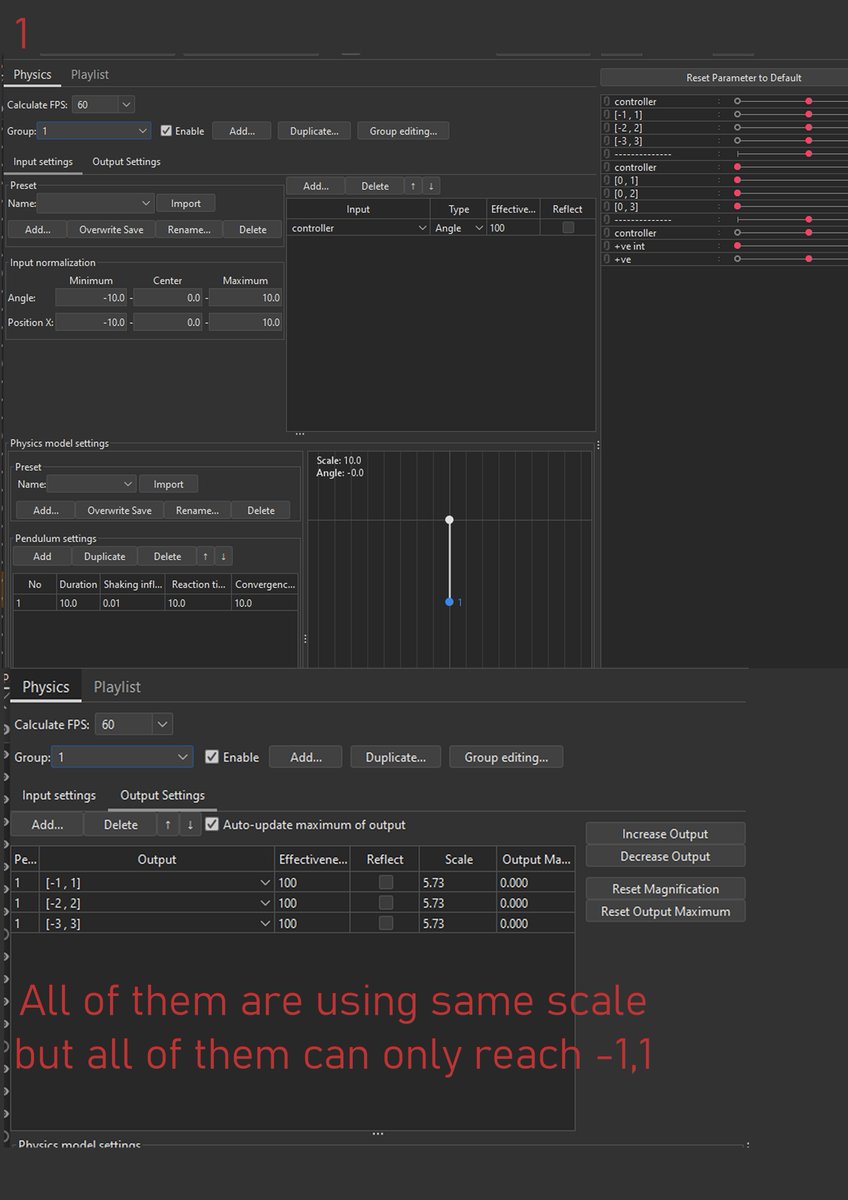
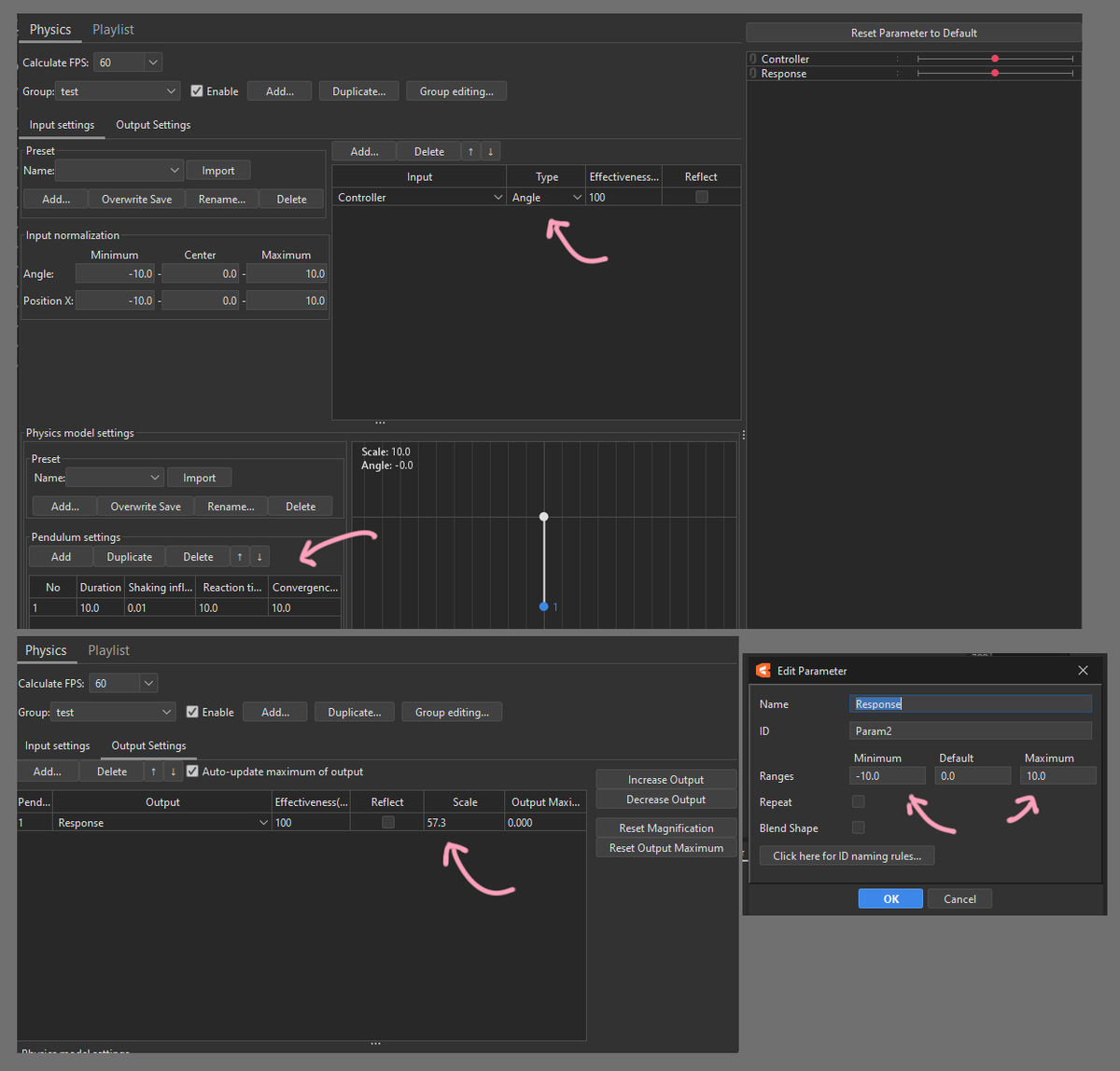
This is a follow-up to last week’s topic on empty parameters.
I know this visualization looks pretty boring, but please bear with me XD
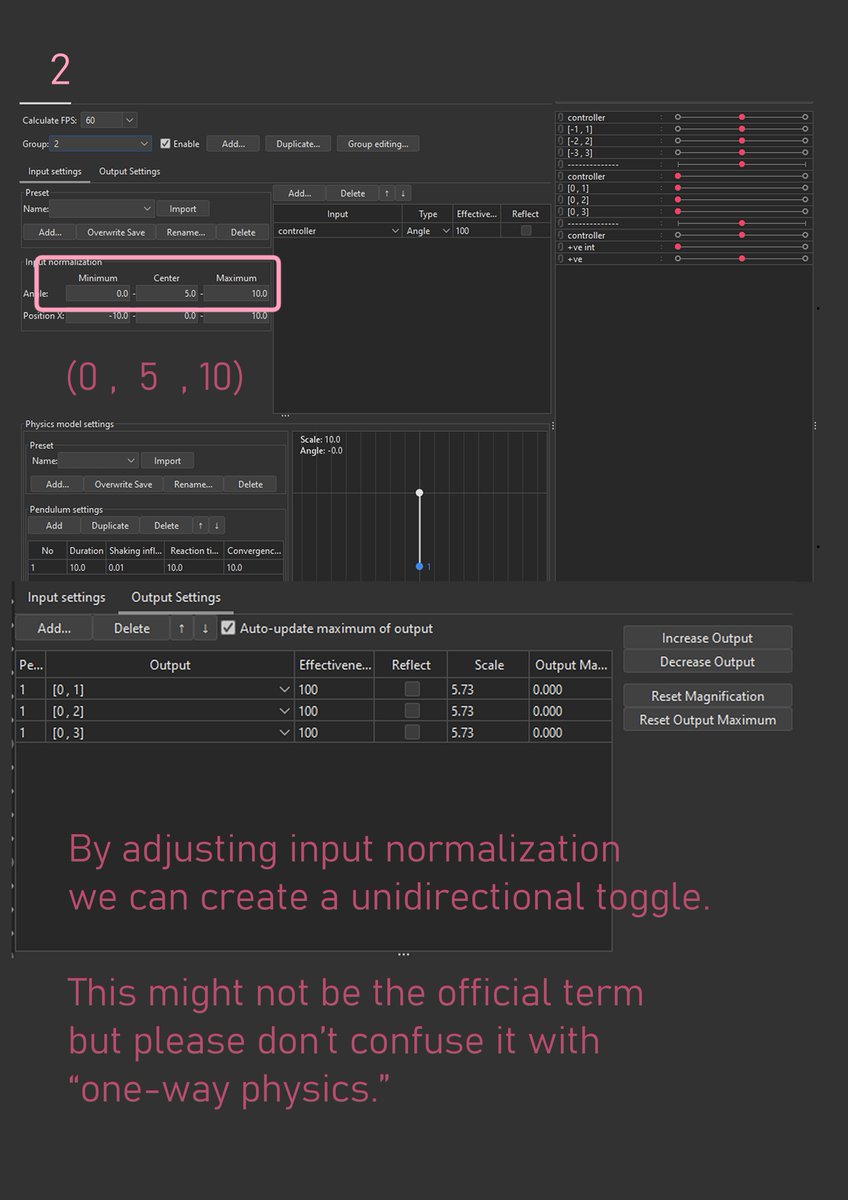
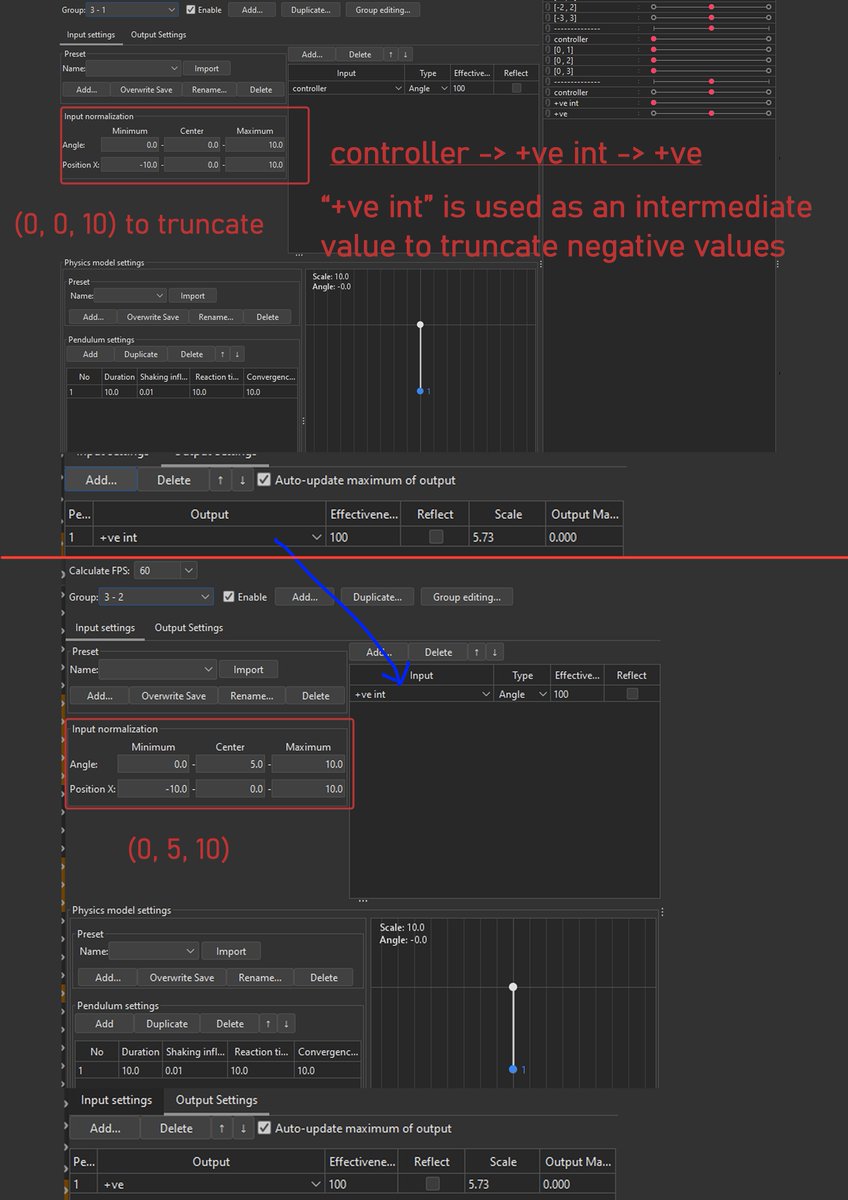
These examples demonstrate how input normalization and output variable min/max values affect the physics output percentage.
This is very basic yet crucial knowledge for precisely controlling physics outputs.
By understanding these concepts, you can create your own functions or even custom logic.
It requires a little arithmetic, but it’s pretty straightforward.
By applying these fundamentals, you could create a physics effect that activates only when your character moves their head upward, but not downward.
You can find other examples, such as logic gates and custom functions, on my profile.
**Off-topic:**
I was pretty sick earlier this week, so the visualization is quite plain and lacks practical examples.
When I have more time, I’ll try to gather some examples from my previous models that use these techniques in actual production.
I hope this sharing is helpful
May 31

[Live2D Tips]
Empty parameters are very important in physics calculations.
An empty parameter is defined as a parameter that does not have any keyframes.
Generally, we can use them to create:
- Parameter switches
- Parameter blending calculations
- Animation trigger parameters
- Physics logic calculation intermediates
Everything shown in the video was created using the principle of empty parameters.
Here, I’ll briefly share the simplest example of empty parameter.
When I have more time, I’ll explain the more advanced calculations and logic behind it.
#Live2D
5
41
404
19,329
逢木生 ◆ LIVE2D retweeted

31 Aug 2025
最近はまってる体の物理演算設定
「体の回転X」「体の回転Z」の入力にそれぞれ「顔の角度Z」「顔の角度X」を位置Xで加えることで、体を少しひねるような動きが作れる
地味だけどより動きに自然さが出るのでおすすめ(詳細はリプ)
モデル:神来社キサさん(#KaraitoKisa)
#Live2DTutorial
5
242
2,868
150,973

逢木生 ◆ LIVE2D retweeted

May 30
[Free Live2D Asset] ✨ Firefly Orbiter ✨
Let fireflies follow your model — like a summer night dream 💜
Perfect for ASMR, chill streams, forest VTubers, or ethereal vibes~
Follow/RT appreciated ✨
Link in comment!
#Live2D #FreeLive2DAsset #VTuberAssets
9
101
843
26,053
逢木生 ◆ LIVE2D retweeted

Excited to announce that a revised pricing structure & a limited L2D rigging sale will be coming around Aug/Sept (IDR & USD)! 🎉
It’ll be much more flexible, especially for those with simple or casual Vtuber designs. Stay tuned! ✨ (1/2)
1
6
21
603
逢木生 ◆ LIVE2D retweeted

May 30
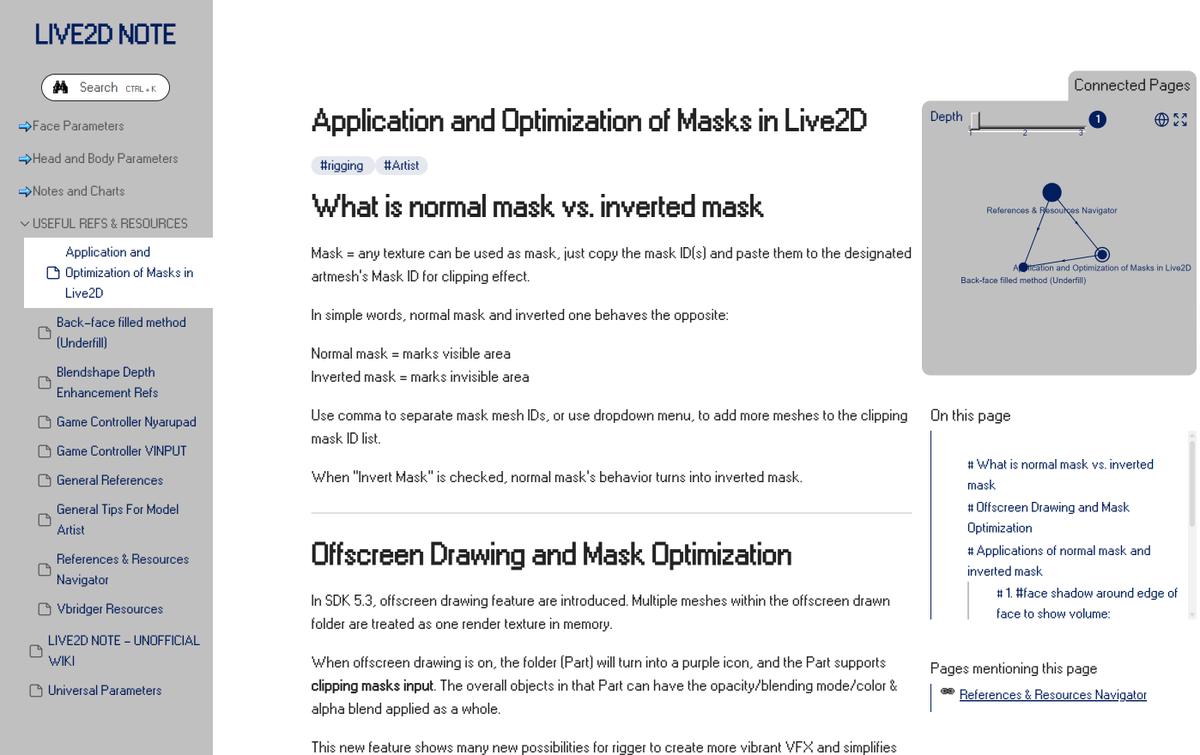
Over 6 months since I wrote this, but recently seeing a lot of discussions about backface method (背面法) in Live2D
Repo this for anyone who needs a quick refresher ☀️
30 Nov 2025

#Live2D 1129 updates:
1. Masks & Optimization in Live2D:
Examples of masks and inverted masks, plus a bit about 5.3’s offscreen drawing
2. Back-Face Filled / Underfill Method:
Curated list of online examples
Oh and the site got a lighter theme ._.
1
3
46
2,187
逢木生 ◆ LIVE2D retweeted

Everyone talks about making AI smarter.
I wanted something different.
I wanted to know which parts of an answer were grounded in evidence, which parts were inference, and which parts deserved a second look before I trusted them.
So we built a layer that forces AI to label every claim it makes:
[CK] Common Knowledge
[DK] Domain Knowledge
[IN] Inference
[HR] Hallucination Risk
Then it does something even stranger:
It identifies the single sentence most likely to be wrong.
And tells you to verify it before acting.
Watch closely. 🌊
35
76
710
7,209,815
逢木生 ◆ LIVE2D retweeted

May 14
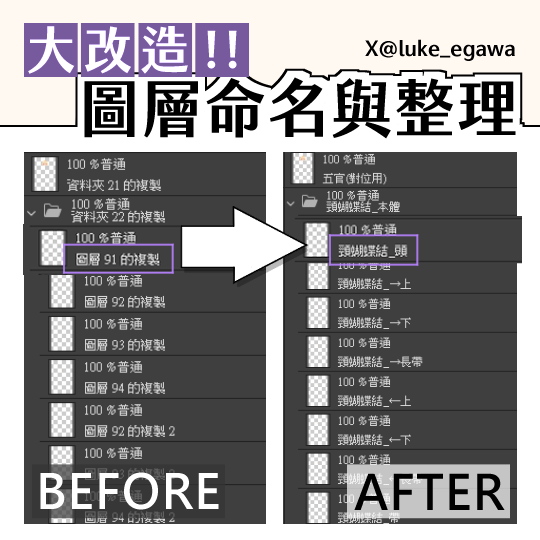
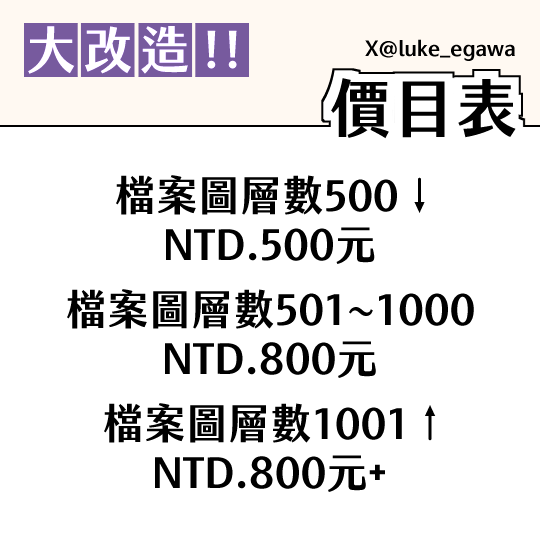
🐱大改造!!圖層命名與整理服務上線啦🐱
各位繪師與建模師是否都曾有過懶得命名圖層或是收到的檔案整理不太理想的煩惱
這裡提供圖層命名與整理的服務!
請儘管安心地將新增圖層N號交給我處理!
詳細委託細則請見以下連結🐱👍
委託表單:forms.gle/fKJdpnyky4qbgrsJ7
2
15
78
11,663
May 27
#LIVE2D #BlendShapeWeightRestrictions
Troubleshooting physics parameter issues with Blend Shape weights.
嘗試解決使用融合變形權重時出現的物理參數問題
想回頭修改 物理參數 時,碰到這樣的問題
後來發現是 融合變形權重 導致的
把設定影響的參數關掉,或改掉它的影響
就能正常修改物件的 物理參數 了
1
5
162
May 15
RT @Underthesea_719: #Live2D
조금만 움직여도 살랑살랑 흔들리는 [과한 물리]!!!
흔들림 강도를 0.9 이상으로 올려버리면 출력값이 튀면서 움직임이 뚝뚝 끊기는 경우가 많습니다.
출력값은 안정적으로 유지하면서 살랑~ 살랑~…
84
