
Joined April 2022
- Tweets 5,416
- Following 2,533
- Followers 514
- Likes 5,998
46 Photos and videos



Pinned Tweet

27 Oct 2025
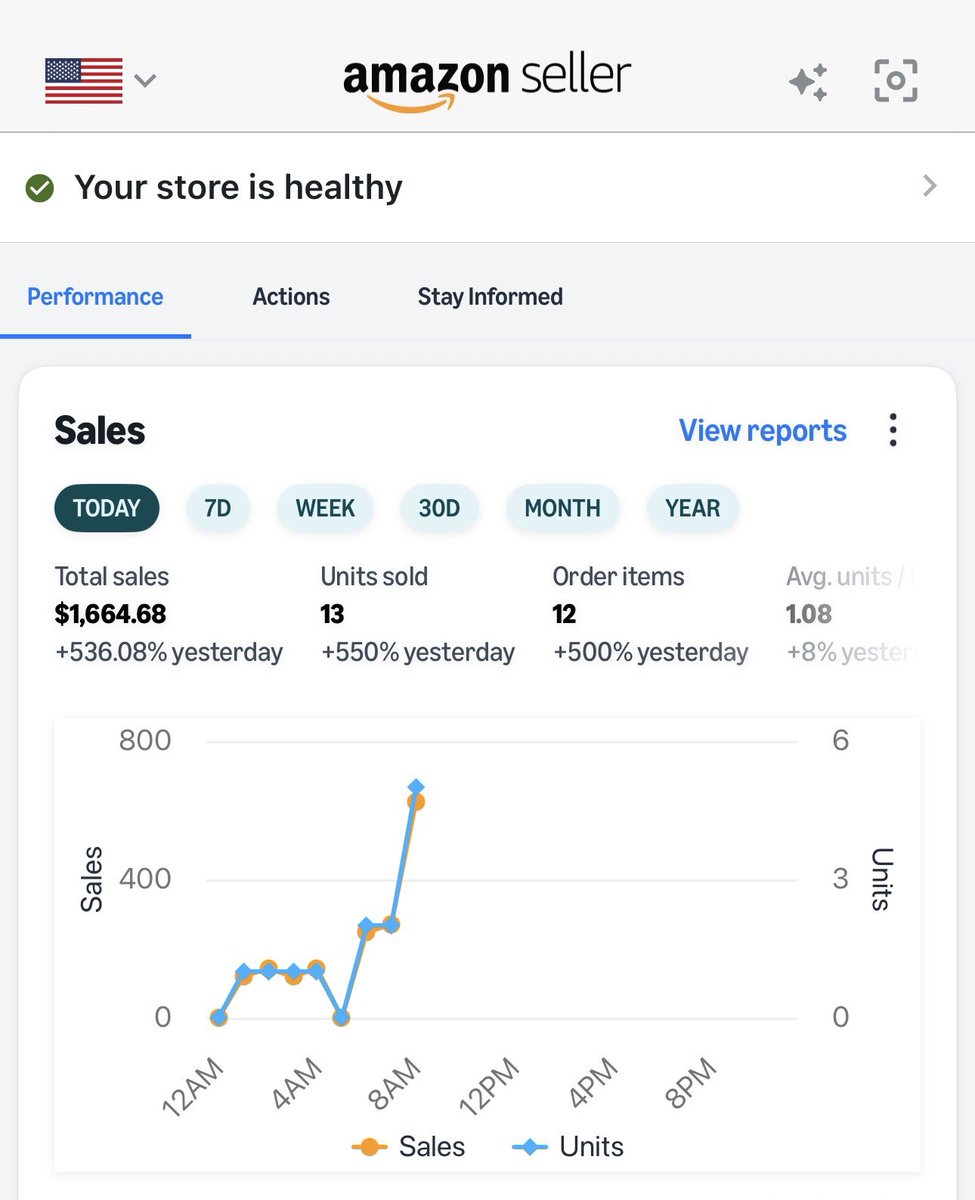
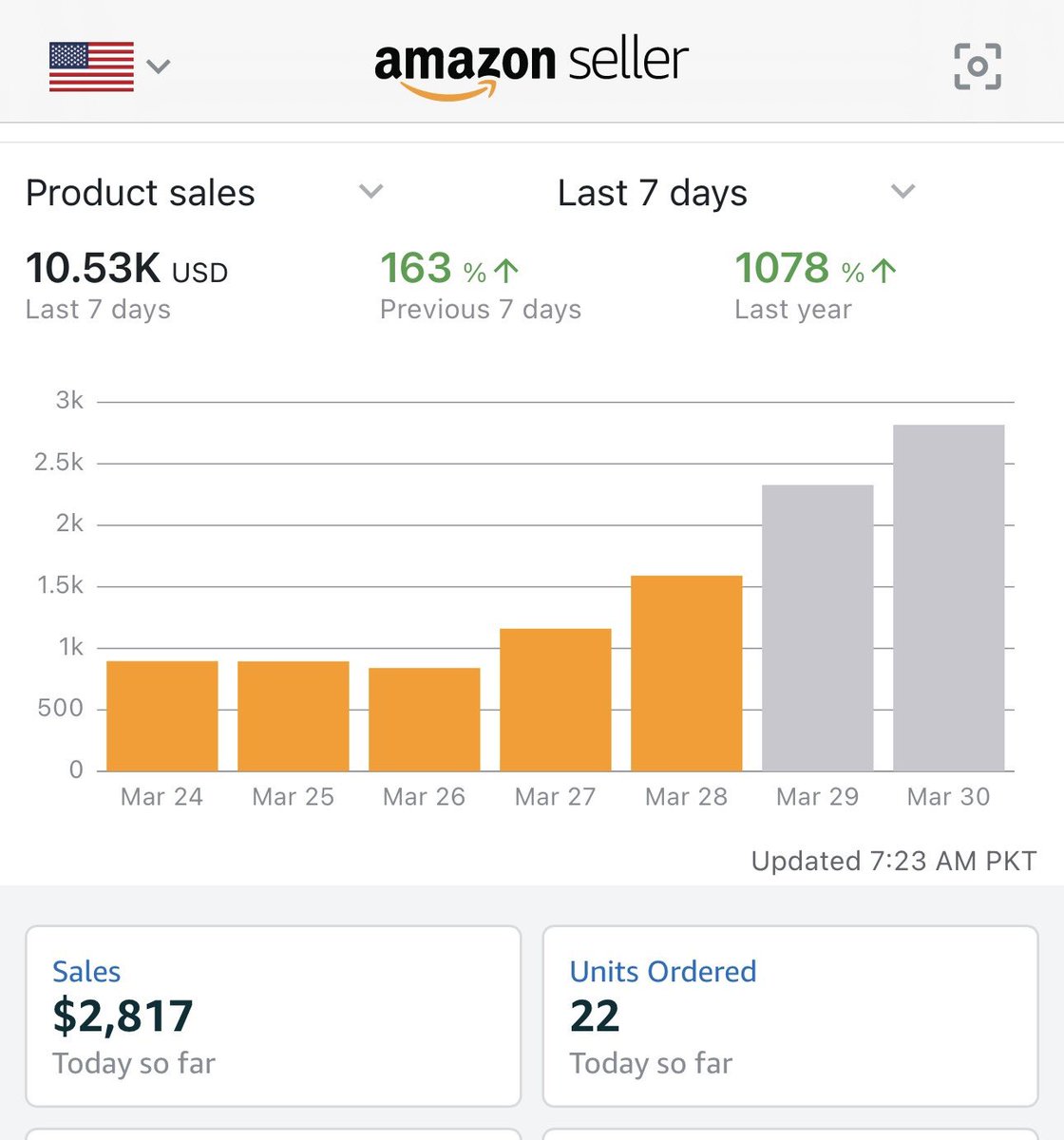
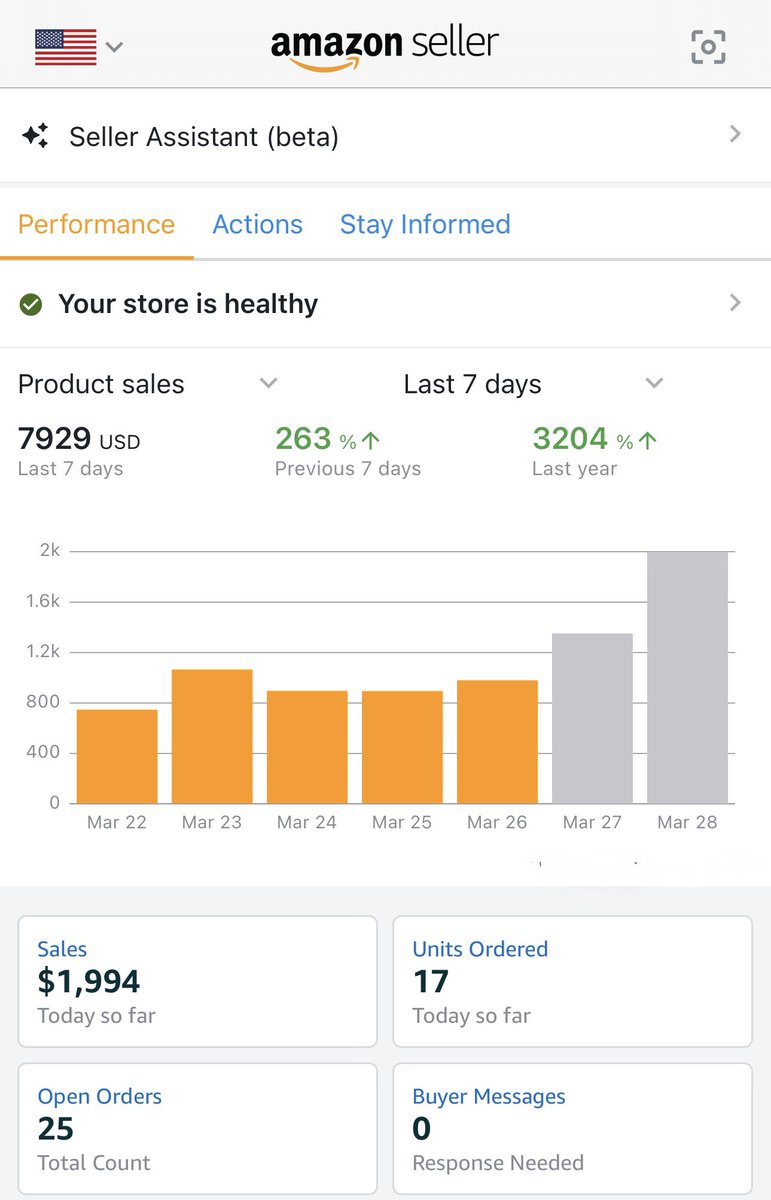
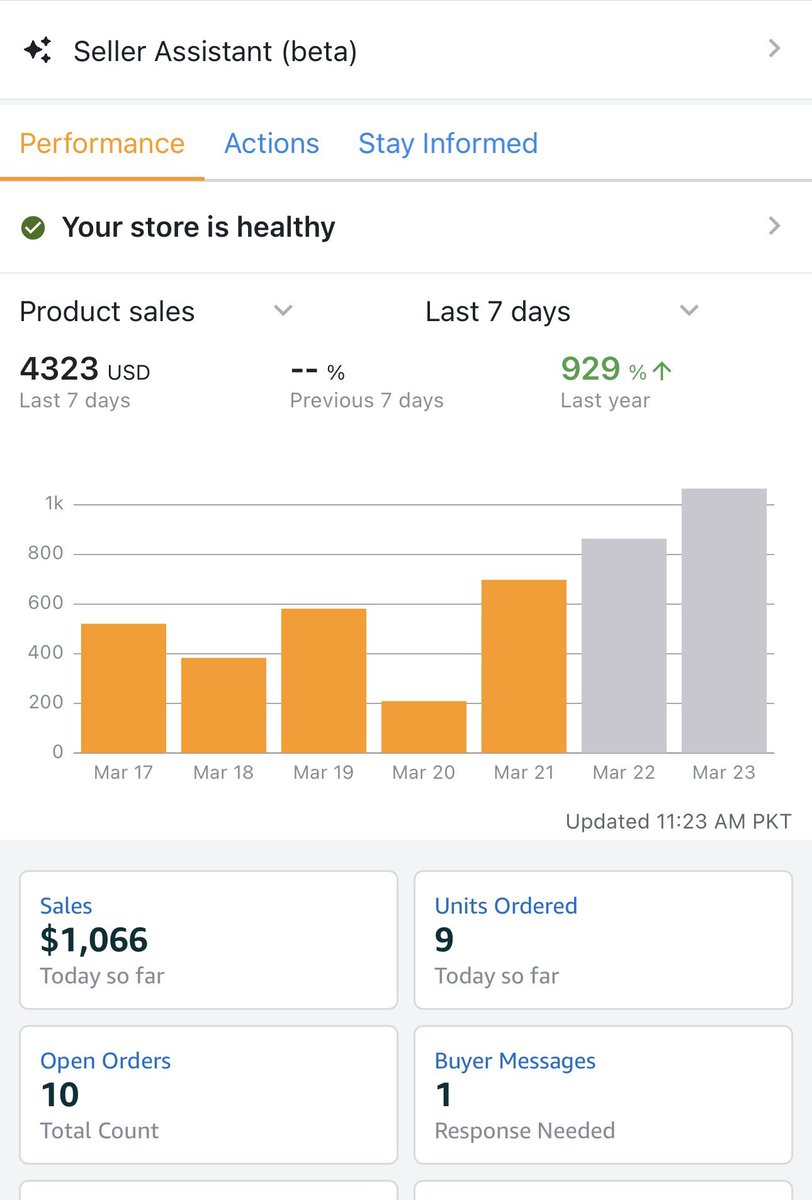
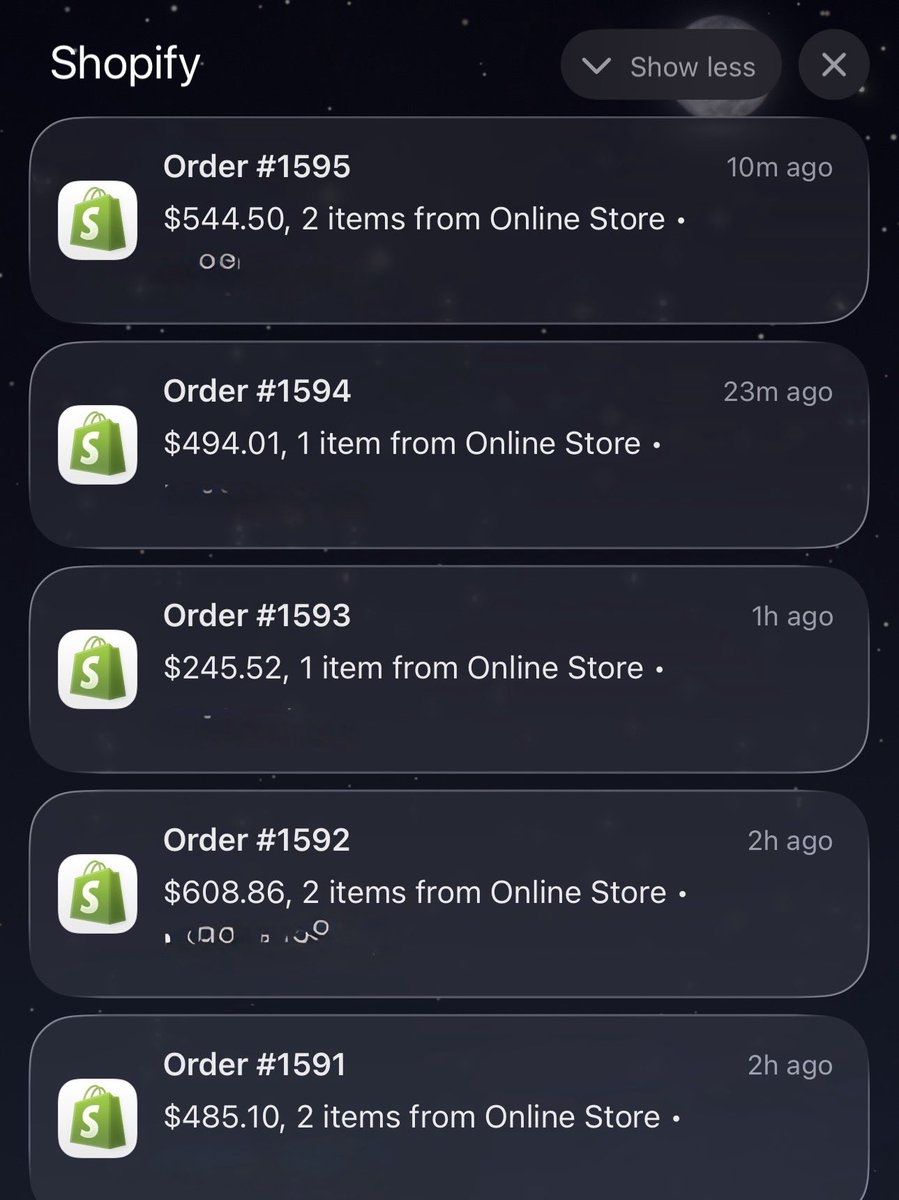
One thing about building a real brand:
You don’t wake up to $12 orders.
You wake up to $485… $608… $544… $494… back to back.
No discounts.
No tricks.
Just trust product brand.
This game hits different when you play it the right way.
1
17
2,029
meta ad manager is down happy weekend guys
1
35
launched anotther store today first static ad is active wirh fresh pixel, looking forward to have ugc creators or editors to launch more video ads.
1
25
Q3 is 6 weeks away. Your catalog is not ready.
I know that sounds harsh. But after working inside hundreds of Amazon catalogs, I can tell you most sellers head into peak season with problems they do not even know exist.
Suppressed listings nobody caught. Browse nodes that shifted after an Amazon update. Variation families quietly falling apart.
Search terms that have not been touched since last year. None of it shows up until the traffic hits.
And by then the damage is already done. I put together 6 catalog fixes every Amazon seller needs to do before Q3. Swipe through and check how many apply to you.
How many did you find in yours?
2
55
Amazon just updated your listing.
Without asking you.
Without telling you.
Without leaving any record of it anywhere.
And somewhere right now a seller is wondering why their conversion rate dropped this week.
They are going to test new images.
Write new bullet points.
Lower their price.
Increase their ad budget.
They are going to do everything except check whether Amazon silently rewrote their title last Tuesday.
I have been fixing Amazon catalog issues since 2019.
And the one thing that still genuinely shocks me is how many sellers have no idea that Amazon's automated systems regularly overwrite listing data without any seller action.
It is not a glitch.
It is not rare.
It is just how the platform works in 2026.
Amazon's AI systems scan listings constantly.
Looking for policy violations.
Looking for quality issues.
Looking for anything that does not match their catalog standards.
And when they find something — or think they find something — they change it.
No email.
No notification in Seller Central.
No entry in your account activity log.
Just a different title on your detail page than the one you carefully optimized.
The thing is — this used to happen occasionally.
Now it happens all the time.
Enforcement has scaled massively.
The AI making these decisions is moving faster than any human support team can keep up with.
And sellers are paying the price.
Here is my genuine frustration with this.
If Amazon has the technology to automatically change a seller's listing data —
they absolutely have the technology to send a notification when they do it.
They choose not to.
And I cannot for the life of me understand why a platform that sellers invest so much into cannot offer that basic level of transparency.
Has Amazon's automated system ever changed something on your listing without telling you?
Drop your experience below.
I want to know how many people this is actually happening to.
1
60
A product doing 40 units a day at $35 each.
That is $1,400 in daily revenue.
Listing gets suppressed on Friday evening.
Seller notices Monday morning.
3 days.
$4,200 gone.
And the worst part?
Amazon never sent a single notification.
This is not a made up scenario.
This is what suppression actually costs in real numbers.
And in 2025 and into 2026 Amazon has been suppressing listings faster than ever before.
Titles that were perfectly fine for years suddenly non compliant overnight.
Enforcement scaled across nearly every category with zero warning to sellers.
Listings losing visibility en masse while sellers blamed their ads, their reviews, their prices.
Never once thinking their listing had quietly disappeared from search.
Here is what makes this genuinely dangerous.
Most sellers only do reviews on a schedule.
Once a week. Once a month. Sometimes less.
Suppression does not wait for your review schedule.
It happens on a Friday evening and bleeds through the weekend while you are offline.
By the time you notice — the damage is already done.
We have seen sellers running active PPC campaigns to listings that were suppressed.
Paying for clicks.
Sending traffic to a product that was invisible in organic search.
Spending money to advertise something Amazon had already hidden.
Amazon's automated systems move fast.
Seller Support moves slow.
And the gap between those two things is where revenue disappears.
If you have not checked your suppressed listings filter in Seller Central this week —
stop what you are doing and check it right now.
Go to Manage All Inventory.
Filter by suppressed.
See what Amazon has been hiding from you.
Then come back and tell me what you found.
Because I have a feeling more people are going to be surprised than not.
46
300 ASINs.
All of them broken.
Wrong titles. Wrong categories. Wrong attributes.
Some completely suppressed.
Others showing but not converting because the data was a mess.
They had just migrated from another platform to Amazon.
Their agency had done the bulk upload.
Charged them a significant amount for it.
Then disappeared when everything went wrong.
This is what we walked into.
300 ASINs in various states of broken.
No documentation of what was uploaded or how.
No flat file records.
No notes on which feed types were used.
Just a Seller Central account full of errors and a seller who had no idea where to start.
The business had been planning this Amazon launch for 8 months.
Inventory already in FBA.
Marketing budget ready to go.
Launch date missed because nothing was working.
Here is how we approached it.
Step 1 — Full catalog audit
We pulled the complete inventory file and cross referenced every ASIN against the original product data.
Categorised every listing into three groups.
Fixable with a direct edit.
Fixable with a flat file.
Requiring a full relist.
Step 2 — Built a master flat file
Rather than fixing ASINs one by one we built a single master flat file covering all 300 products with the correct data, correct categories, correct attributes and correct feed type for each one.
This is the only way to fix bulk catalog issues at scale without spending weeks inside Seller Central.
Step 3 — Suppressed listings first
We prioritised getting suppressed listings back active before anything else.
No point optimizing a listing that is not even visible.
Step 4 — Phased submission
Submitting 300 ASINs at once creates its own problems.
We broke it into batches and monitored each submission for errors before moving to the next.
The result?
All 300 ASINs live and correct within 9 days.
Launch date pushed back by 2 weeks but the foundation was finally solid.
First month of sales came in strong because everything was set up properly from day one.
The agency that caused this mess charged more than we did to fix it.
If you are planning a large scale Amazon launch or migration —
the catalog setup is not something to rush or outsource to someone who will disappear when it breaks.
Drop "CATALOG" in the comments or DM us.
We have done this before and we will get it right.
57
$0 in sales for 11 weeks.
Full inventory sitting in FBA.
Healthy account. Competitive price. Great reviews.
Just no Buy Box.
And nobody, not even Amazon Seller Support, could tell them why.
This seller had done everything right.
3 years on the platform.
Never a policy violation.
Never a late shipment.
Never a metric out of place.
Then one morning the Buy Box was gone.
And 60% of their revenue disappeared with it.
They spent 11 weeks fighting Amazon support.
11 weeks of the same response.
"Your account meets all Buy Box eligibility requirements."
Great. So where is it then.
By the time they found us they were exhausted.
Considering shutting the ASIN down completely.
We audited the full catalog data in 24 hours.
One single incorrect attribute.
Buried deep in the backend.
From a bulk upload done 4 months earlier.
A fulfilment channel field that was creating a silent conflict between the listing data and the physical FBA inventory Amazon was holding.
Amazon saw the mismatch.
Pulled the Buy Box quietly.
Told nobody.
One flat file fix.
One correct field.
Buy Box back within 24 hours.
11 weeks of lost revenue.
Fixed in a single day.
The most dangerous Amazon problems are the ones you cannot see.
No error message. No warning. No notification.
Just silently broken while you keep spending on ads wondering what went wrong.
If your Buy Box disappeared and you have no idea why —
it is almost certainly hiding in your catalog data.
Drop "BUYBOX" in the comments or DM us.
We will find it.
68
Amazon Seller Support told a client to "try a different browser."
The issue was a broken parent-child variation that had split apart overnight.
Different browser.
For a catalog level issue that required a flat file fix and direct escalation to the catalog team.
I wish I was making this up.
This is the reality of dealing with Amazon Seller Support in 2026.
You open a case with a detailed explanation of the problem.
You attach screenshots.
You reference the specific ASIN.
You explain exactly what is wrong and what you have already tried.
And 48 hours later you get a response from someone who read none of it.
They send you a help article that has nothing to do with your issue.
Ask you to try clearing your cache.
Or in this case — suggest a different browser.
You respond explaining the issue again in even more detail.
Another 48 hours.
Another generic response.
Meanwhile the listing is broken.
Sales are dropping.
The clock is ticking.
And you are stuck in a loop with a support system that is not built to solve complex catalog problems.
Here is the part that genuinely frustrates me.
Amazon has built one of the most sophisticated eCommerce platforms in history.
The algorithm. The logistics network. The advertising platform.
All of it is genuinely impressive.
But Seller Support for catalog and listing issues is years behind everything else.
Sellers running serious businesses — sometimes doing millions in revenue — are being told to try a different browser when their catalog breaks.
There is a real gap between the platform Amazon has built and the support infrastructure that is supposed to maintain it.
And right now that gap is costing sellers real money every single day.
What is the worst Seller Support response you have ever received?
Drop it in the comments.
I have a feeling this thread is going to be very long.
47
A listing that had not updated in 4 months.
Title wrong.
Bullets wrong.
Even the product category was incorrect.
They had tried everything.
Edited directly in Seller Central.
Submitted tickets to Seller Support.
Tried updating through the mobile app.
Even created a brand new listing thinking that would fix it.
Nothing worked.
Every change they made was accepted by Amazon.
Confirmed in Seller Central.
And then completely ignored on the live detail page.
By the time they found us they were exhausted.
Here is what we found.
The listing had two separate contribution conflicts running simultaneously.
One from a previous seller who had contributed data to the ASIN years ago.
One from an Amazon automated system that had locked the title field after a policy review.
Both were invisible inside Seller Central.
Neither showed up as an error or warning anywhere.
The listing just silently rejected every update while showing a confirmation message that the change had been saved.
This is one of the most frustrating catalog issues we deal with.
Because from the seller's side everything looks fine.
The problem is completely hidden.
Here is how we fixed it.
Step 1 — We identified both contribution sources using a catalog data pull that most sellers do not know exists inside Seller Central.
Step 2 — We built a targeted flat file using the correct feed type to override the external contributor data field by field.
Step 3 — We escalated the Amazon system lock through a specific internal team with documented evidence of the original listing ownership.
Step 4 — Within 72 hours both conflicts were cleared and all updates went live immediately.
4 months of a broken listing.
Fixed in 3 days.
The seller had been running ads to this listing the entire time.
Spending money sending traffic to a page that was telling buyers the wrong information about their own product.
The moment the listing was corrected conversion rate improved within the first week.
If your listing is not updating no matter what you try
it is almost certainly a contribution conflict and editing it manually will never work.
Drop "CONFLICT" in the comments or DM us directly.
We will identify the source and fix it properly.
1
40
Amazon gave a seller back control of their own listing today.
After 6 weeks of fighting for it.
Let that sink in.
6 weeks of opening cases.
6 weeks of copy paste responses from Seller Support.
6 weeks of a listing showing the wrong information to every single buyer who landed on it.
Wrong title.
Wrong bullet points.
Wrong product description.
Not because the seller did anything wrong.
But because a third party contributor had overridden their listing data and Amazon's system had accepted it without question.
Brand registered seller.
Own trademark.
Own product.
Zero control over what their listing was saying to buyers.
This is not a small problem.
Brand Registry was supposed to solve exactly this.
It was marketed as the tool that gives brand owners full control over their listings.
But contribution conflicts do not care about Brand Registry.
And Amazon's support system is not built to resolve them quickly.
So what happens in the meantime?
Buyers land on a listing with incorrect information.
Some buy and get confused when the product does not match what they read.
Returns go up.
Account health takes a hit.
Reviews start reflecting the confusion.
All because of a data conflict the seller had no hand in creating.
We eventually resolved it using a combination of the correct flat file feed type and a very specific escalation path inside Seller Support that most people do not know exists.
But it should never have taken 6 weeks.
A brand owner should not have to fight this hard to control what their own listing says.
Has anyone else dealt with a contribution conflict that took weeks to resolve?
How did you eventually fix it?
Drop your experience below — this community needs to talk about this more openly.
1
1
71
Amazon Seller Central is not built for sellers.
I said what I said.
I have been fixing listing and catalog issues since 2019.
And every single year it gets more complicated — not less.
Here is what I deal with on a weekly basis.
A seller updates their title.
Amazon confirms the change.
48 hours later — still showing the old title on the detail page.
A seller uploads new images.
They go live immediately in Seller Central.
Buyers still seeing the old images a week later.
Variations that were working perfectly for months suddenly split apart with no warning and no explanation.
Flat file uploaded correctly — rejected for an error that does not exist.
Brand registry supposed to give you control over your own listing.
But somehow a third party contributor is still overriding your changes.
And when you contact Seller Support?
You get a response 48 hours later from someone who clearly did not read the case.
They ask you to try clearing your browser cache.
For a catalog contribution conflict.
I am not venting for the sake of it.
I genuinely believe Amazon has built one of the most powerful selling platforms in the world.
But the backend infrastructure has not kept up with the scale.
Sellers are losing real money while their listings sit broken.
Not because of anything they did wrong.
But because the system that is supposed to support them is unreliable.
And the worst part?
Most sellers do not even know their listing is broken.
They just see sales dropping and assume it is competition or seasonality.
It is usually neither.
Has your listing ever been broken without you realising?
Drop your story in the comments — I genuinely want to know how common this is.
2
3
52
Meta ads broke again this week.
And just like the weeks before it — no announcement. No explanation. No apology.
Just broken performance, confused brand teams, and another small refund that does not come close to covering the damage.
I manage advertising across multiple platforms for different brands.
Meta is the only one where this happens at this scale and this regularly.
Every year between February and May it is the same story.
Ad accounts behaving strangely.
Metrics all over the place.
Teams second guessing their creatives and offers when the real problem is a platform bug.
The hardest part of my job during these periods is not fixing the campaigns.
It is helping brand owners and marketing teams understand whether they are looking at a strategy problem or a platform problem.
More and more lately — it is a platform problem.
And that is a difficult conversation to have when budgets are on the line.
What makes this frustrating is not that bugs happen.
Every platform has issues.
What is frustrating is the silence.
No post-mortems.
No transparent communication.
No real accountability for the revenue brands lose during these windows.
At what point do we start treating February to May as Meta's bug season and plan budgets accordingly?
I do not have a clean answer to that.
But I do think brands and marketing teams deserve more transparency from a platform they invest so heavily in.
Has your team been affected this week?
And how are you handling the conversation with your clients or leadership?
Would genuinely like to hear how others are navigating this.
4
60
Every Amazon seller hits a wall.
Same revenue. Month after month.
No matter what they try.
We see this constantly.
A seller doing $15,000 a month for 6 straight months.
Trying everything to break through.
More ad spend. New keywords. Lower prices.
Nothing moves the number.
Here is why this happens and exactly how to break through it.
The plateau is never random.
It always comes from the same root causes.
1. You are selling to the same audience repeatedly
Your listing is optimized for the buyers who already know your product.
But you have never gone after the buyers who do not know it exists yet.
New keyword categories. New search terms. New customer types.
These are the growth levers most sellers never pull.
2. Your conversion rate has a ceiling
You are getting traffic.
But your listing is converting at the same rate it always has.
A 1% improvement in conversion rate at $15,000 revenue is not small.
It is the difference between plateauing and scaling.
Better images. Stronger A content. Tighter bullet points.
These compound over time and break the ceiling.
3. Your PPC structure is too narrow
Most sellers at the plateau stage have the same campaigns they launched with.
Auto campaigns running on autopilot.
A handful of manual campaigns with the same keywords for months.
No new keyword discovery.
No testing of new match types.
No competitor targeting or category targeting.
Your ad structure has stopped growing so your sales have too.
4. You have one product doing all the work
A single ASIN can only take you so far.
7 figure sellers almost always have multiple ASINs working together.
A variation. A complementary product. A bundle.
Each one adds revenue and protects you from being wiped out by one competitor.
5. You are not using external traffic at all
Amazon gives a ranking boost to listings that receive external traffic.
Most plateauing sellers have never sent a single outside visitor to their listing.
This is one of the fastest ways to break a plateau and it costs far less than increasing your ad budget.
Here is the truth about plateaus.
You do not break through by doing more of the same thing.
You break through by identifying exactly which lever is stuck and pulling it hard.
We recently worked with a seller stuck at $18,000 a month for 5 months.
We audited their full account.
Found 3 specific issues holding them back.
Fixed them over 6 weeks.
They crossed $30,000 the following month.
Same products. Same market. Different strategy.
If your revenue has been stuck at the same number for more than 2 months —
something specific is holding you back.
Drop "PLATEAU" in the comments or DM us.
We will find exactly what it is and show you how to break through it.
1
36
Your competitor is not smarter than you.
They just have a better setup.
We audit Amazon listings every week.
And the gap between sellers who rank and sellers who don't is almost always the same things.
Here is exactly why your competitors are showing up above you.
1. Their main image wins the click
On Amazon the main image is everything.
It is the first thing a buyer sees before they read a single word.
Your competitor tested their main image.
Optimized it for CTR.
Made it impossible to scroll past.
Yours is still the original photo from launch day.
2. Their title is built for the algorithm
Not stuffed. Not generic.
Built around the exact keywords buyers type when they are ready to purchase.
Amazon reads titles first.
If your main keywords are buried or missing — you will not rank.
3. Their reviews are consolidating properly
If their variations are set up correctly all their reviews sit on one listing.
That listing converts at a much higher rate than yours with reviews split across multiple ASINs.
More conversions = better organic ranking.
Better organic ranking = less ad spend needed.
4. Their PPC is feeding their SEO
Every converting keyword in their ads is telling Amazon this product is relevant.
Amazon rewards relevance with organic placement.
They are not spending more.
They are spending smarter and letting the algorithm do the rest.
5. Their A content is closing the sale
By the time a buyer reaches their A content the decision is almost made.
Their modules answer every objection.
Build trust. Show the product in use. Tell the brand story.
Your listing sends buyers away with unanswered questions.
6. They review their data every week
They catch underperforming keywords early.
They spot ranking drops before they become expensive.
They move fast because they are always watching.
Here is the good news.
None of this is permanent.
Every single one of these gaps can be fixed.
We have done it for sellers in competitive niches with strong established competitors.
The right strategy closes the gap faster than you think.
If your competitors are consistently outranking you —
the answer is in your listing, your catalog setup and your PPC structure.
Drop "COMPETE" in the comments or DM us.
We will audit your listing against your top competitor and show you exactly where you are losing ground.
Free. Detailed. Actionable.
1
27
Good Morning eCommerce sellers,
Let me audit your account and I will find you opportunities and help you grow
1
3
37
Spending $900/day on Amazon ads.
Still stuck at 20 orders a day.
This is more common than you think.
I audited an account last week.
The seller wasn't doing anything obviously wrong.
Campaigns were running. Clicks were coming in. Budget was being spent.
But the numbers told a different story.
$400 out of every $900 was going to campaigns with zero orders.
Not low orders. Zero.
Meanwhile the 3 campaigns actually generating sales?
Hitting budget cap before noon every day.
That's the part that gets me every time.
The winners are being starved.
The losers are being fed.
And the total spend keeps climbing because the account looks "active."
Here is what was broken:
→ 8 campaigns running with no conversions in 14 days
→ Broad match keywords bleeding into searches that would never buy
→ Organic rank dropping silently in the background
→ ACOS at 38% against a target of 20 to 25%
→ No negative keywords. No structure. Just spend.
What we did:
Paused everything that hadn't converted in 2 weeks.
Moved that recovered budget into the 3 campaigns that were working.
Built tight single keyword campaigns around the top converting search terms.
Added 25 negative keywords to stop the bleeding.
No new products. No extra budget. Same account.
Just a cleaner structure.
Results take time and I won't pretend otherwise.
But the direction changed from day one.
If you are an Amazon seller and your spend keeps going up while orders stay flat, the issue is almost never the budget size.
It is where the budget is going.
Audit your structure before you increase your spend.
What does your ACOS look like right now? Drop it in the comments, no judgment.
1
1
46
Seller messaged us last month.
Organic rank dropped overnight. No idea why.
We opened the account.
Ads were running. Inventory was healthy. Reviews were fine.
Then we checked the search term report.
Their top converting keyword had been moved to a low bid campaign three weeks earlier.
Sales on that keyword dried up.
Amazon read the drop in velocity as reduced relevance.
Organic rank followed.
One bid change in one campaign killed months of ranking work.
On Amazon organic rank is not separate from paid strategy.
They feed each other.
What you do in ads shows up in organic.
Always
1
32
Your competitor has half your reviews and is outranking you.
Before you blame the algorithm read this.
Amazon does not rank the most reviewed product.
It ranks the most relevant and most trusted one based on live buyer behavior.
Your competitor is winning three signals you are losing.
Click through rate.
When both listings appear in search buyers are choosing theirs first.
That means their main image, title, and price combination is more compelling than yours at a glance.
Amazon notices every time a buyer skips your listing.
Each skip is a signal that your product does not match what that buyer wanted.
Enough skips and ranking drops regardless of review count.
Conversion rate.
Buyers who do click your listing are not buying at the same rate.
Maybe the images do not answer the obvious questions.
Maybe the bullets list features instead of removing doubt.
Maybe the price feels misaligned with what the listing is communicating.
Your competitor's listing is closing the sale faster than yours.
Amazon rewards that with visibility.
Sales velocity on the keyword.
Your competitor is generating more purchases tied to that specific search term than you are.
Amazon interprets that as a better match for that buyer intent.
More sales on the keyword builds ranking on the keyword.
Reviews influence trust but they do not override performance signals.
A listing with 200 reviews converting at 18% will outrank a listing with 600 reviews converting at 9% every time.
The reviews are not the gap.
The listing is.
Fix the main image first. It is the single highest leverage change you can make.
Then audit the listing from the buyer's perspective not the seller's.
Ask yourself honestly would you buy this if you had no idea what the product was.
If the answer is uncertain your competitor already has the sale.
#AmazonSeller #AmazonFBA #AmazonRanking #AmazonPPC #EcommerceTips #AmazonListing
2
1
46
Your variation structure is either building ranking or diluting it.
Most sellers never figure out which.
Here is how it actually works.
The parent ASIN is a shell.
It holds no ranking signals. No sales history. No keyword authority.
Every ranking signal on Amazon lives at the child ASIN level.
Sales velocity. Conversion rate. Click through rate. Keyword attribution. All of it is tracked per child.
This means if you have 6 variations and 2 are driving 90% of sales your ranking equity is concentrated in those 2 children while the rest are invisible to the algorithm.
Now here is where it gets more nuanced.
Amazon builds keyword ranking by connecting sales to search terms at the child level.
When a buyer searches a keyword clicks your listing and buys a specific variation Amazon registers that conversion signal against that child ASIN for that keyword.
Do that enough times and that child starts ranking organically for that term.
The other variations do not inherit that ranking automatically.
They need their own signal.
This is why splitting ad spend evenly across all variations is one of the most common and expensive mistakes on Amazon.
You are trying to build ranking for 6 children simultaneously with diluted signal instead of dominating with your strongest performer first.
Review velocity works the same way.
Amazon shares review counts across related variations on the surface.
But the velocity signal behind those reviews is tied to the child that generated the purchase.
A listing can show 400 reviews but if the default variation being shown has weak individual sales velocity the conversion rate will not reflect that review count.
The default variation matters more than most sellers realize.
Whatever child Amazon displays first when a buyer lands on the listing is the one being judged on click through rate and conversion.
If your default variation is not your strongest converter you are wasting every impression the listing receives.
What the best structured accounts do differently:
They audit which child has the strongest keyword level sales velocity and concentrate ad spend there first.
They set the highest converting variation as the default display on the listing.
They track BSR and keyword ranking at the child level separately not just at the parent.
They use the winning child to establish category keyword dominance before pushing spend to secondary variations.
Variation structure is not a listing setup decision.
It is a ranking strategy decision.
And most sellers make it once at launch and never revisit it.
#AmazonSeller #AmazonFBA #AmazonPPC #AmazonSEO #EcommerceTips #AmazonRanking
1
49
Your product hits page 1.
Sales coming in. You think you cracked it.
Day 8. Gone.
Here is why.
When Amazon gives a new listing early visibility it is testing it.
It watches click through rate. Conversion rate.
How efficiently your listing turns traffic into sales.
If the numbers are strong it keeps you there.
If they are weak it pulls you back.
Most sellers waste that window.
Low bids. No ads. A listing that was never ready to convert.
Weak images. Thin copy. Under 10 reviews.
Amazon reads the signal and ranking disappears.
The honeymoon period is not free visibility.
It is a test with real consequences.
To hold the rank you need to be ready before you go live.
Full listing. Aggressive ads from day one. A launch price that improves conversion. Early reviews before the window opens.
The sellers who hold page 1 treat the first 7 days like the most important 7 days of the product's life.
Because they are.
3
55