
Joined March 2012
- Tweets 158
- Following 6
- Followers 1,310
- Likes 129
16 Photos and videos



Jun 12
Logging into one WordPress dashboard is easy.
Logging into twenty is where Site Health stops being simple.
You need to know what needs attention.
Not eventually.
Not when a client asks.
Not after a support ticket appears.
Scanfully brings WordPress Site Health signals into one place, so teams can review important checks without opening every admin area.
That saves time.
More importantly, it makes weak signals easier to notice.
Read more about Scanfully’s WordPress monitoring features here: scanfully.com/features/
Use it to review where your current Site Health workflow creates blind spots.
1
1
120
Jun 12
Most WordPress email problems do not start with an obvious error.
The form submits.
The plugin logs success.
The user sees confirmation.
But the email never reaches the inbox.
That is the blind spot.
WordPress can confirm the send attempt without proving delivery.
Scanfully’s Email Deliverability Monitoring checks the path beyond WordPress, including transport, authentication, blocklist signals, and inbox arrival.
That gives teams a better way to catch silent email failures.
Read more here: scanfully.com/scanfully-1-9-…
Start there if your current check stops at “message sent.”
1
1
145
Jun 11
A WordPress site rarely becomes slow all at once.
It drifts.
A plugin update adds overhead.
A third-party script gets heavier.
A page builder layout grows.
A few images slip through without proper compression.
Then someone says, “The site feels slower lately.”
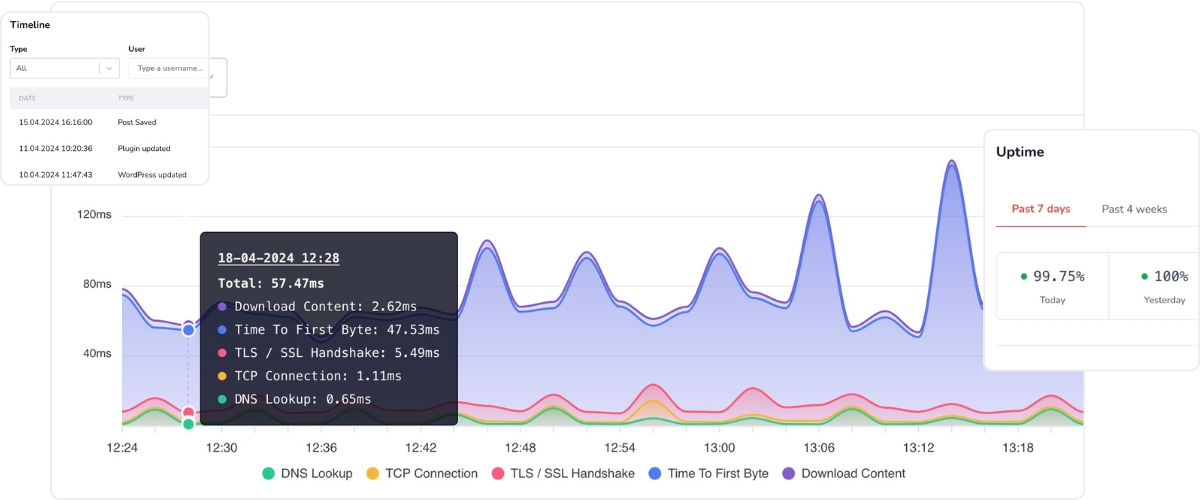
Scanfully tracks performance over time, so you can spot changes before they become vague complaints.
Because “it feels slow” is not a diagnosis.
A graph is a better starting point.
Read this piece on WordPress performance monitoring: scanfully.com/wordpress-perf…
Use it to rethink how you track speed after changes, not just during audits.
1
2
112
Jun 11
A small DNS change can create a very strange support day.
The site still loads for some people.
Email starts acting up.
SSL validation becomes noisy.
A CDN behaves differently.
Nobody connects the symptoms at first.
That is why DNS belongs in your WordPress monitoring workflow.
Scanfully watches DNS records and helps teams see important changes before they turn into long debugging sessions.
Because DNS problems rarely announce themselves clearly.
Read what changed in Scanfully 1.10 here: scanfully.com/dns-monitoring…
Use it to check how visible DNS changes are across your sites.
1
1
128
Jun 10
The worst WordPress question is not “what broke?”
It is “what changed?”
Because without that answer, everyone starts guessing.
Was it a plugin update?
A content edit?
A theme change?
A user role change?
A late-night dashboard tweak?
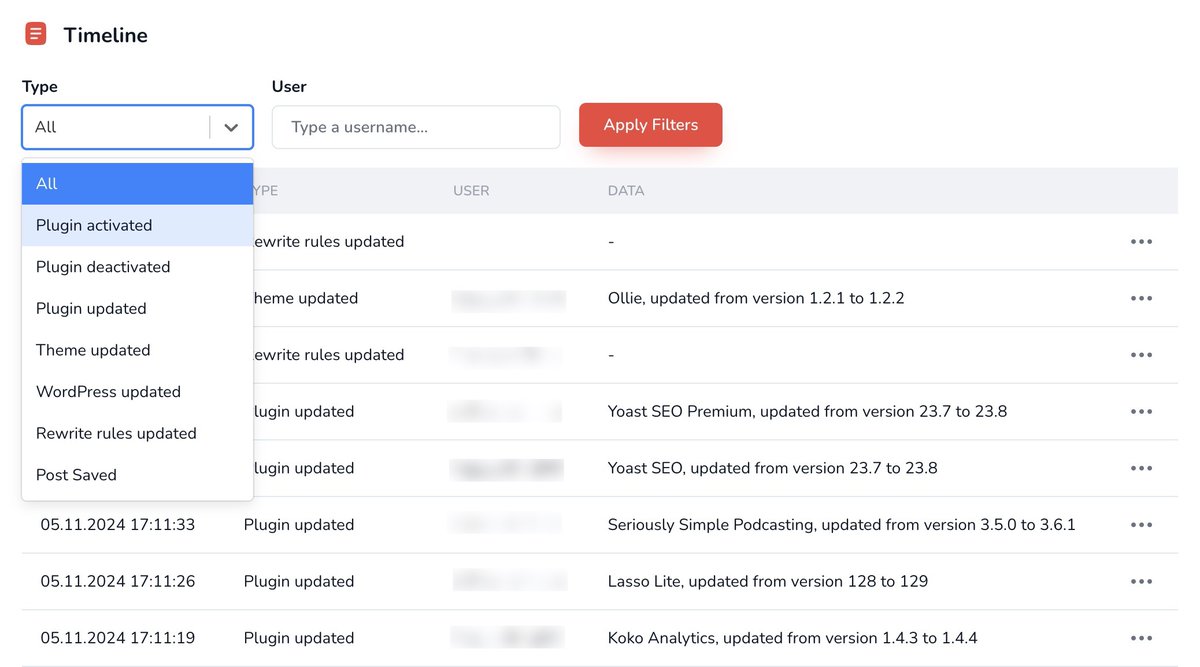
Scanfully’s WordPress Activity Log gives you a clearer timeline, so you can connect site issues to actual activity.
That matters when a client asks what happened.
And it matters even more when you need to fix it fast.
Read why serious WordPress sites need an offsite activity log: scanfully.com/why-every-seri…
Then compare it to how you currently answer “who changed what?”
1
1
1
136
Jun 10
A missing image can make a page feel abandoned.
Even when the site is online.
Even when performance looks fine.
Even when WordPress shows no obvious error.
That is why content integrity needs its own checks.
Broken media usually appears after edits, migrations, imports, cleanup work, or URL changes.
And teams often miss it because they are checking availability, not the page experience.
Scanfully’s Content Health monitoring helps catch broken links and broken media earlier.
Read why content health matters here: scanfully.com/introducing-co…
Start there if your monitoring still treats “page loads” as “page works.”
1
1
118
Jun 9
A plugin update does not always break a site immediately.
Sometimes it changes one small thing.
A query gets slower.
A form behaves differently.
A page starts throwing warnings.
A checkout step feels off.
Then the team has to reconstruct the timeline.
Scanfully’s WordPress Activity Log helps connect monitoring changes with actual WordPress activity.
So when something shifts, you can ask a better question:
What happened around the same time?
Read why offsite activity logs matter here: scanfully.com/why-every-seri…
Start there if debugging still begins with guesswork.
1
1
144
Jun 9
A client asks what you found this month.
You know the answer.
But now you need to package it.
Screenshots.
Links.
Notes.
Context.
That work adds up, especially when the issue is a broken link or missing media file.
Scanfully’s shareable reports help turn findings into something clients can actually review.
So you spend less time rebuilding the evidence and more time fixing the issue.
Read more about Scanfully’s monitoring features here: scanfully.com/features/
Use it to review where client reporting still creates extra manual work.
2
3
184
Jun 8
SSL expiry is one of those problems that feels preventable after it happens.
Before it happens, it hides in plain sight.
The site works.
The dashboard looks normal.
The certificate date sits somewhere nobody checks often enough.
Then a browser warning turns a technical detail into a trust problem.
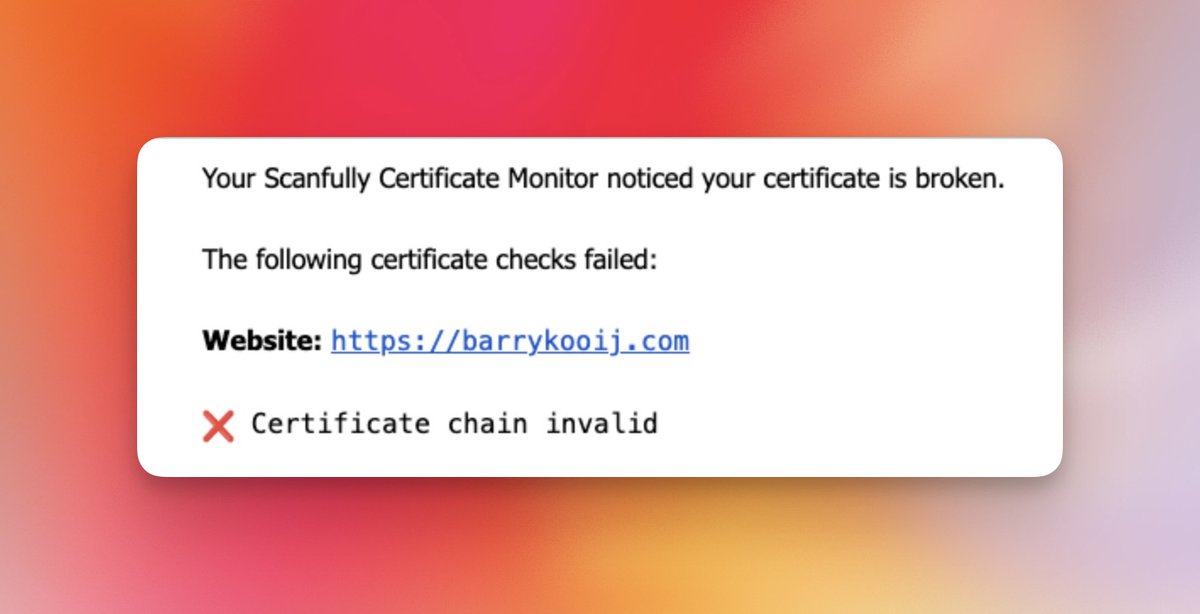
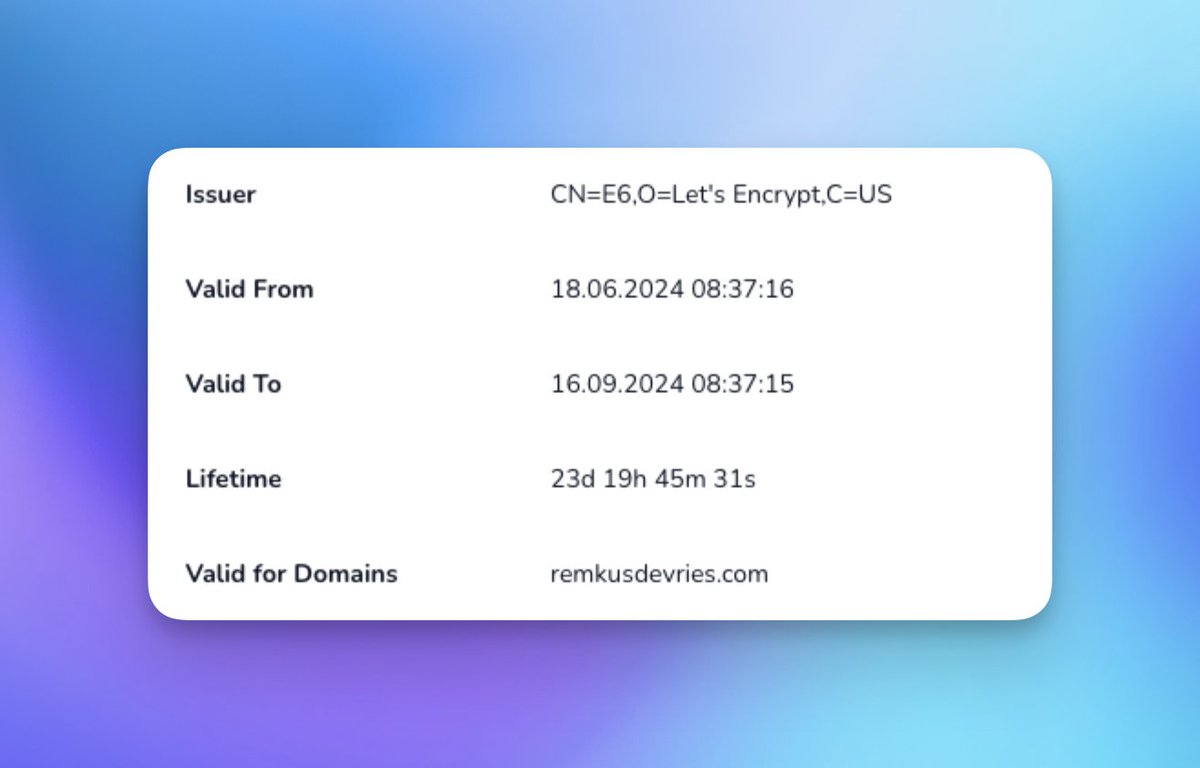
Scanfully monitors SSL certificates and helps teams spot certificate issues sooner.
That is useful for forms, checkout flows, redirects, and integrations.
Read more about Certificate Monitoring here: scanfully.com/introducing-ce…
Use it to check whether SSL still depends on memory in your workflow.
1
1
152
Jun 8
A WordPress problem rarely has one signal.
Downtime might follow a DNS change.
A slowdown might follow a plugin update.
An email issue might involve authentication records.
A broken page might follow a content edit.
That is why isolated checks only tell part of the story.
Scanfully brings uptime, performance, activity, SSL, DNS, content, email, and vulnerability signals into one monitoring layer.
So teams can see the issue with more context.
Read more about Scanfully’s features here: scanfully.com/features/
Use it to review which signals still live in separate tools.
1
1
148
Jun 5
Security news is noisy.
A plugin vulnerability gets disclosed.
Everyone shares the headline.
But your real question is more specific.
Do any of our sites run this plugin?
Which version?
Is the installed version affected?
Is there a fix?
How serious is it?
Scanfully’s Vulnerability Monitoring helps answer those questions against the sites you actually manage.
That makes response work clearer and less reactive.
Read more about Vulnerability Monitoring in Scanfully 1.8: scanfully.com/vulnerability-…
Start there if security triage still depends on manual checking.
1
2
144
Jun 5
Broken link cleanup gets messy when the finding is hard to share.
You find the issue.
Then you need to show the client.
Where is the broken link?
Which page contains it?
What URL failed?
Why does it matter?
Scanfully helps teams detect broken links and share findings more clearly.
That makes the next step easier for both the maintainer and the client.
No screenshot pile.
No vague “we found some broken links” note.
Read more about broken link workflows here: scanfully.com/broken-link-mo…
Start there if broken link reports still take too much manual work.
1
1
129
Jun 4
“The site was down” is not enough context for a client.
They usually want the next layer.
When did it start?
When did it recover?
Did it happen before?
Did anything change around the same time?
Scanfully helps WordPress teams monitor availability and review incidents with more context.
That makes the client conversation less vague.
And it helps your team explain what happened without rebuilding the timeline manually.
Read more about uptime monitoring here: scanfully.com/uptime-monitor…
Start there if downtime reports still need too much manual reconstruction.
1
1
134
Jun 4
Email deliverability is not only a WordPress setting.
A form can submit correctly.
An SMTP plugin can work.
But DNS authentication can still create delivery problems.
SPF, DKIM, DMARC, transport, blocklists, and inbox placement all matter.
That is why email monitoring needs to look beyond the send attempt.
Scanfully’s Email Deliverability Monitoring checks the path from WordPress to an actual inbox.
So silent email issues become easier to catch.
Read more here: scanfully.com/scanfully-1-9-…
Start there if your current email checks do not include delivery context.
1
1
142
Jun 3
More alerts do not mean better monitoring.
They often mean more noise.
A useful alert should help you decide what needs attention.
Is the site down?
Did SSL fail?
Did performance change?
Did DNS move?
Did a vulnerable plugin appear?
Scanfully sends notifications around important changes, not random dashboard clutter.
That helps WordPress teams respond sooner without turning monitoring into another inbox problem.
Read more about Scanfully’s features here: scanfully.com/features/
Start there if your current alerts create more work than clarity.
1
1
103
Jun 3
Content changes can break more than the words on a page.
An editor removes an image.
A link gets pasted incorrectly.
An embed stops loading.
A button points to an old campaign URL.
The page still loads.
But the user experience is worse.
Scanfully’s Content Health monitoring helps teams catch broken links and broken media after real content work happens.
Because content maintenance should not depend on someone manually revisiting every page.
Read more about Content Health here: scanfully.com/introducing-co…
Start there if content edits still create issues your team finds too late.
1
1
149
Jun 2
A slow WordPress site does not always need another caching plugin.
Sometimes the issue starts earlier.
DNS lookup time.
TLS handshake.
TCP connection.
TTFB.
Backend execution.
Those signals matter because “make it faster” is too vague to act on.
Scanfully tracks performance over time and helps teams see where loading behavior changes.
That gives you a better starting point before you touch plugins, CDN rules, or hosting settings.
Read more about WordPress performance monitoring here: scanfully.com/wordpress-perf…
Use it to move from speed opinions to actual performance signals.
1
2
4
491
Jun 2
A plugin update can look successful and still cause work later.
The update completes.
No fatal error appears.
The site stays online.
Then performance starts drifting.
That is the kind of issue teams miss when they only check whether the update broke the site immediately.
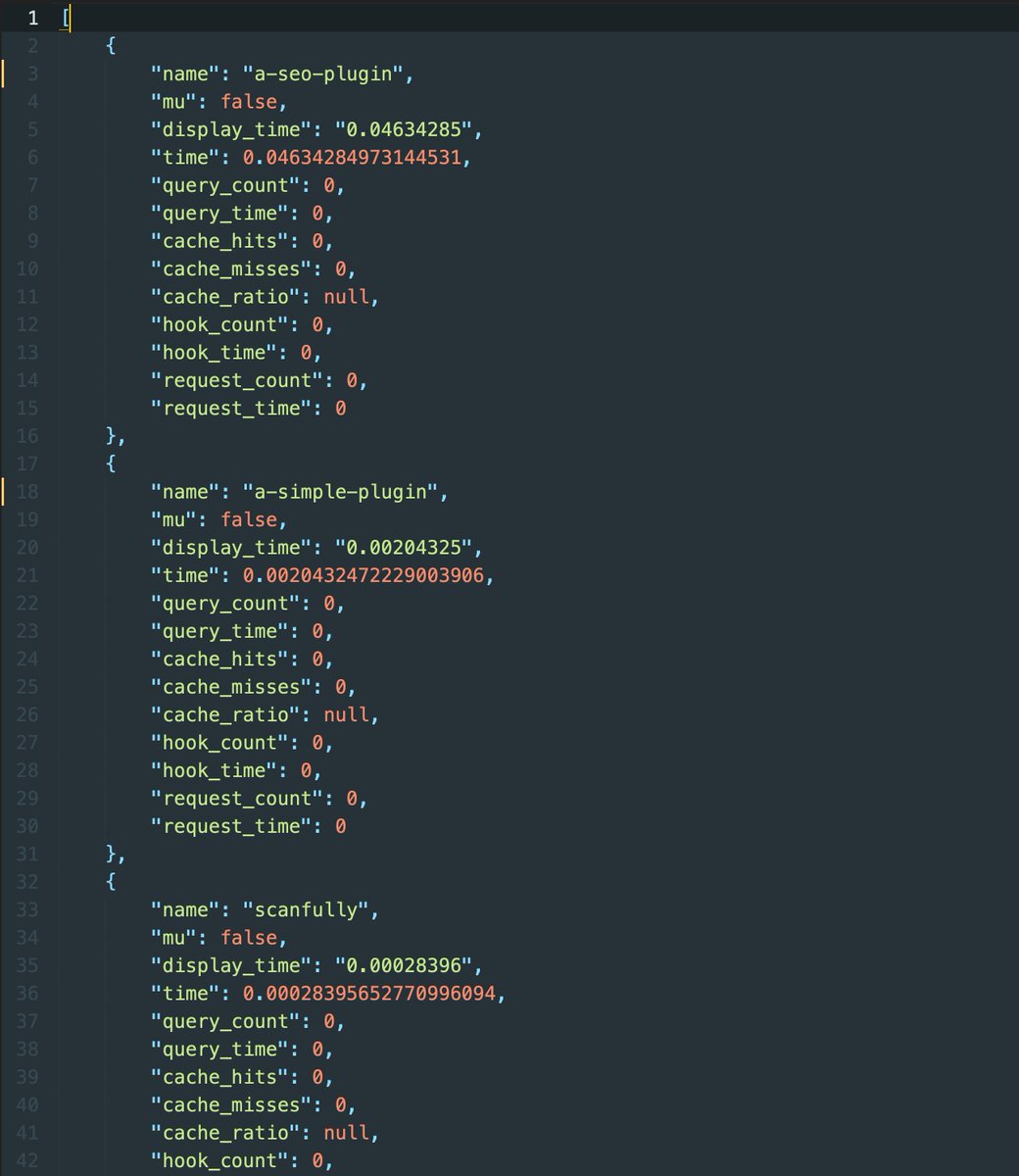
Scanfully tracks performance and WordPress activity, so you can connect slowdowns to recent changes more easily.
That makes post-update monitoring more useful.
Read more about WordPress performance monitoring here: scanfully.com/wordpress-perf…
Use it to check whether your update workflow watches what happens after the update.
2
3
243
Jun 1
Checkout problems do not always start in WooCommerce.
Sometimes the issue sits outside WordPress.
An SSL certificate fails.
A redirect behaves differently.
A browser warning appears.
A payment flow loses trust before the customer completes it.
Scanfully monitors SSL certificates so teams can catch certificate issues before they become visible in critical flows.
That matters because visitors do not diagnose SSL.
They just hesitate.
Read more about Certificate Monitoring here: scanfully.com/introducing-ce…
Start there if SSL checks still live outside your WordPress maintenance workflow.
1
1
150
Jun 1
A CDN can make uptime look simpler than it is.
The cached page responds.
The visitor sees something.
The uptime check passes.
But the WordPress origin may still be struggling.
That distinction matters when you manage sites behind caching, proxy layers, and edge networks.
Scanfully supports CDN-aware uptime monitoring, cached-only detection, check modes, and warning statuses.
So your monitoring can better reflect how modern WordPress sites actually run.
Read more in the Scanfully 1.10 release notes: scanfully.com/dns-monitoring…
Start there if your uptime checks only see the cached surface.
1
1
182