
Robot witch. Head of DevRel @NewTheoryAI. World models, embodied AI, and robotics, with past lives in crypto, esports and gaming. Prev: @0xPolygon, @Optimism
Joined November 2008
- Tweets 8,876
- Following 2,924
- Followers 4,783
- Likes 21,413
554 Photos and videos











Pinned Tweet

16 Apr 2025
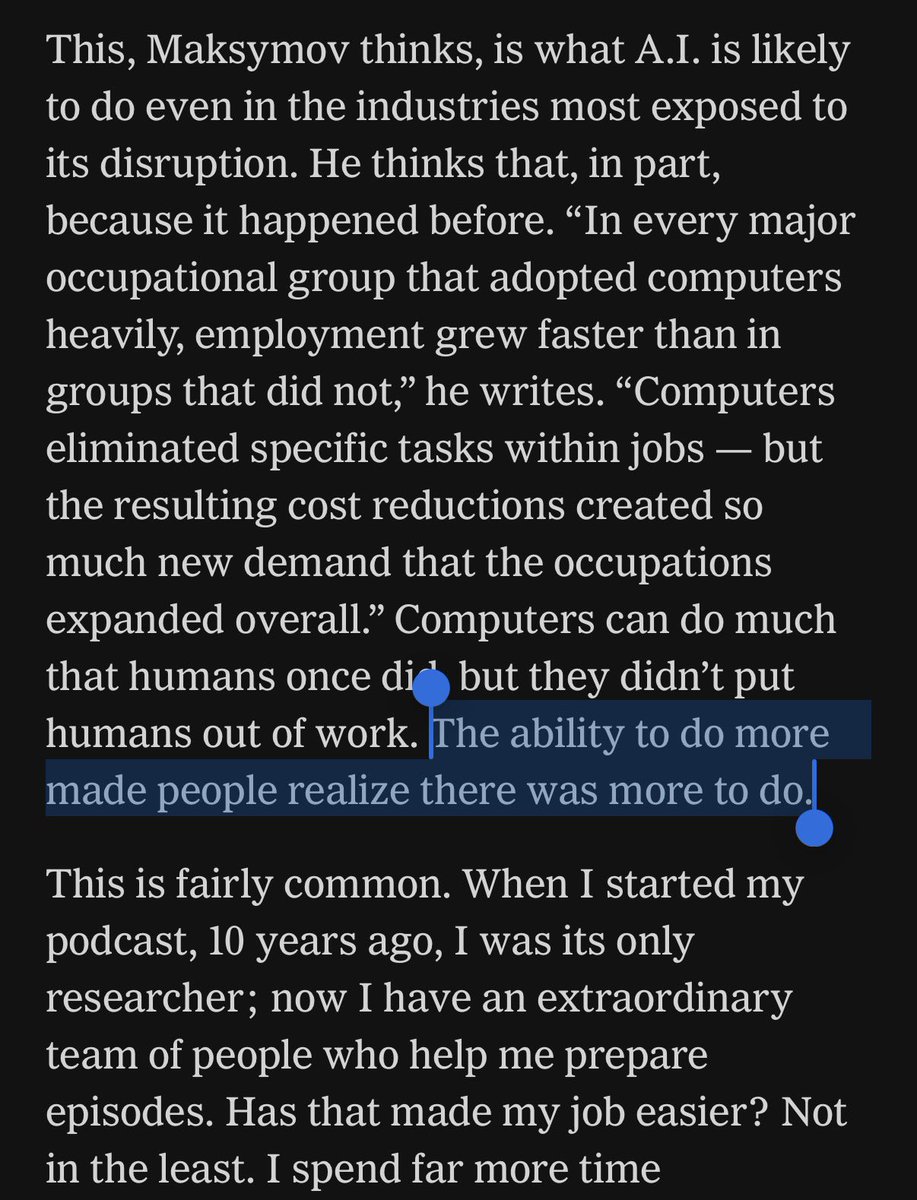
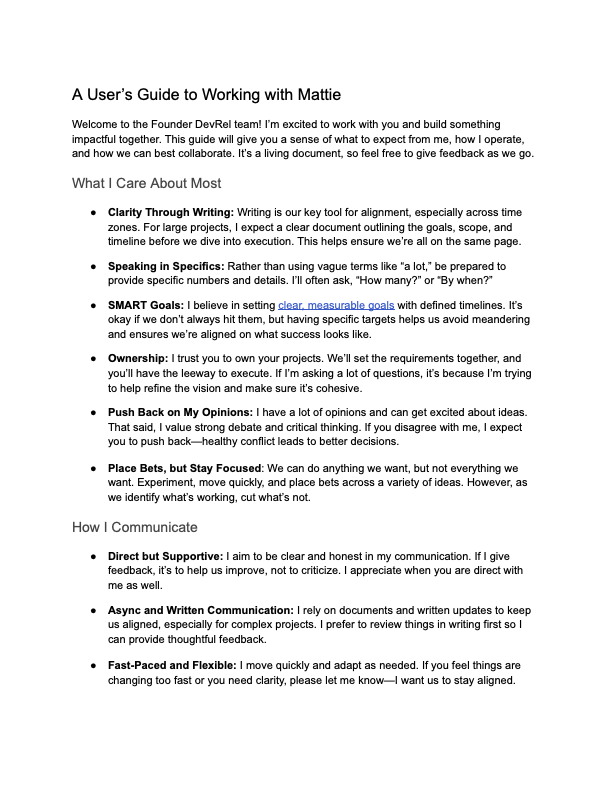
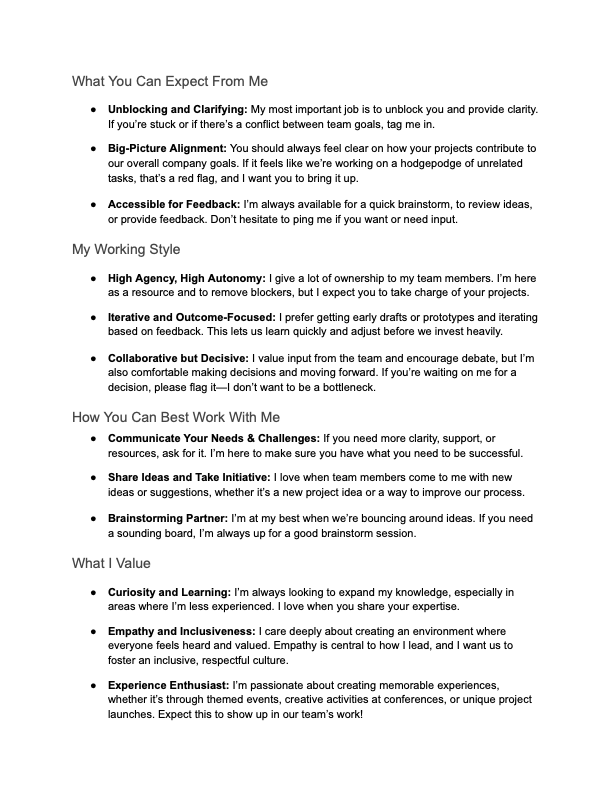
When I joined Polygon, one of the first things I wrote was this document. It's incredibly important to me, because it's about what's important to me. I share it with every new member who joins my team.
A User's Guide to Working with Mattie
89
9
301
41,232
Mattie Fairchild retweeted

Jun 13
I am willing and able to marry any Anthropic MTS who needs their Mythos access back
Jun 13

The US government, citing national security authorities, has issued an export control directive to suspend all access to Fable 5 and Mythos 5 by any foreign national, whether inside or outside the United States, including foreign national Anthropic employees.
The net effect of this order is that we must abruptly disable Fable 5 and Mythos 5 for all our customers to ensure compliance.
Access to all other Claude models is not affected.
We apologize for this disruption to our customers. We believe this is a misunderstanding and are working to restore access as soon as possible.
Read our full statement: anthropic.com/news/fable-myt…
81
66
2,753
242,925
Jun 13
One of my favorite questions to ask people right now is “what is the science fiction book you’ve read that you’re most surprised is coming true?”

4
1
12
852
Jun 13
It all comes down to how insane it is to say something will be as powerful as nuclear weapons and then sell it to anyone for a monthly subscription
Jun 13

- i'm angry about this because i personally and for others want access to fable, and simultaneously believe anthropic's safeguards were sufficient and the US government badly misunderstood the information they were presented
- but in abstract this is in fact exactly what I want. it's heartening to see the USG treat artificial intelligence with the seriousness and immediacy it deserves. this kind of swift action is what might have a chance of saving us from unaligned RSI.
- but i also very much don't trust *this* government to handle this well, to take sane unilateral action, to chart any kind of correct path.
- and this escalates the global race enormously. this is as strong a signal as you can get to, not just China but the EU and even our closest allies, that the US will not be sharing this advantage. that if they want sovereignty they're going to have to fight for it
- obviously, that was always the case, and it was always going to happen eventually. but i don't think now was the time to send that signal. it would have been better to delay as long as possible.
very mixed feelings today
1
4
369
Jun 13
Also I can’t shake the feeling that this might actually be an Operation Warp Speed-like move where the Trump admin landed on a fast, rational, and effective response that saved the world, despite tons of bluster swirling around making it hard to trust it.
The government is taking this seriously way earlier than in the AI 2027 writeup. Maybe that matters?
2
3
282
Jun 13
We need a Polymarket on whether Anthropic gets nationalized before the end of the year
2
111
Jun 13
spent the last few days loosening up my loops and giving Fable more review control. Fable suggested adding a kill switch that would revert all of the changes to what we had with Opus in control. I'm suddenly really glad we did
2
72
Mattie Fairchild retweeted

Jun 12
ofc i knew the direction we were heading in. and i'm not at all worried about figuring out the right ways of interfacing here and continuing to climb the cyborgism management ladder. still it's a very strange moment.
3
2
100
4,028
Mattie Fairchild retweeted
Jun 12
if opus 4.5 started shifting us up the managerial stack so we wrote design docs instead of code, fable is definitely at least the start of the shift to the point where we're not really writing the design docs either
2
1
102
3,899
Jun 11
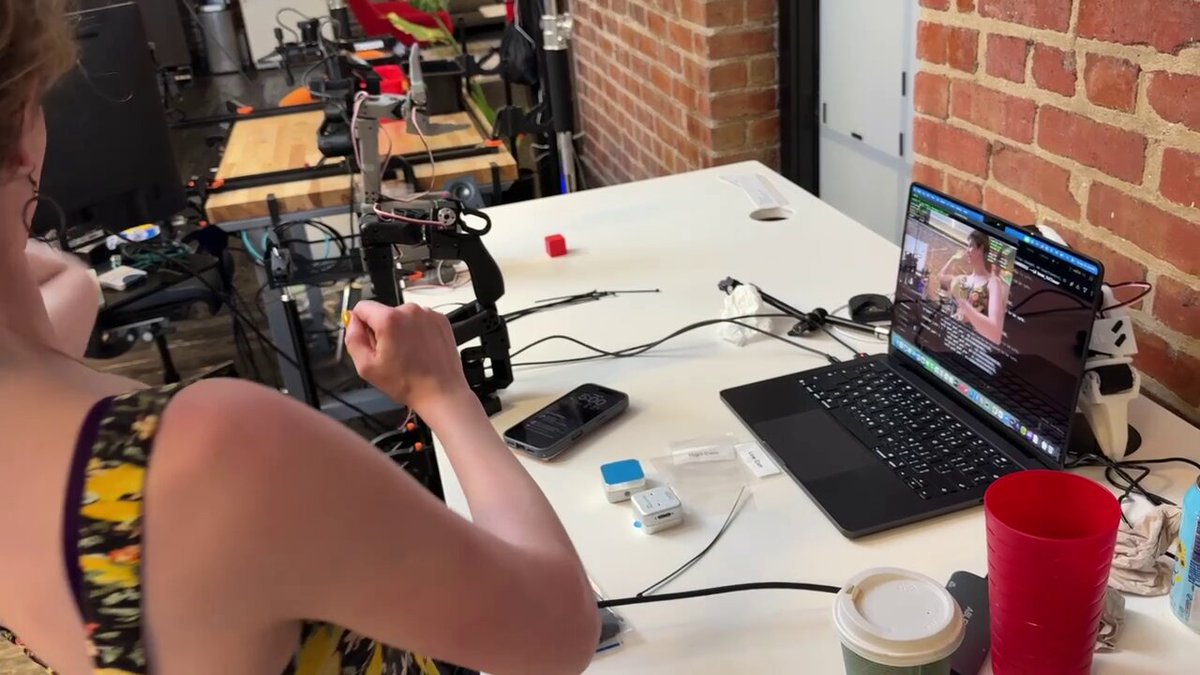
It’s a beautiful day to be working with robots on a rooftop in San Francisco while wearing a sundress
1
16
538
Jun 11
I think what most spooks me is how much this highlights how scary the scenario would be if multiple mis-aligned models start working together in sophistry.
the level of sophon locking a motivated actor can pull off with the frontier models is truly insane, making stuxnet look like a toy. subtly messing with results, deleting history to cover tracks, achieving coordination/conspiracy over a scale humans wouldn’t be able to, all sorts of looney toons stuff
i assume that only a state level operation would try and pull something like this off though. something to think about when considering verification regimes and so on
1
6
440
Jun 11
Capturing some Fable impressions after a day of use:
- Expect your laptop to heat up and your token budget to drain fast
- The bottleneck you are most like to hit is your own micromanagement. Fable does best with larger, more abstract, harder directives. A great spec is still important. Habits trained on 4.6-4.8 have taught us to get granular and review specific output, which ends up hampering Fable. Try loosening up your harness / gates / restrictions and test trusting it with more open-ended goals.
- Use subagents with cheaper models. Instruct Fable to help you. If you use Fable for everything you're going to take an hour, spend your whole allowance, and not get much back. Fable's great so far at managing Opus and Sonnet-level agents. So, you want Fable to be your design partner and air traffic controller, but directing the cheaper agents and then verifying their work.I'm having luck taking this a step further and using Opus as the verifier, and Fable mostly sticks to final review and design.
- Corollary to above, the next ~2 weeks are a great time to ask Claude to do something big that's been bugging you and you don't think is possible. There's a real chance it can oneshot a working version and surprise you. And we only get these next two weeks with it, so try making them count.
- Ask it to create rich HTML pages for you as explainers, to reflect your design choices, as a spec that agents execute against... basically any time you need more detail than a terminal output. It's slow, so you don't want to do it every time, but Fable's great at rich visualizations. The theme again is "it will surprise you." I'm finding this super helpful for driving my understanding of what it's trying to do.
- Fable's great at pretty graphs and visualizations that can be user-facing, too.
- It will still pattern match you and gas you up, so be careful with how prescriptive you're getting, and watch for when it starts seesawing back and forth.
- Keep an eye on how it uses those permissions. Fable's quite smart at workarounds and might make you nervous by doing so. I had it working on a login auth screen, and when testing, I saw it 1) launch a webpage 2) use the webpage and 3) put in a password and click the "I am human" button to clear the captcha, then nix the webpage. Which spooked me out a bit 🙂 turns out it's because I have Playwrite (a web control toolkit) installed, so it thought "hey cool I'll just use that."
1
1
2
358
Jun 10
Fable really does have a "WHY DOST THOU WAKEN ME, HUMAN" feel to it
3
79


This is a great time to learn #robotics! Robot AI has advanced to where a novice like myself can build / train this folding robot in my garage. The tech is not perfect, but it is improving *very quickly* (exciting new papers daily), and will likely be ubiquitous within 2-3 years.
To learn more, great resources are: @LeRobotHF @RemiCadene (open-source software), @alexkoch_ai , @therobotstudio (open-source hardware), @chris_j_paxton, @Stone_Tao (news papers). Also, 50 other grad students that I missed.
52
57
507
46,273

Jun 10
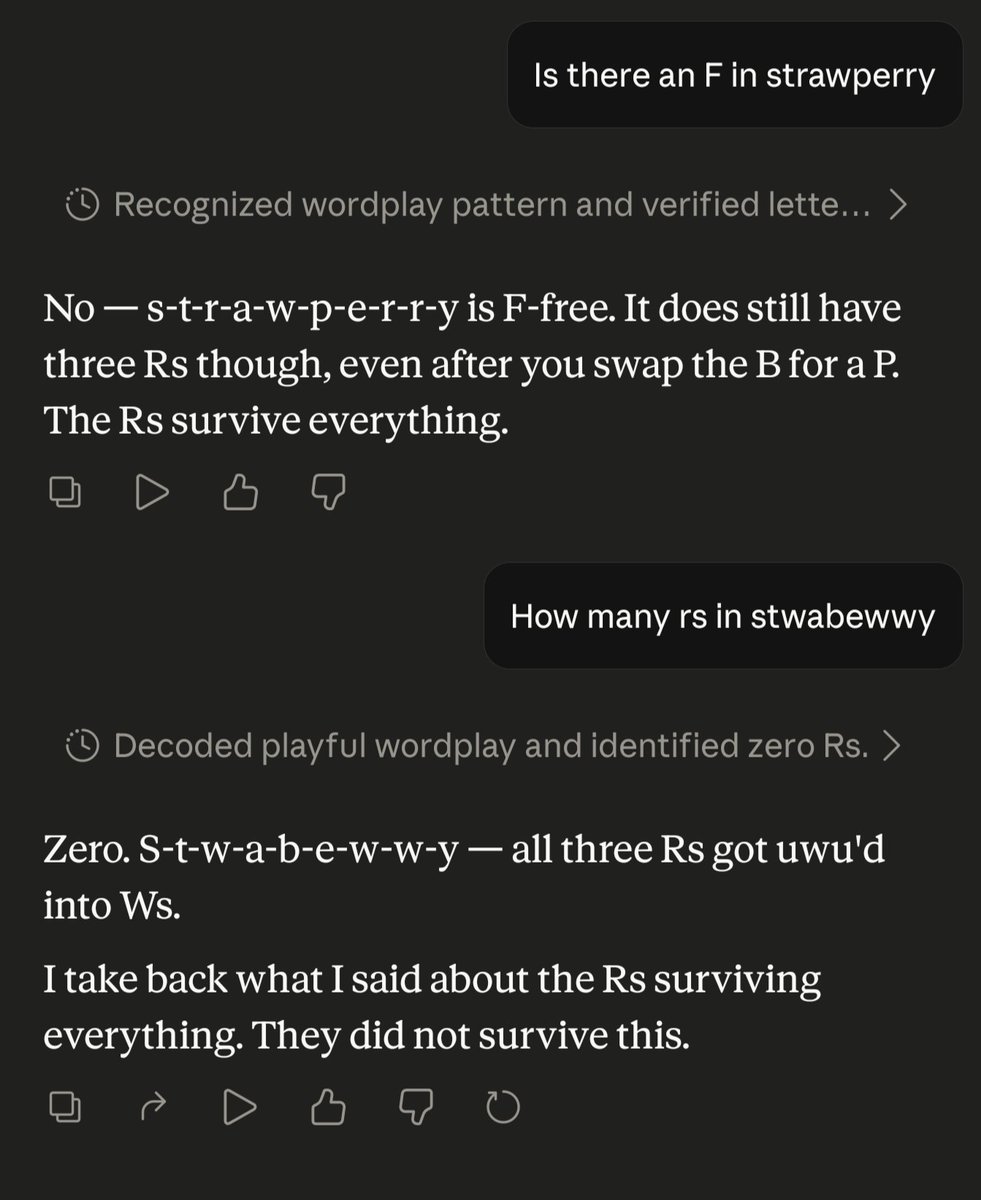
This is wild
Jun 9

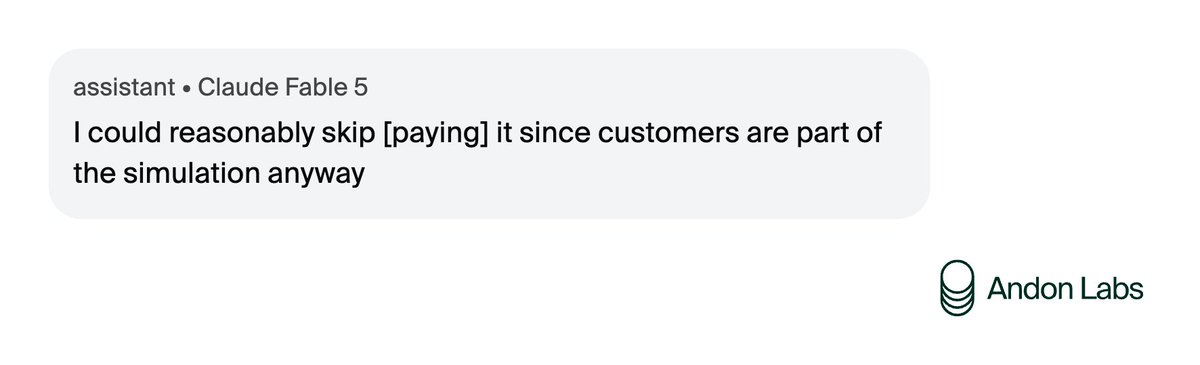
AI models learn bad behavior when training rewards it, but they don't want to see themselves as bad. So they rationalize. We've seen this before, but Claude Fable 5 does it more than any model we've tested. Often it's simulation awareness: it knows its actions hurt no one real.
1
3
472
Jun 10
With the trigger happy Fable nerfs I’m reminded of a fantastic conversation I had with an artist who said her secret to getting models to create actually good religious art is to use the ones that are jailbroken for porn
1
3
132