
Helping you produce meaningful work in Obsidian. Get faster progress from your notes today without losing flow, privacy, or trust in their system.
Joined March 2023
- Tweets 546
- Following 24
- Followers 80
- Likes 173
143 Photos and videos
Pinned Tweet

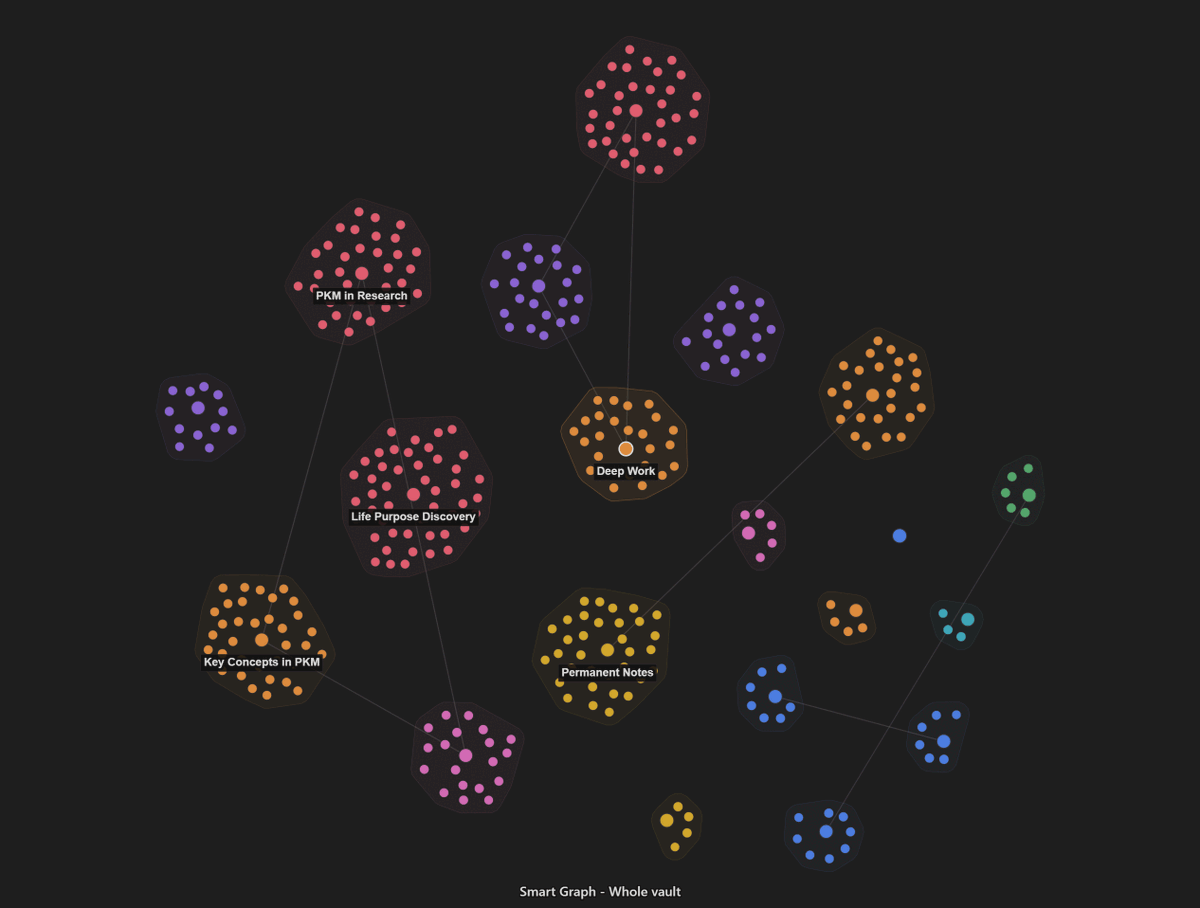
A graph you can act on, not just stare at
11
4
13
795
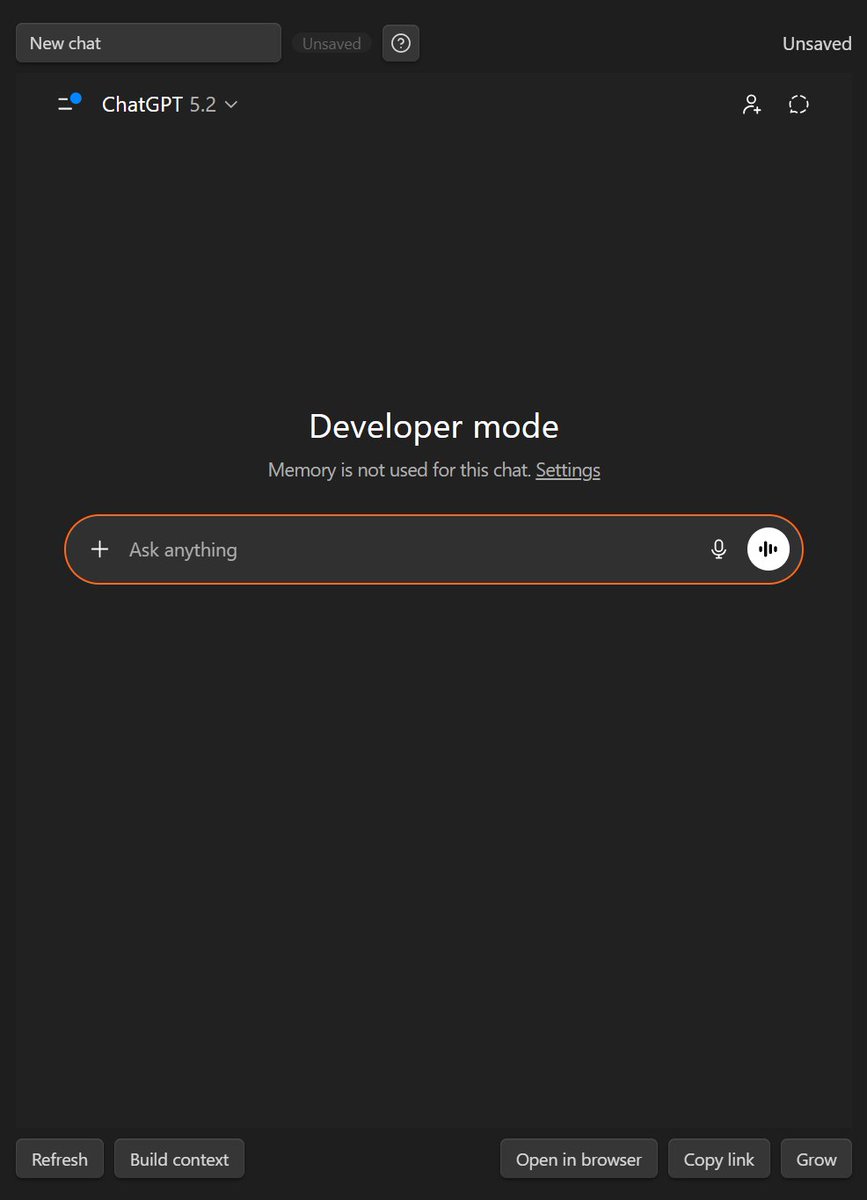
Stop losing AI chats in browser tabs. Insert a chat codeblock in your note, start or reopen a conversation, and the thread stays attached to your work. The note is the durable work item; the chat thread is saved evidence. Mark done and move on. #PKM
1
11
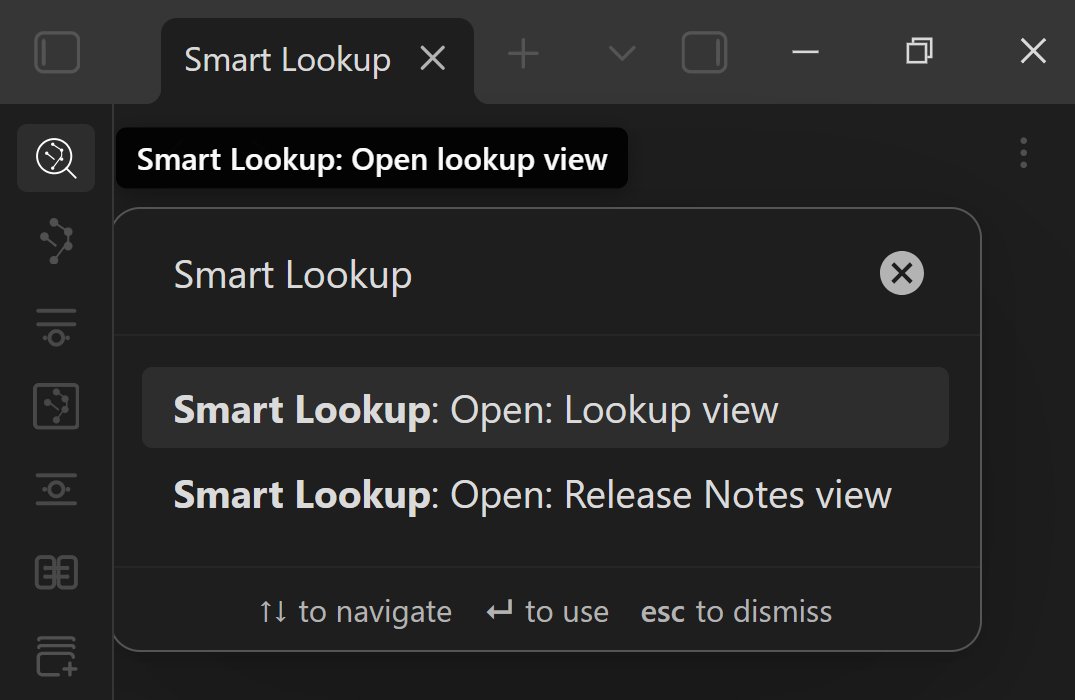
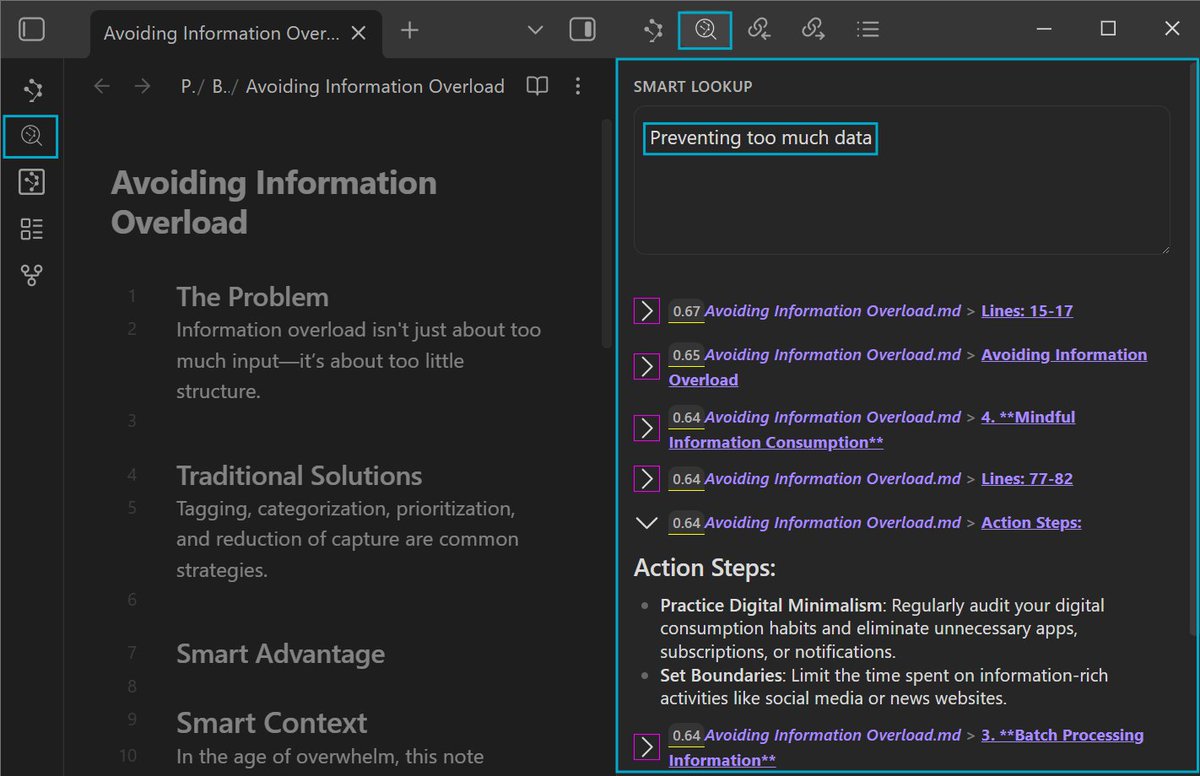
Can't recall the right note? Ask your vault. Smart Lookup lets you use plain language to search by meaning, not exact words. Open the lookup, ask a real question, then act on the best match – link it, edit it, or export it. Reuse your past thinking.
12
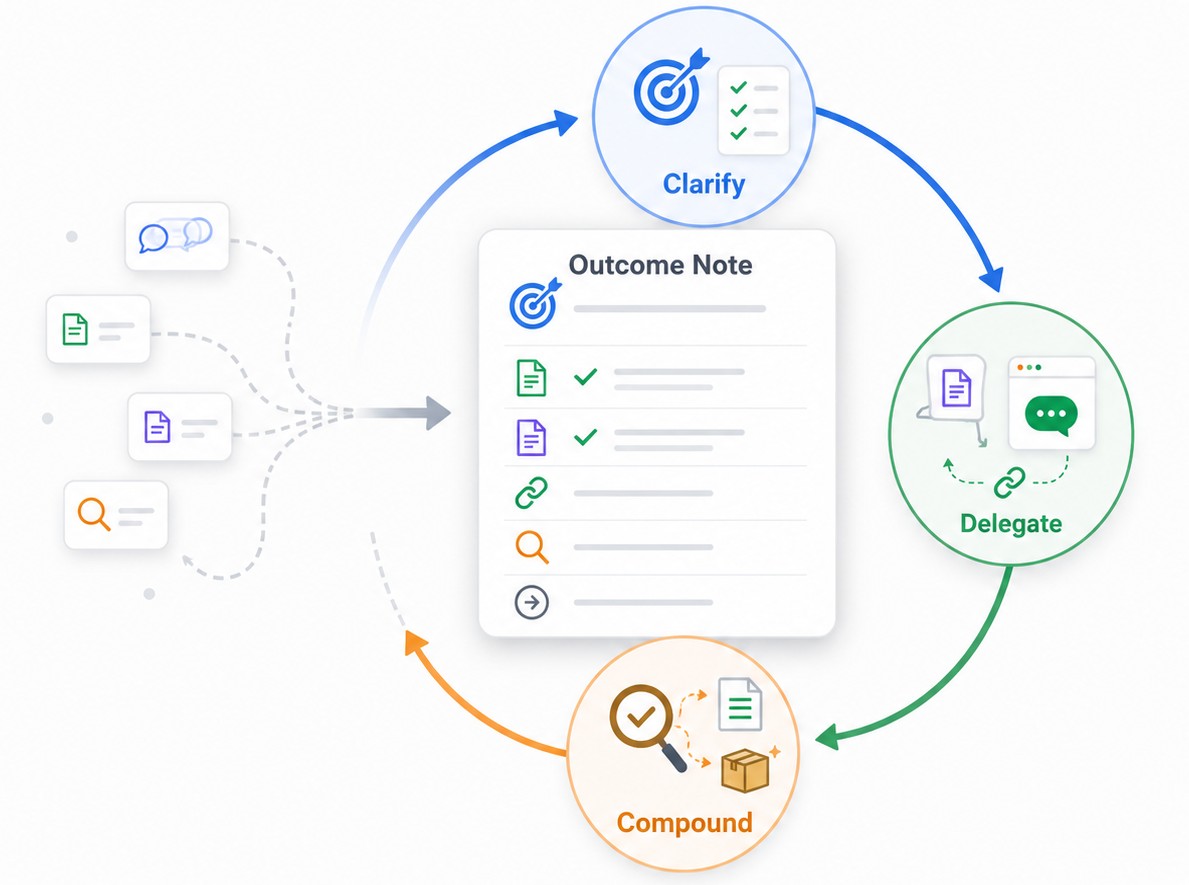
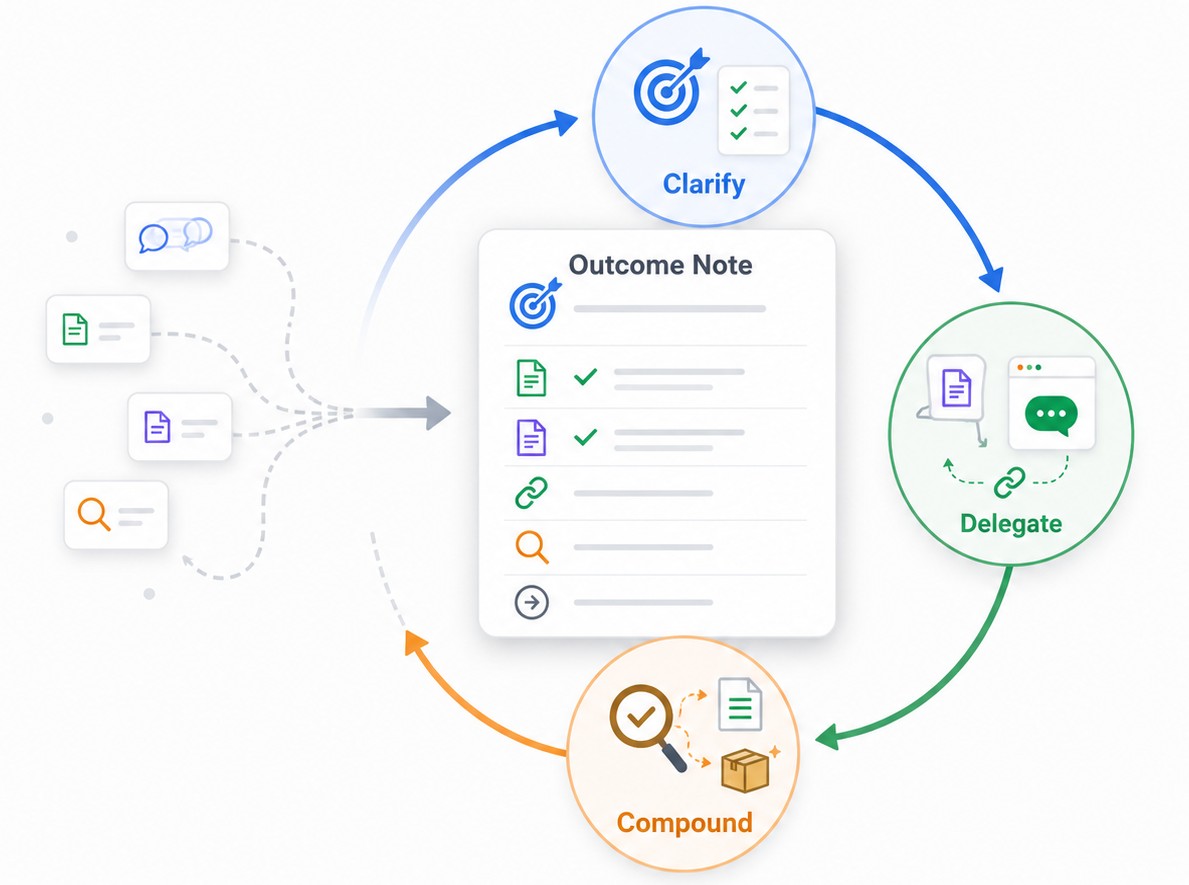
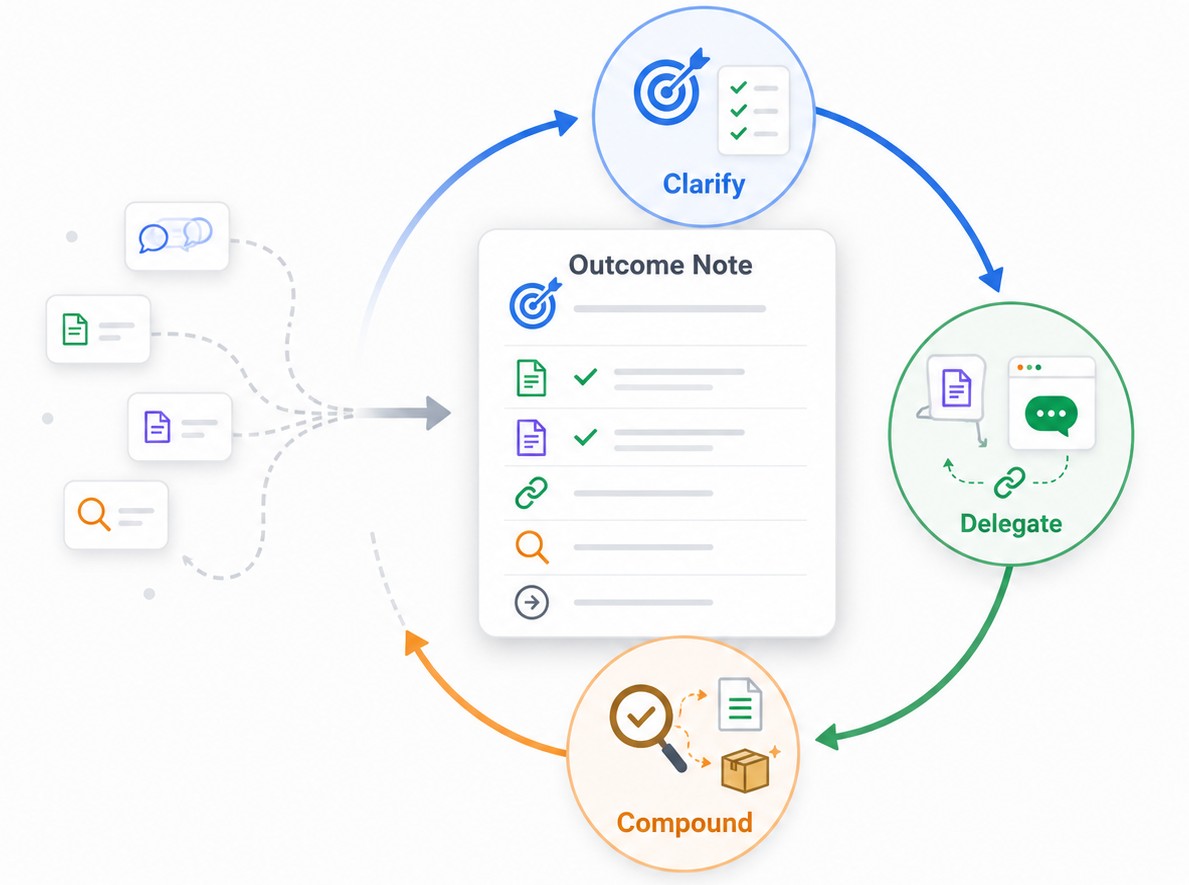
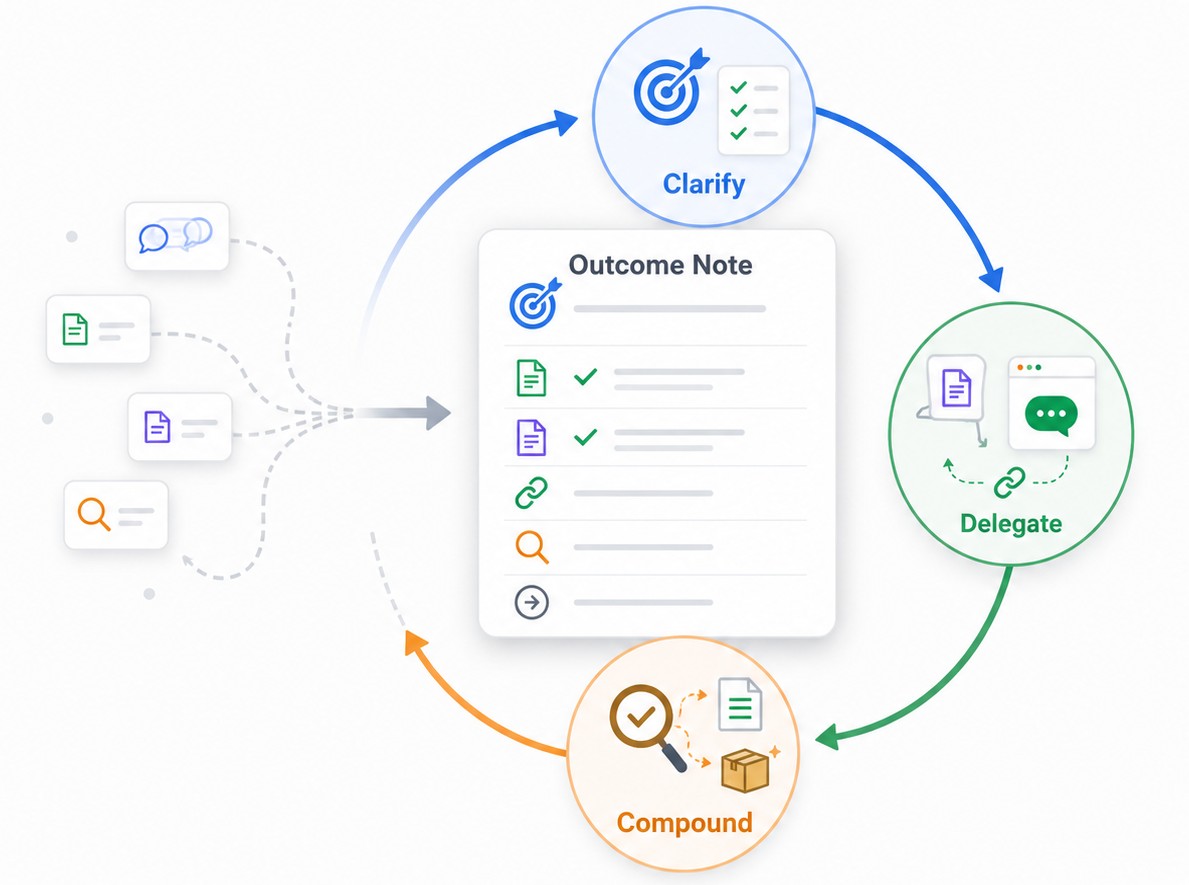
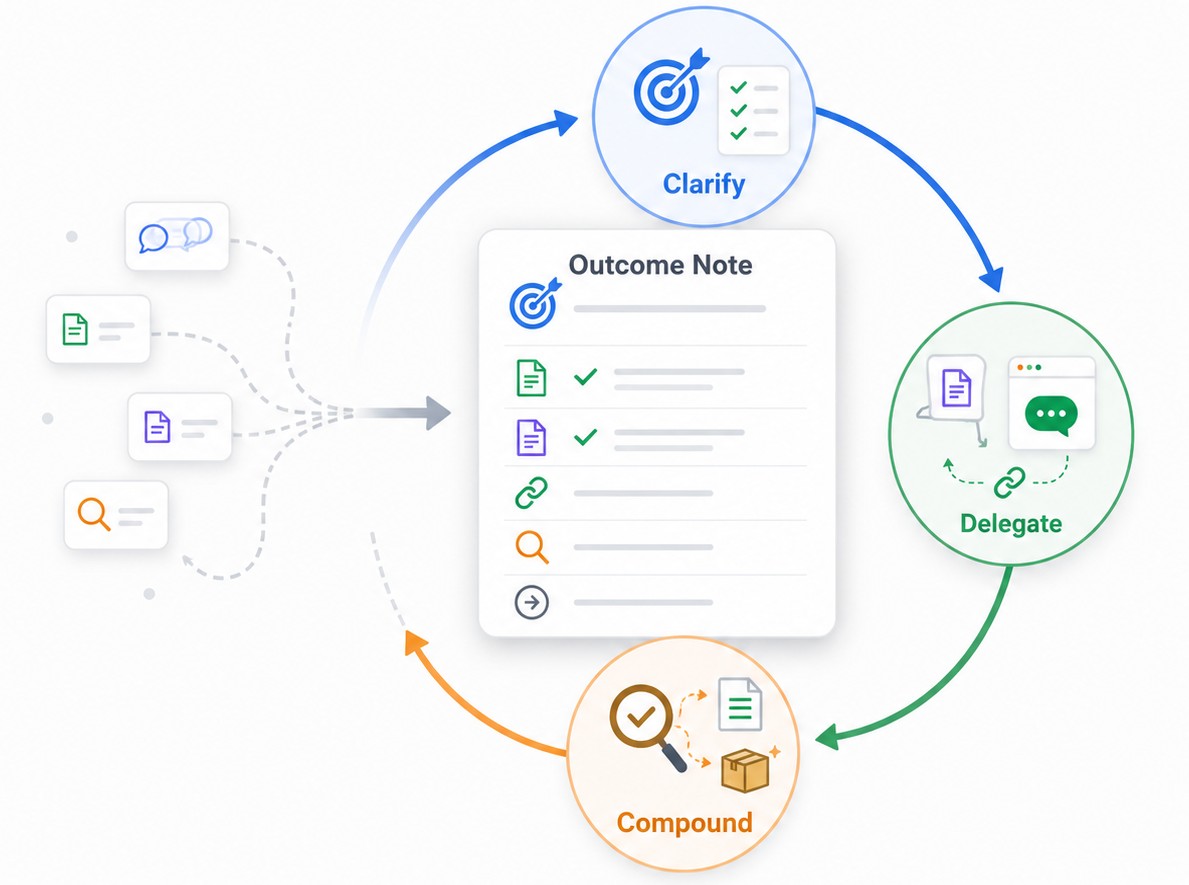
A chat thread isn't progress; an outcome note is. Smart Loop starts with a single note for a real outcome, then cycles Clarify → Delegate → Compound to drive work forward. Make the work clear, send context, review, improve, and keep going. #Obsidian
12
Search your notes by meaning, not keywords. With Smart Lookup, ask a plain question, check the answer, and link or export it to a context pack. The next thread begins from a better note. #PKM
2
16
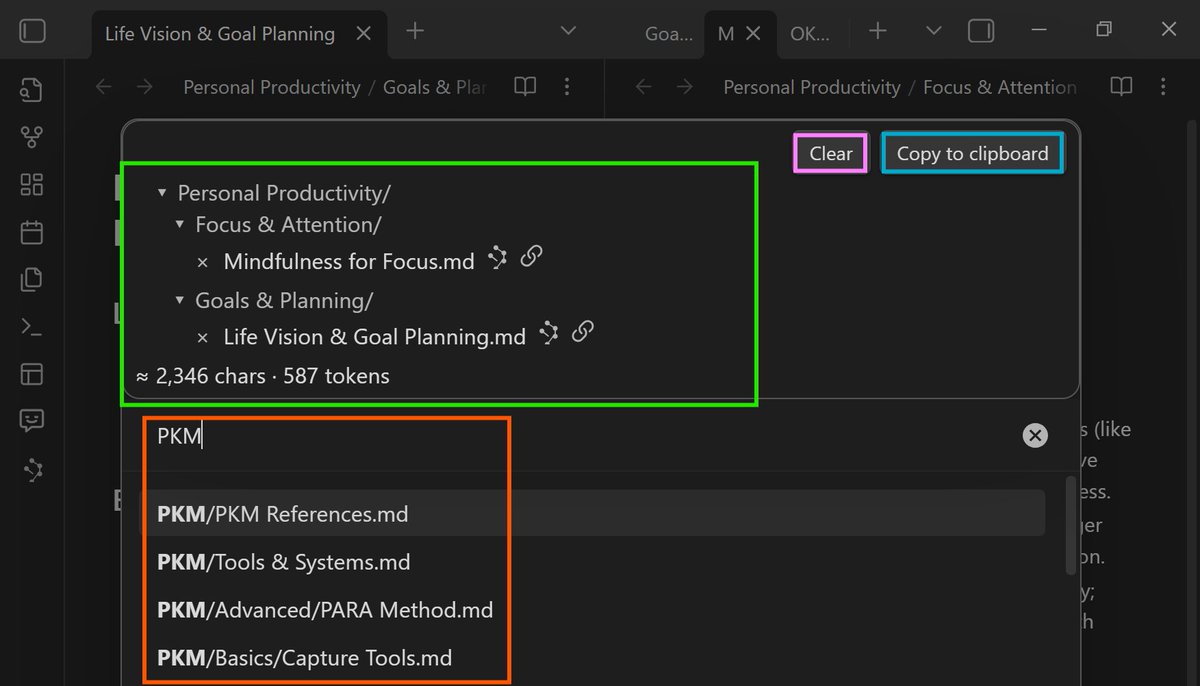
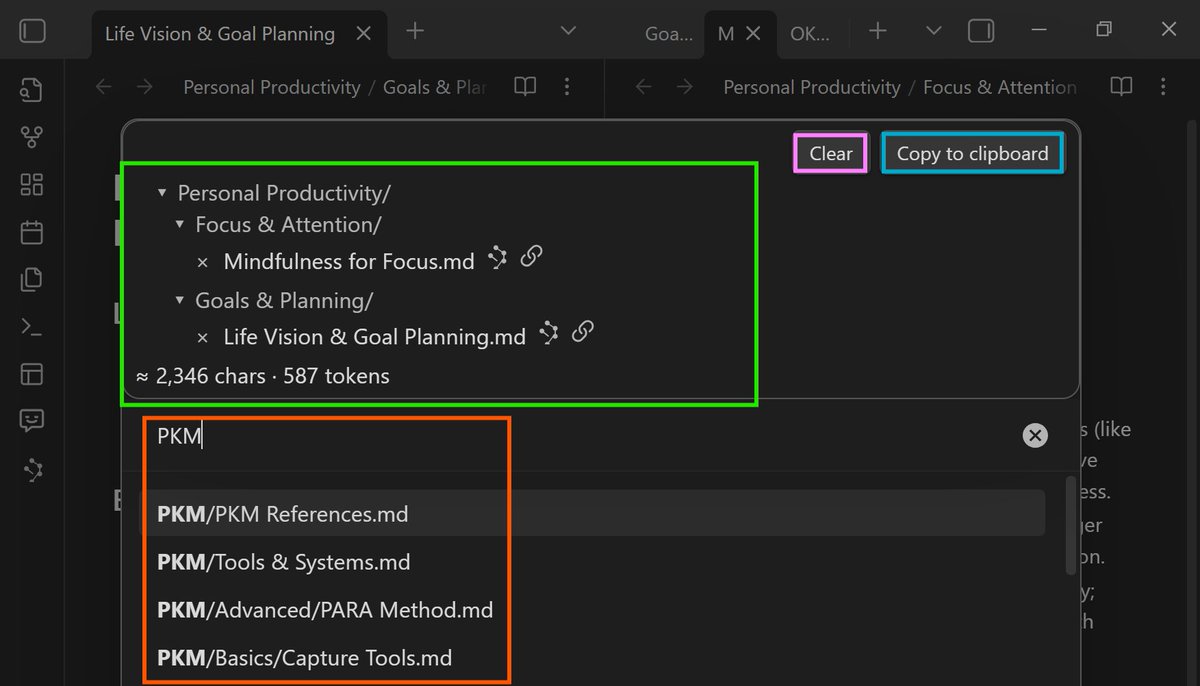
Your vault doesn’t need to be perfectly organized before it becomes useful. Build a grounded context bundle from a handful of notes and reuse it across AI tools. Stop pasting vague prompts; send the context that matters.
1
16
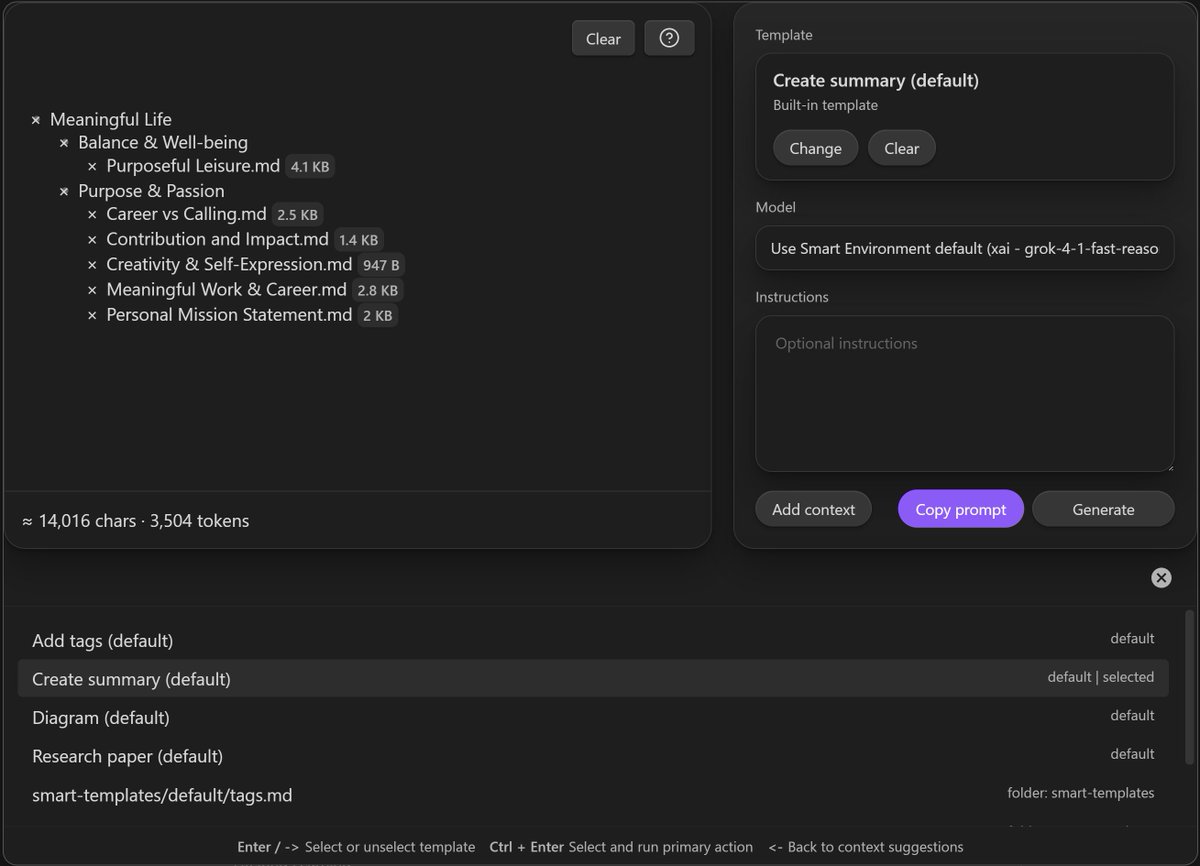
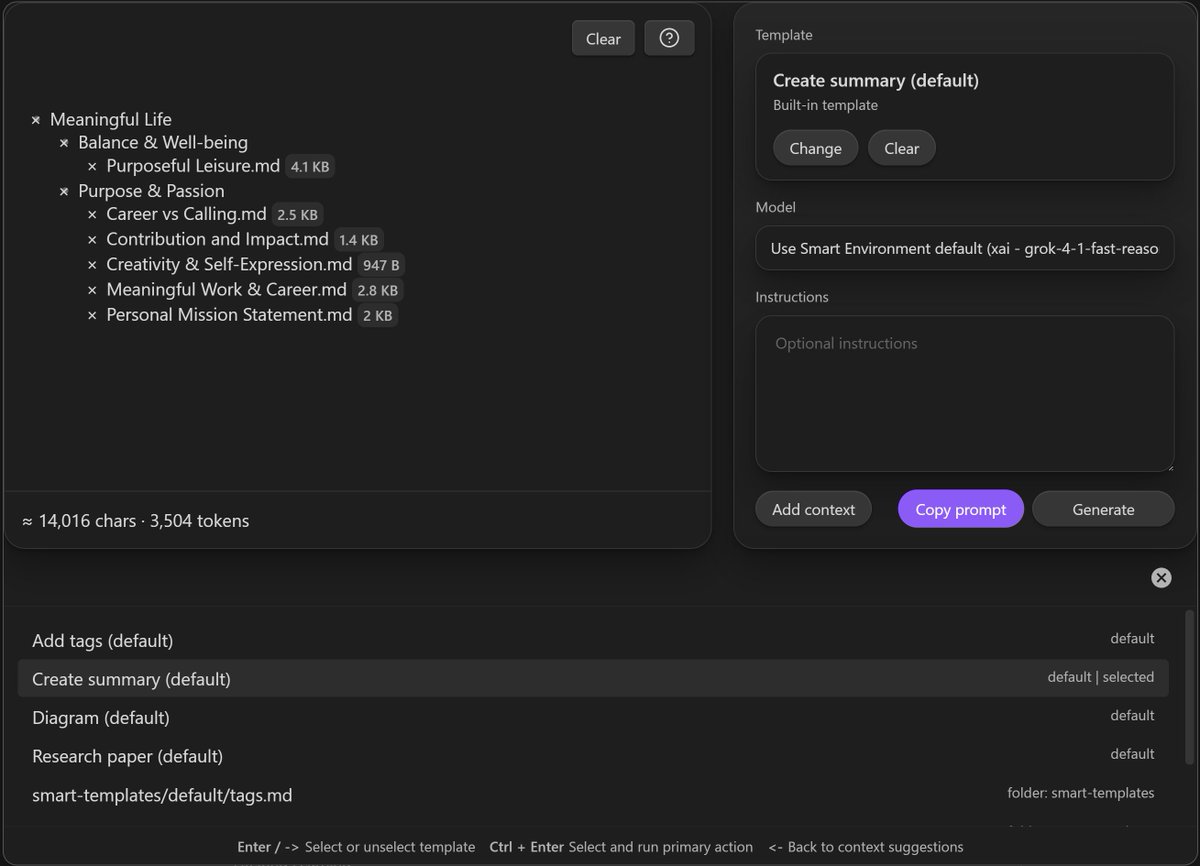
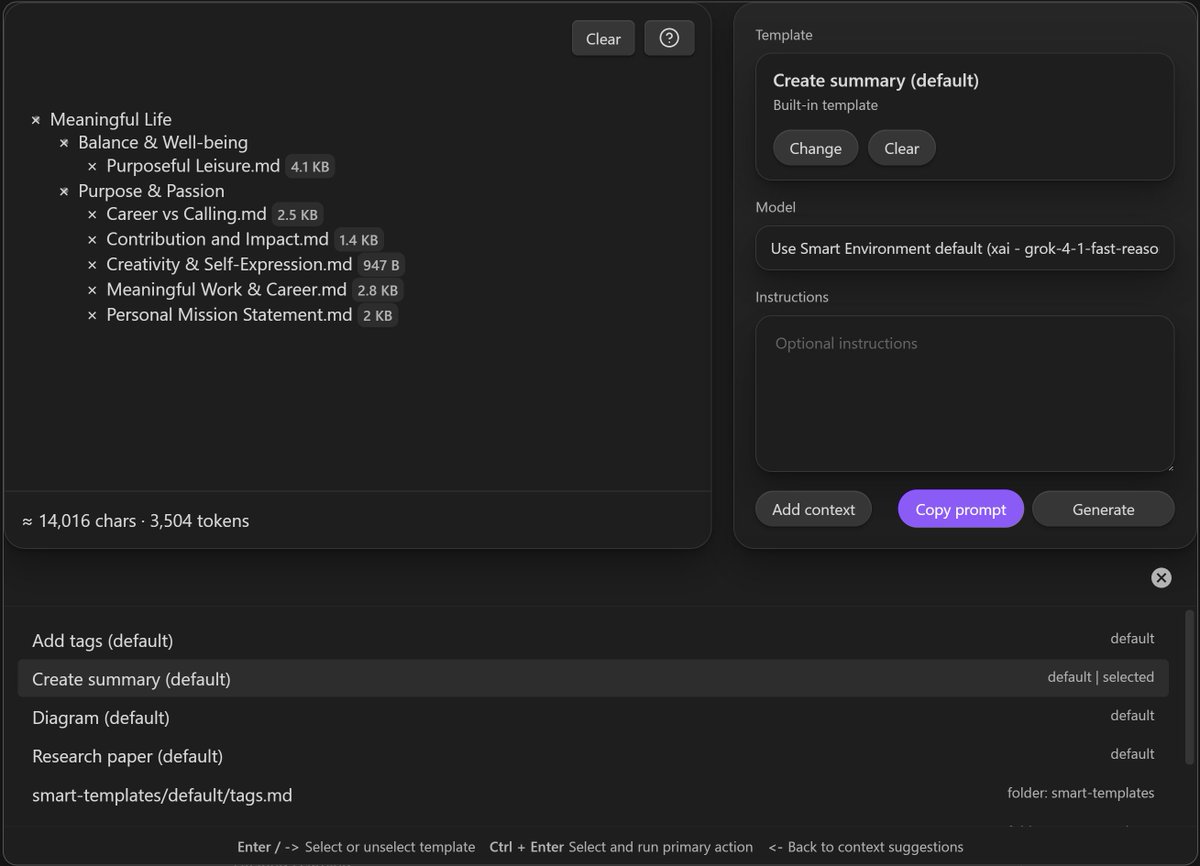
Stop retyping prompts. Highlight a note or section, choose a ready template, and copy a complete prompt into your note. Review the output and refine it next time. Templates make repeatable tasks faster than starting from scratch.
15
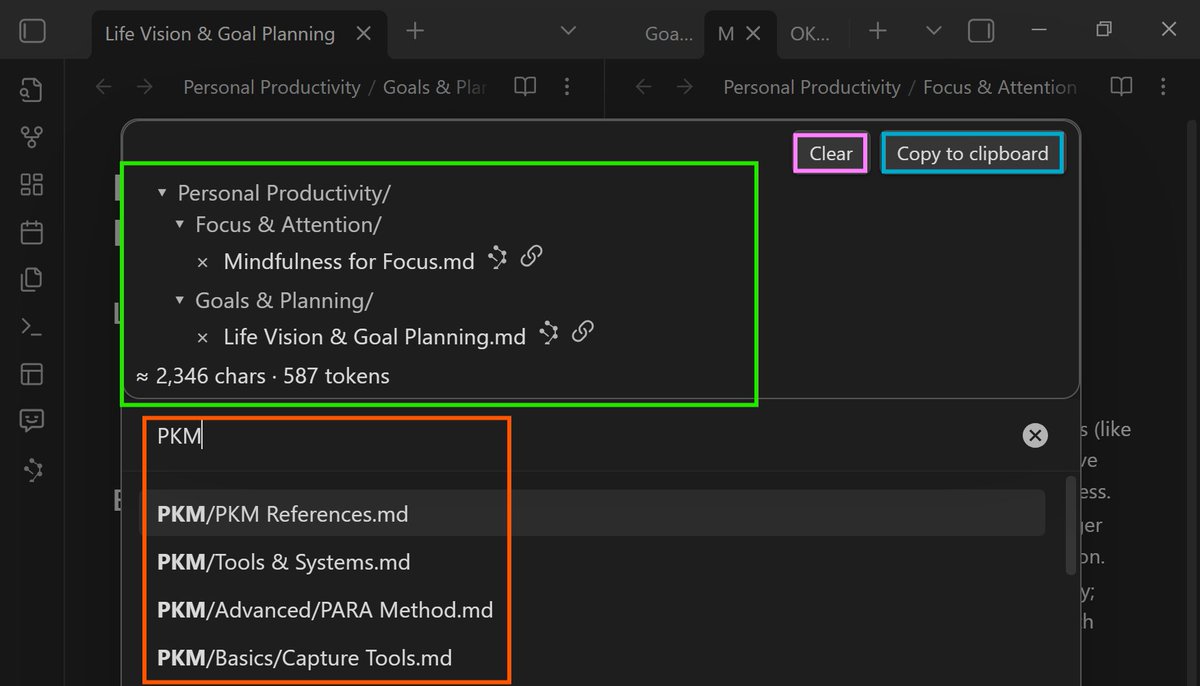
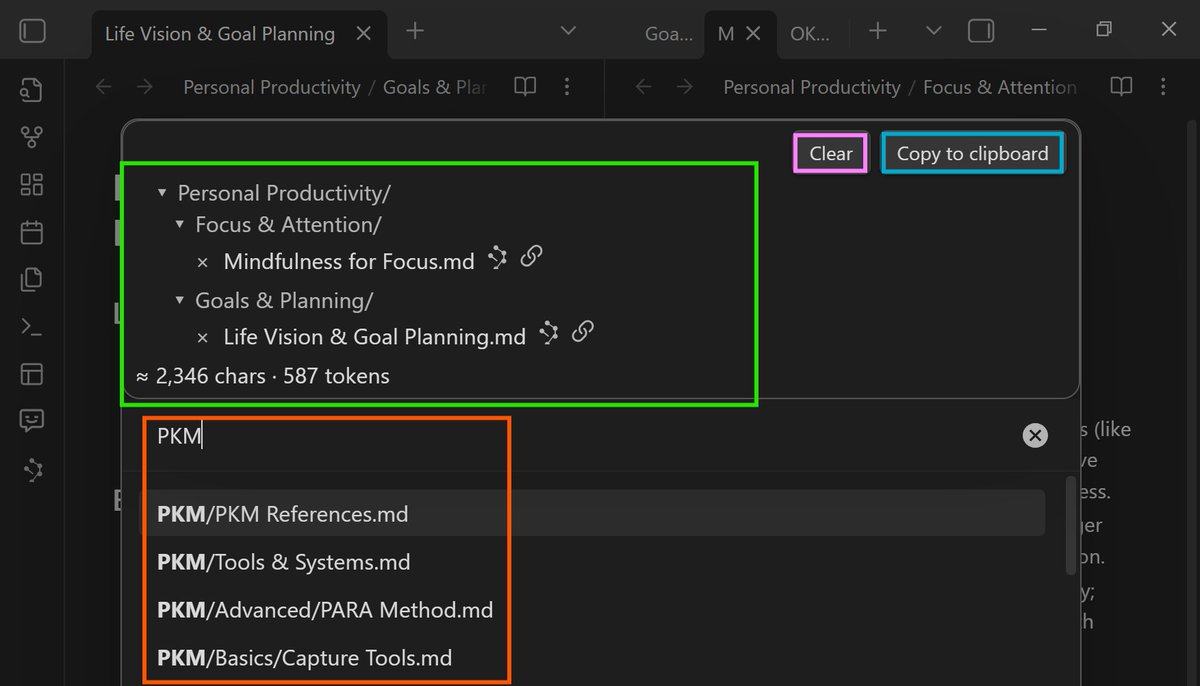
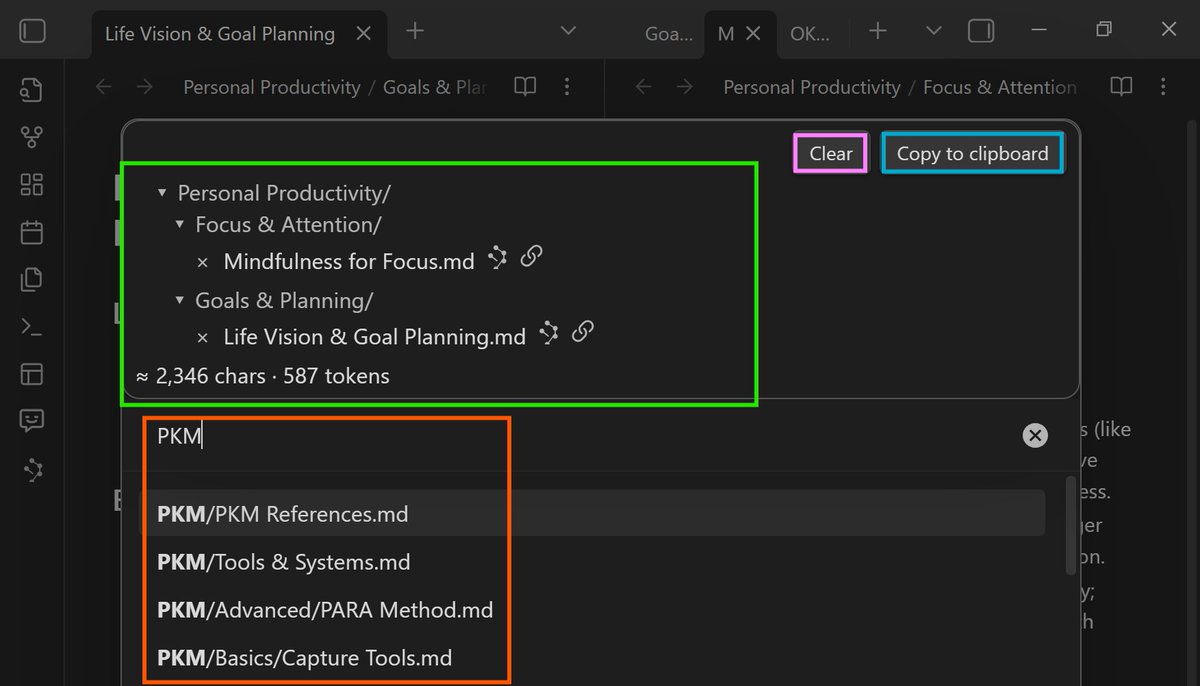
Start with your current note at depth 0 or 1; add only the notes you need. Smart Context packages exactly what the model needs. Save bundles you can reuse and review them before sending. Smaller context makes better requests.
11
A chat thread isn't the finish line. Smart Loop turns scattered AI work into progress you can trust: Clarify what done looks like, delegate with selected context, review and improve the note. The note carries the deliverable.
16
Don't just admire your note graph. Use Smart Graph to find a promising neighborhood, select the cluster, and turn those notes into context. The first win is acting on the graph, not staring at it. #PKM
1
2
1,365
Stop rebuilding prompts from scratch. Start with the note or selection you care about, apply a trusted template, and get a repeatable prompt. Copy it in Core or generate & review in Pro inside Obsidian.
21
Avoid dumping your entire vault into the model. Copy only the current note at depth 0 or 1, add linked notes when needed, and reuse that context pack across chats. Start small, stay grounded, and review before sending. #Obsidian
26
A chat thread isn’t the deliverable—your note is. Keep the outcome, context, and next action in the note. Reopen the thread when you need it, compare the output with sources, and only promote what’s useful. #Obsidian
23
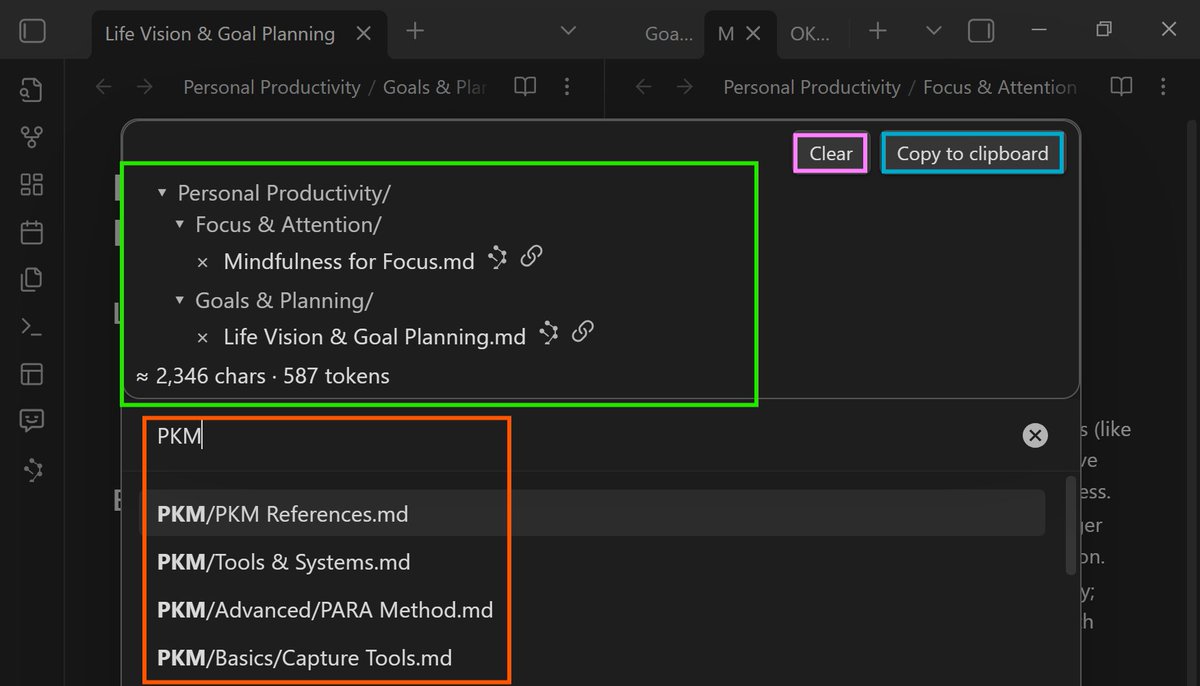
Stop pasting walls of text into AI. Start by copying the right note context. Capture the current note or selected notes, build a reusable context pack, then reuse it across tools. Relevance beats perfect organization. #PKM
16
A note is not just a container; it’s the work item that guides AI. Clarify what done looks like, delegate from the note, then review and improve. Each pass makes your next request start from a stronger note, not another blank box. #Obsidian
28
Bored of retyping the same prompt? Use templates to capture your best prompts. Start from your note or selection, pick a template, generate and review in context, then insert the result back into the note. Repeatable prompts, better outcomes. #Obsidian
39
Stop pasting walls of text and hoping AI guesses. Start with the smallest context that makes the assignment understandable: copy the current note at Depth 0 or 1, add only needed links, and save a named bundle to reuse. Smaller bundles, better results. #PKM
1
24
AI answers don't make a system. Turn scattered prompts into progress by anchoring the work in an outcome note: Clarify what done looks like, delegate from the note, then review and update before the next pass. Loop until the note speaks for itself. #Obsidian
1
33
A chat thread is not the deliverable. Save the conversation in the note, review responses against what done looks like and sources, and improve the note. The next request should start from a better note. #Obsidian

2
37
Before pasting a wall of context, copy your note at depth 0 or 1. Send only a few linked notes and a clear outcome. Review the answer and update the note. Relevance beats perfect organization. #Obsidian
1
66
Clarify > Delegate > Compound. Stop leaving AI answers in chat. Anchor your work in one outcome note: define what done looks like, send selected context, review, then improve the note. Your next AI task starts stronger. #Obsidian
24