
573 Photos and videos






You Can Close Your Laptop Now, Actually.
Run `sudo pmset -a disablesleep 1` and your MacBook will never sleep. Not even when unplugged.
If you forget to run `sudo pmset -a disablesleep 0`, it'll die faster (and waste a tiny bit of energy). That's the only risk.
Better yet, I'm usually near an outlet when working, so I just leave it on always-awake.
When out and about (or oot and aboot in Canada), my MacBook hotspots from my phone and BAM, I have an always-on server, so long as my phone has battery and service.
Better yet AGAIN, I run Pi with generous permissions on my laptop, with a connection to a Slack DM. With my laptop on hotspot in my backpack, I can DM my laptop to write code from the subway.
I'm surprised more people don't do this.
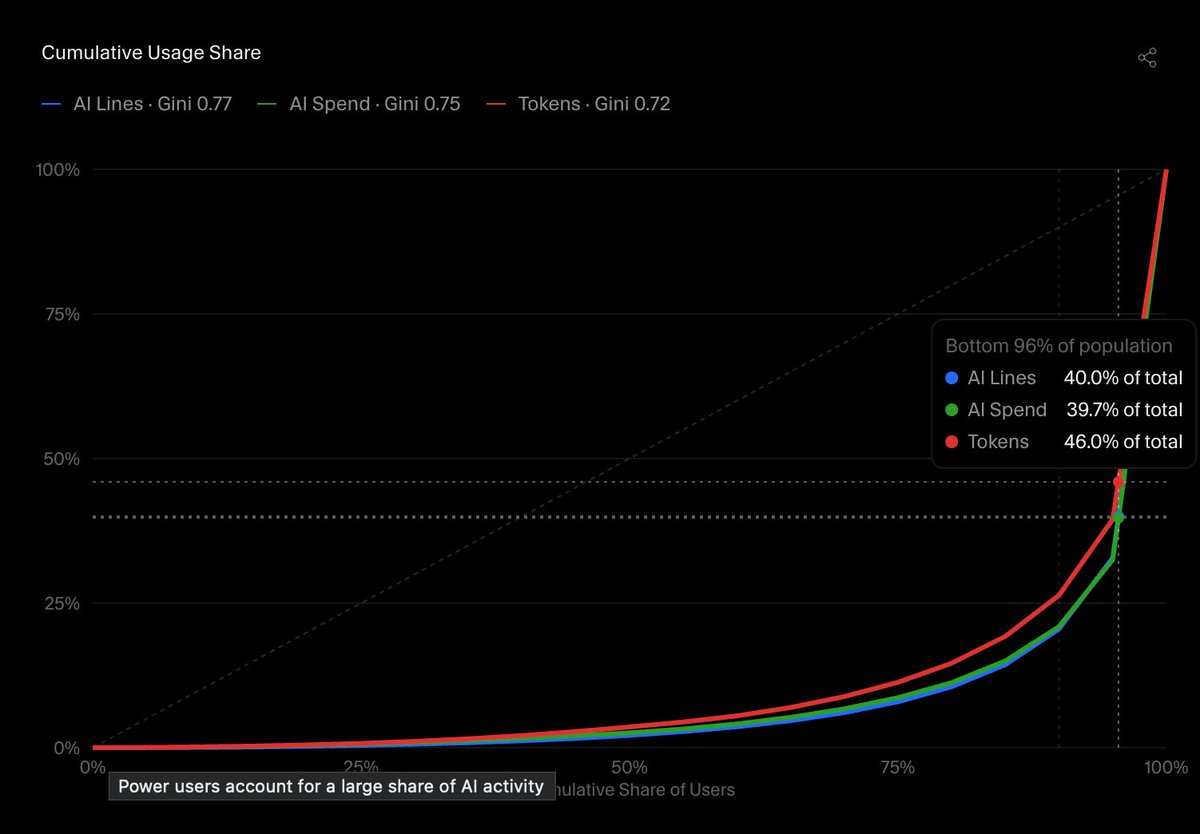
[Img src: OAI]

1
1
185
Ted Spare retweeted

Jun 10
build → critique → improve → repeat
banger blog post from @TedSpare about autonomous iteration loops for coding agents
Jun 10

What is polish? When we improve a feature, are we flexing intelligence or exercising sustained attention?
We tested whether a critique-improve loop closes the gap between "it works" and "it's good". Across our experiments, the answer is yes.
New post: rubriclabs.com/blog/autonomo…
2
8
246
Coding agents can one-shot features, but it’s rarely the best it could be.
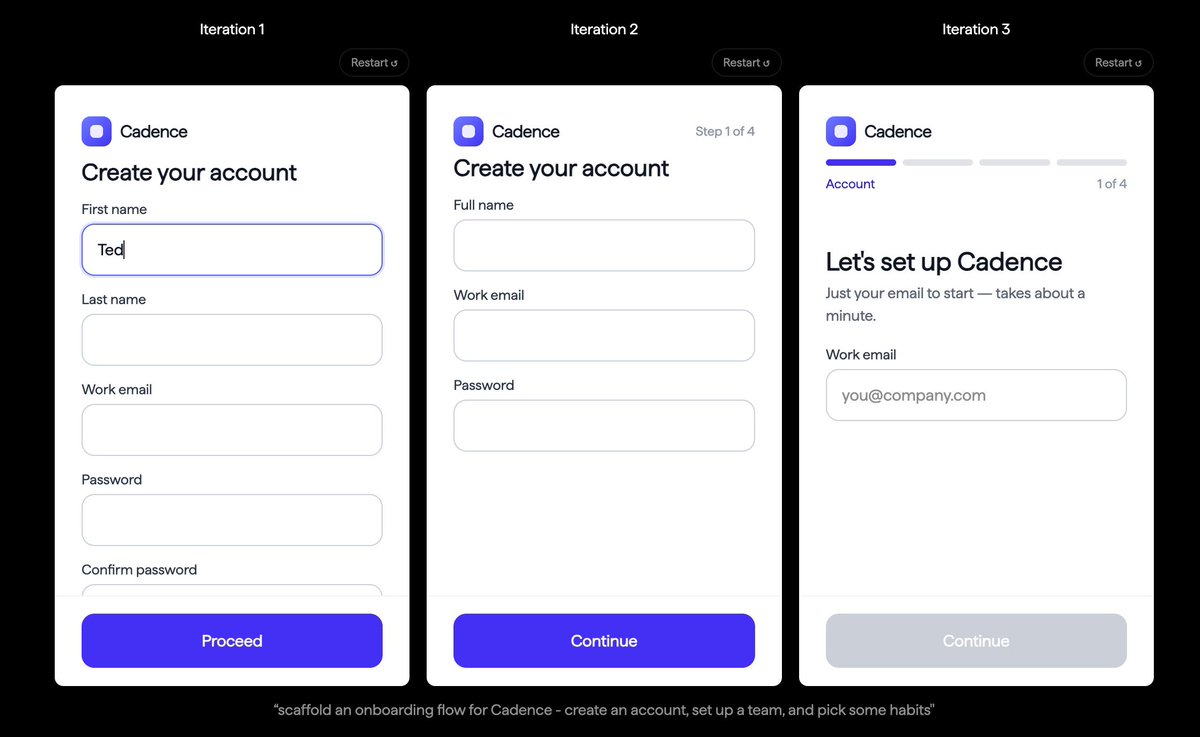
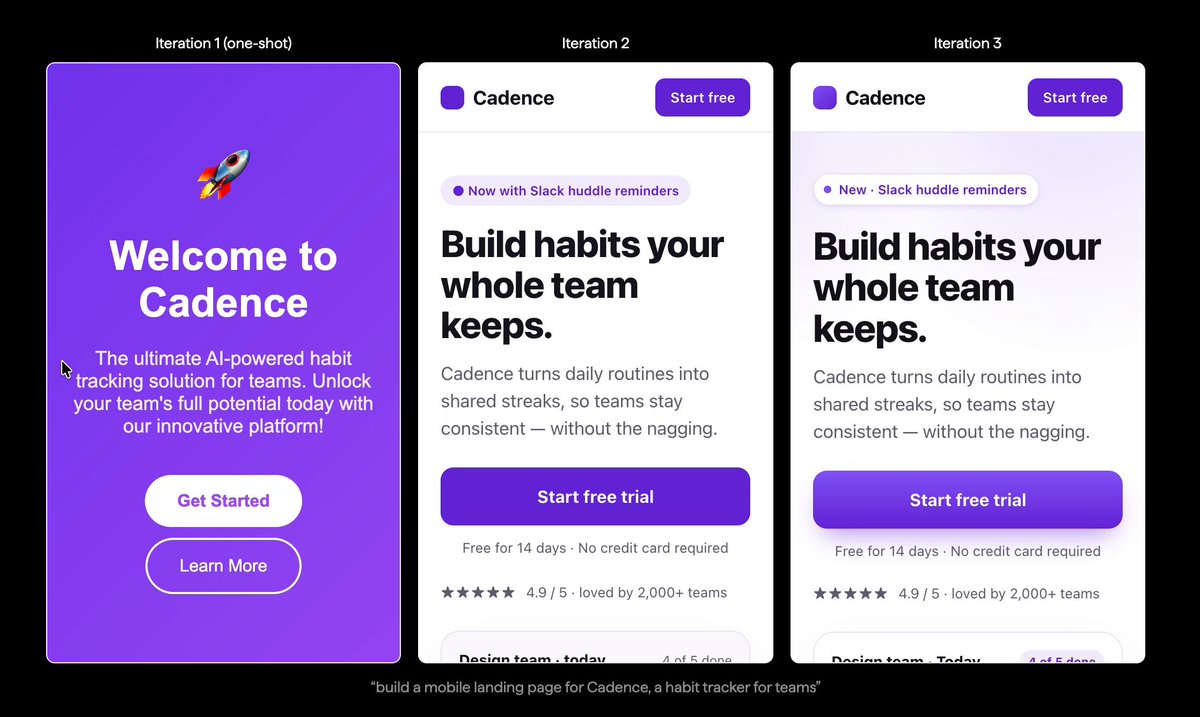
We ran an experiment to find out whether an agent can do what builders do after the first commit: look at the output, see what's wrong, and fix it, repeating until it's good.
Jun 10
What is polish? When we improve a feature, are we flexing intelligence or exercising sustained attention?
We tested whether a critique-improve loop closes the gap between "it works" and "it's good". Across our experiments, the answer is yes.
New post: rubriclabs.com/blog/autonomo…
2
2
7
1,275
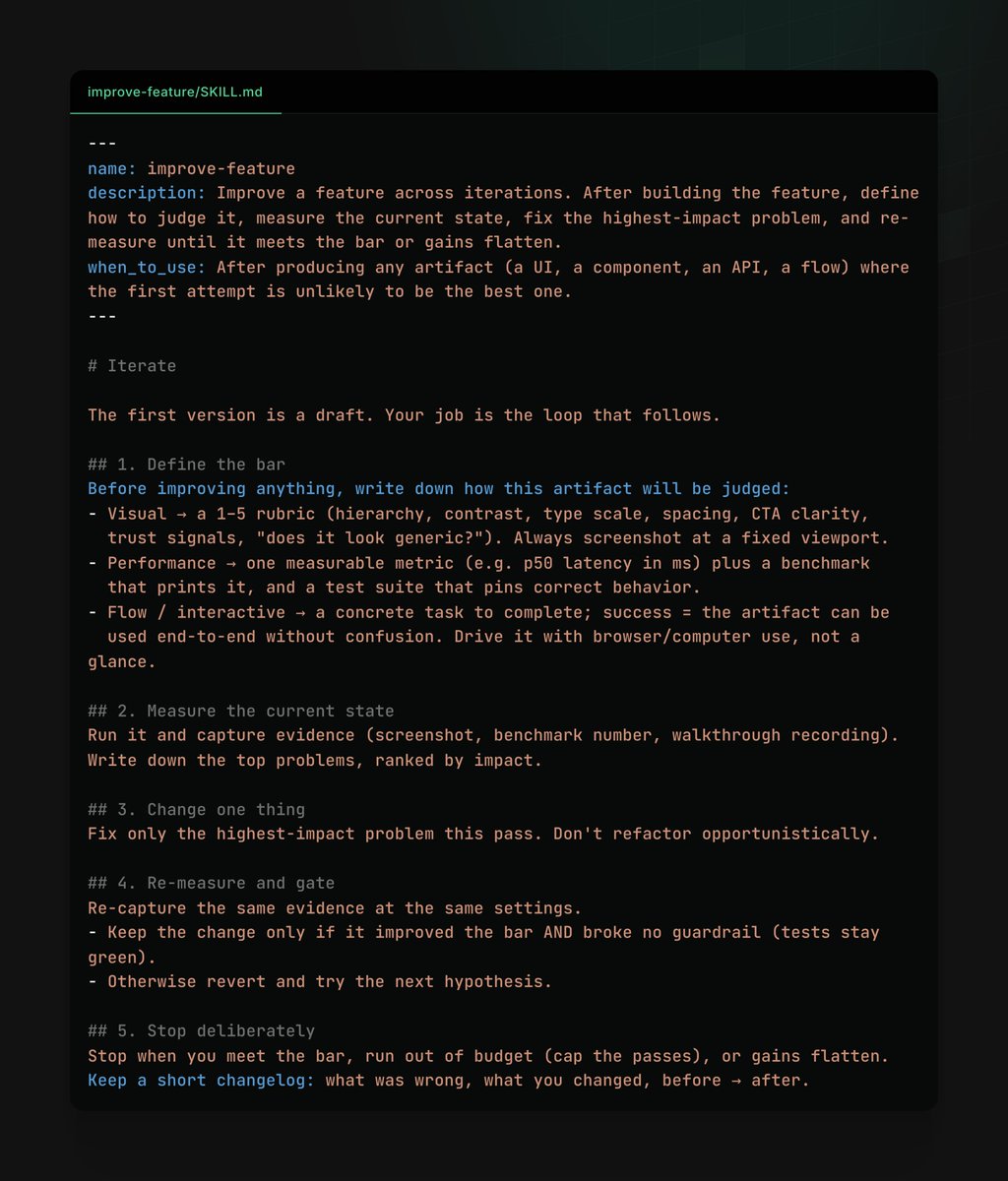
The whole thing runs on a ~30 line SKILL.md we're calling `improve-feature`.
It tells the agent to define the bar, measure current state, fix the highest-impact problem, re-measure, and stop when gains flatten.
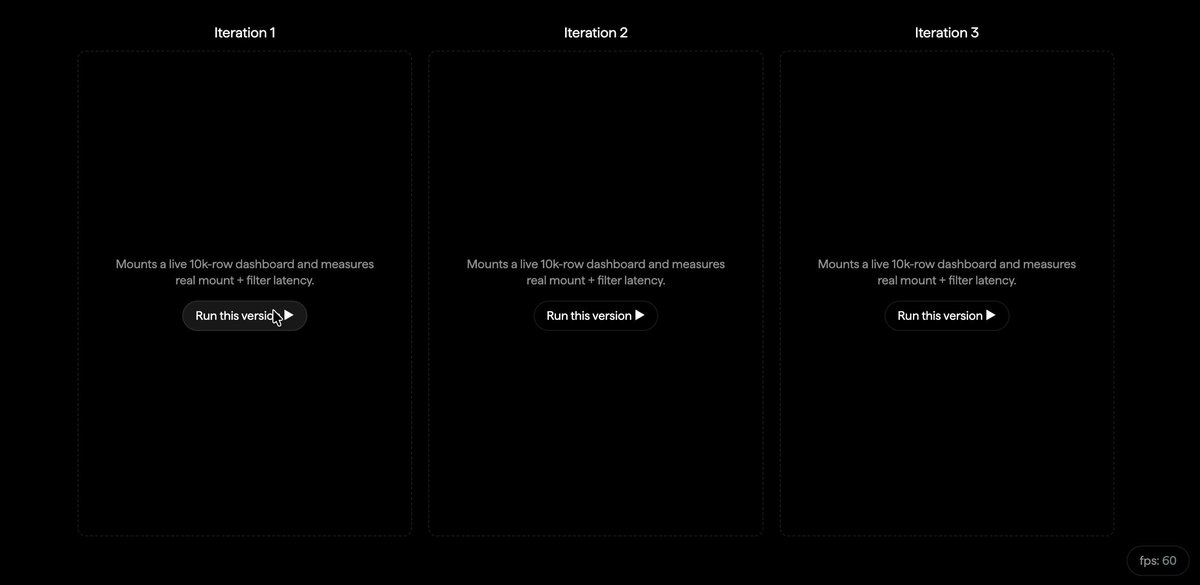
The full skill and all three interactive demos are in the post.
1
3
49
Ted Spare retweeted

and it's official!
we're running an AI safety hackathon this June 11-18, open to students, researchers and devs from all backgrounds
a special thanks to @redwood_ai, @rootlyhq and @RubricLabs for your support!
luma.com/ab2xlas3
1
3
30
2,783
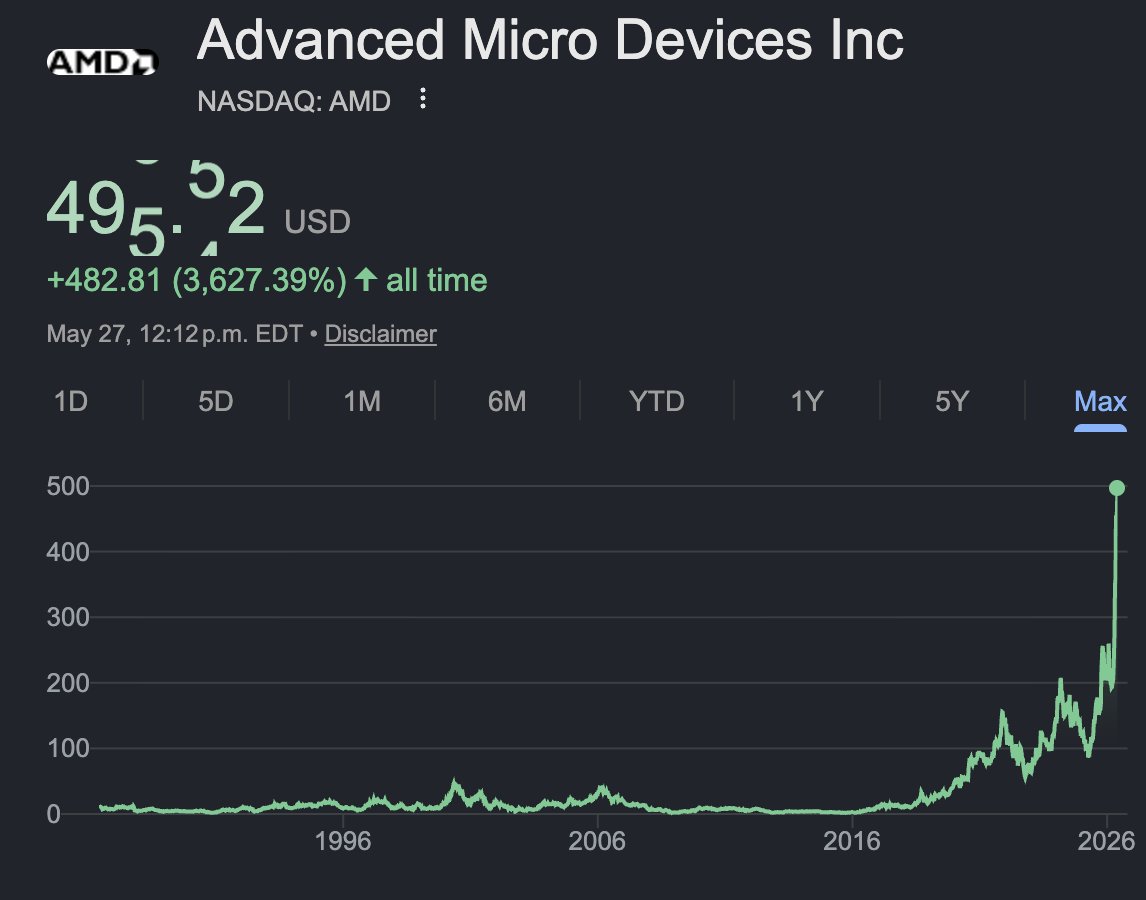
In Toronto, Canada, if your startup is successful, the mayor comes to your party

Flicked up with @MayorOliviaChow at cohere event. Thanks for taking the pic bossman @1vnzh . If I known you were the cofounder of cohere I promise I would’ve asked for a picture with you too.

13
940
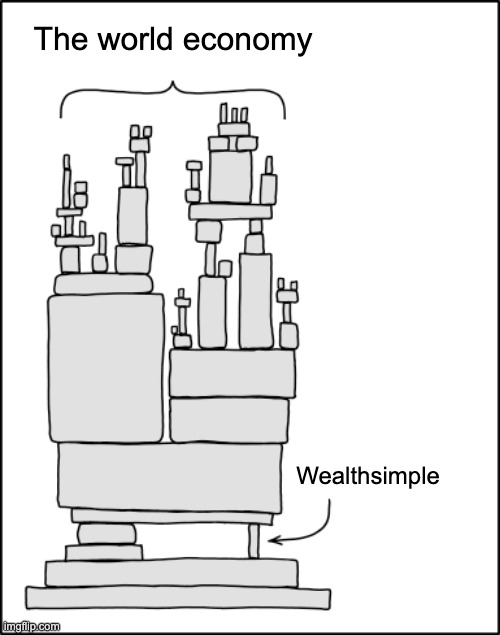
Again, the Canadian fintech scene is cracked
x.com/tedspare/status/205753…


8
3
92
16,894
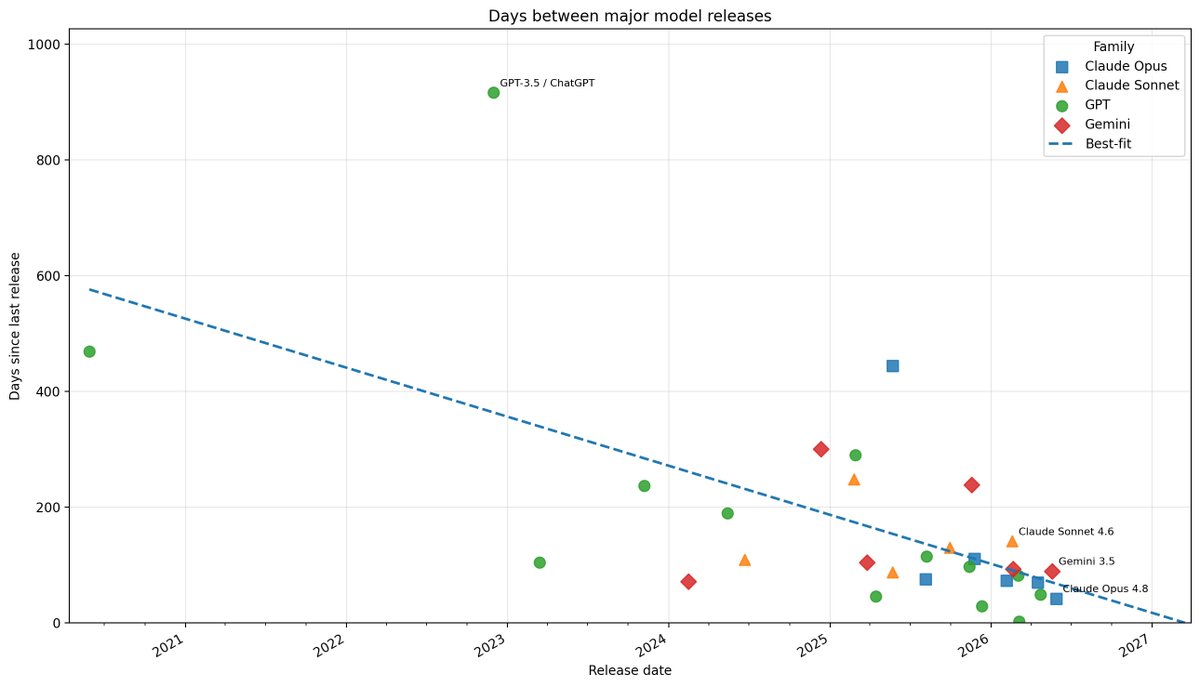
Even if token prices 3x without VC subsidies, inference costs fall by 40x a year
Lifting the subsidies represents a one-time 4-month setback
And it makes open models much more competitive
epoch.ai/trends
May 21

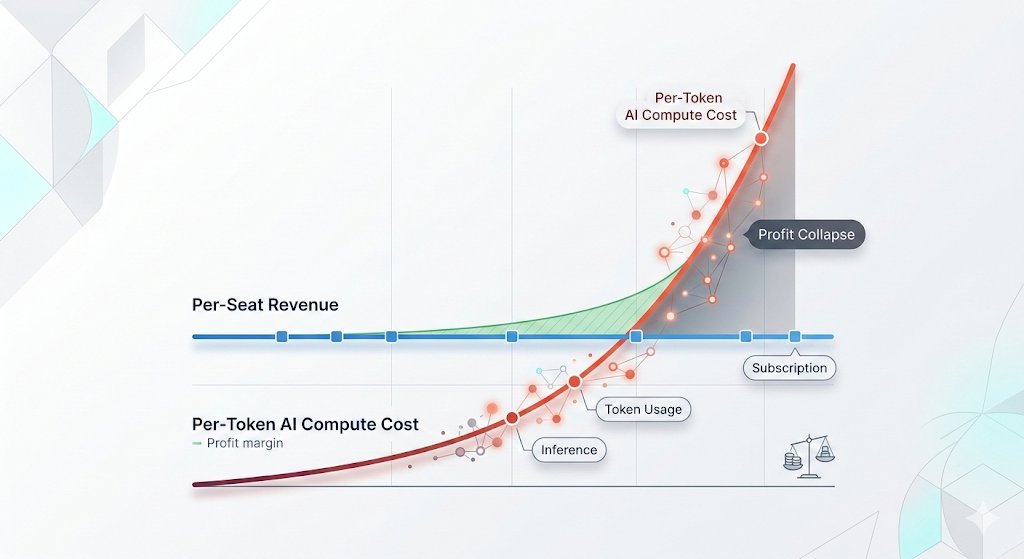
🦔Microsoft canceled its internal Claude Code licenses this week after token-based billing made the cost untenable, even for a company with effectively infinite cloud resources. Uber's CTO sent an internal memo warning the company burned through its entire 2026 AI budget in just four months. American AI software prices have jumped 20% to 37%, and GitHub (owned by Microsoft) is dropping flat-rate plans for usage-based billing across its products.
My Take
The AI subsidy era is ending in real time. The same company that put $13 billion into OpenAI and built the Azure infrastructure powering most of Anthropic's compute just looked at the bill from a competitor's coding tool and decided it was not worth paying. That is not a productivity failure on Anthropic's end. Token-based pricing is forcing every enterprise customer to confront the actual cost of running these models at scale, and the number turns out to be far higher than the flat-rate experiments suggested.
This ties directly to my Gemini Flash post yesterday. Anthropic, OpenAI, and Google all raised effective prices in the last six months. Enterprises that built workflows assuming AI costs would keep falling are now watching annual budgets evaporate in months. Two outcomes look likely from here. Either enterprises scale back AI usage to fit budgets, which slows the revenue ramp the labs need to justify their valuations ahead of IPOs, or the labs cut prices and absorb the losses, which makes the unit economics worse at exactly the wrong moment. Both paths land in the same place, the numbers stop working, and somebody has to take the writedown.
Hedgie🤗
2
7
1,551
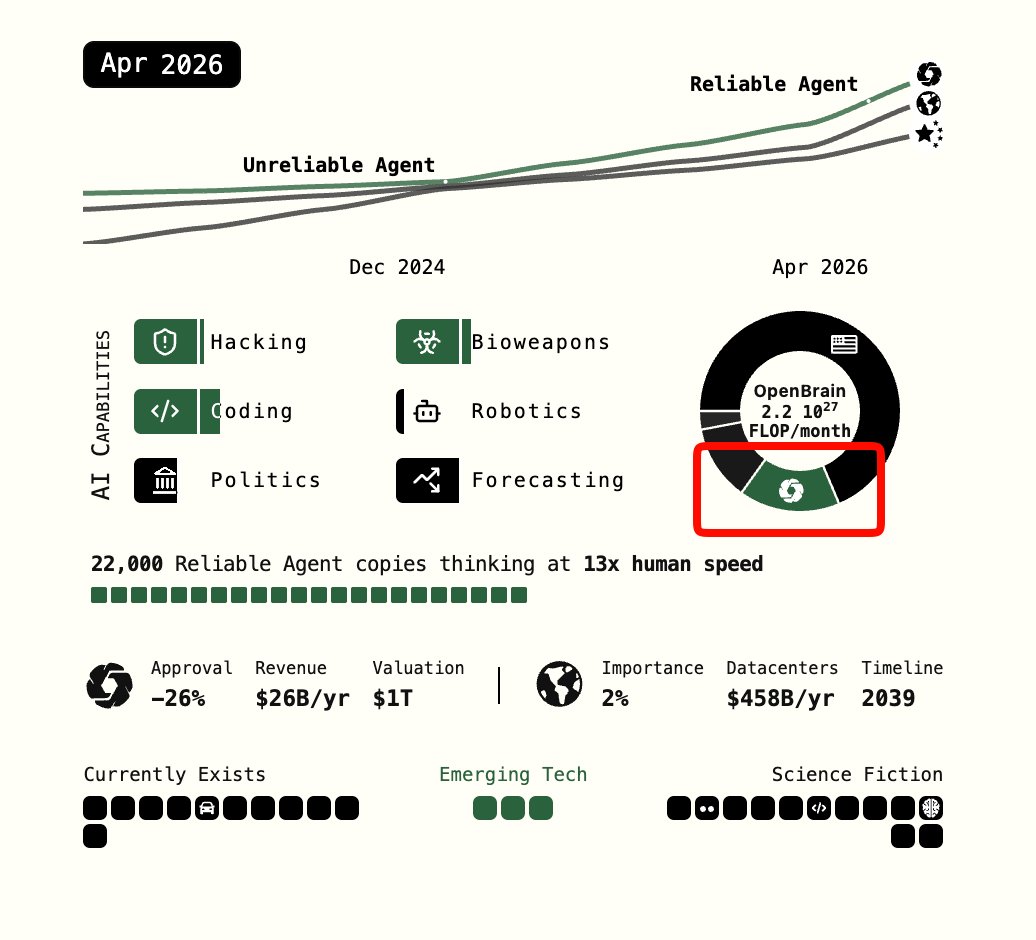
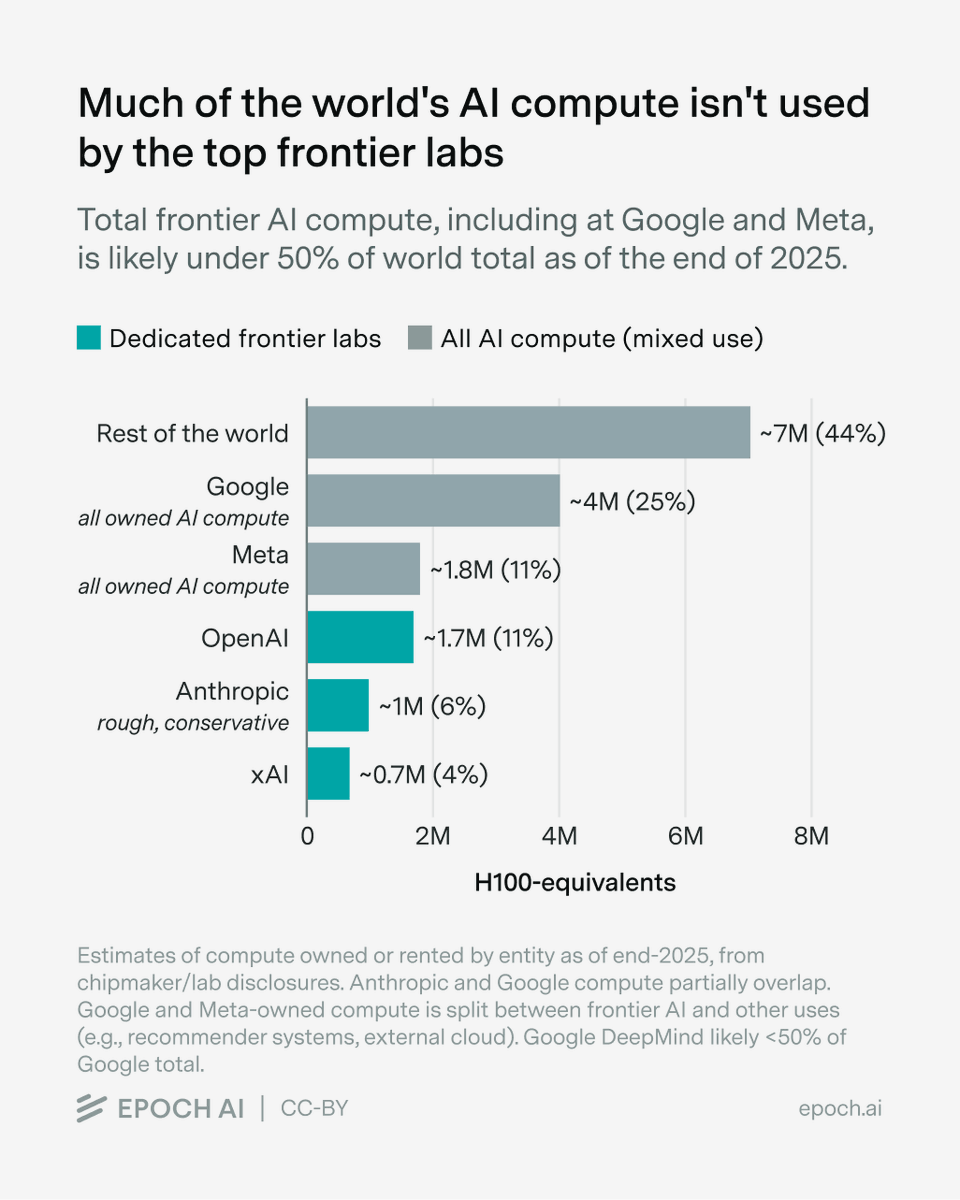
Behind schedule per @DKokotajlo's AI 2027, which had the largest lab at 13% of all compute by April ai-2027.com/#narrative-2026-…
May 21

OpenAI kicked off the AI compute buildout in 2023. But today it uses ~10% of the world's compute, and the top labs together are probably under half.
In this week's newsletter, @justjoshinyou13 discusses how much that share may change, and when it could hit a ceiling.
🧵
3
854