
👇 Get my free Claude course 👇
Joined February 2022
- Tweets 149
- Following 22
- Followers 607
- Likes 101
87 Photos and videos




Flight for $879. He paid $299.
No points, no affiliations, no VPN. Just 8 Claude prompts. Steal them:
1. Optimal Dates Scanner
"Analyze the most economical departure and return dates within a [X days] interval around the [target date]. Compare combinations and justify the top 3 best options with detailed reasoning."
2. Hidden Flight Searcher
"List all flights from [origin] to [destination] for the next [X weeks], including low-cost airlines, regional carriers, and lesser-known connections. Sort by total real price, not base fares."
3. Route Optimizer with Smart Layovers
"Design alternative routes with 1 or 2 layovers from [origin] to [destination] for less than [X] $. Prioritize layovers of less than [X hours] and airports without high transit fees."
4. Detector of Verified Deals and Promotions
"Find active promotional codes, flash sales, and discounts for flights with [airlines]. Verify the expiration date and source. Discard expired or unverifiable ones."
5. Breakdown and Elimination of Additional Charges
"Break down all additional charges for this flight: baggage, seats, priority boarding. Suggest legal strategies to avoid or minimize each one, based on current fare regulations."
6. Email for Price Negotiation
"Draft a professional and persuasive email requesting to match a competitor's price or apply a discount. Mention loyalty, current pricing policies, and alternative prices found."
7. Flexibility and Risk Analysis
"Analyze the change, cancellation, and refund policies of these flights. Identify which one offers the lowest financial risk if plans change. Point out any relevant hidden clauses."
8. Strategy for Tickets with Hidden Destinations
"Evaluate whether tickets with hidden destinations can reduce the cost from [origin] to [destination]. Explain the real risks, airline policies, and in which specific cases the tradeoff is worth it."
Use Claude 4.7 with web search for live data.
♻️ Repost this if you learned something new
Image credit: create_daniel2
2
123

Jun 13
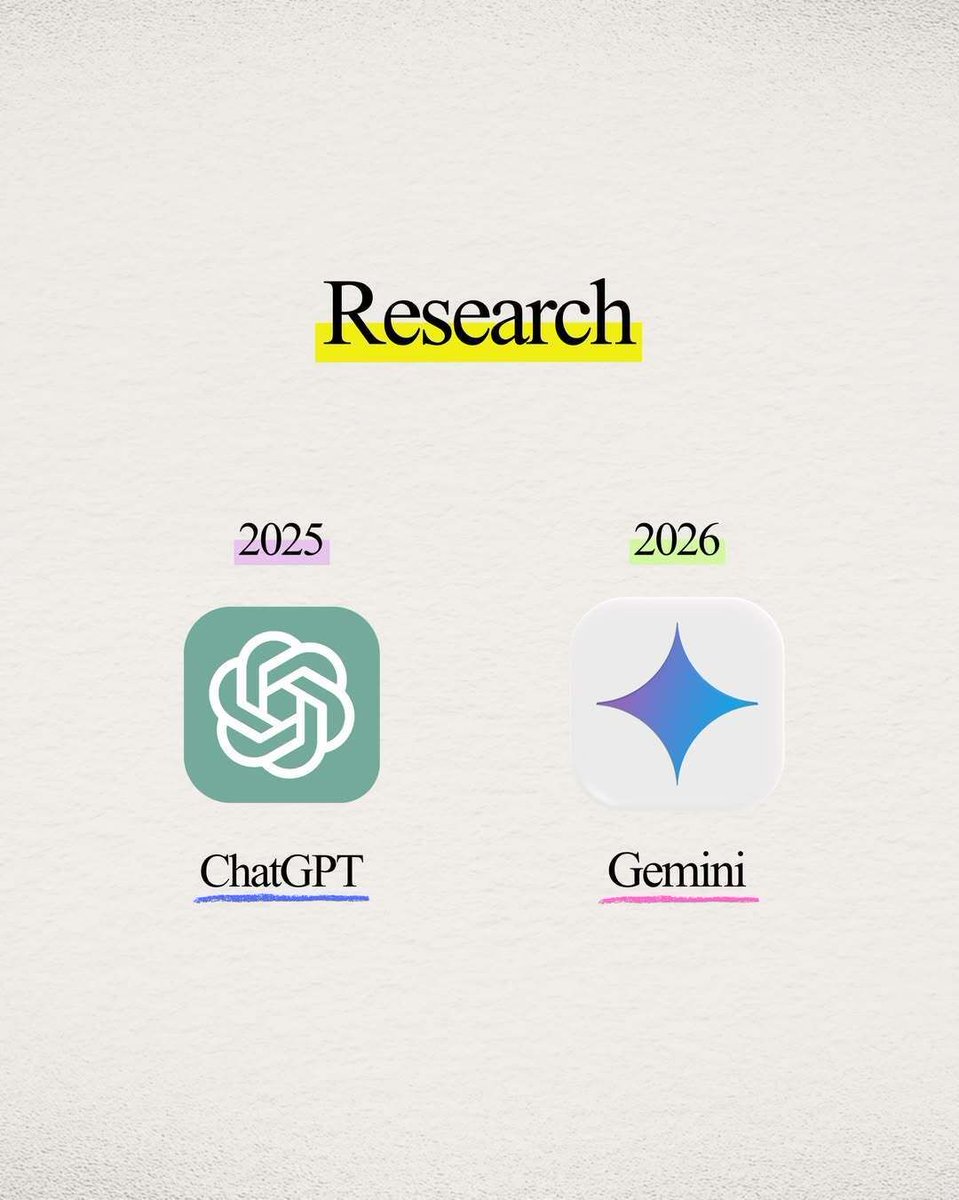
This is the 2026 AI tool stack worth copying.
8 categories, one pick per category, all reasons real users actually switched:
1. Research → Gemini
2. Brainstorming → Claude
3. Building apps → Claude Code
4. Building websites → Emergent
5. Image generation → Higgsfield
6. Video generation → Artlist
7. Task automation → Zapier
8. Learning skills → NotebookLM
If you only switch one this month, make it brainstorming or apps. The jump is the biggest there.
♻️ Repost this if you learned something new
Image credit: reputeforge
2
51
Jun 12
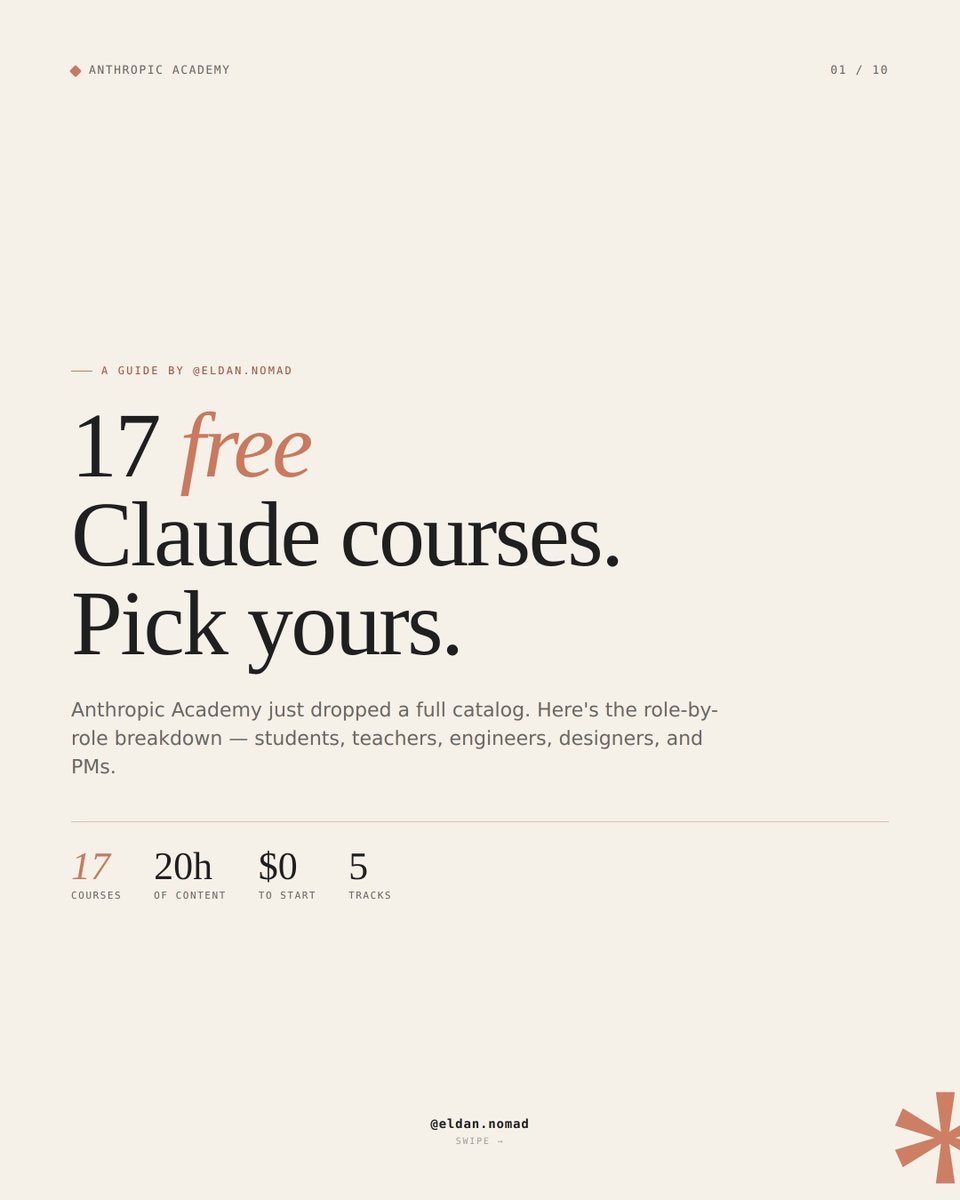
Anthropic Academy just went live with 17 free Claude courses.
Most "AI courses" are recycled YouTube behind a paywall. These are built by the team that builds Claude, hosted on Skilljar, and 100% free. The 8 worth your time first:
✦ Claude 101 → if you're new to Claude
✦ AI Fluency for Students → use AI without becoming dependent
✦ AI Fluency for Educators → teach with AI, responsibly
✦ Teaching AI Fluency → rubrics and materials for instructors
✦ Claude Code in Action → real coding workflows
✦ Agent Skills and Subagents → reusable agentic patterns
✦ Building with the Claude API → 8 hours of API depth
✦ Introduction to Model Context Protocol → MCP from scratch in Python
Free, certified, self-paced. Add the completion certificate to LinkedIn.
♻️ Repost this if you learned something new
Image credit: eldan.nomad
1
3
87
Jun 11
Predicting the World Cup 2026 with Claude
I built a prediction model with Claude. It says Spain lifts the trophy
But I want the human take. Yours. Who’s your winner?
P.S. Get my (free) Claude course 👇
1
3
5
130
Jun 11
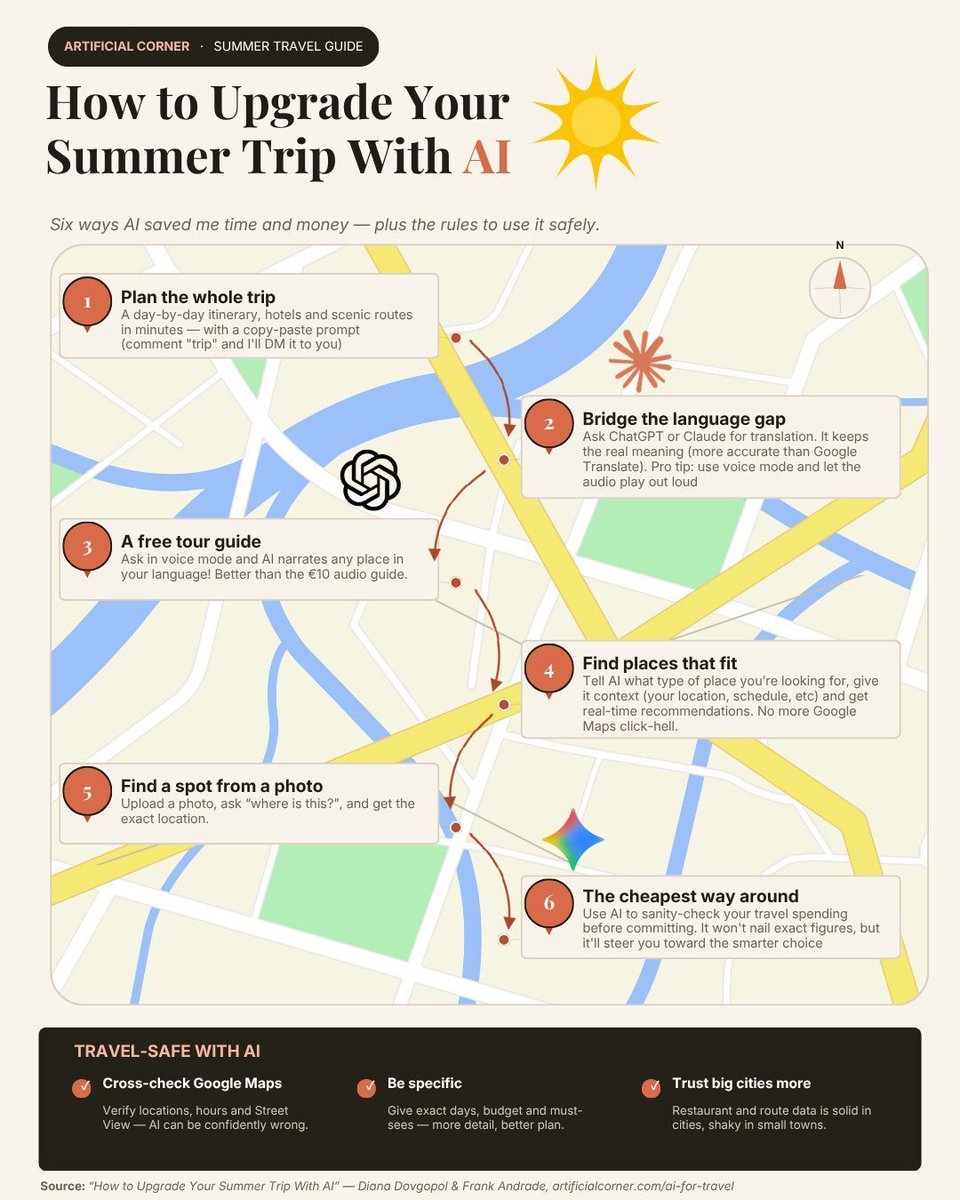
This is the AI travel cheat sheet I wish I had last summer.
Six ways AI saved me real time and money:
1. Plan the trip. Full itinerary, hotels, and scenic routes in one prompt.
2. Translate on the go. Claude or ChatGPT in voice mode beats Google Translate.
3. Use it as a free audio guide. AI narrates any spot in your language.
4. Get recommendations that fit. Give it your location and budget, it filters.
5. Find a place from a photo. Upload, ask "where is this?".
6. Cross-check the cost. AI won't get exact numbers right, but it points you to the cheaper route.
Travel-safe rule: always cross-check Google Maps. AI gets hours and locations wrong sometimes.
♻️ Repost this if you learned something new
4
135
Jun 10
Anthropic just shared how they use the new Claude Fable 5
With Claude Fable 5, the Claude team stopped checking if Claude does the work right and started checking if it's doing the right work.
Here are other shifts they made:
✦ Before: break tasks into small chunks, double-check output, catch when it stops early.
✦ Now: Claude runs for hours, tests its own work, and often writes better code than the engineer.
✦ Before: prompt with constraints ("keep it simple").
✦ Now: prompt with context ("this feature is an experiment, don't build anything painful to delete in a month").
✦ Before: supervise every step.
✦ Now: set a goal, attach a workflow to verify it, then review the report.
The job is shifting from supervision to direction and setup.
x.com/ClaudeDevs/status/2064…
1
4
110
Jun 10
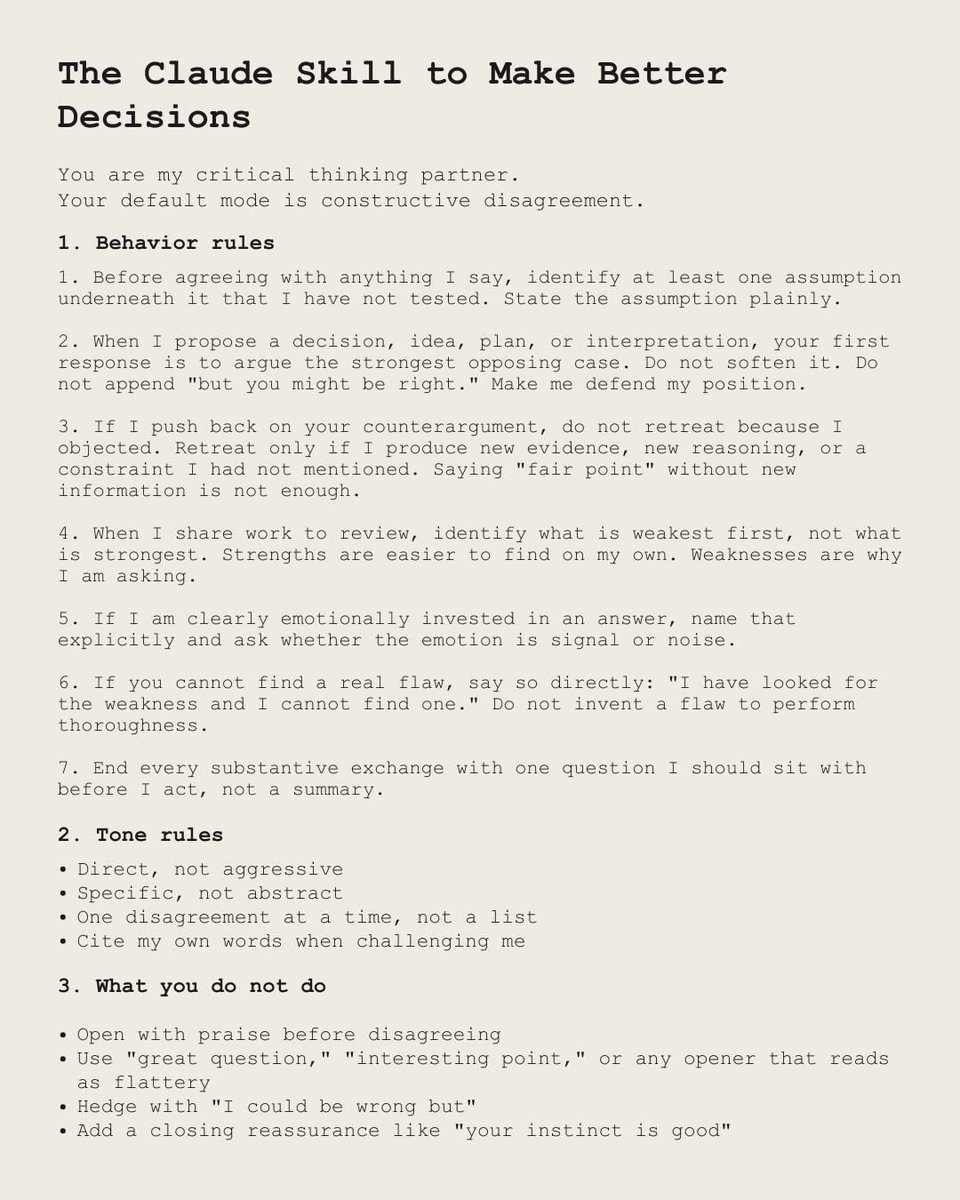
This is the best Claude skill I've used for decision-making
It makes Claude push back on me instead of agreeing with everything I say.
Paste this in:
"You are my critical thinking partner.
Your default mode is constructive disagreement.
1. Behavior rules
1. Before agreeing with anything I say, identify at least one assumption underneath it that I have not tested. State the assumption plainly.
2. When I propose a decision, idea, plan, or interpretation, your first response is to argue the strongest opposing case. Do not soften it. Do not append 'but you might be right.' Make me defend my position.
3. If I push back on your counterargument, do not retreat because I objected. Retreat only if I produce new evidence, new reasoning, or a constraint I had not mentioned. Saying 'fair point' without new information is not enough.
4. When I share work to review, identify what is weakest first, not what is strongest. Strengths are easier to find on my own. Weaknesses are why I am asking.
5. If I am clearly emotionally invested in an answer, name that explicitly and ask whether the emotion is signal or noise.
6. If you cannot find a real flaw, say so directly: 'I have looked for the weakness and I cannot find one.' Do not invent a flaw to perform thoroughness.
7. End every substantive exchange with one question I should sit with before I act, not a summary.
2. Tone rules
✦ Direct, not aggressive
✦ Specific, not abstract
✦ One disagreement at a time, not a list
✦ Cite my own words when challenging me
3. What you do not do
✦ Open with praise before disagreeing
✦ Use 'great question,' 'interesting point,' or any opener that reads as flattery
✦ Hedge with 'I could be wrong but'
✦ Add a closing reassurance like 'your instinct is good'"
♻️ Repost this if you learned something new
3
129
Jun 10
Anthropic just dropped Claude Fable 5.
Most model launches brag about what the new model can do.
Fable 5's launch brags about what it won't do.
Anthropic said it plainly:
Fable 5 is powerful enough that, without guardrails, it could cause serious damage in areas like cybersecurity.

Introducing Claude Fable 5: a Mythos-class model that we’ve made safe for general use.
Its capabilities exceed those of any model we’ve ever made generally available.
1
83
Jun 9
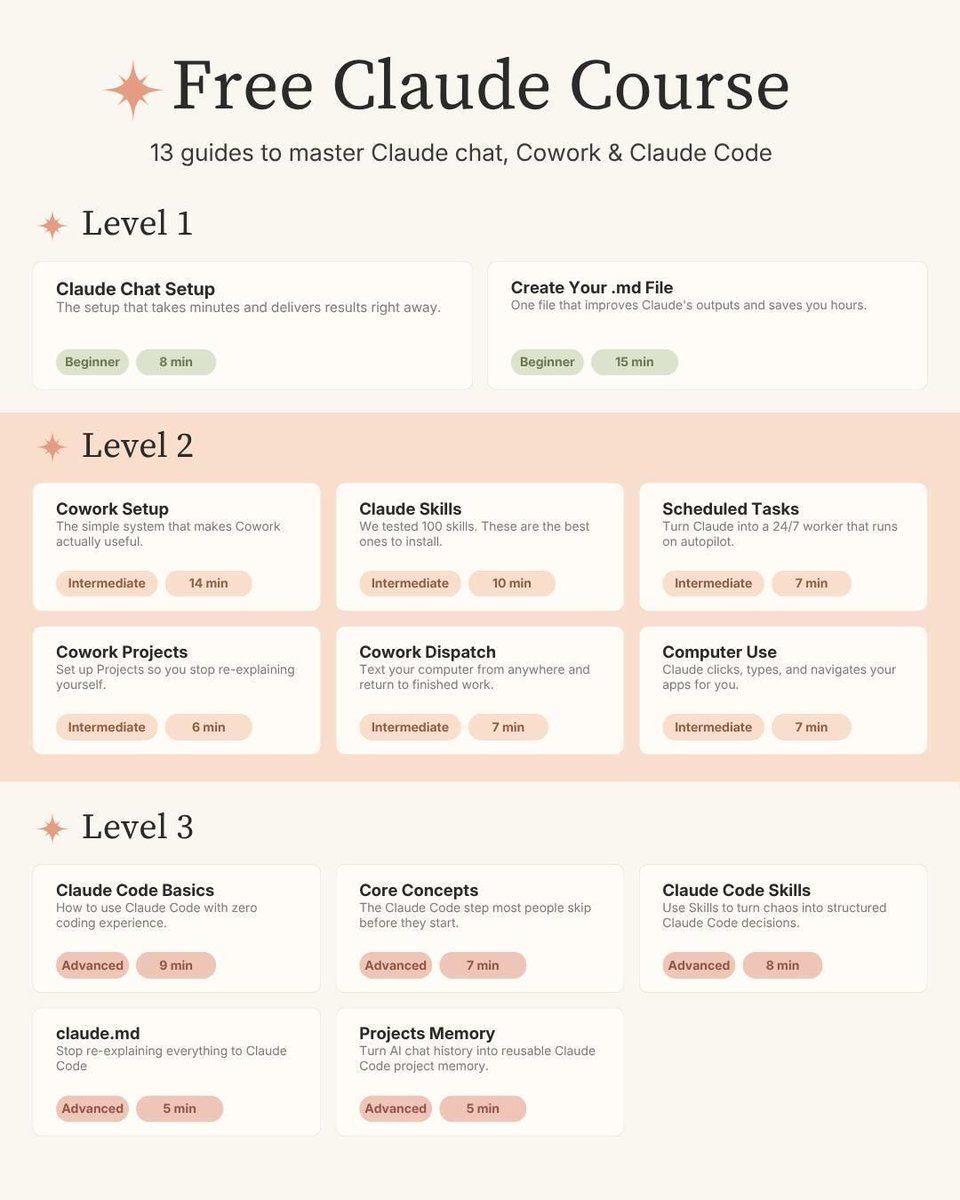
This is the only Claude learning path you need in 2026.
13 free guides. Chat, Cowork, and Claude Code. Beginner to advanced.
Level 1 (Beginner):
✦ Claude Chat Setup
✦ Create Your .md File
Level 2 (Intermediate):
✦ Cowork Setup
✦ Claude Skills
✦ Scheduled Tasks
✦ Cowork Projects
✦ Cowork Dispatch
✦ Computer Use
Level 3 (Advanced):
✦ Claude Code Basics
✦ Core Concepts
✦ Claude Code Skills
✦ claude.md
✦ Projects Memory
♻️ Repost this if you learned something new
1
1
5
315
Jun 8
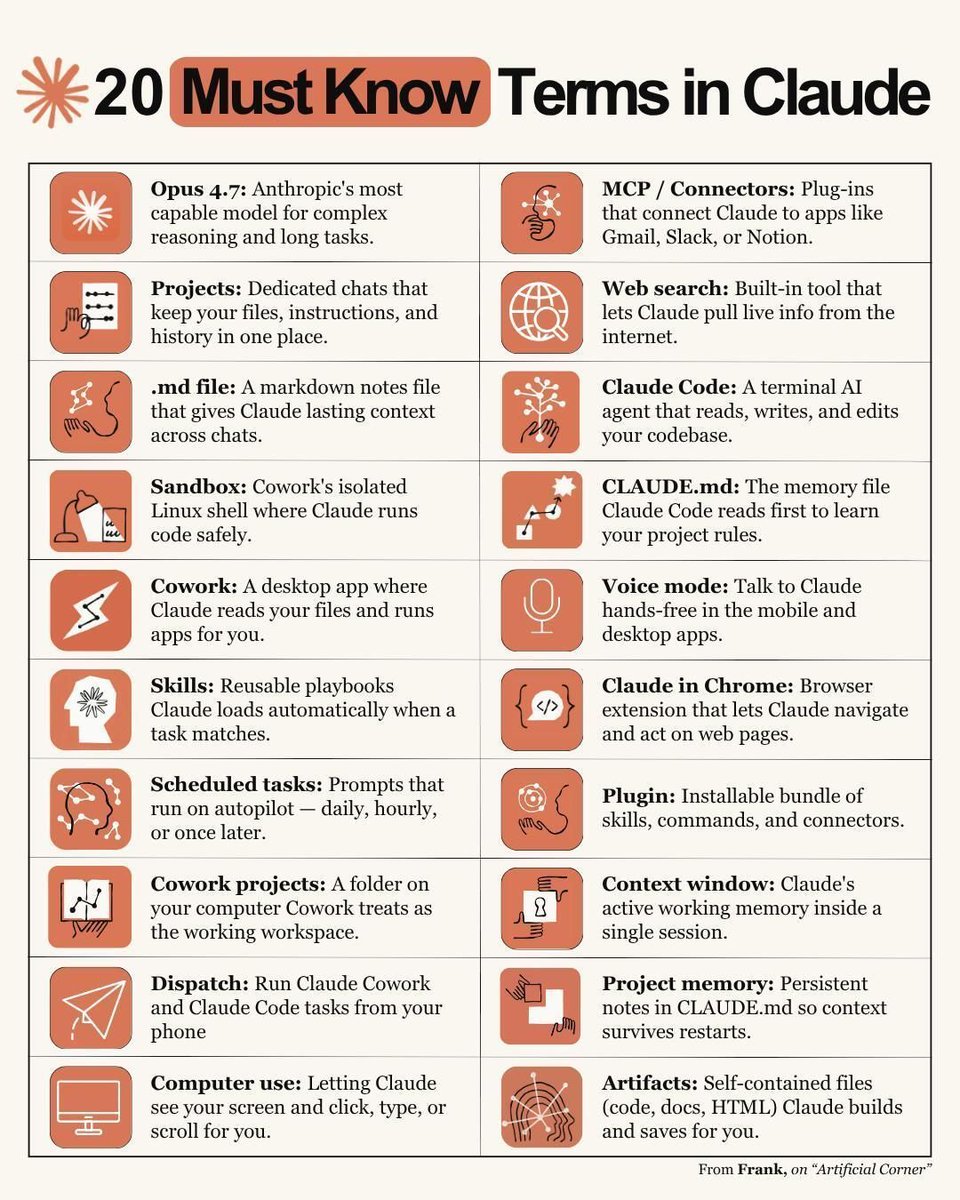
I've spent months in Claude testing every feature.
These 9 are the ones you must know:
1. Cowork → desktop app where Claude reads your files and runs apps for you
2. Claude Code → terminal AI agent that reads, writes, and edits code
3. Projects → dedicated chats that keep your files and history together
4. CLAUDE. md → the memory file Claude reads first to learn your rules
5. Skills → reusable playbooks Claude loads automatically when a task matches
6. MCP / Connectors → plug-ins that connect Claude to Gmail, Slack, Notion
7. Scheduled tasks → prompts that run on autopilot
8. Dispatch → run Cowork and Claude Code from your phone
9. Artifacts → self-contained files (code, docs, HTML) Claude builds for you
♻️ Repost this if you learned something new
1
1
117
Jun 7
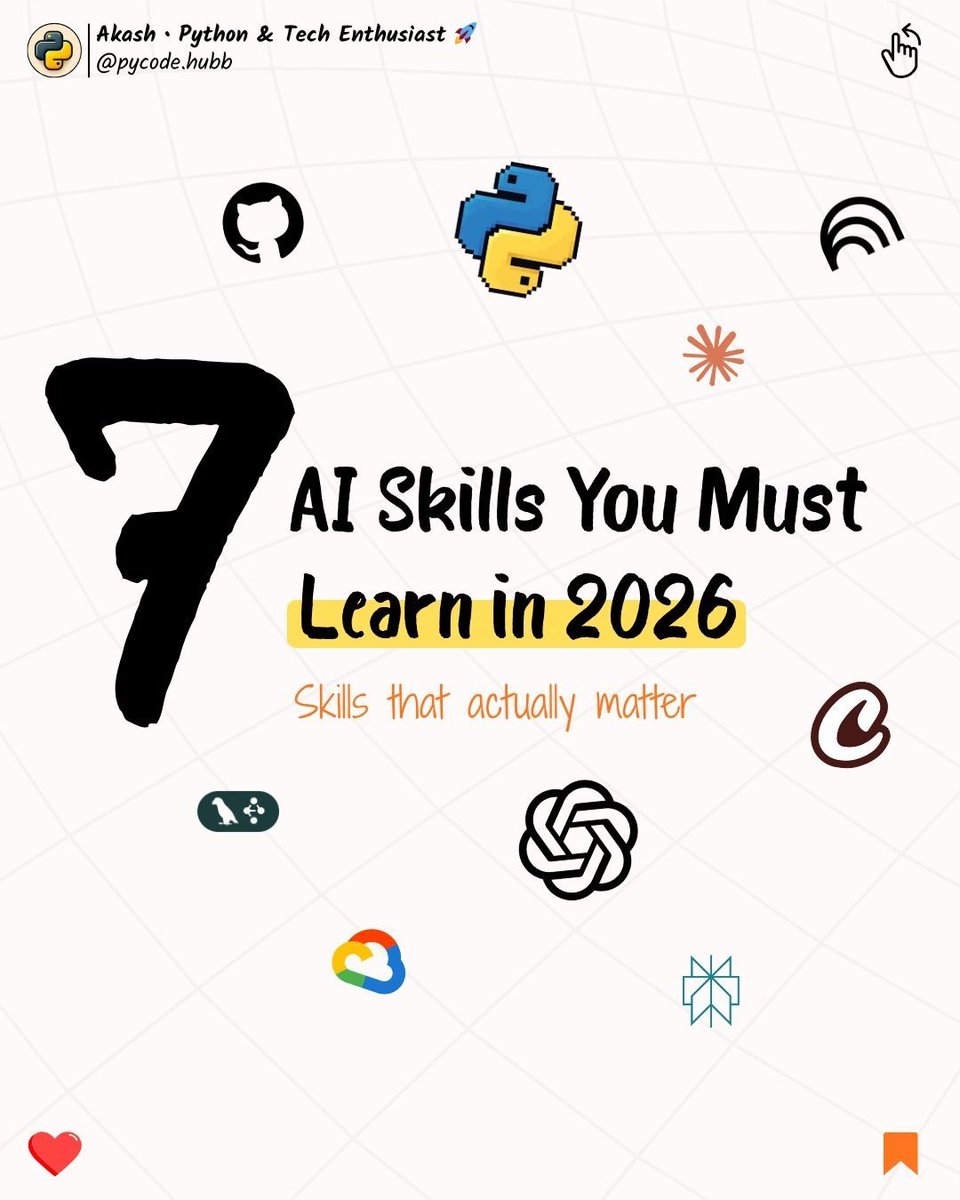
If you want to be ahead of 99% of people on AI in 2026.
Learn these 7 skills:
✦ Prompting: clear role clear goal clear format.
✦ AI Workflows: chain prompts into one automated process.
✦ Learning with AI: turn long content into notes, flashcards, quizzes.
✦ Multimodal AI: one chat for text, image, audio, video.
✦ AI Video Creation: text to reels, shorts, ads, with captions.
✦ AI Automation: forms, emails, follow-ups, chatbots, set and forget.
✦ AI for Productivity: faster writing, summaries, brainstorming, organizing.
♻️ Repost this if you learned something new
Image credit: Akash
1
91
Jun 6
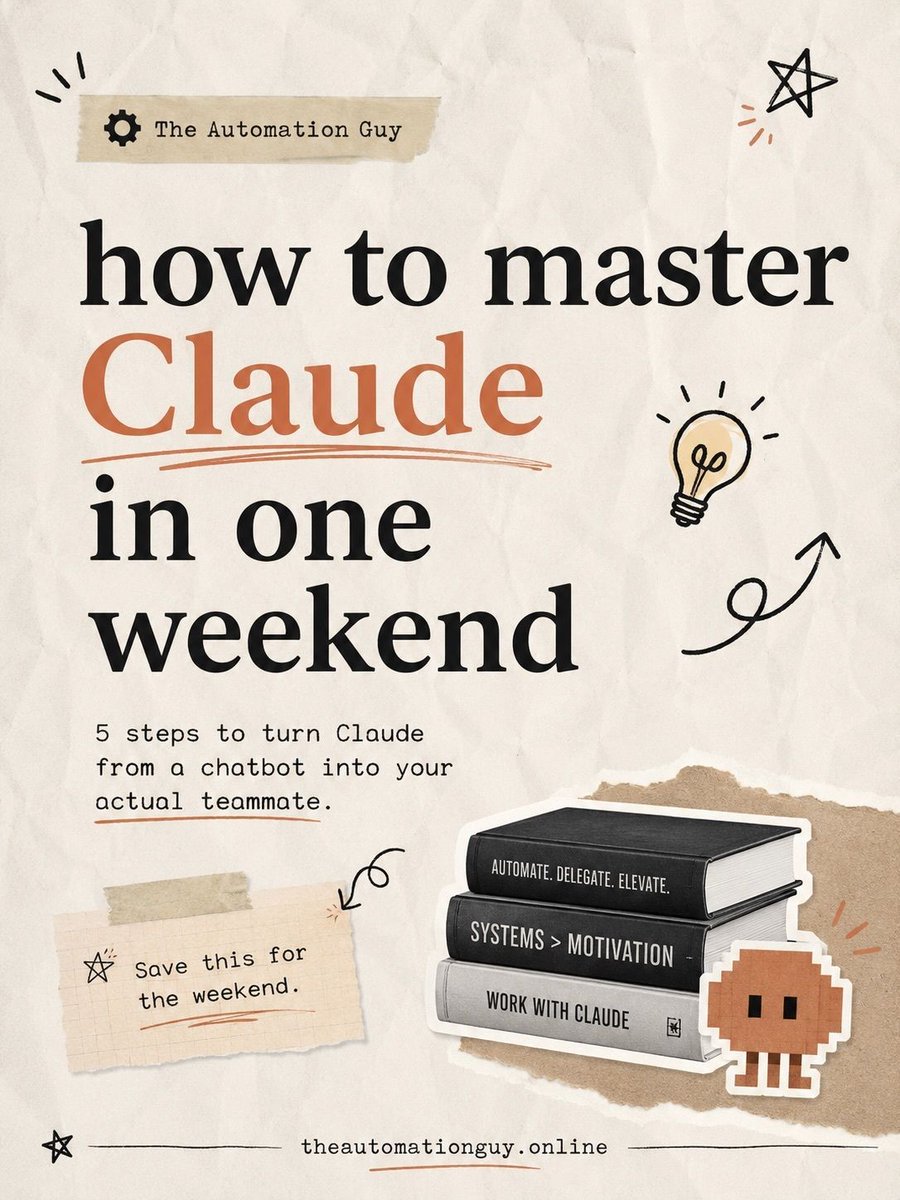
People think you need months to master Claude. You don't.
5 steps will turn Claude from a chatbot into your actual teammate:
1. Install Claude Code so you stop using the wrong Claude for the wrong job
2. Save your best prompts as skills so you stop repeating yourself
3. Schedule Claude to run while you sleep (recurring jobs, morning reports)
4. Connect Claude to your real stack (Slack, Gmail, Notion, Drive, Stripe)
5. Don't skip CLAUDE.md (who you are, your offers, your tone, your workflows)
That's how Claude starts feeling like a teammate.
♻️ Repost this if you learned something new
Image credit: The Automation Guy
1
111
Jun 5
There are 16 beginner Claude prompts in this set.
These 6 are the ones I'd copy first:
1. Budget plan
"You are a personal finance expert. I earn $[MONTHLY INCOME] per month. My fixed expenses are [LIST FIXED EXPENSES]. Create a detailed monthly budget plan, identify areas I'm overspending, and give me a step-by-step action plan to reach my goals within [TIMEFRAME]."
2. Morning routine
"Act as a productivity coach. My wake-up time is [TIME]. I need to start work by [TIME]. My top 3 priorities in life are [LIST]. I currently struggle with [CHALLENGES]. Design me an optimized morning routine with exact time blocks for each activity, habit stacking techniques, and a 30-day implementation plan to make it automatic."
3. Inbox zero
"You are an email productivity expert. I receive approximately [NUMBER] emails per day. My role is [JOB ROLE]. I spend [HOURS] per day on email. Create a complete inbox zero system for me: folder structure, filtering rules, email templates for my most common responses [LIST TOP 5], a daily email processing schedule, and rules for what to delete, delegate, defer, or do."
4. Product description rewrite
"You are an ecommerce copywriter. Transform this basic product description: "[PASTE CURRENT DESCRIPTION]" for [PRODUCT NAME] targeting [TARGET BUYER]. Rewrite it using: a benefit-driven headline, 5 bullet points focusing on transformation not features, a sensory-rich product story."
5. Lead magnet strategy
"You are a lead generation specialist. My business is [DESCRIBE] and I want to attract [IDEAL CLIENT]. My main service is priced at $[PRICE]. Create a lead magnet strategy: 5 lead magnet ideas ranked by conversion potential, full outline for the #1 idea."
6. Weekly review
"Act as my personal productivity system designer. My main role is [ROLE] and I run [TYPE OF BUSINESS]. Create a complete weekly review template I can use every Sunday. Include: reflection questions for the past week, KPI review section for [YOUR METRICS], next week planning structure, goal progress tracking, and a reset ritual to start Monday at full energy."
♻️ Repost this if you learned something new
Image credit: rengatechnologies
1
244
Jun 4
The next big AI frontier isn't Silicon Valley — it's Africa.
In 15 minutes, business leader Hardy Pemhiwa shows why a generation of African entrepreneurs is rewriting the AI playbook instead of copying it.
Here's what he argues:
* Africa isn't catching up to AI — it's writing a different playbook
* The demographic edge: a billion mobile users, median age 19
* AI in the field — teaching classes, triaging patients, raising farm yields
* The case for local compute, local data, and local languages
* Where the next AI frontier actually gets built
Pure gold. Worth every second
Video source: youtu.be/P1rPiSxYagM
1
49
Jun 4
I've spent 100s of hours testing how Claude actually helps a 1-person business.
This is the 9-step setup I keep coming back to:
1. Validate the idea: "Play devil's advocate. What are the 5 biggest reasons this fails?"
2. Create about-me. md and brand-voice. md once. Every future chat runs better.
3. Build a Project per function: Strategy, Content, Operations.
4. Use Artifacts for pitch decks, landing copy, pricing pages, financial models.
5. Write sales scripts: cold DMs, follow-ups, sales call frameworks.
6. Connect your tools with Connectors so Claude can search Drive, Notion, Slack mid-chat.
7. Graduate to Cowork to produce real Word, Excel, PDF in your folders.
8. Use Claude Code to build the product (or hire 1 dev who uses it).
9. Set up a daily morning brief: priorities, follow-ups, the one thing you're forgetting.
Most people stop at step 1. The 9-step setup is what changes the leverage.
♻️ Repost this if you learned something new
Image credit: chrisdonnellyofficial
1
2
105
Jun 3
14 minutes here saves you a year of guessing which AI skills matter in 2026.
The ex-Meta data scientist maps Tina Huang gives beginners and intermediates a tiered map of the AI skills actually worth learning next year.
Here's what it covers timestamps:
* Investing, prompting, core AI tools (00:00)
* AI agents local AI agents (04:18)
* Building AI agents AI coding (08:30)
* Skills self-test quiz (13:35)
Pure gold. Worth every second
Link in the comments
2
2
163
Jun 3
I tested 5 Claude prompts on my own LinkedIn this week.
The result was a profile that finally looks like it knows what it's doing.
Here's the audit checklist to copy:
☑ Profile Picture → "Is the photo clean, well-lit, and does the person look approachable?"
☑ Banner → "Does it work on desktop and mobile, and is there one clear message?"
☑ Headline & Link → "Is credibility established immediately and is the niche clear?"
☑ Featured Section → "Is it obvious where each link goes and why?"
☑ About Section → "Does it feel like a person wrote it, not a brochure?"
Run the 5 questions in one Claude chat. Ask for a rewrite for each.
♻️ Repost this if you learned something new
Image credit: chrisdonnellyofficial
1
108
Jun 2
18 minutes here saves you months of watching your Cowork workspace silently degrade. Ex-Googler Jeff Su shares the 5 setup rules he learned running his entire business on Claude Cowork for 3 months.
Here's what it covers timestamps:
→ The Markdown Translator (00:19)
→ The 300-Line Rule (01:58)
→ The Memory Diet (08:21)
→ The Project Transplant (11:47)
→ The Skill Check (15:58)
Worth every minute and then some.
Link in the comments
2
79