
Joined April 2023
- Tweets 173
- Following 337
- Followers 69
- Likes 234
31 Photos and videos
Pinned Tweet
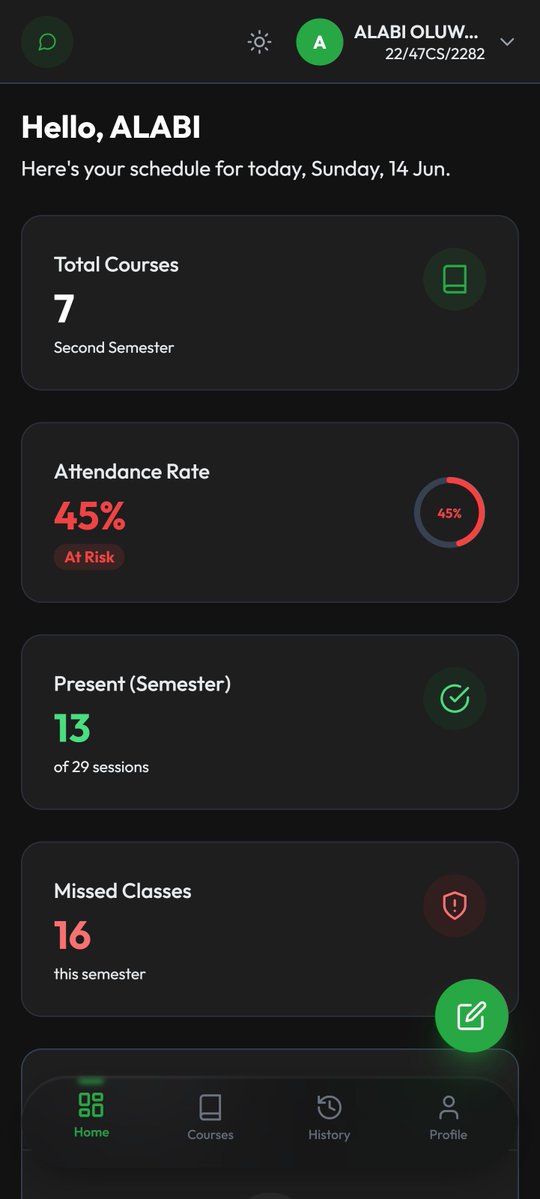
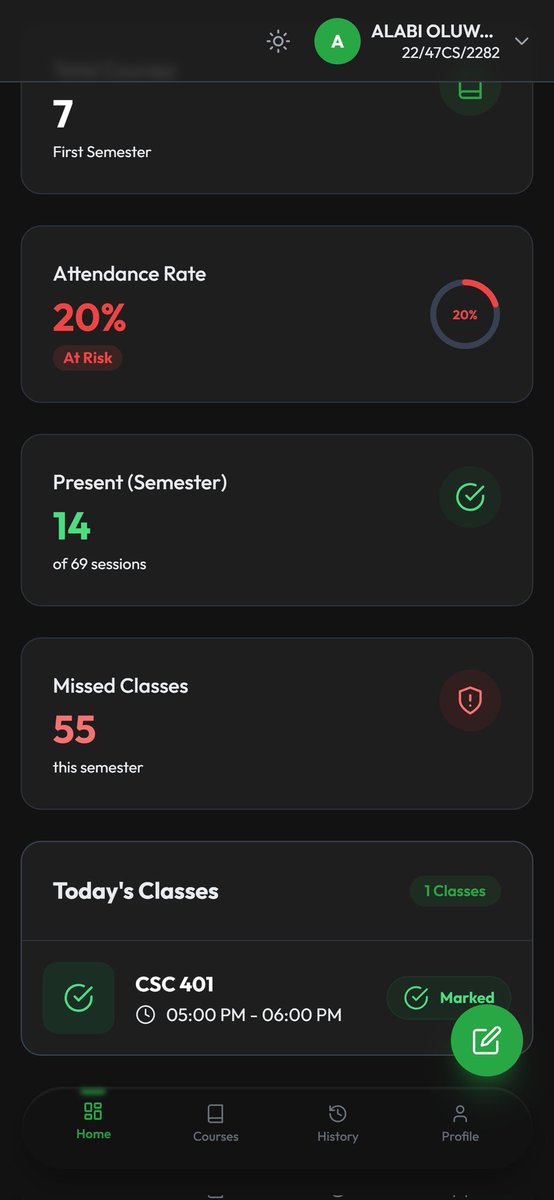
Student dashboard for the university attendance system.
Everything important in one view:
attendance, progress, timetable, and actions.
Clean, fast, and designed for instant understanding.
3
18
Student dashboard for the university attendance system.
Everything important in one view:
attendance, progress, timetable, and actions.
Clean, fast, and designed for instant understanding.
3
18
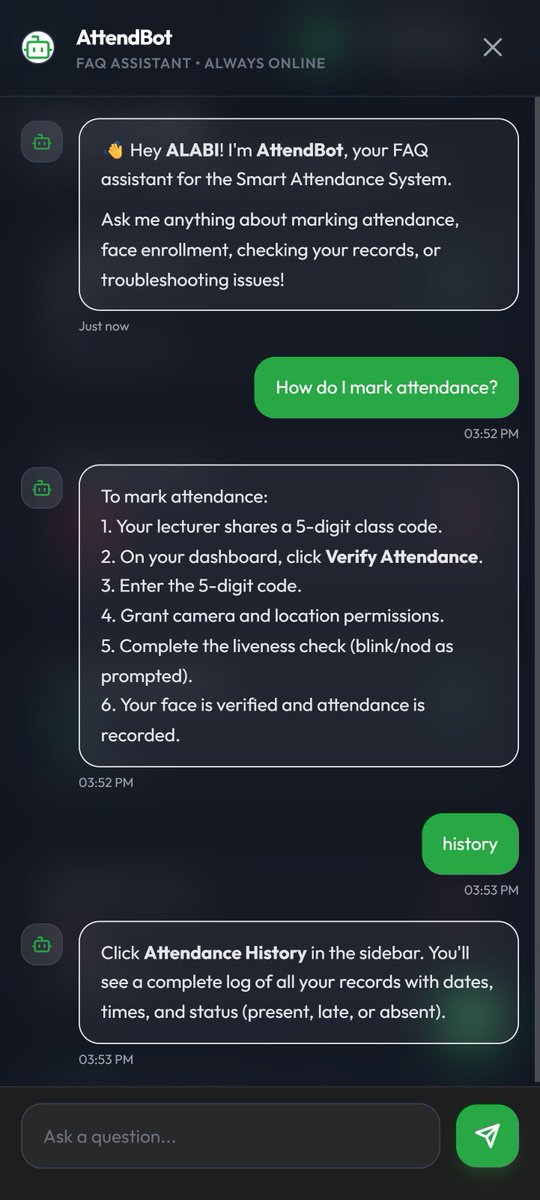
Support is built directly into the system.
A FAQ chatbot helps students with:
• Attendance questions
• Verification issues
• System navigation
Built as a responsive PWA with dark mode and mobile-first design.
#WebDev #JavaScript #UX #UI #PWA #BuildInPublic #EdTech #PHP
5
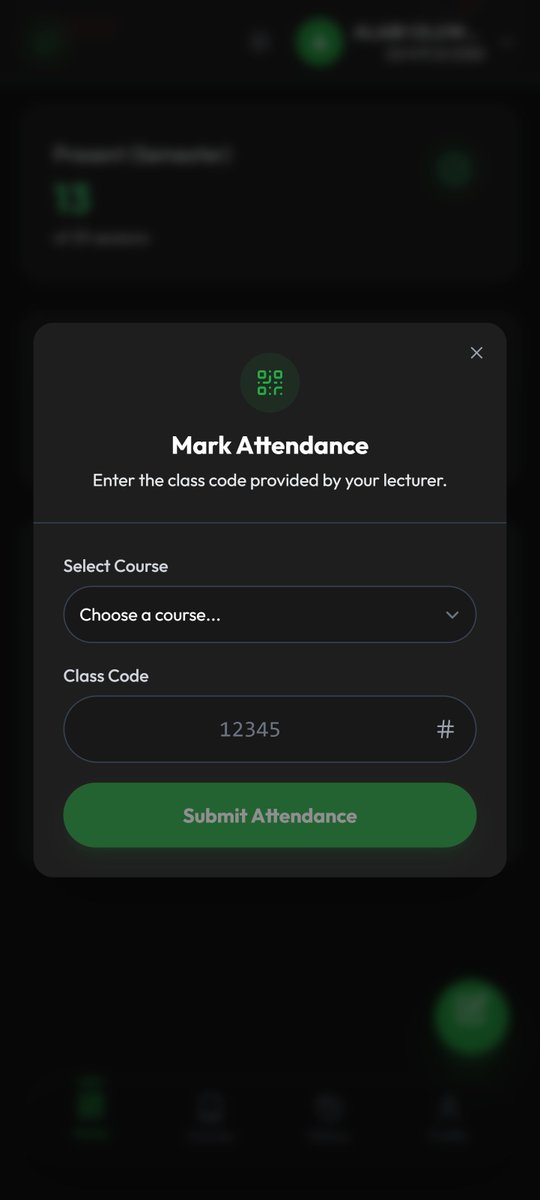
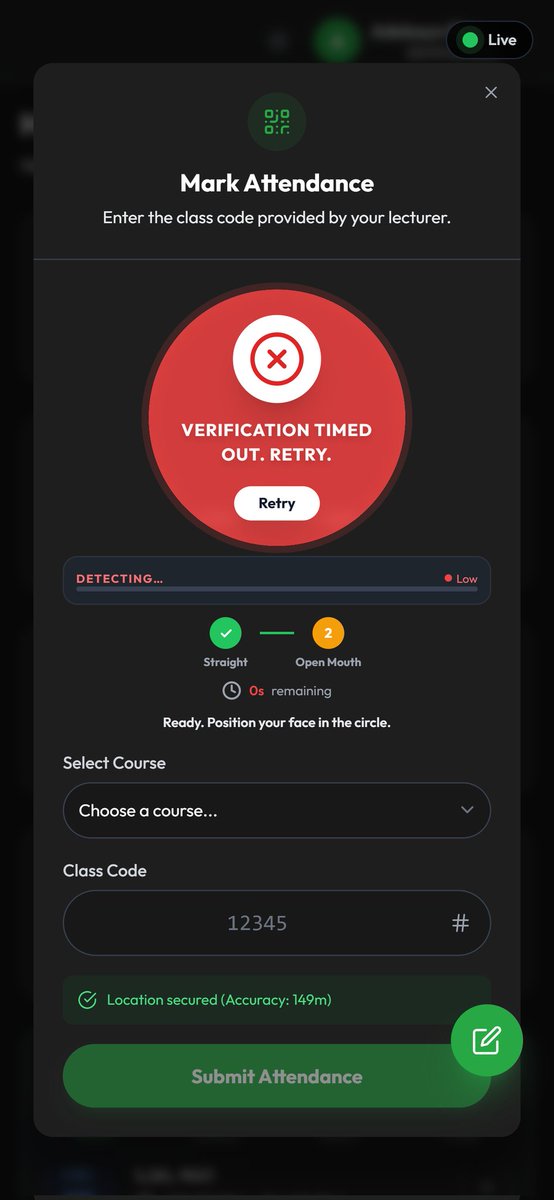
Attendance is intentionally kept simple:
A dedicated Mark Attendance modal handles the entire process.
One flow → select class → input class code → verify (facial or class code only) → submit.
4
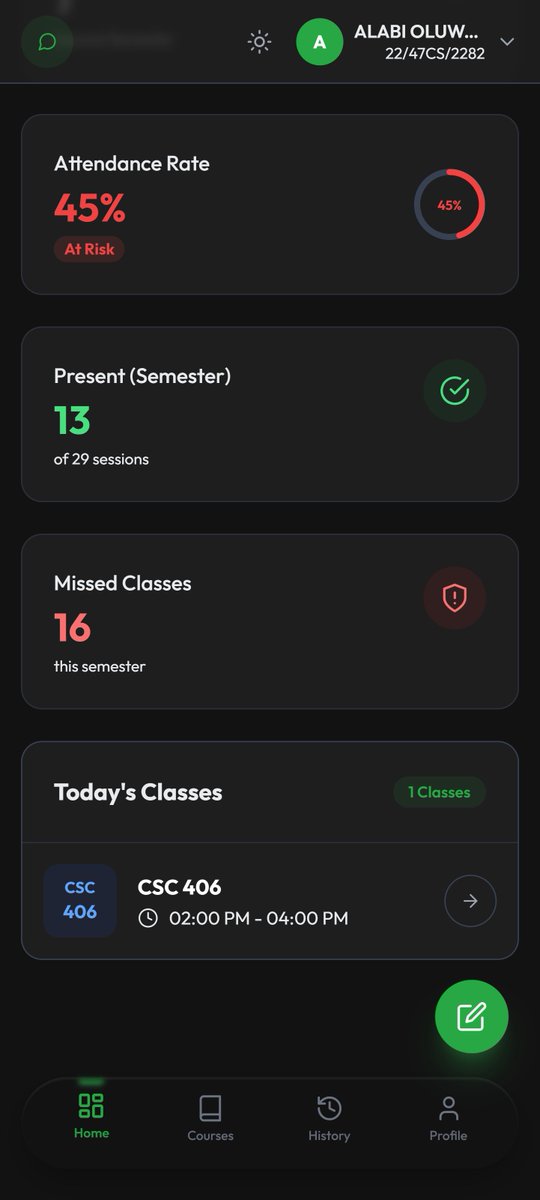
At a glance, students can see:
✅ Attendance rate (animated progress ring)
✅ Sessions attended this semester
✅ Missed classes counter
Today’s timetable:
📅 Scheduled classes
⚡ Real-time LIVE session indicators
Students always know what is active right now.
11
When I told people I was building facial recognition for a university attendance system, the first question was always:
"Where do the photos go?"
The answer:
Nowhere.
4
2
16
Trust isn't a feature.
It's a design constraint.
#Privacy #Biometrics #Security #WebDev #BuildInPublic
6
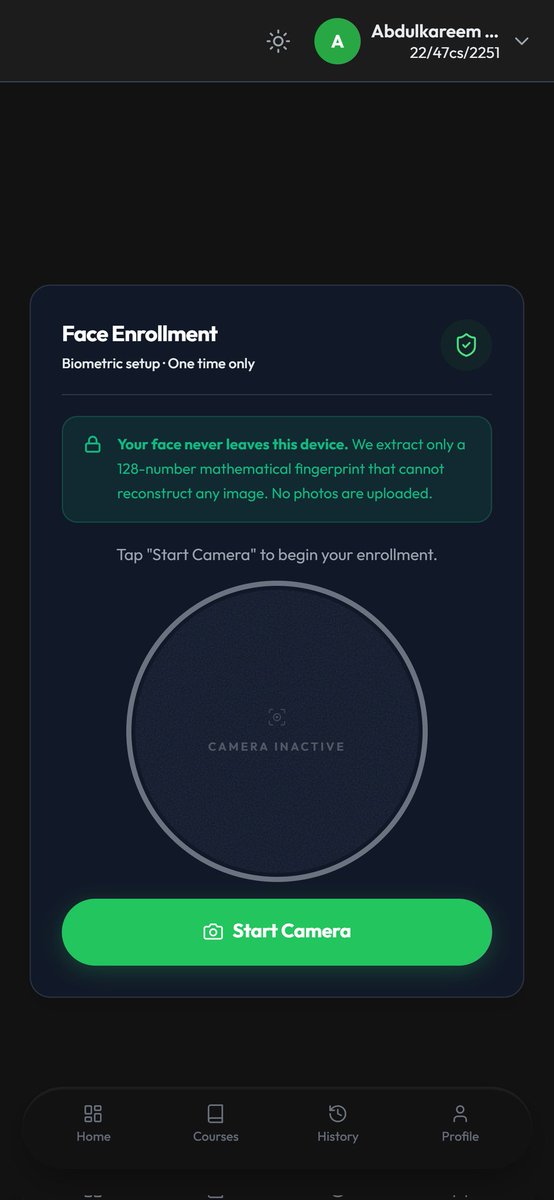
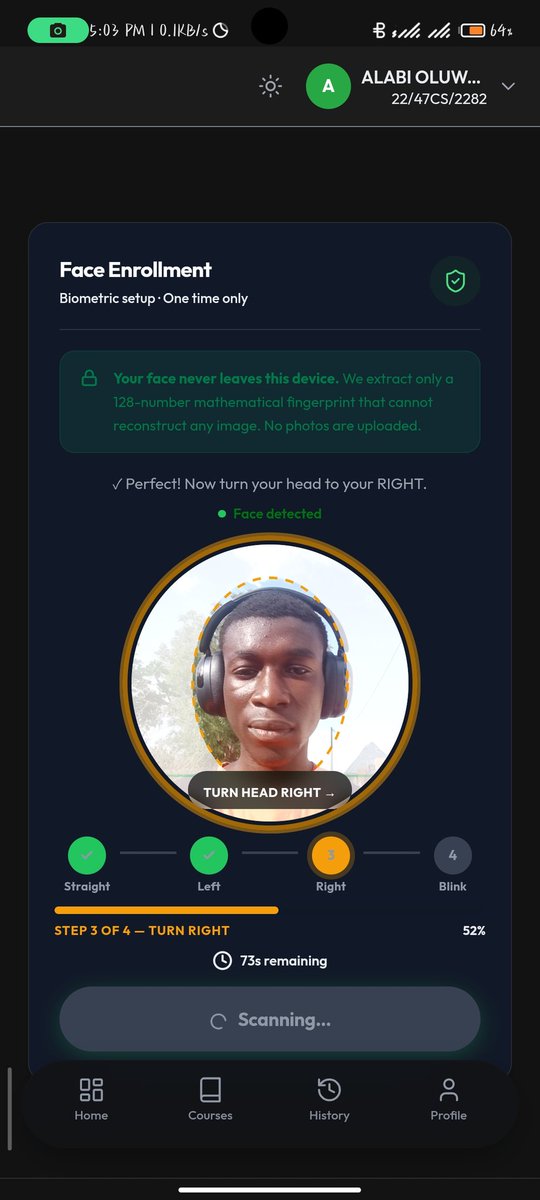
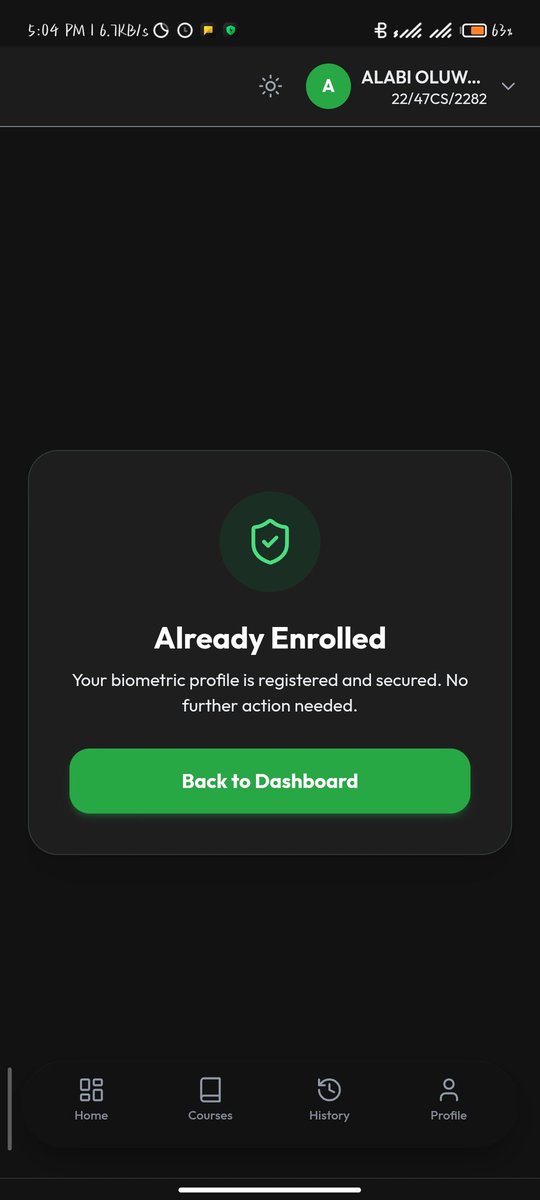
The enrollment page starts with:
"Your face never leaves this device. We extract only a 128-number mathematical fingerprint that cannot reconstruct any image. No photos are uploaded."
I wrote that before writing any detection code.
1
7
Only the embedding is saved.
Verification compares:
Stored embedding ↔ New embedding
Not:
Photo ↔ Photo
The system works with mathematical representations, not image files.
1
7
Privacy architecture:
✅ Processing happens entirely on-device
✅ face-api.js runs locally
✅ Faces become 128-dimensional embeddings
✅ No photos are uploaded
✅ No thumbnails are stored
1
8

May 31
The hardest part of facial attendance isn’t detecting a face.
It’s proving the face is real and physically present.
I built a browser-based liveness system (no ML API, no server verification).
3
1
41
May 31
Why this works:
• Photos fail early (no motion)
• Videos can’t predict random step 4
• Requires real-time response, not replay
Built with face-api.js pure JS geometry.
Detecting a face is easy. Proving presence isn’t.
1
18
May 31
Yaw ratio: yaw = leftEye_to_nose / (leftEye_to_nose nose_to_rightEye)
MAR (mouth): MAR = vertical_mouth / horizontal_mouth
EAR (eyes): Used to detect blink via sudden drop across frames
15
May 31
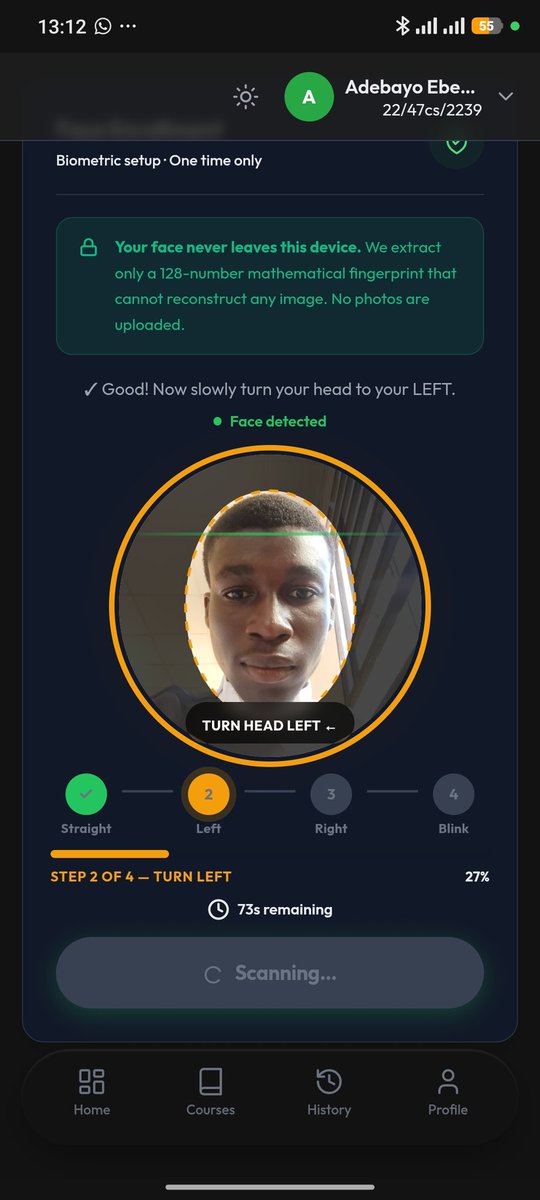
4-step challenge flow:
1. Look straight
2. Turn left
3. Turn right
4. Random challenge: • Open mouth OR
• Blink eyes
Each step must be held across multiple frames.
16
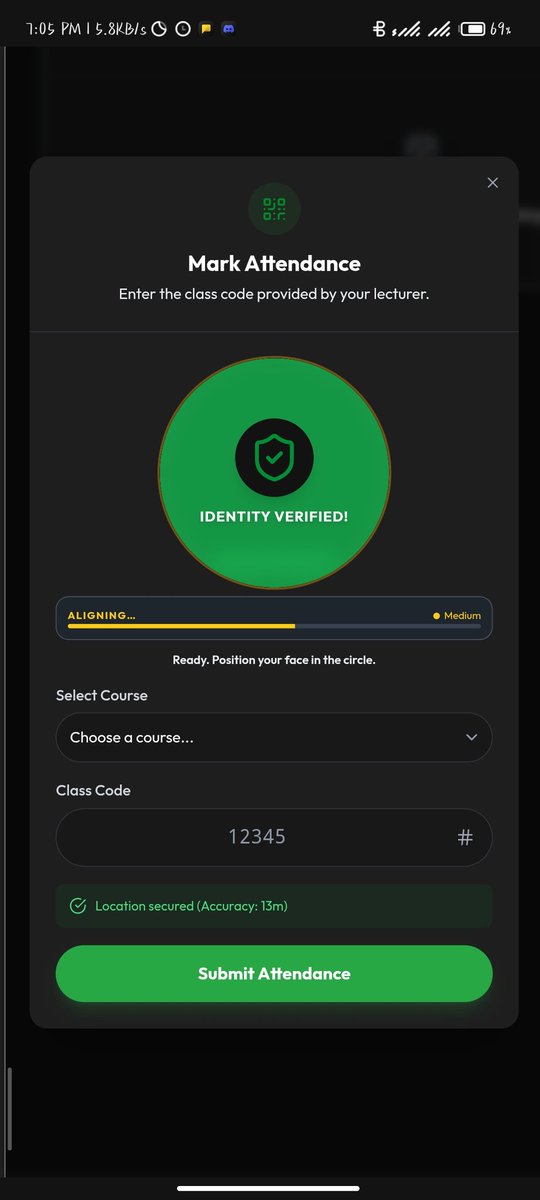
Today’s win: real time browser auth flow.
After face scan liveness check descriptor match
🟢 Camera stream freezes
🛡️ Green fills the viewfinder
✅ "Identity Verified!" appears
🔓 Submit button unlocks
Felt too clean. Had to say “let’s go” 😭
#javascript #ux #buildinpublic
28
I am building a university attendance system that uses your face as your ID.
No paper. No proxy sign ins. Here's how 🧵
2
3
34
The liveness check is the key part.
Look straight → turn left → turn right → open mouth.
A photo held up to the camera fails all 4. On purpose.
1
15
Runs entirely in the browser.
Face AI runs locally in WebAssembly (face-api.js).
No photos uploaded. No native app yet.
PHP · MySQL · Tailwind · vanilla JS.
#buildinpublic #webdev
28
Apr 25
Still shipping. Still learning.
Drop a comment if you want to know more about how it works.
#buildinpublic #edtech #webdev #fullstack #nigeria
Apr 25

Every Nigerian university student knows this scene.
The lecturer passes around an attendance sheet.
You sign your name.
Your friend signs for you when you're late or absent.
Everyone has 100% attendance. Barely anyone showed up.
4
102
Apr 25
Every Nigerian university student knows this scene.
The lecturer passes around an attendance sheet.
You sign your name.
Your friend signs for you when you're late or absent.
Everyone has 100% attendance. Barely anyone showed up.
3
4
164
Apr 25
4. All four. At the same time. No shortcuts.
It's a full-stack web app, PHP, MySQL, Tailwind CSS, vanilla JS.
It runs in the browser. No app store. No install friction.
This is my answer to a problem I've watched go unsolved for years.
2
31