
We help to get your digital files organized with ease with Pics.io storage or on top of #GoogleDrive #AmazonS3. #DAM. pics.io
Joined September 2011
- Tweets 2,961
- Following 348
- Followers 1,727
- Likes 3,198
594 Photos and videos









Mar 31
Be honest: when you need an approved asset, what do you actually do?
👉 Search by keyword
👉 Browse folders
👉 Open last campaign and reuse
👉 DM someone who “knows” 😅
1
4
25
Mar 24
Your rebrand launched. Your old logo still lives in email signatures, PDF templates, partner decks, social headers, and forgotten slides. That’s not just a branding issue. It’s asset management. A rebrand ends when every surface is updated. Most teams never get there.
1
6
26
Mar 18
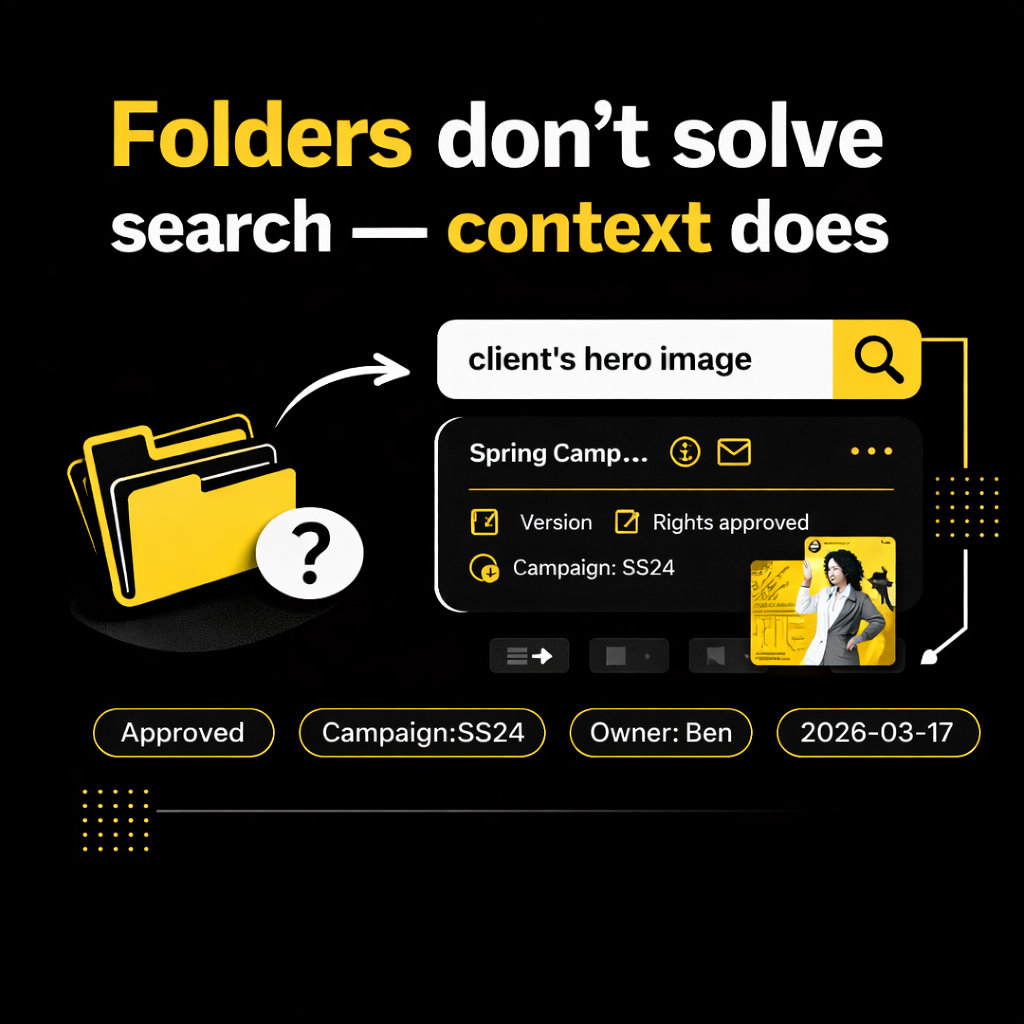
Folders: “I know it’s somewhere.”
Context: “I can find it in 5 seconds.”
Latest approved / campaign hero/pricing slide/objection clip = not a folder problem.
What’s your main way to find assets: search or folders?
1
1
10
32
Mar 10
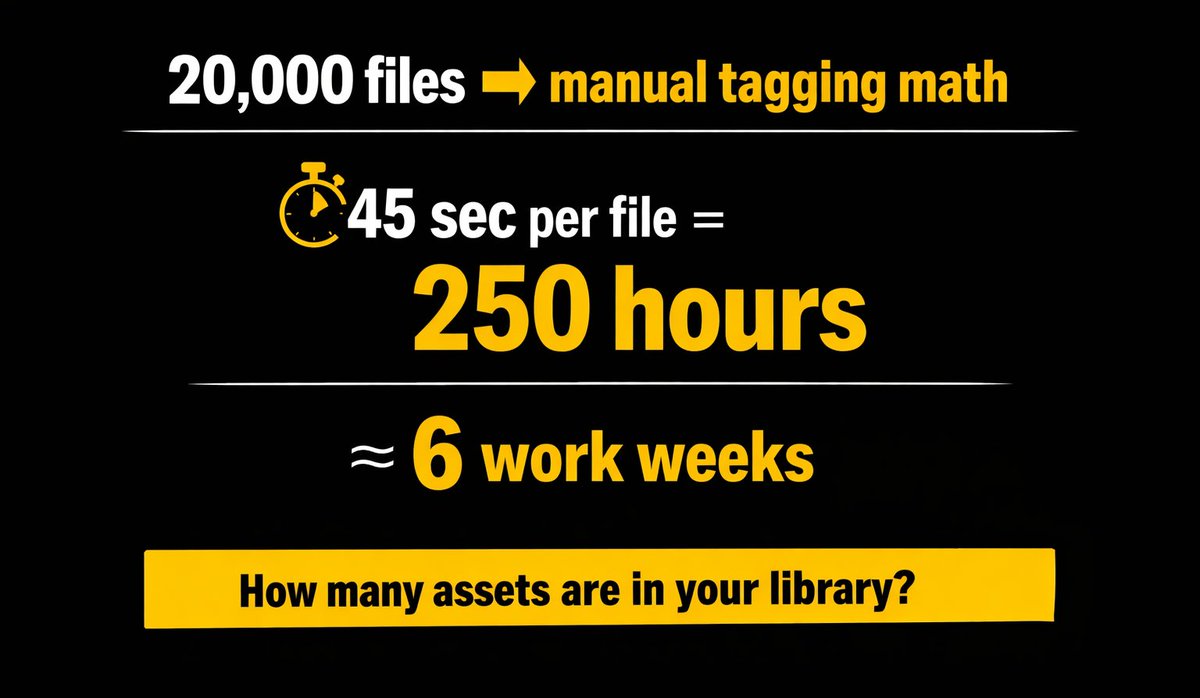
Quick math for teams still tagging assets one by one:
👉 20,000 assets × 45 sec each = ~250 hours 👈
That’s ~6 workweeks (at 40 h/week) spent on tagging, not on creating. At $40/hour, that’s ~$10,000 in time cost — before you even start searching and reusing.
1
4
31
Mar 5
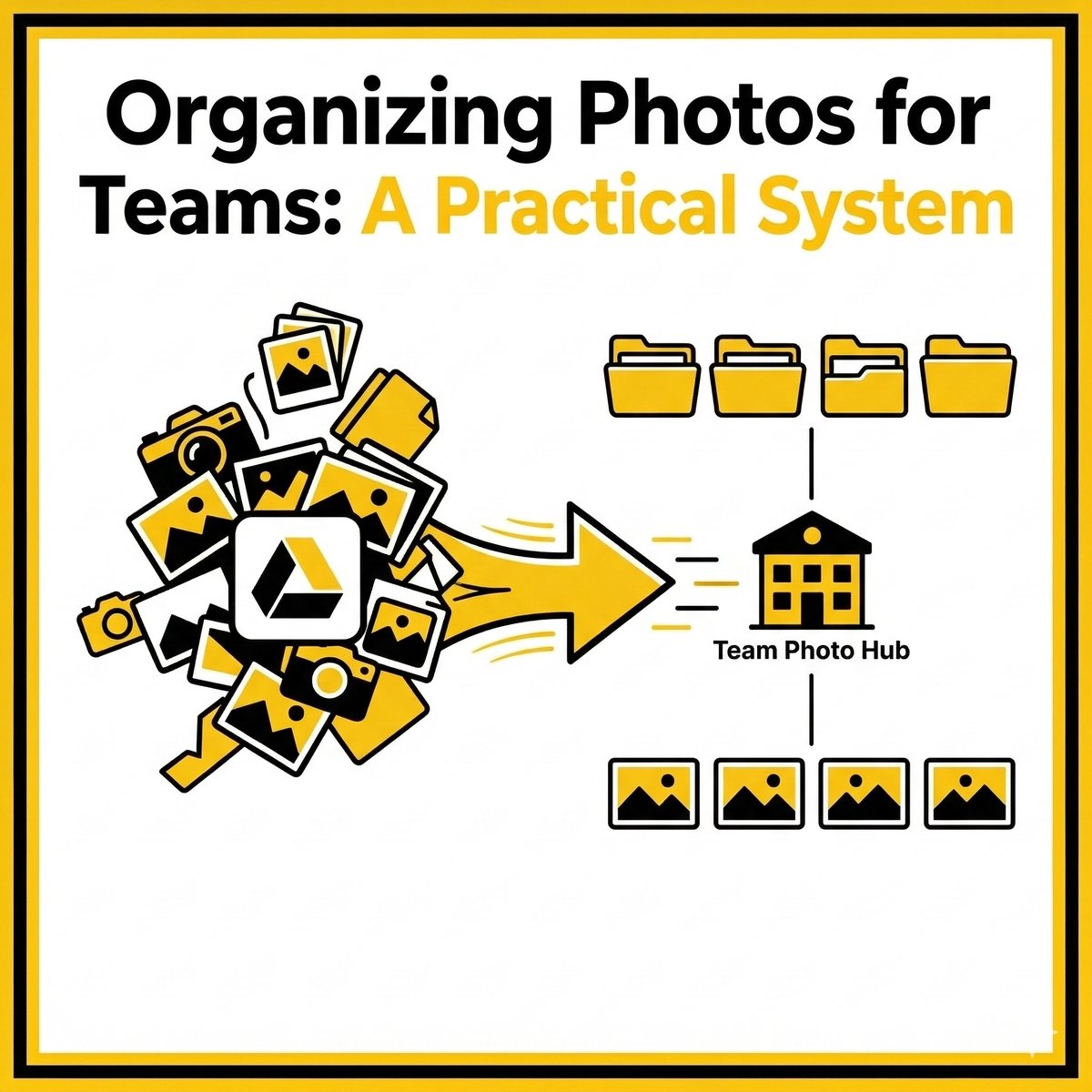
If your team stores photos across Drive desktops camera rolls, the risk is simple: wrong versions, duplicates, lost originals.
Here’s a practical system that scales: bit.ly/4aRmAFR
1
50
Mar 3
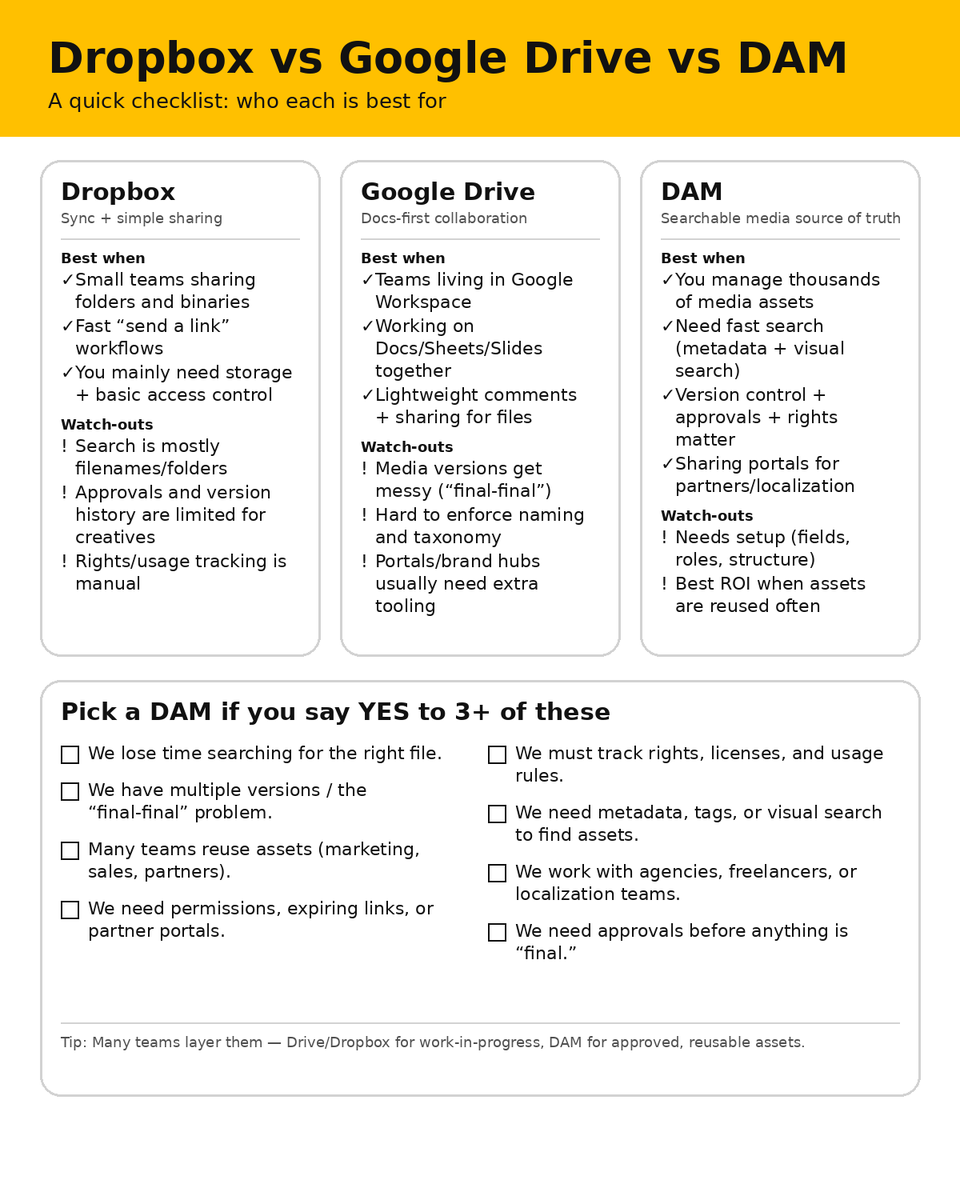
Dropbox & Google Drive are great for storage. But fast teams lose time finding, approving, and reusing the right asset.
A DAM = team speed control: better search, clean versions, approvals, permissions.
Dropbox vs Drive vs DAM checklist 👇
1
6
55
Feb 25
Tagging is unpaid labor. Fine at 50 files; at 20,000, it’s a project. Better: auto metadata on ingest (visual/OCR/transcripts) a short list of human fields applied in bulk. What triggered your last metadata catch-up: migration, agency upload, or cleanup?
4
22
Feb 23
New in Pics.io: AI Video Search 🎬🔎
Search inside any video and jump straight to the exact moment you need — no manual tagging, no endless scrubbing.
See it in action: bit.ly/4b3MzK2
8
22
Feb 17
Phrases you definitely heard this week from the creative team 🎨
Drop your best one in the comments 😅
1
8
31
Feb 9
Demos & customer calls are gold… until the knowledge gets stuck in 30–45 min videos.
We shared how we turn recordings into searchable, reusable knowledge with transcription.
Read here: bit.ly/4aAaQan
22
Feb 3
E-commerce teams lose time because assets are messy: wrong versions, missing rights, “where’s the approved one?”, endless re-uploads.
Here are 6 must-have DAM features that make product content faster to ship — and easier to keep consistent 👇
11
38
Jan 27
External files are the real chaos.
Telegram pics → expiring Drive links → ZIPs with no context.
Pics.io Inbox = one upload link (no account) a short note.
Review → move approved content into the DAM.
What’s the #1 thing that breaks for you?
1
8
180
Jan 21
Why “final” is never the final 😅
7 reasons:
1. Feedback everywhere → 1 review hub “Approved”
2. No source of truth → “Current/Approved” collection
3. Copies as versions → real versioning
4. Brief changes → pin brief changelog
1
8
70
Jan 21
5. Filename search → metadata tags previews
6. “2px” edits → cut-off final review
7. Shipped? Which one? → lock shipped version
What’s your funniest “final” filename? Drop it in the comments.
4
21
Jan 6
Holidays are over — back to real work.
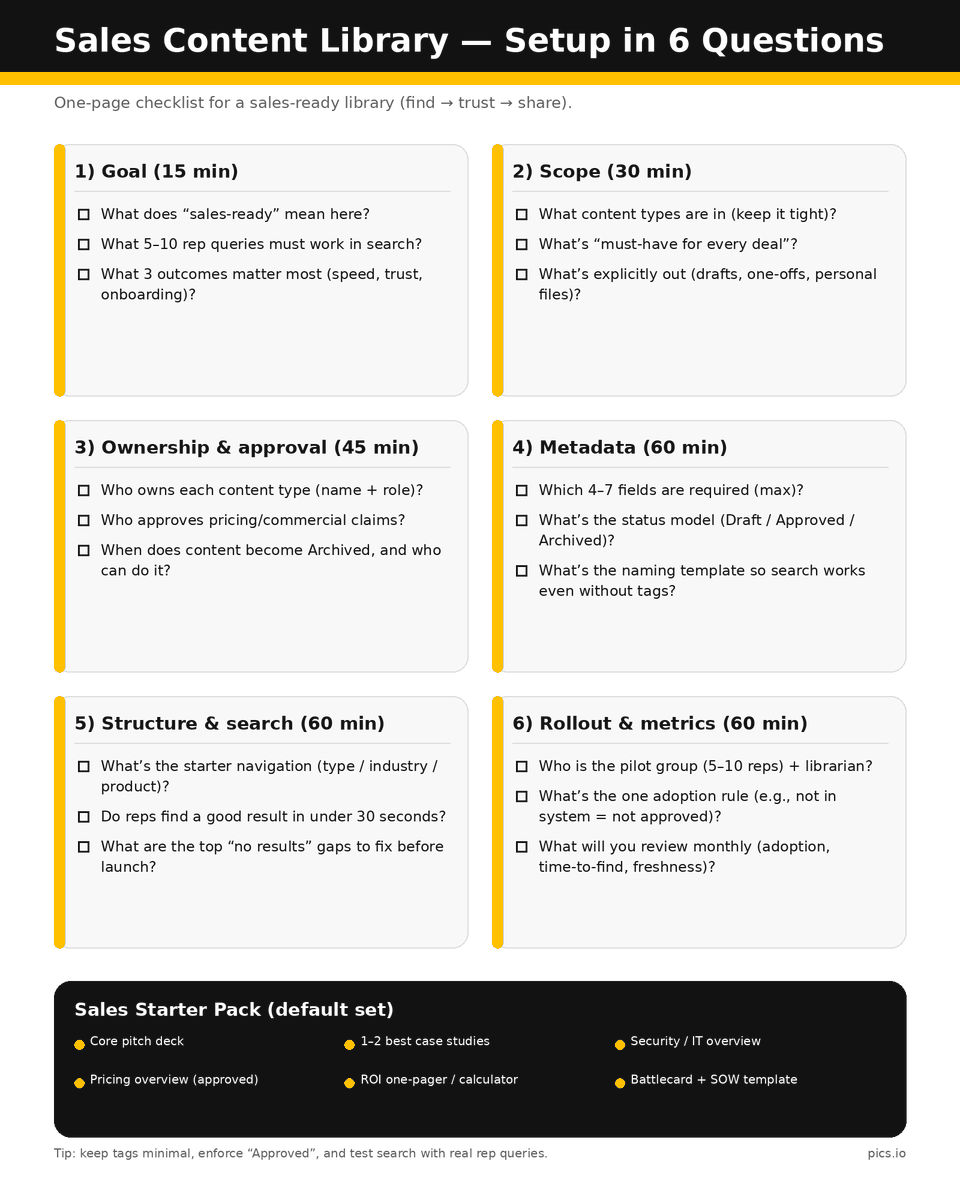
🙂 If your Sales team starts the year with “Where’s the latest deck?” — you’re not alone. We made a quick reset:
📍 Sales Content Library — Setup in 6 Questions
Save it for later. Full guide: bit.ly/3YnfcLk
2
29
23 Dec 2025
If you spent this year planning campaigns, chasing “final” files, and quietly fixing visuals so everything looks perfect on the outside, this is for you.
Happy Holidays from the Pics.io team 🎄
We wish you more time for real creative work in 2026. 💛
3
39
18 Dec 2025
If you work in a creative or marketing team, this might hurt a little 😅
What would you actually ask Santa for this year (work-wise, not candles or socks)?


1
2
33

16 Dec 2025
🎄Holiday season is a special kind of chaos for marketing & creative teams. Where are you on this scale today?
0%
100% scheduled, approved
100%
70% done, small tweaks
0%
40% done, we’ll wing it
0%
I don’t want to check 😅
1 votes • Final results
1
4
62
11 Dec 2025
Spending 10 min searching for a single image?
Pics.io's new AI Visual Search cuts that to seconds.
Just type "woman in red dress" or drop a reference image. AI finds matches even when metadata is... creative.
Free trial: pics.io/ai-visual-search

4
39