
Canadian React Native engineering and consulting studio. We partner with the world's top companies to help them unlock the full potential of RN and Expo.
Joined November 2015
- Tweets 257
- Following 51
- Followers 880
- Likes 391
38 Photos and videos








Pinned Tweet

22 Jul 2025
Thanks! 🥰

6
4,299
App&Flow retweeted

Jun 11
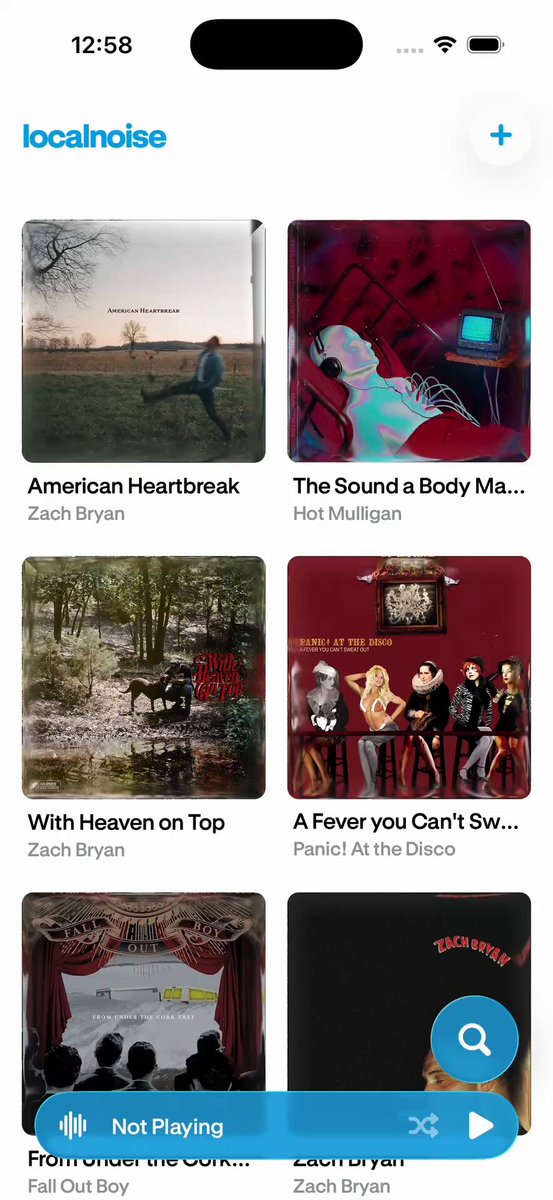
Some exploration around hover interactions while working on @appandflow's upcoming blog.
We want the content to be valuable enough to shine by itself, so the concept is "sleeper design". Simple at first glance, but filled with small, satisfying interactions.
10
5
48
2,919
Jun 2
Demo app repo -> github.com/Solarin-Johnson/m…
React Native Ease Repo -> github.com/AppAndFlow/react-…
2
208
May 13
Our library, react-native-transformer-text-input, can be used for all kinds of formatting. It includes providers for common use cases such as phone numbers, patterns, and currencies.
It allows for smooth, fast, and flicker-free text transformations in your @expo apps.
5
12
110
5,476
May 13
The best apps don't make compromises. Flickers and lag, even if very minimal, do not belong in award-winning applications, which is why we built it.
Repo here: github.com/AppAndFlow/react-…
5
321
App&Flow retweeted
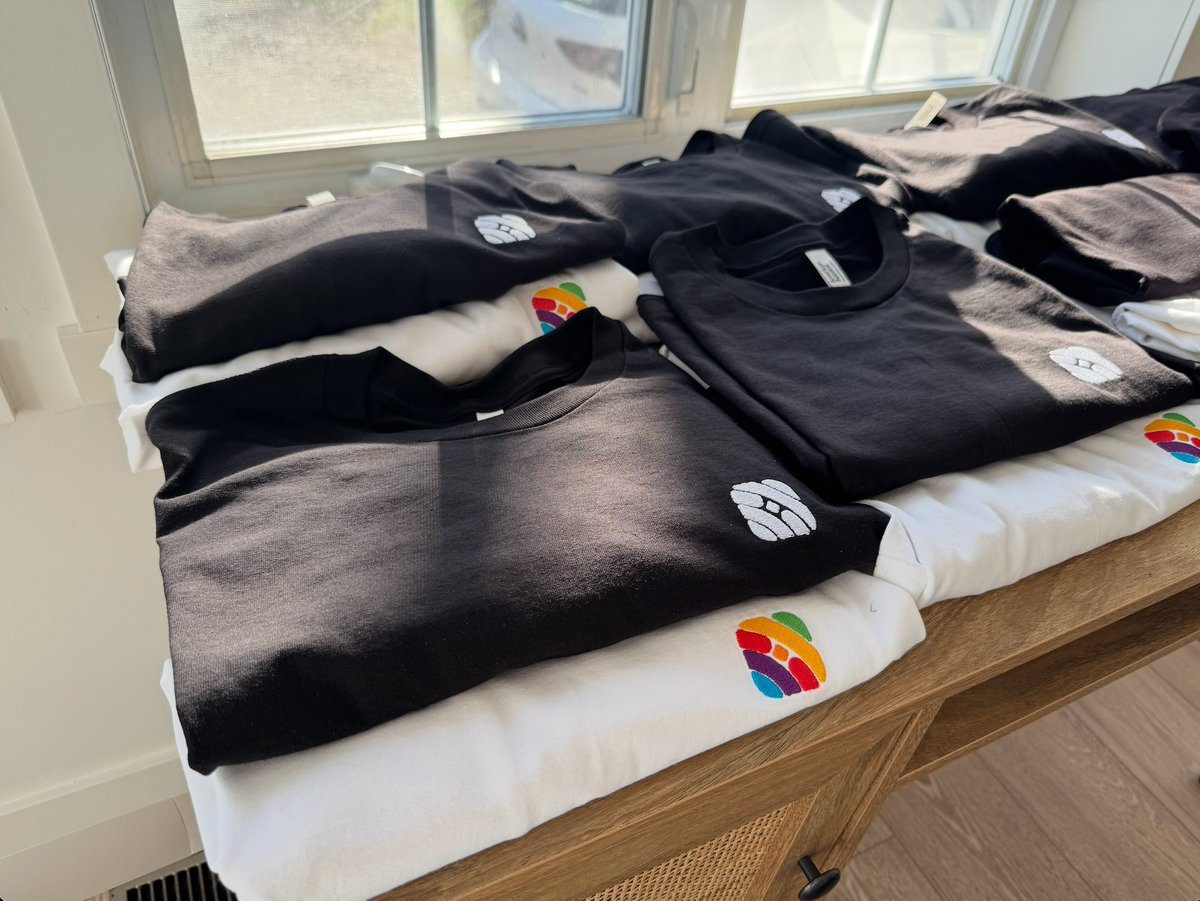
Whenever the team gets together (in person), rare as it is, it calls for some new T-shirts 🥰
2
2
7
278
App&Flow retweeted

May 6
I've been using AI agents to iterate on a fix for an iOS React Native TextInput rendering bug overnight, using @callstack agent-device RN Tester (the RN repo's example app) as its test loop.
The video below replays each fix attempt. 📷
8
10
81
13,741
App&Flow retweeted

Apr 30
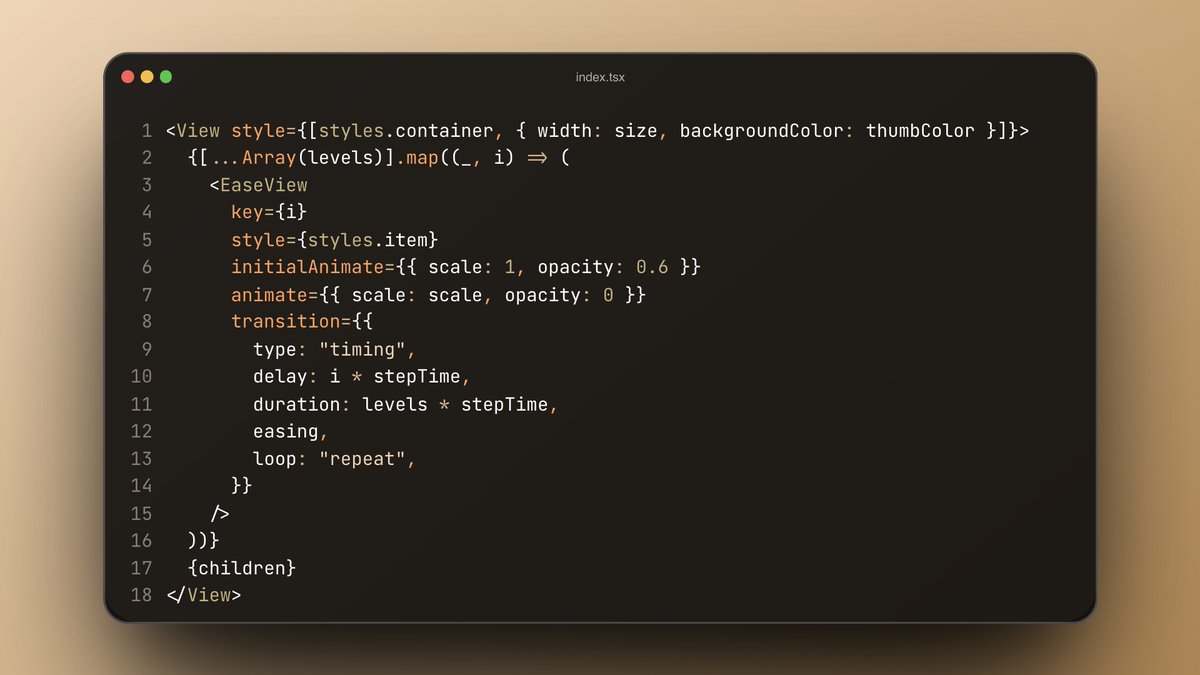
Messing around with react-native-ease from @appandflow after reading @janicduplessis’s excellent article.
Really impressive work from the team, the API feels clean super familiar.
Can’t wait to push it further and build more things with it.
#Reanimated #ReactNative #Animation #Expo #BuildInPublic
@appandflow @janicduplessis @expo @charlesvinette
1
1
12
950
App&Flow retweeted

Apr 29
The @appandflow team's react-native-ease library has some cleverly engineered tricks for 0 JS animations 🔥
For starters, a bitmask tells the native side "this prop was actually animated". It looks something like this:
bit 0 = opacity
bit 1 = translateX
bit 2 = translateY
bit 3 = scaleX
When it comes to reading animations, it actually reads from the presentation layer, so animations never snap. Quite clever.
Lastly, I found some cray cray math on the Android side and it turns out that's a harmonic oscillator that makes iOS Android springs look identical 🤯
5
3
55
4,875
Apr 28
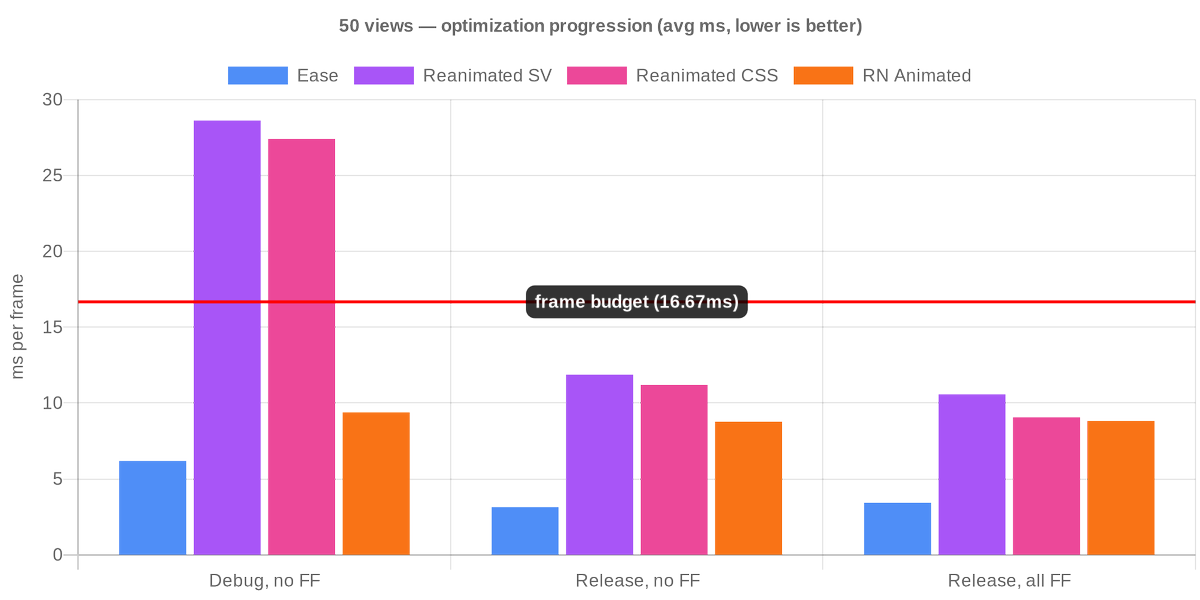
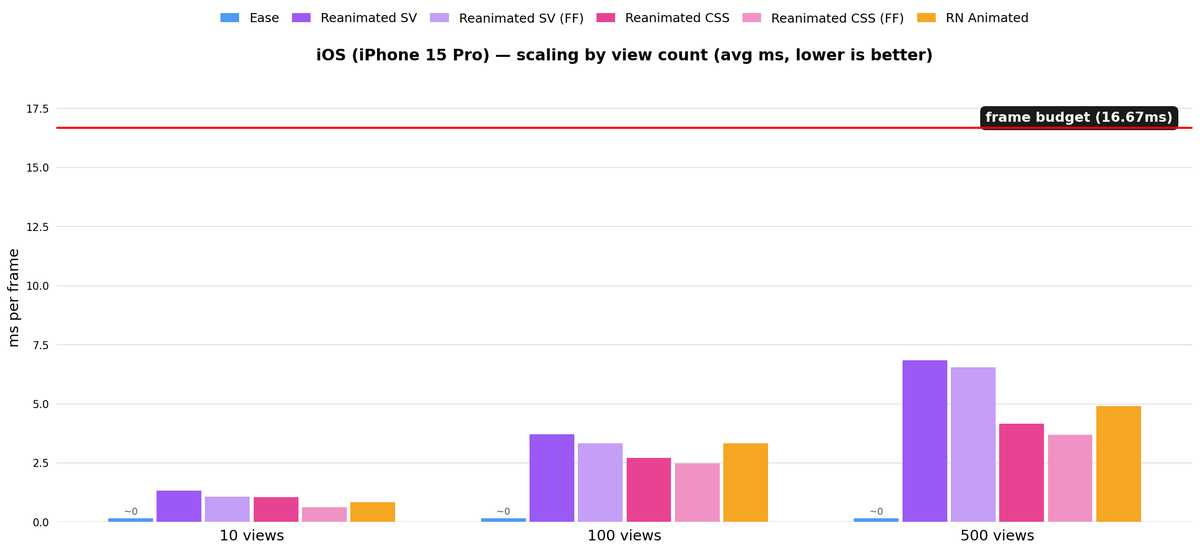
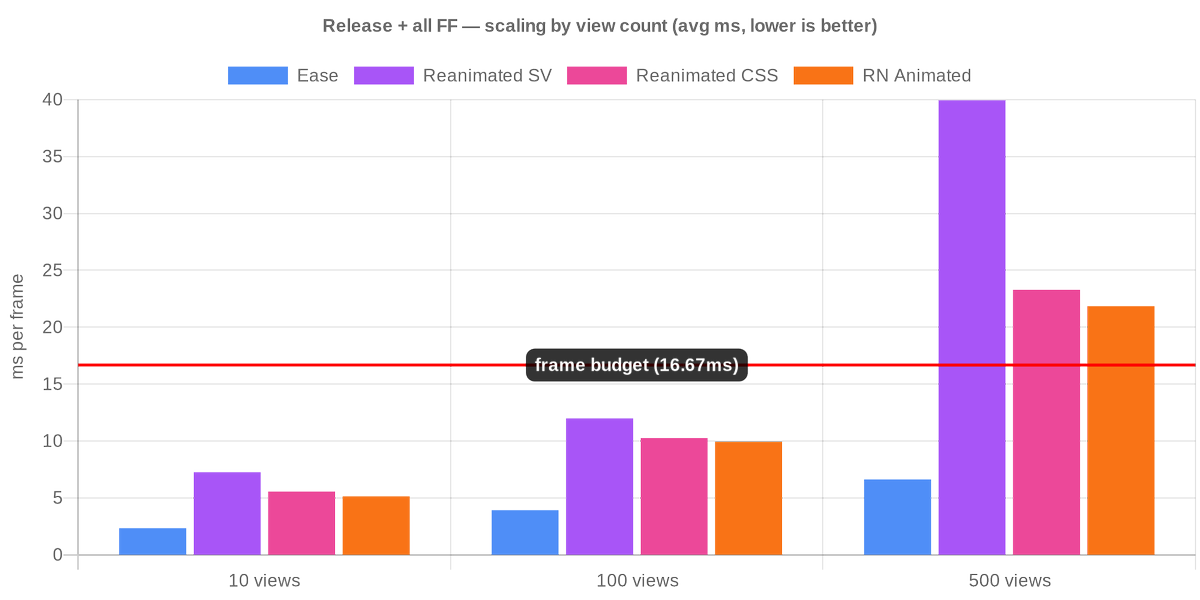
We partnered with @expo again for another blog post, this time about animations, performance and frame budget.
When does your React Native animation library actually matter?
@janicduplessis from @appandflow benchmarked per-frame UI thread cost across four approaches.
Short answer: long-running animations, big lists, low-end devices. One-shot transitions, less so.
The full report with instructions for reproducing the benchmarks are below ↓
14
919
Apr 24
Flickers don't belong in premium apps! That's why we built react-native-transformer-text-input.
Instead of going Native/JS/Native, it runs on the UI thread, thanks to @swmansion 's RN worklets.
Demo built in 15 minutes with @expo Skills.
2
10
164
26,381

🙌 Expo is the best it's ever been, and it's about to get a lot better.
We raised a Series B so we can go faster on the things that matter to you: faster builds, smoother native integrations, and the services to make end-to-end app development a delightful experience.
There is a lot of work to do. This round led by @Georgian_io puts us in position to go do it!
73
70
630
171,309
Apr 7
Apps are getting better, users' expectations are higher.
Platform native components and navigation are a great way to make your app feel premium. With the help of @expo UI and Router, it is easier than ever to make your React Native app feel at home on iOS and Android.
1
5
47
3,116
Apr 7
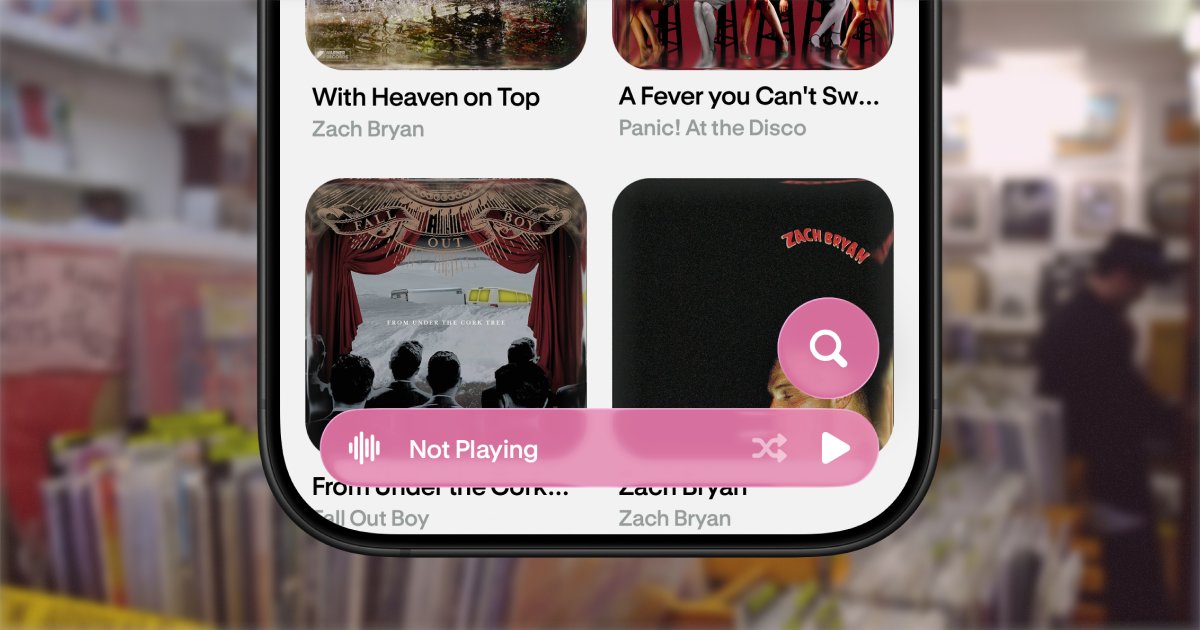
Apps should adapt to each platform, and that means using system-specific building blocks such as Liquid Glass, Zoom transitions on iOS, and Jetpack Compose on Android.
Here is a great resource to start implementing it in your apps by @betomoedano
youtube.com/watch?v=_XGlN4jv…
2
2
10
6,381
App&Flow retweeted

Apr 3
react-native-ease by @appandflow is the 🐐
so apparently number-flow-react-native has perf issues, but i was able to pull off a custom buttery smooth animation for price updates with react-native-ease
take your flowers @appandflow 🌸
npx expo install react-native-ease
Apr 1

just use number-flow-react-native
animated number transitions in react native with one component, works on both ios and android
npx expo install number-flow-react-native
<NumberFlow
value={price}
format={{ style: ‘currency’, currency: ‘USD’ }}
style={{ fontSize: 36, fontWeight: ‘600’ }}
/>
that’s it. price updates → smooth animation, no extra logic needed
3
9
112
13,945
Apr 2
We recently released a new animation library called react-native-ease. Powered by platform API's with no JS overhead.
4
20
241
10,021
Apr 2
Our apps are full of simple animations to add motion and delight to the interface.
In a quest to always optimize, we wanted to start delegating those animations directly to the native layer.
1
3
1,060
Apr 2
We are seeing considerable gains and are looking for more feedback.
To make it easier, we built a skill to find and convert animations that are a good fit in your projects.
Give it a go, it's free optimization!
github.com/AppAndFlow/react-…
19
1,133
Mar 24
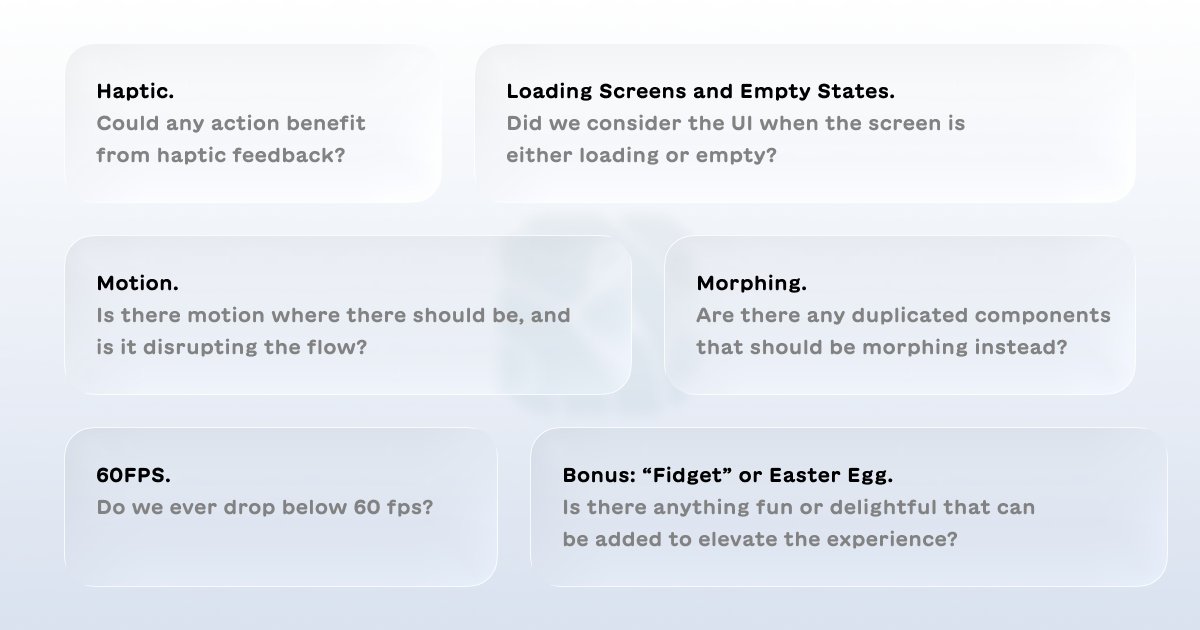
As famously said by Charles and Ray Eames, the details are not the details. They make the design.
Whenever we are about to open a PR for a new feature or flow, we have a checklist we run through, little details we feel make all the difference.
Here it is:
1
2
8
1,252