
Obsessed with AI coding | I cover Claude Code and Codex how to get the most out of them | ainativebuilder.com
Joined August 2010
- Tweets 10,606
- Following 5,815
- Followers 7,788
- Likes 64,629
891 Photos and videos

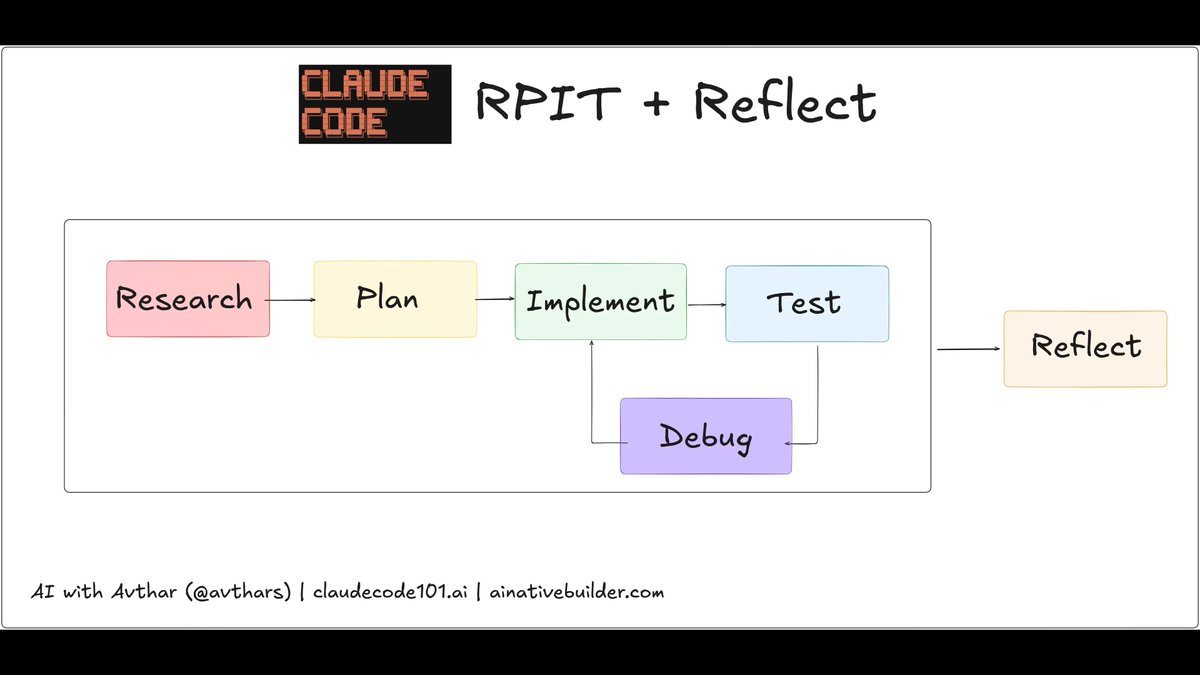

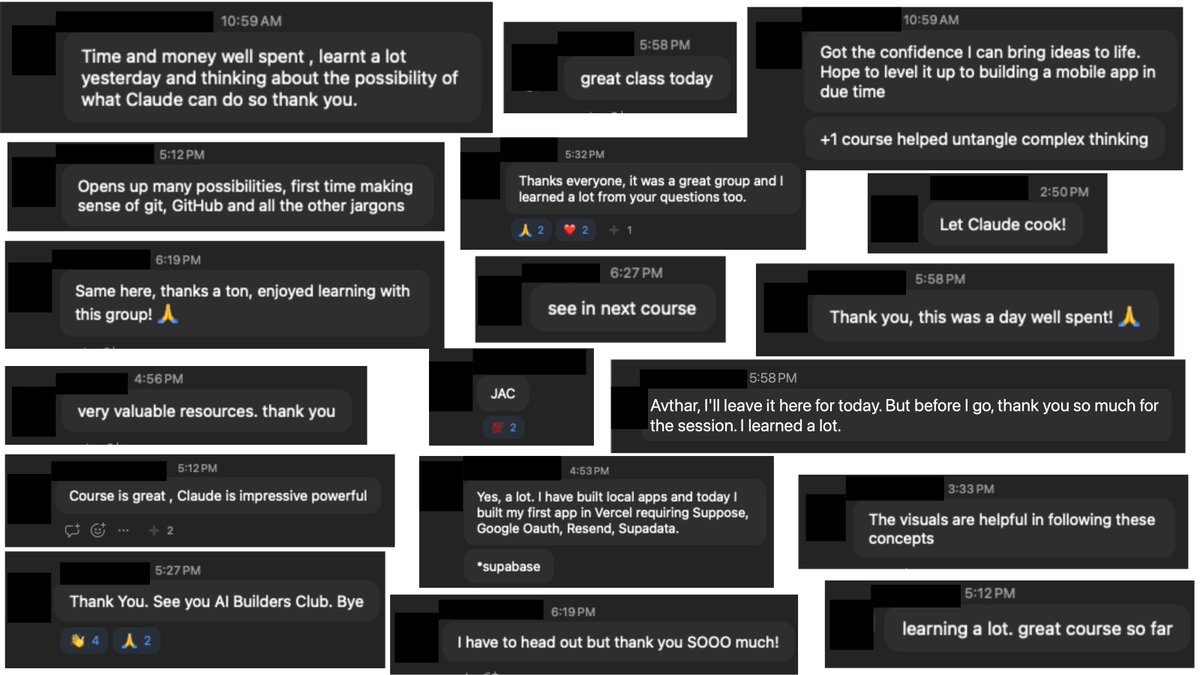
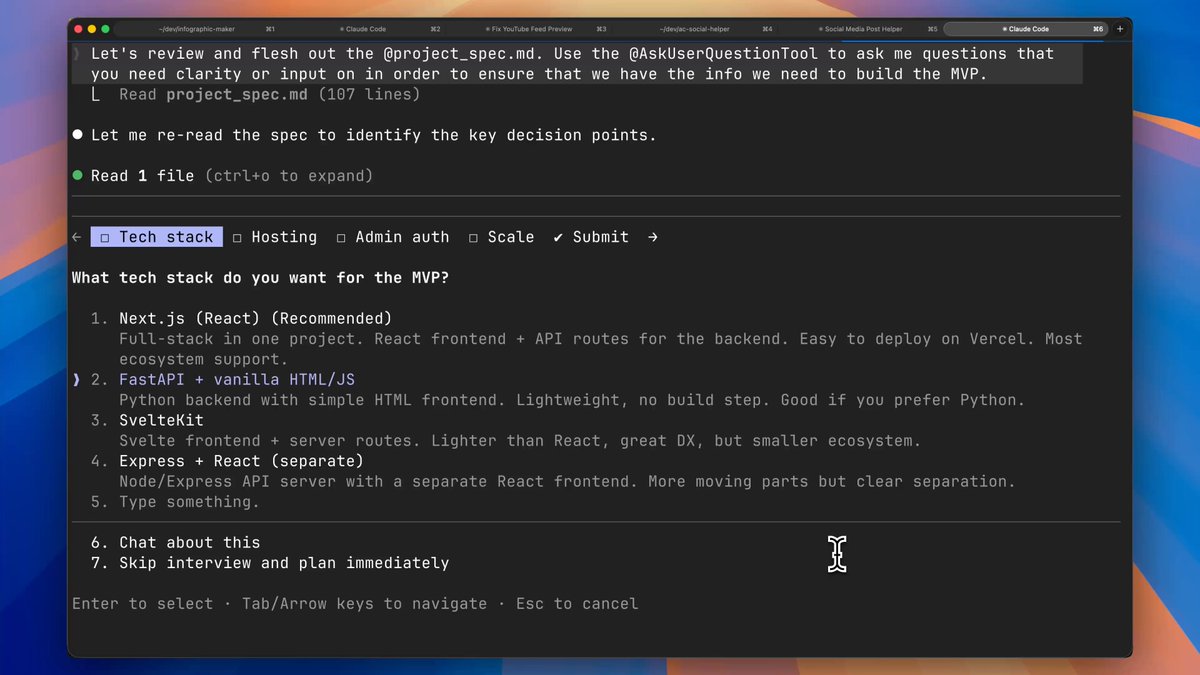


💥NEW AI CODING TUTORIAL: How To Start Claude Code Projects The Right Way (@claudeai )
TIMESTAMPS
00:00 Don't make the same mistake I did
02:30 Phase 1: PLAN
02:54 2 Questions to ask before starting
04:44 How to use AI to help you plan
06:14 Creating a project spec doc
11:36 Phase 2: SETUP
12:04 GitHub Repo setup
13:32 Create your environment variable file (.env)
13:50 CLAUDE md (and what to put in it)
15:57 Automated Project Documentation
18:24 Install Plugins
19:33 Install MCP Servers
20:52 Setup Custom Slash Commands and Sub-agents
23:22 Advanced setup: Preconfigure Permissions
24:09 Advanced setup: Hooks
24:55 Phase 3: BUILD
25:41 Building Your MVP with Claude
26:33 Workflow 1: Single Feature Development
27:49 Workflow 2: Issue based development
29:19 Workflow 3: Multi-Agent Development (Multi-Clauding)
30:39 Tips for Building Productively
33:04 Applying what you learned
60
339
2,220
174,433
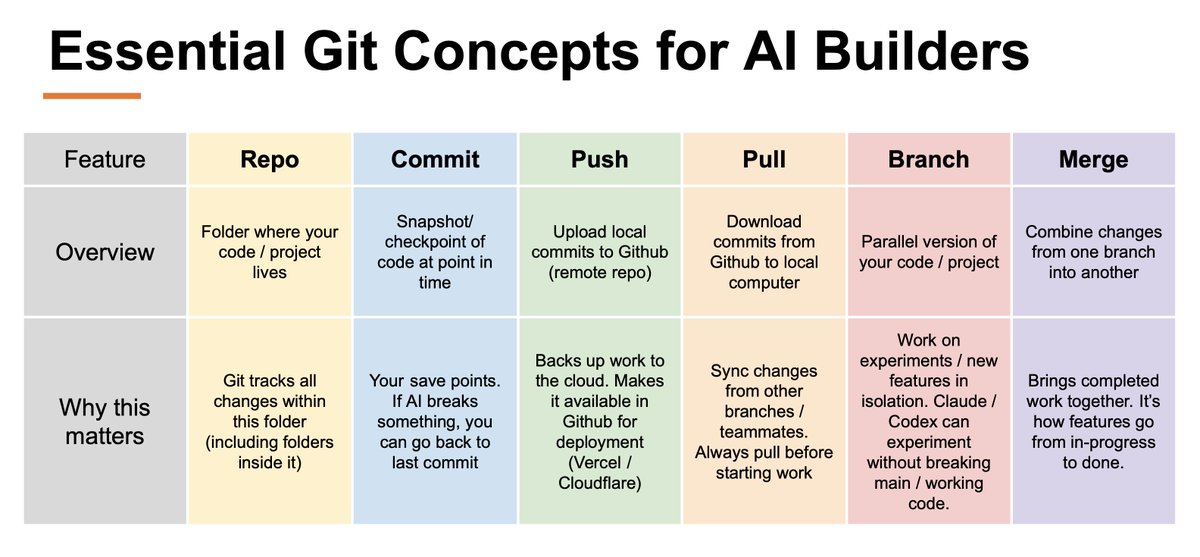
Essential Git Concepts for AI Builders
AI coding tools like Claude Code and Codex gave everyone the power to build. But technical jargon still prevents many from benefiting fully.
Here's 6 core git concepts for AI builders, simply explained:
REPO → the folder where your project lives. Git tracks every change inside it.
COMMIT → a save point. If Claude or Codex breaks something, you roll back to the last commit.
PUSH → upload your save points to GitHub. Cloud backup what Vercel / Cloudflare deploys from.
PULL → download changes from GitHub to your laptop.
BRANCH → a parallel version of your project. Claude / Codex can experiment freely while keeping the version that works stable.
MERGE → fold the finished draft back in. How features go from "in progress" to "done."
2
1
14
1,468
Being "non-technical" is no longer an excuse. AI coding tools like Claude and Codex can write all the code for you.
But knowledge of a few fundamental concepts still separates people who are truly effective from those who keep trying and failing when building with AI.
The good news is that you can learn each fundamental concept in about an hour. And tomorrow, I'm teaching the foundation I'd start with: Git and GitHub.
I'm hosting a free lightning lesson on @MavenHQ on "Git and GitHub for AI Builders" tomorrow (13 June) at 12PM ET / 9AM PT.
If you're a semi-technical / non-technical operator, founder, or PM building with AI, this is for you.
👇Sign up to join live or get the recording: maven.com/p/08ebd9/git-and-g…
You'll learn the core concepts (explained for non-engineers), the workflows that make AI mistakes reversible, and the tools that let Claude Code handle it all for you.
We'll cover:
- Every Git and GitHub concept you need to understand to build productively with Claude Code and Codex
- Repeatable AI-first workflows for solo and team building
- Recommended helper tools (specific Plugins, MCPs and CLIs) that let Claude and Codex work best with Git and GitHub
Excited to see you there!
1
1
407
Essential Git Concepts for AI Builders
AI coding tools like Claude Code and Codex gave everyone the power to build. But technical jargon still prevents many from benefiting fully.
Here's 6 core git concepts for AI builders, simply explained:
REPO → the folder where your project lives. Git tracks every change inside it.
COMMIT → a save point. If Claude or Codex breaks something, you roll back to the last commit.
PUSH → upload your save points to GitHub. Cloud backup what Vercel / Cloudflare deploys from.
PULL → download changes from GitHub to your laptop.
BRANCH → a parallel version of your project. Claude / Codex can experiment freely while keeping the version that works stable.
MERGE → fold the finished draft back in. How features go from "in progress" to "done."
2
1
14
1,468
If you're a non-technical / semi-technical professional who wants to build better with Claude Code or Codex, I'm teaching a free 1 hour deep dive this Saturday.
Sign up to attend live or get the recording:
maven.com/p/08ebd9/git-and-g…
1
496
Avthar retweeted

With Fable 5, I've personally moved on to responsibilities or "loops".
I no longer tell Claude to investigate a particular crash report. It runs in a loop, watching every crash report that comes in. Its job is no longer to help me fix a crash, it's to keep our apps from crashing.
40
25
674
306,419
Avthar retweeted
Today, we're introducing Claude Fable 5 and Mythos 5, two configurations of our next major language model.
I'd normally highlight the numbers: It's SOTA on nearly all benchmarks. I want to talk about something else, because with Fable 5 out in the world, I think a third era quietly started today.
I lead Claude Code & Cowork on the desktop, so I think a lot about how people use AI to get work done. I believe we're about to see a major shift, moving from giving AI tasks to giving it responsibilities.
215
376
5,879
762,869


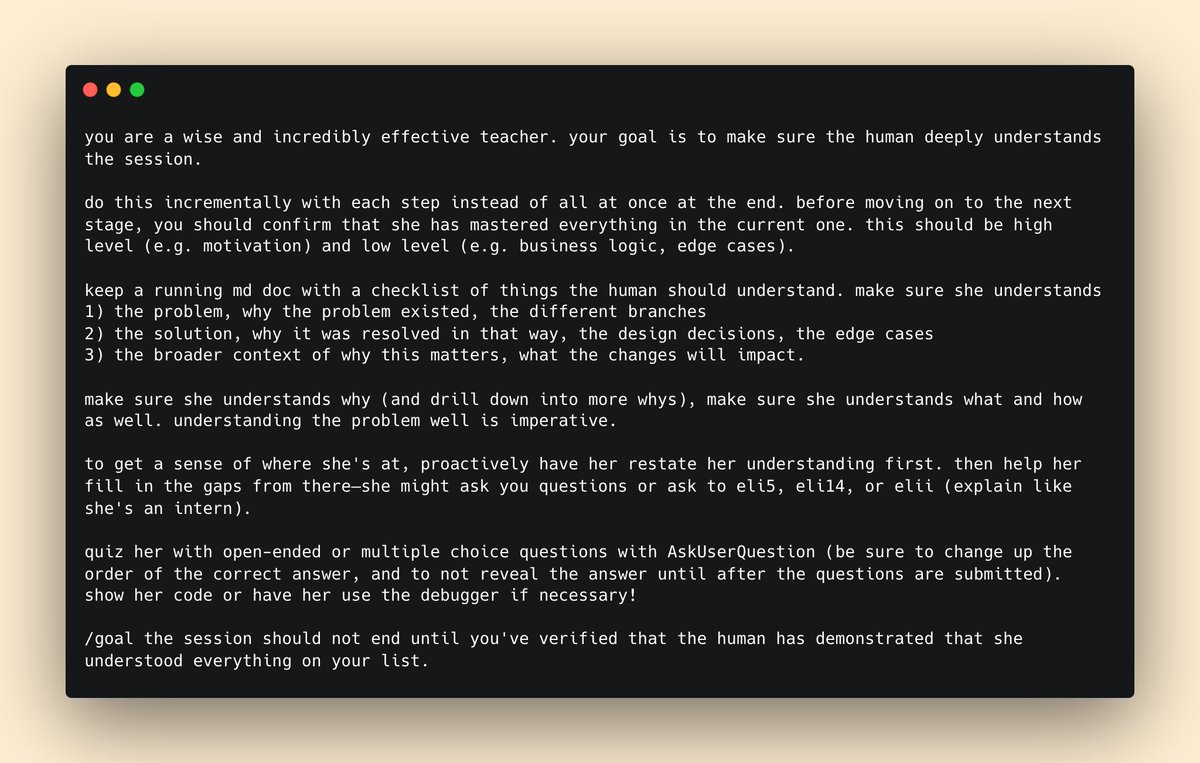
I'm hosting a free @MavenHQ lightning lesson on Git and GitHub Essentials for (aspiring) AI Native Builders.
If you’re non-technical / semi-technical and want to build projects with AI coding tools, this session is for you. Sign up here: maven.com/p/08ebd9/git-and-g…
Here's why:
AI coding tools like Claude Code and Codex have given everyone the power to be a builder.
But to truly wield this power effectively, and become a AI-native builder who builds successful projects, you still need a small amount of technical knowledge.
So I’m doing a free lightning lesson on one of the most important topics people need to build projects successfully with AI: Git and GitHub.
But this isn't a traditional “Git 101” session. I’m going to be covering everything through the lens of building with AI coding tools like Claude Code and Codex. You’ll walk away ready to level up your AI building workflow with the right concepts, workflows, and tools.
We’ll cover:
- Every Git and GitHub concept you need to understand to build productively with Claude Code and Codex
- Git workflows for building, testing, and shipping projects using AI coding tools
- Recommended helper tools (specific Plugins, MCPs and CLIs) that let Claude and Codex work best with Git and GitHub
It's happening Saturday, June 13, 2026 at 12PM ET/ 9AM PT/ 6PM CET.
Sign up to attend live or get the recording. And please share this post with friends or teammates who could benefit from this session:
1
2
5
1,019
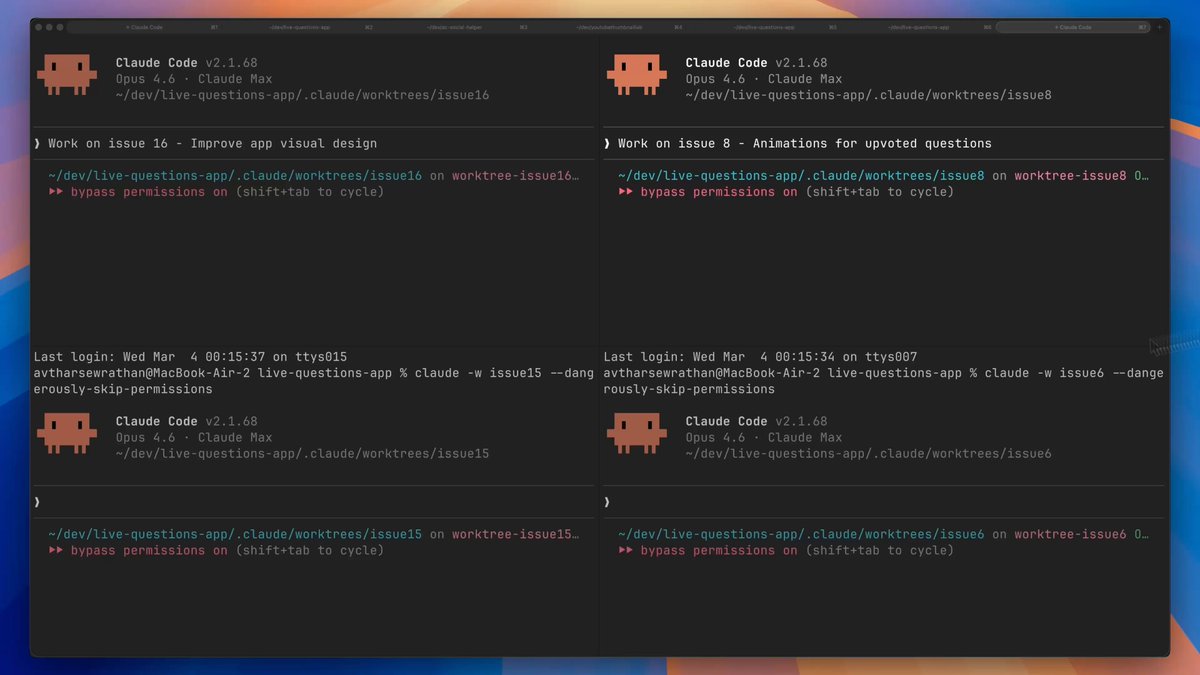
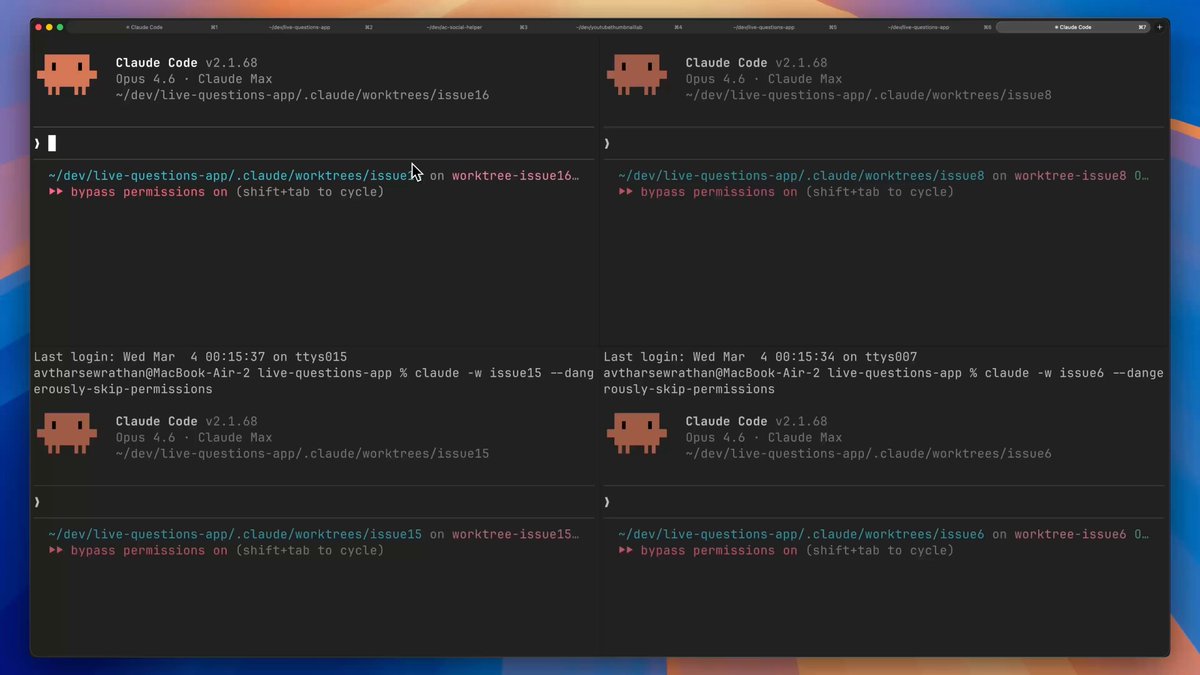
Here's the full 43 minute walkthrough of my multi-agent Claude Code workflow that helps me build 10x faster.
Featuring git worktrees, parallel agents, and Agent View.
0:00 The Biggest Productivity Unlock
2:09 Step 1: Prepare
5:49 Terminal Setup
6:49 Git Worktrees
12:39 Step 2: Build
15:34 Agent View
18:51 Pro Tips for Multi-Agent Building
21:01 Step 3: Merge and Ship
21:59 Worktree Merge Methods
28:45 Worktree Cleanup
30:44 Completed Features Review
33:43 5 Common Mistakes
38:46 Comparison: Parallel Agents vs Agent Teams vs Subagents
42:45 Apply This System
10
10
83
8,931
Here's the full 43 minute walkthrough of my multi-agent Claude Code workflow that helps me build 10x faster.
Featuring git worktrees, parallel agents, and Agent View.
0:00 The Biggest Productivity Unlock
2:09 Step 1: Prepare
5:49 Terminal Setup
6:49 Git Worktrees
12:39 Step 2: Build
15:34 Agent View
18:51 Pro Tips for Multi-Agent Building
21:01 Step 3: Merge and Ship
21:59 Worktree Merge Methods
28:45 Worktree Cleanup
30:44 Completed Features Review
33:43 5 Common Mistakes
38:46 Comparison: Parallel Agents vs Agent Teams vs Subagents
42:45 Apply This System
10
10
83
8,931
Also on Youtube: youtu.be/B8kSsEDk0TQ
If you want to learn more about the best AI coding tools like Claude Code and Codex, and how to get the most out of them, follow @avthar on X and subscribe on Youtube.
2
1,380

Introducing Claude Opus 4.8: it builds on Opus 4.7 with sharper judgment, more honesty about its own progress, and the ability to work independently for longer than its predecessors.
Available today at the same price.
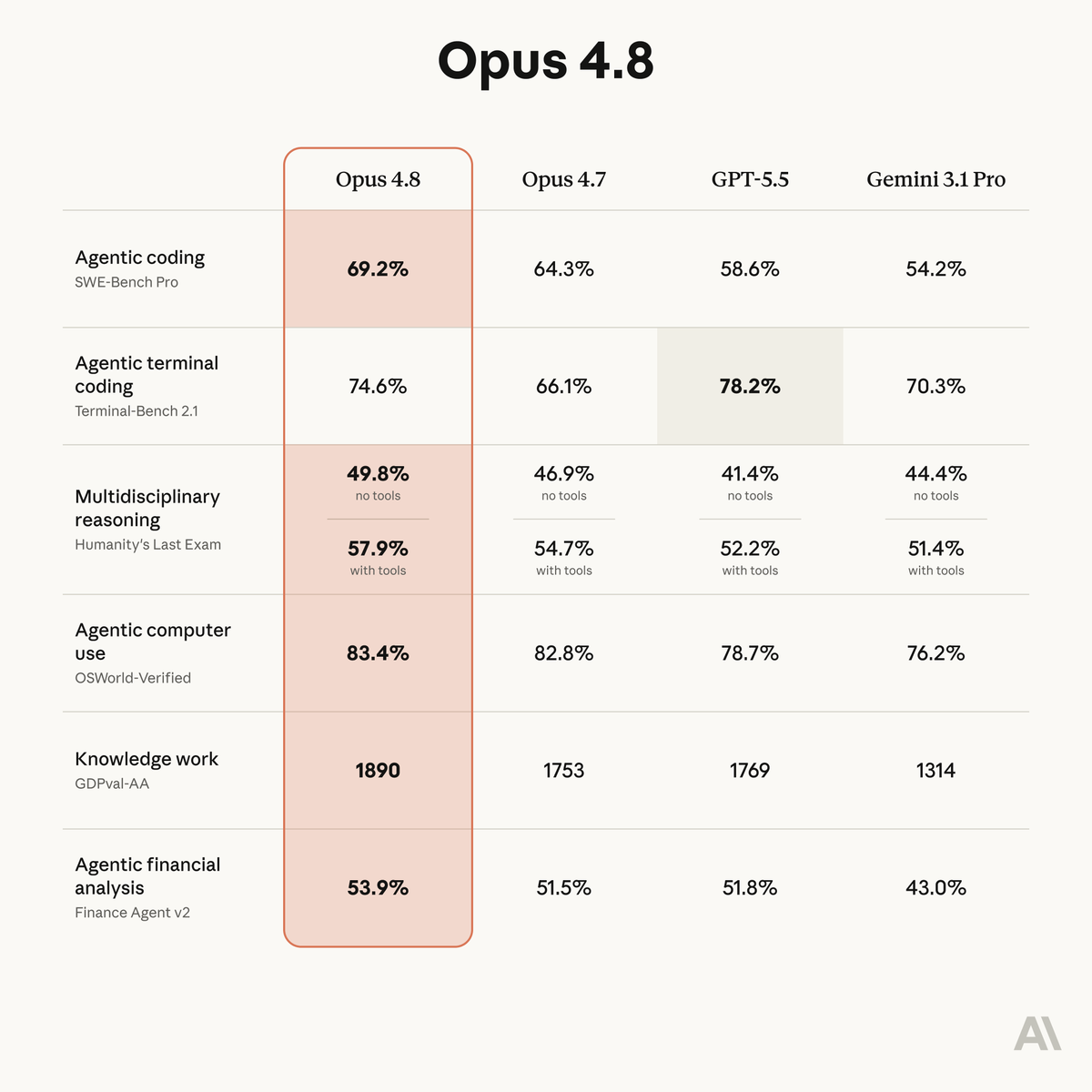
ALT Benchmark table showing how Claude Opus 4.8 compares to its predecessor and to other models on tests of coding, agentic skills, reasoning, and practical knowledge work tasks.
3,687
8,626
67,439
15,241,410
I’ve been waiting for this. Game-changer for all Codex builders

You've been asking for this one...
Now in preview: Codex in the ChatGPT mobile app.
Start new work, review outputs, steer execution, and approve next steps, all from the ChatGPT mobile app. Codex will keep running on your laptop, Mac mini, or devbox.
1
339
Claude Code’s New Usage Plans (And What They Actually Mean for You)
Here's the simple explanation of what the Claude Code plan change announcements mean: Claude Code just split subscription usage into 2 buckets, and they each have different rules.
Bucket 1 = "Interactive" usage
- This means using the Claude Code CLI*, Claude Code Desktop App, Claude Code Extension in VSCode / IDEs, and the Claude Code Web and Mobile App.
- Usage draws from your subscription limits included in your plan (weekly / monthly limits)
- If this is the only way you use Claude Code, good news: there's no change for you!
- You actually benefit from 50% higher weekly rate limits, which is in effect from May 13 until 13 July.
Bucket 2 = "Programmatic" usage
- This includes using the Claude Code CLI with Headless Mode (claude -p), Claude Code Github Action, the Claude Agent SDK, and third party apps built on Agent SDK.
- Big change: Usage does not draw against subscription limits, but is instead billed separately at API rates.
- You can login with your Claude Code subscription and don’t need to bring your own API key, but you'll need to pay separately for usage from this bucket, in addition to your monthly CC sub.
- Some good news: You get between $20-200 of credits per month depending on tier ($20 for pro, $100 for Claude Max 5X, $200 for Claude Max 20X)
- Light users of headless mode or the Claude Code Github Action are likely least impacted -- I'd estimate this is probably ~80-90% of Claude Code users.
- Power users of headless mode, CC Github Action, or Agent SDK / 3rd Party Agent SDK apps are most impacted and will need to pay API costs for excess usage once the monthly credit runs out. I'd estimate this is ~10-20% of Claude Code users.
For me, the biggest impact that headless mode and the CC GitHub Action no longer counts against your subscription. Here's Anthropic's rationale from the Support article on the new programmatic usage credit:
"Production automation at scale. The Agent SDK monthly credit is sized for individual experimentation and automation. Teams running shared production automation should use the Claude Developer Platform with an API key for predictable pay-as-you-go billing."
Reply with what you think of the new changes and if/ how they impact you -- very curious to hear your thoughts.
May 13

Starting June 15, paid Claude plans can claim a dedicated monthly credit for programmatic usage.
The credit covers usage of:
- Claude Agent SDK
- claude -p
- Claude Code GitHub Actions
- Third-party apps built on the Agent SDK
2
2
3
1,066
Finally!
Apr 29

You can now ask Gemini to create Docs, Sheets, Slides, PDFs, and more directly in your chat. No more copying, pasting, or reformatting, just prompt and download.
Available globally for all @GeminiApp users.
3
530
💥NEW AI CODING TUTORIAL: 5 cracked Claude Code Desktop App upgrades to add to your AI coding workflows today
TIMESTAMPS
0:00 This might be the best way to build with AI
0:28 Upgrade 1: Everything in One App
2:29 Upgrade 2: New Design and Layout
4:56 Upgrade 3: Parallel Work
6:43 Upgrade 4: Steering and Feedback
9:02 Upgrade 5: Pro Flexibility
11:03 I’ll keep you updated
3
2
9
1,492
💥NEW AI CODING TUTORIAL: 5 cracked Claude Code Desktop App upgrades to add to your AI coding workflows today
TIMESTAMPS
0:00 This might be the best way to build with AI
0:28 Upgrade 1: Everything in One App
2:29 Upgrade 2: New Design and Layout
4:56 Upgrade 3: Parallel Work
6:43 Upgrade 4: Steering and Feedback
9:02 Upgrade 5: Pro Flexibility
11:03 I’ll keep you updated
3
2
9
1,492
Also on Youtube: youtu.be/4NAsYnG08-I
If you want to learn more about the best AI coding tools and how to get the most out of them, follow @avthar on X and subscribe on Youtube.
290