We Fill Call Boards.
Joined August 2022
- Tweets 47
- Following 250
- Followers 36
- Likes 67
Photos and videos

17 Dec 2025
Empty call board this week. Overbooked next week.
That’s not a demand problem - it’s an alignment problem.
Too many home service companies overspend on marketing without pressure-testing operational capacity. That’s how ad budgets get wasted and teams get overwhelmed.
In this Around the CAMPfire episode, Katie Donovan sits down with Matt Murray (CMO & Head of Innovation at Peterman Brothers) to break down how top operators:
• Match marketing spend to real-time capacity
• Use speed-to-lead to protect booked jobs
• Keep ops, CSRs, and marketing on the same scoreboard
Check it out - youtube.com/watch?v=kXRyYiIB…
11
22 Oct 2025
Search isn’t what it used to be.
Homeowners aren’t typing one keyword and picking the first result anymore.
They’re researching, scrolling, comparing, watching videos - and making decisions long before they ever hit your website.
If you’re still relying on the same old tactics, you’re already behind.
🎥 Watch the webinar replay to see what’s changing (and what to do about it). youtube.com/watch?v=6VB1GbTB…
👉 campdigital.com
#CAMPDigital #HomeServicesMarketing #AIMarketing #GooglePremierPartner #WeFillCallBoards

21
15 Oct 2025
Stop guessing. Start tracking what actually drives profit.
In this Around the CAMPfire episode, CAMP Digital CEO Katie Donovan talks with Neal Zamore, Head of Marketing at Storr Group, to break down a proven framework for measuring what matters across marketing, operations, and leadership.
From cost-per-ad insights to catching cancellation-rate red flags, Neal shares real-world strategies HVAC, plumbing, and electrical business owners can use to scale profitably.
Watch the full episode: youtube.com/watch?v=ir9efxTZ…
#HomeServiceMarketing #BusinessGrowth #HVAC #PlumbingBusiness #ElectricalBusiness #Leadership #KPIs #CAMPDigital #StorrGroup #WeFillCallBoards #GooglePremierPartner
18
CAMP Digital retweeted

4 Oct 2025
💥 Big thanks to @campdigitalmn for joining RPC as a Platinum Sponsor!
They’ll be in Marco Island helping roofers win with marketing leads.
📍 Dec 3–5 | 🌴 roofconference.com
#RoofingProcessConference #CampDigital #LFGrow
1
1
45
10 Oct 2025
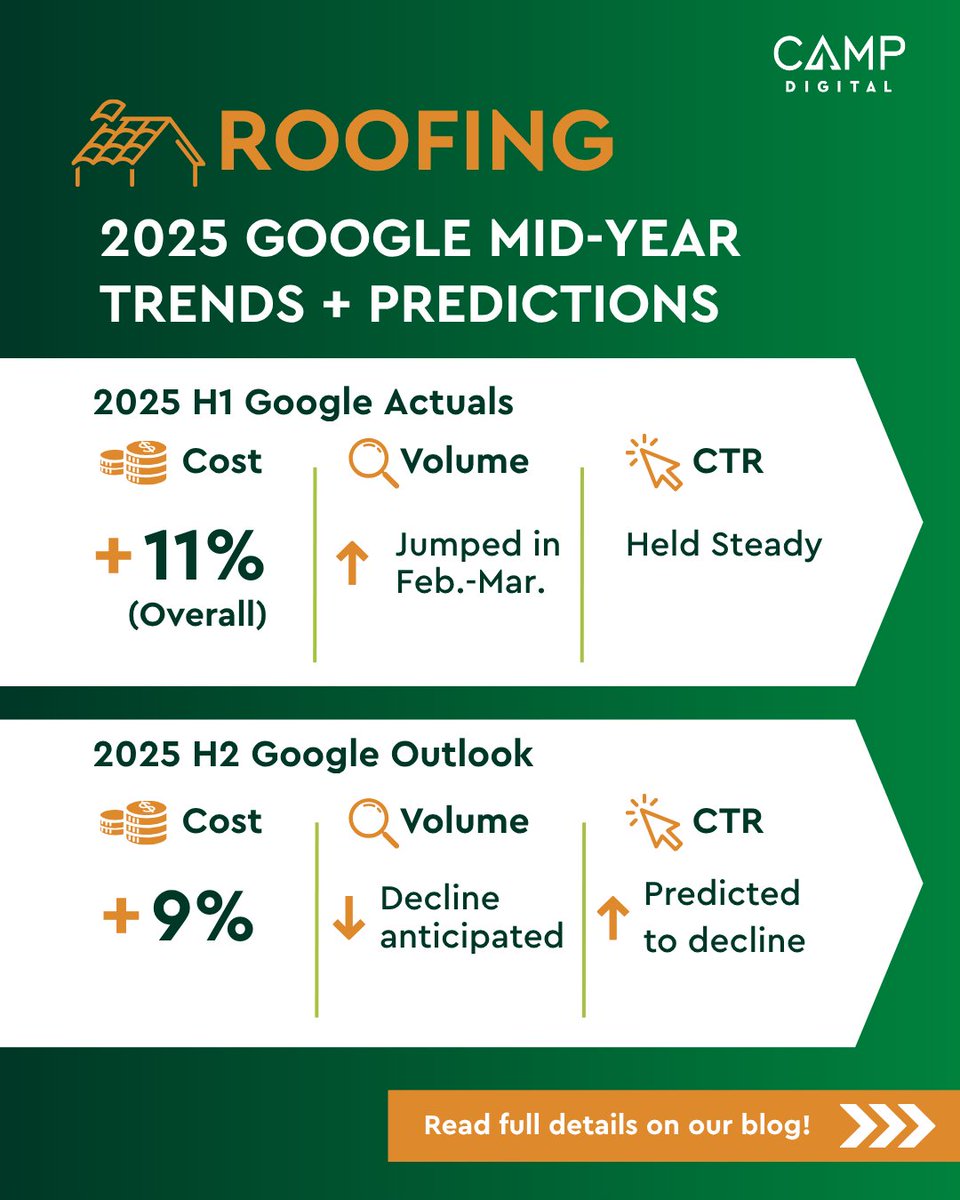
Roofing Ad Costs Keep Rising - Here’s What We’re Seeing Ad spend for roofing is up 11% so far in 2025 - and it’s not slowing down.
Google search volume spiked early in the year, but both traffic and cTR are expected to dip in the months ahead. Meanwhile, costs could rise another 9%.
We’ve released our exclusive mid-year roofing trends breakdown - straight from Google data. Know what’s shifting, what’s coming, and how to stay ahead of the curve (and keep those call boards full).
📷 Read the full breakdown on our blog: campdigital.com/.../how-2025…
#RoofingMarketing #GoogleTrends #HomeServicesMarketing #MarketingInsights #CAMPDigital #WeFillCallBoards #GooglePremierPartner
12
7 Oct 2025
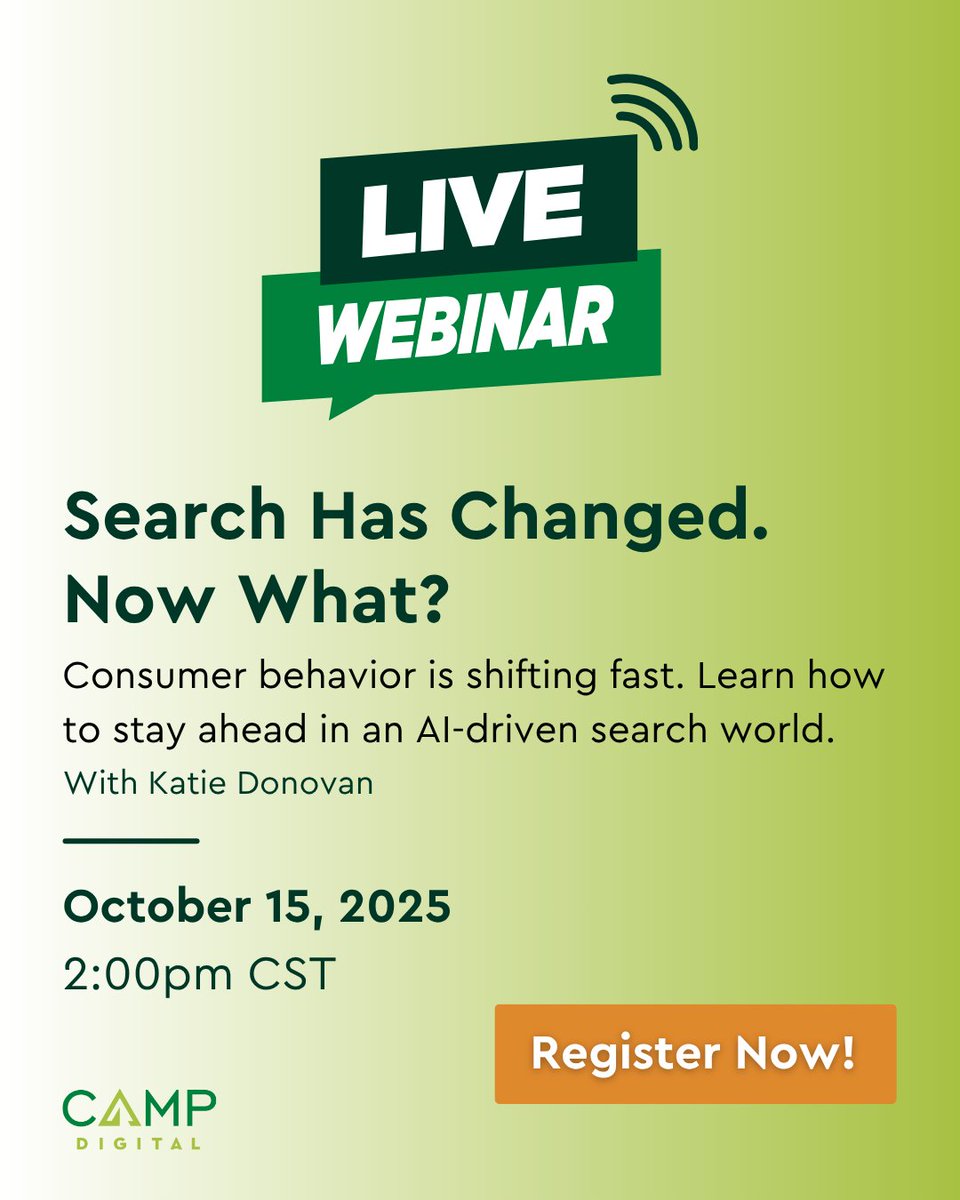
Search has changed. Now what?
AI is reshaping how homeowners find and choose service pros - and businesses that adapt will win.
Join CAMP Digital CEO Katie Donovan live to learn:
✅Where your ads now show up in AI search
✅How to reach homeowners before they call your competitor
✅ What’s working in Q4 across Google, Meta, YouTube & more
October 15 at 2:00 PM CST
Register now: zoom.us/meeting/register/6vT…
9
26 Sep 2025
We’re heading to Marco Island this December as a sponsor of the 7th Annual Roofing Process Conference! 📷
CAMP Digital CEO Katherine Donovan will hit the stage alongside top industry leaders to share how home service businesses can turn clicks into booked jobs.
If you’re serious about scaling your business, don’t miss it - register and join us!
December 3 - 5, 2025
Marco Island, FL
Don’t miss it - get your tickets at roofconference.com
21
16 Sep 2025
Want to start using AI today? Start here. ⚒️
For our final day, Katie shares her Top 10 AI Tools for Beginners - from writing to design to voiceovers.
✅ Easy to use
✅ No tech skills required
✅ Free versions available
•ChatGPT – chat.openai.com
General AI for writing, brainstorming, summarizing, and problem-solving.
•Gemini (Google) – gemini.google.com Google’s AI with search Docs/Sheets integration.
•Claude (Anthropic) – claude.ai
Conversational AI with a friendly, context-aware style. Great for long documents.
•Microsoft Copilot – Built into Word, Excel, Outlook
Your AI assistant inside Microsoft 365 for productivity.
•Copy.ai – copy.ai
AI copywriter for marketing content, ads, and emails.
•Murf – murf.ai
Realistic AI voiceovers—great for training videos or podcasts.
•Descript – descript.com
AI-powered audio/video editing. Edit by editing text!
•Synthesia – synthesia.io
Create AI videos with avatars—no cameras or studios needed.
•Notion AI – notion.so
Built into Notion. Helps write, brainstorm, and organize notes/projects.
•Canva AI – canva.com/ai
Design made simple: generate text, images, and layouts with AI.
Another bonus tool that Katie LOVES:
Google Flow – labs.google/fx/tools/flow
Text to Video, Image to Video and more creative tools!
🎯 Whether you’re curious or overwhelmed, this list will get you moving fast.
Watch the final video and catch up on the full series: youtube.com/playlist?list=PL…
#14DaysOfAI #CAMPDigital #PromptEngineering #AIForEveryone #HomeServices #WeFillCallBoards #GooglePremierPartner
19
15 Sep 2025
AI is fast. But humans make it matter. 💡
Today, Katie explains why “Humans in the Loop” isn’t optional - it’s essential.
✅ You provide context
✅ You correct mistakes
✅ You drive creativity and strategy
AI is the accelerator. But you’re still the driver.
Watch now and catch up on the full series here: youtube.com/playlist?list=PL…
#14DaysOfAI #CAMPDigital #PromptEngineering #AIForEveryone #HomeServices #WeFillCallBoards #GooglePremierPartner
6
14 Sep 2025
AI is powerful - but it’s not perfect. ⚠️
Today, Katherine Donovan covers four common risks you need to watch out for:
Bias
Halllucinations
Copyright
Data Privacy
AI is a tool - not a final decision-maker.
Use it wisely. Review everything. Always think ethically.
Missed a day? Get caught up here: youtube.com/playlist?list=PL…
#14DaysOfAI #CAMPDigital #PromptEngineering #AIForEveryone #HomeServices #WeFillCallBoards #GooglePremierPartner
15
14 Sep 2025
Let’s build your first real prompt - right now. 💥
Katherine Donovan gives you a plug-and-play prompt structure you can use today for blogs, ads, captions, or campaigns.
✅ Task
✅ Audience
✅ Context
✅ Examples
✅ Output Format
✅ Review Revise
🎯 Bonus: Home Services examples!
Watch now and then test your first prompt - pick one (or try both - keep the same prompt and see the different outputs) - and share your results/takeaways in the comments.
🤖 ChatGPT → chat.openai.com
🤖 Gemini → gemini.google.com
Watch now and catch up on the full series here: youtube.com/playlist?list=PL…
#14DaysOfAI #CAMPDigital #PromptEngineering #AIForEveryone #HomeServices #WeFillCallBoards #GooglePremierPartner
23
12 Sep 2025
Need fresh content fast? AI’s got you. 🧠💪
For Day 10, Katie walks through how to prompt AI to create ads, captions, blogs, and more - without sounding robotic.
💡 Format tone audience = content gold.
🎥 Watch and see how good one prompt can spark endless ideas.
Missed a day? Get caught up here: youtube.com/playlist?list=PL…
#14DaysOfAI #CAMPDigital #PromptEngineering #AIForEveryone #HomeServices #WeFillCallBoards #GooglePremierPartner
22
11 Sep 2025
The first draft isn’t the final draft - especially with AI. 🤖
Today, Katie shows how iteration takes AI output from “meh” to “nailed it.”
Don’t like what you got? Ask again.
✍️ Change the tone.
✍️ Add a constraint.
✍️ Ask it to explain.
💬 Prompting is a conversation, not a one-and-done.
Watch now and catch up on the full series here: youtube.com/playlist?list=PL…
#14DaysOfAI #CAMPDigital #PromptEngineering #AIForEveryone #HomeServices #WeFillCallBoards #GooglePremierPartner
11
10 Sep 2025
AI is a genius…but sometimes it’s wrong. ❌
Today, Katherine Donovan explains how to evaluate AI output like a pro.
Ask yourself:
✅ Is it accurate?
✅ Is it useful?
✅ Does it reflect your voice and goals?
🎯 Treat AI like a smart intern - it can generate fast, but you still call the shots.
Missed a day? Get caught up here: youtube.com/playlist?list=PL…
#14DaysOfAI #CAMPDigital #PromptEngineering #AIForEveryone #HomeServices #WeFillCallBoards #GooglePremierPartner
12
9 Sep 2025
Show. Don’t just tell.
That rule applies to AI too.
Want better output? Feed AI real examples.
Today, Katherine Donovan explains how references help AI nail your tone, format, and voice.
📌 Tip: Include 2-3 samples you love - and tell it why.
🎯 This step = secret sauce for consistent, brand-right content.
Watch now and catch up on the full series here: youtube.com/playlist?list=PL…
#14DaysOfAI #CAMPDigital #PromptEngineering #AIForEveryone #HomeServices #WeFillCallBoards #GooglePremierPartner
11
8 Sep 2025
Great prompts answer the question: “Why does this matter?”
Context = clarity, and clarity = better AI output.
For Day 6, Katie explains how to give your prompts purpose by adding details about your audience, goal, and message.
The more AI understands, the better it performs.
Tomorrow: how to show AI what you want using real examples. Watch now and catch up on the full series here: youtube.com/playlist?list=PL…
#14DaysOfAI #CAMPDigital #PromptEngineering #AIForEveryone #HomeServices #WeFillCallBoards #GooglePremierPartner
7
7 Sep 2025
Want better results from AI? Start by getting specific.
Today, Katie shares Step 1 in writing a killer prompt: clearly stating the task.
What do you want AI to do?
Who should it sound like?
What format do you need? It’s like writing a creative brief - but for a robot.
Follow along as we build your prompting know-how.
Missed a day? Get caught up here: youtube.com/playlist?list=PL…
#14DaysOfAI #CAMPDigital #PromptEngineering #AIForEveryone #HomeServices #WeFillCallBoards #GooglePremierPartner
16
CAMP Digital retweeted
4 Sep 2025
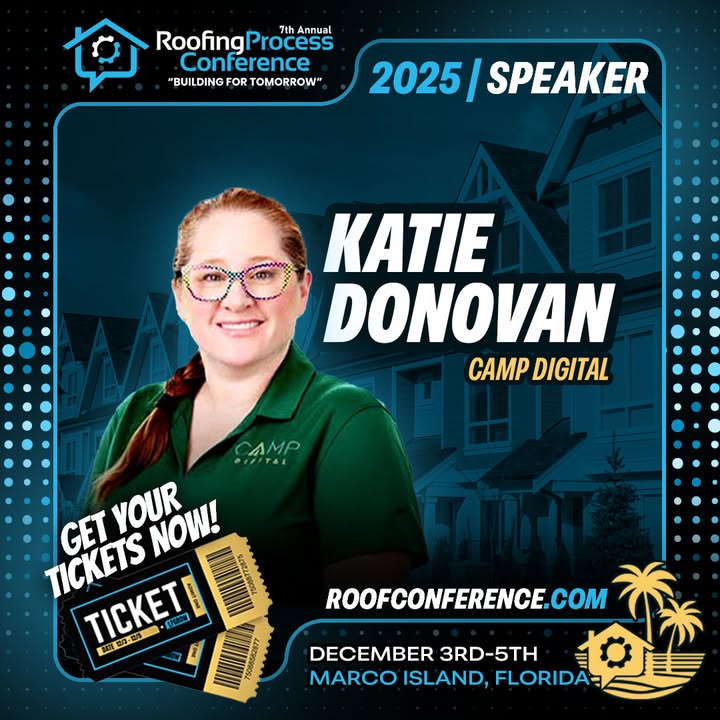
Thrilled to announce Katie Donovan (Camp Digital) is taking the stage at the 7th Annual Roofing Process Conference.
@campdigitalmn
📍 Marco Island, FL | 📅 Dec 3–5
🎟 Get your ticket: roofconference.com
1
1
86
6 Sep 2025
Think of AI like a car. Now imagine trying to drive it without a steering wheel.
That’s what using AI without prompt engineering looks like.
Today, Katherine Donovan shares how prompts put you in control of AI - so you get results that are actually useful. 🎯
Clear prompts = better output. 💬 Vague prompts = meh results.
Tomorrow ➡️: How to write better prompts, starting with Step 1.
Missed a day? Get caught up here: youtube.com/playlist?list=PL…
#14DaysOfAI #CAMPDigital #PromptEngineering #AIForEveryone #HomeServices #WeFillCallBoards #GooglePremierPartner
15
5 Sep 2025
AI that writes, draws, designs, and even makes music? 📷 That’s not the future - it’s happening right now.
In Day 3 of #14DaysOfAI, CAMP Digital CEO Katherine Donovan demystifies Generative AI - the tech powering tools like ChatGPT and AI image creators that produce content at scale.
It’s not just automation - it’s creativity reimagined.
Watch now and catch up on the full series here: youtube.com/playlist?list=PL…
#14DaysOfAI #CAMPDigital #AIForEveryone #WeFillCallBoards #GooglePremierPartner #HomeServices #GenerativeAI #PromptEngineering
1
23