Deaf. Accessibility Architect at @Microsoft working on @MicrosoftTeams. Baseball/beer/bourbon/hockey aficionado. CrossFit junkie. I also have a sock problem.
Joined July 2008
- Tweets 348
- Following 0
- Followers 918
- Likes 841
2 Photos and videos

26 Jun 2023
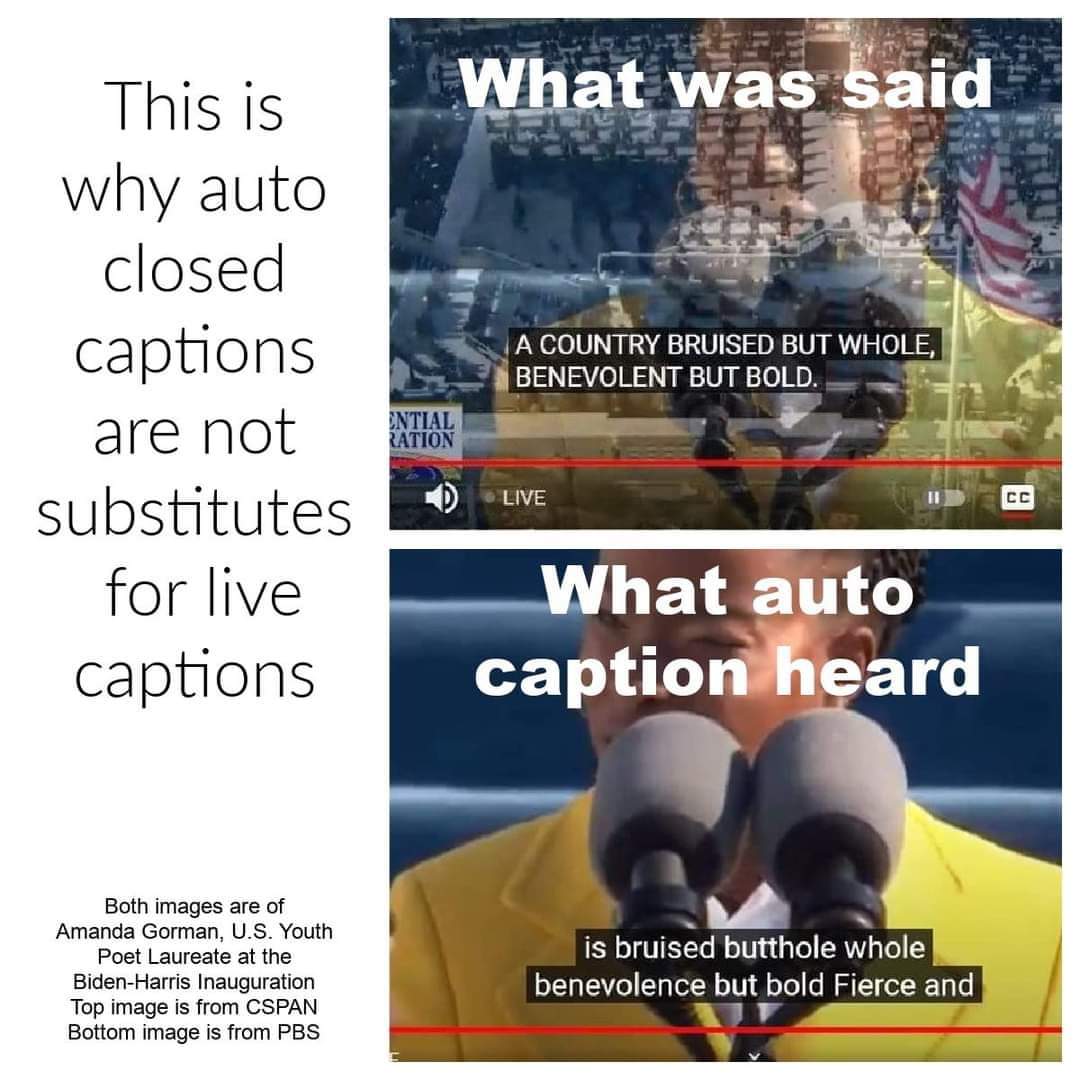
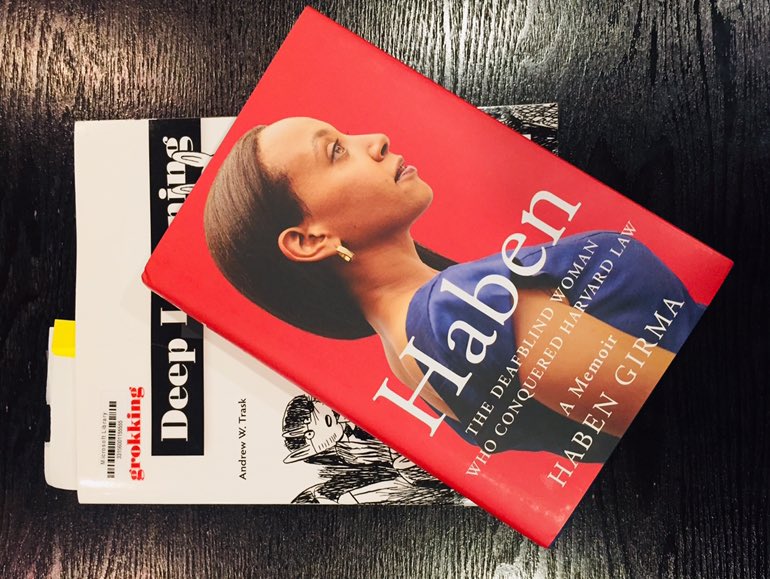
Some updates from the accessibility side of @MicrosoftTeams. You can now do some basic customization of the presentation of your captions in Teams meetings as well as toggle the profanity filter for Live Captions/Transcription.
techcommunity.microsoft.com/…
4
11
8,933
Chris Sano retweeted

5 Apr 2023
PowerPoint Live now has closed captions! It helps those who are deaf or hard of hearing, have difficulty processing auditory information, have a language barrier, or join the meeting from a loud environment to understand video content better. Details: msft.it/6018gGDmM
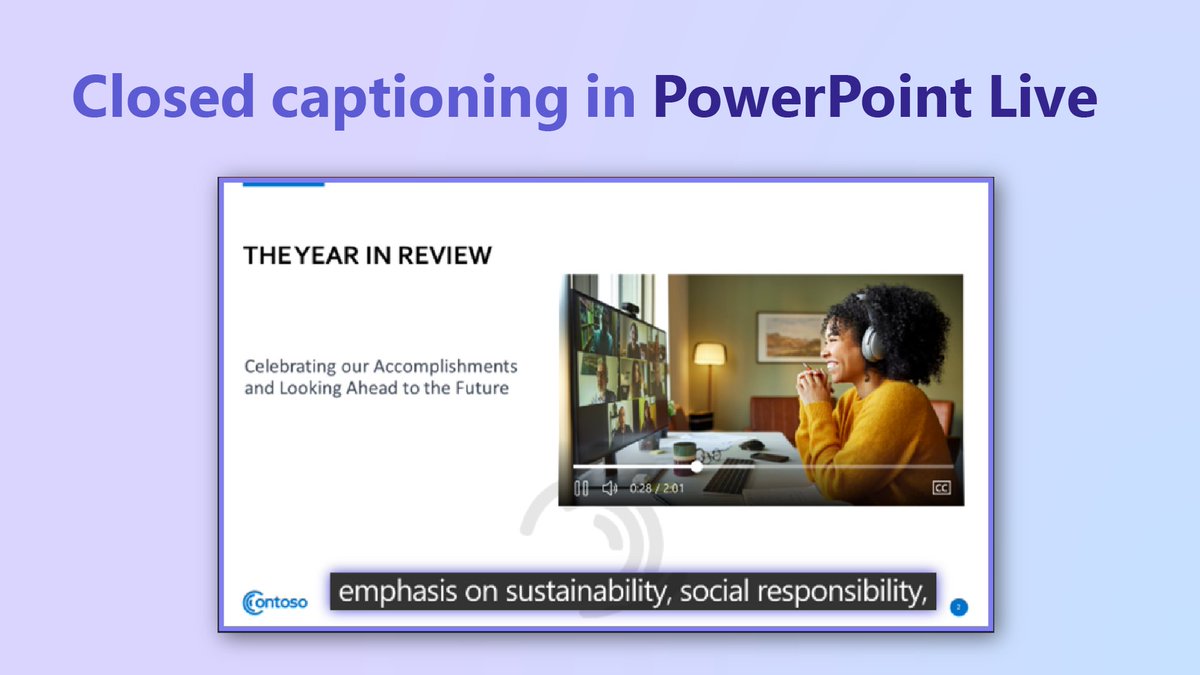
ALT Text reads "Closed captioning in PowerPoint Live."
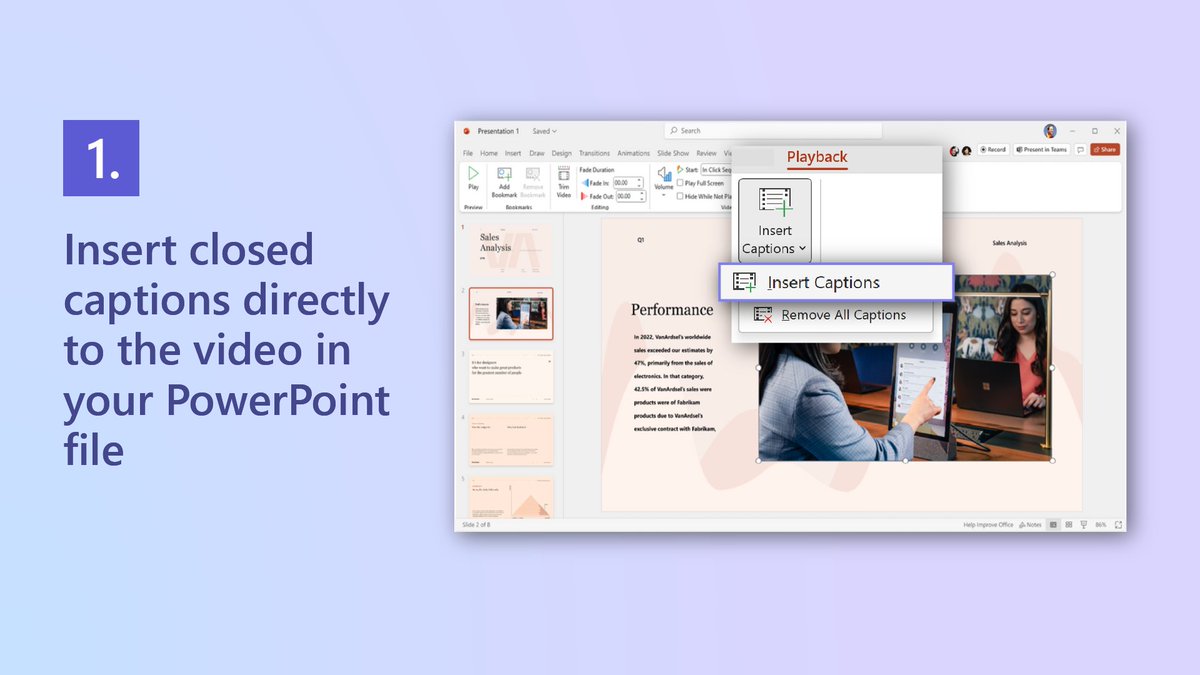
ALT Text reads "1. Insert closed captions directly to the video in your PowerPoint file." PowerPoint U I settings to insert captions.
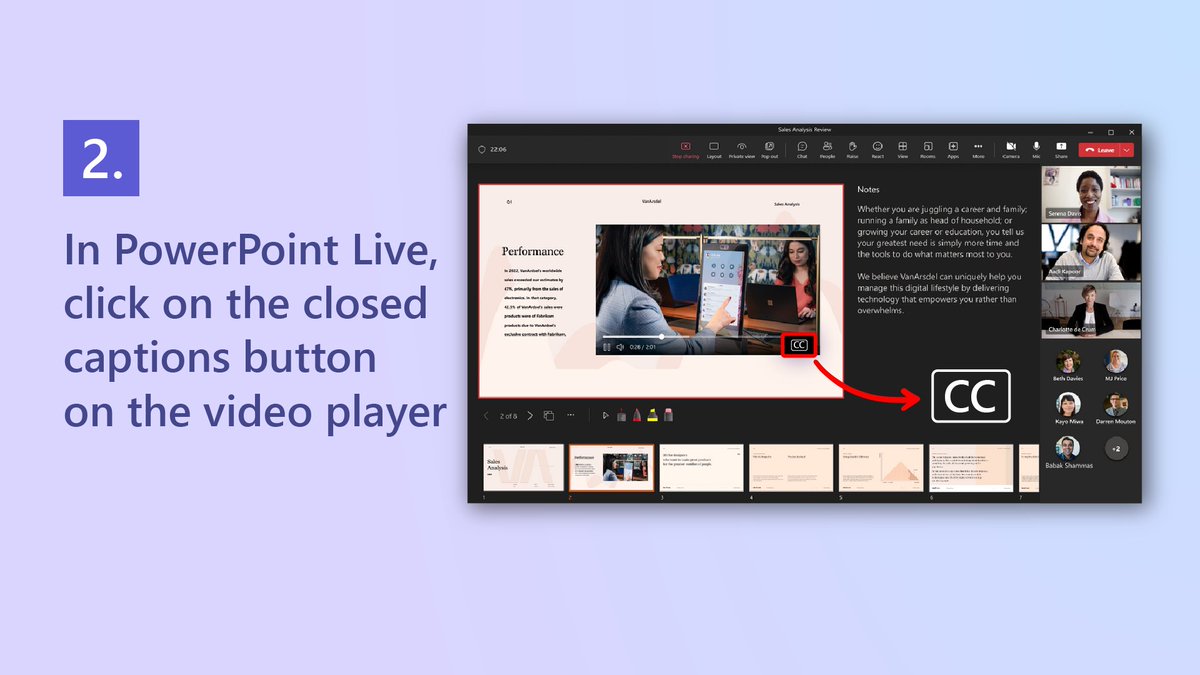
ALT Text reads "2. In PowerPoint Live, click on the closed captions button on the video player." Closed captions button in PowerPoint Live.
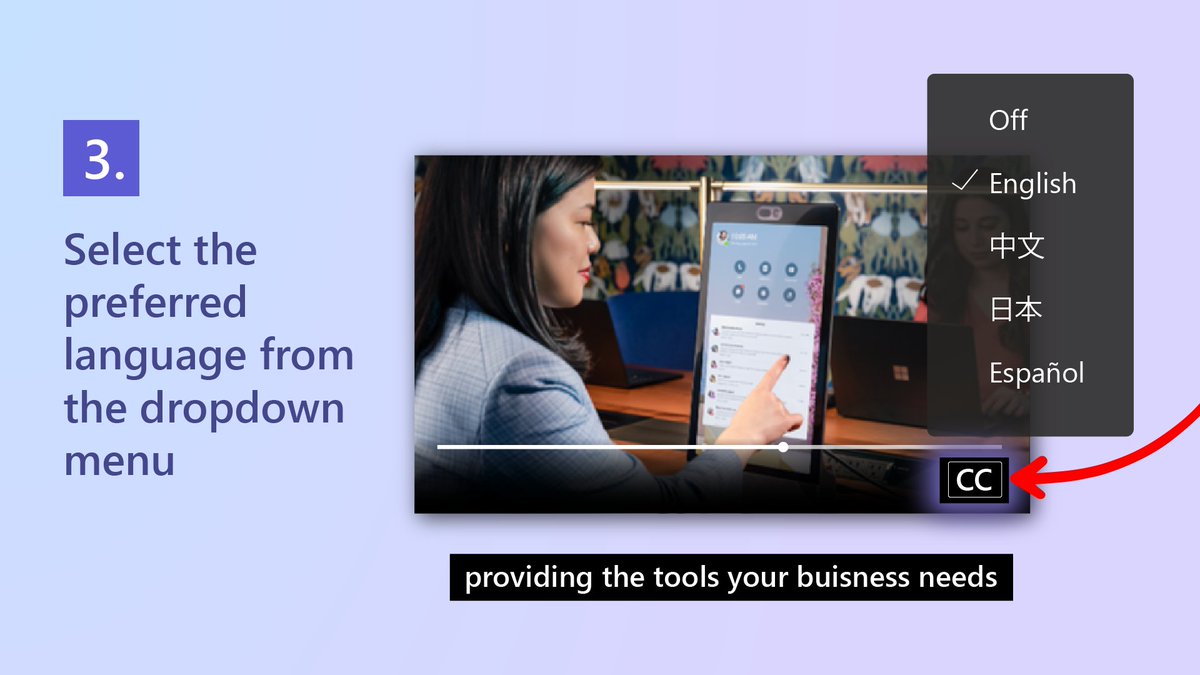
ALT Text reads "3. Select the preferred language from the dropdown menu." Language dropdown menu.
2
41
119
23,871
9 Mar 2023
This was such a fun discussion. Thanks, @melmira, for being a fantastic host and @howrose for joining us!
8 Mar 2023

@csano "Each barrier that i overcome becomes a tool on my tool belt that i can use to address the next [challenge]" #DeafCulture #AbilitySummit In discussion with @melmira and NAD.
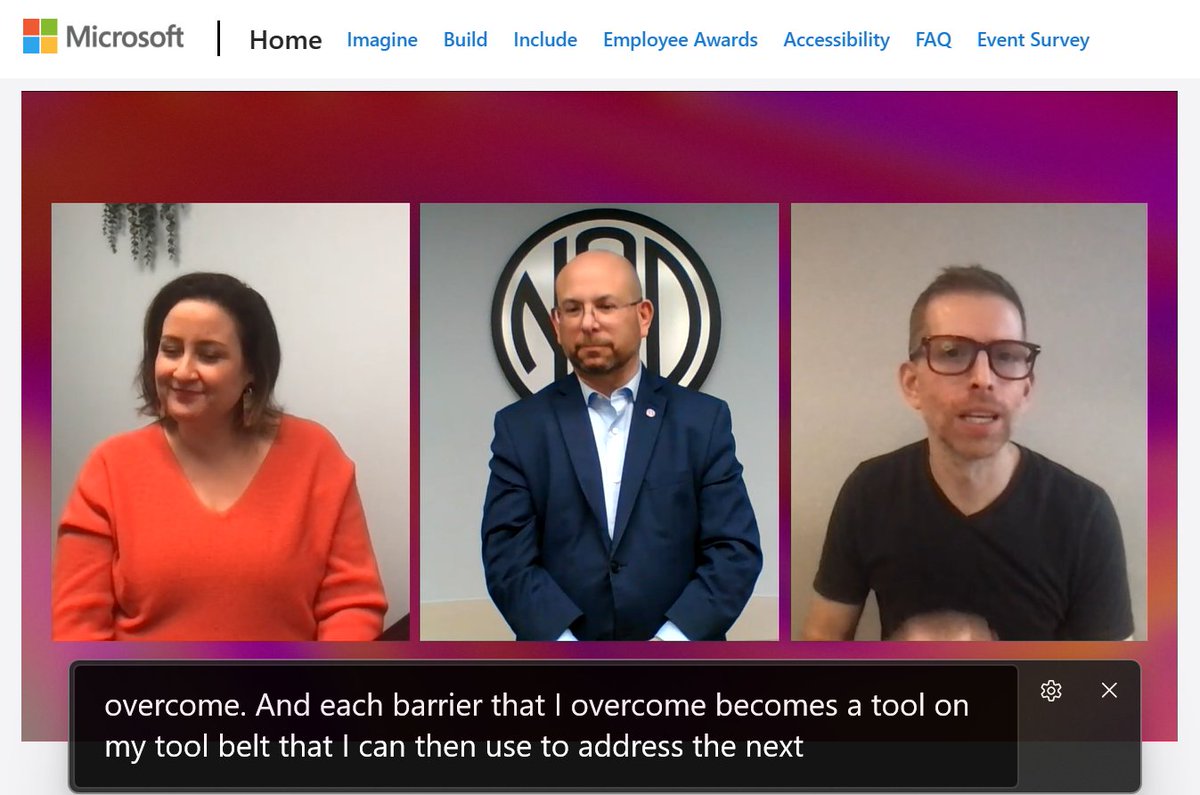
ALT panel discusson in plenary at ability summit featuring three speakers including chris sano and the NAD
4
422
Chris Sano retweeted

8 Mar 2023
"I may not necessary know or understand everyone's struggle, but that does not change my goal of making the world a more #accessible place for everyone." - @csano ✨
Everyone can be part of this goal. #AbilitySummit
9
13
1,393
26 Jan 2023
One of the best events of the year, IMO.
10 Jan 2023

Save the date for Ability Summit—March 8, 2023!
Learn how your community and organization can Imagine, Include, and Build an inclusive culture that will empower every person to achieve more. msft.it/6017es1Ib #AbilitySummit
1
410
13 Dec 2022
This is starting in a few minutes! I'll be there to answer any questions you have.
13 Dec 2022

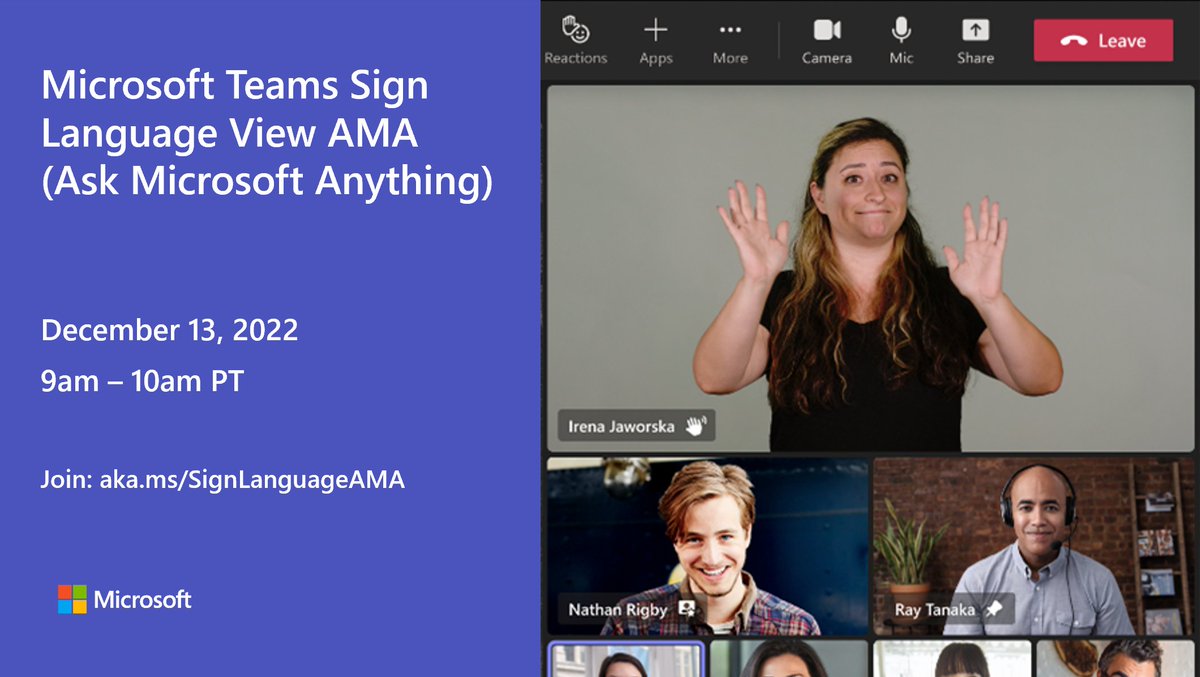
Our #MicrosoftTeams AMA (Ask Microsoft Anything) specific to the new Sign Language View in Teams is starting in 1 hour! Join us at 9amPT where our product marketing and engineering teams will be there to answer questions and hear feedback: msft.it/6015eR8dt
2
4
Chris Sano retweeted

3 Dec 2022
Happy International Day of Persons with Disabilities #IDPWD2022. Celebrating all those working to build an accessible and equitable world. Folks like these..
1
24
75
17 Nov 2022
I’m excited to announce the availability of one of the first elements of the vision for building the best-in-class experience for the D/HH in Teams. This new experience was driven by and with the members of the community. We’re just getting started. Lots of goodness to come.
17 Nov 2022

Introducing sign language view, a new meeting experience in #MicrosoftTeams designed for the Deaf/hard-of-hearing community to keep interpreters and other signers front and center on calls.
Learn how we're working to make meetings more inclusive: msft.it/6017dxooD
12
50
196
9 Sep 2022
The @MicrosoftTeams Live Translated Captions in Meetings feature is now available in public preview! This adds the ability to automatically translate Live Captions from the spoken language of the meeting to any of the translation languages that we support. techcommunity.microsoft.com/…
1
1
4
16 Jun 2022
It was great to see that the @NHL added a sign language interpreter to the Gary Bettman Stanley Cup press conference video. I hope they continue to do this.
nhl.com/news/nhl-feeling-nor…
2
4
22 May 2022
If someone tells you that your feature/product is not accessible, your position should never be to explain to them why you think they are wrong. They never are. Instead, own it. Work with them to understand the barriers to usage. Fix them. Don't make the same mistakes again.
1
4
15
22 Mar 2022
I will be in Prague during the last week of April visiting the @Microsoft office there. I'd love to be able to connect with the Deaf community in Czechia, Belgium, or elsewhere in Europe to learn more about how you use @MicrosoftTeams. Any leads would be greatly appreciated!
1
2
10
23 Feb 2022
I have had the opportunity to be involved in the Live Captions project from the beginning. A lot of people across different groups in the company worked hard to make this a reality. I’m excited to see that it’s finally available in Windows Insider builds.
blogs.windows.com/windows-in…
8
22 Feb 2022
We did a live webinar last week where we provided some tips on how to work with sign language interpreters and captions while using @MicrosoftTeams. The recording is now available.
17 Feb 2022
We had some technical difficulties during our last webinar, but the good news is that now we have the whole session for you to check out at your convenience.
Learn more about using Teams with sign language interpreters, captions, and more ➡️ msft.it/6012wM6tq.
4
8
23 Jan 2022
Two immediate thoughts: (1) automatically generated captions don’t count, and (2) no profanity filtering, either.
12
13 Jan 2022
We’ve been having a lot of discussions internally about the customization of captions in our products. I like white text on an opaque black background. Sometimes white text with black outlining so they’re not blocking as much. I know preferences can vary wildly. What are yours?
7
1
3
17 Dec 2021
CART captioning is now available in @MicrosoftTeams Meetings for Office 365 customers in GCC! This will be available in GCC-H/DoD early next year.
techcommunity.microsoft.com/…
2
16 Nov 2021
ICYMI, Communication Access Realtime Translation (CART) integration into @MicrosoftTeams is now available in the public cloud. GCC in the next few weeks. If you use CART and Teams, give this a try during your next meeting and let us know what you think!
blogs.microsoft.com/accessib…
1
1
4
16 Nov 2021
If you are D/HH and use @MicrosoftTeams with 1 interpreters, can you describe what your setup looks like? Do your interpreters turn on their video in Teams and you spotlight/pin them or do you use a separate application (e.g. Skype) as a backchannel to view/interact with them?
16
19
31
6 Oct 2021
Are you interested in working at Microsoft? We are actively recruiting Software Engineers through our Disability Hiring Program. Visit aka.ms/disabilityhiring to learn more about the open full-time and intern roles that are available. Deadline to apply is this Friday, 10/8!
1
4
10