#stablediffusion in your pocket. 100% offline and free.
Joined November 2022
- Tweets 1,153
- Following 13
- Followers 6,131
- Likes 109
652 Photos and videos


Jun 12
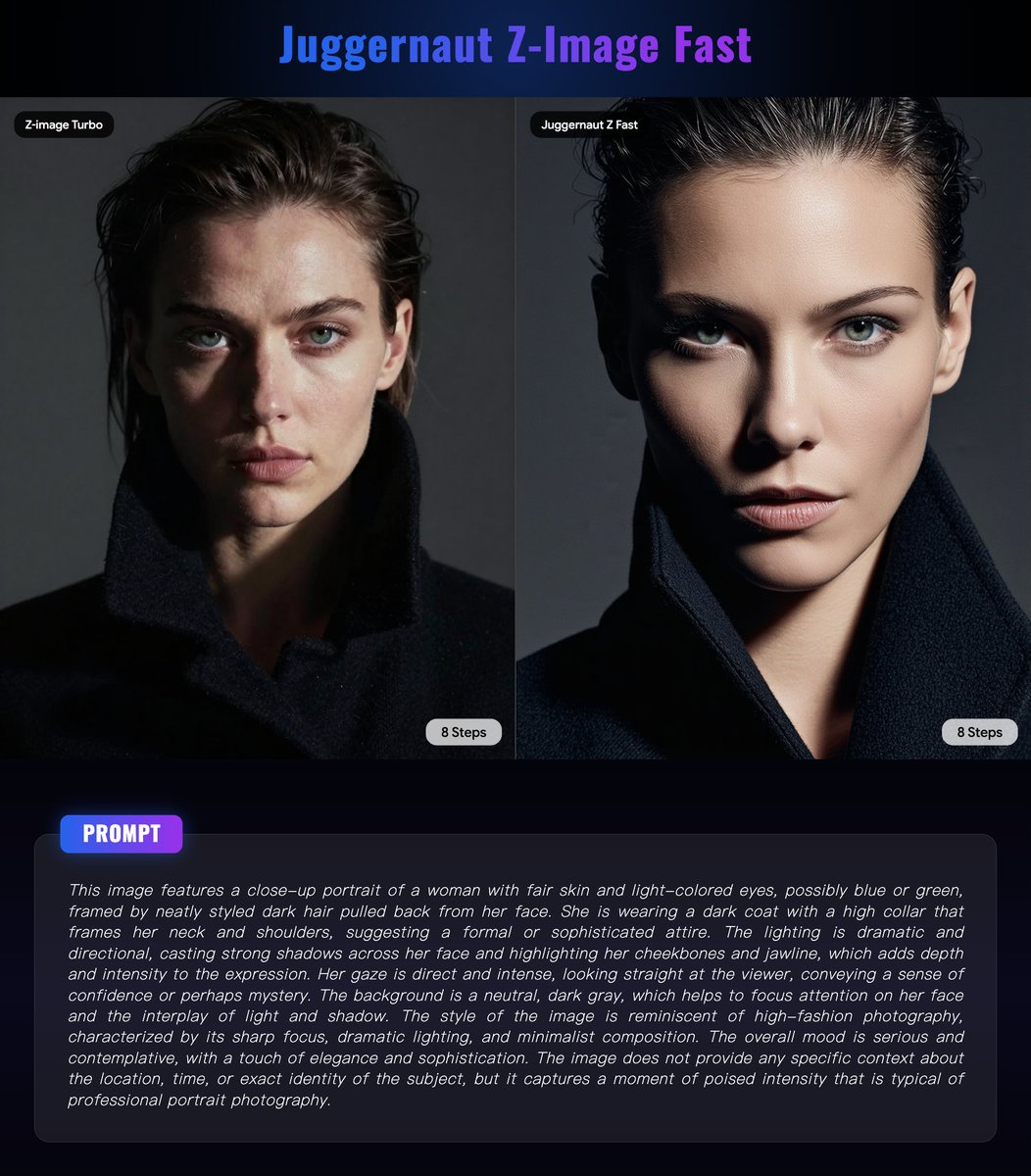
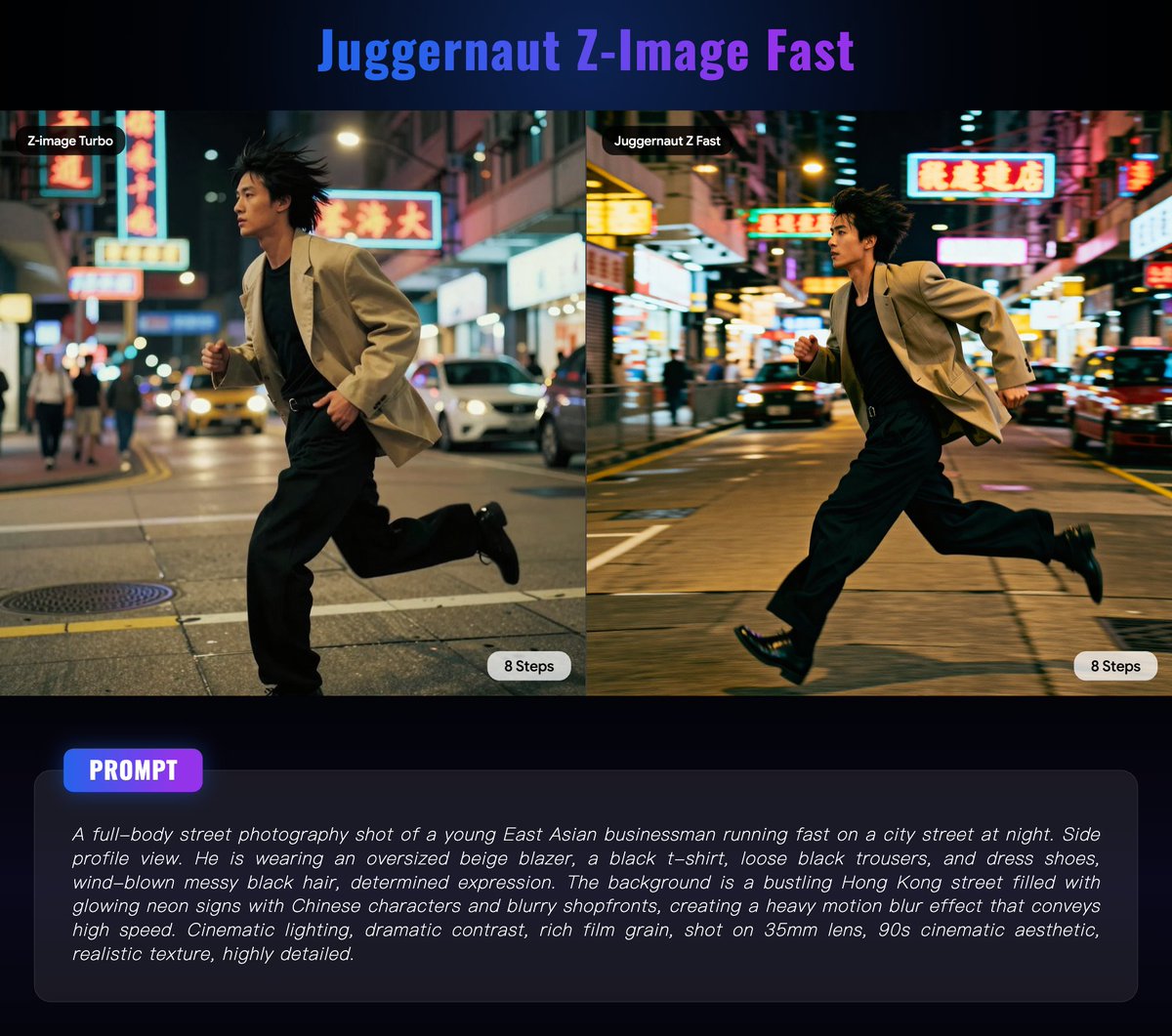
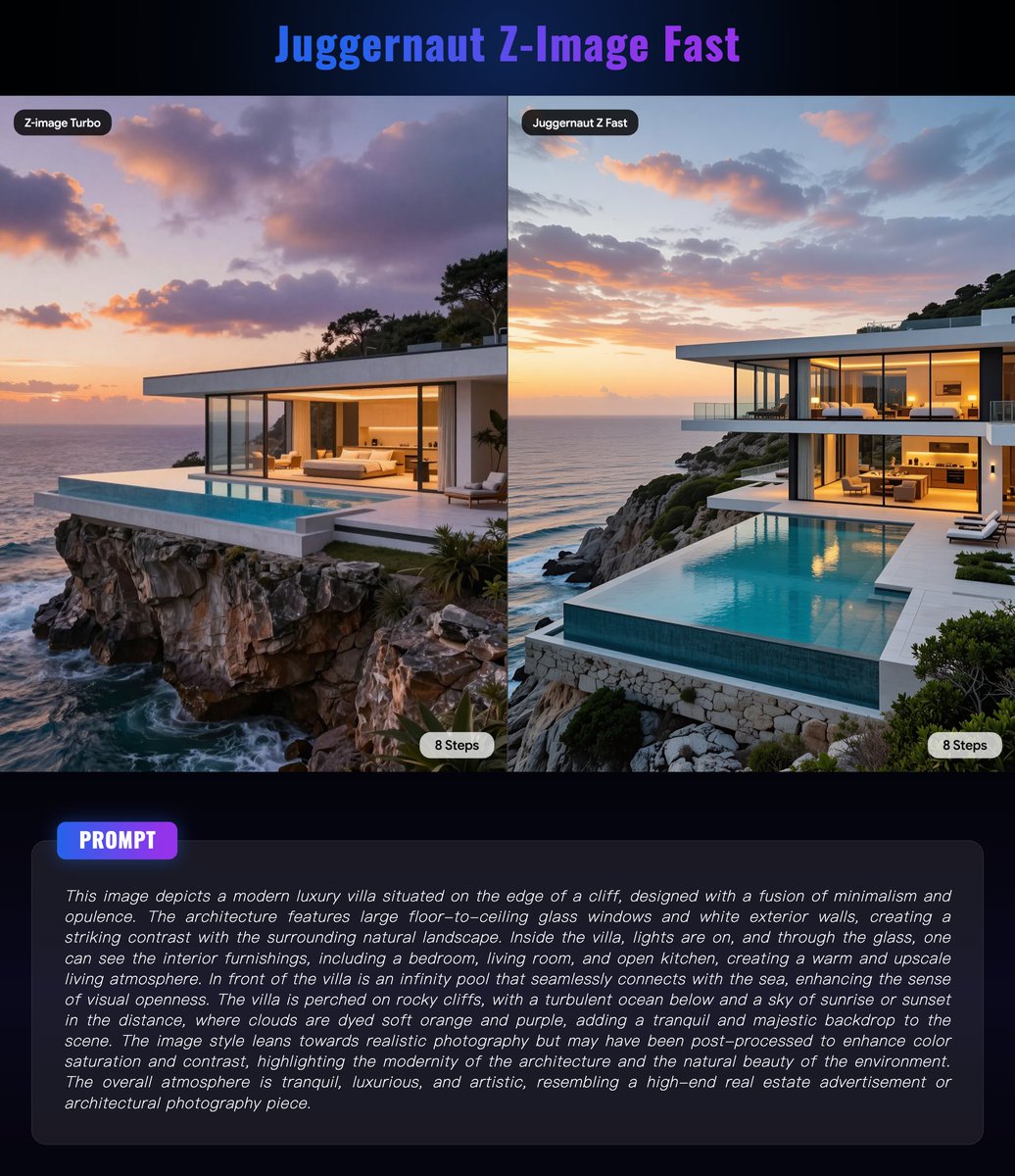
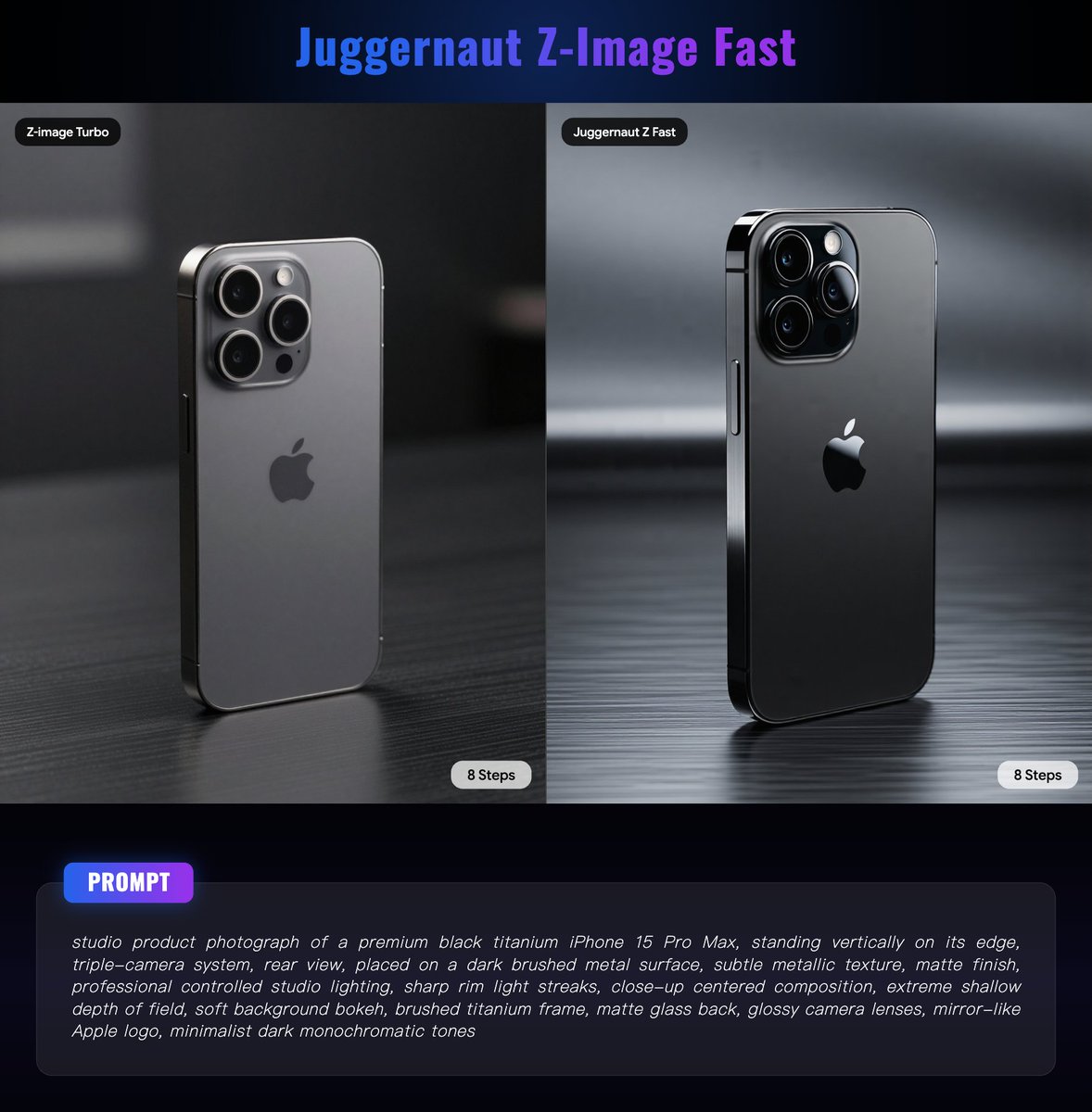
⚔️ Juggernaut Z Fast vs Z-Image Turbo
🎬 There are definitely some noticeable differences between the two. Juggernaut Z Fast tends to deliver a more cinematic look, better surface detail, improved architectural rendering, and overall higher image clarity. It also performs exceptionally well with structured prompts.
🚀 Juggernaut Z Fast was released just a few days ago, and it’s been tested in Draw Things. Which style do you prefer?
👇 The Draw Things JSON configuration can be found in the comments.
📸 Model: Juggernaut Z Fast by @RunDiffusion / Team @Juggernaut_AI / KandooAI (CC BY-NC 4.0)
6
9
68
8,159
Jun 12
🏗️ Juggernaut Z Fast is built on the Z-Image family and released by Team Juggernaut, with training by KandooAI and publishing support from RunDiffusion.
⚡ Juggernaut Z Fast is the speed-focused version of Juggernaut Z.
🎯 It is designed for 4-step generation. Based on testing in Draw Things, it typically takes at least 6 steps to consistently produce satisfying results in a single pass.
⚙️ The officially recommended settings are:
Steps: 4–8
CFG: 1–1.5
Sampler: DDIM Trailing
📋 Below are the DT JSON Configs used for the four example images above, provided for reference only.
——————
{"tiledDiffusion":false,"tiledDecoding":false,"height":1280,"hiresFix":false,"colorCalibration":"none","cfgZeroStar":false,"faceRestoration":"","sharpness":0,"cfgZeroInitSteps":0,"resolutionDependentShift":false,"loras":[],"strength":1,"causalInferencePad":0,"shift":2.2200000000000002,"model":"juggernautz_fast_by_rundiffusion_f16.ckpt","maskBlurOutset":0,"seedMode":2,"width":960,"steps":8,"upscaler":"","preserveOriginalAfterInpaint":true,"guidanceScale":1,"sampler":16,"batchSize":1,"maskBlur":1.5,"batchCount":1,"refinerModel":"","seed":1732208121,"controls":[]}
——————
🔗Model link: huggingface.co/RunDiffusion/…
2
11
992
Jun 10
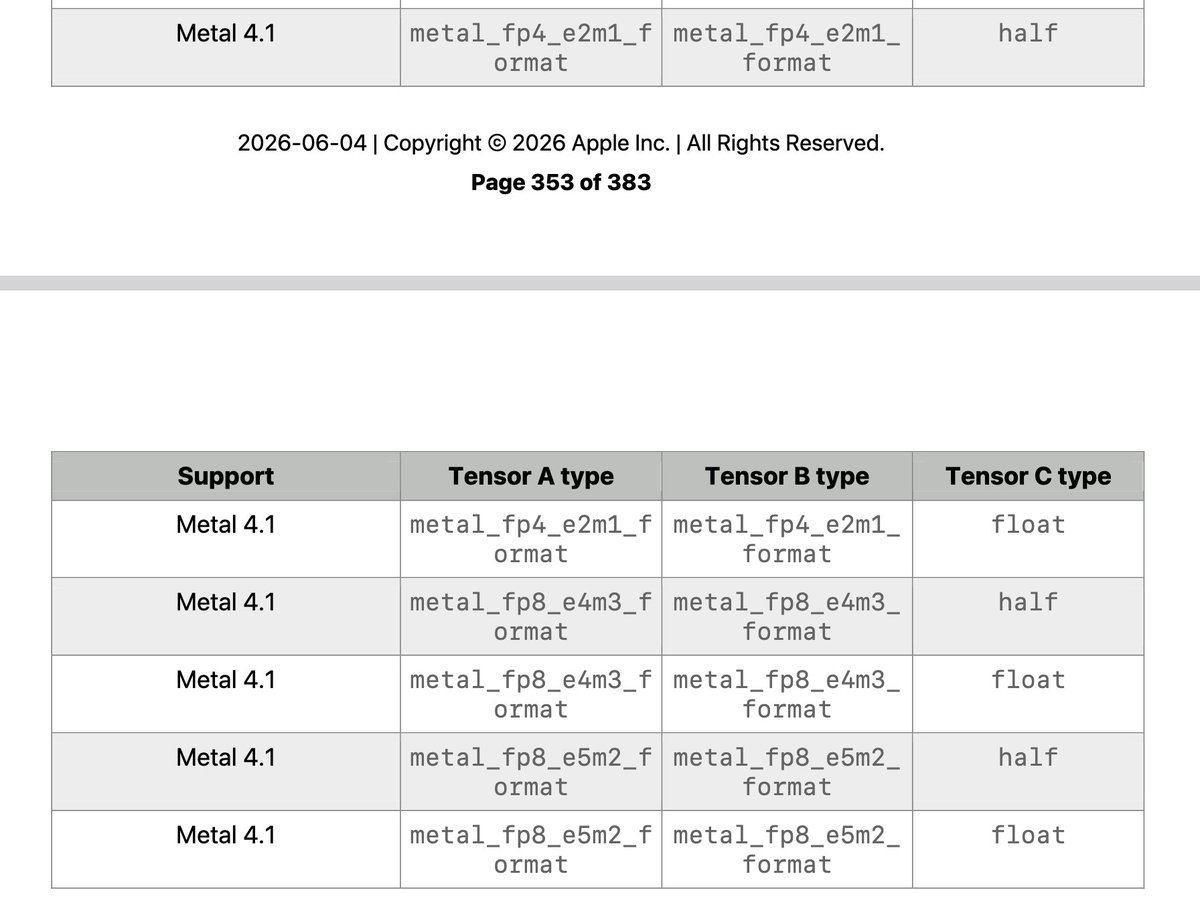
💥 This document suggests that next-generation Apple architecture chips will deliver at least 2× faster AI performance!

A bit late on this. If it is not obvious by now. Next-gen will obviously be at least 2x faster. Also, minor thing: fp8 fp8 with fp16 accumulator overflows. But hopefully it is not a clumsy 14-bit thingy. Anyway, there are more tricks about how to do this efficiently.
2
1
27
3,453
Jun 9
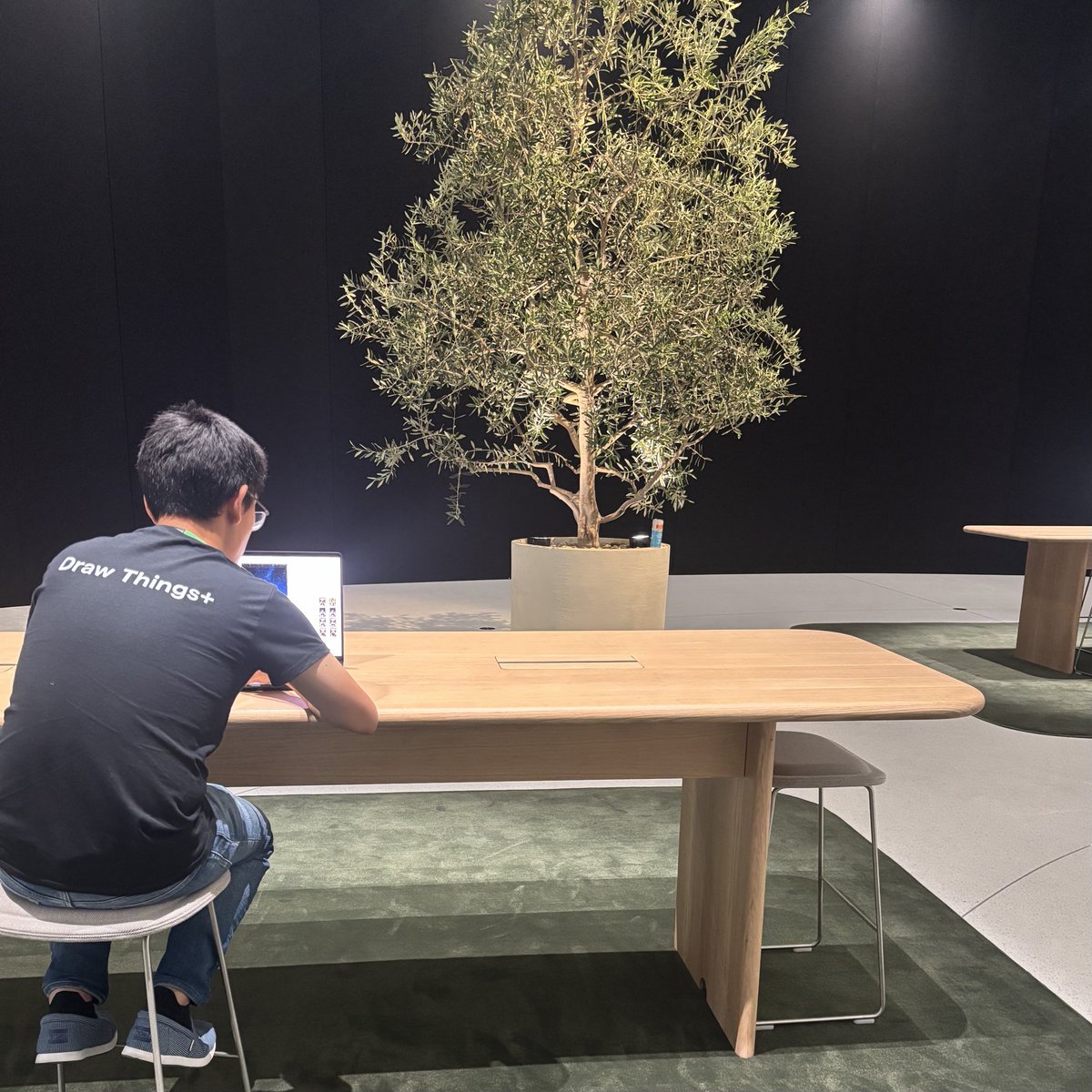
🚨 Draw Things just showed up at #WWDC26
Happy to show what M5 Max can do with @drawthingsapp today at #wwdc. Come to check out at Mac & AI Track today and tomorrow. Happy to chat!
1
35
2,552

Jun 5
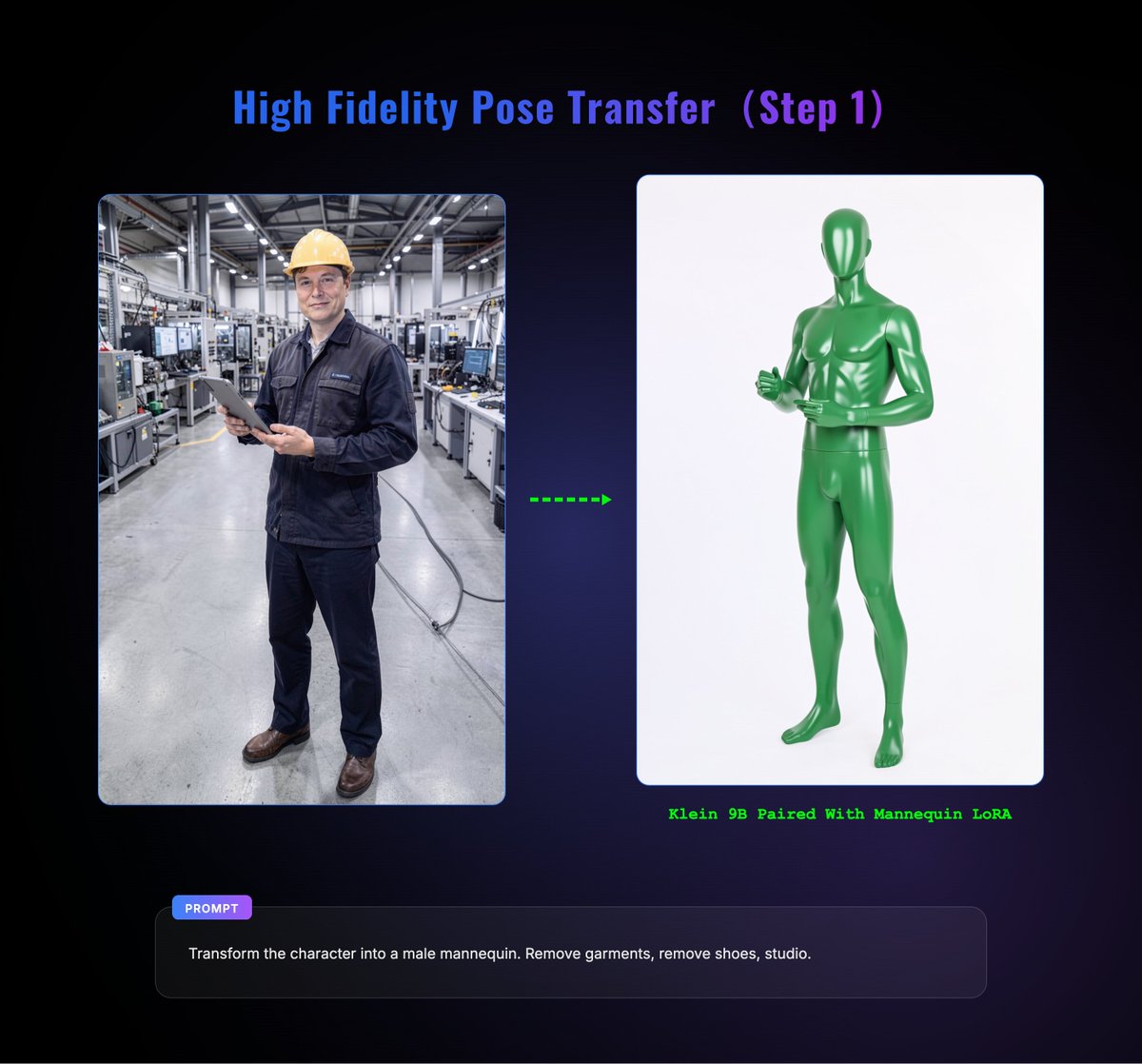
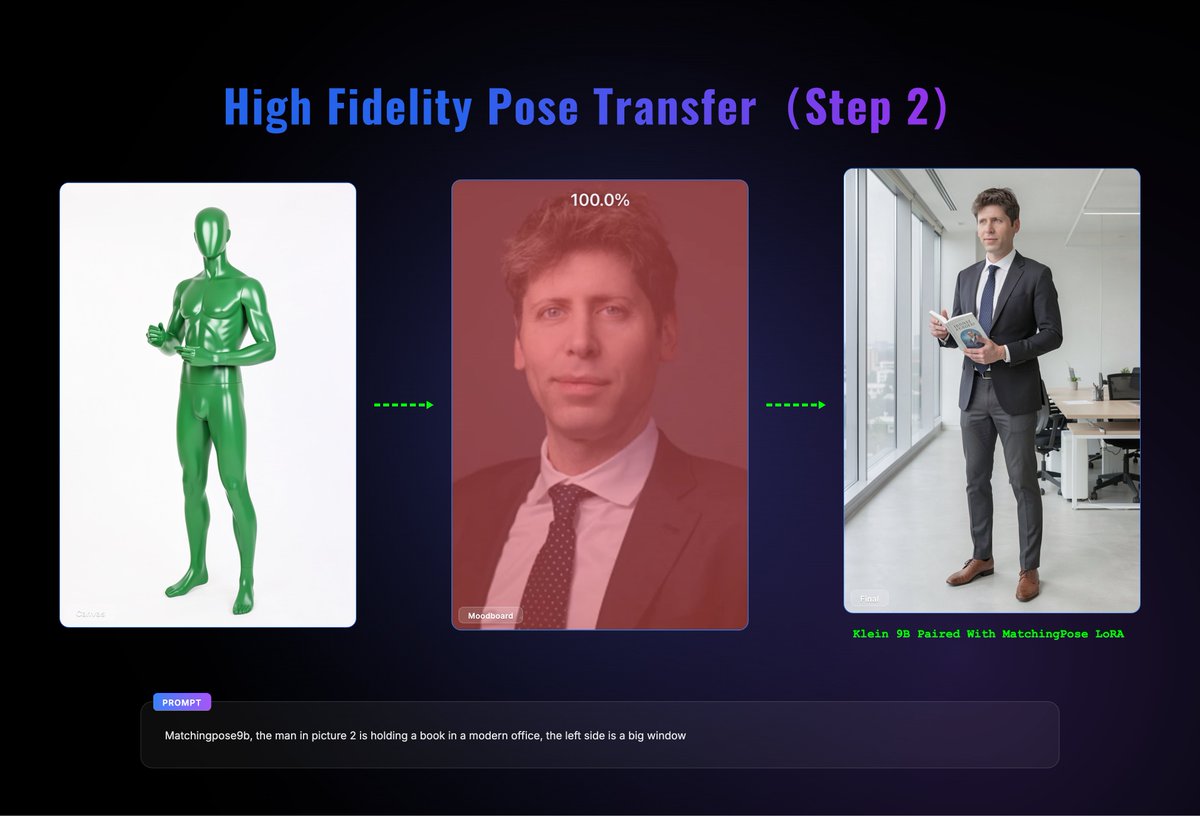
🚨 Achieve High-Fidelity Pose Transfer with These Two LoRAs!
🧍 Step 1: Convert any pose you like into a Mannequin Pose using the Mannequin LoRA.
🎯 Step 2: Keep the generated Mannequin Pose on the Draw Things Canvas, then place any reference image you want into the Moodboard.
✨ Final Result: The subject from the Moodboard reference image will perform the exact Mannequin Pose, while the background and environment can be freely described and controlled through your prompt.
🔥 A fantastic workflow for pose transfer with impressive consistency and flexibility.
👇 Click to view the LoRA details and setup information!
1
7
73
5,741
Jun 5
🧩 These are two Klein 9B LoRAs created by @NhatPhoto. The links can be found below.
🧍 Step 1 — Generate a Mannequin Pose
You can use a prompt like:
——————
Transform the character into a male/female mannequin. Remove garments, remove shoes, studio.
——————
🎯 Step 2 — Transfer the Moodboard Reference onto the Mannequin Pose
A prompt like the following works well:
——————
matchingpose9b, the subject in picture 2 [describe your desired scene here]
——————
🔗LoRA Link:
——————
Mannequin Pose:huggingface.co/nhathoangfoto…
MatchingPose:huggingface.co/nhathoangfoto…
——————
1
1
17
1,711
Jun 3
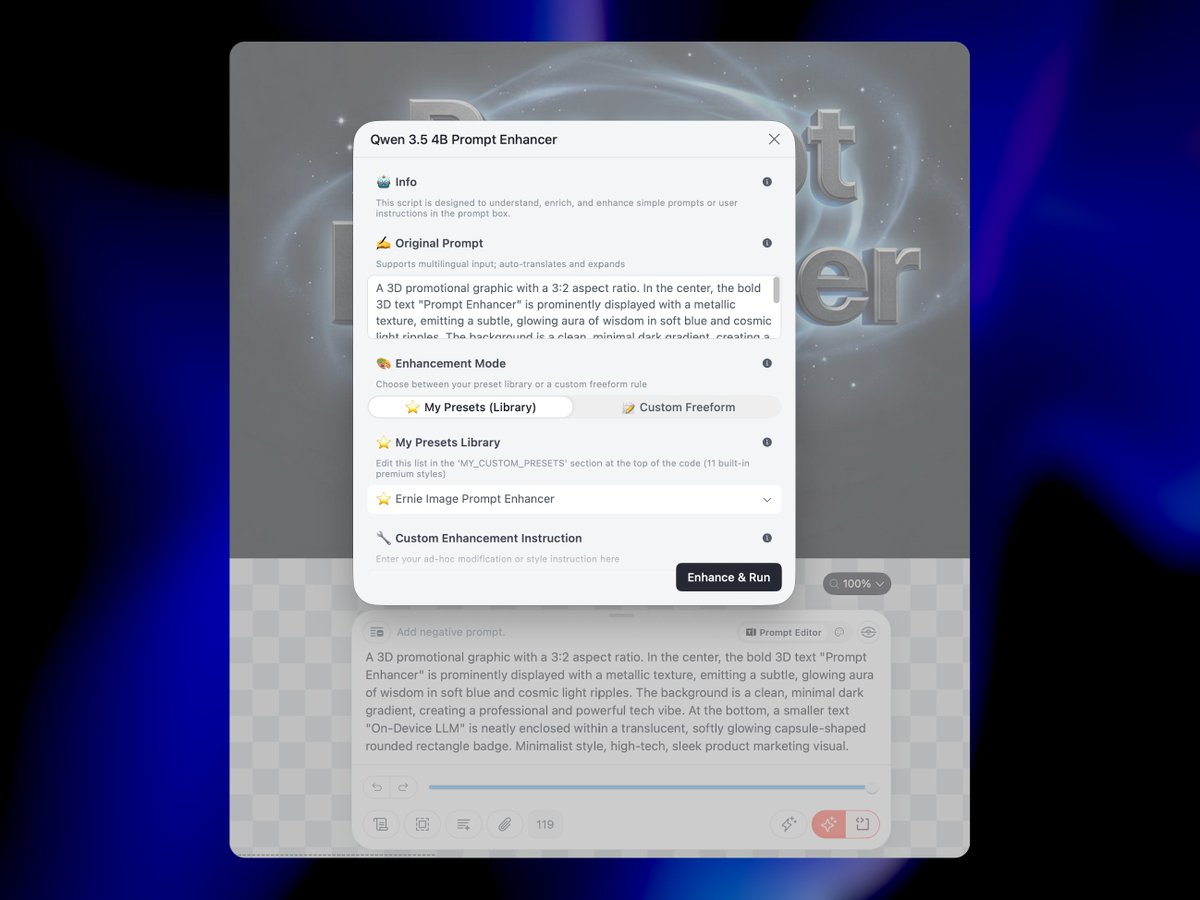
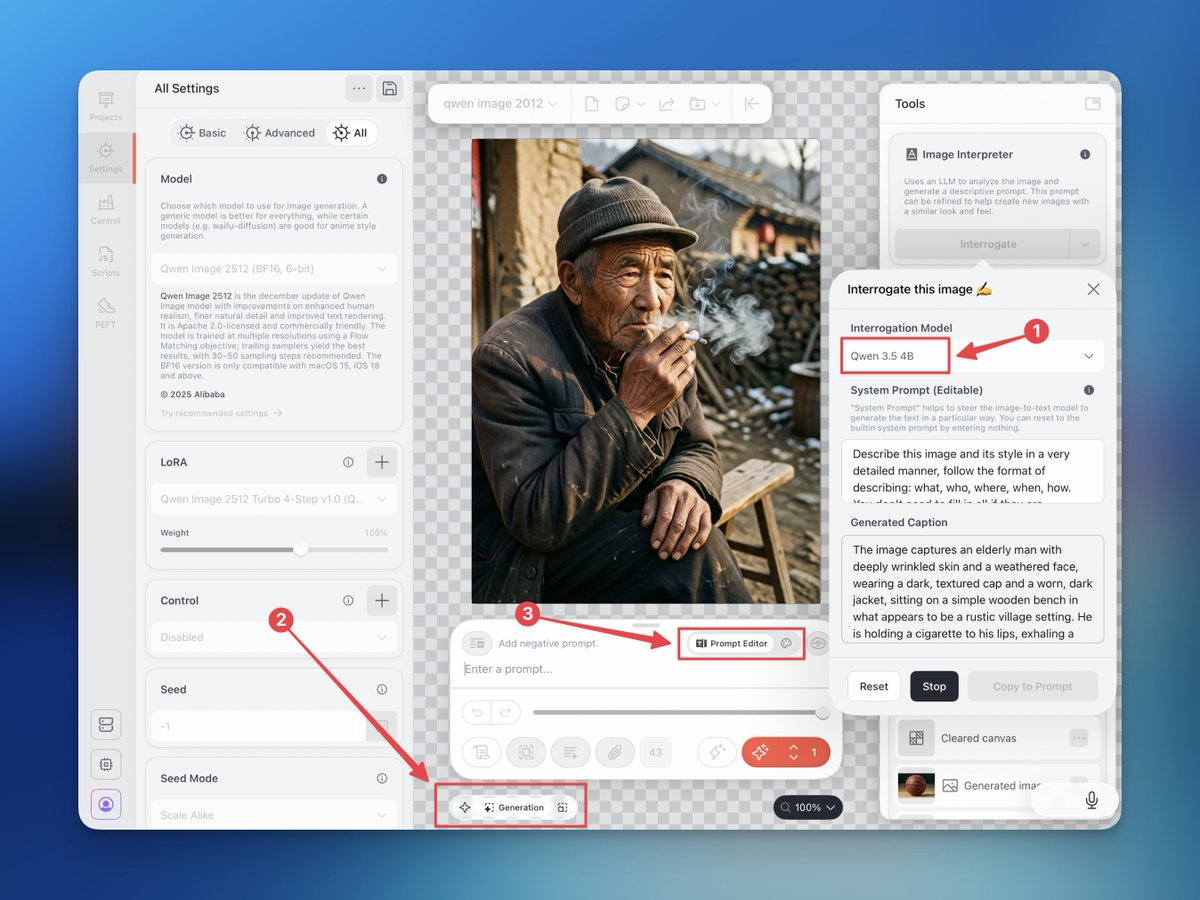
🚨 A Script to Turn the Image Interpreter into an On-Device Prompt Enhancer.
🧠 Our community member created this script that can transform simple prompts, vague ideas, or even Custom Instructions into structured, detailed, rule-compliant, high-quality prompts.
✨ Draw Things now has a Local LLM Brain to manipulate and enhance prompts.
👇 Go try it out! More details in the comments.
2
2
30
2,840
Jun 3
📥 You can download this script from the Discord community. Below is a screenshot of the script, which comes with several commonly used prompt rules for different models built in.
🚀 Now, the Qwen 3.5 4B Image Interpreter becomes your Prompt Enhancer!
🔗Download Link:
discord.com/channels/1038516…
1
7
1,820
May 30
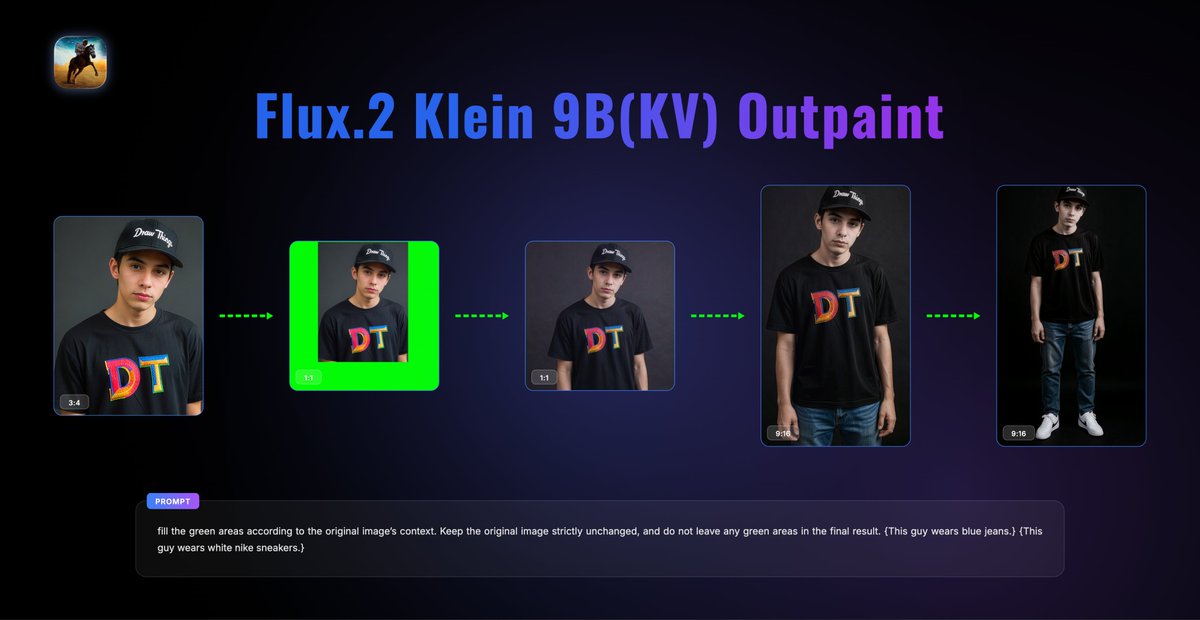
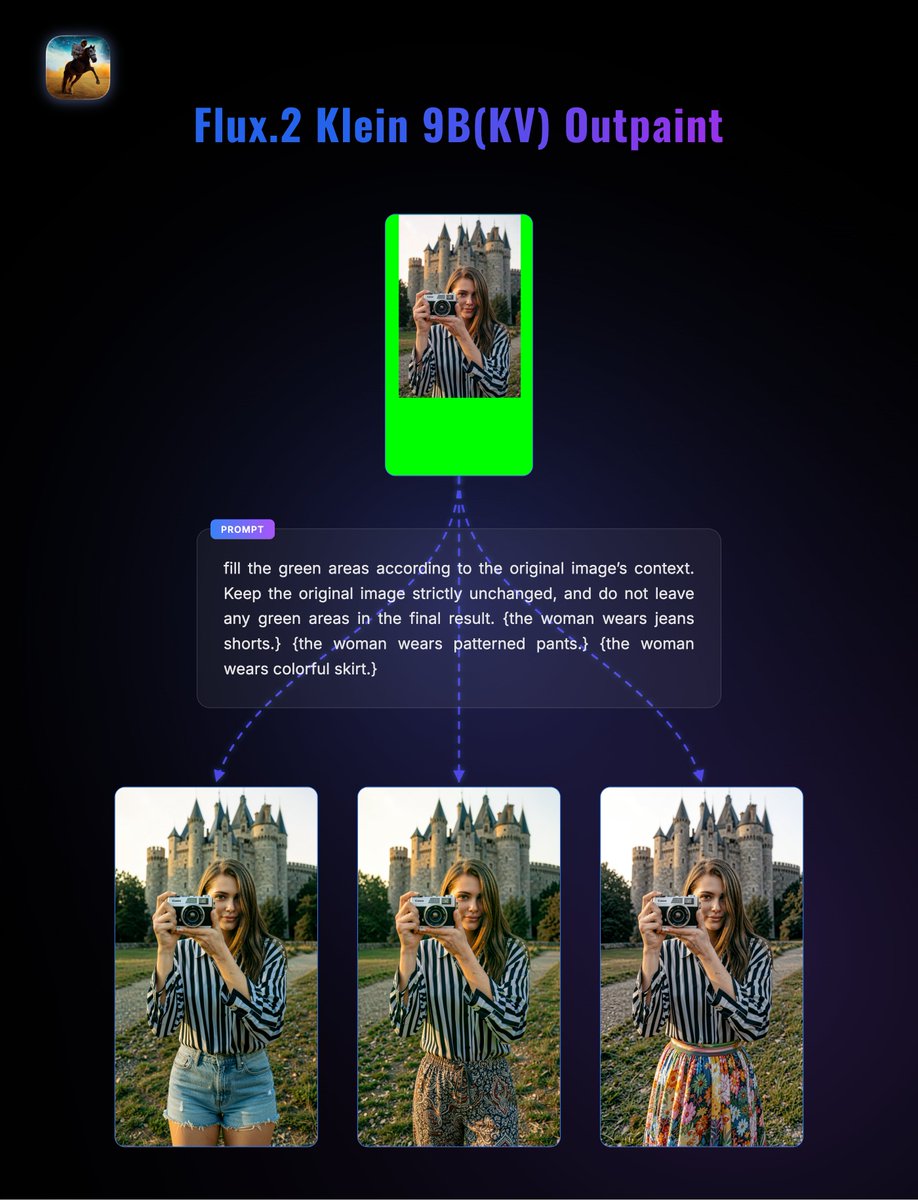
🖼️ Built-In Outpainting Capabilities with Flux.2 Klein 9B (KV)
✨ We previously introduced a workflow using Klein 4B an Outpaint LoRA for generative outpainting.
🚀 However, both Klein 9B and the KV version actually come with native outpainting capabilities. No LoRA is required, and they can achieve excellent results on their own—especially for images with solid-color backgrounds, where the outpainting quality is particularly impressive.
🎯 The prompt is the key. A well-written prompt can make a significant difference in how naturally the extended areas blend with the original image.
🧪 Below are some test examples created in Draw Things.
1
5
63
5,401
May 26
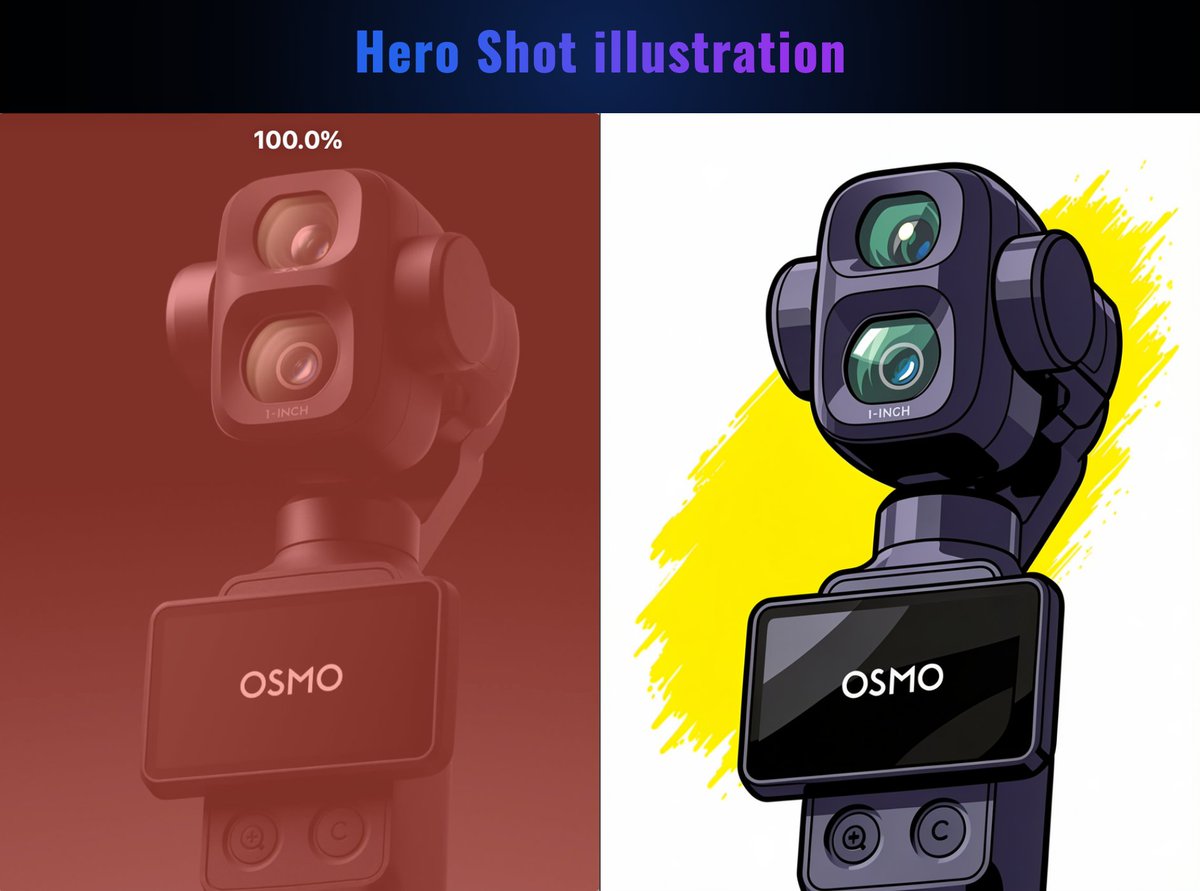
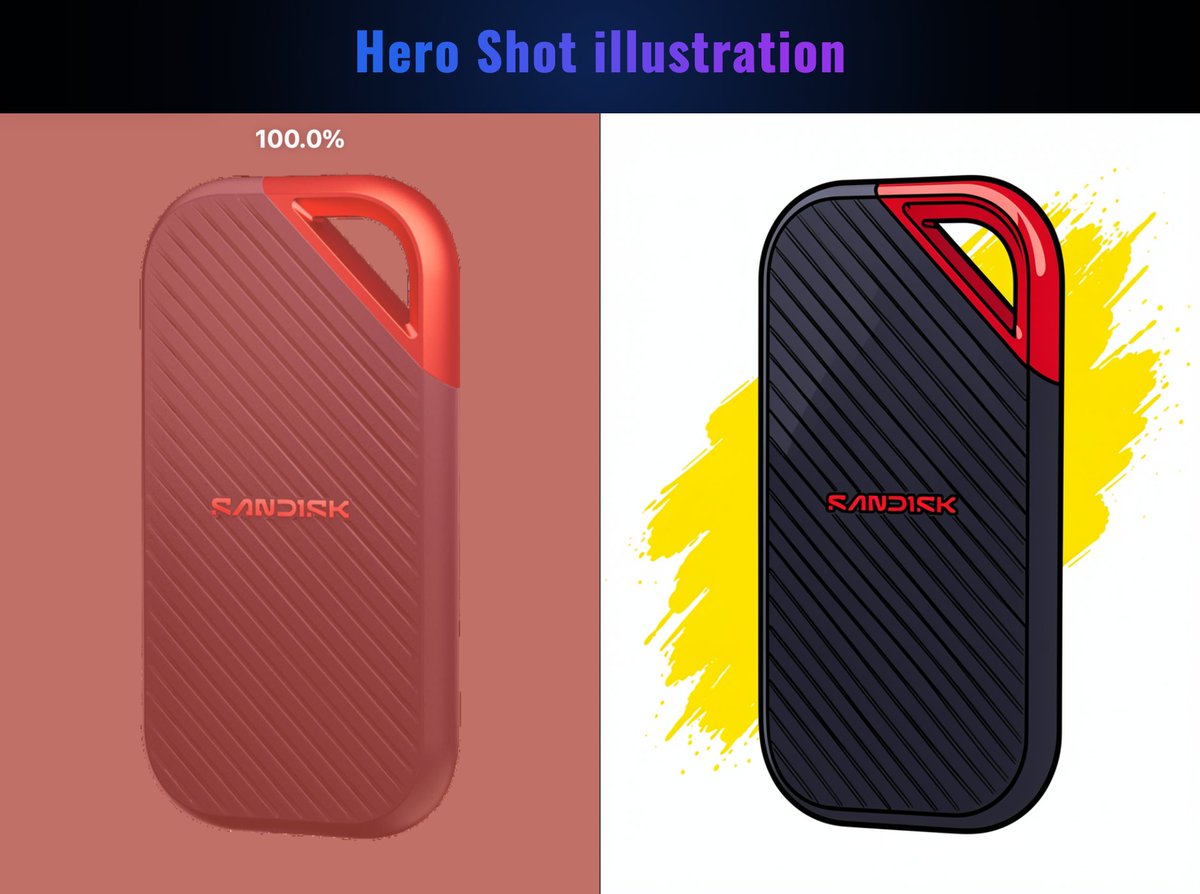
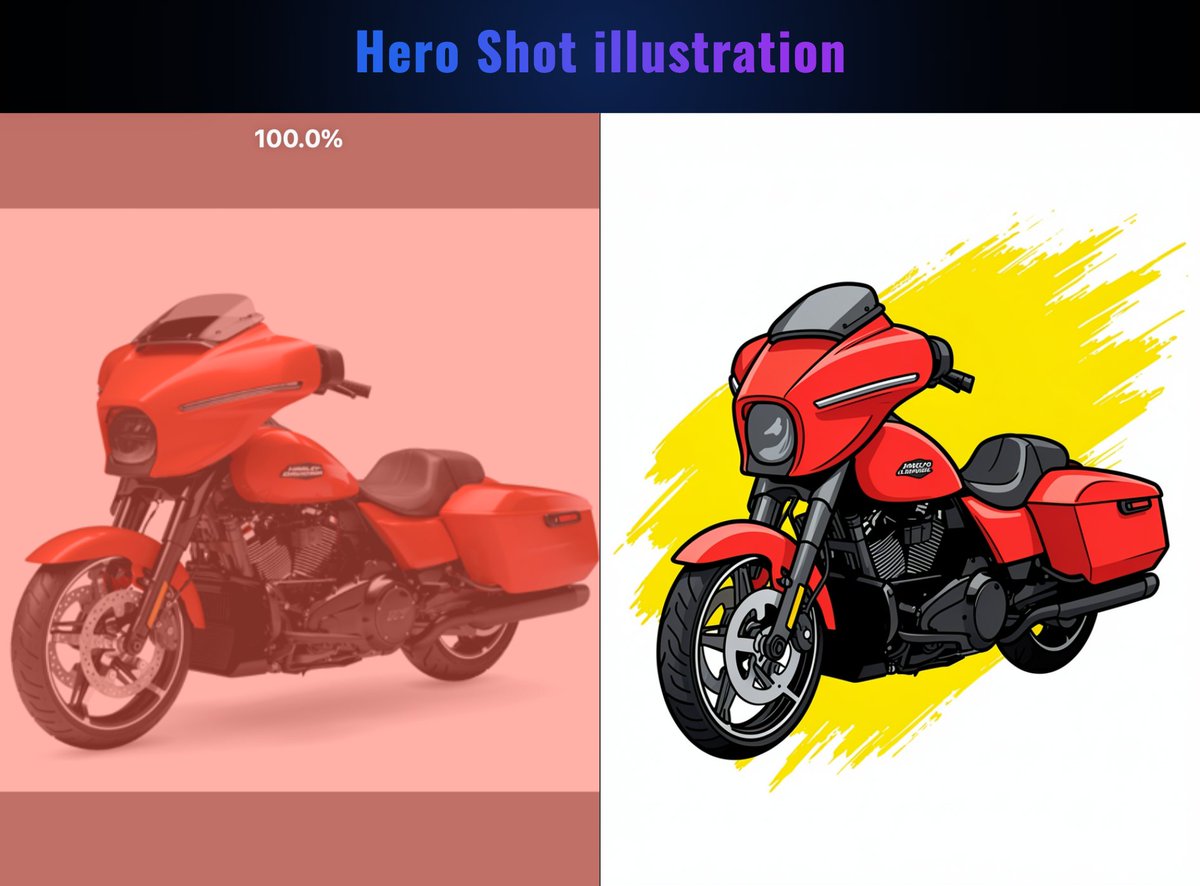
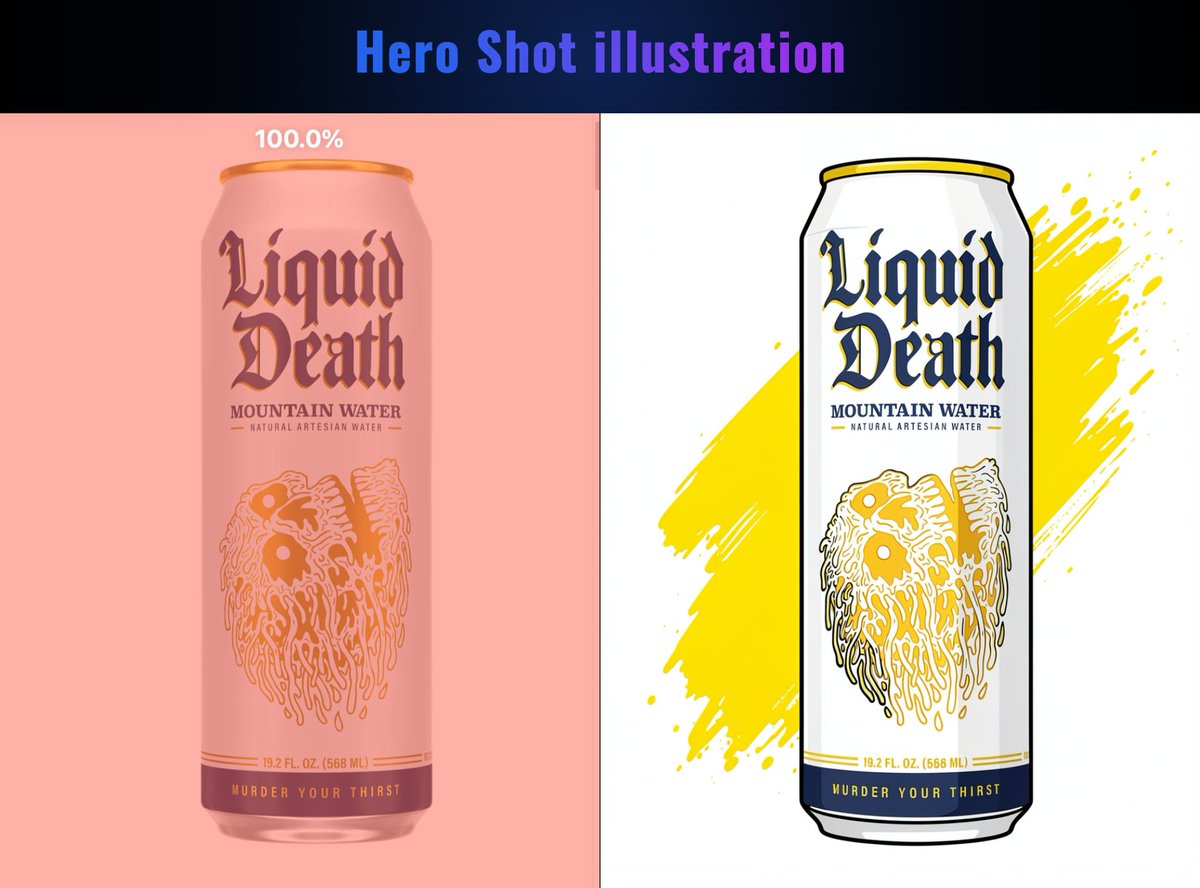
🎯 A great way to SHOWCASE your Product!
🧠 Use a single prompt to transform your product picture into a popular Hero Shot illustration.
📝 Here it is — use Klein 9B KV (Draw Things Moodboard):
——————
Convert the {subject} into a vibrant vector illustration with bold black outlines and cel-shaded colors, strictly preserving its original shape, structure, and unique identity. Place it on a clean white background, and add a dynamic splash of bright yellow paint brushstroke behind it.
——————
22
2,534
May 24
🚨 Draw Things now has a lightweight Local LLM built in!
📲 Go update to the latest Draw Things v1.20260518.2 on the iOS / macOS App Store now!
This version brings:
🔹Add Qwen 3.5 4B as a new interrogator model.
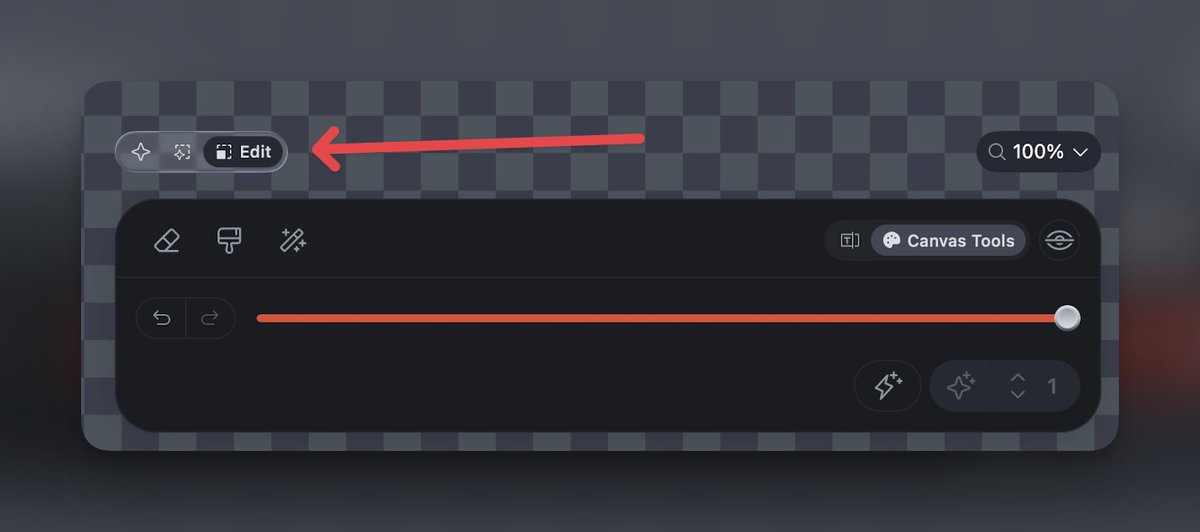
🔹Add dedicated mode seletor "Auto" / "Generation" / "Edit".
🔹Support "Sign in with Google" for Free tier / Draw Things .
🔹Some other very small beginner friendly visual updates.
3
5
45
6,137
May 24
✨ Introducing the new Mode Selector in Draw Things!
Previously, you were technically always in “Auto” mode — it just wasn’t explicitly shown. Now, Draw Things makes the workflow much clearer by separating image generation and editing into distinct modes.
🖼️ “Generation” Mode
Always creates a brand-new image without using anything from the canvas or moodboard.
✏️ “Edit” Mode
Designed specifically for image editing. The Generate button will only become active when there is content on the canvas, content in the moodboard (for edit models), or when strength is set below 100% (for standard models).
🎯 In short, the new Mode Selector makes it much more explicit whether you are:
• generating from scratch
• or editing based on existing content.
1
13
2,029
May 22
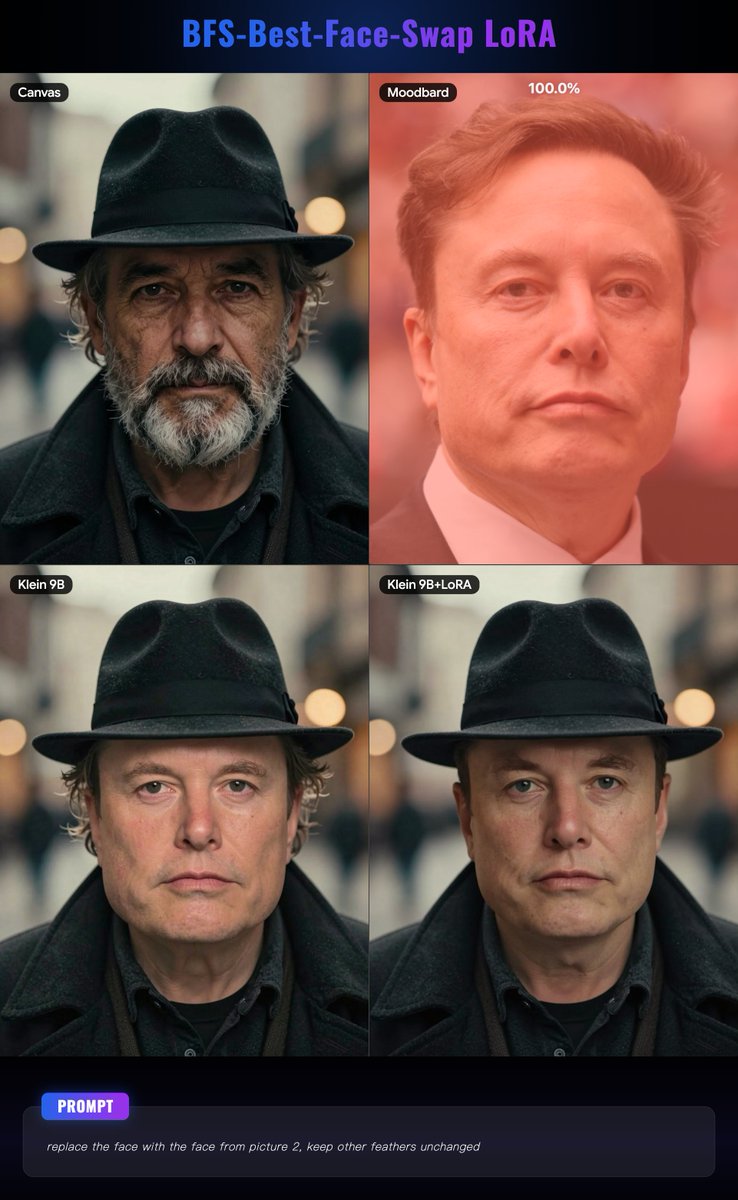
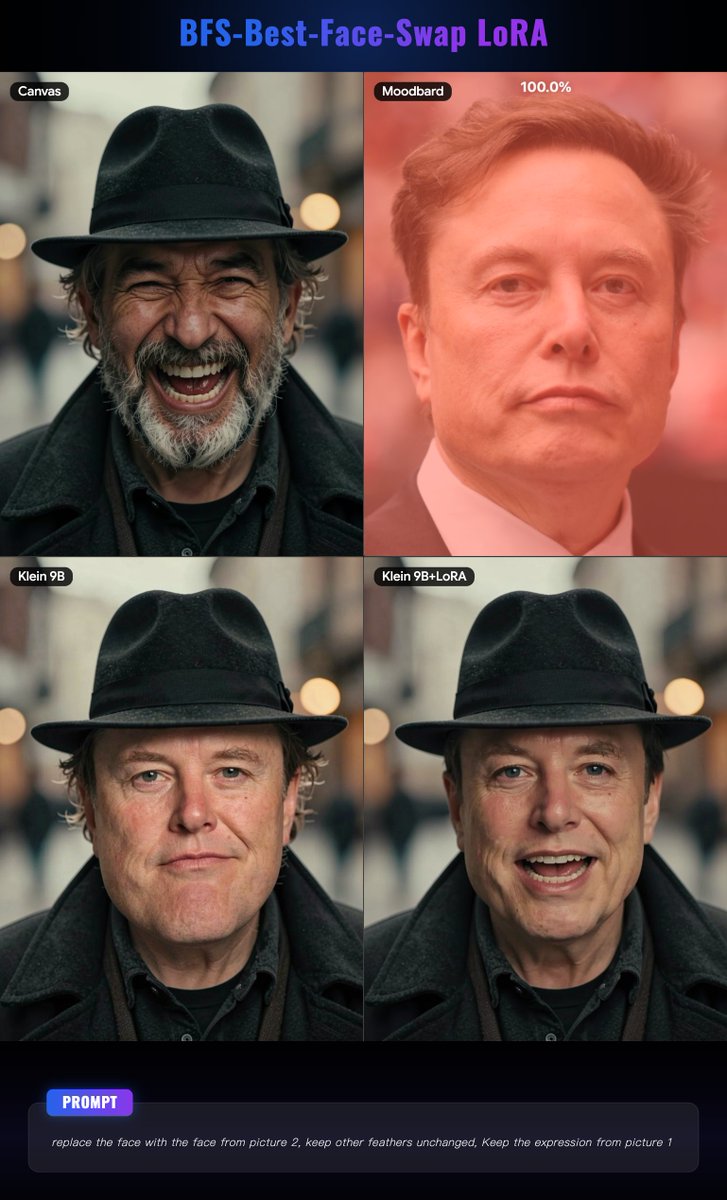
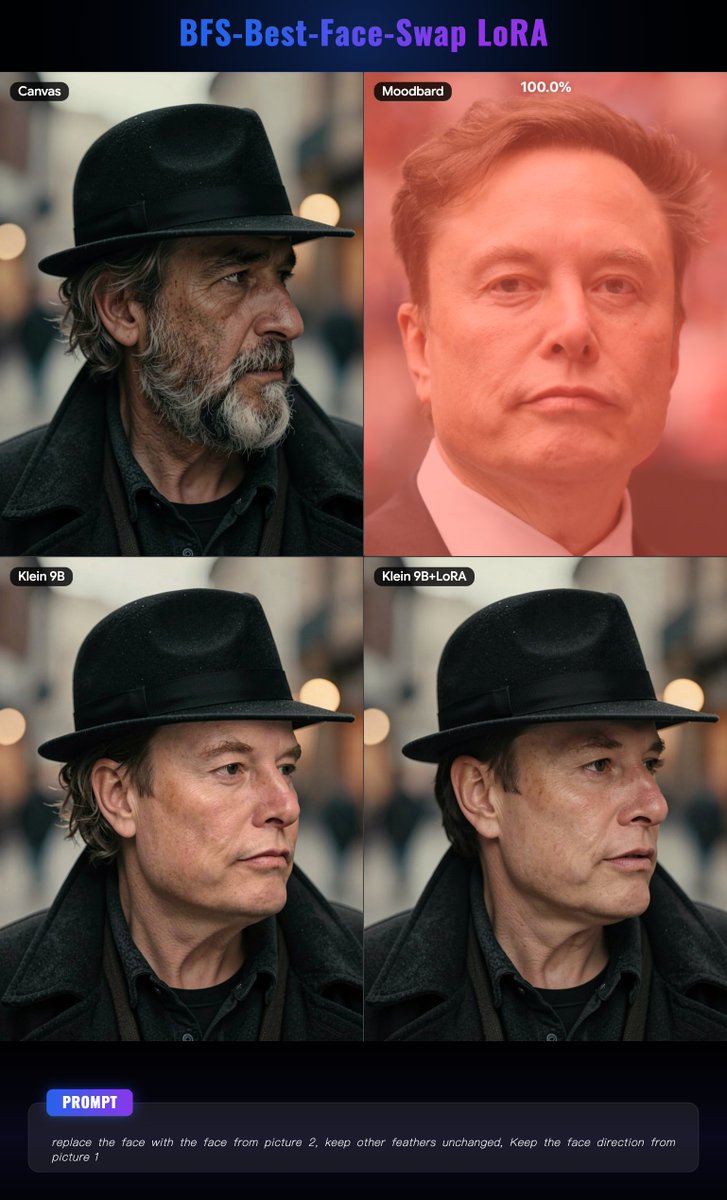
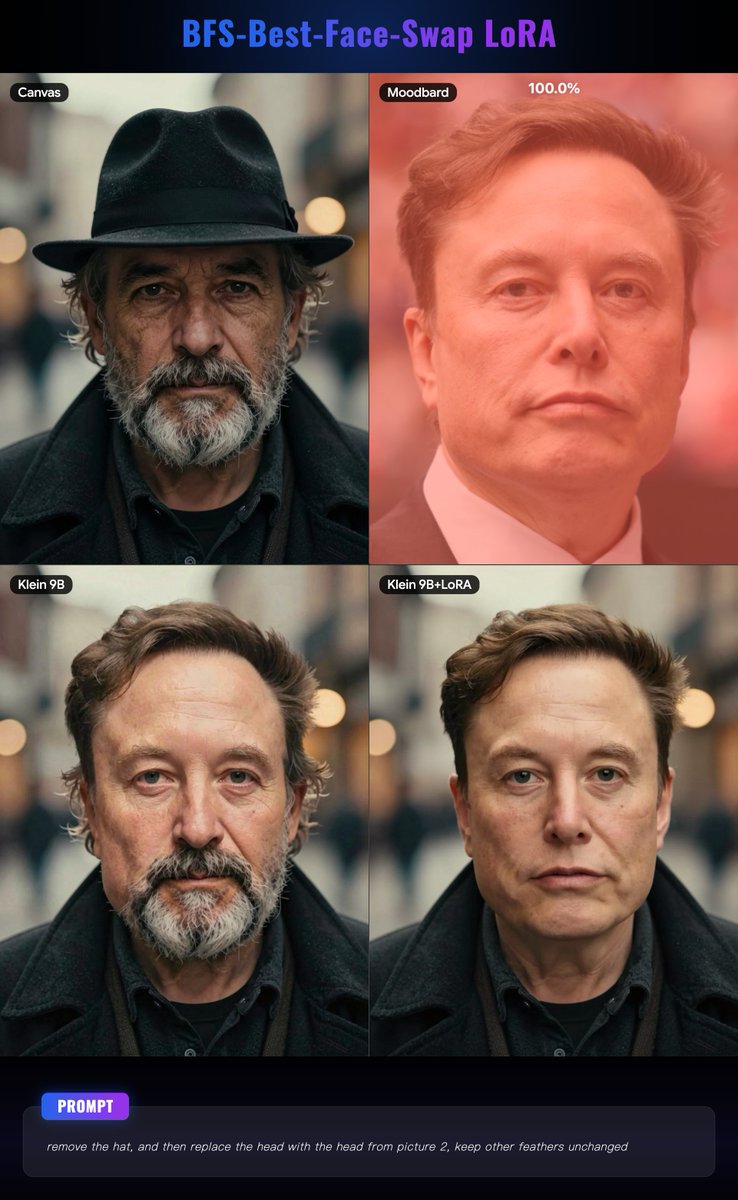
🤦🏻♀️ A Truly Great LoRA to enhance Klein 9B’s face-swapping capabilities!
🧩 Flux.2 Klein 9B (Not KV) already has pretty solid face-swapping abilities, but with this LoRA—
✨ you can do much more and achieve even better results.
🆚 The comparison images below are test results from Draw Things.
👇🏻 Check the comments for detailed LoRA information and usage guidance!
2
11
123
7,769
May 22
🤦🏻♂️ This LoRA is called BFS-Best-Face-Swap, created by @Alissonerdx from HuggingFace. It comes with multiple versions, and the one used in this example is — “bfs_head_v1_flux-klein_9b_step3750_rank64.safetensors”.
⚙️ In this example, all LoRA weights are set to 1. Please use the Flux.2 Klein 9B model (No KV). The prompt is a very important part, and you can refer to the prompt-writing method shown in the example images above.
🔗 LoRA Link:huggingface.co/Alissonerdx/B…
2
2
16
2,448
May 19
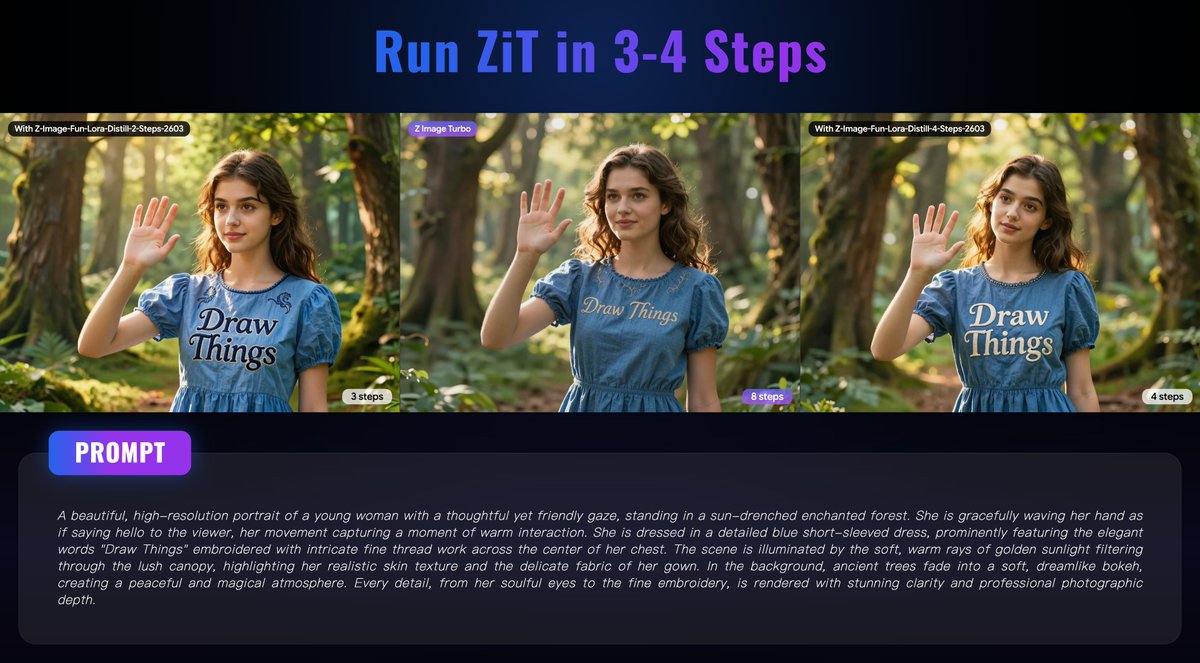
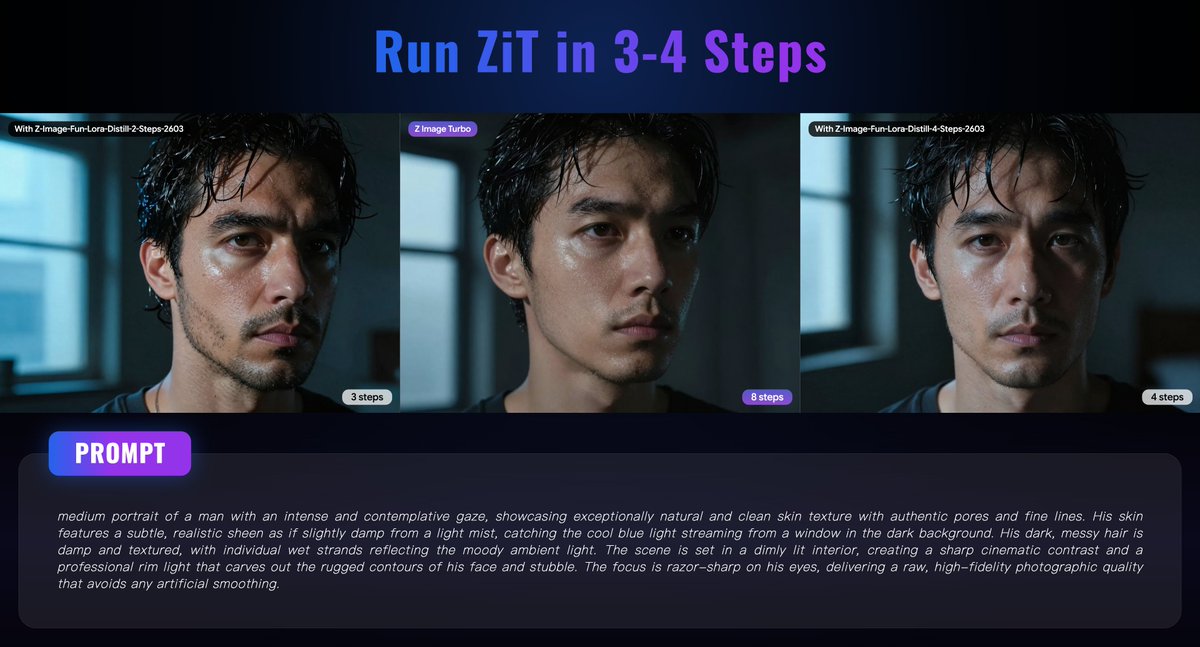
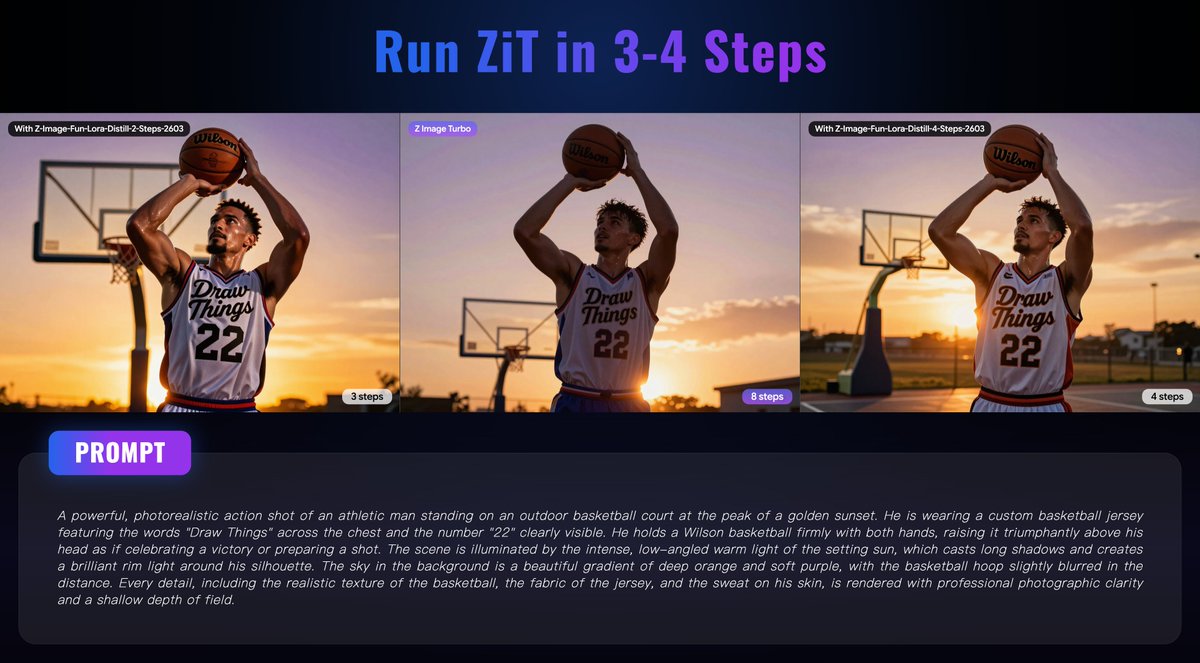
🔍 An interesting discovery!
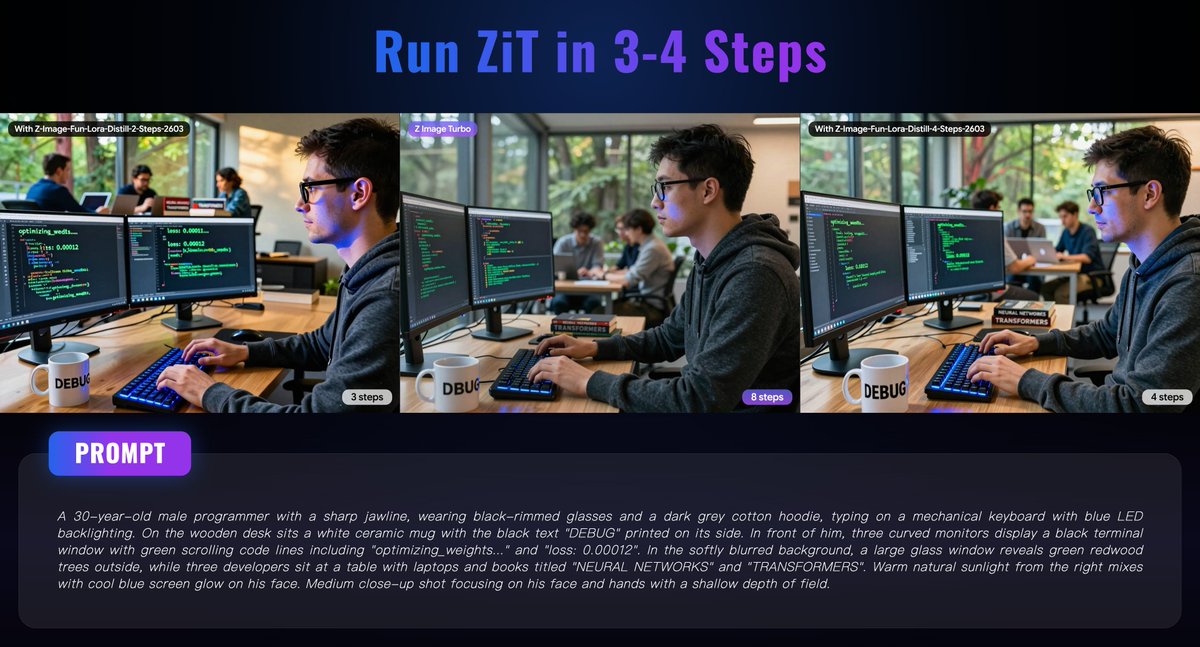
🧩 Z-Image-Fun-Lora-Distill from alibaba-pai was originally trained for Z-Image Base, with 2-step, 4-step, and 8-step versions available.
⚡ But during some accidental testing in Draw Things, We found that Z Image Turbo paired with Z-Image-Fun-Lora-Distill delivers surprisingly excellent results, as shown in the comparison images below.
🚀 It can even reduce ZiT generation from 8–9 steps down to just 3–4 steps, which greatly shortens local generation time!
👇🏻 The comments include detailed generation settings and the LoRA link for reference.
8
16
95
19,015
May 19
👇🏻 Here are the configs and the LoRA link:
🔷With Z-Image-Fun-Lora-Distill-2-Steps-2603
——————
{"cfgZeroStar":false,"tiledDecoding":false,"strength":1,"cfgZeroInitSteps":0,"batchSize":1,"guidanceScale":1,"preserveOriginalAfterInpaint":true,"resolutionDependentShift":false,"controls":[],"causalInferencePad":0,"maskBlurOutset":0,"maskBlur":1.5,"batchCount":1,"refinerModel":"","shift":1.5,"steps":3,"loras":[{"mode":"all","file":"z_image_fun_lora_distill_2_steps_2603_lora_f16.ckpt","weight":0.90000000000000002}],"width":1280,"sampler":16,"sharpness":0,"faceRestoration":"","seed":385987460,"model":"z_image_turbo_1.0_i8x.ckpt","upscaler":"","hiresFix":false,"tiledDiffusion":false,"seedMode":2,"height":960}
——————
🔷With Z-Image-Fun-Lora-Distill-4-Steps-2603
——————
{"cfgZeroStar":false,"tiledDecoding":false,"strength":1,"cfgZeroInitSteps":0,"batchSize":1,"guidanceScale":1,"preserveOriginalAfterInpaint":true,"resolutionDependentShift":false,"controls":[],"causalInferencePad":0,"maskBlurOutset":0,"maskBlur":1.5,"batchCount":1,"refinerModel":"","shift":2.5,"steps":4,"loras":[{"mode":"all","file":"z_image_fun_lora_distill_4_steps_2603_lora_f16.ckpt","weight":0.75}],"width":1280,"sampler":16,"sharpness":0,"faceRestoration":"","seed":3919178504,"model":"z_image_turbo_1.0_i8x.ckpt","upscaler":"","hiresFix":false,"tiledDiffusion":false,"seedMode":2,"height":960}
——————
🔗LoRA Link:huggingface.co/alibaba-pai/Z…
1
10
2,453
May 17
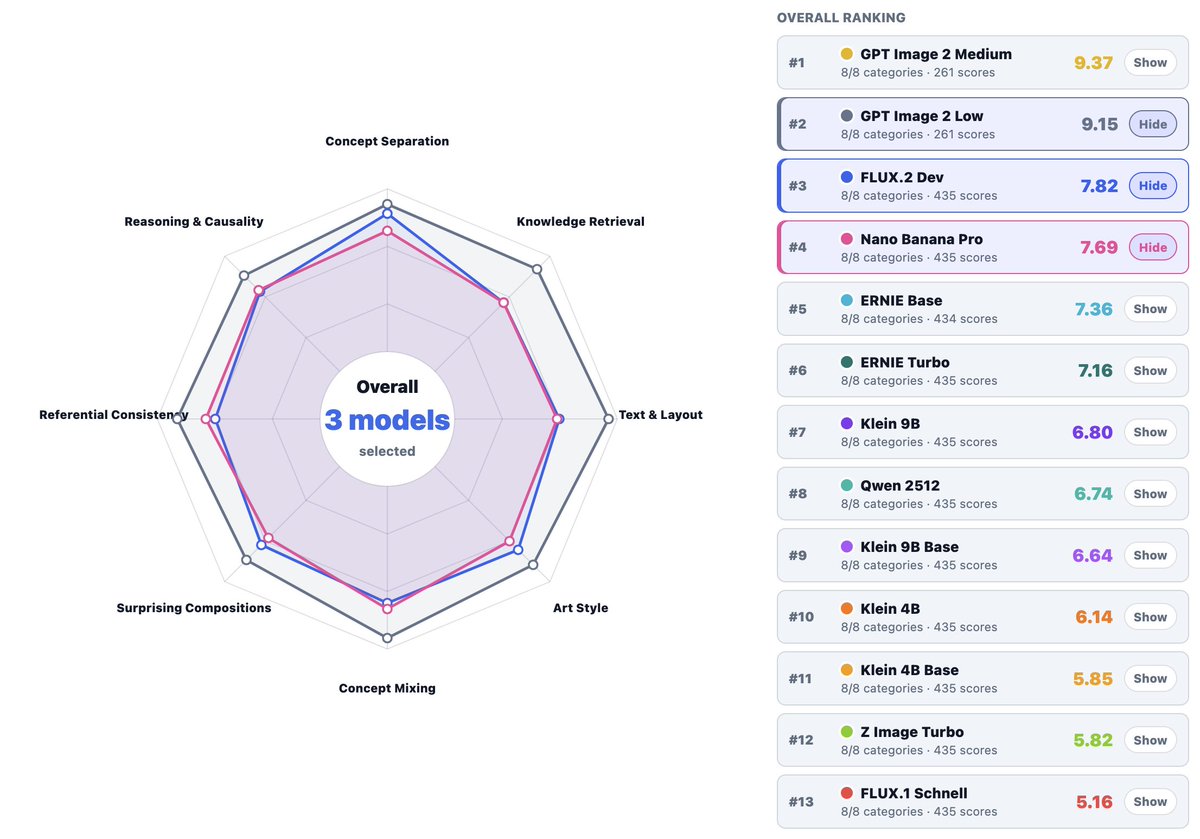
⚖️ No weights, Not your models!
Companies think they can nerf the model and people won't notice. Exhibit 1: Nano Banana has fallen far from the tree. In our eval, Nano Banana's generation capability recently is worse than FLUX.2 [dev] and far from GPT-Image 2. Just a reminder that no weights, not your models.
1
1
23
4,157
May 15
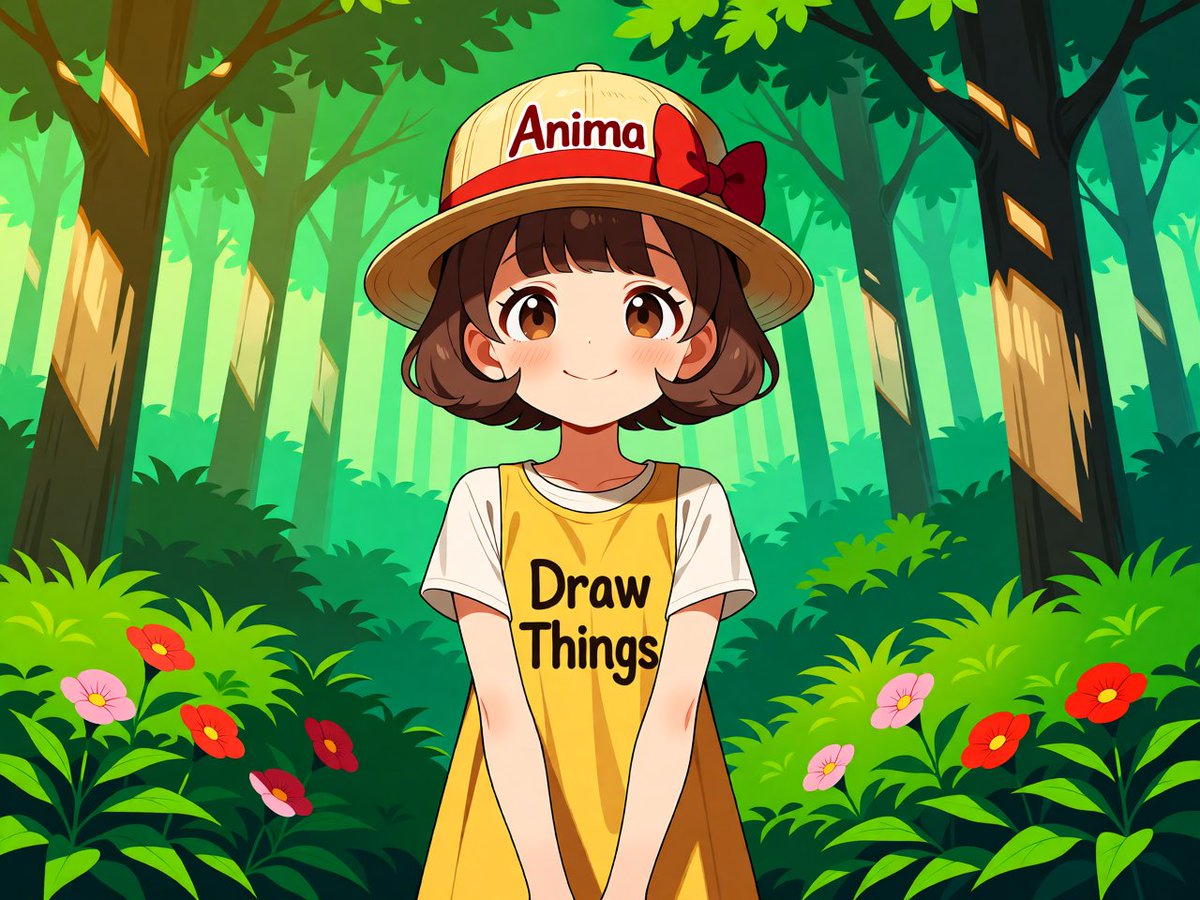
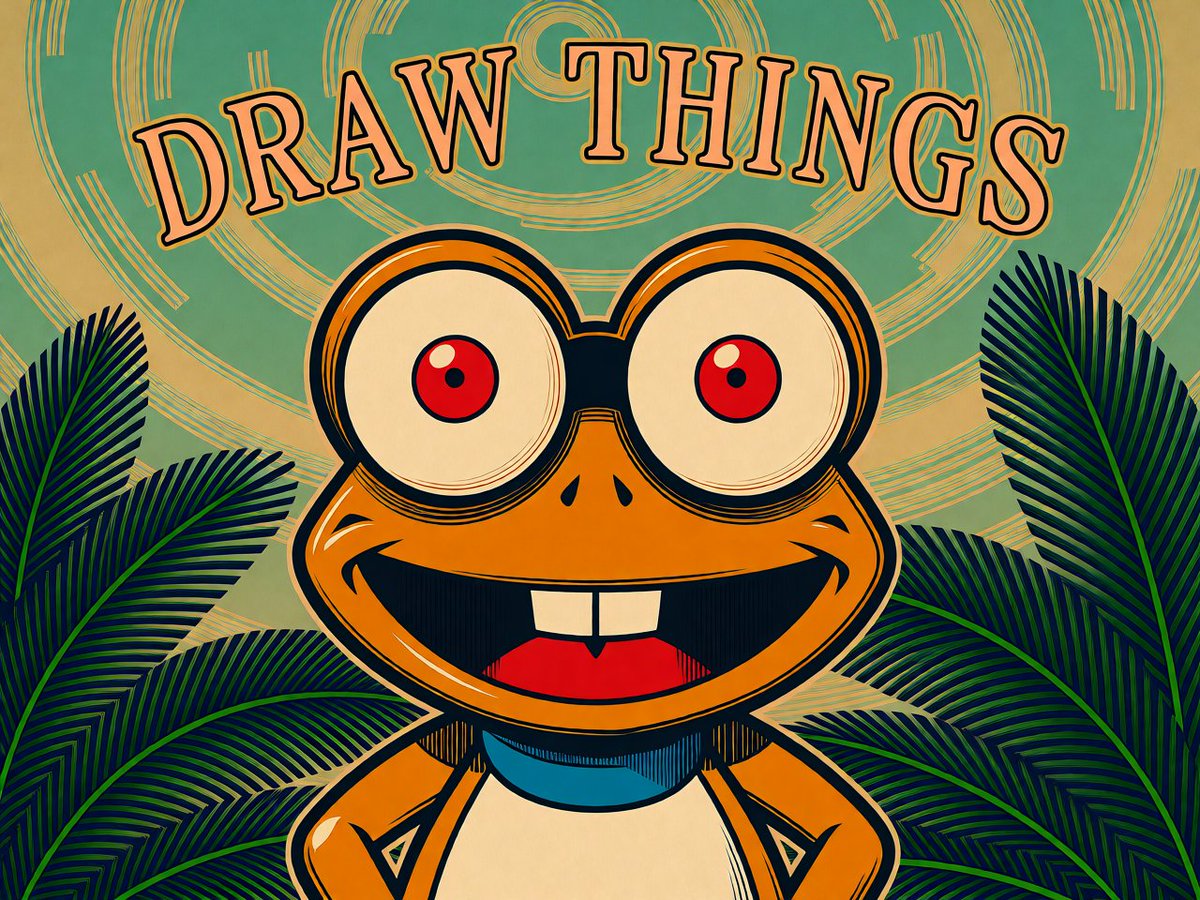
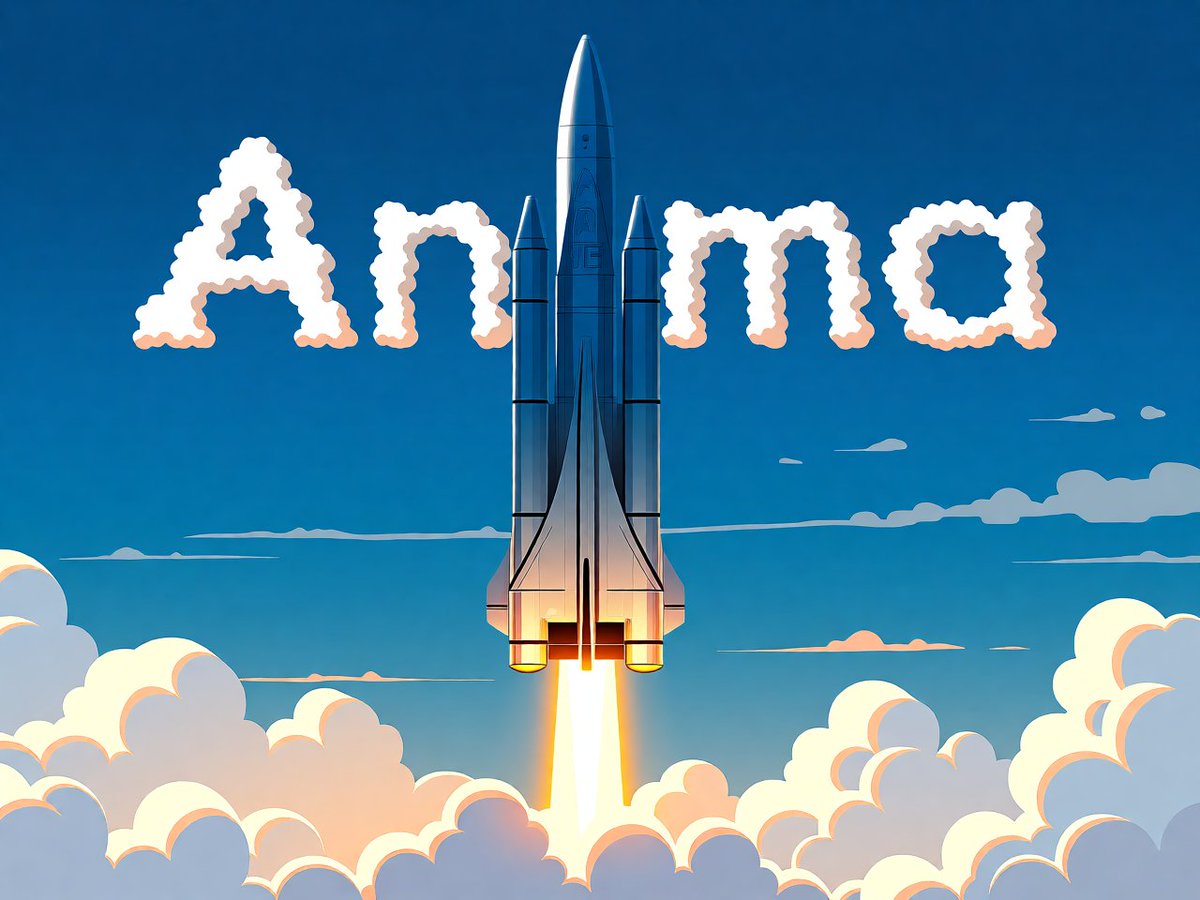
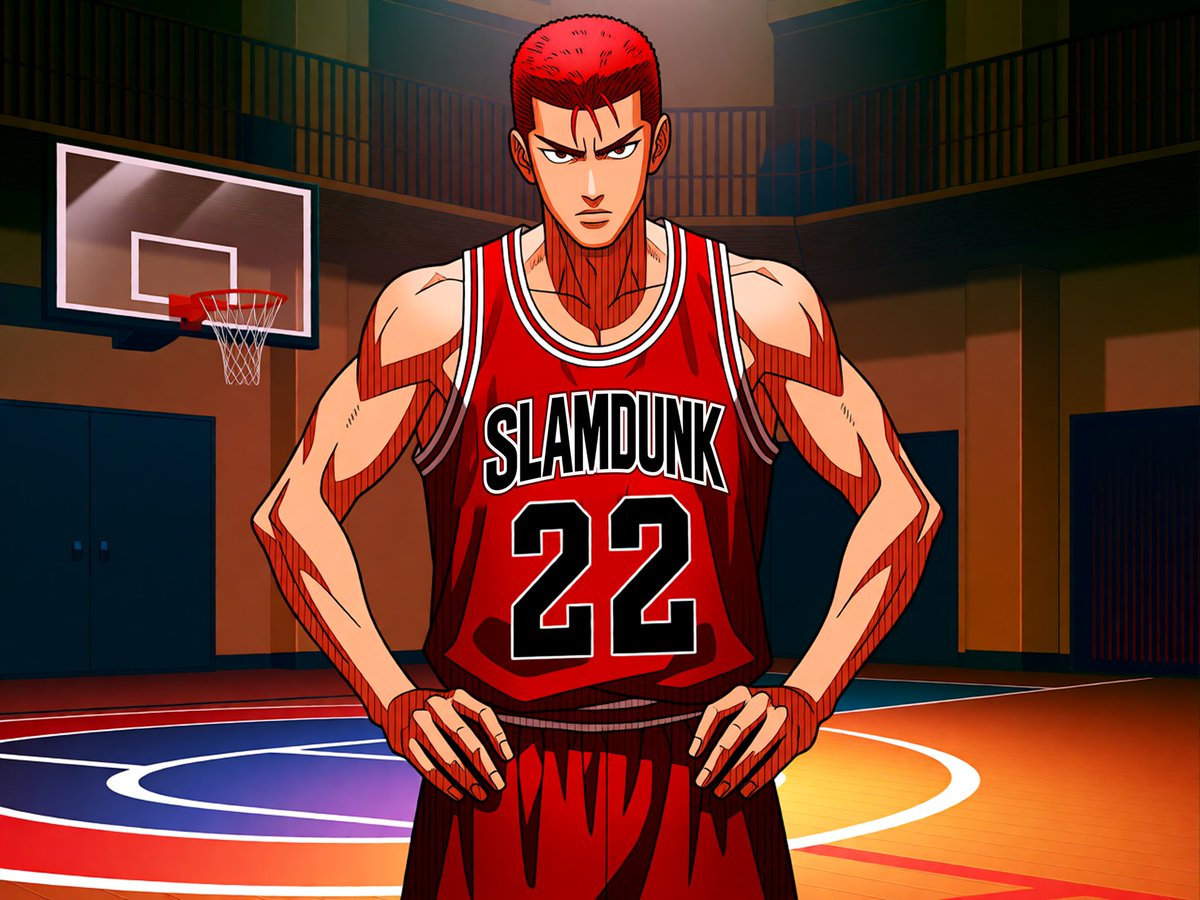
🎨 Since Anima Base 1.0 has now been released, you can directly download and import it into the Draw Things model list.
🌸 If you frequently create anime-style artwork, Anima is a great option.
🧩 Anima is a 2B parameter model dedicated to pure anime aesthetics and illustration styles. No synthetic data, no realism—just high-quality art.
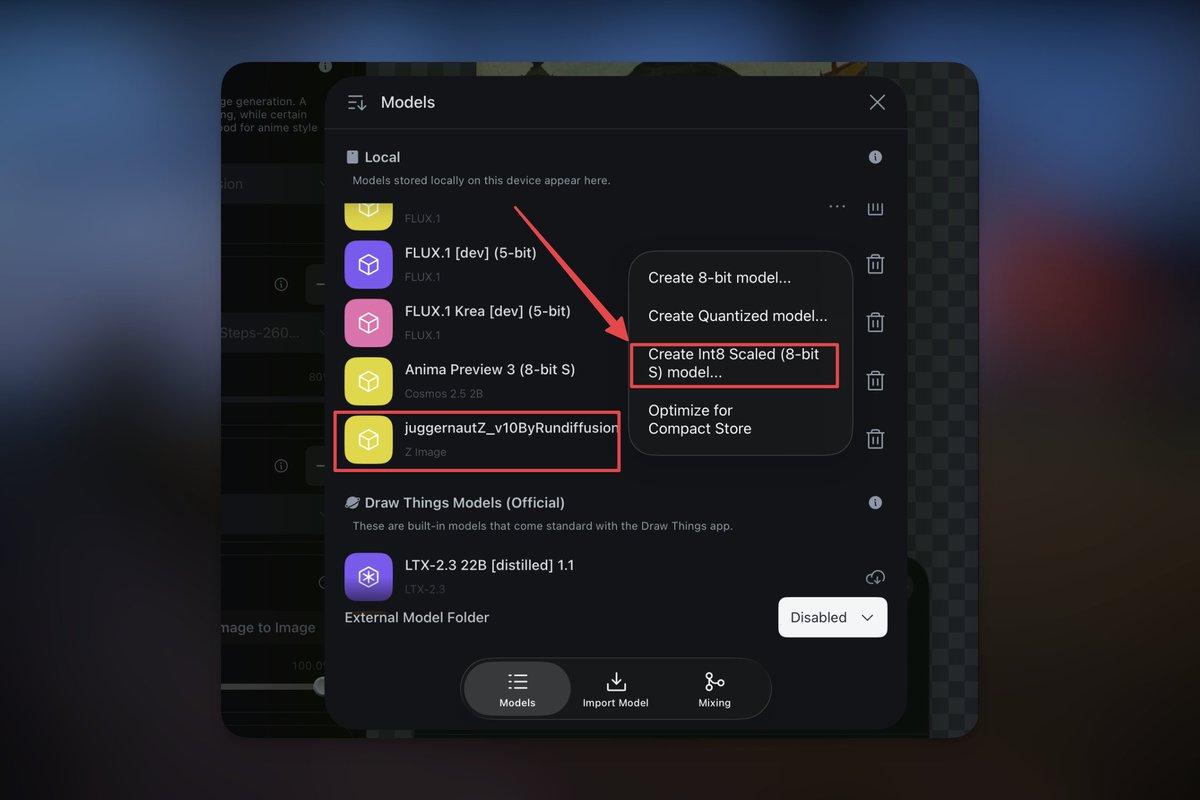
⬇️ You can directly download the latest “Anima-base-v1.0.safetensors” from HuggingFace or Civitai and import it into Draw Things. If you are using newer chips such as M4 and above, you can also create an 8-bit S model.
⚡ Anima has a relatively small parameter size, making it very suitable for local inference. When paired with the Anima Turbo LoRA, it can achieve excellent results in just 8–12 steps.
2
1
31
4,581
May 15
🔗Model link:
--huggingface:huggingface.co/circlestone-l…
--Civitai:civitai.com/models/2458426/a…
--Anima Turbo LoRA:civitai.com/models/2560840/a…
4
1,835