
Red Team, Pentest, I’m interested in all the things in OffSec field!
Joined July 2018
- Tweets 158
- Following 359
- Followers 28
- Likes 89
2 Photos and videos

Jonathan Cheung retweeted

12 Nov 2024
EDR Internals for macOS and Linux : outflank.nl/blog/2024/06/03/…
38
126
14,452
Jonathan Cheung retweeted

19 Jul 2024
How to fix the Crowdstrike thing:
1. Boot Windows into safe mode
2. Go to C:\Windows\System32\drivers\CrowdStrike
3. Delete C-00000291*.sys
4. Repeat for every host in your enterprise network including remote workers
5. If you're using BitLocker jump off a bridge
478
6,456
50,014
3,655,085
Jonathan Cheung retweeted

19 Jul 2024
Crowdstrike Analysis:
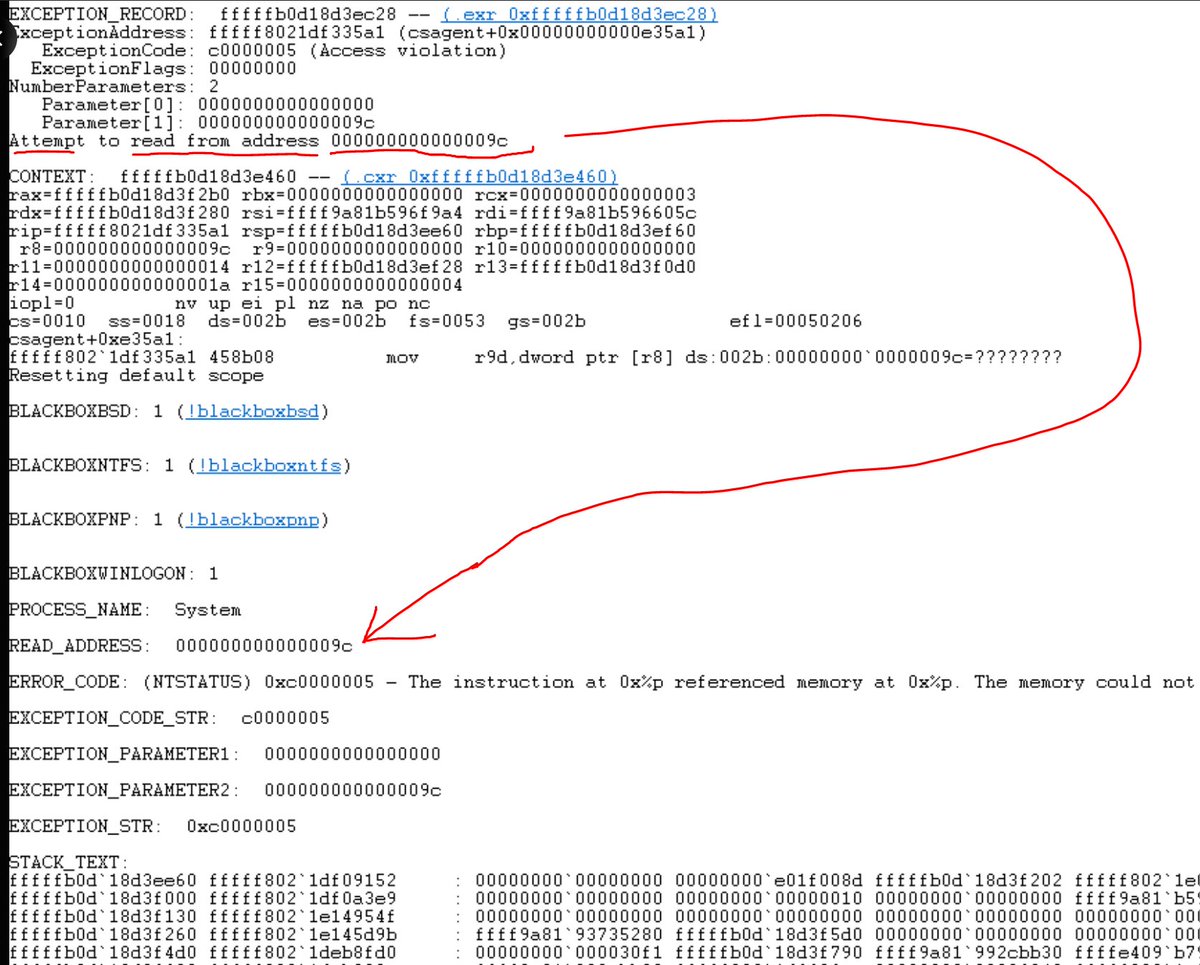
It was a NULL pointer from the memory unsafe C language.
Since I am a professional C programmer, let me decode this stack trace dump for you.
2,994
19,790
96,629
34,921,625

OST cannot be stopped. Here is a technique we tested internally 9 months ago: blocking EDR telemetry by leveraging the Windows Filtering Platform. Considered it so evil that we didn't publish it that time. It was pointless, now here it is by @netero_1010: github.com/netero1010/EDRSil…
11
267
868
125,708
Jonathan Cheung retweeted

17 Dec 2023
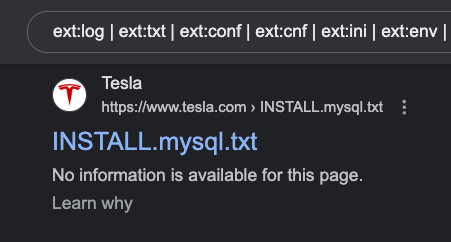
My Top 2 Google Dorks
🐘 PHP
ext:php inurl:? site:example[.]com
🤫 Juicy Extensions
ext:log | ext:txt | ext:conf | ext:cnf | ext:ini | ext:env | ext:sh | ext:bak | ext:backup | ext:swp | ext:old | ext:~ | ext:git | ext:svn | ext:htpasswd | ext:htaccess site:example[.]com
3
301
1,223
98,097

Fancy a macOS 0day local privilege escalation for GOG Galaxy? Although reported almost a year ago, there is still no patch. Full details for the vulnerability: securityintelligence.com/x-f…
13
111
278
43,766

Do this on your AD Domain Controller:
# Define the list of executable file paths to log
$ExecutablePaths = @(
"C:\Windows\System32\ntdsutil.exe",
"C:\Windows\System32\dsa.msc",
"C:\Windows\System32\dsac.exe",
"C:\Windows\System32\gpmc.msc",
"C:\Windows\System32\WindowsPowerShell\v1.0\powershell.exe",
"C:\Windows\System32\mstsc.exe",
"C:\Windows\System32\wbem\wmiprvse.exe",
"C:\Windows\System32\eventvwr.msc",
"C:\Windows\System32\secpol.msc",
"C:\Windows\System32\dsquery.exe",
"C:\Windows\System32\dsadd.exe",
"C:\Windows\System32\dsrm.exe"
)
# Enable Object Access auditing
$AuditPolicy = Get-ItemProperty -Path "HKLM:\SOFTWARE\Microsoft\Windows\CurrentVersion\Policies\System\Audit"
$AuditPolicy.ObjectAccess = 1
Set-ItemProperty -Path "HKLM:\SOFTWARE\Microsoft\Windows\CurrentVersion\Policies\System\Audit" -Name ObjectAccess -Value 1
# Loop through each executable path and configure audit settings
foreach ($Path in $ExecutablePaths) {
$AuditRule = New-Object System.Security.AccessControl.FileSystemAuditRule("Everyone", "ExecuteFile", "Success,Failure")
$AuditRulePath = New-Object System.Security.AccessControl.FileSystemAuditRule("Everyone", "ReadAttributes", "Success,Failure")
$Acl = Get-Acl -Path $Path
$Acl.AddAuditRule($AuditRule)
$Acl.AddAuditRule($AuditRulePath)
Set-Acl -Path $Path -AclObject $Acl
}
# Verify the audit settings
Get-AuditLogConfiguration | Format-Table -Property IsObjectAccessAuditEnabled, IsAuditEnabled
--- Part 2: watch this log carefully ---
# Define the list of executable file paths
$ExecutablePaths = @(
"C:\Windows\System32\ntdsutil.exe",
"C:\Windows\System32\dsa.msc",
"C:\Windows\System32\dsac.exe",
"C:\Windows\System32\gpmc.msc",
"C:\Windows\System32\WindowsPowerShell\v1.0\powershell.exe",
"C:\Windows\System32\mstsc.exe",
"C:\Windows\System32\wbem\wmiprvse.exe",
"C:\Windows\System32\eventvwr.msc",
"C:\Windows\System32\secpol.msc",
"C:\Windows\System32\dsquery.exe",
"C:\Windows\System32\dsadd.exe",
"C:\Windows\System32\dsrm.exe"
)
# Define the log name and event IDs for Object Access auditing
$LogName = "Security"
$EventIDs = @(4663, 4670, 5136)
# Define the filter XML to filter events related to executable paths
$FilterXML = @"
<QueryList>
<Query Id="0" Path="$LogName">
<Select Path="$LogName">
*[System[(EventID=$($EventIDs -join " or EventID="))]]
and
*[EventData[Data[@Name='ObjectType'] and (Data='File')]]
and
(
*[EventData[Data[@Name='ObjectName'] and ($(foreach ($Path in $ExecutablePaths) { "Data='$Path' or " })'false')]]
)
</Select>
</Query>
</QueryList>
"@
# Register the event log filter
Register-WinEvent -LogName $LogName -ProviderName 'Microsoft-Windows-Security-Auditing' -FilterXPath $FilterXML -Verbose
2
34
193
41,076

OpenAI 的大神 Andrej Karpathy 前几天在他的 YouTube 频道讲了一堂课,系统的介绍了大语言模型,内容深入浅出,非常赞,抽空将它翻译成了双语,由于内容较长,我将分批上传,以下是第一部分精校后的双语视频,字幕文稿如下:
Intro: Large Language Model (LLM) talk
大家好。最近,我进行了一场关于大语言模型的 30 分钟入门讲座。遗憾的是,这次讲座没有被录制下来,但许多人在讲座后找到我,他们告诉我非常喜欢那次讲座。因此,我决定重新录制并上传到 YouTube,那么,让我们开始吧,为大家带来“忙碌人士的大语言模型入门”系列,主讲人 Scott。好的,那我们开始吧。
LLM Inference
首先,什么是大语言模型 (Large Language Model) 呢?其实,一个大语言模型就是由两个文件组成的。在这个假设的目录中会有两个文件。
以 Llama 2 70B 模型为例,这是一个由 Meta AI 发布的大语言模型。这是 Llama 系列语言模型的第二代,也是该系列中参数最多的模型,达到了 700 亿。LAMA2 系列包括了多个不同规模的模型,70 亿,130 亿,340 亿,700 亿是最大的一个。
现在很多人喜欢这个模型,因为它可能是目前公开权重最强大的模型。Meta 发布了这款模型的权重、架构和相关论文,所以任何人都可以很轻松地使用这个模型。这与其他一些你可能熟悉的语言模型不同,例如,如果你正在使用 ChatGPT 或类似的东西,其架构并未公开,是 OpenAI 的产权,你只能通过网页界面使用,但你实际上没有访问那个模型的权限。
在这种情况下,Llama 2 70B 模型实际上就是你电脑上的两个文件:一个是存储参数的文件,另一个是运行这些参数的代码。这些参数是神经网络(即语言模型)的权重或参数。我们稍后会详细解释。因为这是一个拥有 700 亿参数的模型,每个参数占用两个字节,因此参数文件的大小为 140 GB,之所以是两个字节,是因为这是 float 16 类型的数据。
除了这些参数,还有一大堆神经网络的参数。你还需要一些能运行神经网络的代码,这些代码被包含在我们所说的运行文件中。这个运行文件可以是 C 语言或 Python,或任何其他编程语言编写的。它可以用任何语言编写,但 C 语言是一种非常简单的语言,只是举个例子。只需大约 500 行 C 语言代码,无需任何其他依赖,就能构建起神经网络架构,并且主要依靠一些参数来运行模型。所以只需要这两个文件。
你只需带上这两个文件和你的 MacBook,就拥有了一个完整的工具包。你不需要连接互联网或其他任何设备。你可以拿着这两个文件,编译你的 C 语言代码。你将得到一个可针对参数运行并与语言模型交互的二进制文件。
比如,你可以让它写一首关于 Scale AI 公司的诗,语言模型就会开始生成文本。在这种情况下,它会按照指示为你创作一首关于 Scale AI 的诗。之所以选用 Scale AI 作为例子,你会在整个演讲中看到,是因为我最初在 Scale AI 举办的活动上介绍过这个话题,所以演讲中会多次提到它,以便内容更具体。这就是我们如何运行模型的方式。只需要两个文件和一台 MacBook。
我在这里稍微有点作弊,因为这并不是在运行一个有 700 亿参数的模型,而是在运行一个有 70 亿参数的模型。一个有 700 亿参数的模型运行速度大约会慢 10 倍。但我想给你们展示一下文本生成的过程,让你们了解它是什么样子。所以运行模型并不需要很多东西。这是一个非常小的程序包,但是当我们需要获取那些参数时,计算的复杂性就真正显现出来了。
那么,这些参数从何而来,我们如何获得它们?因为无论 run.c 文件中的内容是什么,神经网络的架构和前向传播都是算法上明确且公开的。
23 Nov 2023

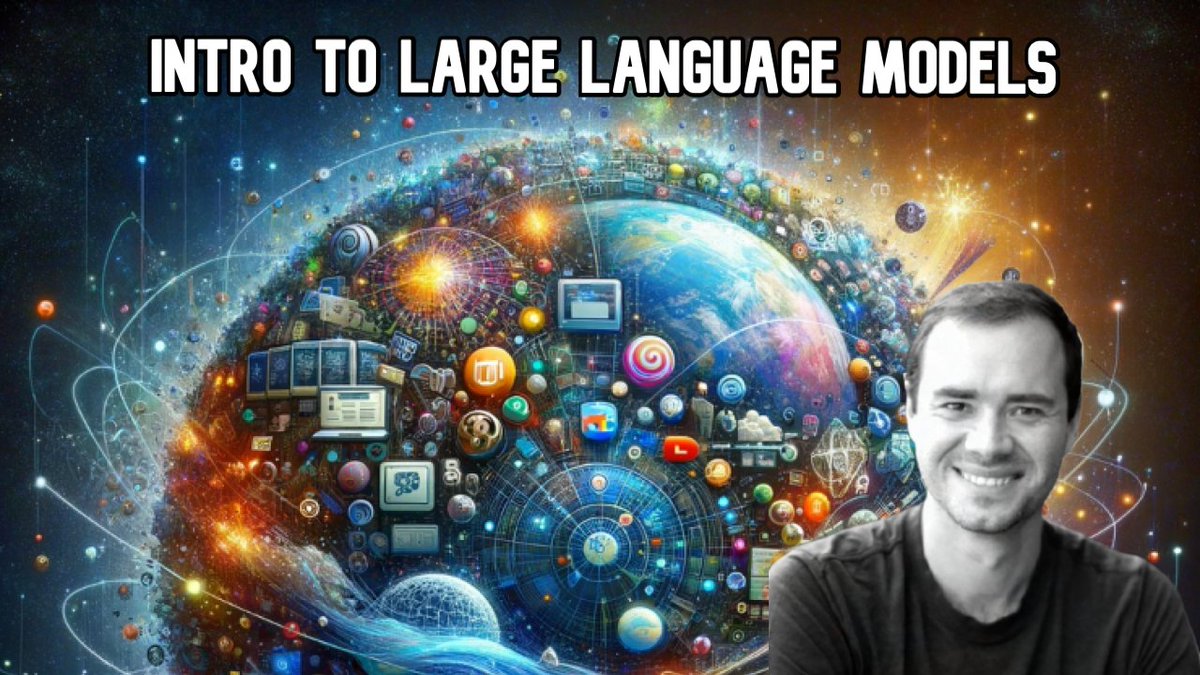
New YouTube video: 1hr general-audience introduction to Large Language Models
youtube.com/watch?v=zjkBMFhN…
Based on a 30min talk I gave recently; It tries to be non-technical intro, covers mental models for LLM inference, training, finetuning, the emerging LLM OS and LLM Security.
75
1,030
3,329
1,121,920
Jonathan Cheung retweeted

20 Nov 2023
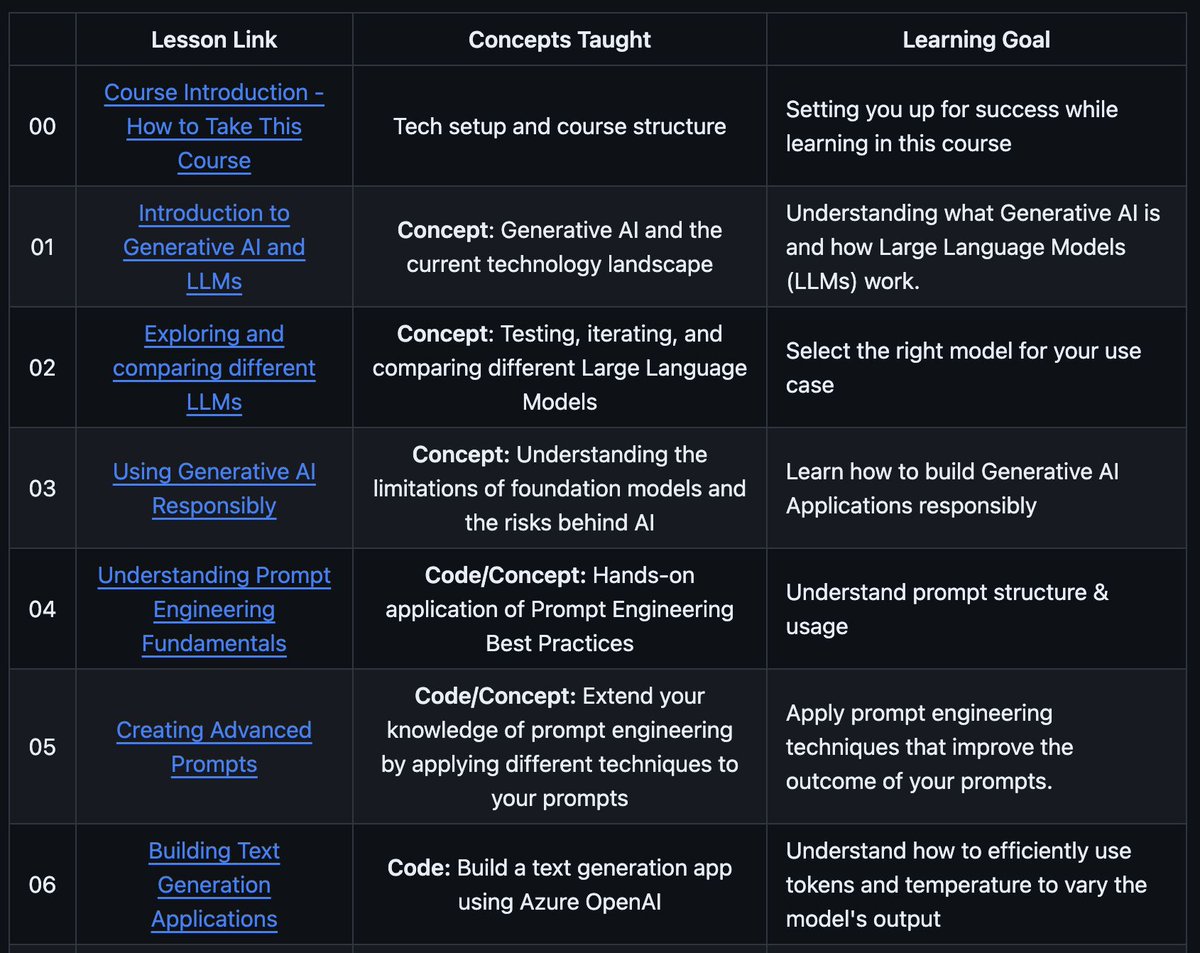
Microsoft launched the best course on Generative AI.
The free 12 lesson course is available on Github and will teach you everything you need to know to start building Generative AI applications.
Each lesson includes:
- a short video introduction to the topic
- a written lesson located in the README
- a Jupyter Notebook with code examples (for project-based lessons)
- a challenge or assignment to apply your learning
- links to extra resources to continue your learning
43
862
4,476
1,068,932

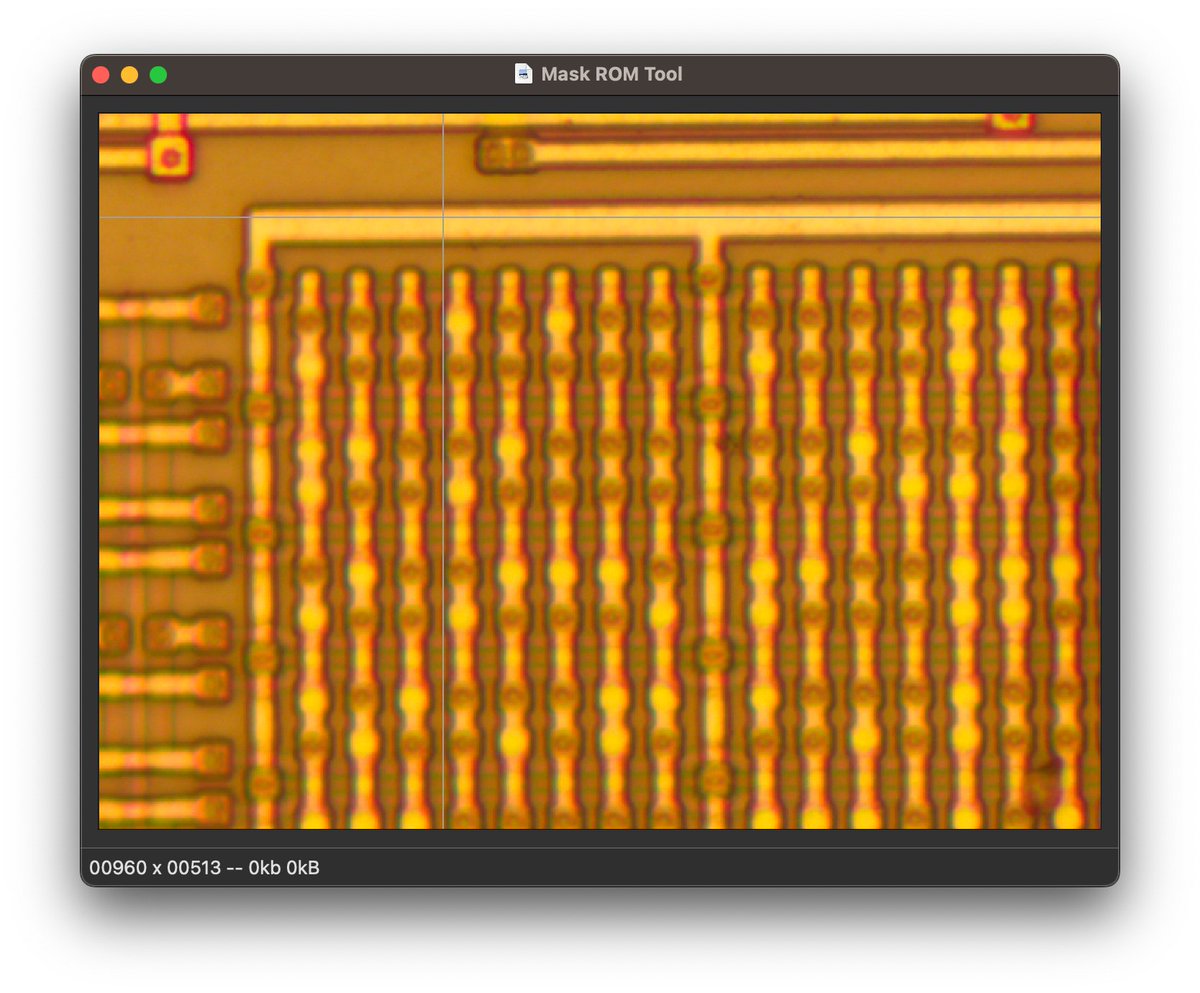
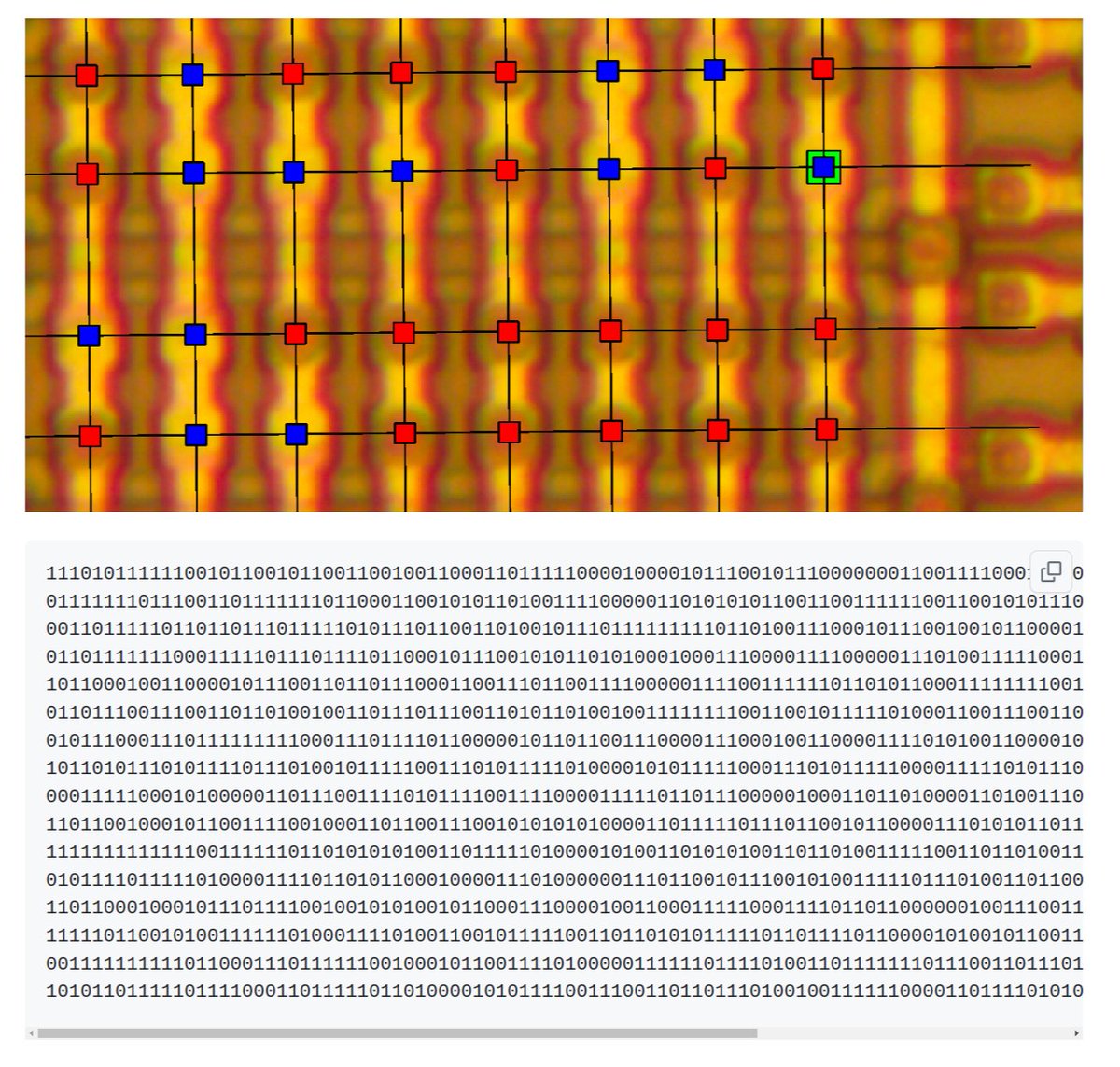
看到一个 GitHub 仓库,真是叹为观止。作者通过拍摄 ROM 芯片的显微照片(图一),将里面固件的二进制代码(图二)还原了出来。github.com/travisgoodspeed/g…
66
179
874
258,409

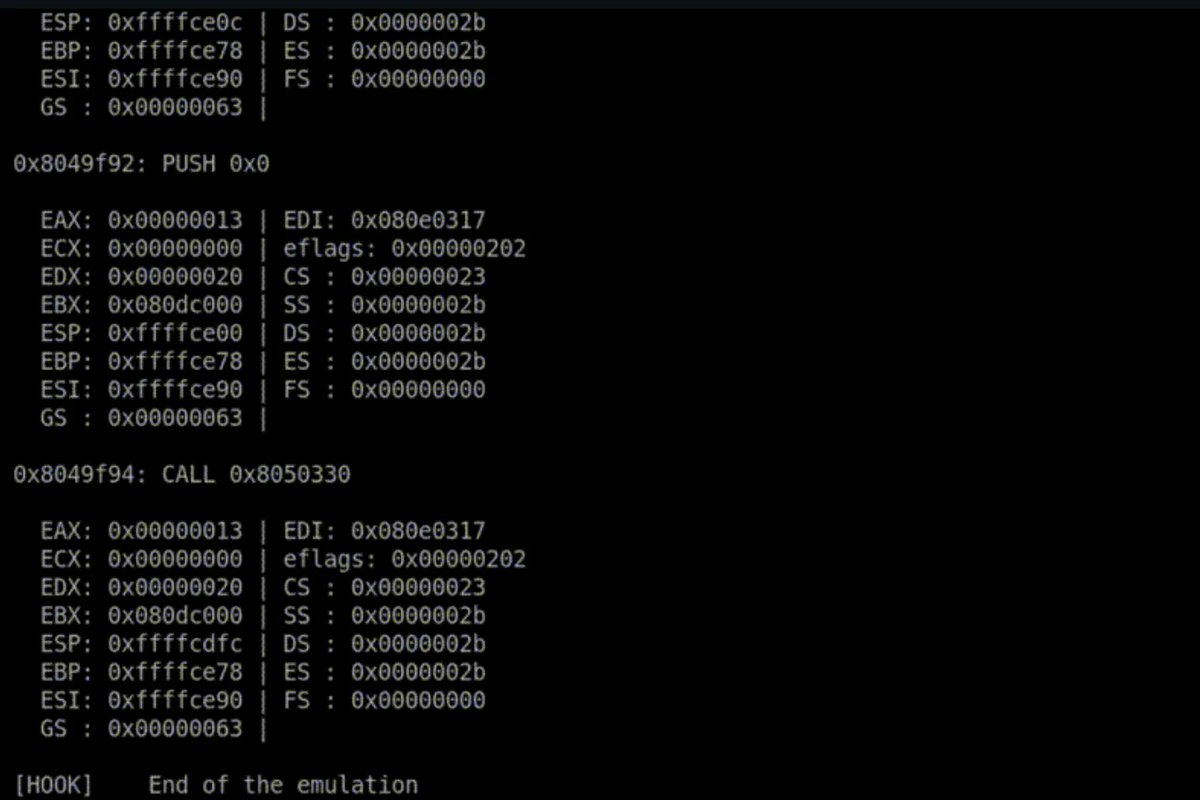
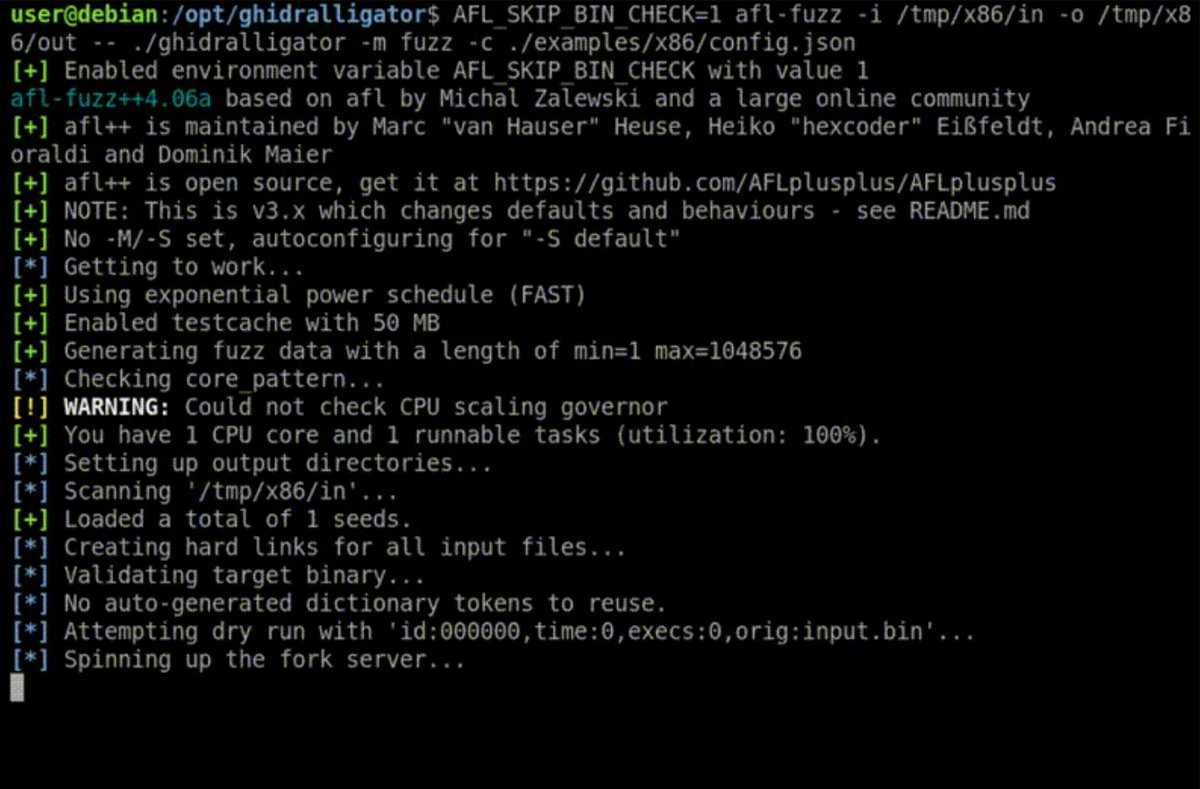
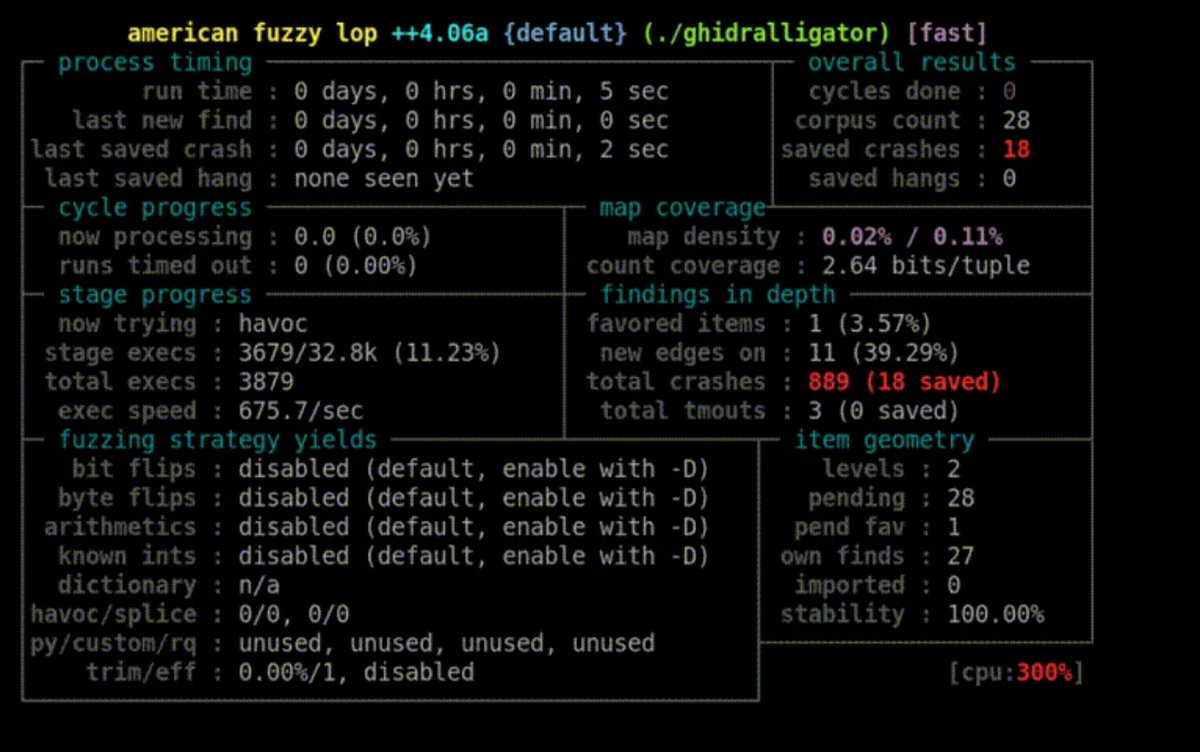
Ghidralligator is a tool by @AirbusCyber to emulate Ghidra p-code for fuzzing with AFL
Github Repo: github.com/airbus-cyber/ghid…
#ghidra #fuzzing #infosec

1
122
379
54,740

17 Aug 2023
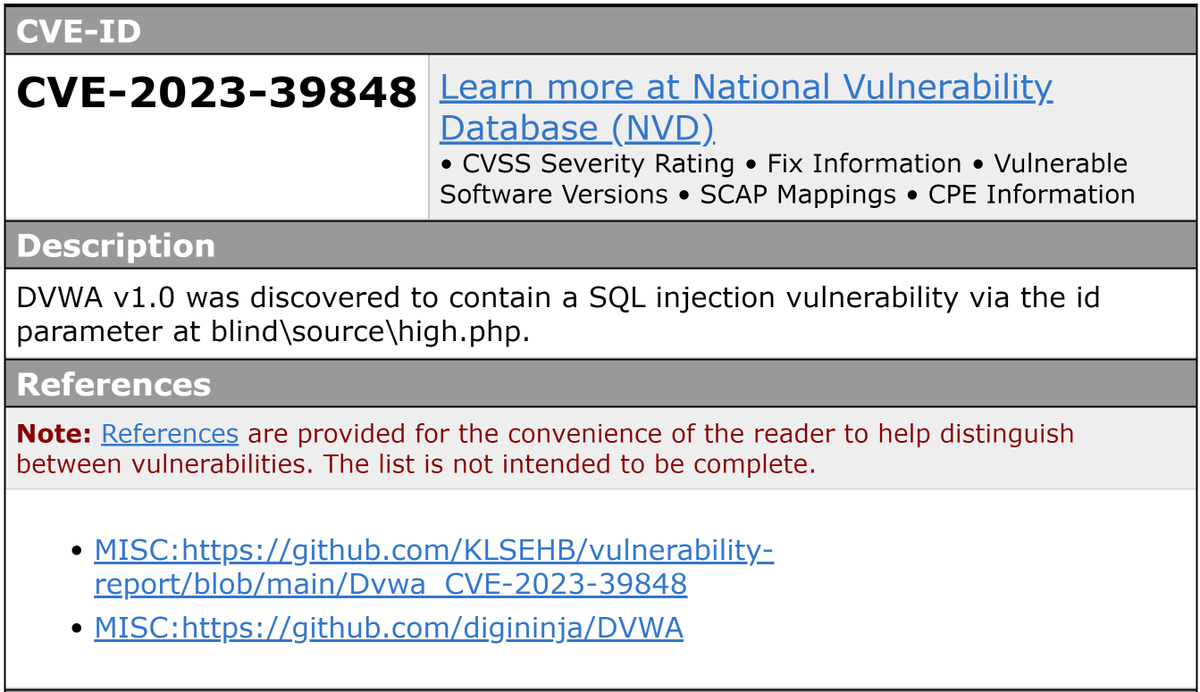
CVE! CVE! CVE! 🤣🤣
17 Aug 2023

The world just became a little bit safer 🥰
thanks to all the hackers and researchers reporting vulnerabilities
nvd.nist.gov/vuln/detail/CVE…
51

Jonathan Cheung retweeted

10 Aug 2023
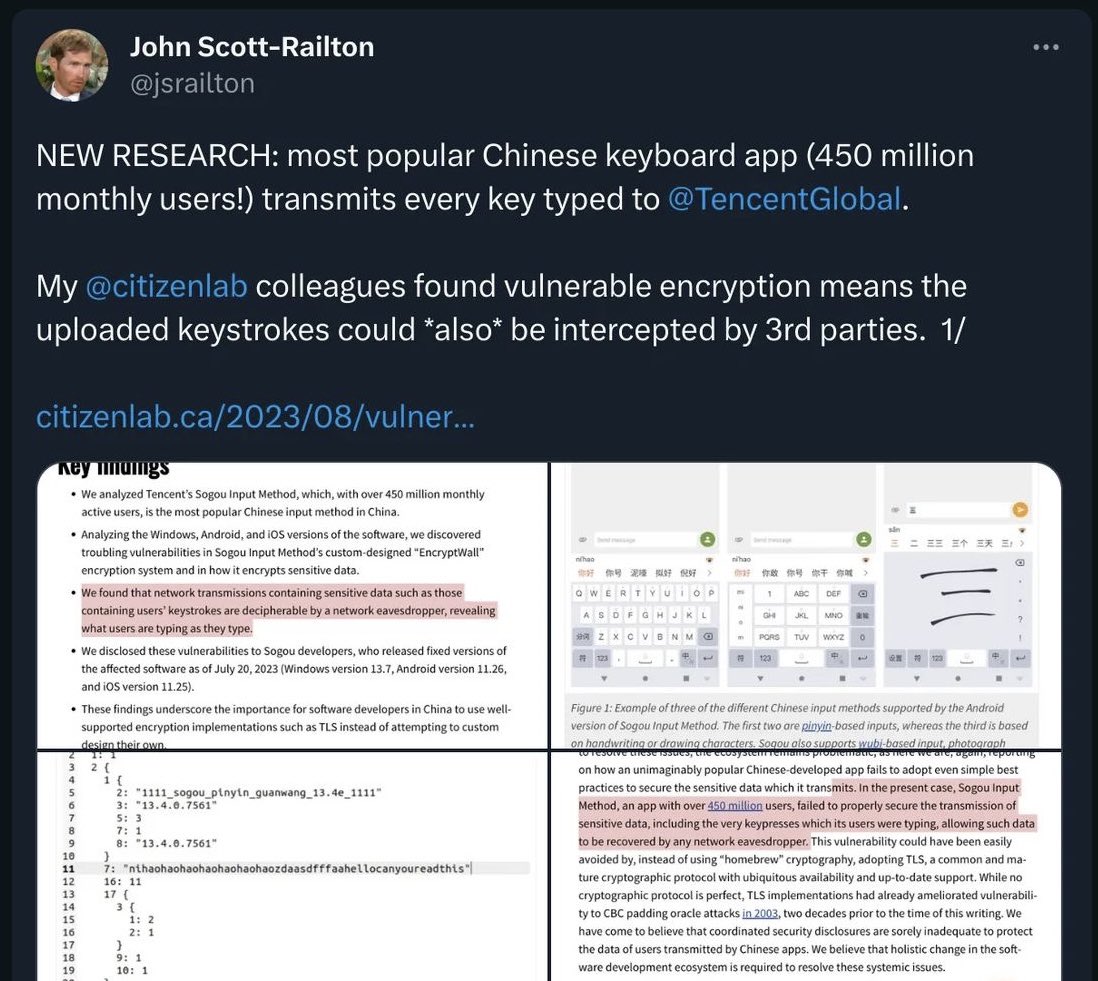
I’ve just publicly released SQLRecon v3.3. This release includes many features that were used privately by the @xforcered Adversary Services team on real-world red team operations. Please share, enjoy, and use responsibility. Hmu if you have any questions! github.com/xforcered/SQLReco…
1
79
228
26,125
10 Aug 2023
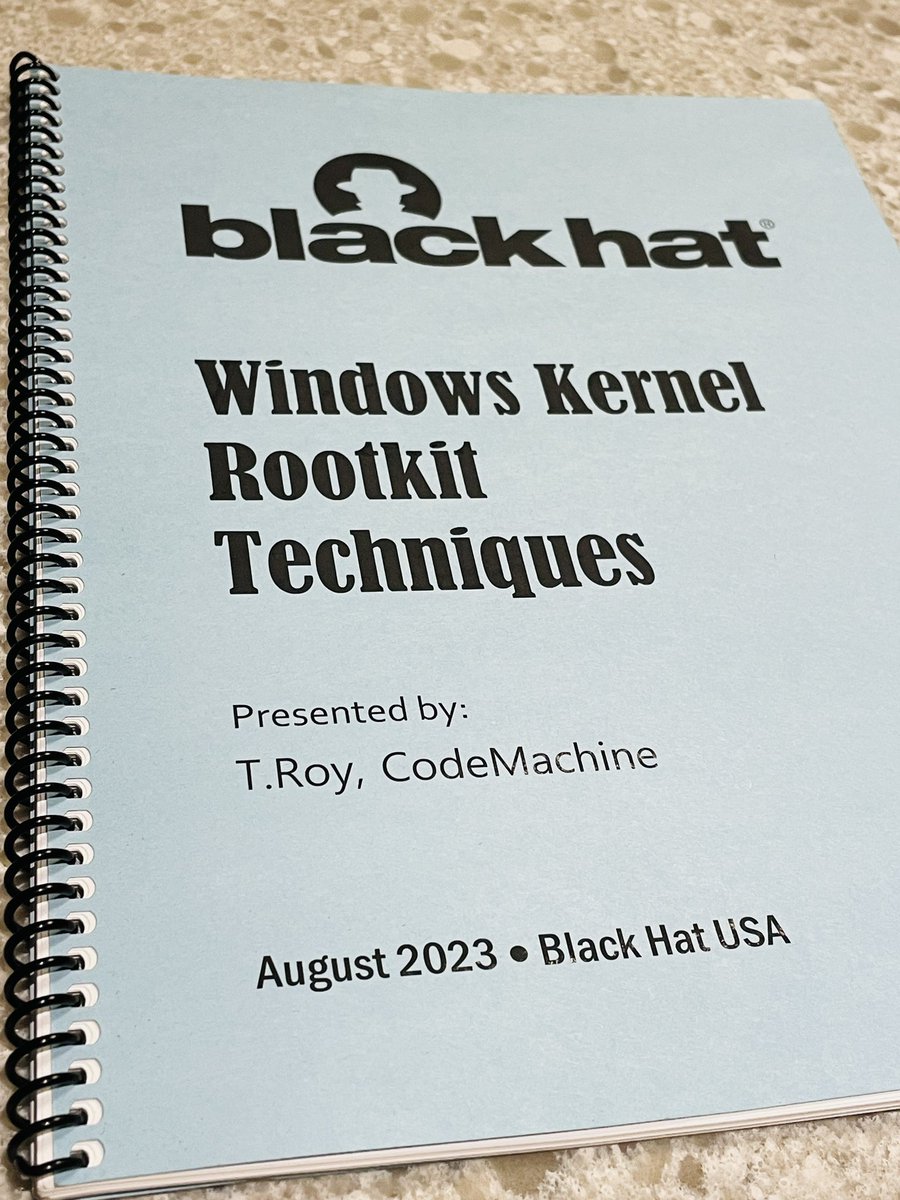
I really love the Windows Kernel Rootkit Techniques training! It was such an intensive training runs in 4 days! Thank you @codemachineinc #BlackHat2023
2
10
1,235
Jonathan Cheung retweeted

23 Jun 2023
今天用了一个非常有趣的命令行工具:TheFuck
github.com/nvbn/thefuck
听这个名字就不一般,用途也和名称一样。
我们经常会输错一些命令,比如 typo 等等。
它可以自动修正你输入的上一个命令的错误,然后让命令成功的运行。具体可以看下动图,感受一下。我觉得是一个非常好用,值得收藏的小工具。
Stars 多的很惊人: 77.9K
8
33
134
28,880
Jonathan Cheung retweeted

18 Jun 2023
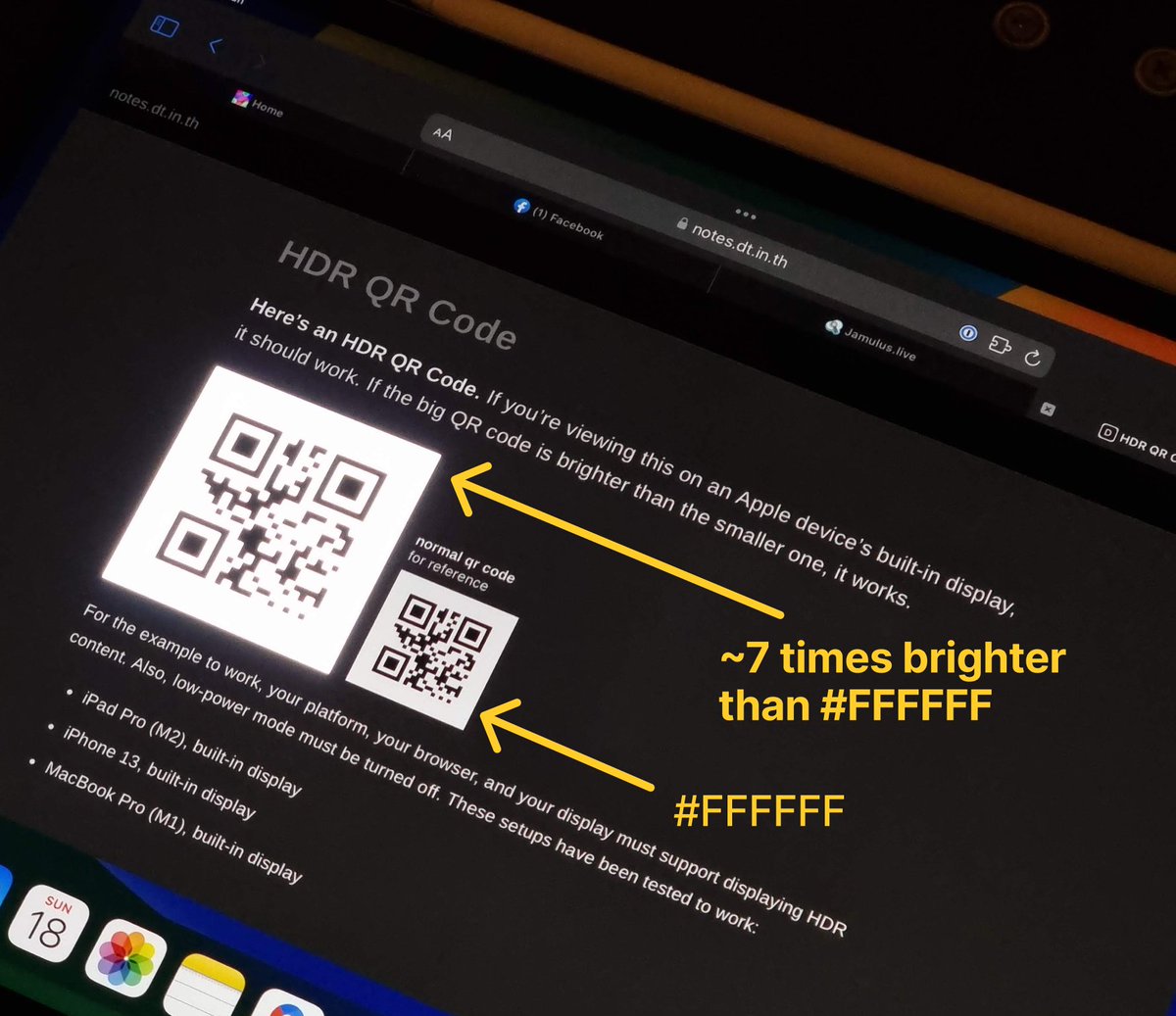
Today I learned: By using an HDR <video>, a website can display a very bright white, like ~7 times brighter than #FFFFFF, on an iPhone/iPad.
This can be used to e.g. show a bright QR code for easy scanning despite user’s low brightness settings.
notes.dt.in.th/HDRQRCode
99
739
6,572
1,434,451

Jonathan Cheung retweeted

3 Mar 2023
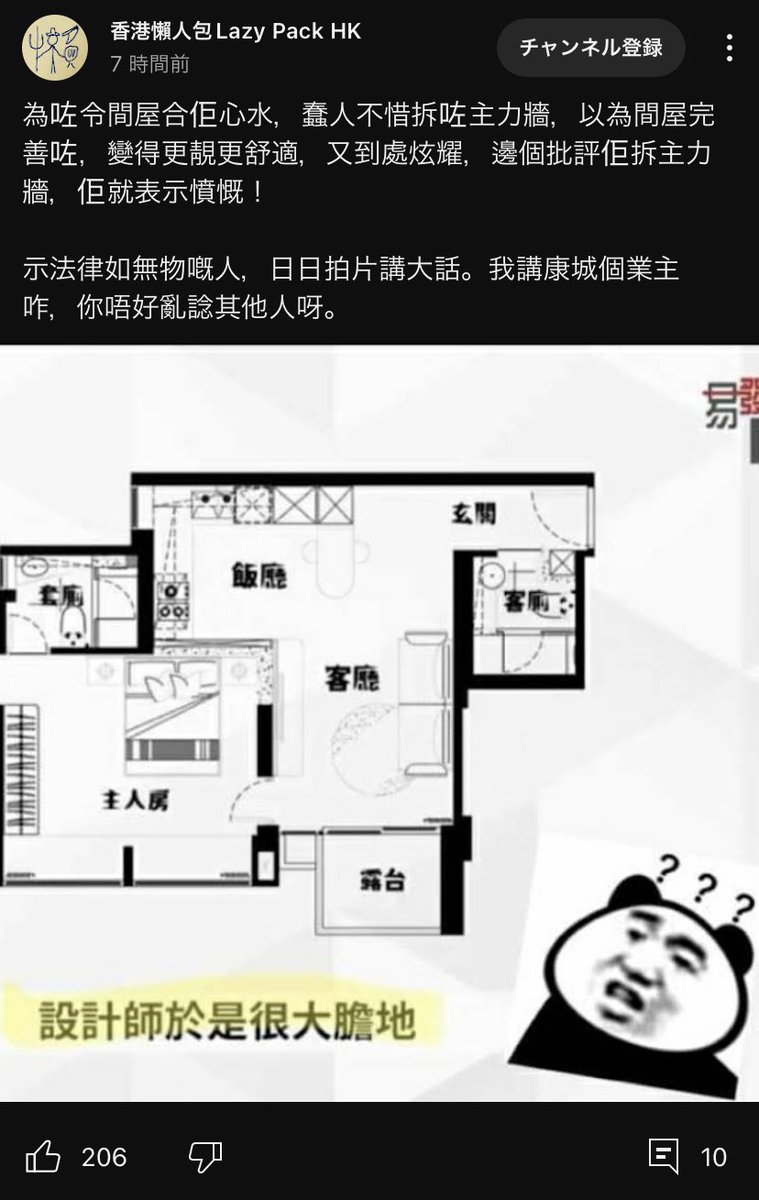
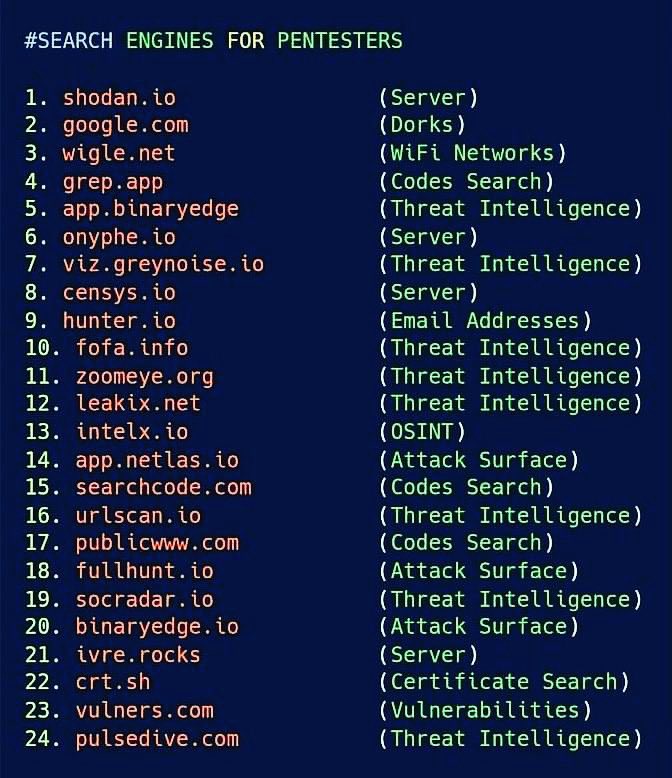
Search Engines for PenTesters
#Hacked #CyberAttack #infosec #cybersecurity #community #security #Pentesting
12
365
1,076
69,169
