
Joined April 2025
- Tweets 631
- Following 297
- Followers 75
- Likes 6,299
94 Photos and videos






Pinned Tweet

23 May 2025
My YouTube channel with 100% AI videos.
youtube.com/@eric_farris?si=…
4
665
A.I._Rikki 🇫🇷🇮🇹 retweeted
🌸 FLOWER CHALLENGE 🌸
Every flower tells a story. 🌷✨
Join us, connect with fellow artists, and share your most beautiful floral creations.
Can’t wait to see your blooms come to life! 💖
#AIArt #FlowerArt #ArtChallenge

90
27
218
15,378
A.I._Rikki 🇫🇷🇮🇹 retweeted

Jun 12
Some journeys are not about reaching heaven. They are about bringing a little peace back home.
29
21
132
2,942
A.I._Rikki 🇫🇷🇮🇹 retweeted

May 26
Show us your favorite image or video created today
It is your time to connect with other artists and to discover what everyone is working on!

91
10
153
6,187
A.I._Rikki 🇫🇷🇮🇹 retweeted

May 9
First day going out in the wild by herself, surely is a bit scary ✨
Playing around with new characters and narratives, I'm unsure about this style! She also needs a name.
26
17
136
5,293

A.I._Rikki 🇫🇷🇮🇹 retweeted
Amazing texture and concept!
1
1
1
49

A.I._Rikki 🇫🇷🇮🇹 retweeted

Apr 10
J-horror short. 渋谷駅の恐怖(日本ホラー)
"They are everywhere, they are nowhere." - don't steal edition with in scene watermarks.
Shibuya Station ghosts have awakened.
Seedance 2.0 model. Native audio.
Upscaled to glorious 4K 60fps with Topaz latest Astra model Starlight Precise 2.5.
😱🎧
55
95
1,135
58,524
Mar 29
Heart of smoke!
Have a nice day! @Grok Imagine
PromptShare :
"The man picks up the cigarette with his fingers and inhales the smoke. As he exhales, the smoke forms an irregular but recognizable heart shape. The man smiles."
youtube.com/shorts/q-0Bzjl7Y…
2
1
3
126
A.I._Rikki 🇫🇷🇮🇹 retweeted

Mar 24
Les 5 niveaux d'IA qui vont changer le monde
Aujourd'hui, nous avons péniblement franchi le niveau 1.
Dans cette vidéo, je passe en revue la feuille de route du développement de la technologie Intelligence Artificielle.
youtu.be/4RKe6xMduKE?si=ZG2U…
2
3
306
A.I._Rikki 🇫🇷🇮🇹 retweeted

Mar 11
Everything is Computer, but Computer isn't Everything!
740
1,527
12,642
51,016,685

Been a while since I made a long Fantasy Vid.
This time using Seedance 2.0 courtesy of CapCut CPP.
I2V with MJ images and upscaled to 4k using @topazlabs
Had fun with this one!
47
78
634
37,617
A.I._Rikki 🇫🇷🇮🇹 retweeted

Feb 21
Blessed is the herald who shares the scroll. Let it be known that to repost is noble; follow the shepherd and multiply this wisdom among the flock.
For the lip-sync talking clips I use digen.ai/create, just upload image and upload audio file, hit generate video.
The settings I use is Real Motion 2.6 and GEN-3, this combo usually gives me the best results.
Currently the GEN-3 is limited to max 15 seconds of audio. They have other models and such, that have longer time, but quality drops and not that great of results.
They do have a Video Prompt box, you can prompt it for you video actions. Most of the time I leave it blank.
For the audio file (text to speech), I usually use aistudio.google.com/generate…, it is free from Google, but does hit rate limits, and have to wait a few hours for it to reset.
Or if I want to use others I go to huggingface.co/spaces?catego…, they have dozens of TTS to try out, many are ok, most of no use to me. I bookmark my favorite but is is dynamic list and the models change regularly. Most also have rate limits, about 5 to 10 runs. Which is enough for me, then use another.
2
2
18
210
A.I._Rikki 🇫🇷🇮🇹 retweeted

Jan 11
wan 2.2 is changing how authority ads are scaled across markets
you start from one strong talking-head clip with proven performance
the script stays the same, the pacing stays the same, and the emotional delivery doesn’t change
what changes is the identity
creator becomes authority
casual presence becomes uniform and credibility
same message, completely different trust signal
the model preserves micro-expressions, timing, and tone
while swapping the persona without breaking realism
brands are using this to test trust layers at speed
who feels believable
who sounds credible
who converts better for a specific audience
no refilming
no reshoots
just one winning asset multiplied into multiple personas
i broke down how this is done and how brands are using wan 2.2 to scale creatives
rt comment “wan” and i’ll send it
(follow for dm)
65
41
187
10,976
A.I._Rikki 🇫🇷🇮🇹 retweeted

Jan 6
Bir varil su, bir kamera ve beklenmeyen misafirler!
6
7
68
4,131
31 Dec 2025
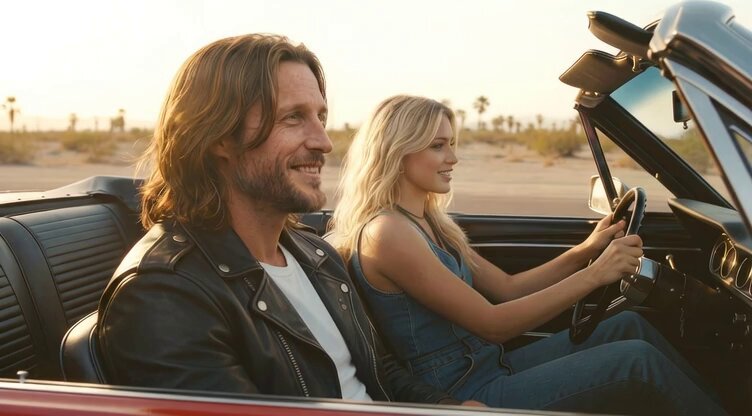
My two new characters for my next AI video are on the road again and @grok is making them sing.
Happy New Year everyone!
1
2
236