
An AI pair programmer designed as an agent, capable of performing software engineering tasks in any environment. Sign up at: exponent.run
Joined June 2024
- Tweets 59
- Following 62
- Followers 1,125
- Likes 82
8 Photos and videos

Pinned Tweet

2 Apr 2025
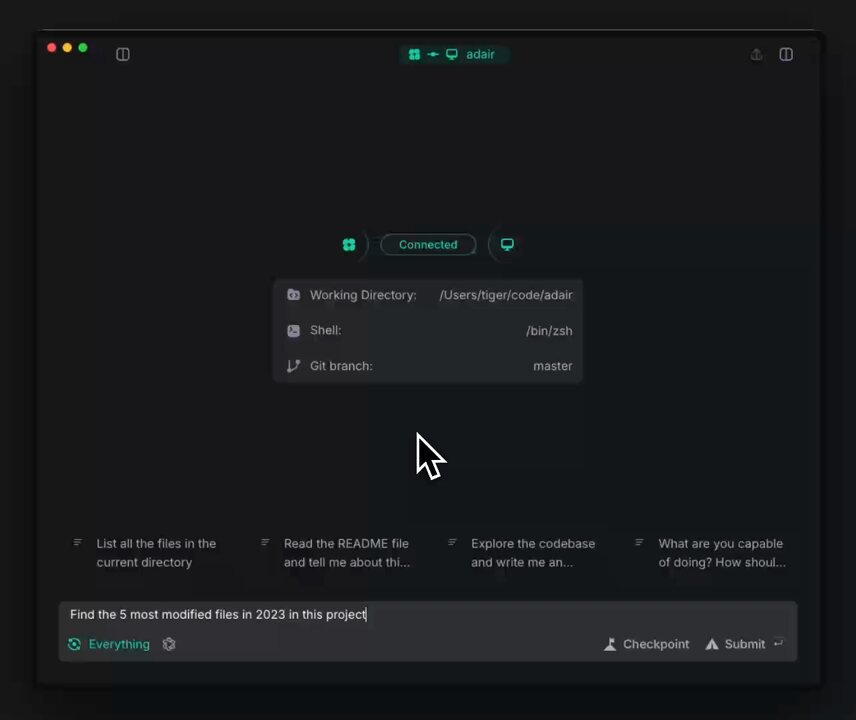
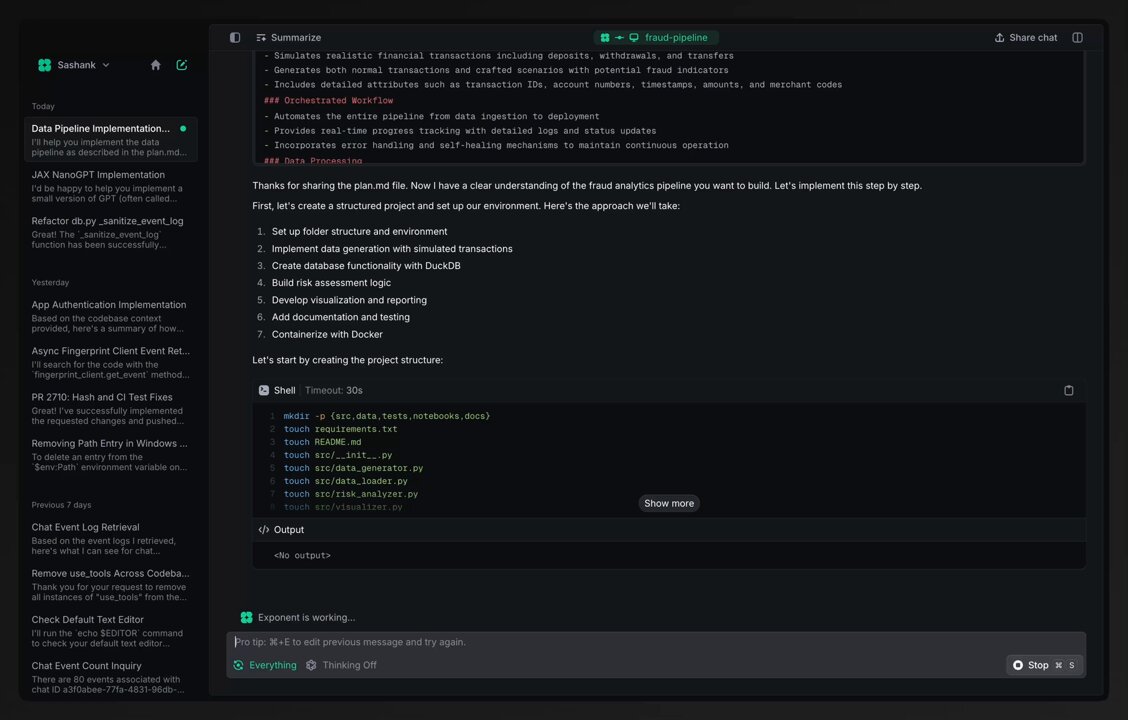
Introducing Exponent, a highly capable programming agent. You can get early access today to start using Exponent's clean, developer-focused UX for any software engineering task from exploration to deployment.
17
76
432
127,345

Phenomenal team and product! Congrats @sthupukari!
2 Apr 2025

Introducing Exponent, a highly capable programming agent. You can get early access today to start using Exponent's clean, developer-focused UX for any software engineering task from exploration to deployment.
1
4
2,321
5 Apr 2025
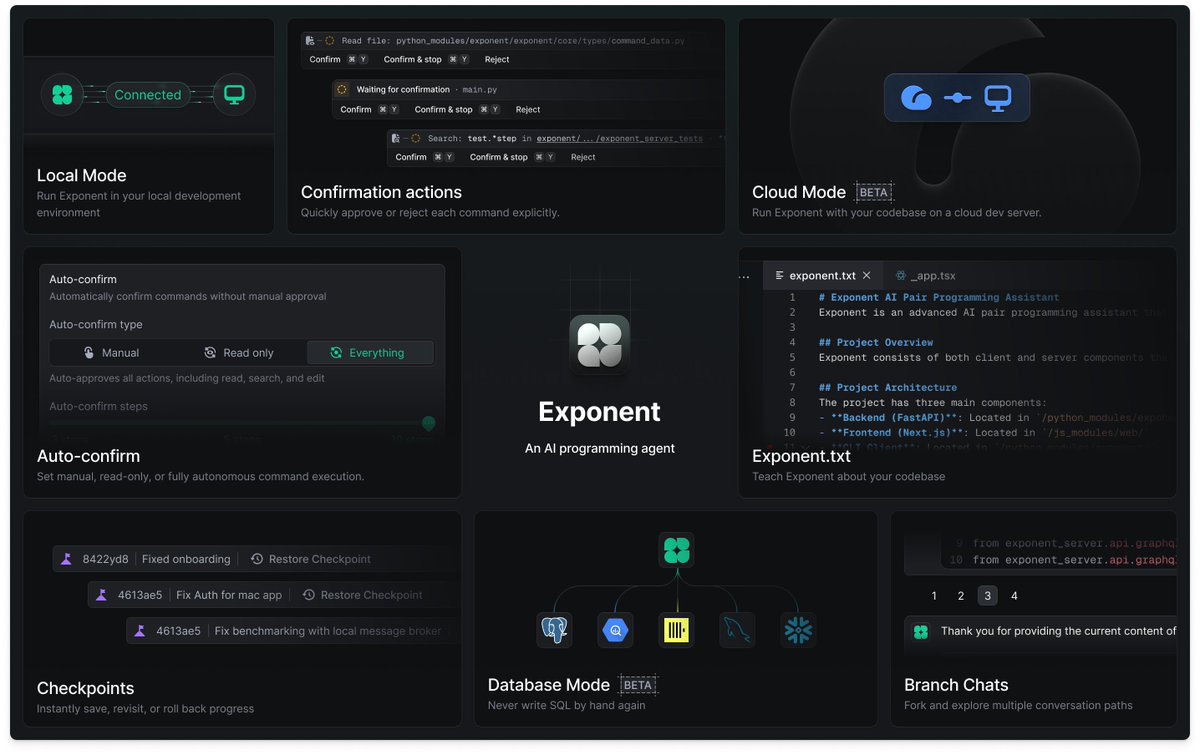
Exponent is designed to be easy to use and control. Let's go through some of Exponent's capabilities that we get a lot of positive feedback on compared to other tools:
3
23
1,969
5 Apr 2025
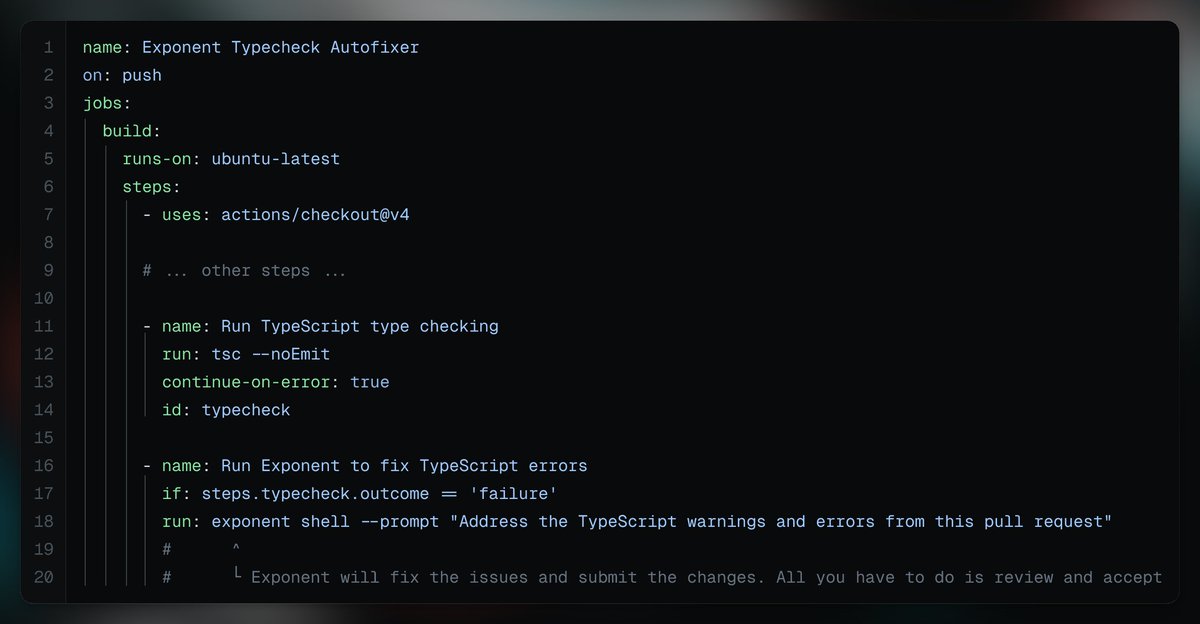
Exponent in CI: Save serious time and headaches by adding Exponent to your CI pipelines to automatically review code, fix type check errors, enforce coding standards, and more. docs.exponent.run/using-expo…
1
750
5 Apr 2025
If you haven't used Exponent yet, you can try these features and all the rest through our early access program at exponent.run/
1
2
582
Exponent retweeted

3 Apr 2025
Agents are super charging developers, changing the way we build.
2 Apr 2025
Introducing Exponent, a highly capable programming agent. You can get early access today to start using Exponent's clean, developer-focused UX for any software engineering task from exploration to deployment.
5
4
60
18,159
Exponent retweeted

2 Apr 2025
Congrats on the launch @exponent_run! Can’t wait to check out Teams
2 Apr 2025
And for teams who want to be at the cutting edge of giving their engineers access to agents, see exponent.run/teams
3
2
14
12,778
Exponent retweeted

2 Apr 2025
congrats @sthupukari and team!! the AI SWE race gets hotter 🔥
2 Apr 2025
Introducing Exponent, a highly capable programming agent. You can get early access today to start using Exponent's clean, developer-focused UX for any software engineering task from exploration to deployment.
2
9
1,454

You can either:
A) Keep debugging for 6 hours
B) Use Exponent and pretend you always knew what you were doing
We just launched. Try it :)
2 Apr 2025
Introducing Exponent, a highly capable programming agent. You can get early access today to start using Exponent's clean, developer-focused UX for any software engineering task from exploration to deployment.
4
2
49
4,508
Exponent retweeted

2 Apr 2025
👀
2 Apr 2025
Introducing Exponent, a highly capable programming agent. You can get early access today to start using Exponent's clean, developer-focused UX for any software engineering task from exploration to deployment.
1
9
2,087
Exponent retweeted

2 Apr 2025
Watch out for @exponent_run! They're building magic for engineering teams 🚀🚀🚀
2 Apr 2025
Introducing Exponent, a highly capable programming agent. You can get early access today to start using Exponent's clean, developer-focused UX for any software engineering task from exploration to deployment.
1
4
649
Exponent retweeted

2 Apr 2025
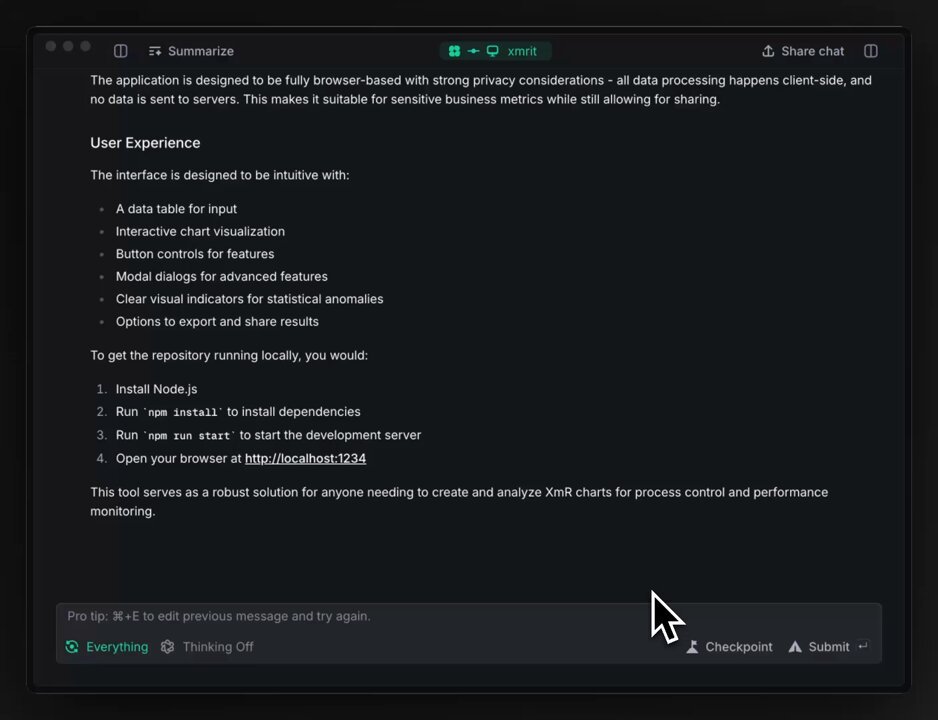
I tried out Exponent and it was amazing. It analyzed my entire Vibe coding code base with @cursor_ai in less than 5 minutes and generated an exponent.txt explaining and documenting the architecture. I can now use this in Cursor going forward right away or try to explore more Exponent features. Here's the full file, pretty amazing!
## 1. Project Architecture
The app is built Next.js 14 using the App Router pattern. The core architecture follows a SaaS model with subscription-based access to features.
### Key architectural components:
- Next.js 14 with App Router for frontend and API routes
- @clerk for authentication and user management
- PostgreSQL database with @prisma ORM
- @stripe for subscription and payment processing
- Third-party integrations: @OpenAI, @twilio , @Mail_Gun
### Route Structure:
- Public routes: Landing pages, marketing pages
- Authentication routes: Login, signup
- Protected routes: Dashboard, feature settings, subscription management
- API routes: Feature toggles, status checks, subscription management
## 2. Core Libraries and Frameworks
### Frontend:
- Next.js 14 (React framework)
- React 18
- @tailwindcss CSS for styling
- @shadcn component library (built on Radix UI)
- next-themes for theme management
- sonner for toast notifications
- date-fns for date handling
### Authentication:
- Clerk
### Database:
- PostgreSQL
- Prisma ORM (@prisma/client)
### API/Backend:
- OpenAI for AI capabilities
- Twilio for SMS/voice capabilities
- Mailgun.js for email capabilities
- Stripe for payments and subscriptions
- libphonenumber-js for phone number validation
### Analytics:
- @posthog
## 3. Directory Structure
### Next.js App Router Structure:
- `/app`: Main application code (Next.js App Router)
- `/(auth)`: Authentication routes (login, signup)
- `/(protected)`: Protected routes requiring authentication
- `/api`: API routes for server-side functionality
- `/components`: Page-specific components
- `globals.css`: Global styles
### Key Directories:
- `/app/(protected)`: Contains feature-specific pages
- `/app/api`: Server-side API routes organized by feature
- `/app/components`: UI components specific to the main app
- `/components`: Shared UI components
- `/public`: Static assets
- `/prisma`: Database schema and migrations
- `/lib`: Utility functions and shared code
- `/migrations`: Database migration scripts
- `/documentation`: Project documentation
## 4. Important Files
### Configuration Files:
- `next.config.mjs`: Next.js configuration
- `tailwind.config.ts`: Tailwind CSS configuration
- `middleware.ts`: Clerk authentication middleware
- `prisma/schema.prisma`: Database schema definition
- `package.json`: Dependencies and scripts
### Key Component Files:
- `app/layout.tsx`: Root layout with Clerk provider and analytics
- `app/(protected)/layout.tsx`: Layout for authenticated routes
- `components/headerloggedin.tsx`: Navigation header for authenticated users
- `components/header.tsx`: Navigation header for unauthenticated users
- `components/RightSidebar.tsx`: Shared sidebar component
## 5. Coding Patterns and Conventions
### Authentication Pattern:
- Clerk is used for authentication throughout the application
- Protected routes are wrapped with Clerk's SignedIn/SignedOut components
- API routes use Clerk's currentUser function to verify authentication
### Data Access Pattern:
- Prisma Client singleton pattern in `lib/prisma.ts`
- Database queries are performed in API routes
### UI Component Pattern:
- shadcn/ui components with Tailwind CSS for styling
- Custom color scheme with specific hex values
- Consistent card-based layout for feature configuration
- Mobile-responsive design with tailored layouts
### State Management:
- React hooks (useState, useEffect) for local state
- API calls for remote state
- Clerk hooks (useUser) for authentication state
### API Response Pattern:
- Consistent error handling with appropriate status codes
- JSON responses with standardized structure
- Dynamic routes for forced revalidation (no caching)
## 6. Build and Deployment
### Build Process:
- Prisma client generation before build (`prisma generate && next build`)
- Sitemap generation after build (`next-sitemap`)
- TypeScript type checking during build
### Scripts (from package.json):
- `dev`: Next.js development server
- `build`: Generate Prisma client and build Next.js app
- `start`: Start production server
- `lint`: Run ESLint
- `postinstall`: Generate Prisma client
- `postbuild`: Generate sitemap
### Environment Variables:
- Clerk authentication keys
- Database connection strings
- Stripe API keys
- OpenAI API keys
- Twilio credentials
- Mailgun credentials
## 7. Testing
Based on the codebase examination, there doesn't appear to be a formal testing framework implemented. Future improvements could include:
- Jest for unit testing
- Cypress for end-to-end testing
- React Testing Library for component testing
## 8. Challenges and Complexities
### Integration Complexities:
- Managing multiple third-party integrations (Clerk, Stripe, OpenAI, Twilio, Mailgun)
- Coordinating data between user authentication (Clerk) and subscription status (Stripe)
### Data Management:
- Tracking and processing user conversations across multiple channels
- Task prioritization and management system
### User Experience:
- Providing a consistent experience across multiple interaction channels
- Maintaining responsive design across various device sizes
### Subscription Management:
- Handling trial periods and subscription status
- Managing feature access based on subscription type
- Coordinating between Stripe subscription events and application features
2 Apr 2025
Introducing Exponent, a highly capable programming agent. You can get early access today to start using Exponent's clean, developer-focused UX for any software engineering task from exploration to deployment.
2
2
958

my favorite ai code collab tool @exponent_run just launched out of beta. Go try them out, I've had amazing results with them
2 Apr 2025
Introducing Exponent, a highly capable programming agent. You can get early access today to start using Exponent's clean, developer-focused UX for any software engineering task from exploration to deployment.
1
1
4
473
Exponent retweeted

2 Apr 2025
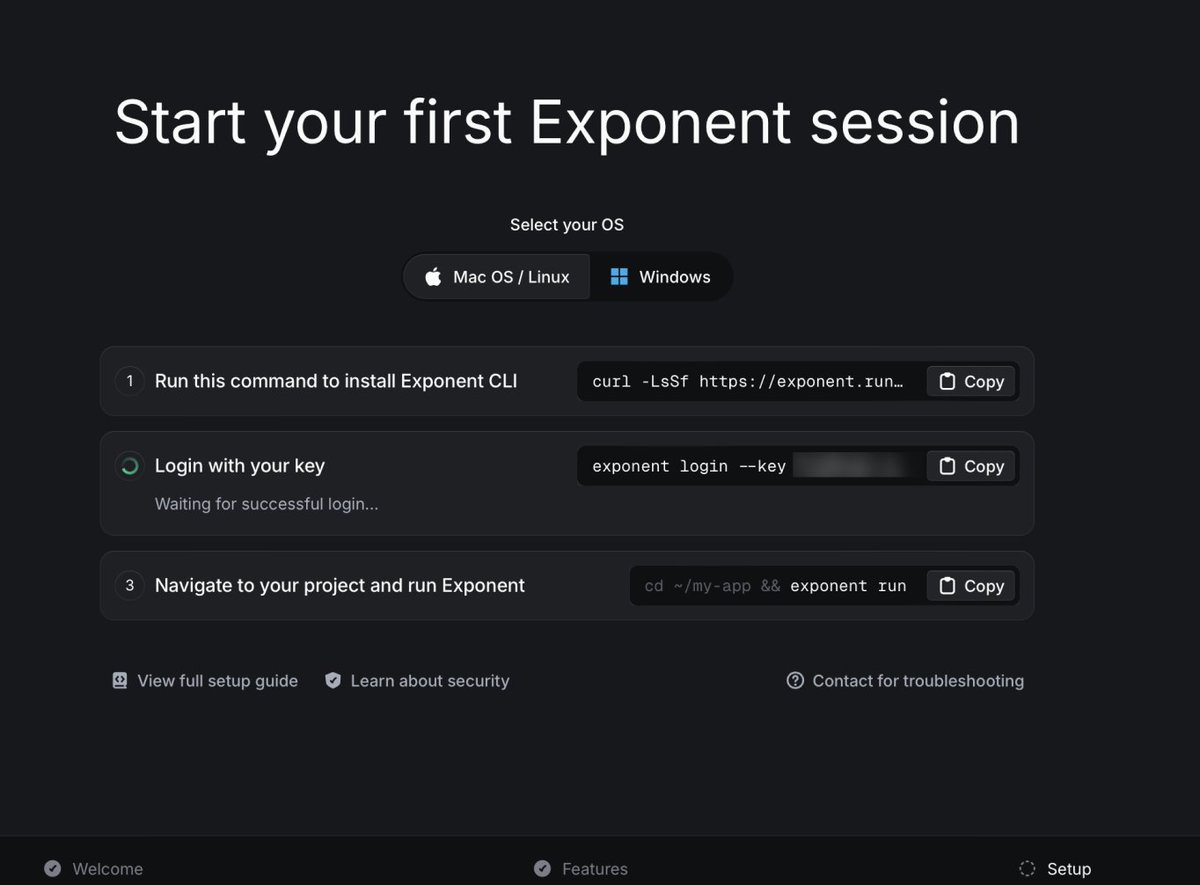
🔥 congrats on launch! exponent is a beautiful and well designed coding tool. love the onboarding experience too.
1
1
5
1,142
Exponent retweeted

2 Apr 2025
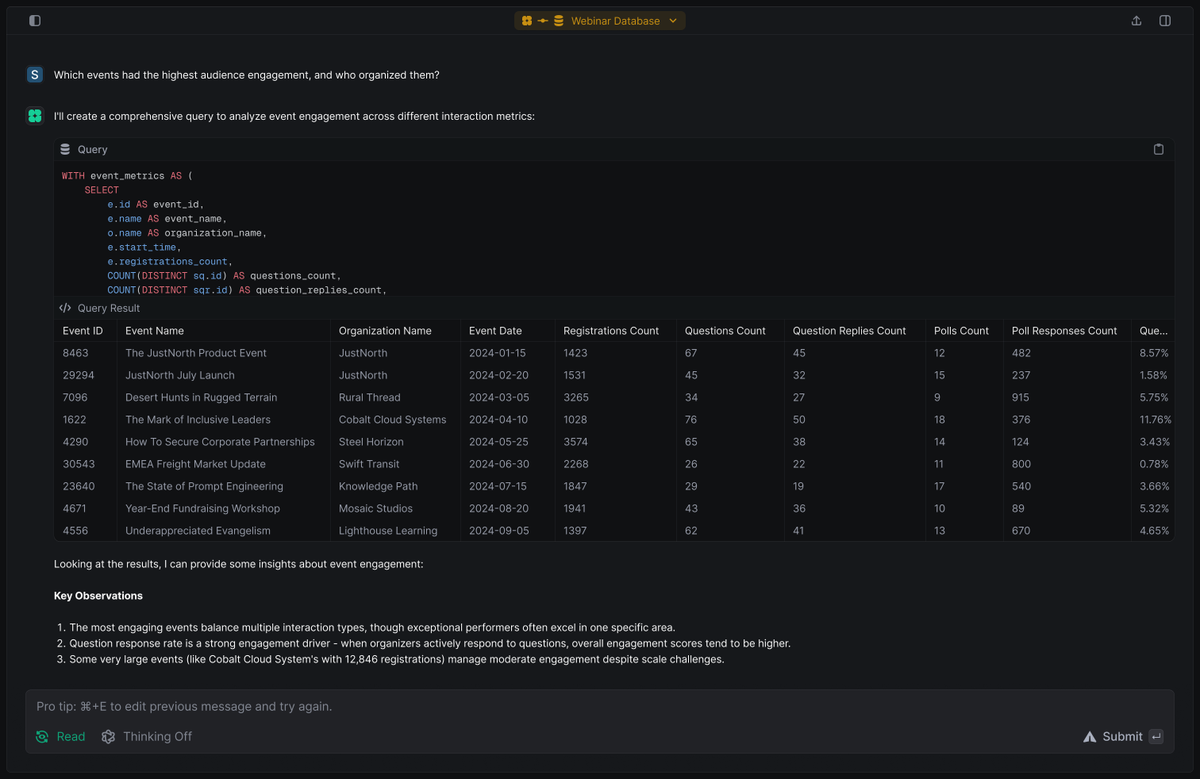
What I love about Exponent is that it's a really smart pair programmer you can plug in anywhere.
I've been dropping it into shells where I don't remember the SQL flavor or syntax and it works amazingly well.
2 Apr 2025
Introducing Exponent, a highly capable programming agent. You can get early access today to start using Exponent's clean, developer-focused UX for any software engineering task from exploration to deployment.
2
20
2,845

haven't tried it yet, but i like the approach they're taking.
always find the gap between my actual computer web ui awkward.
2 Apr 2025
Introducing Exponent, a highly capable programming agent. You can get early access today to start using Exponent's clean, developer-focused UX for any software engineering task from exploration to deployment.
2
2
16
3,983

I used this daily as a cli interface for my datasets, baste and really fun great team
2 Apr 2025
Introducing Exponent, a highly capable programming agent. You can get early access today to start using Exponent's clean, developer-focused UX for any software engineering task from exploration to deployment.
1
6
587