
100% offline voice dictation for iOS & Android. Open source, privacy-first.
Joined March 2026
- Tweets 120
- Following 147
- Followers 96
- Likes 384
10 Photos and videos





Pinned Tweet

Mar 23
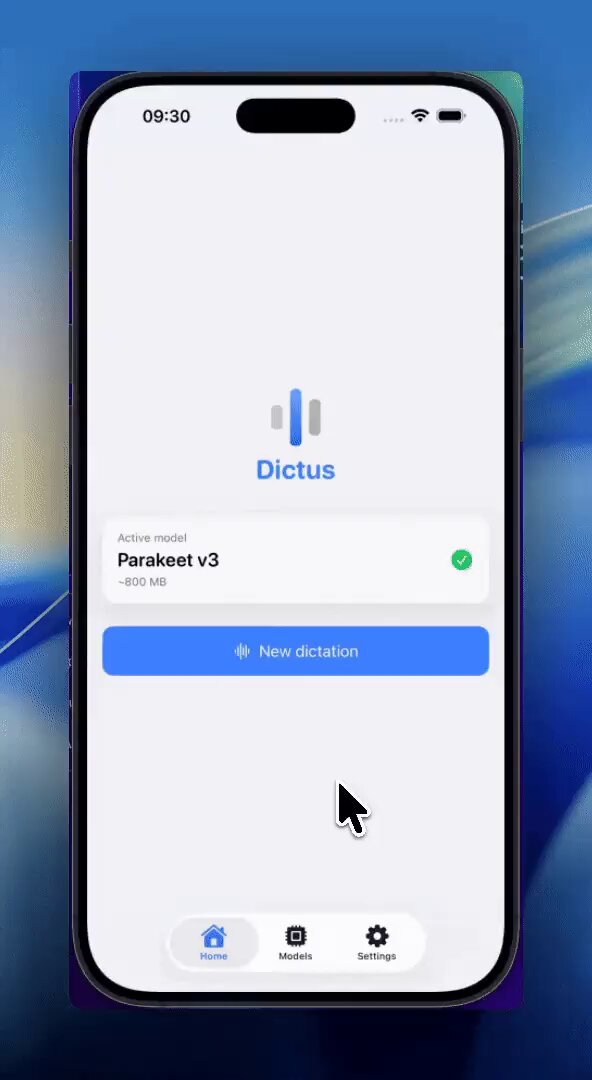
Introducing Dictus — 100% offline voice dictation for iOS & Android.
Your voice is transcribed directly on your device.
No cloud. No server. No data ever leaves your phone.
Open source. Privacy-first. Free.
Beta coming soon.
4
5
33
2,484
22h
Quick note: Apple Foundation model download can take a while.
Also, Siri language must exactly match your iPhone language, otherwise Apple Foundation won’t activate.
That’s an Apple limitation — and one reason we’re working on third-party model support.
23h

🎙️ Dictus can now polish your voice dictation — fully on-device.
Speak naturally; it fixes punctuation, capitalization and filler words automatically, using Apple Intelligence. Nothing leaves your iPhone.
Here's how to turn it on 👇
51
23h
🎙️ Dictus can now polish your voice dictation — fully on-device.
Speak naturally; it fixes punctuation, capitalization and filler words automatically, using Apple Intelligence. Nothing leaves your iPhone.
Here's how to turn it on 👇
2
1
9
177
23h
What's next: we're integrating third-party on-device LLMs.
Two goals — reach far more devices, and push post-processing quality past what Apple's model can do today.
1
16
23h
This is where you come in 🙏
Send us real examples where the polish gets it wrong — the raw text vs what came out.
Especially multilingual: 🇬🇧 🇪🇸 🇩🇪 English, Spanish & German speakers, tell us where it breaks.
👇
getdictus.com
15
Jun 10
🎙️ Dictus v0.2.0 is here — our biggest update yet.
Your speech-to-text now ships with a language model that runs 100% on your machine. Dictate → and have it clean up, rewrite, summarize or translate your words instantly.
No cloud. No API key. 🧵
1
3
8
326
Jun 10
🔒 Local-first isn’t a checkbox in Dictus — it’s the default.
Cloud providers stay strictly opt-in, never forced on you. Private by design.
1
33
Jun 10
Download now or update from your app!
Free & open source:
→ getdictus.com
Full release notes:
→ github.com/getdictus/dictus-…
Support the project:
→ getdictus.com/en/donate
⭐ Star the repo if this is useful to you!
44
May 29
🎉 Dictus Desktop v0.1.3 is out — and it auto-updates right from inside the app.
The headline: AI post-processing is no longer hidden.
It used to sit behind an experimental flag, so most people never knew Dictus could even do it. Now it's front and center. 🧵
1
1
4
89
May 29
👀 What's next
Bind multiple shortcuts to different actions: one to translate on the fly into the language you want, another to fire a specific post-processing prompt.
Pick your mode with a single keystroke.
1
41
May 29
🧠 And today, local post-processing still needs a model running via Ollama on the side.
We're building in-app model download — grab a local model and run it right inside Dictus. No Ollama, no extra setup.
→ Download: getdictus.com → Code: github.com/getdictus/dictus-…
27
May 20
Dictus is not just speech-to-text.
It’s also an open-source mobile keyboard.
Yes, iOS requires “Full Access”.
The difference: you can inspect the code.
We’re improving it every day to build a modern keyboard without giving up privacy.
May 19

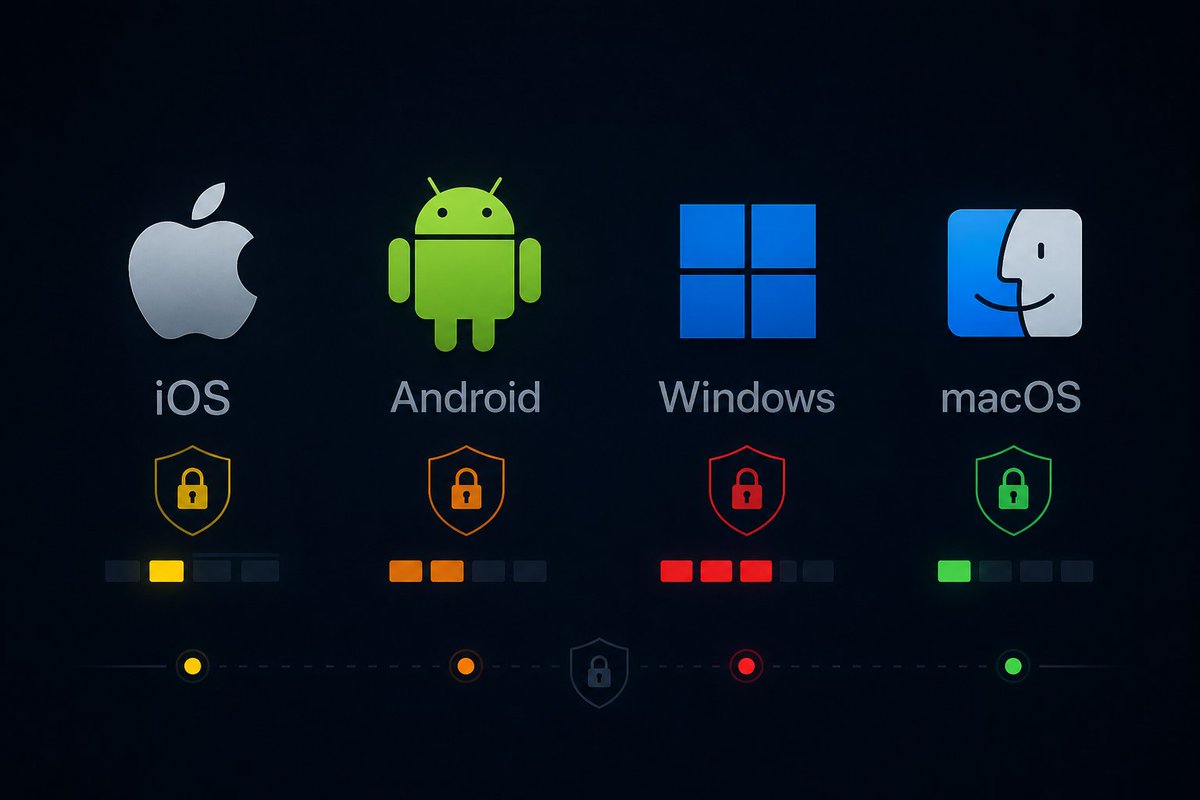
🔥Ton clavier smartphone voit tout ce que tu tapes. Mots de passe, messages privés, recherches, numéros de carte bleue.
Voici ce que font les grands OS avec ces données.
Android, Gboard envoie à Google la longueur de chaque mot, l'heure exacte de saisie, l'application dans laquelle tu écris. SwiftKey fait pareil pour Microsoft et apprend ton style, ton argot, tes expressions pour entraîner ses modèles IA. Ce qu'ils en font : personnalisation publicitaire, entraînement de leurs IA, profilage comportemental.
iOS est plus sobre. Apple traite majoritairement en local et anonymise une partie des données avant envoi. Mais si tu as installé un clavier tiers avec "accès complet" autorisé, ce clavier peut tout envoyer à ses propres serveurs. Vérifie dans Paramètres, Général, Claviers.
Windows est le plus intrusif. La télémétrie de Windows 10 et 11 collecte les frappes clavier par défaut pour améliorer la prédiction et la correction. Ce qui peut inclure tes mots de passe, tes recherches, tes messages personnels. Microsoft utilise ces données pour entraîner ses IA et personnaliser la publicité. Tu peux désactiver ça dans Paramètres, Confidentialité et sécurité, Diagnostics et commentaires.
MacOS collecte des données d'utilisation anonymisées mais le clavier traite majoritairement en local. Le moins problématique des quatre.
Ce que tu peux faire concrètement:
🔴 Sur Android, désactive les statistiques d'utilisation dans les paramètres de Gboard, ou passe sur AnySoftKeyboard qui n'envoie rien.
🔴 Sur iOS, retire l'accès complet à tous les claviers tiers.
🔴 Sur Windows, désactive la télémétrie dans les paramètres de confidentialité , ou encore mieux, vires Windows ...
Ce que tu tapes ne regarde que toi.
1
10
330