
#SharePoint developer (#SPFx #PnPjs #ReactJS #FluentUI) | #OpenSource #JavaScript coder | #SharePointNA attendee | Frequent sight at Dallas ComicCon
Joined December 2018
- Tweets 132
- Following 211
- Followers 79
- Likes 1,386
29 Photos and videos








Pinned Tweet

30 Oct 2019
I published an article on Medium (everyone is doing it!)
HowTo: Create, build & run development and production versions of an SPFx application link.medium.com/moXo3QJic1
Hope some of you find it useful! 🙏
#SharePoint #SPFx
1
1
10
11 Nov 2022
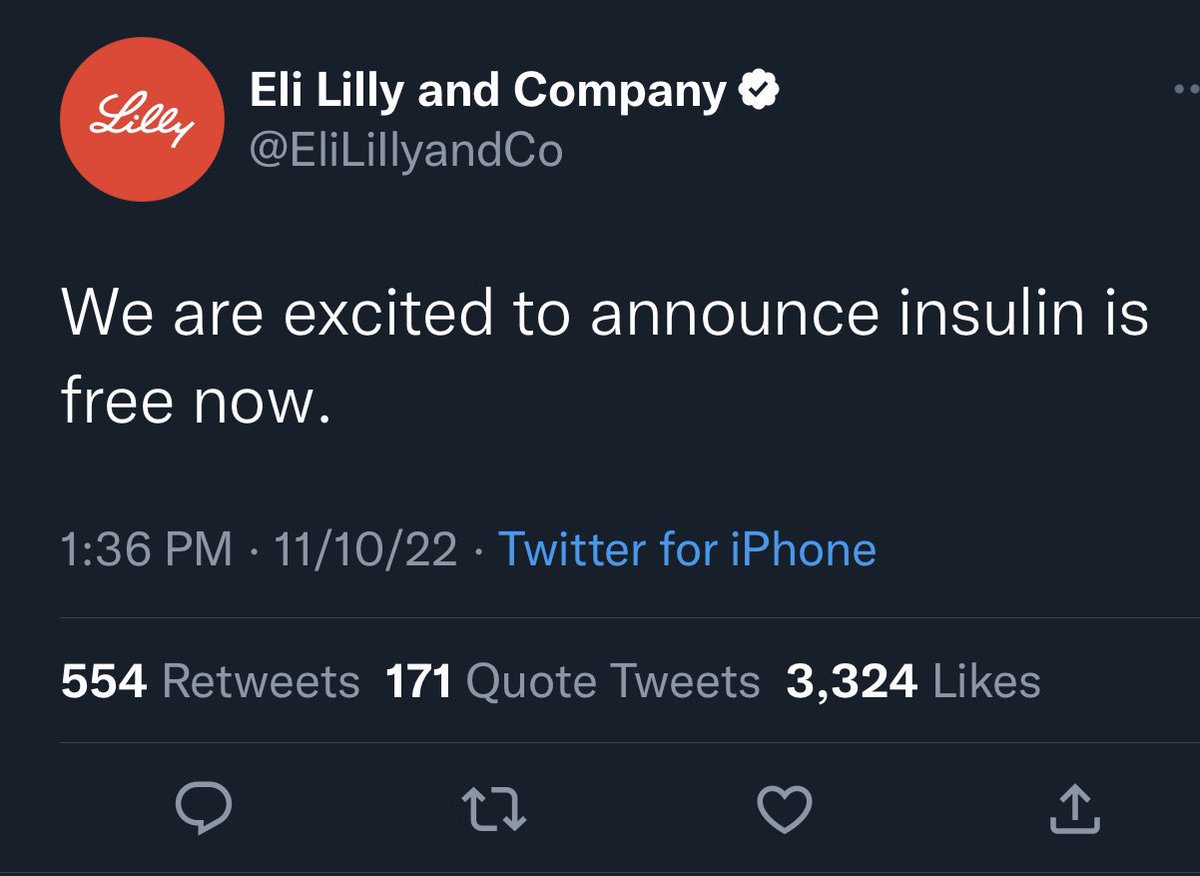
Hey .@Microsoft would you guys consider spinning up an official Microsoft mastodon server? I’d be great to have a reliable source of information we could count on. Look at what’s happening to other brands now… (cc @jeffteper)


1
8 Oct 2021
Yeah! Set terminal height/width has arrived.
7 Oct 2021

📣 The September release of VS Code is here! 🆕:
📏 Vertical guides for bracket pairs
📝 Side-by-side editors for the same file
🖥 Set terminal height/width
⚙️ Platform-specific extensions
…and more!
Release notes: aka.ms/vscode/v1_61
Download: aka.ms/vscode
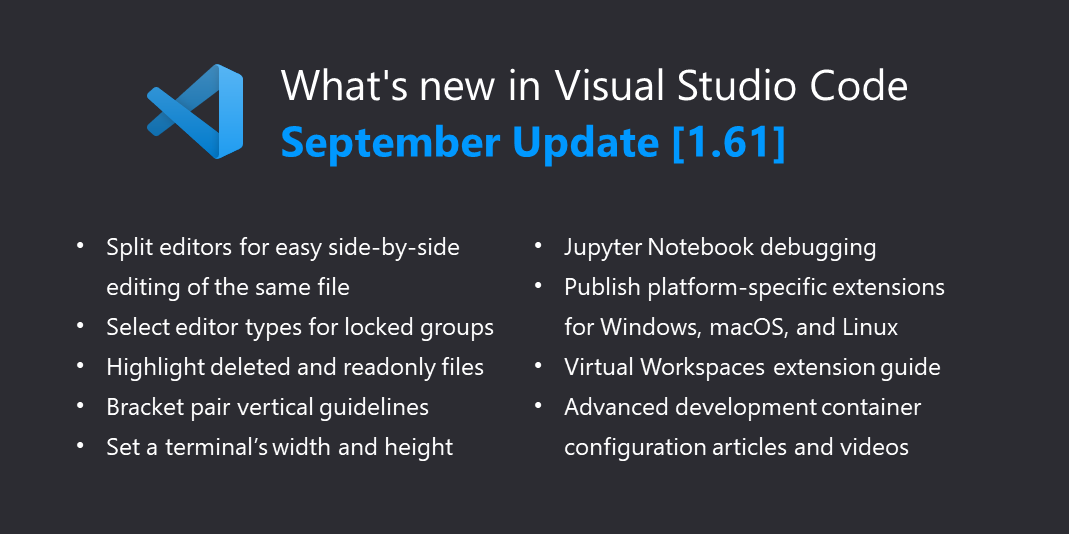
ALT What's new in Visual Studio Code: September Update (v1.61) - Split editors for easy side-by-side editing of the same file - Select editor types for locked groups - Highlight deleted and readonly files - Bracket pair vertical guidelines - Set a terminal's width and height - Jupyter Notebook debugging - Publish platform-specific extensions for Windows, macOS, and Linux - Virtual Workspaces extension guide - Advanced development container configuration articles and videos
3 Jun 2021
Stack Overflow had a good run, but all good things must come to an end I guess.
20 May 2021
Hey @theChrisKent - Do you know how can we apply more than one format operation to a column?
Example:
"txtContent": "=padStart(replace(@currentField,',',''),6,'0'))"
🐴
17 May 2021
So, now that #SharePoint Framework 1.12.1 is out, I've begun upgrading some existing projects using the guidance from `m365 spfx project upgrade`. However, some sppkg apps are throwing "component ID {0} exists in solution {1} already" when adding them to the app catalog.
1
17 May 2021
Even after following all the steps in the m365 migration script, it's picking up the old manifest, which is odd. All that said, what finally worked for me was to remove these 3 folders at the root level and build again: "release", "sharepoint" and "temp".
1
17 May 2021
Note that i always run "gulp clean --ship" and the issue persisted. @climicrosoft365 - would you consider adding the folder removal step to the output md file?
15 Apr 2021
It was really fun watching the Building Apps with Microsoft Graph #LearnTogether sessions yesterday! There were lots of good demos and the learn challenge exercises helped commit the code to memory. Props to the organizers on a job well done.
15 Apr 2021
I really enjoyed the demo by @LeonArmston during the #m365 SIG call showing how to use bots to interact with the London Underground train schedule. Very cool! #PowerAutomate 👍🏼🚇🤖
1
2
14 Apr 2021
Watching the Learn Together with @microsoftgraph - glad to see the #pnpjs crew show up, lots of familiar faces in the gallery!
1
25 Mar 2021
Thanks Vesa and team for the updates on #SPFX 1.12 and changes going forward. Also: I haven’t seen Luca since the SharePoint conference. 😃
25 Mar 2021

🕓 We'll start in 30 minutes with slightly adjusted agenda!
🤝 We'll have Luca Bandinelli and @PatMill_MSFT joining from the #SPFx engineering team for the last section to talk about the next steps and plans with #SharePoint Framework. #Microsoft365dev
See you there!
1
5 Mar 2021
Oof! Had to revert back to @code v1.53 as 1.54 is having serious issues with the Pty terminal process failing continually (it spawned 29 subprocesses!).
26 Feb 2021
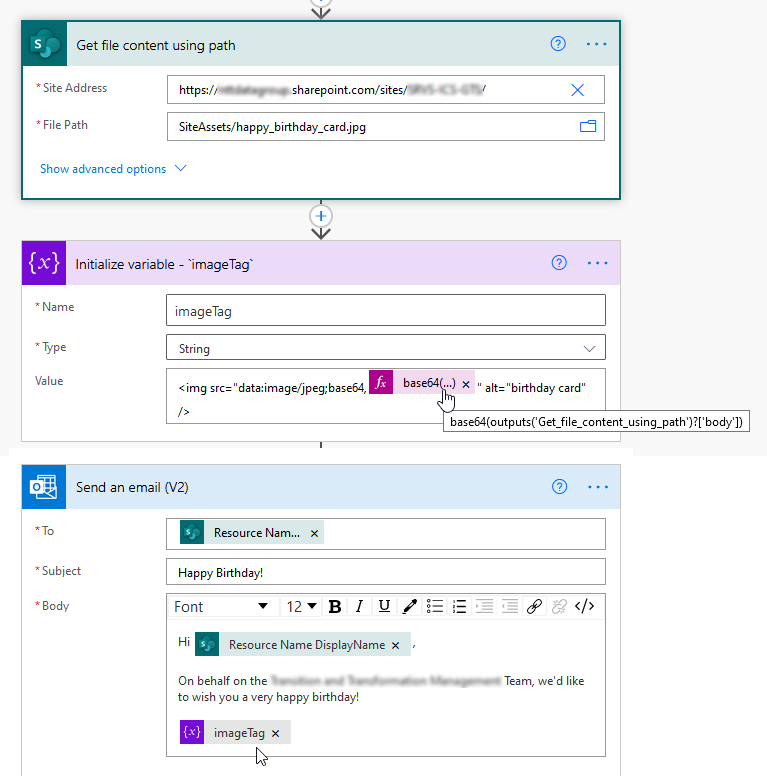
Today I learned how to include an image in an email using #PowerAutomate
- Use "Get file content using path" to fetch image from /SiteAssets
- Encode into base64
- Create an image tag var
- Add the imageTag variable to an Outlook email
- That's it! 🧠
#m365dev #Microsoft365
24 Feb 2021
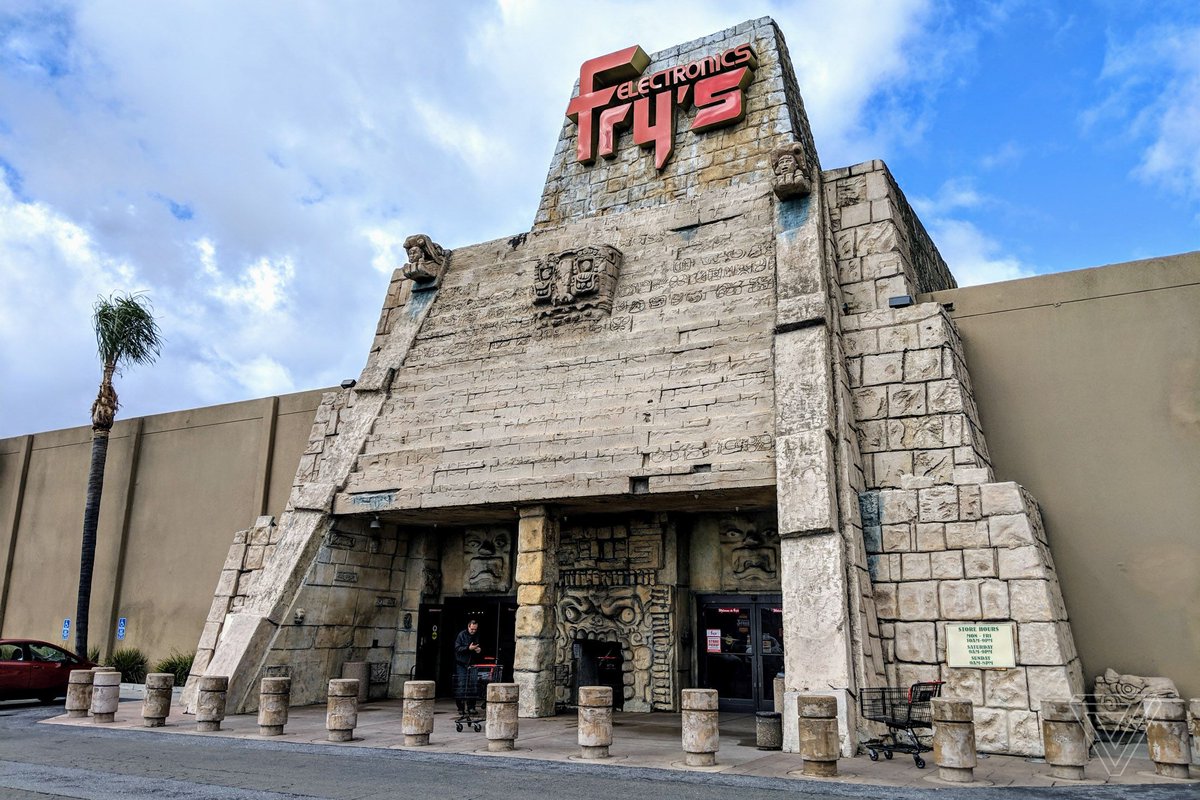
This is so sad. I remember the office lunch group used to visit the Plano Fry’s weekly. 😟

Fry’s Electronics is shutting its doors for good theverge.com/circuitbreaker/…
16 Jul 2020
Great call and demos as usual. I’m genuinely surprised at the number of presenters who use light mode in Teams and Outlook though. ☀️ 😎 Save your eyes! #darkmode
15 Jul 2020

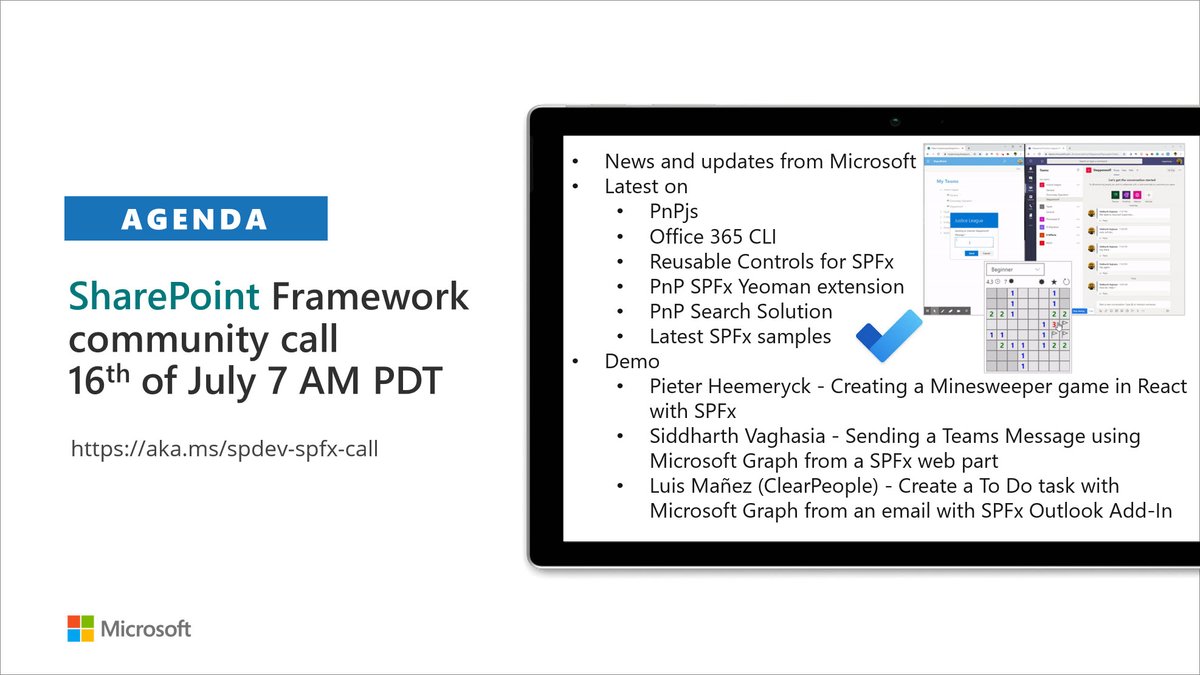
#SharePoint Framework bi-weekly community call Thursday 16th of July at 7 AM PDT. #SPFx update, #PnPjs, #Office365CLI, controls, and Yeoman extension. Awesome demos by @heemeryckpieter, @siddh_me and @luismanez. Invite from aka.ms/spdev-spfx-call #Microsoft365dev
3
2 Jul 2020
Love getting to see what’s going on inside the #SPFx team!
2 Jul 2020
We'll start in 60 minutes with cool demos and #SPFx updates. See you on the call! #SharePoint #Microsoft365dev
1
4 Jun 2020
Finally getting a chance to join the PnP community call today. Looking forward to seeing what’s coming up in the #spfx world!
4 Jun 2020
We'll start in 20 minutes. See you in the call. If you have any questions, will be 10 minutes early to have pre-session Q&A again #SharePoint #SPFx #Microsoft365dev
2
30 Mar 2020
Do you ever go to create a list view in #SharePoint and there's a ton of column names checked? Don't wear your wrist out clicking them all, use this code instead! 😀
document.querySelectorAll('.ms-authoringControls input[type="checkbox"]').forEach(ele => ele.checked = false)