
4 Aug 2024
🚀Day-22 & 23 of #30DaysOfJavaScriptChallenge by
@Hiteshdotcom
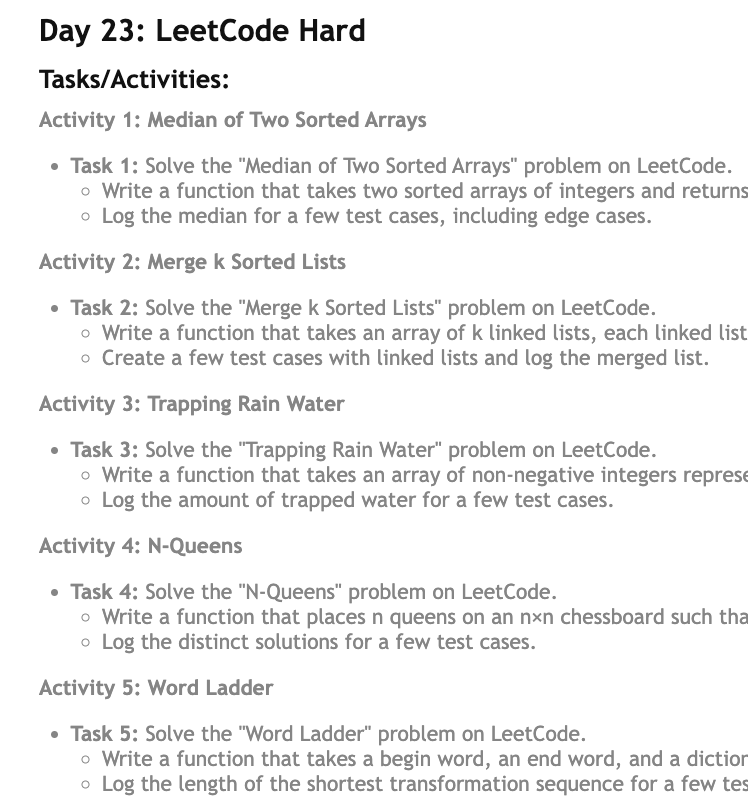
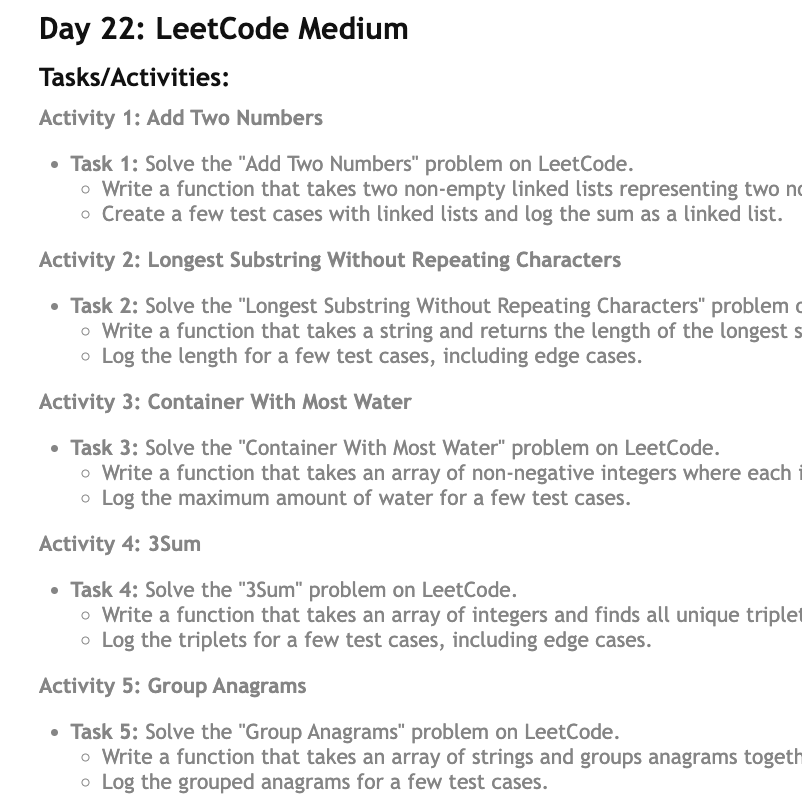
LeetCode Medium & Hard:
- Add 2 Nums
- Longest Substring Without Repeating Chars
- Container With Most Water
- 3Sum
- Group Anagrams
- Median of Sorted Arrays
- Merge k Lists
- Trapping Rainwater
- N Queens
1
3
411
22 Jul 2024
Day 10 of #30DaysOfJS
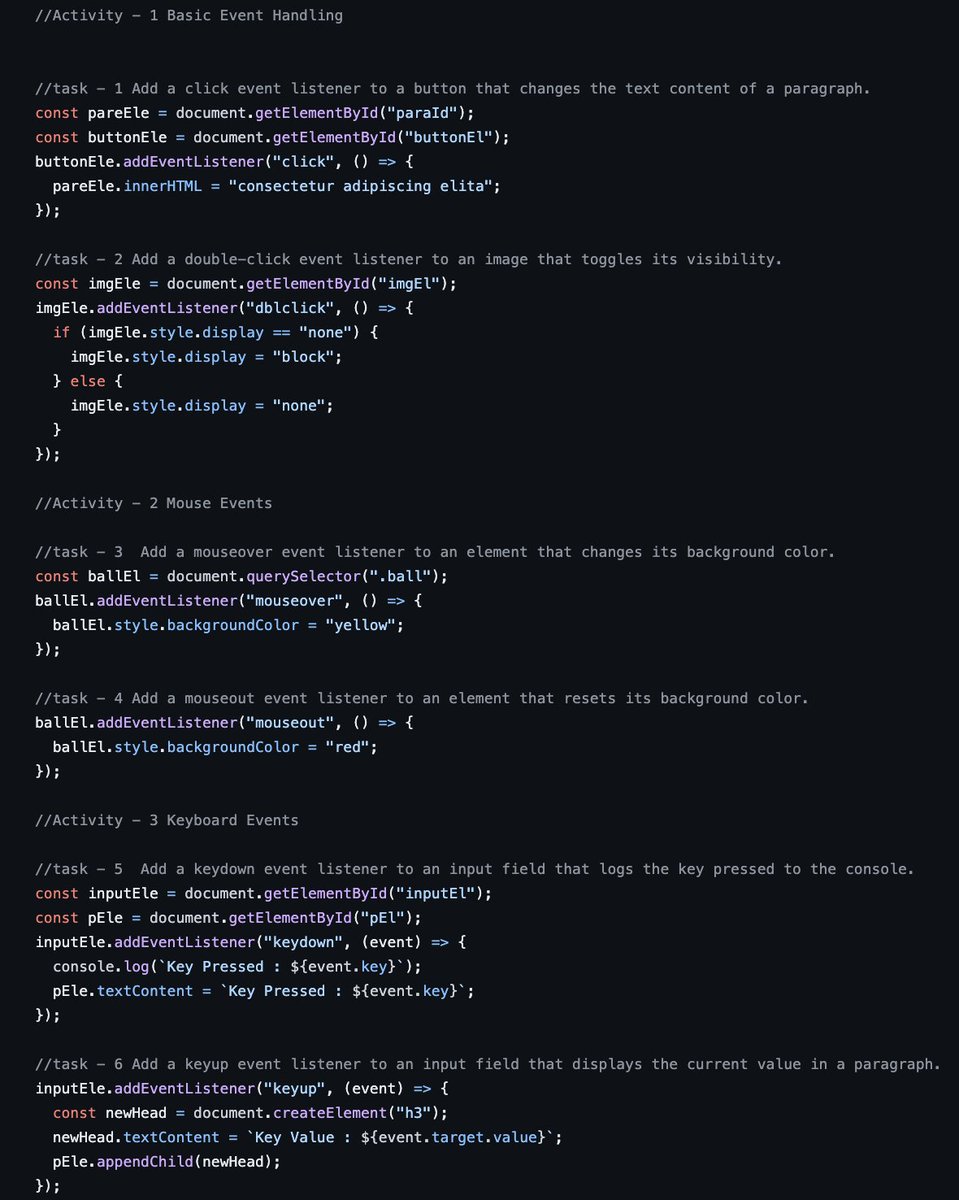
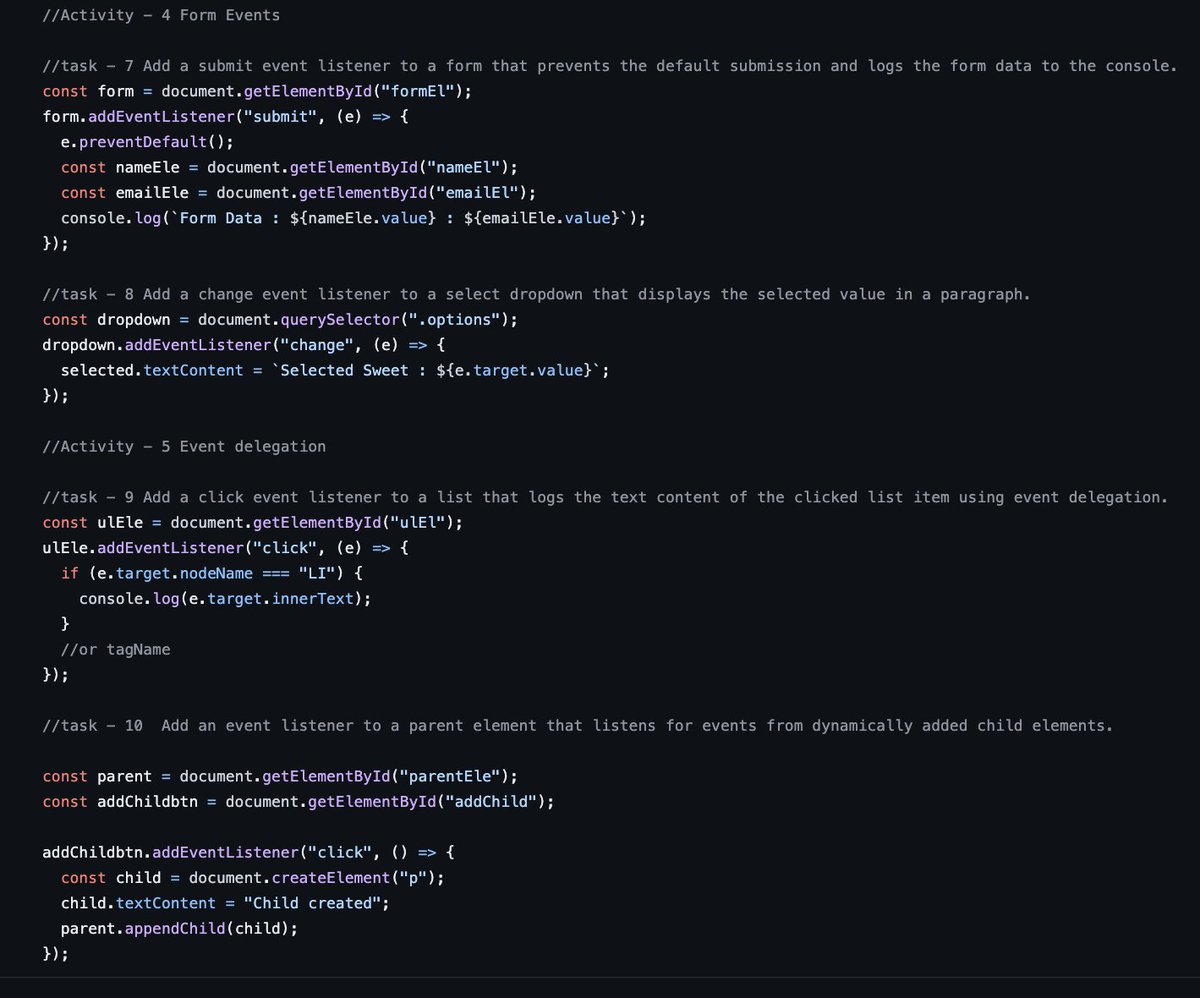
Event Handling :
- Basic Event Handling
- Mouse Events
- Keyboard Events
- Form Events
- Event Delegation
#100daysofcodechallenge #100DaysOfCode #30DaysOfJavascriptChallenge
github.com/kingpranav21/30Da…
2
50
21 Jul 2024
Day 9 of #30DaysOfJS by
@Hiteshdotcom
DOM Manipulation :
- Selecting, Manipulating , Creating, Removing and Appending Elements
- Modifying Attributes and CSS classes
- Event Handling
#100daysofcodechallenge #100DaysOfCode #30DaysOfJavascriptChallenge
github.com/kingpranav21/30Da…
1
4
39

23 Jan 2024
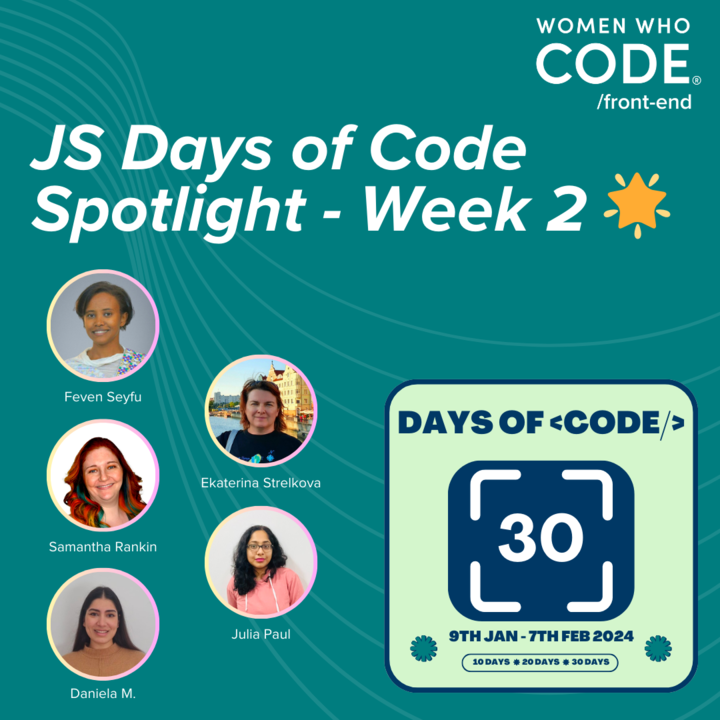
🚀 Exciting Update! Reached the halfway point in the #30DaysOfJavaScriptChallenge with @WomenWhoCode.
☑️15 projects done! 🌟
Check out my progress: fevenseyfu.me/Javascript-30/
Grateful for the support! 💻💪 #WWCode #JavaScript #TechJourney #SpotlightOfTheWeek
2
3
1,035
Day 30.
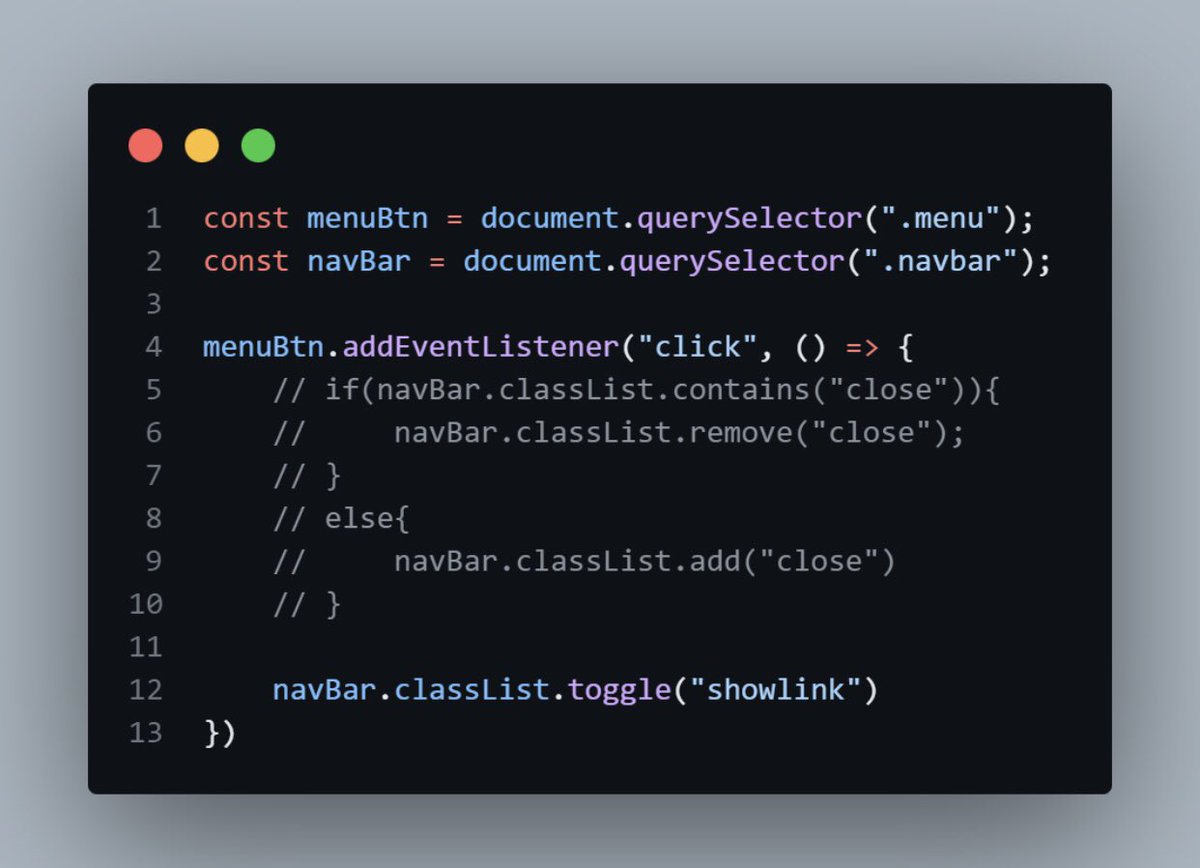
Nav bar Project
I explored the use of .classList.toggle().
The codes what were commented are if else condition. It can also be use to toggle the nav bar but …
Project link: lnkd.in/dxz9Cjnb
#30daysOfJavaScriptChallenge
#selfimprovement
@Techk_e4ma
1
8
135
Day 29.
removeChild() vs remove()
firstChild shows the first value of a parent div, which might be a blank space (just as in the sample below).
firstChildElement() shows the first element of a parent div.
#30daysOfJavaScriptChallenge

1
1
5
48

31 Mar 2023
Day 28.
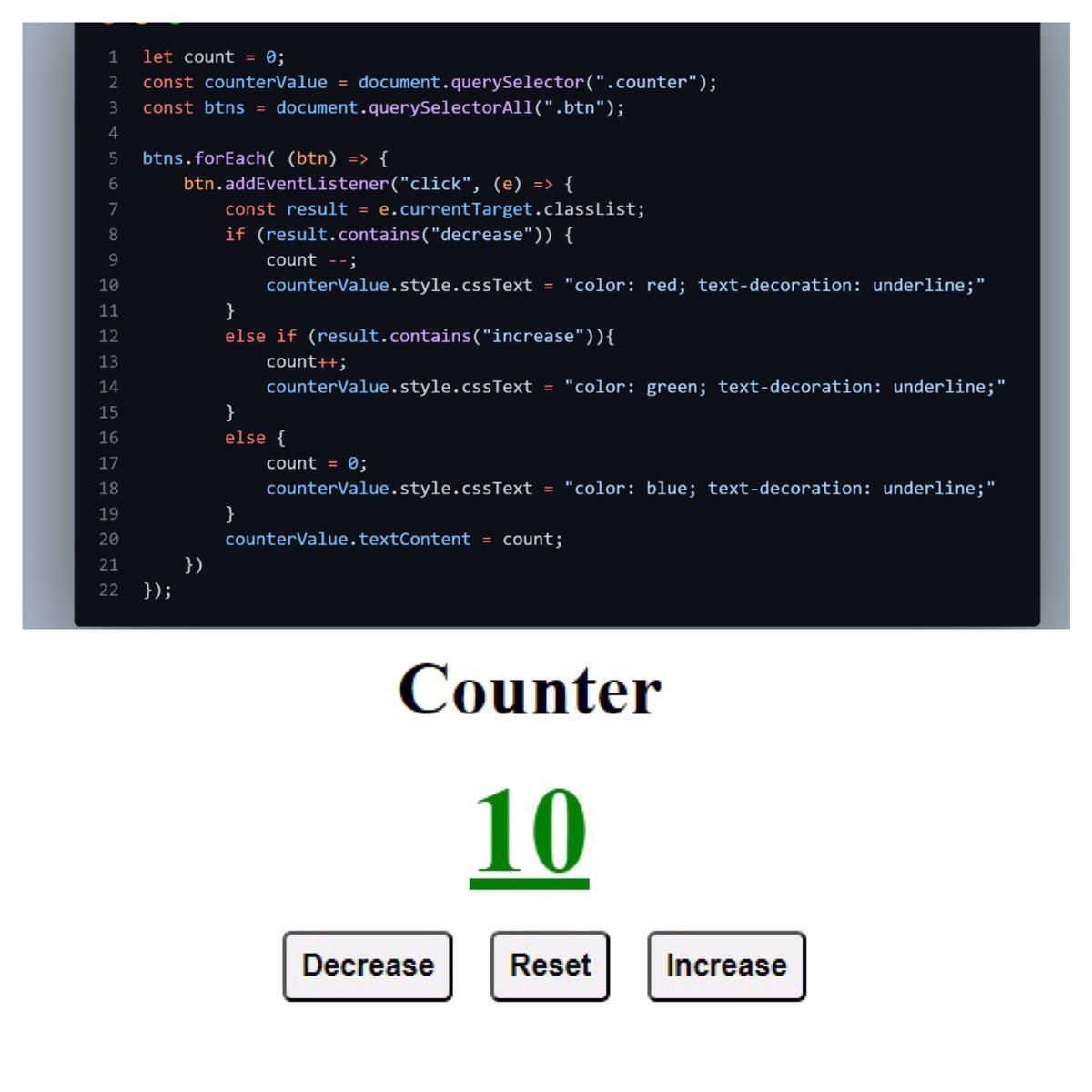
Counter device
In a way to understand more, I built a counter device making the following JS syntax.
.ForEach()
.addEventListener()
.If else if condition
.textContent
.style.CssText
.classList.contains
.querySelector()
.querySelectorAll()
#30daysOfJavaScriptChallenge
1
3
56
30 Mar 2023
Day 27
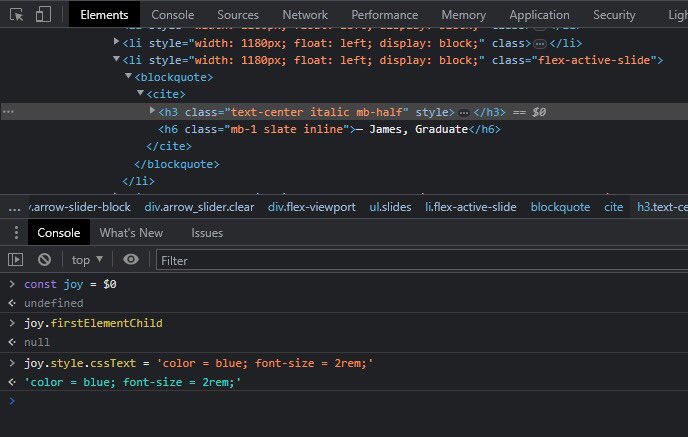
Sequel to Style page content done yesterday, to select multiple style attributes one uses the syntax in the attachment below.
.style.cssText was used to set the color to blue with a font size of 2rem.
#30daysOfJavaScriptChallenge
3
54
29 Mar 2023
Day 26.
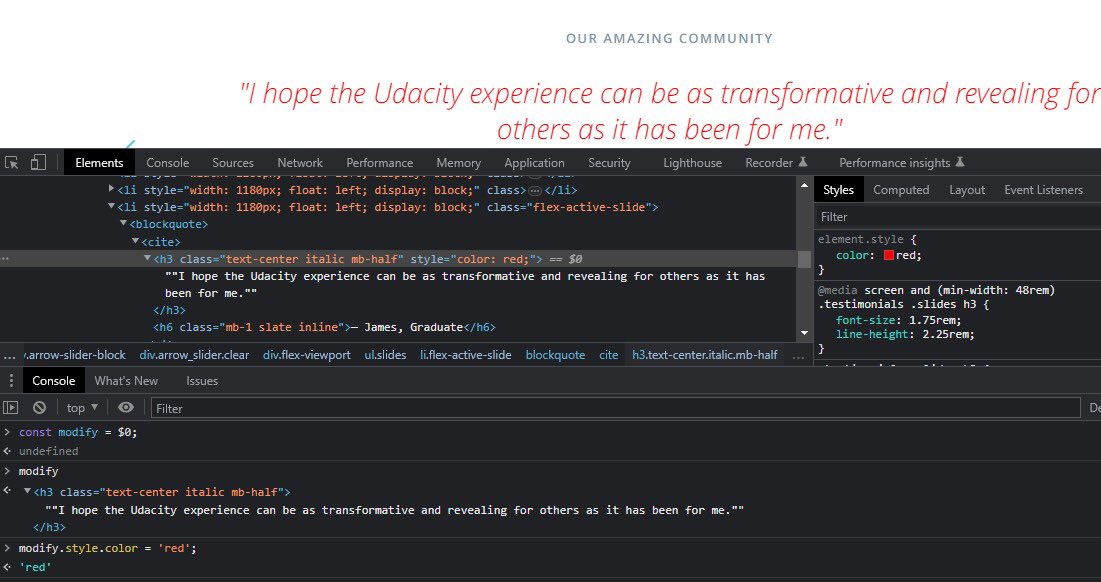
Style page Content.
The attachment below shows one of the ways #CSS could be applied using JavaScript. The style attribute used below only supports one css style at a time. In this case, “color”.
#30daysOfJavaScriptChallenge
#javascript
3
76
27 Mar 2023
Day 24.
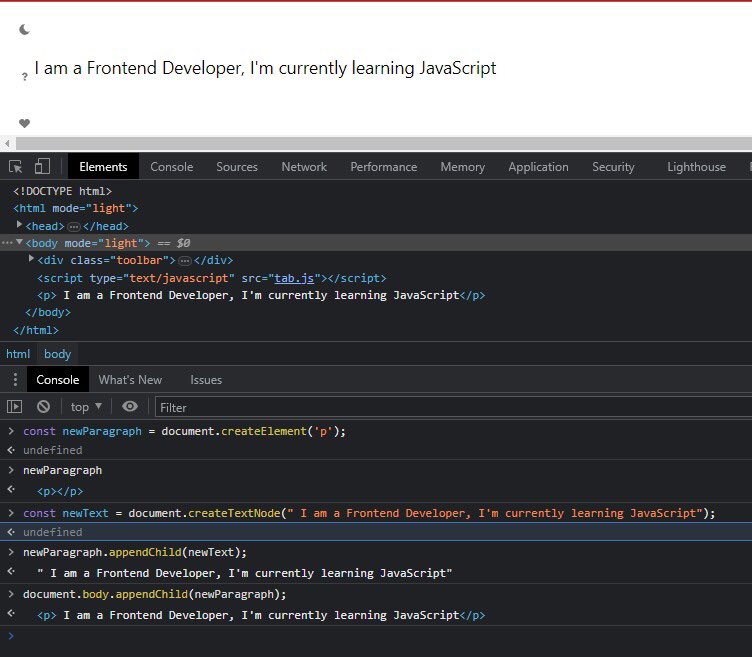
.createTextNode()
Just like you created new elements with .createElement() method, you can also create new text nodes using .createTextNode() method.
From the attachment below, the steps were as follows;
#30daysOfJavaScriptChallenge
#NewWeek
1
1
7
78
24 Mar 2023
Day 22.
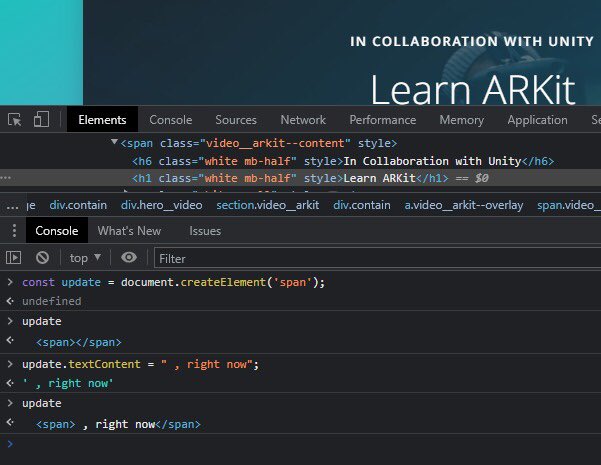
Adding New Page Content
Previously, we looked into updating existing page content. However, to add new page content, we need the following methods;
#30daysOfJavaScriptChallenge
#FrontEndDeveloper
1
7
109
23 Mar 2023
Day 21.
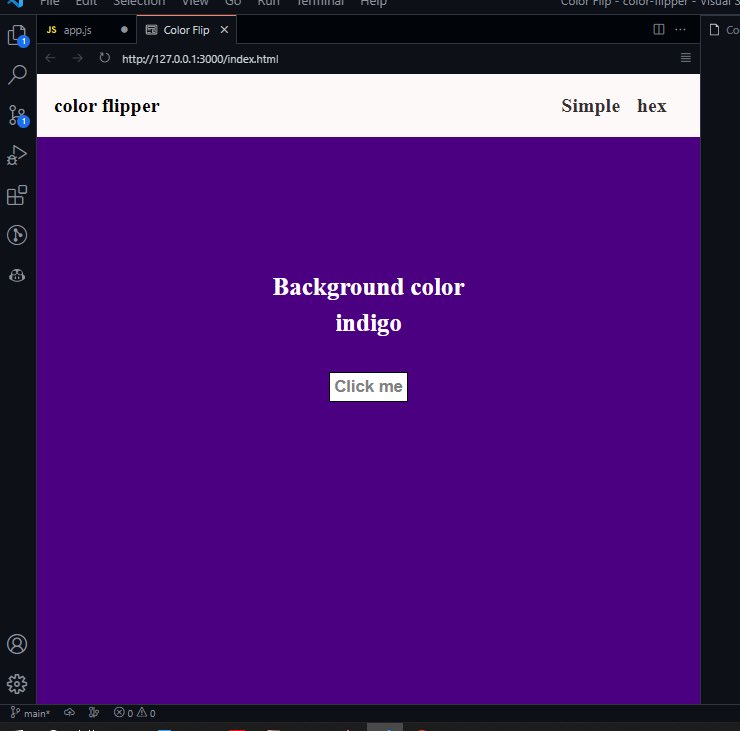
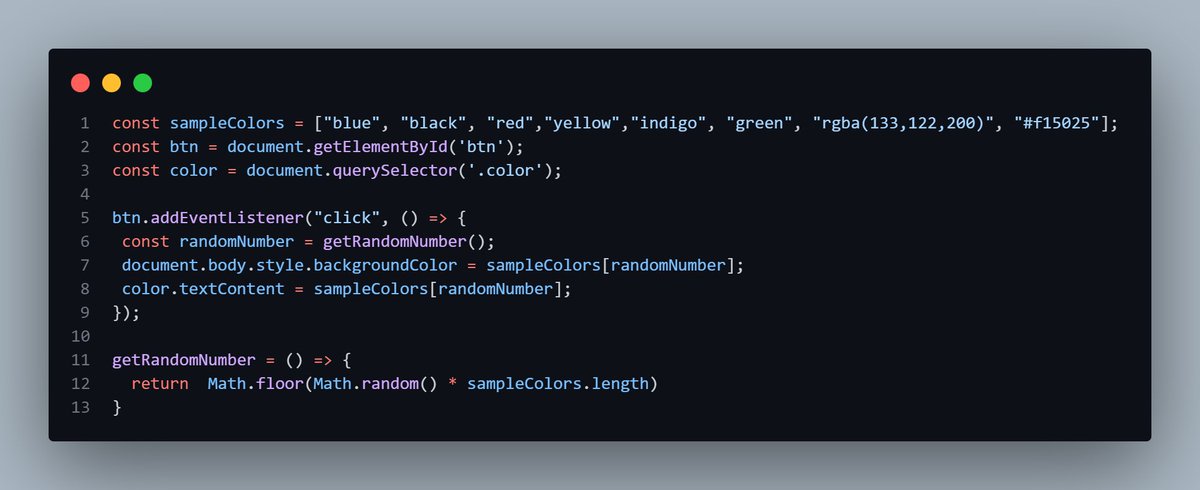
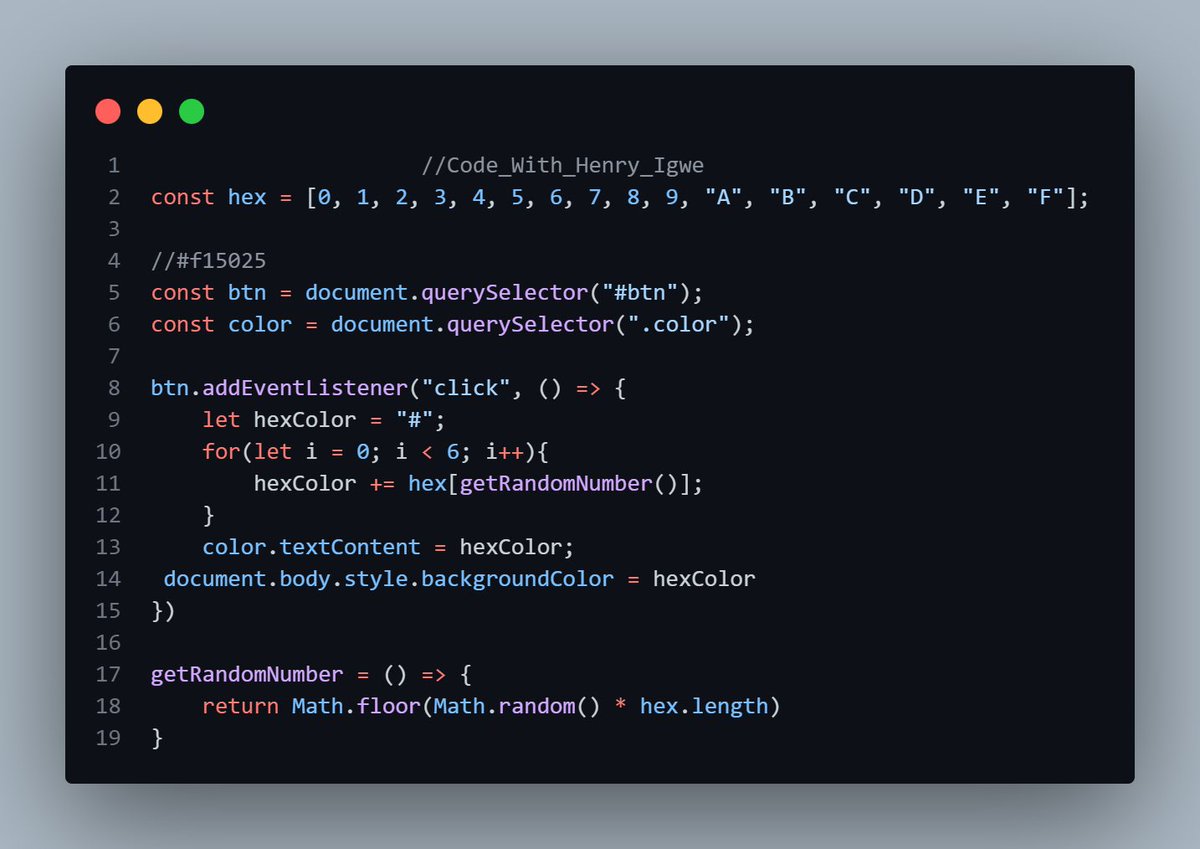
To practically implement all that i have done.I built a color flipper website. The principle here is that once the button is clicked, the background color changes and the name of the color appears on the screen.
#30daysOfJavaScriptChallenge
#selfimprovement
@Techk_e4ma
1
9
161
22 Mar 2023
Day 20.
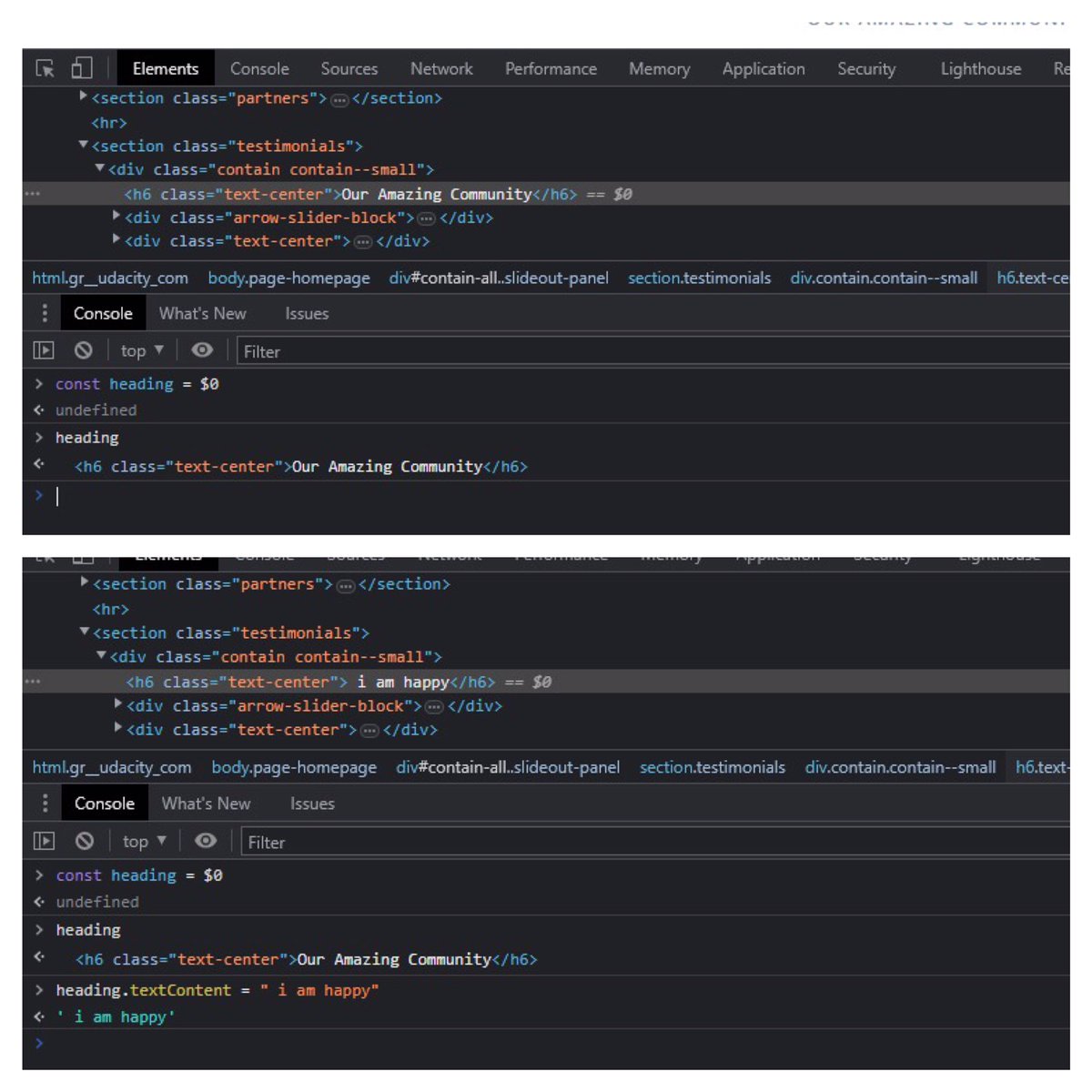
.textContent Cont’d
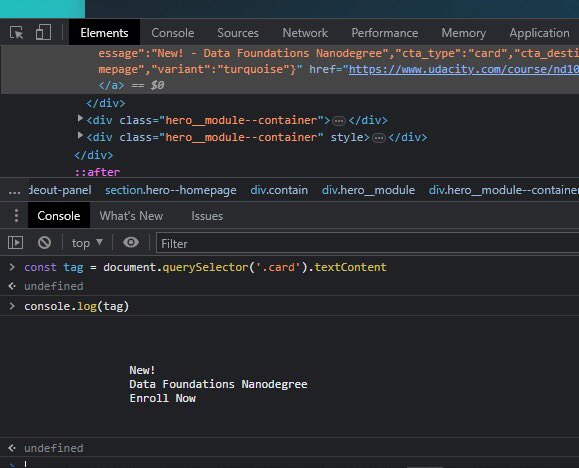
As a way to buttress on the uses of textContent, the attachments below show the console of website A.
The first attachment - The h6 with the class name of “text-center “
#30daysOfJavaScriptChallenge
#javascript
1
3
82
21 Mar 2023
Day 19.
.textContent Property
We’ve gone through innerHtml and outerHTML already. InnerHtml gets an element’s HTML content but what if we need the text content?
That’s the importance of .textContent.
#30daysOfJavaScriptChallenge
#POFive
@lovelypearl33 @Techk_e4ma
1
4
105
20 Mar 2023
Day 18.
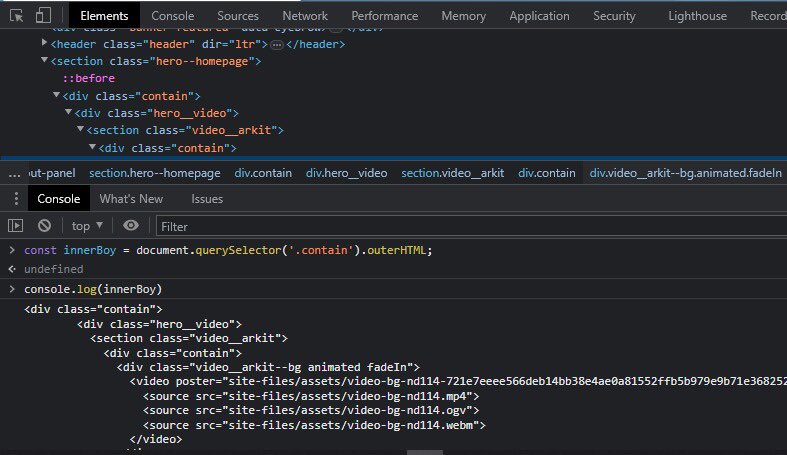
outerHTML property
From the previous post yesterday, innerHtml gets an element’s content and all of it’s descendant. But outerHTML represents the HTML element itself as well as its children.
#POFive
#30daysOfJavaScriptChallenge
1
1
6
94
19 Mar 2023
Day 17.
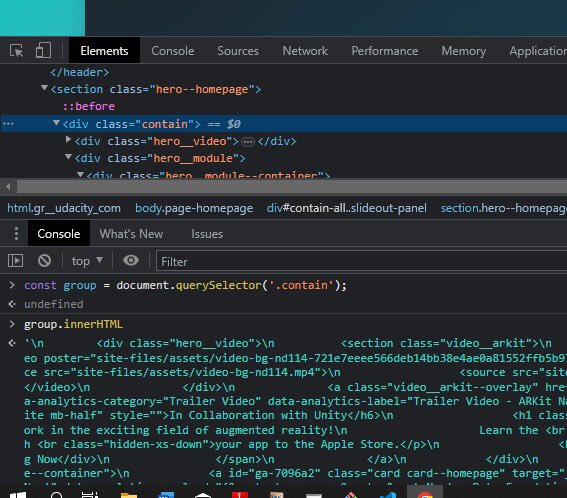
To Update an existing Page Content: we make use of
.innerHtml
.textContent
.InnerHtml property
Remember that every element inherits properties and methods from the element interfaces.
#30daysOfJavaScriptChallenge
#javascript
1
1
6
102
18 Mar 2023
Day 16
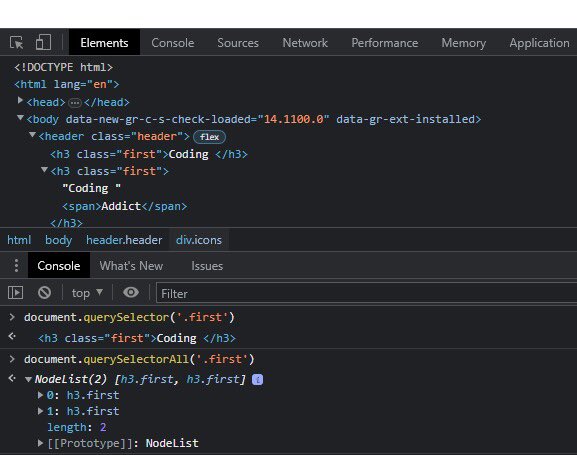
querySelector() and querySelectorAll()
Another interesting way to select document on html is with the use of querySelector() and querySelectorAll().
#30daysOfJavaScriptChallenge
#PoFive
1
6
111
17 Mar 2023
Day 15
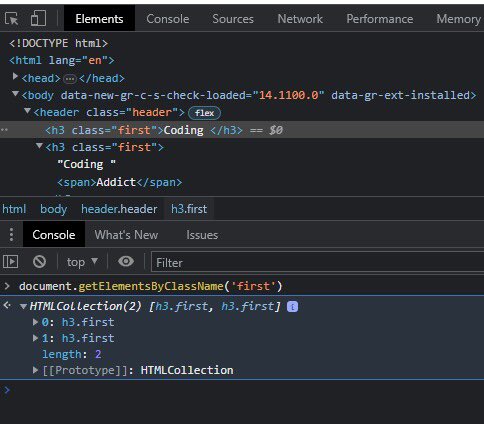
Accessing Elements by their Class.
Just like the use of Tag, as it was discussed yesterday. Another way to select multiple elements at once is with use of css ClassName. The attachment below explains further.
#30daysOfJavaScriptChallenge
8
77
16 Mar 2023
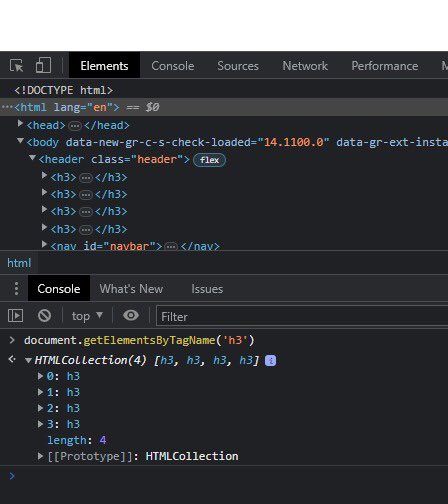
Day 14
Accessing Elements by their Tag.
As you previously saw the use of getElementById(). One of the limitations to using it is that it can only select one html id at a time.
#30daysOfJavaScriptChallenge
#PoFive
1
7
108
14 Mar 2023
Day 12
To conclude on this keyword and arrow function.
It is imperative to note that in regular function, this depend on how the function is called. Whereas in Arrow function, it depends on where it is located in the code.
#selfimprovement
#30daysOfJavaScriptChallenge
#PoFive
7
49