
10 Oct 2025
Here is the script:
# Packages
pkgs <- c("sf", "sp", "terra", "raster", "elevatr", "rayshader")
to_install <- setdiff(pkgs, rownames(installed.packages()))
if (length(to_install)) install.packages(to_install, quiet = TRUE)
invisible(lapply(pkgs, library, character.only = TRUE))
# --- Mount Fuji AOI (25 km buffer) ---
# Summit coords (lon, lat)
fuji_ll <- sf::st_sfc(sf::st_point(c(138.7274, 35.3606)), crs = 4326)
crs_fuji <- "EPSG:32654"
fuji_utm <- sf::st_transform(fuji_ll, crs_fuji) # UTM Zone 54N (meters)
aoi_utm <- sf::st_buffer(fuji_utm, dist = 25000) # 25 km radius
aoi_ll <- sf::st_transform(aoi_utm, 4326) |> sf::st_as_sf()
# --- Fetch DEM with elevatr, already projected to UTM (meters) ---
dem_raster <- elevatr::get_elev_raster(
locations = aoi_ll, # pass polygon in UTM
z = 12, # zoom; raise to 13 for more detail (larger download)
clip = "bbox")
# Convert to terra and clip/mask to AOI for a clean edge
dem <- terra::rast(dem_raster)
dem <- terra::project(dem, crs_fuji)
terra::plot(dem)
# Height matrix for rayshader
elmat <- rayshader::raster_to_matrix(raster::raster(dem))
# Set zscale to horizontal resolution in meters (good physical default)
zscale <- mean(terra::res(dem)) # meters per pixel
zscale
ray <- rayshader::ray_shade(
elmat,
sunaltitude = 40, # elevation angle of the sun
sunangle = 315, # azimuth (NW light)
zscale = zscale,
multicore = TRUE
)
amb <- rayshader::ambient_shade(
elmat,
zscale = zscale,
multicore = TRUE
)
lamb <- rayshader::lamb_shade(
elmat,
sunaltitude = 45,
sunangle = 315, # WNW
zscale = zscale
)
png("fuji_desert_base.png", width = 3425, height = 3400, res = 300)
par(mar = rep(0, 4))
elmat |>
rayshader::sphere_shade(texture = "desert") |>
# rayshader::add_shadow(ray, 0.6) |>
rayshader::plot_map()
dev.off()
png("fuji_desert_ray.png", width = 3425, height = 3400, res = 300)
par(mar = rep(0, 4))
elmat |>
rayshader::sphere_shade(texture = "desert") |>
rayshader::add_shadow(ray, 0.6) |>
rayshader::plot_map()
dev.off()
png("fuji_desert_lamb.png", width = 3425, height = 3400, res = 300)
par(mar = rep(0, 4))
elmat |>
rayshader::sphere_shade(texture = "desert") |>
rayshader::add_shadow(lamb, 0.6) |>
rayshader::plot_map()
dev.off()
png("fuji_desert_amb.png", width = 3425, height = 3400, res = 300)
par(mar = rep(0, 4))
elmat |>
rayshader::sphere_shade(texture = "desert") |>
rayshader::add_shadow(amb, 0.6) |>
rayshader::plot_map()
dev.off()
1
4
693

25 Mar 2024
Background removal" and "shadow" are terms often used in image editing and graphic design. Background Removal: fiverr.com/.../do-background…… #Background_remover #Magic_eraser_tool #Cut_out_image_tool #Background_remover_onlineAdding Shadows: fiverr.com/.../do-all-your-s…… #Add_shadow
1
15

23 Mar 2021
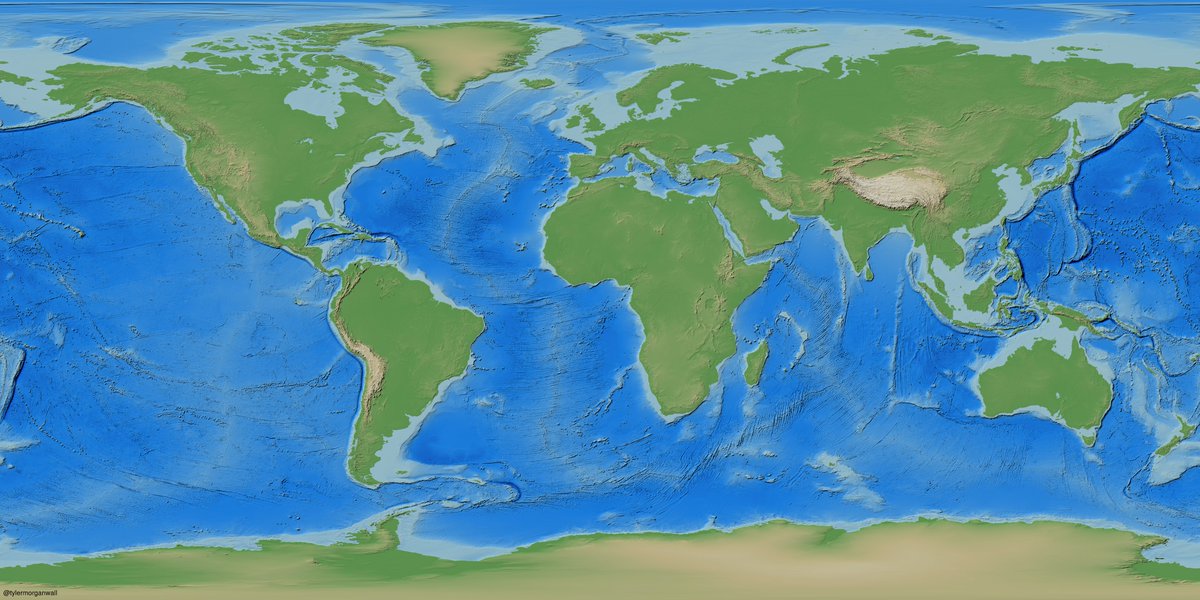
2/5 Too flat? Let's add some depth by including a layer of shadows with the `add_shadow()`/`lamb_shade()` functions. This adds basic Lambertian shading to the hillshade.
1
4

14 Oct 2020
#cut_out_images #background_remove #photo_retouching #Image_retouching #change_background #White_background #photo_edit #Photoshop_editing #Add_Shadow #Object_remove #cut_out_background
Get this for own follow the link in Bio
1
2
13 Oct 2020
Our service:
#cut_out_images #background_remove #photo_retouching #Image_retouching #change_background #White_background #photo_edit #photoshop_editing #Add_Shadow #Object_remove #cut_out_background
Get this service follow the link in bio.
3

4 Dec 2019
Our title is #one_image $1 #Edit by only milliongraphic.com
1. #Cutout
2. #Remove_background
3. #Add_shadow
10 Oct 2018
Here's how I'd create the 3D map with rayshader:
shadowlayer = nyc_dem %>%
lamb_shade() %>%
add_shadow(ambient_shade(nyc_dem))
backgroundcolorarray %>%
add_water(waterlayer) %>%
add_overlay(highlighted_buildings) %>%
add_shadow(shadowlayer) %>%
plot_3d(nyc_dem)
3
3
2 Jul 2018
👌 Dead-simple 3D surface plotting in the next version of rayshader! Apply your hillshade (or any image) to a 3D surface map. Video preview with rayshader's built-in palettes. #rstats
Code:
elmat %>%
sphere_shade() %>%
add_shadow(ray_shade(elmat)) %>%
plot_3d(elmat)
14
111
533
29 Jun 2018
And the updated Github repo:
github.com/tylermorganwall/r…
To install:
devtools::install_github("tylermorganwall/rayshader")
And to get started:
volcano %>%
sphere_shade() %>%
add_shadow(ray_shade(volcano)) %>%
add_shadow(ambient_shade(volcano)) %>%
plot_map()
1
4
26
7 Jun 2018
🌊Testing rayshader's new water detection algorithm w/ shadows & texturing. Code: #rstats
el_map %>%
sphere_shade(texture="desert") %>%
add_water(detect_water(el_map),color="desert") %>%
add_shadow(ray_shade(el_map)) %>%
add_shadow(ambient_shade(el_map)) %>%
plot_map()
3
51
238