
6 Sep 2025
🚀 Facing Android issues? Unlock, recover & fix with DroidKit – the all-in-one toolkit for Android users in 2025. Read full review 👇
tycoonstory.com/droidkit-lat…
#droidkit #androidtoolkit #datarecovery #frpbypass #androidfix @Tenorshare_Inc @IToolab @PassFabKorea

ALT Illustration of DroidKit robot holding a smartphone, symbolizing Android data recovery, unlocking, and system repair features.
6
158

6 Aug 2025
TL;DR:
• YouTube Android app has a known bug—playback speed settings aren’t working
• Bug started with recent update (confirmed by many)
• Use YouTube on browser as a reliable workaround
• Fix is coming, but no official date yet
Until then, switch your device—or slow down your content intake (not ideal, we know 😅).
🔁 Retweet this to spread the word!
#YouTubeBug #PlaybackSpeed #TechThread #BreakingNews #AndroidFix
1
2
237

Restart Rescue: How to Reboot a Frozen iPhone or Android the Right Way
When your phone stops responding, knowing how to restart it properly can save time, stress, and even your data. Here's how to perform both a standard and force restart on iPhone and Android.
By Rodger Mansfield, Technology Editor
June 8, 2025
onecooltip.com/2025/06/resta…
You're mid-call, juggling apps, or just checking your email when your phone suddenly freezes.
No swipes.
No taps.
Just the digital equivalent of a cold stare.
Before you head to a repair store or panic-reboot your phone 20 times, take a breath.
Here's a Cool Tip: Force a Restart.
Whether you're using an iPhone or an Android device, there's a correct way to reboot - and knowing the difference between a normal and a force restart is key.
Standard Restart: The Safe Way to Reboot
Before you force anything, always try the normal restart.
It's gentler on the system and allows the OS to close apps properly and save data.
iPhone (All Models)
Press and hold the Side button and either Volume button until you see the power-off slider.
Slide to power off.
After the screen goes black, hold the Side button again until the Apple logo appears.
Android (Most Devices)
Hold the Power button (sometimes called Side or Lock) until a menu appears.
Tap Restart or Power Off, then turn the phone back on manually.
Some Androids (like Samsung) have a Restart button directly in the power menu.
Force Restart: When Your Phone is Completely Frozen
When your screen won’t respond, the buttons don't work, and everything seems locked up, a force restart is your emergency eject button.
Force Restart for iPhone
iPhone 8 or later (Face ID models)
Quickly press and release Volume Up.
Quickly press and release Volume Down.
Hold the Side button until you see the Apple logo.
iPhone 7 / 7 Plus
Hold the Volume Down Side button until the Apple logo appears.
iPhone 6s, SE (1st gen), or earlier
Hold the Home Top/Side button until the Apple logo appears.
Force Restart for Android Devices
General Android (Google Pixel, Motorola, etc.)
Hold the Power button for 30 seconds until the device restarts.
Samsung Devices
Hold Volume Down Side (Power) button together for 7–10 seconds.
Other Brands (LG, OnePlus, etc.)
Try Power Volume Down for 10–20 seconds.
If that doesn't work, try Power Volume Up.
What You’ll Gain
Regain control of a frozen phone without losing your data.
Learn safe troubleshooting steps before resorting to factory resets.
Save time, stress, and a trip to tech support.
Pros and Cons
Pros:
Instant recovery from crashes or unresponsive states.
Works even when screen is black or touch input fails.
Doesn’t delete any personal data or apps.
Cons:
Unsaved changes in apps may be lost.
Frequent use could indicate underlying software issues that need attention.
Key Takeaways
Use a normal restart when possible to avoid disrupting app operations.
Reserve force restart for when your device is frozen and unresponsive.
Mastering both methods keeps you productive and in control.
Try It Yourself
Test both restart methods on your device (without forcing a crash) so you’re confident when it matters. Know someone who always panics when their phone locks up?
Share this article and help them stay cool and in control.
Please LIKE and SHARE OneCoolTip.com!
Subscribe to the FREE OneCoolTip Newsletter.
Visit the OneCoolTip YouTube Channel: youtube.com/@onecooltip
X: x.com/OneCoolTip Threads: threads.net/@onecooltip
Do you have a Cool Tip or question? Email us at onecooltip.com@gmail.com
Rodger Mansfield, a seasoned tech expert, is the mastermind behind OneCoolTip.com where he serves as both writer and editor. With a keen eye for simplifying complex tech, Rodger delivers practical advice that empowers readers to navigate the digital world with confidence. Dive into OneCoolTip.com for a treasure trove of savvy tips and tricks that keep you one step ahead in tech.
One Cool Tip
onecooltip.com
Cool Tech Tips for a Cooler Life!
#iPhoneHelp #AndroidFix #PhoneRestart #MobileTroubleshooting #ProductivityBoost
#TechGuide #TechTips #OneCoolTip @OneCoolTip
Copyright © 2008-2025 | OneCoolTip.com | All Rights Reserved
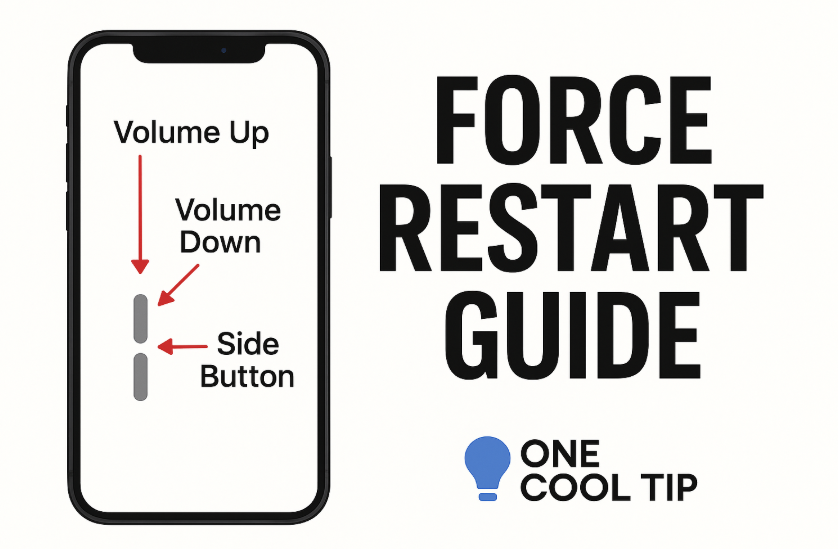
ALT Force iPhone Android Restart
2
2
86

10 Feb 2024
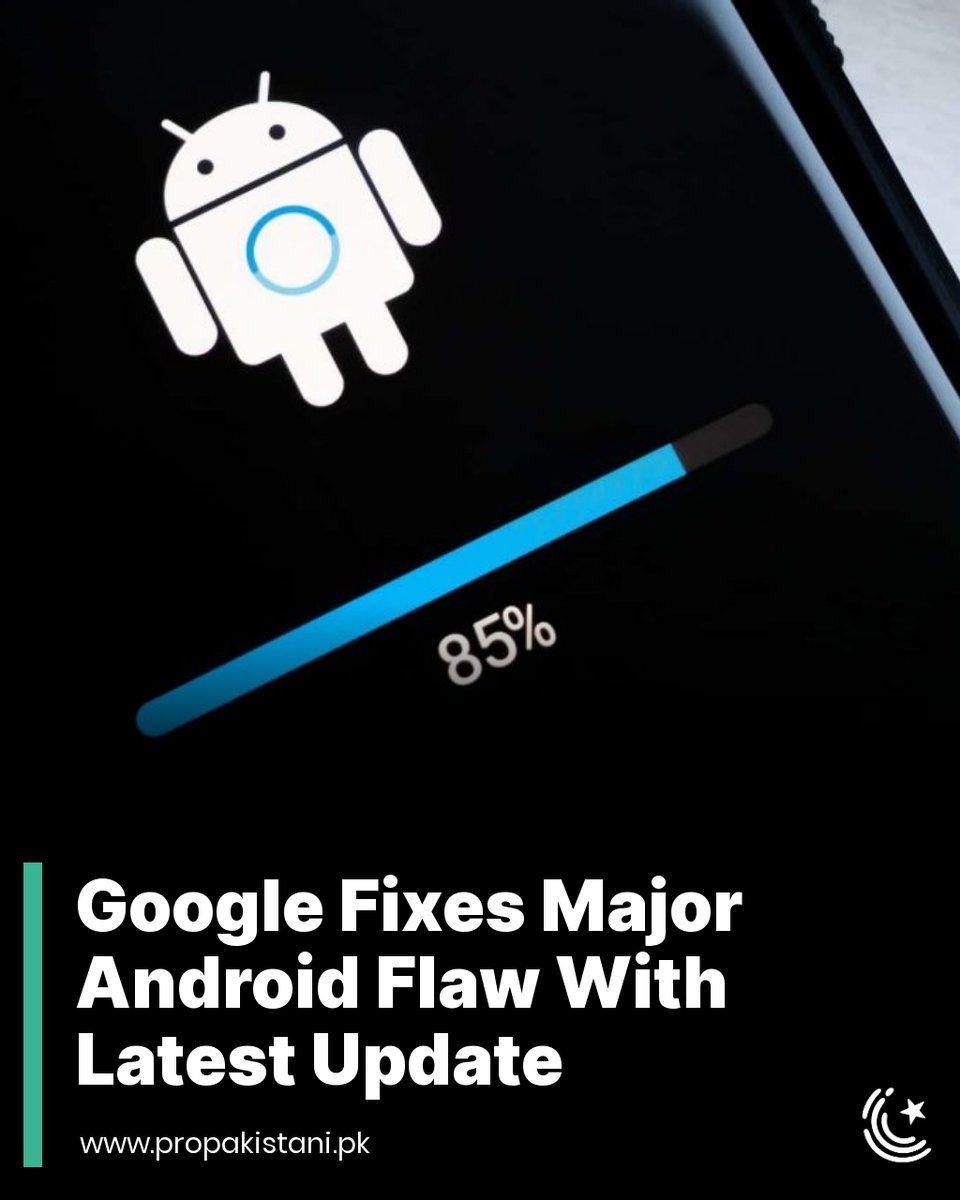
The problematic Android update released in January was described as "multiple apps crashing, screenshots not saving, and external storage working inconsistently."
Read More: propakistani.pk/2024/02/10/g…
#Google #Android #AndroidUpdate #JanuaryUpdateFix #UpdateFix #AndroidFix
2
643

23 Mar 2023
1
4
334

22 Mar 2021
If Gmail and Chrome are crashing etc on Android systems including Samsung... Uninstall Android System Webviewer from app store. If it's currently installing, go to apps/settings force stop it, disable it and go back to playstore to Uninstall. #gmailcrashing #gmail #androidfix
2
4

27 Aug 2017
I would love too! Digits is so cool, shoot me a DM so we can chat! t-mo.co/2nxZNZ4 *JamiePitcher
3 May 2016
@AndroidFix @JohnLegere Hey Jack, I can help with anything you need. What's going on? DM me. *TylerD

Android Marshmallow 6.0 Workaround for DIVI UP app: youtu.be/RXLMRkBaTjI #gooeymarshmallows #androidfix #get2give
1

5 Jan 2016
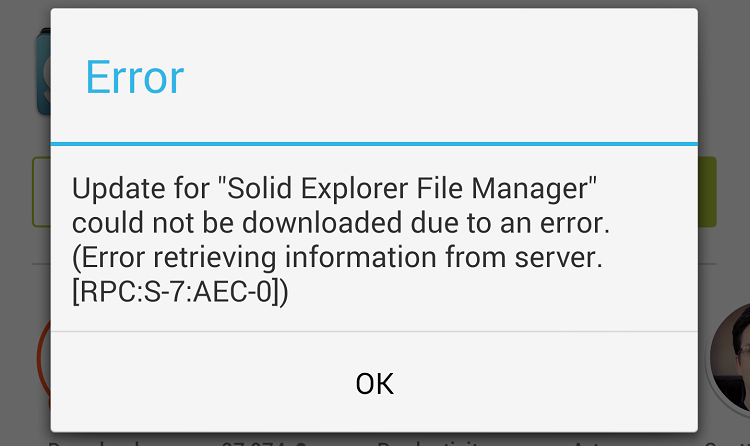
#GooglePlayError [RPC:S-7:AEC-0] How to solve it Guide and Fix
bit.ly/1PJWVza
#AndroidError #AndroidFix
1