
Jun 6
Very interesting - it might be some funky network issue. Typically it's as quick as booting up, going to umbrel.local and you're good. Have you tried that url instead of the IP?
If that doesn't work, have you tried AngryIP scanner or Lanscan as apps to scan your network?
One possible issue is that sometimes if you've got a different device for Wi-Fi than your Internet company gave you, the Wi-Fi and the hard wired Internet could be on a different network effectively (or what's known as a different subnet).
I previously had this issue when trying to interact between hardwired and Wi-Fi connected devices at home. It took me down a bit of a rabbit hole, so hopefully that's not the case.
1
33

28 Jul 2025
I got a good one.
In 2018 SWIM learned about a RCE in an obscure 3rd party Windows domain management system (ADManager Plus by ManageEngine). SWIM was curious so he used AngryIP to randomly scan for open default management ports. SWIM was surprised when literally the first box he ran the Metasploit ruby poc on worked. Exploit creats normal user account on any Windows host running the web server in trial mode. SWIM creates fresh Kali in Tails, purchases a VPS, and uses private SOCKS5 on browser - runs DNSleak check just to be safe. SWIM isn't planning to do anything nefarious but still wants opsec to be prime.
Mfw swim priv escalates that normal local user account to domain admin account via mimikatz and poorly protected IOT devices. Mfw SWIM finds out this company is the largest manufacturer in Bangladesh and 2 months later has gained admin access to their ENTIRE network.
MFW SWIM LATERALLY ESCALATES FROM THAT COMPANY TO THEIR ISP AND OVER THE COURSE OF 4 YEARS GAINS COMPLETE UNFETTERED ACCESS TO THE ENTIRE BANGLADESHI BACKBONE INCLUDING THE NAVY AND ARMY.
SWIM was just a fly on the wall and never exfiltrated, ransomed, or anything nefarious. SWIM never made any money out of this experience. He did it just to see how far he could go and man. It was far.
5
2
60
4,445

14 Jul 2025
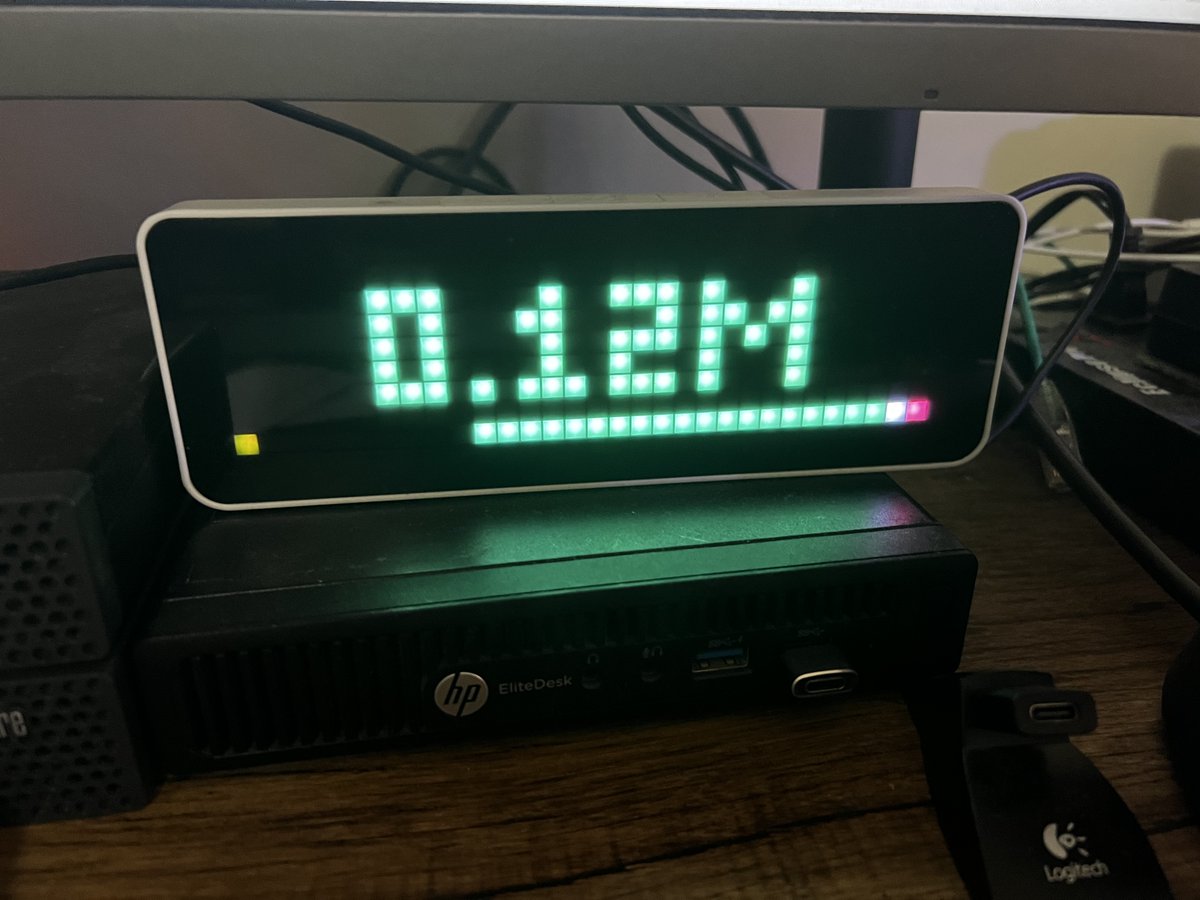
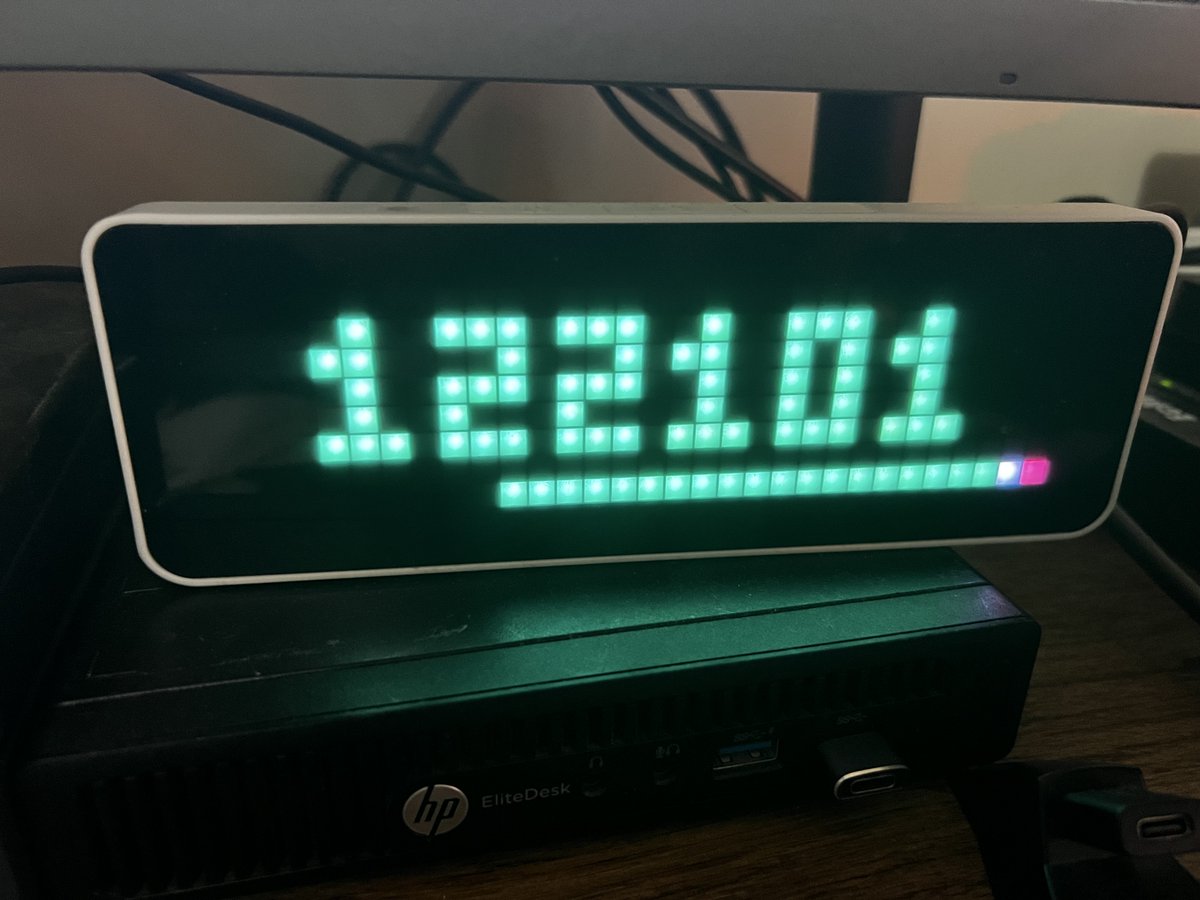
Want a #Bitcoin programmable clock that does more than 6 digits & can also display @Excellion notation for under $60?
You need an Ulanzi TC001 Smart Pixel Clock. I found mine cheapest on AliExpress but you can also get them from Amazon or directly from ulanzi.com
I got mine for only $40 USD shipped. How to install this? Here's a quick guide: 👇
Step 1: Awtrix Opensource Firmware (flash the TC001) blueforcer.github.io/awtrix3… Use the USB cable & plug the clock into your computer. Turn on the clock then flash & erase it. Once flashed, connect to the device to configure the WiFi to your network.
Step 2: Once restarted, browse to your device IP (use AngryIP scanner to find it) in your browser & change your IP to a static IP.
Step 3: Add the Bitcoin icons: Browse to your static IP & upload these icons into your ICONS folder github.com/fti7/awtrix_bitco…
Step 4: Install Node-RED in a VM or @umbrel
If you have #proxmox, use the @TProxmox helper scripts to download the LXC. community-scripts.github.io/…
In @umbrel install Node-RED Once Node-Red is running, Right Burger Menu -> Manage Palette -> install: node-red-contrib-throttle)
Step 5: Node-RED Bitcoin flow by @icegeist
gist.github.com/fti7/f96a434…
Step 6: Double click on the "http request" block & point the URL to your static IP Ulanzi
Step 7: Click Deploy to deploy your Bitcoin flow & you're live!
NOTE: You can change between running using @Excellion Million Notation or 6 digit pricing by changing on line in the "Bitcoin APP" in flow. Look for "let btc_m_notation = false" if you want 6 digit prices or True if you want million notation.
FYI - I created two different flows, one using digits & the second flow using million notation. This way both are displayed one after each other.
3
8
69
8,719

8 Jan 2025
What are security assessments?
Security assessment refers to the process of analyzing a system or network in order to identify vulnerabilities and other weaknesses. It’s an important part of Information Systems Management that can help you understand and mitigate risk.
Security assessments are the process of examining a system or network to determine its security posture. A security assessment can range from a simple audit of your Organization’s IT infrastructure to a multi-month, custom-tailored project that addresses every area of risk in your Organization.
Security assessments are used to identify and classify security risks by analyzing the current state of your network, applications, operating system software and hardware configuration as well as data sensitivity. The goal is to put together an actionable plan for mitigating those risks based on your budget, resources and timeline.
A security assessment involves three main steps: vulnerability detection, vulnerability remediation or mitigation, and validation. First you need to find any potential holes in your system; then fix them; finally verify that everything works properly again before moving on to the next phase of action plan implementation.
Different Types of Security Tests.
A security assessment is the process of evaluating your business, its processes and infrastructure to identify any gaps in your security. There are many ways to carry out a security assessment; here are some of the most common types:
- Penetration testing
- Network scanning
- Vulnerability Assessments
- Threat Modeling
- Infrastructure Security Testing.
- Application Security Testing.
Penetration Testing:
Penetration testing is a type of security test that is used to assess the security of an Organization by simulating an attack on the network. Penetration testing, or ethical hacking, attempts to identify weaknesses in the systems and processes used by an Organization. The goal is not to cause damage but rather to highlight potential vulnerabilities so that they can be addressed before real-world attacks occur.
Penetration tests typically involve following a specific methodology which includes reconnaissance, scanning and enumeration followed by exploitation and maintaining access until all objectives are met. Penetration tests will often use tools such as port scanners (such as nmap or AngryIP), vulnerability scanners (such as OpenVAS or Nessus) and web application security scanners (such as BurpSuite) during their execution. However these are not always necessary depending on what task needs to be performed during a penetration test.
Network Scanning:
Network scanning is the process of finding out what devices are on a network. This can be done through a number of methods, including port scans and vulnerability scans.
The goal of network scanning is to help you identify vulnerabilities in your network so that you can patch them before an attacker exploits them. For example, if someone has left their wireless router unsecured and set up with an easily guessable password (like “password”), this would be an easy way for someone to get onto their Local Area Network (LAN) and steal information from other computers on it without even being near them physically.
Vulnerability Assessment:
Vulnerability assessment is the process of identifying weaknesses in a system or network. It involves testing the security of an asset by analyzing its configuration, design and settings. Vulnerability assessments may be performed manually or automatically. Automated vulnerability assessment tools can look at dozens or even hundreds of vulnerabilities at once, making it possible to identify flaws that would take hours to find manually.
The goal of vulnerability assessment is to identify security problems before they become serious issues (e.g., before they compromise data integrity). If a vulnerability has already been exploited by someone outside your Organization but you have not yet discovered it, your data might already be compromised! Vulnerability assessments are critical for ensuring that you have adequate protection against threats before they occur—and not just after the fact.
Threat Modeling:
Threat modeling is a process to identify, analyze, and document the security threats for an application. It helps to identify the most important threats to an application as well as the most important vulnerabilities in an application.
Threat modeling can be done with multiple levels of detail. At a high level, you need only know that you have three different types of threats:
Attackers who can actively attack your applications directly by exploiting bugs or misconfigurations (these are called “exploit” or “attack” types of threats).
Users who may accidentally trigger bad behavior within your applications (these are called “human error” type of threats).
Malware that targets your computers or networks so they can be used by attackers (this is called a “malware” type of threat).
Infrastructure Security Testing:
Infrastructure security testing is a category of penetration testing that focuses on the infrastructure that supports your Organization’s Information Systems, as opposed to the applications themselves. This type of test can detect vulnerabilities in your network and data center design or weaknesses in the physical security of your facility, including:
Unmonitored devices such as wireless access points, video surveillance cameras and unsecured firewalls and routers.
Weak or nonexistent password policies for administrative accounts and physical access control badges.
Inadequate patching regimes for software updates (such as operating system fixes) or antivirus definitions files that protect against new threats.
Application Security Testing:
Application security testing involves the process of identifying vulnerabilities in software applications. It is used to verify whether the application is secure and can be trusted. Application security testing can be used to find out if there are any backdoors or other parts of the code that can be manipulated by unauthorized users, hackers, etc.
This type of software testing focuses on identifying areas where there might be a threat to your personal data or information stored within an application, such as passwords and credit card numbers.
How do I prepare for a security assessment?
So you’ve been tasked with preparing for a security assessment, but you’re not sure where to begin. Don’t worry—we’ve got you covered. You should have a plan before you meet with the auditor. Think about what you want to accomplish during the assessment and have a list of questions ready. This will help keep your meeting focused on what matters most.
First, make sure that the assessment is actually needed. The first step to preparing for a security assessment is to make sure it’s actually needed. It may seem obvious, but sometimes IT departments are so busy that they don’t realize they need an assessment until they’re already in the thick of it.
Next, identify your team members’ strengths and weaknesses. You’ll want everyone on board for this process, so make sure everyone knows what their role is going to be and how they can contribute best. Once you’ve identified your team members’ strengths and weaknesses, it’s time for some training!
Finally, get ready for any questions or concerns from upper management or regulators. They may have questions about the process or concerns about how the report will impact their business—so be prepared!
Why is cyber security assessment important?
The goal of security assessment is to help Organizations develop strategies that reduce their exposure to threats, prevent data breaches, and ensure compliance with regulations like GDPR (the European Union’s General Data Protection Regulation). The process should be conducted regularly so that any problems can be identified early on before they become bigger issues.
Security assessment is essential for any Organization that wants to protect its data and remain compliant. It’s a comprehensive process designed to identify security vulnerabilities, provide recommendations and help you implement the right controls. Security assessments are also useful when you want to evaluate your existing security program, or when there’s been a breach in your company’s infrastructure.
Security assessments are necessary because the internet is a dangerous place. Attacks on websites are common; malicious hackers break into systems looking for ways to steal money or sensitive data, while criminals use internet scams (phishing) to trick people into giving up their login credentials and other personal information.
If you want your business or Organization to avoid becoming one of these statistics—or if you want your existing defenses improved so that they’re stronger against threats—you’ll need an expert security assessment performed regularly by someone who knows what they’re doing.
In summary, security assessments are important because:
- It helps you understand the risks to your business.
- It helps you identify security risks and vulnerabilities.
- It helps you understand how well your security controls are working.
- It can help you identify any gaps in your security controls.
- It helps you find ways to improve your security and as a result, it will help you reduce the risk of cyber attacks.
- It can help you prioritize security investments.
- It provides a baseline for measuring your security performance.
Conclusion
Security assessment is a key part of any cyber security strategy. It can help you identify weaknesses in your Organization’s defenses and take steps to improve them. In this post, we’ve outlined what security assessment is, how it works and why it’s important for every Organization that wants to protect itself against attack.
Neumetric offers extensive Vulnerability Assessment and Penetration Testing [VAPT] Services for many different types of assets such as Web Application, Mobile App, Cloud VAPT, etc. Click here to know more about our VAPT Services. We also offer a feature-packed SaaS Application called Auditor that allows you to conduct Security Assessments with ease and make you compliant with the cyber security standards and laws that are applicable to your Organization.

1
7
14
6,540
7 Dec 2024
You need an Ulanzi TC001 Smart Pixel Clock
I found mine cheapest on AliExpress but you can also get them from Amazon or directly from ulanzi.com
I got mine for only $40 USD shipped.
How to install this? Here's a quick guide: 👇
Step 1: Awtrix Opensource Firmware (flash the TC001) blueforcer.github.io/awtrix3…
Use the USB cable & plug the clock into your computer. Turn on the clock then flash & erase it. Once flashed, connect to the device to configure the WiFi to your network.
Step 2: Once restarted, browse to your device IP (use AngryIP scanner to find it) in your browser & change your IP to a static IP.
Step 3: Add the Bitcoin icons: Browse to your static IP & upload these icons into your ICONS folder github.com/fti7/awtrix_bitco…
Step 4: Install Node-RED in a VM or umbrel If you have proxmox, use the @TProxmox Helper scripts to download the LXC.
community-scripts.github.io/…
In @umbrel install Node-RED Once Node-Red is running, Right Burger Menu -> Manage Palette -> install: node-red-contrib-throttle)
Step 5: Node-RED Bitcoin flow by @icegeist
gist.github.com/fti7/f96a434…
Step 6: Double click on the "http request" block & point the URL to your static IP Ulanzi
Step 7: Click Deploy to deploy your Bitcoin flow & you're live! NOTE: You can change between running using @Excellion Million Notation or 6 digit pricing by changing on line in the "Bitcoin APP" in flow. Look for "let btc_m_notation = false" if you want 6 digit prices or True if you want million notation.
1
2
207
25 Nov 2024
How to install this? Here's a quick guide: 👇
Step 1: Awtrix Opensource Firmware (flash the TC001)
blueforcer.github.io/awtrix3…
Use the USB cable & plug the clock into your computer. Turn on the clock then flash & erase it. Once flashed, connect to the device to configure the WiFi to your network. Then once restarted, browse to your device IP (use AngryIP scanner to find it) in your browser & change your IP to a static IP.
Step 3: Add the Bitcoin icons:
Browse to your static IP & upload these icons into your ICONS folder
github.com/fti7/awtrix_bitco…
Step 4:
Install Node-RED in a VM or umbrel
If you have proxmox, use the Proxmox Helper scripts to download the LXC. In Umbrel, install Node-RED
Once Node-Red is running, Right Burger Menu -> Manage Palette -> install: node-red-contrib-throttle)
Step 5:
Node-RED Bitcoin flow by @icegeist
gist.github.com/fti7/f96a434…
Step 6:
Double click on the "http request" block & point the URL to your static IP Ulanzi
Step 7:
Click Deploy to deploy your Bitcoin flow & you're live!
NOTE: You can change between running using @Excellion's Million Notation or 6 digit pricing by changing on line in the "Bitcoin APP" in flow. Look for "let btc_m_notation = false" if you want 6 digit prices or True if you want million notation.
1
1
3
741

25 Sep 2024
Descubre cómo usar Angry IP para escanear redes, detectar máquinas conectadas y ver puertos abiertos. Fácil y gratuito. #Redes #Seguridad #IPScanner #EscaneoIP #PuertosAbiertos #AngryIP
ccnadesdecero.es/angry-ip-es…
1
10
372

18 Oct 2023
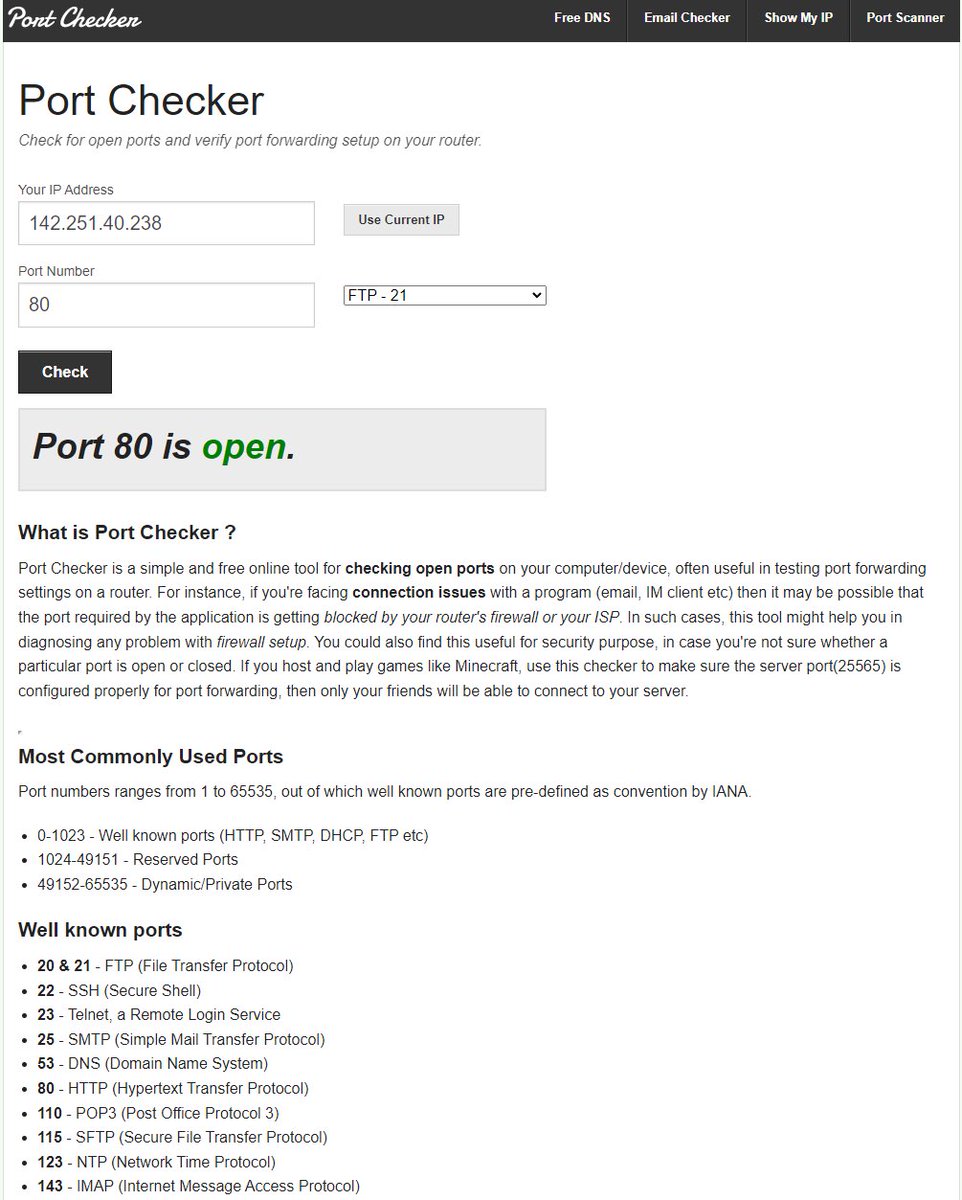
If you don’t want to use Nmap or Angryip.
If you want to find out which ports are open on an IP address,
Try portchecker.co for easily checking open ports online.
#bugbountytips #infosecurity #appsec #bugbountytip #bugbounty #CyberSecurity
1
385

17 Oct 2023
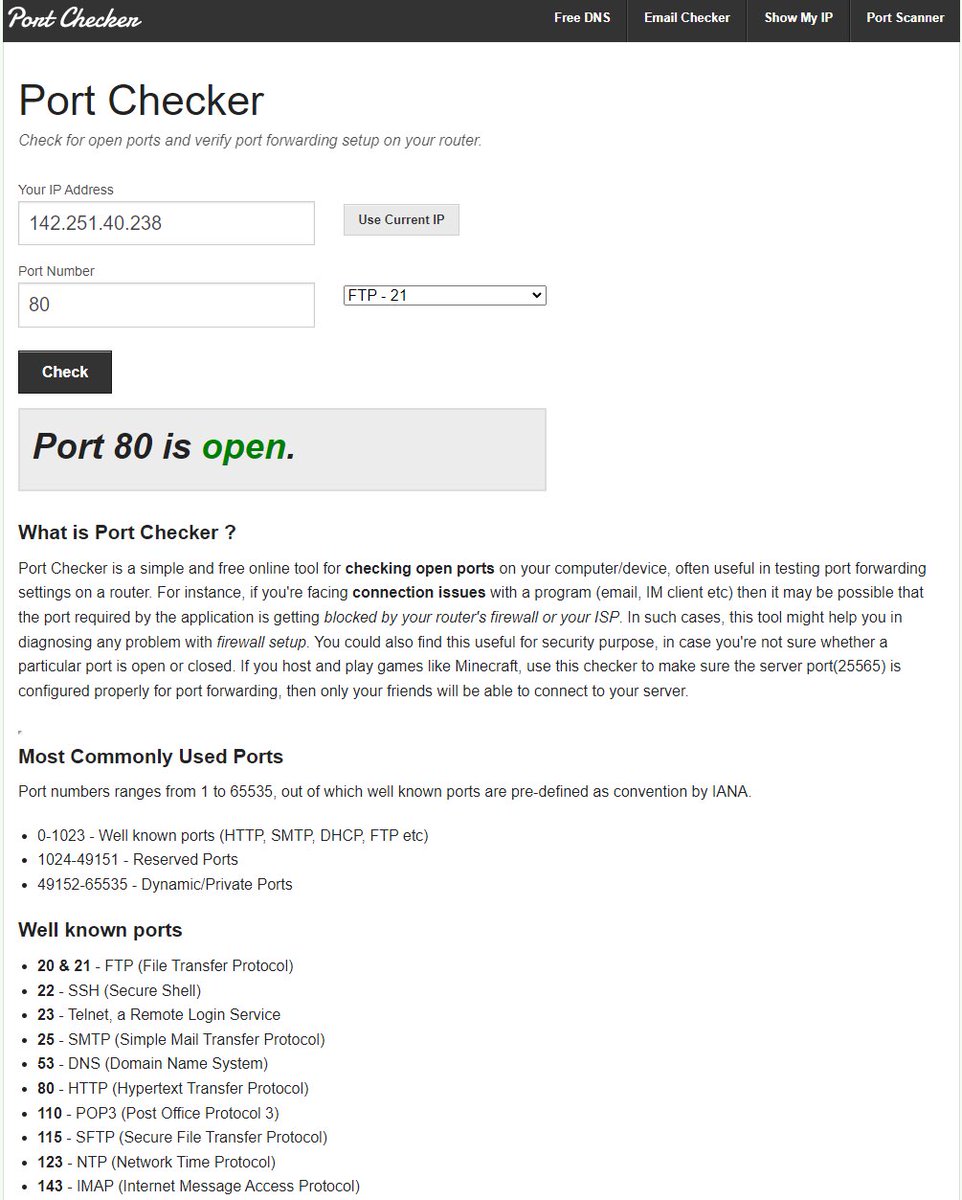
If you don’t want to use Nmap or Angryip.
If you want to find out which ports are open on an IP address,
Try portchecker.co for easily checking open ports online.
3
68
205
15,450

24 Aug 2023
Ok so if you found a Citrix host that has angryIP on it say 256Gb ram host? Just trying to frame this so people reading get the nuance
1
76

20 May 2023
"just log into your router"
"download AngryIP scanner"
"just SSH into this..."
Marlin has the benefit and wisdom of age and it realy is plug and play
20 May 2023

I use Klipper on almost every machine that I run, but my use cases & wants are different than an average user. Wifi connectivity SOUNDS like what most folks want, but teaching some to find an IP address alone is an uphill battle.
1
2
674

26 Apr 2023
أداة AngryIp هي أداة عملية لاسترداد عناوين IP لجميع أجهزة الكمبيوتر المتصلة بشبكة معينة.
شرح للأداة ⬇️:
youtu.be/tsVnFeFgG5M

23 Apr 2023

يُسرنا أن نعلن عن دورتنا في اليوتيوب عن الأدوات المُستخدمة في القرصنة الاخلاقية 🥷🏼
تُسعدنا متابعتكم للقناة!😍
رابط القناة : youtube.com/@CyberSecurityCl…

2
4
2,531


The easiest way to determine a #ransomware attack is to scan the network.
Question admin staff if a network scanner, such as AngryIP or Advanced Port Scanner, is detected. If no one cops to using the scanner, it is time to investigate. 🔍
Learn more: news.sophos.com/en-us/2020/0…
2
1
8
1,455


AngryIP is free works great think it may be Open source too🤔
Also bitmain has one free on their site the downloads section under "tools" im pretty sure. Just DL launch, run, and hit IPreport on asic and BLAMO💥 there she blows🐳🤣
1
3

21 Sep 2022
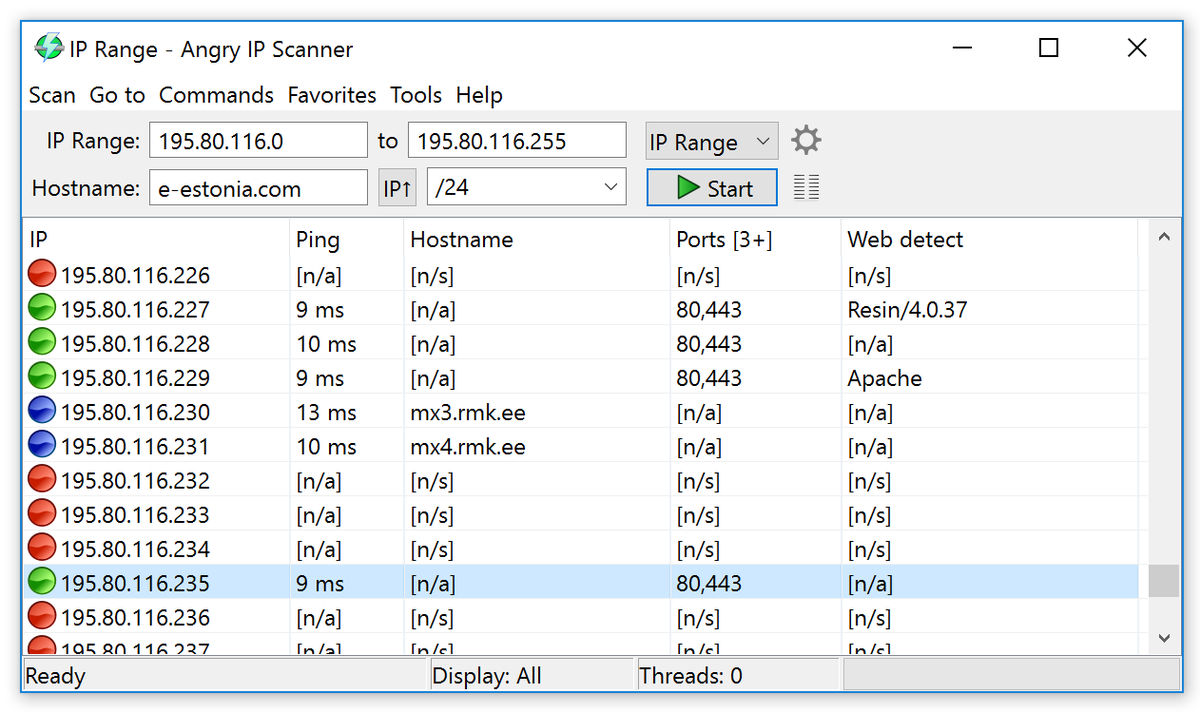
That's just AngryIP Scanner, either you called your computer the Fashbasher 3000 or put that in yourself to look cool?
24 Aug 2022

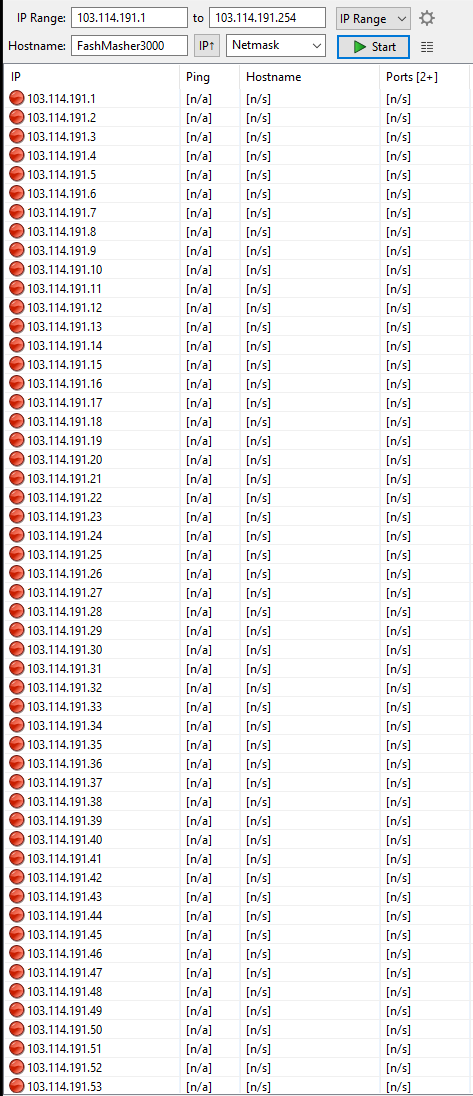
Meanwhile the entire ip range of the Kiwifarms host 1776 Hosting is still offline (ps Fashmasher3000 is just a joke, its an ip scanner app).
5
5
69

18 Aug 2022
Tray to scan this using angryIP 167.88.50.1-255 you will find his router and hikvision camera.
2
If a network scanner, such as AngryIP or Advanced Port Scanner, is detected, question admin staff.
If no one cops to using the scanner, it is time to investigate. 🔍
Learn more: news.sophos.com/en-us/2020/0…
1
4

17 May 2021
Update: Going to the url ubrel.local still does not work, but downloading AngryIP, I was able to find the local IP address of my node.

1
1